
Quick verdict
- What it is
- Store information collected; an Apoku editorial summary is not yet published.
- At a glance
-
- Free to download
- In-app purchases
Categories and search queries
Official categories
- Productivity
- Business
Apoku categories
Key functions
| Function | Availability | Access | Scope | Evidence |
|---|---|---|---|---|
| Free app | Yes | Free | Context-specific | Store published |
| In-app purchases | Yes | Limited free | Context-specific | Store published |
| Family Sharing | Unknown | Unknown | Scope unknown | Store published |
Screens
App Store
24 store screenshots
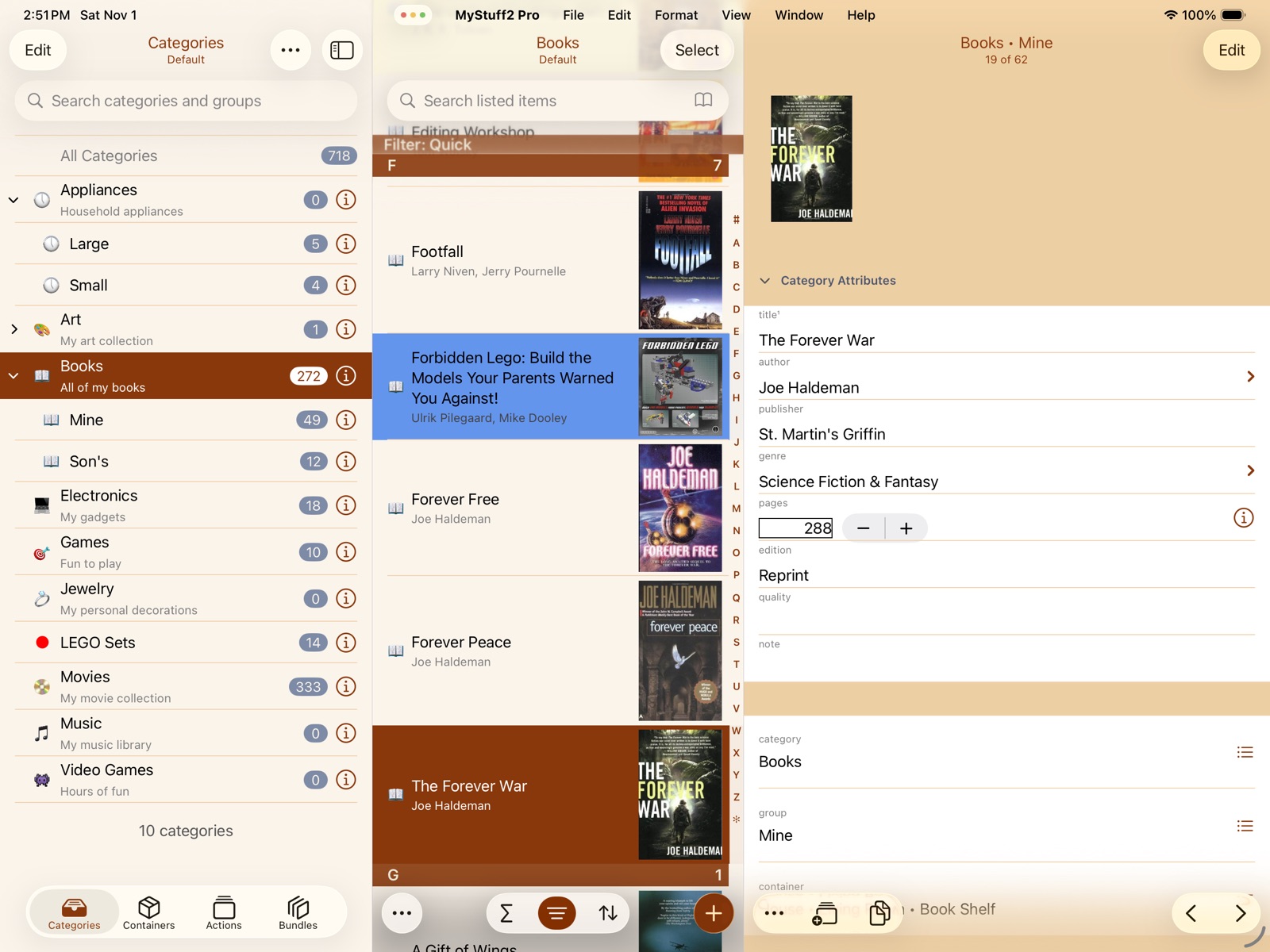
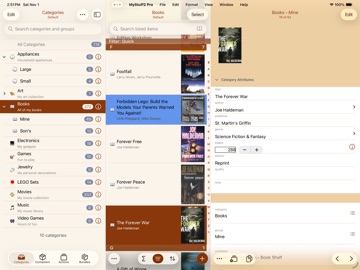
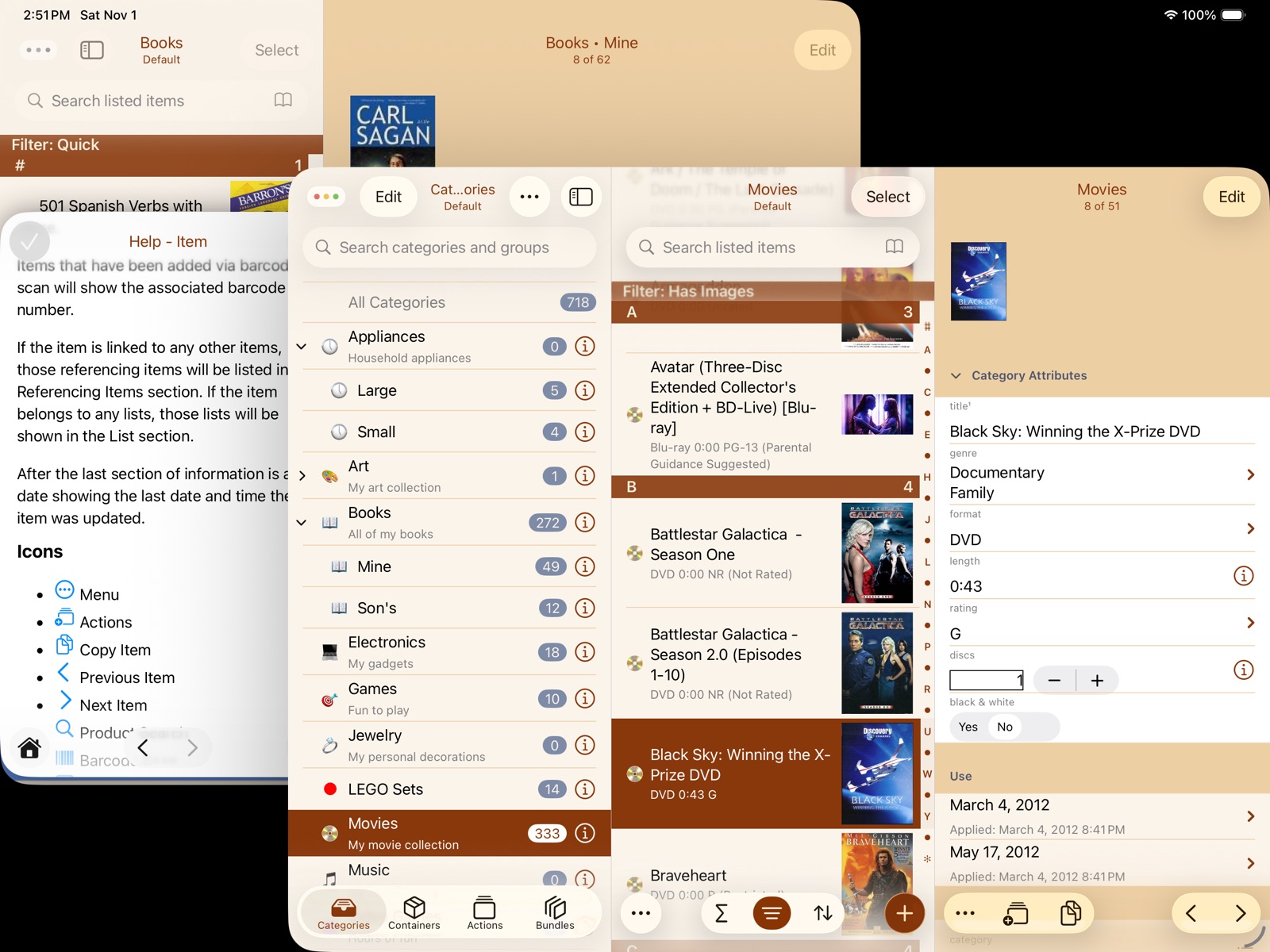
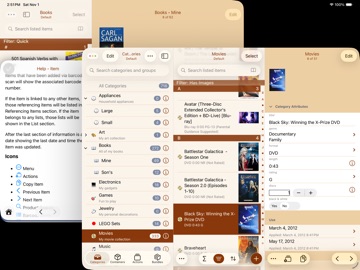
Pricing & paywalls
App Store
Shown for US
- Custom Color Schemes
- Donation Level 1
- Donation Level 10
- Donation Level 5
- Import/Export Spreadsheets
- Multiple Databases
- Pro Features
- Remove Branding
- Unrestricted Items
Ratings & reviews
App Store
Shown for US
-
5/5Product Search Is Back, Thank You
I'm so, so, so grateful that you brought product search back to this amazing application. This really is the very best cataloguing app in my opinion, there's pretty much no limits on what you can use it for with its vast customization options. I always could tell how much love and dedication this developer put into this program and you just won't find a more powerful or valuable app for keeping a database of anything on the App Store I don't believe. But, when the product search had to go away for a while, well I was so upset and really didn't use the app as much because barcode searching has never worked all that well for me. But, now that it's back, well, I just can't thank you enough, I'm so very grateful for you doing that. It really brings MyStuff2 Pro back to perfection in my opinion. If you need an app to catalog any type of collection or create any type of database, this is the end all be all of that type on iOS I think. I am so glad that I can recommend this amazing program again. Thanks for the continued support of this app, not being greedy and ruining the app with a sleazy subscription, and most especially for bringing product search back. God bless and thank you again 👏🏻👍🏻😁.
Joshua D. · 7 Aug 2026
-
5/5Unequalled app with great, long-term support
This is a surprisingly useful and flexible database application that I've been happily using for years. It's been receiving updates the entire time with substantial enhancements along the way. Concerned that it hadn't been updated in the past 5 months, I contacted the developer in April 2020 and received an immediate response that although he's not working on new features, he will make sure it is working and address any issues that arise. Considering that "abandonware" is not unusual here on the App Store, that's a remarkable response that I don't take for granted yet appreciate immensely. Taking full advantage of MyStuff's functional richness may necessitate some tinkering and learning, but the possibilities are almost deceptively endless. I maintain databases inventorying various collections, a bibliographic database, amateur radio resources, and photographic equipment. These have pictures and links to information on the web related to each item as well as cross-links between database items (e.g. items to their documentation). I can no longer get backups to work directly to Dropbox (I recall there was an issue with the Dropbox API a while back), but it's not much trouble going to iCloud and then moving it to Dropbox on my Mac.
rdj999 · 7 Aug 2026
-
1/5Wasted money and, most of all, wasted time. Disrespectful developer
I bought this a year ago, roughly, after I tested the free version and asked the developer several questions about it. He answered the questions very promptly while I was still shopping. Then I bought it and I started using it. I spent days creating the containers, taking pictures of the items and containers, etc. Than I noticed that the database was not really syncing between the iPhone and iPad. I messaged the developer from within the app. But I continued to spend days working with the app, thinking that, if I use only my iPhone to log the items in, I should still be ok until I sort the sync issue out with the developer. Now, that I bought it, it took threats that I am going to post a negative review to get the guy to answer, at about the rate of one answer per five messages. I have about 900 items in the database and a lot of containers. Each should have between one and five pictures. Now the pictures have disappeared in about 90% of the items. So I can't find what I'm looking in the app anymore. BUY THIS ONLY IF YOU HAVE WEEKS AND MONTHS WHEN YOU HAVE NOTHING BETTER TO DO THAN WORK WITH AN APP THAT WILL GIVE YOU THE ILLUSION OF ORGANIZATION WHILE, IN EFFECT, BEING WORSE THAN throwing all of your stuff in a big hole in the ground.
_Rad_C · 7 Aug 2026
-
1/5Most non user friendly app EVER
Ive repeatedly tried to use his app. 1. The only categories that auto fill an item Name or Title, are the categories the app came with. 2. Everytime you open the app, check for updates EVERY TIME. If you try to scan an item in, the barcode search spin won’t stop and the cancel button wont work. 3. I dont want the Value taking up space when A category doesnt need it. There are more, but basically, what should be simple helpful app needs a text book of instructions. I wish I could scan an item, and whatever info is gathered, appears. At a minimum the item name should appear. Fire your coder and take a fresh look at the flow as if you've never used it. Or watch someone unfamiliar with this app or similar ones try and use it, then simplify and/or make a learning tool that shows how to build a category (I saw one video but it only manipulated what was there already) that allows users to scan a barcode and have the item name auto fill at the veryleast. What good is scanning in a barcode if only the barcode number fills in?! I do a lot of diy, and I live in “hurricane land” so I NEED this app to work!!! Take a Fresh Look please.
Renattam · 7 Aug 2026
-
2/5Exporting is a Nightmare
It took me seven months of periodically attempting to export my data to finally succeed. I would try periodically, got exasperated after an hour of long waits followed by error messages, and gave up for a while before trying again. I reached out to the developer when I first ran into issues, and he responded with things to try, but then tried to pin blame on Apple if none of his ideas worked (they didn’t). Today the stars aligned and I got a zip file to transfer off of my phone. It took about 40 minutes of attempts. Why did I keep trying? Because I foolishly spent three weeks doing a thorough home inventory and despaired at the idea of all that effort being wasted. Still, I should have given up long ago and will likely look for a new solution for the future. If I didn’t mind having my inventory exclusively on my phone (not particularly useful if I actually need to make a claim—or my phone is part of a loss) then I think this was a good app (4 stars of the export function worked reasonably well).
_CLL_ · 7 Aug 2026
Privacy & accessibility
App Store
Privacy
- Data Not Collected Developer declared
Accessibility
No accessibility labels collected yet.
Versions
App Store
-
10.0
• Updated to support iOS 26. • Now requires iOS 17 or later. Changes specific to iPad under iOS 26 • Support all of the new windowing/multitasking features. • The "File" menu contains the old "Tools -> Data Transfer" actions. • The "Format" menu contains the old "Tools -> Color Scheme" action. • The "View" menu contains the old "Tools -> Lookup Lists" and "Tools -> Passcode Lock" actions. • The "View" menu contains the old "Tools -> Settings -> Current Database" action. • The "Help" menu contains the old "Tools -> Support", "Tools -> Privacy Settings", and help-related Tools actions. • Access to all other actions found on the old "Tools" screen has been moved to the new "MyStuff2 Pro|Tools" menu. • The "Show Three Columns" feature option has been removed. You can switch between two and three columns by showing/hiding the sidebar. • The widths of the three columns can now be sized by dragging the divider between the columns. • The new "File|Open Recent" menu creates a new window for the selected database. • The new "File|Select Database" menu changes the database for the current window. • Note fields enable two menus: • Edit | Paste and Match Style - Like "Paste" but it ensures the pasted text has the same text color and font. • Format | Font | Monochrome - Resets any colors in the selected text to match the default color. Changes for iPhone (iOS 17,18,26) and iPad (iPadOS 17,18) • The "Tools" icon has been replaced with the "Main menu" icon which now displays a menu. • The new "Main|Select Database" menu makes it easier to switch between databases. • The new "Main|Data Transfer" menu contains the old "Tools -> Data Transfer" actions. • The new "Main|Color Scheme" menu contains the old "Tools -> Color Scheme" action. • The new "Main|View" menu contains the old "Tools -> Lookup Lists" and "Tools -> Passcode Lock" actions. • The new "Main|View" menu contains the old "Tools -> Settings -> Current Database" action. • The new "Main|Help" menu contains the old "Tools -> Support", "Tools -> Privacy Settings", and help-related Tools actions. • Access to all other actions found on the old "Tools" screen has been moved to the new "Main|Tools" menu. • Note fields now have two new context menus: • "Paste and Match Style" - Like "Paste" but it ensures the pasted text has the same text color and font. • Format | Monochrome - Resets any colors in the selected text to match the default color. Changes for all devices, all OS versions • Added new filters and conditional colors based on the number of values entered for multi-select lookup list or item link based attributes. • When performing a bulk selection and the item list search bar mode of Barcode is selected, then scanning barcodes automatically selects matching items and leaves the scanner in place allowing for easy selection of several items via barcode scan. • Selecting a database on the Databases settings tab does not choose a new database. It just selects the default database. To select a database, use the new "File|Select Database" menu (iPadOS 26) or the new "Main Menu|Select Database" menu (all others). • You can now add a new item while viewing an item list for an action. • Added the ability to sort by an item's top-level container (effectively the same as the old item location sort). • Dropped support for setting up access to FTP servers. Please setup access through the Files app. Then imports and exports using the Files option give you access to any connected servers. Bug Fixes • Fixed missing voice memo when copying an item that has a voice memo. • Fixed a few minor formula entry issues. • Ensure a consistent use of the different fonts specified in the selected color scheme. • Improved support for larger Text Size settings. • Resolved a few minor user interface issues.
-
10.0.1
Changes - iPad with iPadOS 26 • Added back the main menu icon Changes - All • Merged the Categories, Containers, and Bundles menu into the main menu. • Restored ability to add pictures under an item's attachments. Bug Fixes - iOS/iPadOS 26 • Fixed issue making it difficult to tap on All Categories or All Containers. • Fixed some possible user interface issues when editing a formula. Bug Fixes - All • Fixed a few minor user interface issues when choosing a location from a map. • Fixed an issue with Main Menu | View | Database Options -> Toggle Labels.
-
10.0.2
Changes • Minor improvements to importing files via Wi-Fi. Bug Fixes • (iPhone-only) Restored the ability to navigate back to the previous screen by swiping from the edge of the screen. • Fixed a few minor user interface issues.
-
10.0.3
Bug Fixes • Fixed ability to import lookup choices via CSV files. • Fixed some possible stability issues. • Fixed a few minor user interface issues.
-
10.1
Changes • Added support for a Timestamp attribute type. • Added several new filters based on item references. • You can now select and export multiple pictures at once. • While viewing an item you can quickly filter the current item list based on any of the item's values. • Selecting an expanded category shows just the category items. Selecting a collapsed category shows category and group items. Bug Fixes • Updated the database backup feature to avoid a rare but possibly corrupt backup. • Fixed some possible issues with date and time values when exporting data in Excel or Open Document format. • Fixed a problem with the "is all of" and "is not all of" filters. • Fixed a few minor user interface issues.
-
10.1.1
Changes • Added more filter options from an item's values. Bug Fixes • Ensure pictures get added in the same order as they were selected. • Fixed the position of the formula bar when editing a calculated attribute under iOS 26.2. • Fixed crash caused by an item reference filter using an attribute argument. • Fixed a possible user interface issue on iPads when returning from the background.
-
10.1.2
Bug Fixes • Fixed much of the possible "flashing" of an item list when syncing a lot of data. • Fixed ability to access a category's passcode settings once a passcode has been set on the category. • Fixed issues syncing Timestamp values between devices. Existing values may need to be entered again. • Fixed a few issues related to sorting item lists by Timestamp values. • When a category is copied via "Copy Items to Other Database", its filters and sorts are now included. • Fixed display of item summary for PDF reports in List format. • Fixed some possible issues restoring really large backup files. • Updated the "Dark" color scheme to truly be a dark color scheme. • Fixed a possible user interface issue on iPads when dismissing a photo viewer. • Fixed a few minor user interface issues.
-
10.2
MyStuff2 Pro (iOS) Version 10.2 from 10.1.2 Changes • Action Phases can now include Calculated attributes. • Added ability to bulk delete pictures from the thumbnail viewer. • Added ability to delete a picture from the picture browser. • Added ability to change the sort order of referencing items. • Contact attributes can now be sorted by full name. • Added the DISPLAY function for including the formatted value of an attribute in a Text formula. • Added Barcode scope button to the Containers search bar. • On supported devices, you can now scan an NFC tag for most search fields. • Changed how sorting by the year or month of Date or Timestamp attributes works. This provides more flexibility but may require some existing sorts to be updated to get back previous results. Bug Fixes • Fixed some possible issues with filters and conditional colors comparing a Date attribute to "today". • Fixed possible formatting issues when exporting some Decimal values to a spreadsheet. • Prevent ability to edit pictures of read-only items. • Prevent ability to change the items associated with a bundle marked as read-only. • Fixed ability to use alternate Count entry when adding a new item. • Fixed difficulty setting date values for filters based on Date attributes using an Age format. • Fixed display of some possibly missing item actions.
-
10.2.1
· 14 May 2026
Bug Fixes • Fixed possible issue with a sort value being repeated in some cases. • Fixed incorrect display of "[No Value]" for sort values when sorting an action's item list. • Fixed possible incorrect sort value display when sorting an action's item list and an item's action values are edited. • Fixed possible issue sorting referencing items.
-
9.0.1
Changes in 9.0.1: Changes • Added a "Paste and Match Style" edit menu for note values. Bug Fixes • Fixed ability to view a summary for a custom item list. • Fixed a few issues trying to select linked items via search. • Fixed the display of any referencing items when viewing an item. • Ensure the default item list is shown when selecting items for an item link. • Fixed some possible issues when the "Require FaceID/Touch ID/Passcode" setting is enabled. • Fixed a possible crash trying to select items for an Item Link during bulk editing. • Fixed the display of the lists panel after rotating the device. • Fixed some missing links in the help system. Changes in 9.0: Changes • Completely revamped formula support for calculated attributes. Now includes over 130 standard spreadsheet functions. • Added support for custom item lists. • Added new attribute type of Item Link which now allows you to associate items with other items. • Filters and conditional colors can now be based on custom formulas (use Item -> matches formula). • Category attributes can now be organized into sections. • Note values now support more formatting options. • Item note values can now be searched directly (iOS 16+). • Attributes now have a "Sensitive" option. When enabled, their values are hidden by default. • Attributes can now be copied within their original category, including Calculated attributes. • Currency attributes now have the option to be rounded to a whole number. • While viewing an item, there is now a menu option to copy the item's title/subtitle to the pasteboard. • Bulk editing now allows you to add additional choices to existing choices for attributes based on a lookup list. • Ensure bulk selection can be continued while searching on an item list. • Comments are now searched and displayed when searching lookup choices. • When copying items to another database, ensure any used actions are also copied. • Added option to show/hide hidden items in an item list. • Added option to include hidden items when exporting items. • Some icon changes. Bug Fixes • Fixed the ability to review the import results after choosing "Copy Items to Other Database". • Fixed the selection list for a lookup's type. • Fixed the ability to import lookup choices from an Excel or Open Document spreadsheet. • Fixed some issues related to bulk selection and read-only categories. • Fixed possible issue trying to change a Count value. • Fixed some issues related to Color attributes with a format of None.
-
9.0.2
Changes • Remember which attribute sections have been collapsed when viewing items. • Removed the new ability to change the font size in notes. It was causing too many issues. This feature will be returned in a future update. Bug Fixes • Fixed conversion of old formulas that referenced multi-select lookup list attributes. • Fixed disappearing expand/collapse icons on the Categories and Locations screens. • Fixed the display size of some thumbnails while viewing an item list. • Improved quality of thumbnail images. • Fixed the possible inability to dismiss the formula entry keyboard after viewing any function help.
-
9.0.3
Changes • Improved keyboard navigation while entering a formula. • The Bulk Edit screen now organizes attributes into appropriate sections. Bug Fixes • Fixed a possible issue selecting an attribute for a formula when there are other similarly named attributes. • Fixed incorrect dismissal of a newly added item. (iPhone-only) • Fixed possible issues copying a category attribute. • Fixed possible issues moving or deleting an attribute in a category with one or more attribute sections. • Ensure multi-select lookup list values used in a formula are separated with commas. • Ensure "Copy Item Title/Subtitle" menu respects the category's "Collapse Blank Lines" setting. • Ensure HTML Report displays category, location, and action notes correctly.
-
9.0.4
Bug Fixes • Fixed the need to force-quit MyStuff2 Pro after trying to cancel copying an item. (iPhone-only) • Ensure synced Date values are correct even when the devices are in very different timezones. • Fixed a crash exporting data as an Excel or Open Document spreadsheet due to formulas with error results.
-
9.1
Changes • You can now add a new item while selecting items for an item link attribute. • Ensure the name field has focus when adding a new category, group, location, container, action, or list. • Added support for dark and tinted app icons. • Filters and sorts used during item selection are kept separate from regular item list viewing. • Only allow references to an Item Link attribute in the subtitle of a category's Item Display, not the title. • When viewing an item, any referencing items are now grouped by category. Bug Fixes • Fixed a crash trying to use the "Scan QR Code" or "Print QR Codes" menu on the Locations tab. (iPad-only) • Fixed minor display issues on the Bulk Edit screen. • Fixed issue with Calculated attributes that reference Item Link attributes. • Fixed issue syncing a cleared date value. • Fixed possible issue auto sorting custom item lists.
-
9.1.1
Changes • When selecting a different database, the database's last selected item list is displayed instead of always showing "All Categories". Bug Fixes • Fixed possible issue with menu entries on the Locations tab. • Fixed display issue with Color attributes in PDF Reports using a 1 column List format.
-
9.2
Changes • Action phases applied to an item can now update a Count attribute on the item. This can be setup for any action phase. • Actions now let you define when applied instances get collapsed when viewing an item. • Actions now let you define how multiple instances applied to an item get sorted. • If a top-level sort is based on a multi-select lookup list or an attribute of an action phase, you can now specify which occurrences of items to display. • Changed how action phase attributes can be selected for sorts and filters on item lists for an action. • Web Address (URL) attributes can now be populated by scanning a barcode. • Item pictures and attachments as well as other file imports can now be loaded from web addresses (URLs). • Website URLs can now be added as item attachments. • Make it easy to move a chosen set of items to a location or container using the new "Move Items Here…" menu when viewing an item list for a location or container. • The HTML report has been updated to show applied action instances using the proper title and subtitle. Bug Fixes • Fixed a possible issue with some picture thumbnails appearing as a gray "Syncing" placeholder while being able to view the full-sized picture. • Ensure the HTML Report honors the "Include Actions" export setting.
-
9.2.1
Changes • Action phases applied to an item can now update a Count attribute on the item. This can be setup for any action phase. • Actions now let you define when applied instances get collapsed when viewing an item. • Actions now let you define how multiple instances applied to an item get sorted. • If a top-level sort is based on a multi-select lookup list or an attribute of an action phase, you can now specify which occurrences of items to display. • Changed how action phase attributes can be selected for sorts and filters on item lists for an action. • Web Address (URL) attributes can now be populated by scanning a barcode. • Item pictures and attachments as well as other file imports can now be loaded from web addresses (URLs). • Website URLs can now be added as item attachments. • Make it easy to move a chosen set of items to a location or container using the new "Move Items Here…" menu when viewing an item list for a location or container. • The HTML report has been updated to show applied action instances using the proper title and subtitle. Bug Fixes • Fixed a possible issue with some picture thumbnails appearing as a gray "Syncing" placeholder while being able to view the full-sized picture. • Ensure the HTML Report honors the "Include Actions" export setting.
-
9.2.2
Bug Fixes • Fixed regression from last update that can cause a category or group to be expanded when returning to the Categories screen. • Fixed some stability issues.
-
9.2.3
Changes • While viewing an item with referencing items, you can now view a summary of the referencing items. Bug Fixes • Fixed possible issues with filters based on a Note attribute. • Fixed possible crash generating an HTML Report. • Fixed possible crash applying a filter to a custom Item List. • Fixed some other possible stability issues.
-
9.3
Changes • Renamed all references to custom item "Lists" to "Bundles" to avoid confusion with all of the other lists in the app. • When importing CSV or spreadsheet data, you now have the option to update just some data in existing items. Bug Fixes • Fixed issue when copying an item assigned to one or more bundles. • Fixed issue where an item could be imported even if it didn't have a value for a required attribute.
-
9.3.1
Bug Fixes • Fixed an issue when importing data that could result in duplicate items being added instead of items being replaced. • Fixed an issue when importing data that could result in items being deleted instead of updated if the database is synced with iCloud. • (iPhone-only) Fixed ability to edit more than one color scheme without needing to return to the Settings screen.
-
9.4
Changes • Added the ability to view a map of locations and containers using the new "View Locations Map" menu item on the Locations screen. • Custom color schemes now have the option to support Dark mode. • Improved the screen to define custom date and time formats. • When using "Current Location" to populate a Location attribute with GPS coordinates, it now shows the location's accuracy. • Pictures taken with the camera will now include location metadata if location permission has been granted. • The menu for selecting an alternate app icon now shows the icons. • Progress is now shown while backing up a database. • Add a new Calculated summary option for Calculated attributes. This shows the result of the attribute's formula applied to the totals of its referenced attributes. Bug Fixes • Fixed an issue that could cause an import to use an old version of a file if importing another file with the same name.
-
9.4.1
Bug Fixes • The last update broke several zip-based exports including Excel spreadsheets, Open Office spreadsheets, and HTML Reports. They are fixed with this update. Database backups were not affected. • It was too easy to accidentally dismiss the item import review screen. • Fixed possible crash while using the Dark color scheme.
-
9.4.2
Bug Fixes • Fixed possible issue with bad data when exporting items in Excel Spreadsheet format. • Fixed several issues related to setting up a color scheme's background picture.
-
9.5
Changes • Renamed all references to Locations and Containers to just Containers to avoid confusion with Location attributes. • Renamed the container position property to location since it is essentially the same as a Location attribute. • Viewing items on a map now accounts for the items' container property, not just any Location attributes. • Location attributes can now reference containers. Bug Fixes • Fixed a few minor display issues.
Alternatives
- Memento Database — Same category + similar ratings
- Boxes: Storage made simple — Same category + similar ratings
- Stockroom Inventory — Same category + similar ratings
Availability by market
- US
Data quality & evidence
- Page completeness
- Live store listing
- Last verified
- 7 Aug 2026
- Sources
- App Store
- Apoku editorial summary has not been published yet.