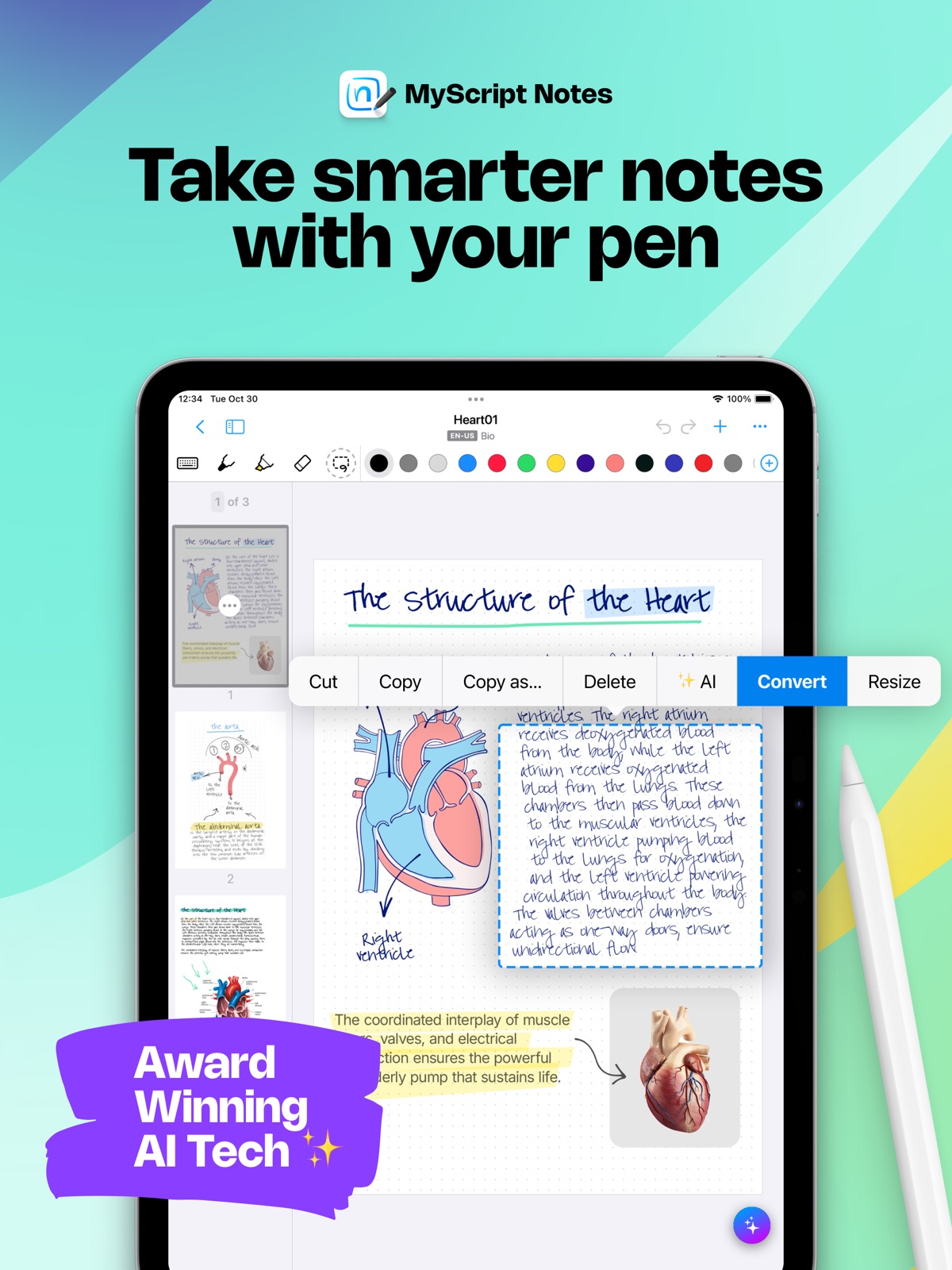
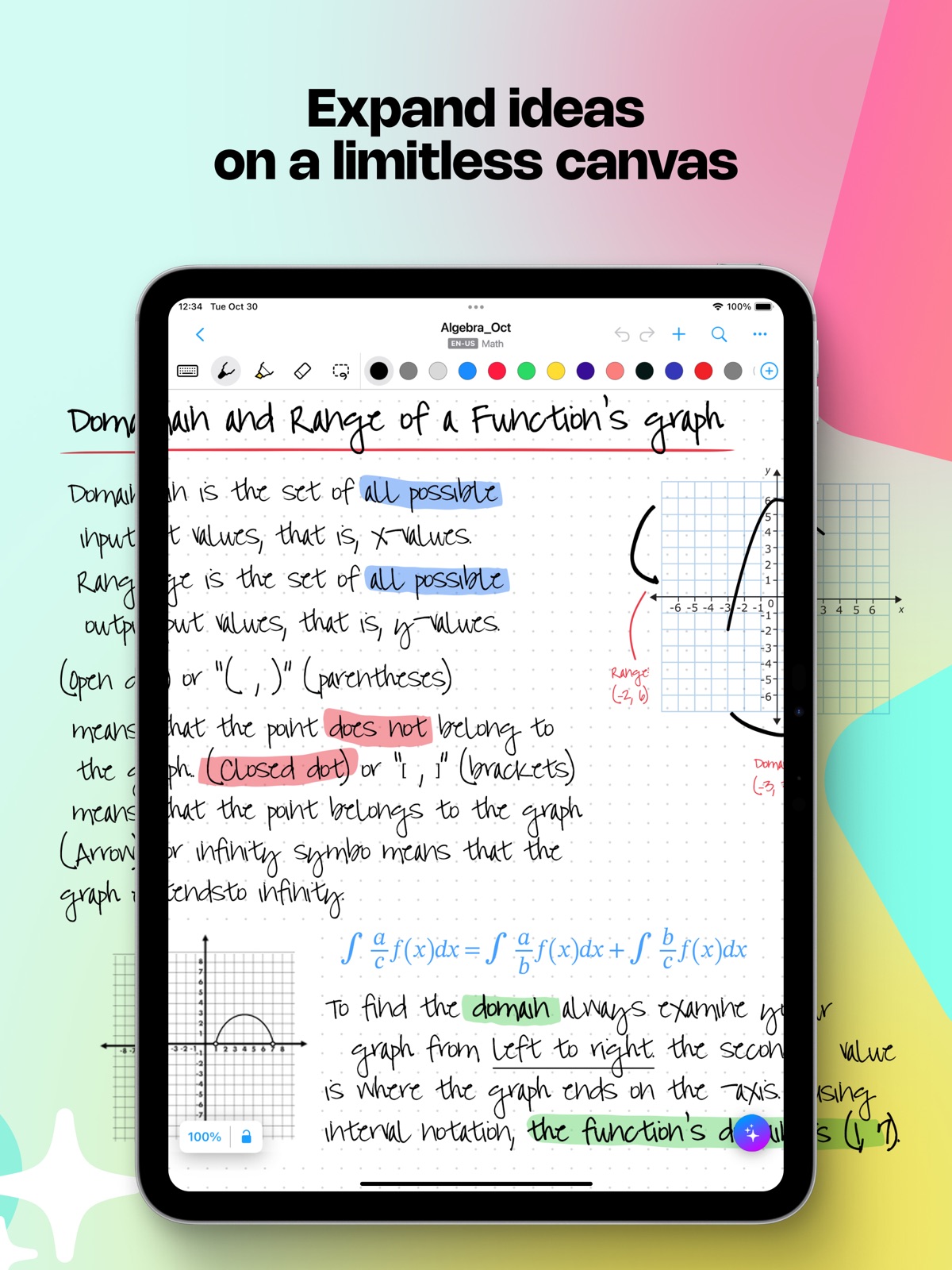
AppCorpus MCP gives your agent current app data, prices, screens, features and sources.
View JSON
GET /api/v3/apps/1119601770
{
"app_id": 1119601770,
"canonical_url": "https://appcorpus.com/apps/myscript-notes-ai-handwriting-1119601770",
"identity": {
"name": "MyScript Notes: AI Handwriting",
"slug": "myscript-notes-ai-handwriting",
"developer": {
"name": "MyScript",
"url": "https://appcorpus.com/developers/myscript-2-developer_4b98c4ededfbe94ebf31972e9abb870b"
},
"icon_url": "https://is1-ssl.mzstatic.com/image/thumb/Purple221/v4/2d/90/35/2d903510-4566-3ecf-8519-565d74f5ed89/AppIconGridPen-0-0-1x_U007epad-0-1-0-0-85-220.png/512x512bb.jpg",
"stores": [
"apple",
"gplay"
],
"platforms": [
"iphone",
"ipad",
"android"
],
"status": {
"state": "active",
"label": "Active",
"last_checked": "2026-08-31",
"last_checked_label": "31 Aug 2026",
"banner": null,
"region_note": null
}
},
"listings": [
{
"store": "apple",
"status": "ACTIVE",
"url": "https://apps.apple.com/us/app/myscript-notes-ai-handwriting/id1119601770?uo=4",
"rating": 4.7,
"rating_count": 38528,
"formatted_price": "Free",
"is_free": true,
"has_iap": true,
"has_subscription": false,
"version": "7.4.4",
"updated": "2026-07-28",
"currency": "USD"
},
{
"store": "gplay",
"status": "ACTIVE",
"url": "https://play.google.com/store/apps/details?id=com.myscript.nebo",
"rating": 4.5723906,
"rating_count": 37229,
"formatted_price": "Free",
"is_free": true,
"has_iap": true,
"has_subscription": false,
"version": "7.3.11",
"updated": "2026-07-28",
"currency": "USD"
}
],
"summary": {
"one_liner": null,
"summary": null,
"best_for": [],
"not_for": [],
"status": "fallback",
"at_a_glance": [
"Free to download",
"In-app purchases"
]
},
"categories": {
"official": [
"Productivity",
"Education"
],
"appcorpus": [
{
"category_id": "productivity",
"label": "Productivity",
"url": "https://appcorpus.com/categories/productivity"
},
{
"category_id": "education",
"label": "Education",
"url": "https://appcorpus.com/categories/education"
}
]
},
"use_cases": [],
"features": [
{
"capability_id": "free_app",
"label": "Free app",
"availability": "yes",
"access_level": "free",
"scope": null,
"evidence": "Store published"
},
{
"capability_id": "in_app_purchases",
"label": "In-app purchases",
"availability": "yes",
"access_level": "free_limited",
"scope": null,
"evidence": "Store published"
}
],
"pricing": [
{
"store": "apple",
"formatted_price": "Free",
"is_free": true,
"has_iap": true,
"has_subscription": false,
"currency": "USD",
"market": "es",
"last_verified": "2026-08-30",
"rows": [
"Connect Pack — $4.99",
"Essentials Pack — $4.99",
"Full version — $9.99",
"Full version — $14.99",
"MyScript Notes – Full Access — $1.99",
"MyScript Notes – Full Access — $7.99",
"MyScript Notes – Full Access — $29.99",
"Nebo Pro — $9.99",
"PDF Pack — $4.99"
]
},
{
"store": "gplay",
"formatted_price": "Free",
"is_free": true,
"has_iap": true,
"has_subscription": false,
"currency": "USD",
"market": "es",
"last_verified": "2026-08-31",
"rows": [
"Free to download",
"In-app purchases: $1.99 - $29.99 per item"
]
}
],
"screens": [
{
"url": "https://is1-ssl.mzstatic.com/image/thumb/PurpleSource221/v4/f0/c0/ce/f0c0ce7c-6aaf-4fa4-e8cf-ce372e0e737e/MSNotes-iOS-ipadPro130-01-EN.jpg/1600x1600bb.jpg",
"store": "apple",
"platform": "ipad",
"alt": "MyScript Notes: AI Handwriting ipad screenshot 1"
},
{
"url": "https://is1-ssl.mzstatic.com/image/thumb/PurpleSource211/v4/46/62/16/46621666-515c-9a6e-d840-eff67a82a7a8/MSNotes-iOS-ipadPro130-02-EN.jpg/1600x1600bb.jpg",
"store": "apple",
"platform": "ipad",
"alt": "MyScript Notes: AI Handwriting ipad screenshot 2"
},
{
"url": "https://is1-ssl.mzstatic.com/image/thumb/PurpleSource221/v4/f0/c0/ce/f0c0ce7c-6aaf-4fa4-e8cf-ce372e0e737e/MSNotes-iOS-ipadPro130-01-EN.jpg/360x480bb.jpg",
"store": "apple",
"platform": "ipad",
"alt": "MyScript Notes: AI Handwriting ipad screenshot 3"
},
{
"url": "https://is1-ssl.mzstatic.com/image/thumb/PurpleSource211/v4/ee/2b/67/ee2b673f-efff-c520-be51-bc2b59f0a46d/MSNotes-iOS-ipadPro130-03-EN.jpg/1600x1600bb.jpg",
"store": "apple",
"platform": "ipad",
"alt": "MyScript Notes: AI Handwriting ipad screenshot 4"
},
{
"url": "https://is1-ssl.mzstatic.com/image/thumb/PurpleSource211/v4/46/62/16/46621666-515c-9a6e-d840-eff67a82a7a8/MSNotes-iOS-ipadPro130-02-EN.jpg/360x480bb.jpg",
"store": "apple",
"platform": "ipad",
"alt": "MyScript Notes: AI Handwriting ipad screenshot 5"
},
{
"url": "https://is1-ssl.mzstatic.com/image/thumb/PurpleSource221/v4/e0/45/6a/e0456ad6-b63c-8ebe-bc49-acdc25ec6b38/MSNotes-iOS-ipadPro130-04-EN.jpg/1600x1600bb.jpg",
"store": "apple",
"platform": "ipad",
"alt": "MyScript Notes: AI Handwriting ipad screenshot 6"
},
{
"url": "https://is1-ssl.mzstatic.com/image/thumb/PurpleSource211/v4/ee/2b/67/ee2b673f-efff-c520-be51-bc2b59f0a46d/MSNotes-iOS-ipadPro130-03-EN.jpg/360x480bb.jpg",
"store": "apple",
"platform": "ipad",
"alt": "MyScript Notes: AI Handwriting ipad screenshot 7"
},
{
"url": "https://is1-ssl.mzstatic.com/image/thumb/PurpleSource221/v4/d3/a3/f3/d3a3f3bc-64fd-8cd2-a830-aaebc6a38746/MSNotes-iOS-ipadPro130-05-EN.jpg/1600x1600bb.jpg",
"store": "apple",
"platform": "ipad",
"alt": "MyScript Notes: AI Handwriting ipad screenshot 8"
},
{
"url": "https://is1-ssl.mzstatic.com/image/thumb/PurpleSource221/v4/e0/45/6a/e0456ad6-b63c-8ebe-bc49-acdc25ec6b38/MSNotes-iOS-ipadPro130-04-EN.jpg/360x480bb.jpg",
"store": "apple",
"platform": "ipad",
"alt": "MyScript Notes: AI Handwriting ipad screenshot 9"
},
{
"url": "https://is1-ssl.mzstatic.com/image/thumb/PurpleSource211/v4/ba/ab/a4/baaba4ce-ccf9-84c5-2912-1636afbfa27c/MSNotes-iOS-ipadPro130-06-EN.jpg/1600x1600bb.jpg",
"store": "apple",
"platform": "ipad",
"alt": "MyScript Notes: AI Handwriting ipad screenshot 10"
},
{
"url": "https://is1-ssl.mzstatic.com/image/thumb/PurpleSource221/v4/d3/a3/f3/d3a3f3bc-64fd-8cd2-a830-aaebc6a38746/MSNotes-iOS-ipadPro130-05-EN.jpg/360x480bb.jpg",
"store": "apple",
"platform": "ipad",
"alt": "MyScript Notes: AI Handwriting ipad screenshot 11"
},
{
"url": "https://is1-ssl.mzstatic.com/image/thumb/PurpleSource211/v4/2e/7c/c5/2e7cc59b-03a7-fe95-1903-4473c68f7790/MSNotes-iOS-ipadPro130-07-EN.jpg/1600x1600bb.jpg",
"store": "apple",
"platform": "ipad",
"alt": "MyScript Notes: AI Handwriting ipad screenshot 12"
},
{
"url": "https://is1-ssl.mzstatic.com/image/thumb/PurpleSource211/v4/ba/ab/a4/baaba4ce-ccf9-84c5-2912-1636afbfa27c/MSNotes-iOS-ipadPro130-06-EN.jpg/360x480bb.jpg",
"store": "apple",
"platform": "ipad",
"alt": "MyScript Notes: AI Handwriting ipad screenshot 13"
},
{
"url": "https://is1-ssl.mzstatic.com/image/thumb/PurpleSource221/v4/10/89/da/1089daca-83c2-4374-bee2-10e6d71ca1db/MSNotes-iOS-ipadPro130-08-EN.jpg/1600x1600bb.jpg",
"store": "apple",
"platform": "ipad",
"alt": "MyScript Notes: AI Handwriting ipad screenshot 14"
},
{
"url": "https://is1-ssl.mzstatic.com/image/thumb/PurpleSource211/v4/2e/7c/c5/2e7cc59b-03a7-fe95-1903-4473c68f7790/MSNotes-iOS-ipadPro130-07-EN.jpg/360x480bb.jpg",
"store": "apple",
"platform": "ipad",
"alt": "MyScript Notes: AI Handwriting ipad screenshot 15"
},
{
"url": "https://is1-ssl.mzstatic.com/image/thumb/PurpleSource221/v4/10/89/da/1089daca-83c2-4374-bee2-10e6d71ca1db/MSNotes-iOS-ipadPro130-08-EN.jpg/360x480bb.jpg",
"store": "apple",
"platform": "ipad",
"alt": "MyScript Notes: AI Handwriting ipad screenshot 16"
},
{
"url": "https://is1-ssl.mzstatic.com/image/thumb/PurpleSource221/v4/5d/f2/d7/5df2d795-c272-bcd1-8802-e82f9549d363/MSNotes-iOS-iPhone69-01-EN.jpg/1320x1600bb.jpg",
"store": "apple",
"platform": "iphone",
"alt": "MyScript Notes: AI Handwriting iphone screenshot 17"
},
{
"url": "https://is1-ssl.mzstatic.com/image/thumb/PurpleSource211/v4/60/53/37/605337c2-aa63-6a8d-ea7a-cb8bcc1f2b60/MSNotes-iOS-iPhone69-02-EN.jpg/1320x1600bb.jpg",
"store": "apple",
"platform": "iphone",
"alt": "MyScript Notes: AI Handwriting iphone screenshot 18"
},
{
"url": "https://is1-ssl.mzstatic.com/image/thumb/PurpleSource221/v4/96/c2/4b/96c24b2c-dfa4-784c-da81-8aafb6f1a744/MSNotes-iOS-iPhone69-03-EN.jpg/1320x1600bb.jpg",
"store": "apple",
"platform": "iphone",
"alt": "MyScript Notes: AI Handwriting iphone screenshot 19"
},
{
"url": "https://is1-ssl.mzstatic.com/image/thumb/PurpleSource221/v4/4c/b4/b2/4cb4b245-88d4-952b-c6b6-01ba70b66acc/MSNotes-iOS-iPhone69-04-EN.jpg/1320x1600bb.jpg",
"store": "apple",
"platform": "iphone",
"alt": "MyScript Notes: AI Handwriting iphone screenshot 20"
},
{
"url": "https://is1-ssl.mzstatic.com/image/thumb/PurpleSource221/v4/46/50/cc/4650cc84-929d-da27-5091-d393079b190c/MSNotes-iOS-iPhone69-05-EN.jpg/1320x1600bb.jpg",
"store": "apple",
"platform": "iphone",
"alt": "MyScript Notes: AI Handwriting iphone screenshot 21"
},
{
"url": "https://is1-ssl.mzstatic.com/image/thumb/PurpleSource221/v4/26/2c/66/262c66a3-2390-c031-dd50-dc179c52af4c/MSNotes-iOS-iPhone69-06-EN.jpg/1320x1600bb.jpg",
"store": "apple",
"platform": "iphone",
"alt": "MyScript Notes: AI Handwriting iphone screenshot 22"
},
{
"url": "https://is1-ssl.mzstatic.com/image/thumb/PurpleSource221/v4/fa/c9/cc/fac9cc11-ef3b-87b6-e1f1-4776c729b31c/MSNotes-iOS-iPhone69-07-EN.jpg/1320x1600bb.jpg",
"store": "apple",
"platform": "iphone",
"alt": "MyScript Notes: AI Handwriting iphone screenshot 23"
},
{
"url": "https://is1-ssl.mzstatic.com/image/thumb/PurpleSource211/v4/9d/71/6e/9d716e44-8dd4-b371-d8fa-fdb122950869/MSNotes-iOS-iPhone69-08-EN.jpg/1320x1600bb.jpg",
"store": "apple",
"platform": "iphone",
"alt": "MyScript Notes: AI Handwriting iphone screenshot 24"
},
{
"url": "https://play-lh.googleusercontent.com/uuX-KFrGfMQI0nTVh4LGEQiFfkquwG-Vt2Sj85NGDTtmuXVNw15vCoD87EThs09BbBI7PhhyJW-yM2H4rSeUtg",
"store": "gplay",
"platform": "android",
"alt": "MyScript Notes: AI Handwriting android screenshot 1"
},
{
"url": "https://play-lh.googleusercontent.com/GvDmQcit7jTgcg_F7b6_MT8E6mRkk1WQKJWItKVvTayzH6LMeNey_Af1eh2Q1hq1XfDbBueXnlkcoiWWBgFyemM",
"store": "gplay",
"platform": "android",
"alt": "MyScript Notes: AI Handwriting android screenshot 2"
},
{
"url": "https://play-lh.googleusercontent.com/E_ux8QlwI6Tq6XOhvimzaTPoOESLI6eUVJ1kc17ve7ei1OpSEoRFpB8SyIYyfKVsQPCpl4TgYeDfrKPTadTL9cE",
"store": "gplay",
"platform": "android",
"alt": "MyScript Notes: AI Handwriting android screenshot 3"
},
{
"url": "https://play-lh.googleusercontent.com/4xcys2GFoEHniG-BcWQuBTFDQE5LuNQzsl76y9ImKPSgwATfsvauNj0G6UcNGuiZ02VkVApnc2b6Y0IwT-P6",
"store": "gplay",
"platform": "android",
"alt": "MyScript Notes: AI Handwriting android screenshot 4"
},
{
"url": "https://play-lh.googleusercontent.com/a2y2c-B9GeIqCNdO0ijfG46qWbQ0T9gPkKxNX7z8fMMbMkK8FN6950qHmUNMe3THo5Fz2Z8P6KZhbkJO9zSoVgo",
"store": "gplay",
"platform": "android",
"alt": "MyScript Notes: AI Handwriting android screenshot 5"
},
{
"url": "https://play-lh.googleusercontent.com/IgrEKCbgP-jKBp9voKn9bdRbvwxsgF8EtM2p9Eb8OrYjGZM_3OLToY0g-6ftu9nSxhyRtukk5wuFUS70paFK5w",
"store": "gplay",
"platform": "android",
"alt": "MyScript Notes: AI Handwriting android screenshot 6"
},
{
"url": "https://play-lh.googleusercontent.com/k6STcUKHkFy32F-rrL694f7RIHp8x9lX2jYBPGc1uM3QUYrIPtRgw1AALfjPKsZfbo2stsgtelrO30-TMBNG",
"store": "gplay",
"platform": "android",
"alt": "MyScript Notes: AI Handwriting android screenshot 7"
},
{
"url": "https://play-lh.googleusercontent.com/o0bP1ENsj65gNxEiIlH08VANjuEbkuPwgsKnbmzsnIlLrXXbWHRMWrrdfcpAalI9_FBwFP6RNydWx_TBOiRlSA",
"store": "gplay",
"platform": "android",
"alt": "MyScript Notes: AI Handwriting android screenshot 8"
},
{
"url": "https://play-lh.googleusercontent.com/bH4t2ybVmEfGljcqHwC1r9-luXxNe3ZhcUNJkXFpcpTMIUyML_VIW7B-YN2SgBlDZyyGpKMkbs-5rumRHsOy-g",
"store": "gplay",
"platform": "android",
"alt": "MyScript Notes: AI Handwriting android screenshot 9"
},
{
"url": "https://play-lh.googleusercontent.com/TcH74SLGC98PjkfZngE95izO3Ofj1nkGbcKfFjXE0_SCTxxGHq3wwW_qaG6tM3SUlm697-12XVz7LhicktPZ_3M",
"store": "gplay",
"platform": "android",
"alt": "MyScript Notes: AI Handwriting android screenshot 10"
},
{
"url": "https://play-lh.googleusercontent.com/0Nn0uGtu9kpi1_p9KCexQZcp9jZyYZw6FjlXvkcGVrDEhZL7clkxVMDU7PasBJ3d1dPM0mxbIuTm1rqyxB4uhA",
"store": "gplay",
"platform": "android",
"alt": "MyScript Notes: AI Handwriting android screenshot 11"
},
{
"url": "https://play-lh.googleusercontent.com/nZIG1UeW9_BWqfpjdx2_jHe0kgkMM2Ya_mouEMS5TLdv95s-8YXuBuuqLo51fIKunKGETxhtsKaaEMTDlDhYZw",
"store": "gplay",
"platform": "android",
"alt": "MyScript Notes: AI Handwriting android screenshot 12"
},
{
"url": "https://play-lh.googleusercontent.com/eAOm3l3DC6pumuvAVV7KcGDiEbIxRIN96e0UbE1QVTXGV0ZqD5eFxoY5yGa3cacBBSUOV1ybN35ugx2qhIhwTec",
"store": "gplay",
"platform": "android",
"alt": "MyScript Notes: AI Handwriting android screenshot 13"
},
{
"url": "https://play-lh.googleusercontent.com/xSnmBsi_HpzAC99kvr6d5opYj8RwTm4bLIbZuSmEXehQUkPZj_EA900g3tQuhNzeAdkeG226nGOvNiI0LUP-XQ",
"store": "gplay",
"platform": "android",
"alt": "MyScript Notes: AI Handwriting android screenshot 14"
},
{
"url": "https://play-lh.googleusercontent.com/mcekpLQlKMYJLAUBUxVAMvi93Ml8L68PEb6zGeWkBzqn36THiY5qha9lWdc9wbJxrlb3fQuJb1V2XrB8nnIzMg",
"store": "gplay",
"platform": "android",
"alt": "MyScript Notes: AI Handwriting android screenshot 15"
},
{
"url": "https://play-lh.googleusercontent.com/hAh_mRjbOtVRHLyS5KIiVlP2JujsGljS7HwSfRrXcMy5J0bvNqGkzuj8LARCF8FseEK2XPXSBAF-1mCs0cgX",
"store": "gplay",
"platform": "android",
"alt": "MyScript Notes: AI Handwriting android screenshot 16"
}
],
"ratings": [
{
"store": "apple",
"average": 4.7,
"count": 38528,
"market": "es",
"observed_at": "2026-08-30",
"reviews": [
{
"rating": 5,
"title": "Best note-taking app for iPad!",
"body": "I have loved this app since I downloaded it several years ago & recommend it to everyone! I appreciate that unlike most apps I’ve tested, this one doesn’t immediately convert handwriting to text but instead allows you to double-tap when you’re ready to convert. I find that much less distracting than other methods! Nebo’s “note” mode has the ability to endlessly scroll in any direction, which is also apparently a rare feature that I needed. The “document” mode works wonderfully when I need to take general notes - sometimes it’s better than I am at deciphering my handwriting - and I love that I can add sections sketches and math amongst the normal text. I will say I am hoping for an update to PDF editing at some point - Nebo doesn’t seem to “remember” any part of the PDF that isn’t actively onscreen, and those parts have to reload and resize every time you move the PDF around. Not a deal-breaker for me but it’s gotten more annoying as I’ve started taking notes directly on lecture slides. Just hoping that the experience of moving around a PDF will become as smooth as moving around a board. Overall though, definitely the best note-taking app I’ve tried (and I’ve tried a lot!) and the pro version is a one-time purchase which I really appreciate!! Wish more software still used this model :)",
"author": "hey_its_kae",
"date": "30 Aug 2026"
},
{
"rating": 5,
"title": "Suggestion about Latex",
"body": "Not sure if anyone in the fields of math/physical sciences who uses this app has already suggested this, but it would be GREATLY appreciated if nebo was able to provide a mode where the entire handwritten text could be converted to Latex, so that it would be functional for writing proofs, derivations, theorems, laws, etc. As of now there is no app with this capability, which is why it is so crucial for math/physical sciences students to learn Latex typesetting in order to write research papers and longer works that include both natural spoken language and mathematical symbols. However, I feel that Nebo has the potential to fill this space, seeing how powerful the \"Math\" section that can be added to regular pages already is. While it is very useful and well made, it is limited since ordinary languages like English cannot be recognized in the same section. If Nebo were able to develop a way to recognize and convert hand written mathematical proofs and other similar types of text to Latex, it would absolutely be the primary notes app of choice for EVERY individual studying higher level math, physics, or chemistry. Suggestions aside, Nebo is an amazing app with all of its other features!!",
"author": "rtt6",
"date": "30 Aug 2026"
},
{
"rating": 4,
"title": "Love the app but need to be able to control brightness of the lines",
"body": "I’m old and my entire adult life I’ve been a writer: books, poetry, journals. And I always wrote longhand with pen on paper, which is nothing short of magical, or spiritual depending on your sensibilities. Nothing can replace the power of writing with a comfortable pen and a clean sheet of ruled paper. The problem is my cursive handwriting is brutal to read, and after writing the first draft of a novel out by hand and having to try to read and decipher it to type it up on a computer… well, it’s tedious and dispiriting to say the least, and the laboriousness of the task extends the process out longer than it should be, or, with Nebo, need be. While I will most likely always have regrets no longer writing with pen and paper, I will also always thank the gods of writing for the app. It can read my chicken scratch way better than I. And as for the transcription process from cursive to computer ready, ha ha, it’s now literally done at the speed of light instead of taking me long, brutal months filled with strained eyes and headaches. The only reason I give the blessing of an app 4 stars instead of 5 is because, like I said, I’m old and my vision isn’t the greatest, which makes the ruled lines mighty hard for me to see. So, once there is an option to darken, or lighten, the lines, then yeah, consider this a 5-star review… and then some.",
"author": "Kurt Brindley",
"date": "30 Aug 2026"
},
{
"rating": 2,
"title": "bugs, bugs, bugs",
"body": "If there is one thing that has defined this app for me, it is how buggy it is. Paying as much as I’ve paid (at least $15 across 3 platforms) for the app, I’d at least expect the most basic services to be available. While typing notes on my computer, with Nebo open on my iPad, I synced my computer, and lost hours of notes taken on my iPad. Why is background sync not enabled? Why am I syncing manually? Don’t you think I’d want everything synced always? I’ve already lost pages of notes on several occasions because I forgot to sync, or like this last occasion, I synced on the wrong device at the wrong time. The text conversion software is pretty good, at least 90% accurate. The gestures are more cumbersome than useful. I hate that I cannot input a page of a pdf into an existing text document, can only add it in a separate page. That’s frustrating. Even the text document input is annoying. Why is everything automatically double-spaced? If I am typing and press enter to enter a line of text beneath the current line, like this, Nebo will instead open a new text bubble and leave the old one behind. So this means I have to type everything out, then go back with the buggy pen-gestures, to get everything connected together again in a way that makes sense. All I wanted was a decent replacement to OneNote and if I don’t hear from the developper in a week I will have to get my money back and resume using onenote. Even for how garbage OneNote is, it’s still not as buggy as this app.",
"author": "lilBthaBEANgod",
"date": "30 Aug 2026"
},
{
"rating": 2,
"title": "Buggy",
"body": "This has been one of my favorite apps until recently- I love that I can keep a personal journal, one for podcast ideas, one for work purposes, etc. The integration with Google Drive and the ease of syncing all journals as well as saving and sharing specific pages is fantastic, and the conversion to text from writing is pretty accurate. However, in the past month I have struggled massively with extreme lagginess, app crashing or having to force restart the app, disconnection from google drive sync, and lack of responsiveness from customer service outreach which leaves me disappointed and seeking other apps. It’s taking upwards of 10 plus minutes to be able to finish writing a sentence or for the app to move to the next line, and whenever it does read the text it’s choppy and illegible most of the time. I’ve tried in multiple places with different WiFi connections, I’ve restarted the app, I’ve uninstalled and reinstalled, and even got a second Apple Pencil thinking that was the issue. I’ve tried other pencil-compatible apps and even did a hard reset on my iPad, all to no avail. I know it’s the app, and I really hope changes are made soon so I don’t have to switch everything over to another service. I’m hoping google comes out with something similar soon, or that there will be an update to fix all of this. Nebo started out really strongly for me and has been almost unusable the last several weeks.",
"author": "rebeccatoner",
"date": "30 Aug 2026"
}
]
},
{
"store": "gplay",
"average": 4.5723906,
"count": 37229,
"market": "es",
"observed_at": "2026-08-30",
"reviews": [
{
"rating": 1,
"title": "",
"body": "worst app ever , I was signed out and when I signed in back everything was deleted, all my notes were gone. And if after signing back in doesn't bring my notes back then what's even the point of adding a sign in option, if everything is saved locally why the hell even bother people to sign up",
"author": "Shubham Joshi",
"date": "1 Aug 2026"
},
{
"rating": 5,
"title": "",
"body": "I love it",
"author": "Ankita Kushwah",
"date": "1 Aug 2026"
},
{
"rating": 5,
"title": "",
"body": "I've found the app really useful for note taking. The features (especially the file structure and cloud synchronisation). I had a problem with my lifetime purchase of the software the other day, and support fixed it in under a day, they were super helpful.",
"author": "Aidan Gebbie",
"date": "1 Aug 2026"
},
{
"rating": 5,
"title": "",
"body": "this app is perfect but it doesn't support persain language please if it's possible fix it thanks 🙏 🙂 😊",
"author": "Pinar Bihamta",
"date": "1 Aug 2026"
},
{
"rating": 5,
"title": "",
"body": "good",
"author": "Ahmed Maher Al Gayar",
"date": "1 Aug 2026"
}
]
}
],
"privacy": [
{
"store": "apple",
"declarations": [
{
"title": "Data Linked to You",
"detail": "Analytics — Diagnostics — Crash Data",
"source": "Developer declared"
},
{
"title": "Data Linked to You",
"detail": "Analytics — Diagnostics — Performance Data",
"source": "Developer declared"
},
{
"title": "Data Linked to You",
"detail": "Analytics — Usage Data — Product Interaction",
"source": "Developer declared"
},
{
"title": "Data Linked to You",
"detail": "App Functionality — Contact Info — Email Address",
"source": "Developer declared"
},
{
"title": "Data Linked to You",
"detail": "App Functionality — Diagnostics — Crash Data",
"source": "Developer declared"
},
{
"title": "Data Linked to You",
"detail": "App Functionality — Diagnostics — Performance Data",
"source": "Developer declared"
},
{
"title": "Data Linked to You",
"detail": "App Functionality — Identifiers — User ID",
"source": "Developer declared"
},
{
"title": "Data Linked to You",
"detail": "App Functionality — Usage Data — Product Interaction",
"source": "Developer declared"
},
{
"title": "Data Linked to You",
"detail": "Contact Info",
"source": "Developer declared"
},
{
"title": "Data Linked to You",
"detail": "Diagnostics",
"source": "Developer declared"
},
{
"title": "Data Linked to You",
"detail": "Identifiers",
"source": "Developer declared"
},
{
"title": "Data Linked to You",
"detail": "Usage Data",
"source": "Developer declared"
},
{
"title": "Data Not Linked to You",
"detail": "Analytics — Identifiers — Device ID",
"source": "Developer declared"
},
{
"title": "Data Not Linked to You",
"detail": "Analytics — Other Data — Other Data Types",
"source": "Developer declared"
},
{
"title": "Data Not Linked to You",
"detail": "Analytics — Purchases — Purchase History",
"source": "Developer declared"
},
{
"title": "Data Not Linked to You",
"detail": "Analytics — Usage Data — Other Usage Data",
"source": "Developer declared"
},
{
"title": "Data Not Linked to You",
"detail": "App Functionality — Identifiers — Device ID",
"source": "Developer declared"
},
{
"title": "Data Not Linked to You",
"detail": "App Functionality — User Content — Other User Content",
"source": "Developer declared"
},
{
"title": "Data Not Linked to You",
"detail": "Identifiers",
"source": "Developer declared"
},
{
"title": "Data Not Linked to You",
"detail": "Other Data",
"source": "Developer declared"
},
{
"title": "Data Not Linked to You",
"detail": "Purchases",
"source": "Developer declared"
},
{
"title": "Data Not Linked to You",
"detail": "Usage Data",
"source": "Developer declared"
},
{
"title": "Data Not Linked to You",
"detail": "User Content",
"source": "Developer declared"
}
],
"accessibility": []
},
{
"store": "gplay",
"declarations": [
{
"title": "Data collected",
"detail": "App functionality, Analytics — App activity — App interactions",
"source": "Developer declared"
},
{
"title": "Data collected",
"detail": "App functionality, Analytics — Files and docs",
"source": "Developer declared"
},
{
"title": "Data collected",
"detail": "App functionality, Analytics — Personal info — Email address",
"source": "Developer declared"
},
{
"title": "Security practices",
"detail": "Your data isn’t transferred over a secure connection — Data isn’t encrypted",
"source": "Developer declared"
},
{
"title": "Security practices",
"detail": "The developer provides a way for you to request that your data be deleted — You can request that data be deleted",
"source": "Developer declared"
}
],
"accessibility": []
}
],
"changes": [
{
"store": "apple",
"version": "7.0.10",
"released_at": null,
"notes": "• New app name Nebo is now MyScript Notes, a new name to connect it with other MyScript apps — like MyScript Math. • New cross-platform access Unlocked the full version? Use it on multiple devices and platforms — for free — with your MyScript account."
},
{
"store": "apple",
"version": "7.0.11",
"released_at": null,
"notes": "• New app name Nebo is now MyScript Notes, a new name to connect it with other MyScript apps — like MyScript Math. • New cross-platform access Unlocked the full version? Use it on multiple devices and platforms — for free — with your MyScript account."
},
{
"store": "apple",
"version": "7.0.12",
"released_at": null,
"notes": "• New app name Nebo is now MyScript Notes, a new name to connect it with other MyScript apps — like MyScript Math. • New cross-platform access Unlocked the full version? Use it on multiple devices and platforms — for free — with your MyScript account."
},
{
"store": "apple",
"version": "7.0.13",
"released_at": null,
"notes": "• Keeping things on track Fixes and refinements to improve performance and reliability."
},
{
"store": "apple",
"version": "7.0.14",
"released_at": null,
"notes": "• Keeping things on track Fixes and refinements to improve performance and reliability."
},
{
"store": "apple",
"version": "7.0.15",
"released_at": null,
"notes": "• Keeping things on track Fixes and refinements to improve performance and reliability."
},
{
"store": "apple",
"version": "7.0.16",
"released_at": null,
"notes": "• Keeping things on track Fixes and refinements to improve performance and reliability."
},
{
"store": "apple",
"version": "7.0.6",
"released_at": null,
"notes": "• New app name Nebo is now MyScript Notes, a new name to connect it with other MyScript apps — like MyScript Math. • New cross-platform access Unlocked the full version? Use it on multiple devices and platforms — for free — with your MyScript account."
},
{
"store": "apple",
"version": "7.0.7",
"released_at": null,
"notes": "• New app name Nebo is now MyScript Notes, a new name to connect it with other MyScript apps — like MyScript Math. • New cross-platform access Unlocked the full version? Use it on multiple devices and platforms — for free — with your MyScript account."
},
{
"store": "apple",
"version": "7.0.8",
"released_at": null,
"notes": "• New app name Nebo is now MyScript Notes, a new name to connect it with other MyScript apps — like MyScript Math. • New cross-platform access Unlocked the full version? Use it on multiple devices and platforms — for free — with your MyScript account."
},
{
"store": "apple",
"version": "7.0.9",
"released_at": null,
"notes": "• New app name Nebo is now MyScript Notes, a new name to connect it with other MyScript apps — like MyScript Math. • New cross-platform access Unlocked the full version? Use it on multiple devices and platforms — for free — with your MyScript account."
},
{
"store": "apple",
"version": "7.1.0",
"released_at": null,
"notes": "• Spotlight your notes You can now highlight ideas out live with a glowing laser pointer — no marks left behind."
},
{
"store": "apple",
"version": "7.1.1",
"released_at": null,
"notes": "• Spotlight your notes You can now highlight ideas out live with a glowing laser pointer — no marks left behind."
},
{
"store": "apple",
"version": "7.1.2",
"released_at": null,
"notes": "• Spotlight your notes You can now highlight ideas out live with a glowing laser pointer — no marks left behind."
},
{
"store": "apple",
"version": "7.1.3",
"released_at": null,
"notes": "• Spotlight your notes You can now highlight ideas out live with a glowing laser pointer — no marks left behind."
},
{
"store": "apple",
"version": "7.1.4",
"released_at": null,
"notes": "• Spotlight your notes You can now highlight ideas out live with a glowing laser pointer — no marks left behind."
},
{
"store": "apple",
"version": "7.2.0",
"released_at": null,
"notes": "• Draw straight lines with the ruler Use the ruler to draw straight lines. Drag, rotate, and snap it into place to draw at any angle."
},
{
"store": "apple",
"version": "7.3.0",
"released_at": null,
"notes": "• Try it first, decide later You can now start your free trial before choosing a subscription plan or lifetime purchase."
},
{
"store": "apple",
"version": "7.3.1",
"released_at": null,
"notes": "• Try it first, decide later You can now start your free trial before choosing a subscription plan or lifetime purchase."
},
{
"store": "apple",
"version": "7.3.2",
"released_at": null,
"notes": "• Try it first, decide later You can now start your free trial before choosing a subscription plan or lifetime purchase."
},
{
"store": "gplay",
"version": "7.3.11",
"released_at": "2026-08-28",
"notes": ""
},
{
"store": "gplay",
"version": "7.3.8",
"released_at": "2026-07-16",
"notes": ""
}
],
"alternatives": [
{
"app_id": 1423643723,
"name": "Notes Writer: PDF, Voice, AI",
"url": "https://appcorpus.com/apps/notes-writer-pdf-voice-ai-1423643723",
"reason": "Same category + similar ratings"
},
{
"app_id": 6444015673,
"name": "Element Note",
"url": "https://appcorpus.com/apps/element-note-6444015673",
"reason": "Same category + similar ratings"
},
{
"app_id": 1540956268,
"name": "CollaNote: Notes & PDF Markup",
"url": "https://appcorpus.com/apps/collanote-notes-pdf-markup-1540956268",
"reason": "Same category + similar ratings"
},
{
"app_id": 1587904334,
"name": "Noteful: Notes & PDF Markup",
"url": "https://appcorpus.com/apps/noteful-notes-pdf-markup-1587904334",
"reason": "Same category + similar ratings"
},
{
"app_id": 822218131,
"name": "Feenote - Notes and lists",
"url": "https://appcorpus.com/apps/feenote-notes-and-lists-822218131",
"reason": "Same category + similar ratings"
},
{
"app_id": 1514322479,
"name": "Kilonotes-Notes & Mark up PDF",
"url": "https://appcorpus.com/apps/kilonotes-notes-mark-up-pdf-1514322479",
"reason": "Same category + similar ratings"
}
],
"evidence_summary": {
"index_state": "S1",
"evidence_level": 1,
"level_label": "Live store listing",
"indexable": true,
"last_verified_at": "2026-08-31",
"unknown_fields": [
"Independent summary has not been published yet."
],
"sources": [
"App Store",
"Google Play"
]
},
"availability_markets": {
"live": [
"us"
],
"selected": "es",
"note": "No LIVE observation for ES yet."
},
"feature_events": {
"events": [
{
"type": "major_update",
"occurred_at": "2026-07-31 17:23:46.109639+00:00",
"plan_code": null,
"capability_id": null,
"previous": {},
"current": {},
"scope": {
"store_id": "apple",
"change_id": "change_ca4feb3f1688cc7e5fe34fe607e747ce",
"storefront_id": "us"
},
"source": "store_diff"
}
]
},
"features_slice": {
"plans": [
{
"code": "connect-pack",
"label": "Connect Pack",
"kind": "unknown",
"status": "store_listed",
"prices": [
{
"storefront": "us",
"formatted": "$4.99",
"billing_period": null
}
],
"trial": null
},
{
"code": "essentials-pack",
"label": "Essentials Pack",
"kind": "unknown",
"status": "store_listed",
"prices": [
{
"storefront": "us",
"formatted": "$4.99",
"billing_period": null
}
],
"trial": null
},
{
"code": "full-version",
"label": "Full version",
"kind": "unknown",
"status": "store_listed",
"prices": [
{
"storefront": "us",
"formatted": "$14.99",
"billing_period": null
},
{
"storefront": "us",
"formatted": "$9.99",
"billing_period": null
}
],
"trial": null
},
{
"code": "full-access",
"label": "MyScript Notes – Full Access",
"kind": "unknown",
"status": "store_listed",
"prices": [
{
"storefront": "us",
"formatted": "$1.99",
"billing_period": null
},
{
"storefront": "us",
"formatted": "$29.99",
"billing_period": null
},
{
"storefront": "us",
"formatted": "$7.99",
"billing_period": null
}
],
"trial": null
},
{
"code": "nebo-pro",
"label": "Nebo Pro",
"kind": "unknown",
"status": "store_listed",
"prices": [
{
"storefront": "us",
"formatted": "$9.99",
"billing_period": null
}
],
"trial": null
},
{
"code": "pdf-pack",
"label": "PDF Pack",
"kind": "unknown",
"status": "store_listed",
"prices": [
{
"storefront": "us",
"formatted": "$4.99",
"billing_period": null
}
],
"trial": null
}
],
"features": [],
"unknown_features": [],
"data_cutoff": "31 Aug 2026"
}
}