
Quick verdict
- What it is
- Store information collected; independent summary not yet available.
- At a glance
-
- Free to download
- In-app purchases
Categories and search queries
Official categories
- Developer Tools
- Productivity
AppCorpus categories
Key functions
| Function | Availability | Access | Scope | Evidence |
|---|---|---|---|---|
| Family Sharing | Yes | Unknown | App Store | Store published |
| Free app | Yes | Free | — | Store published |
| In-app purchases | Yes | Limited free | — | Store published |
Screens
App Store
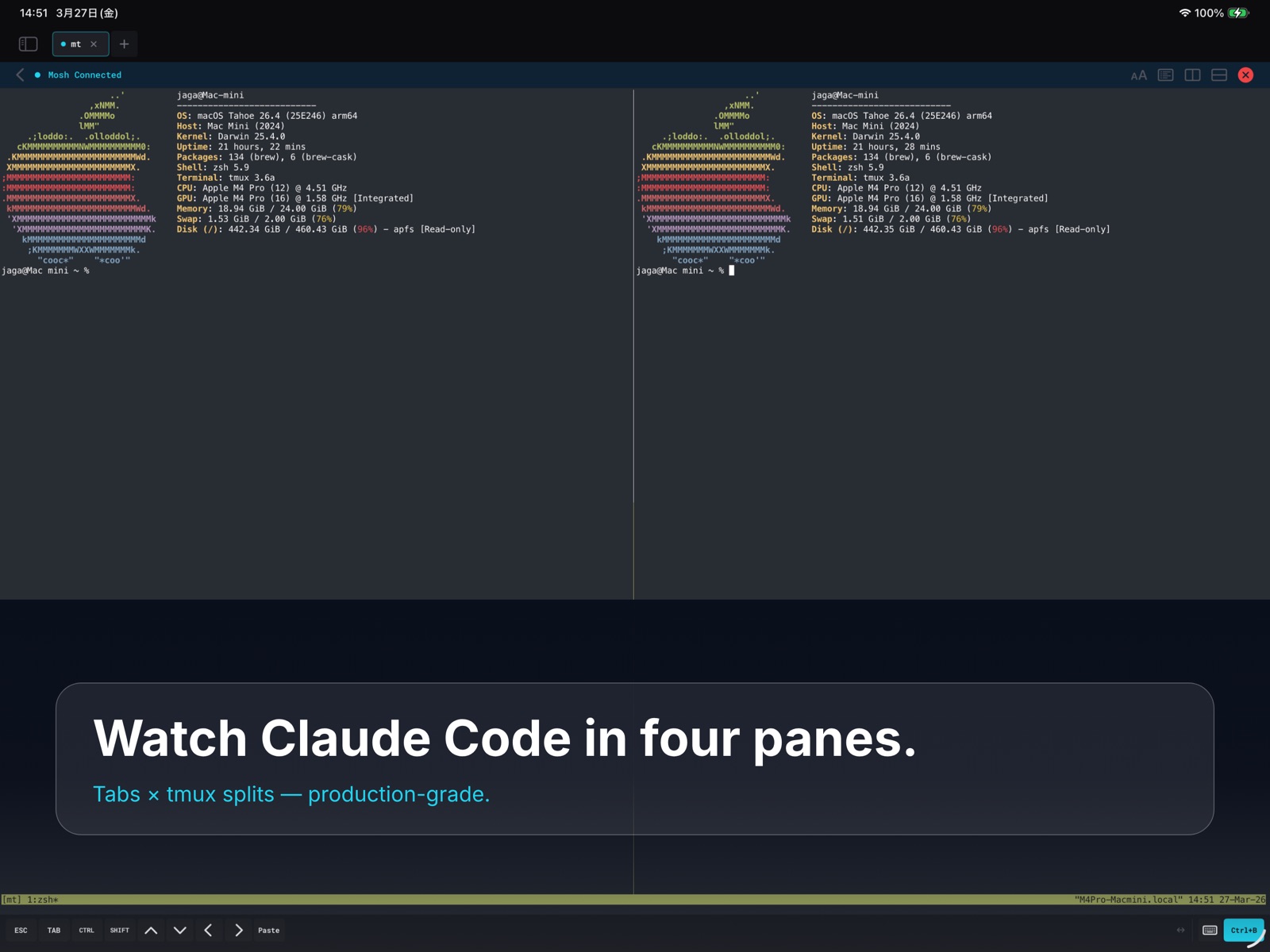
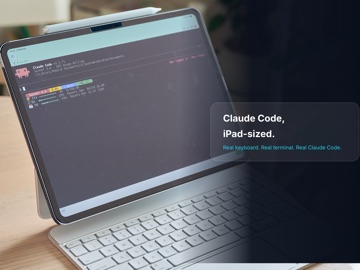
19 store screenshots


Pricing & paywalls
App Store
- MT Pro — $14.99
Ratings & reviews
App Store
-
4/5惜しい、デザインは素晴らしい
デザインは好き、ただしコネクションが結構な頻度で途切れるのは使い勝手が悪い。これは長い目で待ちたいと思う。 欲しい機能としてはctrl-b以外のワンボタンprefixも設定できるようになってほしい。
マッチョなぷっちょ · 7 Aug 2026
Privacy & accessibility
App Store
Privacy
- Data Not Collected Developer declared
Accessibility
No accessibility labels collected yet.
Versions
App Store
-
1.2.6
・Improved diagnostics when checking tmux sessions during Mosh-preferred connections. ・tmux session discovery now preserves details for cases such as missing tmux, command failures, and socket mismatches. ・Improved handling of early Mosh connection failures so the connection screen no longer closes without showing the reason. ・When no tmux sessions are found normally, the app now continues to the shell without interrupting the connection flow.
-
1.2.7
Fixed bugs related to connection. - Improved Mosh connection stability - Improved accuracy of tmux session listing - Improved diagnostic messages when connection fails
-
1.2.8
- Improved retrieval of tmux session lists when connecting via Mosh - Fixed an issue where tmux session names were not recognized correctly in some Mac environments, preventing connections to existing sessions - Improved handling of cases where tmux session names contain underscores
-
1.2.9
New Focus Mode for a cleaner fullscreen terminal experience. This update also adds new workflow tools for long-running AI and server tasks: - AI Workflow Status with connection health and recovery timeline - Long-running task signals for idle, prompt-waiting, error-like, and completed output - Server Readiness Check for tmux, mosh-server, locale, disk, memory, and truecolor setup - Session Log Capture and export for large outputs - Improved cleanup of temporary workflow buffers under memory pressure MT is now better suited for mobile coding, remote server work, tmux sessions, and AI agent workflows on iPhone and iPad.
-
1.3.0
• Fixed an issue where iOS double-space period replacement could remove previously typed text in terminal and AI TUI input. • Fixed editing for SSH key labels and tmux profile names. • Improved SSH key handling with iCloud Keychain and biometric protection, including a local-device copy flow for Face ID / Touch ID. • Fixed English localization gaps in Settings, Security, and credential deletion actions. • Fixed Mosh server startup on accounts using fish or other non-POSIX login shells while preserving login PATH resolution.
-
1.3.1
・Improved autocomplete behavior when using the Right Arrow key. ・You can now choose whether the Right Arrow key accepts autocomplete suggestions, preventing accidental completions while moving the cursor.
-
1.3.2
Fixed an issue where holding a character key on an external keyboard could show the accent popup instead of repeating the key. Key repeat now works more naturally in terminal sessions when using Bluetooth keyboards or iPad keyboards.
-
1.3.3
- Fixed an issue where changes to the bottom bar order in Settings were not saved or reflected when returning to the terminal. - Improved physical keyboard input so holding a printable key now repeats correctly without showing the accent popup.
-
1.3.4
- Improved stability for Korean IME input. - Fixed an issue where holding Delete did not continuously delete text. - Added connection diagnostics when a connection fails. - MT now shows the connection phase, likely cause, and suggested next checks. - Diagnostics can be copied or shared to make support and troubleshooting easier.
-
1.3.5
- Improved Mosh connection recovery when switching between Wi-Fi and cellular networks. - Fixed cases where foreground resume could incorrectly mark a live Mosh session as disconnected. - Improved Connection Diagnostics accuracy for Mosh roaming and recovery events.
-
1.3.6
- Improved Mosh connection stability when returning from the background. - Fixed an issue where active Mosh sessions could be incorrectly marked as stale. - Added more detailed stale-state reasons to connection diagnostics.
-
1.3.7
- Improved text copying in the terminal to prevent the screen from changing or text appearing to disappear after copying. - Selections now remain after copying, making repeated copy operations easier.
-
1.3.8
- Fixed an issue where input mode switching with an external keyboard on iPad could move to the emoji keyboard. - Improved switching between language keyboards such as Japanese and English.
-
1.3.9
- Added support for importing passphrase-protected Ed25519 private keys. - Added ENTER as a customizable bottom bar item. - Improved error messages during key import.
-
1.4.0
- Improved iPad software keyboard layout handling during rotation and keyboard size changes. - Fixed cases where the terminal toolbar could overlap with the software keyboard. - Improved terminal resize refresh behavior after layout changes.
-
1.4.1
- Fixed a crash that could occur while using Japanese input. - Improved stability during IME composition, including editing in the middle of a line and typing while suggestions are visible. - Improved terminal rendering and input stability when using Mosh/tmux.
-
1.4.2
- Improved stability while using Japanese input, especially when editing in the middle of a line, working with suggestions, or changing pre-edit text. - Strengthened terminal redraw behavior after returning from the background. - Added layout diagnostics to help investigate display corruption issues. - Fixed several untranslated strings that could fall back to Japanese, improving English, Korean, and Chinese localization.
-
1.4.3
- Improved an issue where the terminal display could become corrupted after returning from the background, rotating the screen, or showing and hiding the keyboard. - Screen resizing and automatic redraw handling are now more reliable.
-
1.4.4
- Added support for switching Japanese/alphanumeric input with KC_LANG1 / KC_LANG2 on external keyboards. - Added a new input setting to send CSI u with Ctrl+Enter, allowing ESC[13;5u setups for tools such as Claude Code, Codex, and Neovim. - Fixed some localized text in Input Settings.
-
1.4.5
- Improved an issue where the terminal could remain black after a Mosh reconnect. - Reduced display corruption after recovering from unstable network conditions. - Improved post-reconnect rendering recovery and diagnostics logging.
-
1.4.6
Major improvements to Mosh connection stability. - Fixed an issue where the keep-alive engine could silently stop, causing disconnects after about a minute - Added automatic reconnection when the connection is lost (works without tmux too) - Fixed a rare false detection that could terminate a healthy session - Added an early warning when reconnection takes longer than expected - Fixed duplicated characters when using autocorrect or IME input - Added reminders before your free trial ends - Redesigned the purchase screen for clarity - Improved diagnostics to pinpoint disconnect causes
-
1.4.7
- Improved Mosh recovery after network changes and brief connection losses. - Improved predictive input display during Japanese IME use and reconnection. - Restore previous sessions and pane layouts after relaunch, then reconnect when ready.
-
1.4.8
- Improved Mosh connection stability, reducing unexpected disconnects after connecting or resuming. - Improved diagnostics when a Mosh connection stops. - Made it easier to select connections with number and letter keys when adding an iPad pane.
-
1.5.0
- Added a Command Library: save and search your frequently used commands, then insert them straight from the key bar. - Added an SFTP remote browser: browse directories and pick files instead of typing paths by hand. - Added custom keys to the key bar: assign any text or escape sequence you need. - Added a first-run guide that walks you through preparing a Mosh connection and resuming it. - Connection failures now show a reason-specific hint and a reconnect button. - Reorganized Settings so appearance, input, gestures, and terminal display are easier to find.
-
1.5.1
· 2 Aug 2026
When Quick Connect is off, you can create a new tmux session or connect without tmux even when there are no existing tmux sessions.
Alternatives
- Mosh Terminal — Same category + similar ratings
- MTerm - SSH Terminal — Same category + similar ratings
- NetShell - SSH Terminal — Same category + similar ratings
- SSH Terminator — Same category + similar ratings
- VVTerm: Native SSH Client — Same category + similar ratings
- Termux Plus — Same category + similar ratings
Availability by market
- US
Data quality & evidence
- Page completeness
- Live store listing
- Last verified
- 7 Aug 2026
- Sources
- App Store
- Independent summary has not been published yet.