
Quick verdict
- What it is
- Store information collected; an Apoku editorial summary is not yet published.
- At a glance
-
- From $1.66/mo
- Free to download
- In-app purchases
Categories and search queries
Official categories
- Finance
- Lifestyle
Apoku categories
Key functions
| Function | Availability | Access | Scope | Evidence |
|---|---|---|---|---|
| Free app | Yes | Free | Context-specific | Store published |
| In-app purchases | Yes | Limited free | Context-specific | Store published |
Screens
22 store screenshots

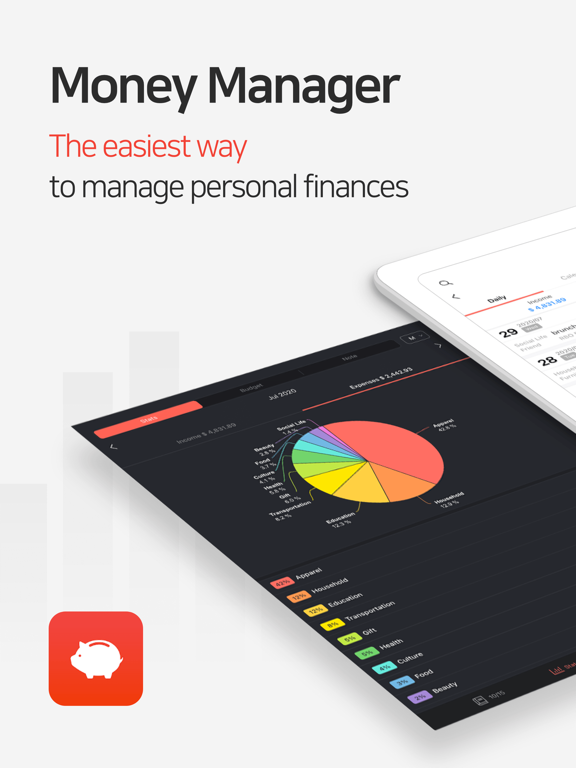

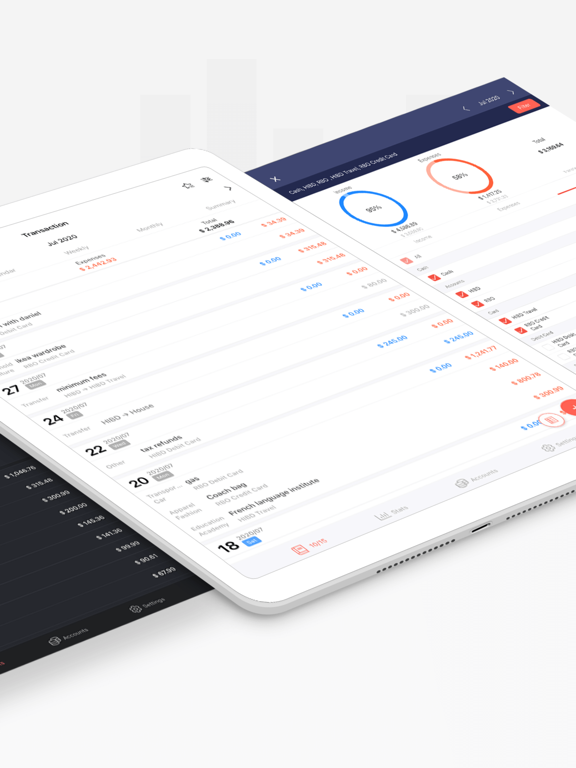
8 store screenshots


Pricing & paywalls
- 1 Month Subscription — $2.49/month
- 1 Month Subscription — $19.99/year ($1.66/mo)
- Free to download
- In-app purchases: $2.49 - $20.99 per item
Ratings & reviews
-
5/5Love this app!!! Alls it needs is better syncing.
I've loved this app for more than 2 years now! I use it and put my purchases in here every day and it truly gives me a whole picture of my habits, trends, and general spending. The one thing that I could use that would never make me search for another app again is better syncing tools between devices. I enjoy inputting something on my phone, and if the app is open or even just refreshed on another device I'd expect it to pop up. Saving and downloading your current file and then uploading that exact file (or you'll lose manual entries after you resave) just to put a transaction or two is exhausting and not worth the time if I need to record something on my iPad or MacBook. So I'm just stuck to my phone or which ever device i choose. But other than that! Down to the simplicity of the look and so many options and ways to see your spending habits, filtering options and so much more in this app, I love it and appreciate all the time you're team has put into it! An app on the MacBook vs the "web version" and better syncing capabilities would give this app the last thing it needs in my opinion. Thank you again!
Barlo98 · 29 Sep 2026
-
5/5Helps Me Save Money
Love love this app. 3 months ago I decided I wanted to create a budget and track where my money goes, I eat out every day and use lots of cash as well as debit to pay. I downloaded about 10 budgeting apps at the same time to discover which one was the best to keep. I downloaded well-known apps that were too complicated to use and some that were too simple and thus did not have the features that I wanted such as being able to transfer money between accts. I loved this one out of all, it is free and the ads are small and kept at the bottom so they are not annoying at all. This app is simple yet has many features. It has a calendar so you are conscious of how much money is spent daily/weekly/monthly. You can create different accts such as cash acct, debit, credit, savings, investments and transfer money between accts. Once you do spend on an account, the expense can be deducted from your budget. This app has helped me realize how much I spend eating out and each month I am setting a more reasonable food budget that has allowed me to save some money. I am keeping this app.
L. Krista · 29 Sep 2026
-
5/5Feature-rich app
This app app is great! It has many features to help organize and track income and expenses. This app has everything the other budgeting apps have and more. You can set up multiple accounts with basically any purpose you like from bank accounts, cash, investments, savings, loans. From there it shows tracks all your income and expenses together. Sometimes you might not want to see the totals for every account you have, so the filter option is practical for looking at any specific account or set of accounts. The visuals are nice tracking income and expenses in a pie chart that displays both the dollar amount and percentages per category. The app already includes preset categories which are completely customizable. They can also be sub categorized. One review mentioned that there wasn’t a way to setup recurring expenses, but I have checked myself. It is a feature that is included which allows the user to pick the frequency of when to repeat expenses. The features gives you more options than setting up monthly expenses. You could set up weekly or bi weekly, for example. To reiterate this app is fantastic and it fits my needs. The only downside to this app is that the setup is not as simplistic as other apps. Therefore, it may require more time to setup for the average user. Despite this, I am confident that if you take the time to figure out and set up your app, based on your personal needs, you will be rewarded.
SoulfulGroove · 29 Sep 2026
-
4/5Good app, but there’s room for improvement!
Money manager is so far the best app I’ve ever used when it comes to saving and tracking your money. Unlike other money-tracking apps, this one has shown me that it is a reliable app as it has many functions that other apps don't. For example, the summary function or the stats function where they show you your income and expenses in each month/year/week. There aren’t as many ads that are popping up in the app either and if they do, most often they only show up from below! Something that I really really liked from this app is that they had options like, selecting a new style or another application icon! To me this shows creativity and that it is providing more choices for us. Something however, that I dislike is how simple they look! If you’re someone who loves design, you would find that the app is rather plain-looking. Another dislike from me about this app is that they do not explain what each function does and they don’t provide a short tutorial! I figured out that there are many money-managing apps that do not provide you a tutorial and that can be rather annoying. For example, without a tutorial on how you should use the app, you might just accidentally leak your information out or even reset all your data! There can be a high risk when using a new app if they do not provide the basic information you need about it. In conclusion, this app is perfect for money-tracking and also for you to jot down notes on what you’ve spent your money on. However, they could really improve the app if they’ve put in more work on improving the art style by adding in more attractive colors and icons, or even using a different font to catch a person’s eye! Other than that, they could really improve by adding in a tutorial of how to use the app and also a short description for each function so that we know which function does what. Overall, 9/10 recommendation for this app!
wHoToOkMyNaAmEeEe · 29 Sep 2026
-
4/5Recommend
Money Manager is an app that I have used for the past few months for a school budget project. It was easy to use and I found it very helpful to track my spending and my income. I appreciated that I was able to use all of the functions that I wanted to use. While using the app, I could access all functions for free and never ran into any walls that required me to purchase the premium version. Even though there were a few ads, there were not so many that it made me want to stop using the app. I was easily able to keep track of what I used my money for and where my income came from. Using the app was not difficult and it was simple to read and navigate. Lastly, it was easy to view the amounts imputed, outputted, and the remaining balance, so I would be likely to use this app again in the future. Even though I enjoyed the Money Manager App, there were some concerns with using the app. First of all, it was very complicated in the way it was laid out. There were many options to view how the money was spent such as by day, week, month, or others. Also, because there were so many buttons when I first used the app, it was difficult to figure out how to accomplish the tasks I needed. Although there were a few negative qualities of the app, the good qualities of the app outweighed them. Money Manager is great, but it is missing some features I wish it included. I would have appreciated it if there were fewer buttons because they made it somewhat difficult to understand how to use the app. Also, I wish I could have had the ability to add pictures in the app of my purchases. When looking at the app, even though there are some colors, I wish I could have changed the colors to my liking, so I could have color-coded my spending. Lastly, because I had a difficult time understanding the app in the beginning, I wish there had been a tutorial to guide me through all the features. Overall, the Money Manager app was an excellent app for my purposes and I would use it again.
Julia 5/27 · 29 Sep 2026
-
5/5
loved it
SAHIL BZM · 1 Aug 2026
-
5/5
very useful
vince kim costales · 1 Aug 2026
-
5/5
Great app with an excellent user experience. One feature that would make it even better is Split Transactions, allowing a single transaction to be divided into multiple categories. This would greatly improve expense tracking and budgeting. Hope to see it in a future update!
Digital Insitute · 1 Aug 2026
-
5/5
Excellent app
Kanhaiya Agarwal · 1 Aug 2026
-
5/5
one of the best App for our dqily ---- WoRK.
Ccp Ccp · 1 Aug 2026
Privacy & accessibility
Privacy
- Data Not Linked to You — Analytics — Diagnostics — Crash Data Developer declared
- Data Not Linked to You — Analytics — Diagnostics — Performance Data Developer declared
- Data Not Linked to You — Analytics — Identifiers — Device ID Developer declared
- Data Not Linked to You — Analytics — Usage Data — Product Interaction Developer declared
- Data Not Linked to You — App Functionality — Diagnostics — Crash Data Developer declared
- Data Not Linked to You — App Functionality — Diagnostics — Performance Data Developer declared
- Data Not Linked to You — App Functionality — Identifiers — Device ID Developer declared
- Data Not Linked to You — App Functionality — Usage Data — Product Interaction Developer declared
- Data Not Linked to You — Third-Party Advertising — Identifiers — Device ID Developer declared
- Data Not Linked to You — Third-Party Advertising — Usage Data — Advertising Data Developer declared
- Data Not Linked to You — Third-Party Advertising — Usage Data — Product Interaction Developer declared
- Data Not Linked to You — Diagnostics Developer declared
- Data Not Linked to You — Identifiers Developer declared
- Data Not Linked to You — Usage Data Developer declared
- Data Used to Track You — Usage Data — Advertising Data Developer declared
- Data Used to Track You — Usage Data Developer declared
Accessibility
No accessibility labels collected yet.
Privacy
- Data collected — Analytics — App activity — App interactions Developer declared
- Data collected — Analytics — App info and performance — Crash logs Developer declared
- Data collected — Analytics — App info and performance — Diagnostics Developer declared
- Data collected — Analytics — App info and performance — Other app performance data Developer declared
- Data collected — App functionality — App activity — Installed apps Developer declared
- Data collected — App functionality — App activity — Other user-generated content Developer declared
- Data collected — App functionality — Financial info — Other financial info Developer declared
- Data collected — App functionality — Financial info — Purchase history Developer declared
- Data collected — App functionality — Messages — Other in-app messages Developer declared
- Data collected — App functionality — Messages — SMS or MMS Developer declared
- Data collected — App functionality — Photos and videos — Photos Developer declared
- Data collected — App functionality, Account management — Personal info — Email address Developer declared
- Data collected — App functionality, Analytics, Advertising or marketing, Fraud prevention, security, and compliance, Account management — Device or other IDs Developer declared
- Data shared — Analytics — App activity — App interactions Developer declared
- Data shared — Analytics — App info and performance — Crash logs Developer declared
- Data shared — Analytics — App info and performance — Diagnostics Developer declared
- Data shared — Analytics — App info and performance — Other app performance data Developer declared
- Data shared — Analytics, Advertising or marketing — Device or other IDs Developer declared
- Security practices — Your data is transferred over a secure connection — Data is encrypted in transit Developer declared
- Security practices — The developer provides a way for you to request that your data be deleted — You can request that data be deleted Developer declared
Accessibility
No accessibility labels collected yet.
Versions
-
2.11.1
You can edit the exchange rate from the entry page. The main currency and the sub-currency amounts are displayed together on the entry page. You can use Money Manager with the Multitasking menu on your iPad. Fixed bugs and improved performance.
-
2.11.10
Fixed bugs and improved performance.
-
2.11.11
Fixed bugs and improved performance.
-
2.11.12
Fixed bugs and improved performance.
-
2.11.13
Fixed bugs and improved performance.
-
2.11.14
Fixed bugs and improved performance.
-
2.11.15
Fixed bugs and improved performance.
-
2.11.16
Fixed bugs and improved performance.
-
2.11.17
Fixed bugs and improved performance.
-
2.11.18
Fixed bugs and improved performance.
-
2.11.2
You can edit the exchange rate from the entry page. The main currency and the sub-currency amounts are displayed together on the entry page. You can use Money Manager with the Multitasking menu on your iPad. Fixed bugs and improved performance.
-
2.11.3
You can edit the exchange rate from the entry page. The main currency and the sub-currency amounts are displayed together on the entry page. You can use Money Manager with the Multitasking menu on your iPad. Fixed bugs and improved performance.
-
2.11.4
Fixed bugs and improved performance.
-
2.11.5
Fixed bugs and improved performance.
-
2.11.6
Fixed bugs and improved performance.
-
2.11.7
Fixed bugs and improved performance.
-
2.11.8
Fixed bugs and improved performance.
-
2.11.9
Fixed bugs and improved performance.
-
2.12.0
Fixed bugs and improved performance.
-
2.12.1
Fixed bugs and improved performance.
-
2.12.2
Fixed bugs and improved performance.
-
2.12.3
Fixed bugs and improved performance.
-
2.13.1
Fixed bugs and improved performance.
-
2.14.0
The Quick entry widget has been added. The Income/Expense widget has been added. The Balance Payable widget has been added. The design of existing widgets has been updated.
-
2.14.1
· 9 Jul 2026
The Quick entry widget has been added. The Income/Expense widget has been added. The Balance Payable widget has been added. The design of existing widgets has been updated.
-
2.14.2
Fixed bugs and improved performance.
-
2.14.3
Fixed bugs and improved performance.
-
2.14.4
Fixed bugs and improved performance.
-
2.14.5
· 11 Sep 2026
Fixed bugs and improved performance.
-
2.14.6
· 28 Sep 2026
Fixed bugs and improved performance.
- 4.12.13 GF · 18 Sep 2026
- 4.12.3 GF · 29 Jul 2026
- 4.12.8 GF · 25 Aug 2026
Alternatives
- Monefy: Money Tracker — Same category + similar ratings
- Expense & Budget App: Spendee — Same category + similar ratings
- Wallet - Daily Budget & Profit — Same category + similar ratings
- Buddy: Budget Planner App — Same category + similar ratings
- Money manager, expense tracker — Same category + similar ratings
- Budget app - spending tracker — Same category + similar ratings
Availability by market
- US
Data quality & evidence
- Page completeness
- Live store listing
- Last verified
- 30 Sep 2026
- Sources
- App Store, Google Play
- Apoku editorial summary has not been published yet.