
Quick verdict
- What it is
- Store information collected; an Apoku editorial summary is not yet published.
- At a glance
-
- Free download · core features require a paid plan
- In-app purchases
Categories and search queries
Official categories
- Productivity
Apoku categories
Key functions
| Function | Availability | Access | Scope | Evidence |
|---|---|---|---|---|
| Free app | Yes | Free | Context-specific | Store published |
| In-app purchases | Yes | Limited free | Context-specific | Store published |
| Subscription | Yes | Paid | Context-specific | Store published |
Screens
24 store screenshots
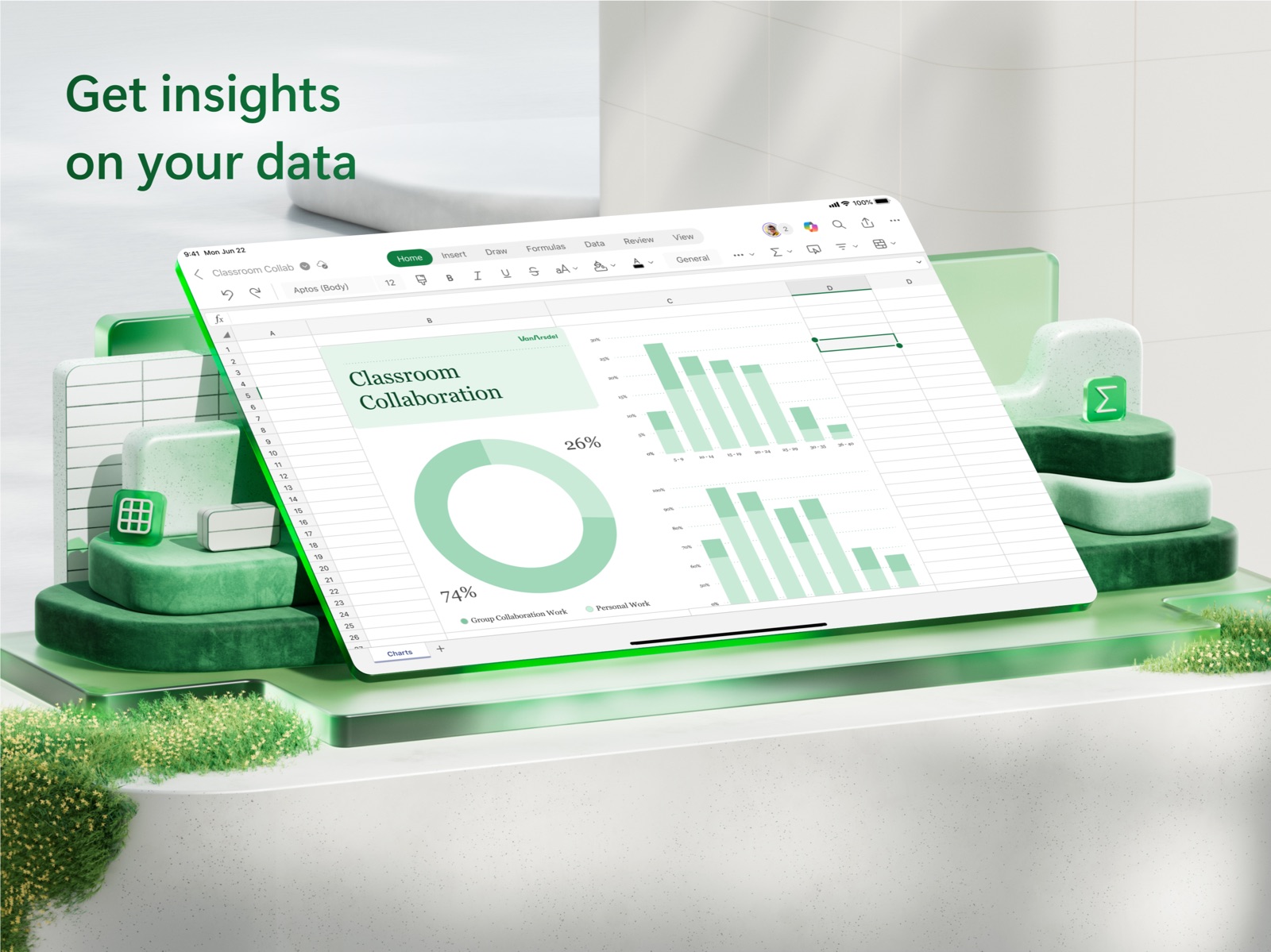

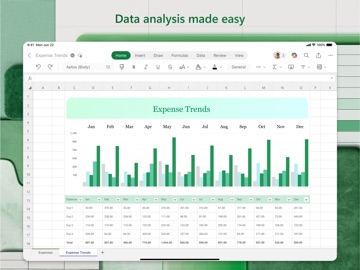
7 store screenshots


Pricing & paywalls
Shown for US
- Microsoft 365 Personal
Shown for US
- Free download · core features require a paid plan
- In-app purchases: $1.00 - $199.99 per item
Ratings & reviews
Shown for US
-
5/5DISAPPOINTING--MICROSOFT OFFICE--ALL APPS--THESE SHOULD BE 5-STAR APPS AND THE GOLD STANDARD
All the Microsoft Office for iPad apps are wonderful and have great potential for business users. This should be a 5-star app and the gold standard for Office apps for iPad. #1. Unfortunately Microsoft chose to cripple this app by not allowing users to "Open In" other apps with full fidelity. This should be a no-brainer for Microsoft. It is favoring its OneDrive cloud storage over app flexibility. Apple learned this lesson early on with its iWork suite and scrambled to get ahead of its competition to the point of reworking its OS to allow users to open their documents in other apps. I expected much better from Microsoft than to have to resort to emailing documents to myself one at a time, no less. PDF conversion is nice but it doesn't go far enough. #2. What about a true folder system in the local iPad storage like the one that's available in OneDrive. Nudging users to OneDrive is not the answer even though Office 365 is required to unlock full capabilities. The $100 per year would be a lot less painful if I could have full Office capability. #3. The View menu in all apps is not a true View menu with full formatting capabilities including vertical and horizontal line spacing customization, and the other formatting capabilities that come with the desktop apps. #4. Where is Visio? If Microsoft is appealing to the business user then a standalone Visio app is a must. Not everyone can use Azure for business use and having Visio would make Microsoft Office for iPad truly formidable. Microsoft, you have a long way to go.
iphone user RJ · 29 Sep 2026
-
3/5Familiar but disappointingly limited and buggy
I love that Excel runs on the Ipad, Iphone as well as Mac. But the Ipad and Iphone version are far cries from the Mac (or Windows) versions. Certain features I use often are missing, like creating or editing validation. Editing within a cell has got worse; I find myself manually backspacing or erasing whole words or numbers instead of being able to select the characters I want to change. In a spreadsheet with a long list of rows, sometimes changing one row in explicitly resets the cursor to the top of the sheet, requiring a lot of scrolling (which is more difficult on an IOS device than a Mac). Entering unfamiliar formulas is still cumbersome; I wish Microsoft would use AI to figure out what I likely mean and suggest a logical answer rather than 20 years of “Too many (or few)” parameters, “Mismatched parentheses”, Invalid formulas . I have to scroll up and down or exit excel to reset rows that sometimes don’t display properly. Dropbox integration remains buggy and limited: I have to constantly browse the top Dropbox folder to see files stored on Dropbox (but not all the time); I can’t use Excel offline from offline Dropbox files; I have to remember to open and store each spreadsheet in Excel. This is supposed to be a productivity enhancing, not frustratingly productivity zapping tool. For a product on it’s umpteenth edition, the bug quantity should be going down and the feature compatibility with other platforms should be going up.
FIOSNJ User · 29 Sep 2026
-
4/5Still great, but annoying bug with dictation
As of Jan 27, 2023: excel will randomly crash when using dictation. I am then left with a grayed-out cell that I can change the fill color with, unless I use desktop excel or the web version. I've tried testing this on several spreadsheets, even a new one. It's repeatable as it seems to occur about every half dozen times I turn on dictation while in to excel. Very annoying, especially since I have not seen dictation causing crashes in any other apps. I reported it to Microsoft weeks ago. I don't know if it's a MS or Apple issue. Certainly hope a future release will fix this is. Knock it off one star. Grrr! ----------------------------------------------------------------------- Prior review: I am relieved that the format painter was returned in the 2.65.1 release. In addition, multiple new functions have been added.👍 It would be nice if Microsoft would add the optimization feature that is built into the web and desktop versions. I think that would alleviate complaints from people about performance in the iOS version. I found out about this kind of by accident after loading a large spreadsheet into the web-based version of office 365. It offered to optimize my spreadsheet (I made a copy before doing this). When I reopened it on my iPad, it was MUCH faster. As responsive as a smaller spreadsheet. Excel is definitely my go to app on my iPad. It has enough features that I usually don't need to use the desktop or web version. I will have to explore what else is available in this release.
inthesand · 31 Jul 2026
-
1/5Beware - This App is will delete new information.
This app is was awesome, I mean it was the best thing since sliced bread until; fresh new data via desktop was uploaded, and then deleted. I uploaded a ton of new clients to my potential prospects list, saved the information, and then behold; as I opened the app on my iPad, the app automatically opened my most previous file, which was my prospects list. The data was old data, previous data that does not have my updated info. And to top it off the autosave was on, OH MY GOD, I prayed that I was just in another file or something, no I was not. All of my new data was deleted because the app must be stuck on stupid or something. Ok, I thought this is my fault it won’t happen again, now here I am on a brand new day and the same thing happened. How? Because I switched AUTOSAVE off before I closed the app. However, when the app resets, autosave automatically activates. So beware, you could be on your last breathe, bottom dollar or ramen noodle diet or whatever. Trying to send feedback is highly inconvenient when you are limited to 24 hours in a day. And even if you do ask Microsoft for help, they will not reply. As for I have sent them multiple messages, with no response. I guess I gotta go to their Facebook, Twitter etc and expose them for the rich lazy types they’ve become so comfortable with as we give them our hard earned cash. Essentially, within conclusion I repeat “AUTOSAVE CANNOT BE PERMANENTLY SWITCHED OFF, AND IF YOU CHERISH YOUR HARD EARNED DATA, SAVE IT MULTIPLE TIMES AWAY FROM THIS APP.” Smh @ Microsoft, no wonder Apple surpassed you guys, GL.
TE BLAKK · 29 Sep 2026
-
1/5Working offline, functionality loss and privacy encroachments
I have to build work-arounds in the Ipad version of Excel. The most aggravating one being the fact that I have to be logged into my account in Excel even to work offline. I have to work around that by putting my Ipad in airplane mode. It is not appropriate that the Excel user who chooses the portability of the Ipad should be logged into an online account in order to use the product. And with every new iteration of Microsoft’s renewed user agreement, I grow more suspicious of Microsoft’s encroachment into my privacy. I do not have the time to read the minutia of the dozen pages of legalese. My choices are accept what ever new level of data privacy I am surrendering to Microsoft or don’t use the product. For this reason, I am presently learning Apple’s Number’s program. Once I get used to the loss of functionality Numbers may not have over Excel, I plan to abandon Excel altogether. I realize that there may be limitations on the Ipad version of Excel due to copyright, intellectual property agreements, and patent infringements between Microsoft and Apple, but these petty rivalries only make Microsoft look worse. And it does not excuse Microsoft from not making a fully functional version of Excel that can be used on the Ipad.
Engineer/Weld Inspector · 29 Sep 2026
Shown for US
-
5/5
Everyday work sheet.
Nichola Watson · 29 Jul 2026
-
5/5
easy and convenient to use
Waqas Younas · 29 Jul 2026
-
5/5
I love numbers and organization!
H Koehler · 29 Jul 2026
-
4/5
AWESOME 👍👍👍
Suhail Jani · 29 Jul 2026
-
5/5
so wonderful in application
ALEKE JEREMIAH · 29 Jul 2026
Privacy & accessibility
Privacy
- Data Linked to You — Analytics — Diagnostics — Crash Data Developer declared
- Data Linked to You — Analytics — Diagnostics — Other Diagnostic Data Developer declared
- Data Linked to You — Analytics — Diagnostics — Performance Data Developer declared
- Data Linked to You — Analytics — Identifiers — Device ID Developer declared
- Data Linked to You — Analytics — Identifiers — User ID Developer declared
- Data Linked to You — Analytics — Location — Coarse Location Developer declared
- Data Linked to You — Analytics — Usage Data — Product Interaction Developer declared
- Data Linked to You — App Functionality — Contact Info — Email Address Developer declared
- Data Linked to You — App Functionality — Contact Info — Name Developer declared
- Data Linked to You — App Functionality — Contact Info — Phone Number Developer declared
- Data Linked to You — App Functionality — Contacts Developer declared
- Data Linked to You — App Functionality — Diagnostics — Crash Data Developer declared
- Data Linked to You — App Functionality — Diagnostics — Other Diagnostic Data Developer declared
- Data Linked to You — App Functionality — Diagnostics — Performance Data Developer declared
- Data Linked to You — App Functionality — Identifiers — Device ID Developer declared
- Data Linked to You — App Functionality — Identifiers — User ID Developer declared
- Data Linked to You — App Functionality — Usage Data — Product Interaction Developer declared
- Data Linked to You — App Functionality — User Content — Other User Content Developer declared
- Data Linked to You — Contact Info Developer declared
- Data Linked to You — Contacts Developer declared
- Data Linked to You — Diagnostics Developer declared
- Data Linked to You — Identifiers Developer declared
- Data Linked to You — Location Developer declared
- Data Linked to You — Usage Data Developer declared
- Data Linked to You — User Content Developer declared
Accessibility
No accessibility labels collected yet.
Privacy
- Data collected — Account management — Financial info — Purchase history Developer declared
- Data collected — Account management — Personal info — Other info Developer declared
- Data collected — Account management — Personal info — Phone number Developer declared
- Data collected — Analytics — App activity — App interactions Developer declared
- Data collected — Analytics — App info and performance — Crash logs Developer declared
- Data collected — Analytics — App info and performance — Diagnostics Developer declared
- Data collected — Analytics — Device or other IDs Developer declared
- Data collected — Analytics, Account management — App activity — Installed apps Developer declared
- Data collected — Analytics, Account management — Location — Approximate location Developer declared
- Data collected — App functionality — App activity — Other actions Developer declared
- Data collected — App functionality — App activity — Other user-generated content Developer declared
- Data collected — App functionality — Files and docs Developer declared
- Data collected — App functionality, Developer communications — Photos and videos — Photos Developer declared
- Data collected — App functionality, Personalization, Account management — Personal info — User IDs Developer declared
- Data collected — Developer communications, Account management — Personal info — Email address Developer declared
- Data collected — Personalization — App activity — In-app search history Developer declared
- Data shared — Analytics, Advertising or marketing — Device or other IDs Developer declared
- Data shared — Analytics, Advertising or marketing — Location — Approximate location Developer declared
- Security practices — Your data isn’t transferred over a secure connection — Data isn’t encrypted Developer declared
- Security practices — The developer provides a way for you to request that your data be deleted — You can request that data be deleted Developer declared
Accessibility
No accessibility labels collected yet.
Versions
App Store
-
2.106.1
• General quality and performance enhancements.
-
2.106.2
• General quality and performance enhancements.
-
2.106.3
• General quality and performance enhancements.
-
2.107
• General quality and performance enhancements.
-
2.107.1
• General quality and performance enhancements.
-
2.107.2
• General quality and performance enhancements.
-
2.107.3
• General quality and performance enhancements.
-
2.107.4
• General quality and performance enhancements.
-
2.108
• General quality and performance enhancements.
-
2.108.1
• General quality and performance enhancements.
-
2.108.2
• General quality and performance enhancements.
-
2.108.3
• General quality and performance enhancements.
-
2.109
• Modernized comments experience: The updated Comments pane experience improves the clarity and usability of mobile commenting by making comment threads easier to find, read, and act on.
-
2.109.1
• General quality and performance enhancements.
-
2.109.2
• General quality and performance enhancements.
-
2.109.3
• General quality and performance enhancements.
-
2.109.4
• General quality and performance enhancements.
-
2.110
• General quality and performance enhancements.
-
2.111
• General quality and performance enhancements.
-
2.111.1
• General quality and performance enhancements.
-
2.111.2
• General quality and performance enhancements.
-
2.111.3
• General quality and performance enhancements.
-
2.111.5
• General quality and performance enhancements.
-
2.112
• General quality and performance enhancements.
-
2.112.1
· 27 Jul 2026
• General quality and performance enhancements.
-
2.112.3
• General quality and performance enhancements.
-
2.112.4
• General quality and performance enhancements.
-
2.113
• General quality and performance enhancements.
-
2.113.2
· 24 Aug 2026
• General quality and performance enhancements.
-
2.113.3
• General quality and performance enhancements.
-
2.113.4
• General quality and performance enhancements.
-
2.113.5
• General quality and performance enhancements.
-
2.114.1
· 21 Sep 2026
• General quality and performance enhancements.
-
2.114.2
· 28 Sep 2026
• General quality and performance enhancements.
Alternatives
- XLSX Sheets: Edit Spreadsheet — Same category + similar ratings
- Spreadsheet-xlsx&csv editor — Same category + similar ratings
- Google Sheets — Same category + similar ratings
- Goodnotes: AI Notes, Docs, PDF — Same category + similar ratings
- Notability: AI Notes & Planner — Same category + similar ratings
- MyScript Notes: AI Handwriting — Same category + similar ratings
Availability by market
- US
Data quality & evidence
- Page completeness
- Live store listing
- Last verified
- 30 Sep 2026
- Sources
- App Store, Google Play
- Apoku editorial summary has not been published yet.