
Quick verdict
- What it is
- Store information collected; an Apoku editorial summary is not yet published.
- At a glance
-
- Free to download
Categories and search queries
Official categories
- Weather
- Education
Apoku categories
Key functions
| Function | Availability | Access | Scope | Evidence |
|---|---|---|---|---|
| Free app | Yes | Free | Context-specific | Store published |
Screens
App Store
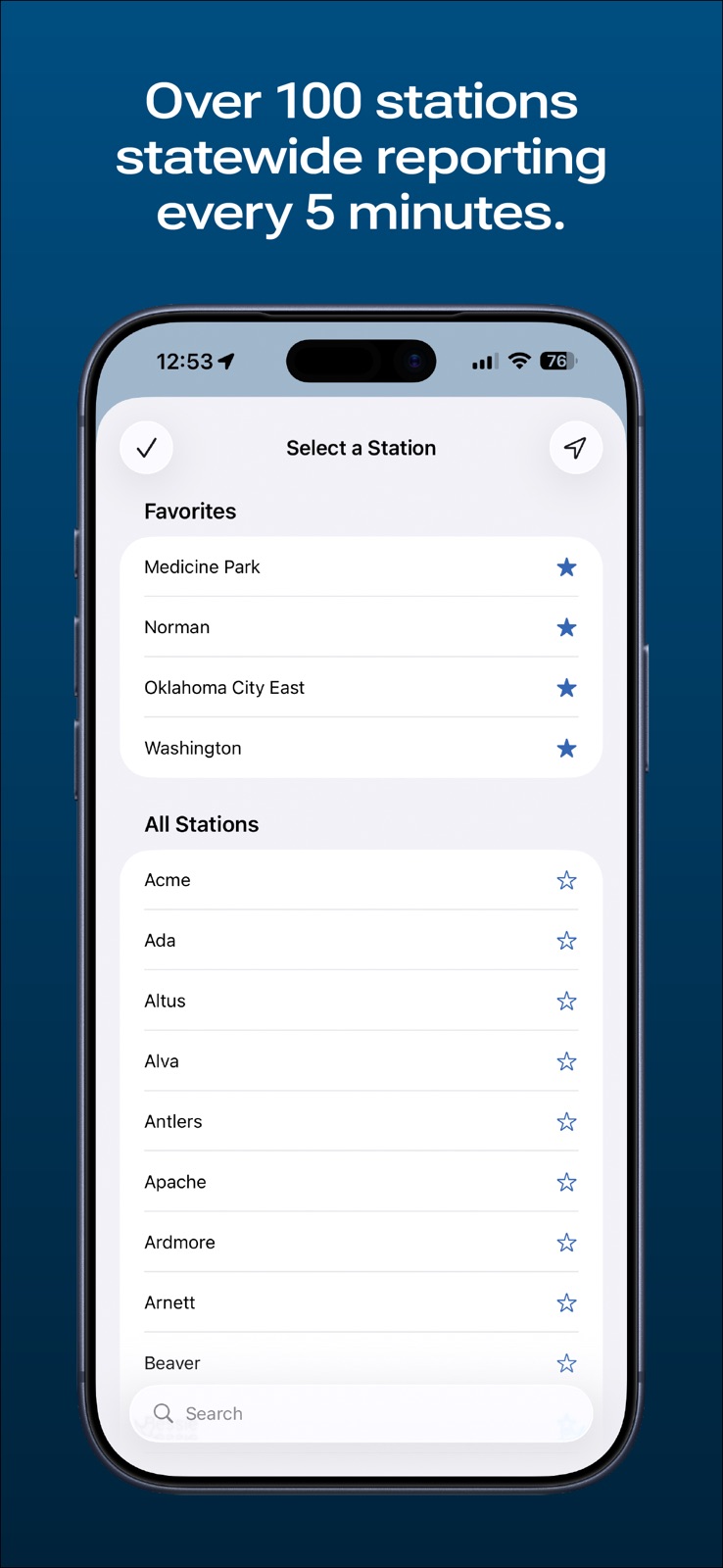
6 store screenshots



Pricing & paywalls
App Store
Shown for US
- Free to download
Ratings & reviews
App Store
Shown for US
-
5/5My favorite weather app since it began
I’m pretty sure back in the day before the internet these same guys shared weather data via modem. I used to use it. Anyway, I have used this app since the beginning, and to this day it’s my most used and most accurate weather app. Mostly because it’s not filled with flash, but instead it’s packed with as much accurate weather data as you can handle. Lots of environmental things too like soil temperature etc. There’s also the “Ticker”, which I read every time we have bad weather coming. There are prettier apps that forecast weeks or months ahead, and there are better radar apps. But these guys are the source, and they know we can’t forecast that far out.
Mike OK34 · 31 Jul 2026
-
5/5A Must Have
For veteran Okies, this app has to be on your phone. Is it the prettiest? No. Does it have endless widgets? No (wish it did have more though). This is the app you go to for every kind of weather info you need or want. I love the fact I can see cumulative rain info, comfort info for human and animals, soil data, wind data and much more. The radar isn’t anything to phone home about as it’s very blocky due to low resolution but I have My Radar installed for that. I have out maneuvered many a storm with this and My Radar with extreme accuracy while out working. The ticker is an excellent source of info as well. Thank you for this awesome app. As long as I’m alive my phone will always have this installed.
Oklaboondocks · 31 Jul 2026
-
5/5Very useful and unique resource
This is the first source I’ve found for historical, local weather records. Today’s forecast, precipitation rates, etc. are interesting but not sufficient if you depend on data like rainfall accumulations. Due to the distance from their nearest collection station, I might see some difference between my rain gauge and their reports but over the course of say, thirty days, they provide useful data useful for managing our pastures, ponds, pecan trees, etc. Thank you and keep up the good work!
SVERIGE21 · 31 Jul 2026
-
5/5Maps Page Crashes App
I have always liked and used this app, but after updating a few weeks ago to the most recent update, the app crashes when trying to access the Maps page. Tried sending email to developer before doing this review, but no response. IOS 12.3.1 ***Update*** Developer contacted me and advised the fix is to delete the app and reinstall it. That worked and the app is working properly now. Changed rating. This is a 5 star app when working correctly.
Tlh373 · 31 Jul 2026
-
5/5Amazing weather tool!!
The Oklahoma Mesonet is extremely unique and amazing! The breadth of weather data covered and available to Oklahomans (and non-Oklahomans), for free (basically) is probably not matched anywhere on the internet. And I have tried to find an equal to it. Lol Also, the Tickers are some of the best weekly weather data summaries/comedies that could be written or read. Check them out as well as all the weather data that is recorded and reported. Bravo Mesonet team!
Diesel Scott · 31 Jul 2026
Privacy & accessibility
App Store
Privacy
- Data Not Collected Developer declared
Accessibility
- Dark Interface — SUPPORTED Store published
- Differentiate Without Color Alone — SUPPORTED Store published
- Larger Text — SUPPORTED Store published
- Sufficient Contrast — SUPPORTED Store published
- VoiceOver — SUPPORTED Store published
Versions
App Store
-
1.6.3
Minor fix to the Ticker so embedded images appear.
-
1.7.0
- New radar display. - Minor bugfixes.
-
1.7.1
- New Settings dialog where you can now chose between two map styles for Radar. Tap "More" then "Settings" and choose which Radar map style suits you. - Radar maps now have counties and more cities are visible at higher zoom levels. - Increased default visibility of the radar image itself. You can tap and hold on the Radar map to bring up and dismiss the Transparency control. - Minor bug fixes with map product scrolling.
-
2.0.0
- Completely re-written in Swift. - Mesonet Widget available. Run the app to register the widget. - Contact page now interactive. - Radar no longer keeps centering on user when user location is shown. - Fixed some crashing bugs.
-
2.0.1
Several bug fixes: - Arnett site back in the site selection list. - Bearing to sites when selecting sites closest to user location now reads correctly. - Forecasts update when site is switched. - App now saves metric unit setting between runs.
-
2.0.2
Some bug fixes: - Advisories now update properly every minute. - Fixed a minor stability issue with Radar. - Minor modernization update.
-
2.0.3
- Added support for Dark Mode. - Added a timestamp to Mesonet Widget. - Contacts now work properly for e-mail, Twitter, and Facebook - Found and fixed some bugs that affected stability.
-
2.1.0
• New Mesonet widget. Place multiple widgets on the home screen for quick access to several sites. • Improved radar placement. • Improved large font support for Maps and Advisories. • Added "Heat Risk" to the Local view for days where the Wet Bulb Globe Temperature Risk is present. See https://www.mesonet.org/images/site/WBGT_Mesonet_Work_Rest_Info.May2016.pdf for more information on Wet Bulb Globe Temperature Risk. • Added more Spanish localization.
-
2.1.1
This version has the following changes: - Updated radar map engine. - Higher resolution radar reflectivity product. - Can now save images from the Ticker to your Photos library. - Updated Spanish localization. - Numerous fixes to prevent crashes and improve data retrieval efficiency.
-
2.2.0
Version 2.2.0 has the following changes: - Made data download and processing more efficient. - Local conditions now update when brought to the forefront. - Maps and Meteograms have a long-press to enable sharing. - Updated radar map overlay engine. - Forecast text now uses dynamic fonts. - Fix for wind direction in forecasts when the "From" wind direction was missing. - Fixed bug where wind direction would sometimes not show for certain direction values. - Fixed a crashing bug in Map listing. - Fixed a crashing bug in Site listing.
-
2.2.1
This version fixes an issue when retrieving the text of NWS advisories.
-
2.3.0
• The More tab has been completely redesigned to present information and controls directly in the tab. • Updated icons for the Maps, Radar, and More tabs, as well as the meteogram in the Local tab. • Refreshed user interface for the Radar tab. • Rebuilt meteogram viewer. • Revised spacing in the Advisories tab. • Fixed a bug that could cause forecast data not to be displayed when some forecast data is missing. • Fixed possible crashing bugs in the Local and Radar tabs.
-
2.3.1
Restores the ability to save or share meteogram images using a new Share button for users on iOS 16 or later.
-
2.3.2
• Fixed a possible crashing bug in the meteogram viewer. • Resolved improper resizing of the Radar tab's play button with very large text sizes. • Improved wind readout during occasional upstream data issues. • Restored the ability to rotate the Local tab into landscape orientation.
-
2.4.0
• Redesigned Advisories tab with improved county listings. • The Maps tab's data source has been updated to pull from the new Mesonet website. This will clear your favorite maps — we apologize for any inconvenience. • New app icon and launch screen. • Fixed a possible crashing bug in the map image viewer.
-
2.4.1
Fixed an issue that caused an Edit button to erroneously appear in the navigation bar when viewing the Radar category in the Maps tab.
-
2.5.0
Redesigned Maps tab: • Your favorite maps are now displayed in their own section above map categories. • Image thumbnails are now displayed with enough available space. (This can be disabled in the More tab.) • Favorite maps are marked with a star in the map category lists. • Quickly add and remove favorites by long-pressing on map listings. • The image viewer now displays page indicator dots depending on available space. Redesigned Radar tab: • Controls have moved to the bottom of the screen with a new picker for radar selection. • The Radar Opacity slider and Radar Map Style setting have moved to the Radar Options panel, accessible via the new button in the upper-right. • Added the ability to control whether enabling geolocation automatically switches you to the nearest radar site. Redesigned station selector: • Added favorite stations for quick access at the top of the list. • Added a search bar to filter by station name. Improved sharing: • The Maps image viewer now has a Share button for easier sharing and supports drag-and-drop to quickly send images to other apps. • The Advisories product viewer now also has a Share button to send a link to product text. And more: • Added split view layouts in landscape orientation on supported devices for the Maps and Advisories tabs to optimize screen space usage. • When dark mode is enabled, the Local tab will now use slightly darker background colors. • The Radar Map Style picker in the More tab is now a link to Radar Options. • The meteogram image viewer now uses the same image viewer as the Maps tab, with a more accurate zoom gesture and the same improved sharing features. • Refreshed design for Home Screen widgets. • Added support for iOS 18 and the latest devices, including new app icons for Dark and Tinted themes.
-
2.5.1
• Fixed a bug that caused map images not to reload in some cases. • Fixed a bug that could cause "Loading..." to appear for a long time when using geolocation in the station selector.
-
2.5.2
Addressed some issues that could cause the app to stop responding in rare cases.
-
2.5.3
• Added support for changed NWS text product titles for cold weather and extreme heat. • Improved Spanish translations for some NWS text product types.
-
2.5.4
• Increased zoom limit on map images and meteograms. • Fixed a possible crashing bug in the Radar tab.
-
2.6.0
• Updated design and new app icon for iOS 26. • Updated the "Show Map Thumbnails" setting with a new option to only show thumbnails in your Favorites list. • Added a new setting to hide the Advisories tab badge displaying the number of active advisories. • Added a Social section to the More tab with new and updated social media links. • Improved support for accessibility features throughout the app. • The Mesonet app now requires iOS 17 or later.
-
2.6.2
• Fixed a bug that could cause excessive image refreshes. • Fixed a bug that could cause map images not to display on iOS 17. • Fixed layout issues with larger Dynamic Type sizes in the Local tab.
-
2.6.3
Fixed an issue where the Favorite button in the map image viewer might not correctly switch between filled/unfilled when tapped.
-
2.6.4
· 16 Jun 2026
Updated the Advisories tab to support new NWS zones for LeFlore, Osage, and Sequoyah counties.
Alternatives
- News 9 Weather — Same category + similar ratings
- KSWO First Alert 7 Weather — Same category + similar ratings
Availability by market
- US
Data quality & evidence
- Page completeness
- Live store listing
- Last verified
- 31 Jul 2026
- Sources
- App Store
- Apoku editorial summary has not been published yet.