
Quick verdict
- What it is
- Store information collected; an Apoku editorial summary is not yet published.
- At a glance
-
- Free to download
- In-app purchases
Categories and search queries
Official categories
- Weather
- Reference
Apoku categories
Key functions
| Function | Availability | Access | Scope | Evidence |
|---|---|---|---|---|
| Free app | Yes | Free | Context-specific | Store published |
| In-app purchases | Yes | Limited free | Context-specific | Store published |
| Family Sharing | Unknown | Unknown | Scope unknown | Store published |
Screens
App Store
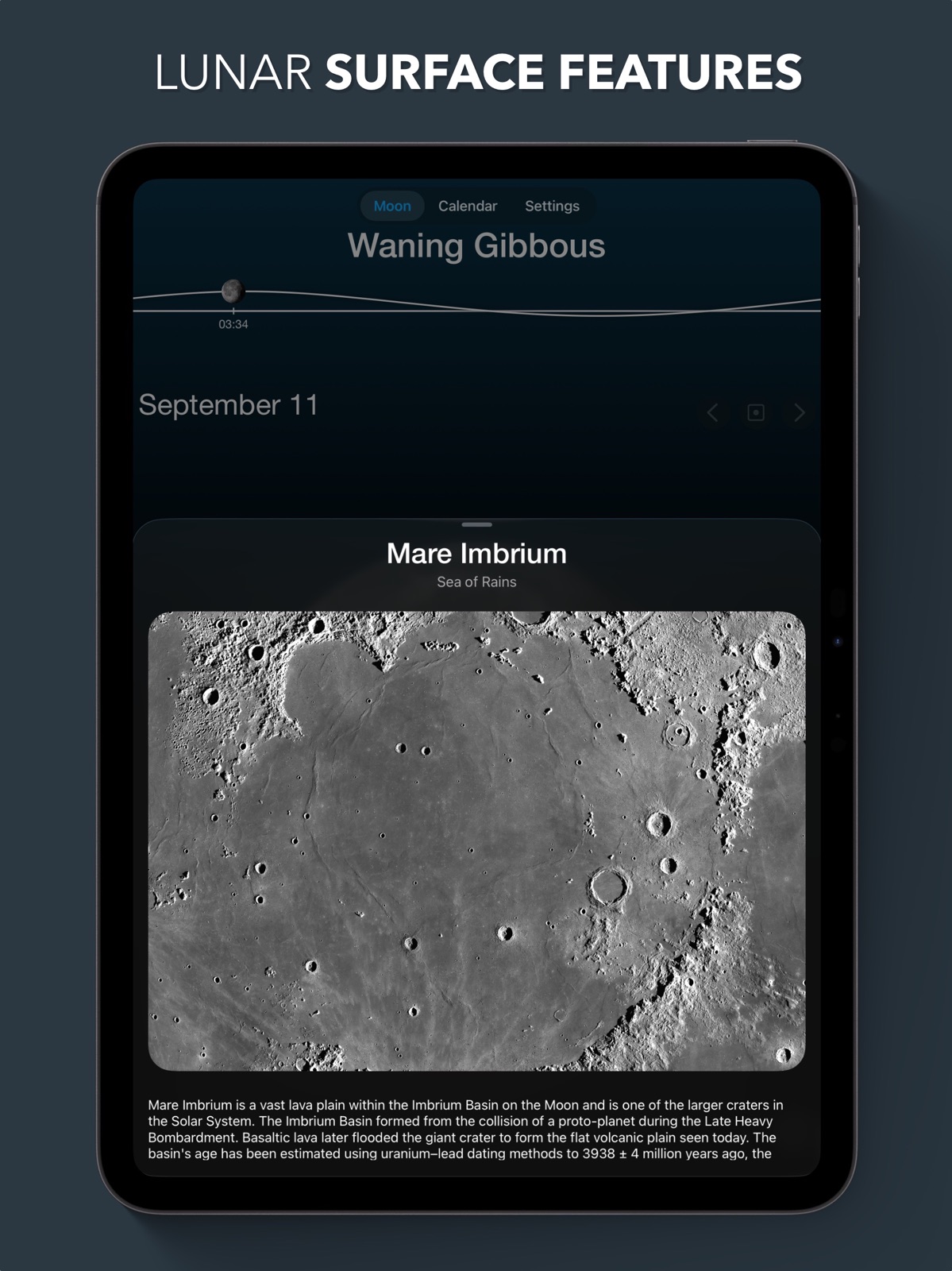
22 store screenshots



Pricing & paywalls
App Store
- Free to download
- In-app purchases
Ratings & reviews
App Store
-
5/5Full Moon Perfection
This is by far the best app I have tried for tracking the phases of the moon, and it is now officially the only one I use. The interface is clean and beautiful, whether on the main screen, which displays a beautiful rendering of the moon as it currently appears in the sky, or in the calendar view, which makes it easy to see when the different phases will occur. A simple tap on a particular date will display the moon on that day and includes all the details I’d ever need to know. The only thing initially missing that I requested was to be able to see the precise time when the full moon reaches its apex, and the developer is extremely responsive and added that data in the very next update. As if this all wasn’t enough, the app also includes an amazing selection of beautiful widgets in various sizes to be used on your Home Screen. I can’t recommend this app and it’s developer enough. The pro version is well worth the money.
Frampton01 · 31 Jul 2026
-
5/5Absolutely worth it- download this one
Speaking as both an astrological nerd and an astronomical one, this app is simple, informative, and in my experience, accurate. The widget function costs money, but I pay for it and I don’t regret it. I can see the exact sign the moon is in, and it’s current phase, right in my lock screen every day, plus as a full widget in my home screen with the Phase + Sign of the moon in easy-to read text without opening the app. It’s great. The Widget also has an option to add a large, very pretty image of the current moon phase with that data all on the home screen, without having to open the app. If I made an app to have exactly what I needed, this is what I would make. I don’t have to check the Ephemeris every day or write down the times the moon changes signs (the non-astrologers in the audience don’t get why this is important, but my astrology girlies get it trust me this is valuable information), and I can immediately check when the sign will change & when the next change will happen, plus look back at any date & time in the past & see where the moon was. It’s lovely and I recommend it to anybody looking to keep up with the phase & astrological data from the moon in a simple, easy-to-read way without any characterizations or reading of any kind. The just-data presentation makes it a go-to for me and has helped my astrological practice on a daily basis. Kudos, y’all. Sincerely, A Girlie with a Moon in Cancer (the astrologers just laughed, trust me) (I lovingly refer to you as the “why did I cry today?” app) (they laughed again)
Bible Unicorn · 31 Jul 2026
-
5/5great app! super easy to use!
I love that there are no updates required to make this a nice and functional app. They even include a free widget option with different selections. With that being said, I do think the premium version would be worth it if someone wanted to unlock even MORE great options! I love the lock screen widget too. 10/10 app for people that like to gaze at the moon out the window occasionally :)
hams 🦙 · 31 Jul 2026
-
1/5Moved previously accessible features behind paywall
I’ve been using this app for a little over a year. The UI was great and contained all the info you could want from this app. After using the widget for a year it turns out that the widget I’ve been using is now part of the “pro” subscription. Indeed many of the things that made this app so great are now stuck behind a paywall, making the base app essentially worthless. With this in mind, I have to say there are better alternatives out there with much prettier UI that perform better than this app for the same or less cost. I understand that the developers want to get compensated for their work, and that’s fair, but turning previously free features into subscriber only features without adding any functionality is a lazy way getting paid and a sure fire way of losing customers.
Champion 2 stars · 31 Jul 2026
-
5/5I love this!
I stumbled across this app I think in March when I was in Chrome, and I love it! It has everything you want: surface features, zodiac, moon phase calendar, of course a moonphase timeline, and widgets! Even though most features are only accesible with the pro version, the pro version is still cheap with either a one time purchase (6 dollars) or a yearly subscription (3 dollars per year.) 🌑 🌒 🌓 🌔 🌕 🌖 🌗 🌘 🌑
07sbi · 31 Jul 2026
Privacy & accessibility
App Store
Privacy
- Data Not Linked to You — Analytics — Identifiers — Device ID Developer declared
- Data Not Linked to You — Analytics — Usage Data — Product Interaction Developer declared
- Data Not Linked to You — App Functionality — Location — Coarse Location Developer declared
- Data Not Linked to You — App Functionality — Location — Precise Location Developer declared
- Data Not Linked to You — Identifiers Developer declared
- Data Not Linked to You — Location Developer declared
- Data Not Linked to You — Usage Data Developer declared
Accessibility
No accessibility labels collected yet.
Versions
App Store
-
4.1.7
-Improved the visibility of the Zodiac signs on the Lock Screen widgets.
-
5.0
iOS 18 update! -The app now includes app icons for Light, Dark and Tinted modes on iOS 18. -The home screen widgets now support tinted mode. -The app now supports landscape mode on iPad. -Several bug fixes and improvements.
-
5.0.1
-Notification sounds are now back again. -Fixed a rare bug with the moonrise times.
-
5.0.2
-Bugfixes
-
5.1
2025 New Year Update! Location Selection You can now select any location on Earth to view accurate moon data anywhere. Apple Watch app updated The Apple Watch app has been redesigned for WatchOS 10. The Apple Watch app also has two new views, a lunar elevation view and a lunar compass. Live Activity Track the next moonrise and moonset in real-time using a Live Activity. Horizon Alignment The moon now aligns itself to match its actual orientation relative to the horizon. Notifications Get notified for moonrise and moonset times so you never miss an important moment. Improved Moon Renderer Enjoy enhanced visuals with even more realistic moon rendering. And many bug fixes and minor improvements!
-
5.1.1
2025 New Year Update! Location Selection You can now select any location on Earth to view accurate moon data anywhere. Apple Watch app updated The Apple Watch app has been redesigned for WatchOS 10. The Apple Watch app also has two new views, a lunar elevation view and a lunar compass. Live Activity Track the next moonrise and moonset in real-time using a Live Activity. Horizon Alignment The moon now aligns itself to match its actual orientation relative to the horizon. Notifications Get notified for moonrise and moonset times so you never miss an important moment. Improved Moon Renderer Enjoy enhanced visuals with even more realistic moon rendering. --- 5.1.1 update fixes a performance issue.
-
5.2
-Introducing a brand-new Lunar Compass feature to help you locate the moon on your iPhone, iPad, or Apple Watch. -Updated the app icon with a fresh, modern design. -Optimized widgets for better performance and reduced battery usage. -Added the option to switch between metric and imperial units in the app settings. -Several minor bug fixes and improvements
-
5.2.1
-Fixed a bug where Lock Screen widgets did not show up on iPad Mini. -You can now delete previously searched places in the Location search view. -The previously searched places will no longer show lat/lon coordinates, but instead show the country or area (for new searches).
-
5.2.2
-Added a new rectangular Lunar graph Apple Watch widget -Added a new circular Lunar graph Apple Watch widget -Added the location name to the calendar details page -Tweaked the new icon a bit
-
5.2.3
-Added a new countdown Home Screen widget, with a countdown to the next moon event (moonrise/moonset) -Added a new setting "Animation speed", set it to "Fast" if you want a quicker startup animation.
-
5.2.4
Improved the new Countdown Widget, and fixed some bugs.
-
5.2.5
-Added a new Medium sized countdown widget -The graph widget now shows the moonrise/moonset times
-
5.2.6
Various bugfixes and improvements
-
5.2.7
Fixed a bug that could prevent the startup animation from running after the latest update.
-
6.0
Version 6.0 - Liquid Glass Liquid Glass Design Experience the app with stunning new Liquid Glass effects applied throughout. Refreshed App Icon A modernized icon now featuring a sleek Liquid Glass style. All-New Details View Cleaner layout, richer phase descriptions, and a more engaging date header. iPad Windowed Mode Resize the app freely to fit any layout on your iPad. Apple Watch Update Enjoy Liquid Glass enhancements on your Apple Watch app. Widget Clear Mode Home screen widgets now support the beautiful new Clear Mode.
-
6.0.1
Version 6.0.1 -Various bugfixes and improvements Version 6.0 - Liquid Glass Liquid Glass Design Experience the app with stunning new Liquid Glass effects applied throughout. Refreshed App Icon A modernized icon now featuring a sleek Liquid Glass style. All-New Details View Cleaner layout, richer phase descriptions, and a more engaging date header. iPad Windowed Mode Resize the app freely to fit any layout on your iPad. Apple Watch Update Enjoy Liquid Glass enhancements on your Apple Watch app. Widget Clear Mode Home screen widgets now support the beautiful new Clear Mode.
-
6.0.2
Version 6.0.2 -Improved the lunar calendar Version 6.0.1 -Various bugfixes and improvements Version 6.0 - Liquid Glass Liquid Glass Design Experience the app with stunning new Liquid Glass effects applied throughout. Refreshed App Icon A modernized icon now featuring a sleek Liquid Glass style. All-New Details View Cleaner layout, richer phase descriptions, and a more engaging date header. iPad Windowed Mode Resize the app freely to fit any layout on your iPad. Apple Watch Update Enjoy Liquid Glass enhancements on your Apple Watch app. Widget Clear Mode Home screen widgets now support the beautiful new Clear Mode.
-
6.0.3
Minor bugfixes and improvements.
-
6.0.4
Minor bugfixes and improvements.
-
6.0.5
-Refined calendar details design with smoother visuals and clearer information. Tap a date to see the update! -Improved widgets when in dark mode.
-
6.0.6
-Fixed an issue that prevented changing the background color when in dark mode
-
6.1
Moon View • Refreshed UI with smoother, richer animations throughout the app. • Tap the date to instantly jump to the next Full Moon, New Moon, First Quarter, or Last Quarter. • Tap and drag directly on the Moon to seamlessly scrub through dates and watch the phases change. • Tap and drag along the graph to adjust the time of day and see accurate lighting for any moment. Calendar View • The monthly calendar now highlights First Quarter and Last Quarter phases in addition to the major phases. Widgets • Added a brand-new Calendar Widget, available in all widget sizes. App Icon • Customize your home screen: choose from three beautiful app icons in the Settings tab. Other • Various performance improvements and minor bug fixes.
-
6.1.1
• New Moon Icon: We’ve refreshed the app icon with a new beautiful and realistic moon design. Prefer the old look? You can now choose between multiple app icons, including the original, from the Settings tab. • New Moon Phase Notifications: You can now receive notifications for both First Quarter and Last Quarter moon phases.
-
6.1.2
Calendar integration • Add moon phases and lunar eclipses to your system calendar. • Choose which events to include and how far ahead to sync. • Events are added to a dedicated “Moon Phases” calendar and can be removed at any time. • Find the calendar export button in the Calendar tab in the app. UI improvements for small devices • Fixed some layout issues on small devices.
-
6.1.3
· 20 Feb 2026
• Added smooth animations when switching months in the Calendar tab • Various minor bug fixes and performance improvements
Alternatives
- Deluxe Moon Pro • App & Widget — Same category + similar ratings
- Sundial Solar & Lunar Time — Same category + similar ratings
Availability by market
- US
Data quality & evidence
- Page completeness
- Live store listing
- Last verified
- 31 Jul 2026
- Sources
- App Store
- Apoku editorial summary has not been published yet.