
Quick verdict
- What it is
- Store information collected; independent summary not yet available.
- At a glance
-
- Free download · core features require a paid plan
- In-app purchases
- From $3.99/mo
Categories and search queries
Official categories
- Photo & Video
AppCorpus categories
Key functions
| Function | Availability | Access | Scope | Evidence |
|---|---|---|---|---|
| Free app | Yes | Free | — | Store published |
| In-app purchases | Yes | Limited free | — | Store published |
| Subscription | Yes | Paid | — | Store published |
Screens
App Store
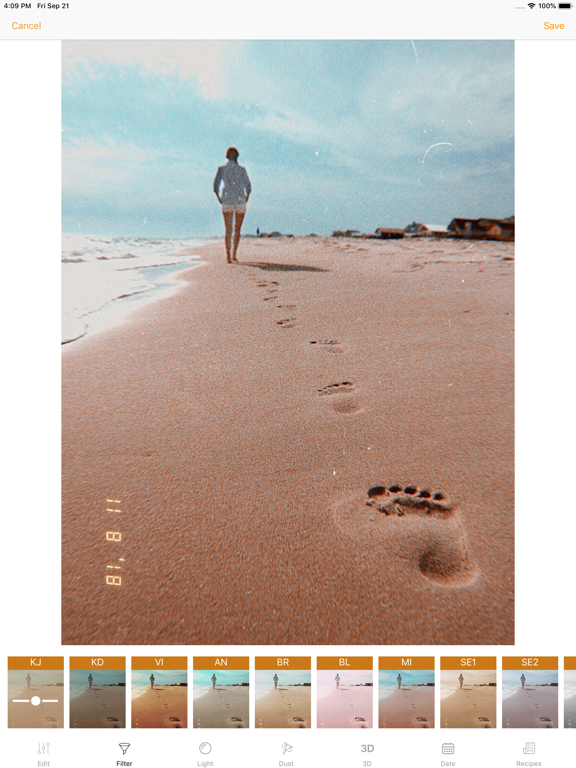
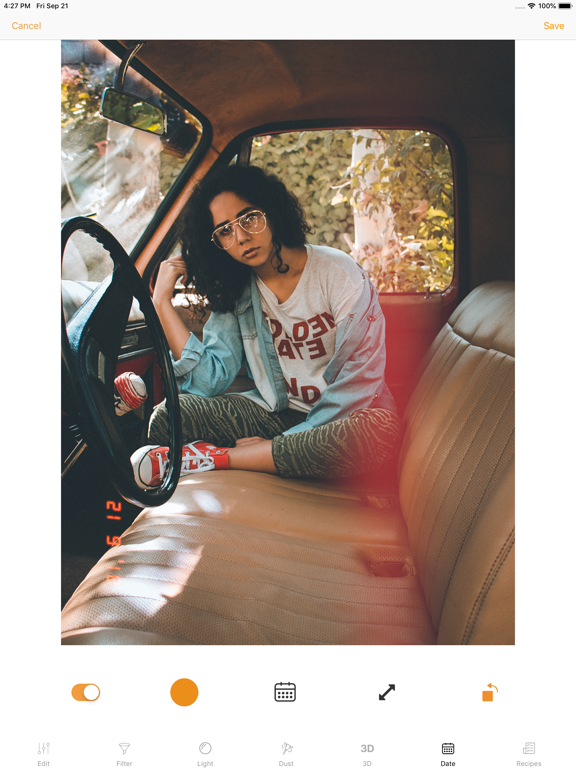
20 store screenshots


Pricing & paywalls
App Store
- Premium Membership — $3.99/month (derived from the IAP title)
- Premium Membership — $17.99/year ($1.49/mo) (derived from the IAP title)
Ratings & reviews
App Store
-
5/5Best Editing App
I’ve had KuniCam for over a year now, I began using it for travels last summer. Now, I find myself using it multiple times a week! I am a professional photographer who frequents DSLR and sometimes SLR (film) cameras, though film is more time consuming. That’s where KuniCam comes in. When I don’t have the time/funds to process film, I just click into the app and spend up to 30 minutes customizing my regular iPhone photos into something stylistic and unique. No two presets are the same! This app offers dozens of filters, light leak presets, film grain(s), editing tools AND date stamps. Pretty ideal for a photographer on the go. For what it’s worth, the edits I make reflect heavily on my social media profiles. They are often revered as awesome! Thanks KuniCam!
Ci Havlik · 7 Aug 2026
-
5/5Love this app just one more thing!!
I love how you can apply filters while using the camera or edit a pic from your album. It has endless filters and vintage effects super nice! One more feature to perfection would be to give us the option on the camera mode a different size ratio, please give us FULL screen mode (9:16 ratio) it would be my default camera if only!! PLEASE add this option to the camera mode 📸🙏🏼 other than that this app is amazing you will not regret downloading it, it has a lot of nice free features but the ONE-time pay is so worth it for the extras!
Stacy.x · 7 Aug 2026
-
4/5KUNI Review
I love this app!! I always edit my pictures using KUNI cam and this is by far my favorite photo editing app. I also use HUJI, and KUNI is a lot like HUJI, but I love them both!! The filters and lights make it look like it’s right off the HUJI app! The only thing I don’t like about it is the update. I sharpen some of my pictures and now when you slide the bar over, it’s skips 1 and automatically goes to 2. I know it seems like no big deal but to me, I see a big difference. I also don’t like how you have to double-click the photo in order for it to bring you right to the editing. I know I sound knit-picky but idk I guess it’s just the little things that count. Aside from that, it’s a great app and I would recommend this to my friends.
Rxasia · 7 Aug 2026
-
5/5Great analog filters, but not yet perfect
The filters give a nice analog touch and are subtle enough (at least when toned down) to avoid a cheesy overprocessed look. The effects are fun and look mostly realistic (but should be applied with care). Also, the App is fast and generally a joy to use. But there is also still room for improvement - some of the features I would like to see in future releases: - batch editing - ability to save recipes/custom filters - ability to open KUNI as extension straight from the native Photos App
faspotun · 7 Aug 2026
-
5/5Update did NOT restore my purchase
I’ve used this app for years and I PAID to have the entire app when I got it. They decided to put a subscription to it and took everything away that I PAID for. I came to look at the reviews since noticing that and saw there was an update that will restore purchases to existing users. It did not. The app still says I’m not allowed to use certain things because they’re premium.
haven't really used · 7 Aug 2026
Privacy & accessibility
App Store
Privacy
- Data Not Linked to You — Analytics — Purchases — Purchase History Developer declared
- Data Not Linked to You — Analytics — Usage Data — Product Interaction Developer declared
- Data Not Linked to You — App Functionality — Diagnostics — Crash Data Developer declared
- Data Not Linked to You — App Functionality — Purchases — Purchase History Developer declared
- Data Not Linked to You — Diagnostics Developer declared
- Data Not Linked to You — Purchases Developer declared
- Data Not Linked to You — Usage Data Developer declared
Accessibility
No accessibility labels collected yet.
Versions
App Store
-
1.20.0
iOS 13 support - Dark mode support and Dust eraser - Use your finger to remove dust from any place you don't want it. Multiple Light Leaks. Just hold down the light leak to lock it and you can add an other one. Various fixes and improvements
-
1.20.1
- Fix for editing burst photos - Support for iPhone 11 ultra wide camera - Full support for Hebrew and Arabic - Various fixes and improvements
-
1.21.0
This is a major release Video Recording (iPhone 7 and newer) - Live effects when recording videos - Non-destructive video recording. Meaning you get instantly video with effects and a way to re-edit the video based on original video. What other app can do this! - Record videos with your own preset recipes. Effects - New video VHS video effects - Dynamic light leaks for video. (Can also be turned off) - New video camcorder date stamp styles - New dust scratches to make photos more vintage and wrinkled. User interface - New controls for Edit Fixes - Various fixes and improvements. Feedback - Please drop us a line at [email protected] if you are facing any issues or have some improvement ideas.
-
1.21.1
- Fix brightness issue for grain - Improve sharpen adjustment for images and videos - Double tap to reset adjustments
-
1.21.2
Fixes and improvements
-
1.22.0
HSL Adjust Hue, Saturation and Luminance for colors. Combining this with recipes the sky is the limit in creating own filter and effects. Various fixes and improvements
-
1.22.1
New filters - ME - Mellow - CA - Carol - FV5 - Fuji Velvia 50 - KP8 - Kodak Portra 800 Features - Show filter names upon selection - Add Setting for launching in Camera Mode
-
1.22.2
Fixes and improvements
-
1.23.0
- You can now apply all video effects to photos. This will turn photos into a video with fx. - Fixes and improvements
-
1.24.0
Clarity Is is the coolest image enhancement effect by far. Use it once and you can't stop! Dehaze Enhance washed out and photos with haze. Use it modestly. Various improvements and fixes
-
1.24.1
Clarity Is is the coolest image enhancement effect by far. Use it once and you can't stop! Dehaze Enhance washed out and photos with haze. Use it modestly. - Various improvements and fixes - Fix for Cam FX
-
1.25.0
- Fixes and improvements
-
1.26.0
- Faster image processing. - Fix for HDR videos - Various fixes and improvements
-
1.26.1
- Faster image processing. - Fix for HDR videos - Various fixes and improvements
-
1.27.0
- Stability fixes and improvements
-
1.27.1
- Stability fixes and improvements - Automatically restore purchases for existing users
-
1.28.0
- Zoom while you are editing - Added random and clear button filters, dust and lightleaks - Improved dust masking - UI Improvements - Bug fixes
-
1.28.1
- Zoom while you are editing - Added random and clear button filters, dust and lightleaks - Improved dust masking - UI Improvements - Bug fixes
-
1.28.2
- Zoom while you are editing - Added random and clear button filters, dust and lightleaks - Improved dust masking - UI Improvements - Bug fixes
-
1.29.0
- UI fixes - Improved iOS 26 support - Bug fixes
-
1.29.1
- UI fixes - Improved iOS 26 support - Bug fixes
-
1.30.0
Today's Pick Every day, a different film stock is yours — free. Open KUNI, shoot with it, come back tomorrow. Day Streak Track how many days in a row you've shot with KUNI. Build the habit. Don't break the chain. + Stability improvements and crash fixes
-
2.0.0
Version 2.0 is finally here - Log in to sync your recipes across devices — available on iOS and Android - Import your own LUT and CUBE filter files - Categorize recipes - New recipe manager in Settings - Original photos and videos are kept out of your camera roll; manage and export them from Settings → Storage - Supports more photo and video formats when saving - Better filter and recipe previews for the camera - Improved zoom - Seek bar for videos - Note 3D is now under Adjustments - If something doesn't work, please reach out at [email protected]
-
2.0.1
Version 2.0 is finally here - Log in to sync your recipes across devices — available on iOS and Android - Import your own LUT and CUBE filter files - Categorize recipes - New recipe manager in Settings - Original photos and videos are kept out of your camera roll; manage and export them from Settings → Storage - Supports more photo and video formats when saving - Better filter and recipe previews for the camera - Improved zoom - Seek bar for videos - Note 3D is now under Adjustments - If something doesn't work, please reach out at [email protected]
-
2.0.2
· 15 May 2026
Fixes and improvements
Alternatives
- Kamon - Vintage Film Camera — Same category + similar ratings
- RNI Films: Photo & RAW Editor — Same category + similar ratings
- FIMO - Analog Camera — Same category + similar ratings
- 1998 Cam - Vintage Camera — Same category + similar ratings
- 1967: Retro Filters & Effects — Same category + similar ratings
- Avatan – Photo Editor — Same category + similar ratings
Availability by market
- US
Data quality & evidence
- Page completeness
- Live store listing
- Last verified
- 7 Aug 2026
- Sources
- App Store
- Independent summary has not been published yet.