
Quick verdict
- What it is
- Store information collected; an Apoku editorial summary is not yet published.
- At a glance
-
- Free to download
Categories and search queries
Official categories
- Photo & Video
- Productivity
Apoku categories
Key functions
| Function | Availability | Access | Scope | Evidence |
|---|---|---|---|---|
| Free app | Yes | Free | Context-specific | Store published |
Screens
App Store
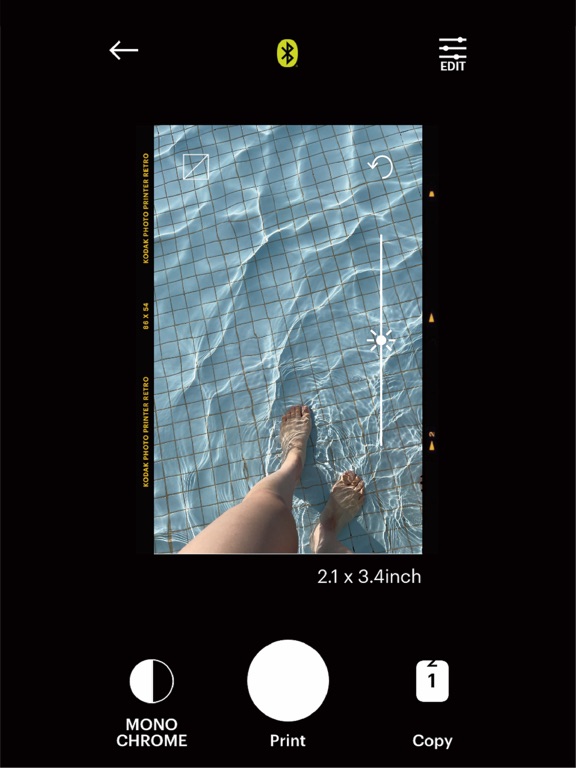
10 store screenshots


Pricing & paywalls
App Store
- Free to download
Ratings & reviews
App Store
-
5/5The sharpest. Bar none.
The Kodak P210R is one of those rare products that quietly overdelivers. For a compact, portable photo printer, the image quality is genuinely impressive. Colors come out rich, saturated, and punchy without looking artificial — blues are deep, reds pop, and skin tones stay natural. These prints have that classic “real photograph” look, not the washed-out or muddy feel you sometimes get from small printers. What really sets the P210R apart is the finish. Prints come out completely dry and ready to handle immediately — no smudging, no tacky surface, no waiting. The dye-sublimation process gives the photos a smooth, professional feel with excellent resistance to fading, fingerprints, and moisture. These are prints you can pass around, stick in a wallet, or pin up without babying them. Portability is another big win. The P210R is compact and easy to toss into a bag, making it perfect for travel, family gatherings, or events where you want instant physical photos instead of “I’ll text it to you later.” Setup is straightforward, and it just works — no fussing, no fiddling. Best of all, it’s a fantastic value. Between the consistent print quality, durable results, and Kodak’s color science, you’re getting a lot more than you’d expect at this price point. If you want vibrant, long-lasting prints that come out looking great every single time — and you want them now — the Kodak P210R is an easy recommendation. It’s fun, reliable, and delivers results that genuinely make people smile.
Kandawasu is bliss · 5 Oct 2026
-
5/5Amazing
For me, it was a little hard to get used to the idea of using it and it took me a minute to figure out how to get it to work because my phone was not wanting to work so that’s like 100% problem. I really like this definitely used it a ton when I was putting together my friends Christmas gifts this year I put like little pictures of us a group and each of their presence and I do a lot of junk journaling and definitely thought this was a good thing for junk journaling cause then I’d like any pictures I take our trips or like at weddings or fun events that I go to I can take cute little pictures and then print them out and put them into my junk journal and I thought that was super Duper awesome sauce so definitely recommend
Urfavginger… · 5 Oct 2026
-
4/5Happy once I could get it connected…
If you have an iPhone, you’ll want these instructions. I found on Reddit. I could not get the printer to pair with my phone Bluetooth. Finally looked online and this was very helpful. I deleted the app, reinstalled it. Clicked allow on everything at first set up and full acces on all photos than you open the app scroll through the intro. Than u see the red bluetooth logo at the top in the middle click on that and that let me connect to the bluetooth . I didnt have to go in my iphone bluetooth settings at all. *Also, when you’re in the Kodak app for the first time. Skip the instructions steps where it says skip. Because you have to to get to the instructions given above. Once I did it this way and was able to actually use the printer and get it paired. I feel like the photos come out pretty decent. I am a photographer and I will say they’re not perfect by any means, but I will say sublimation in my research is supposed to be the best kind for the purpose I am using it for. I feel like the pictures are good for adding to my junk journal especially while traveling. I gave it four stars because it was very difficult to figure out how to pair with my phone but if you have the instructions above, you should be fine. Also, because it’s not five star quality photos, but I feel like four stars, a pretty fair rating for the quality. I also did a lot of research and the refill paper and cartridge for this printer was supposed to cost $.30 per print versus all the other ones I looked at being $.70 per print. that was another factor for me. Overall, 2 prints in, I’m happy with it and feel like this is a good printer for junk, journaling, and being able to take a printer with you on the go.
Scraping mama · 5 Oct 2026
-
3/5Great for photo printing, limited for scrapbooking or journaling
I love my kodak photo printer! The pictures make great little gifts for friends you want to share memories with and the prints are so high quality for something so easy. I use it a lot to journal, so I love the Collage feature to combine a bunch of photos into one printout and cut them out into small images I can put around my writing. The collage feature in the app is really frustrating to use. The layout options are severely limited, cropping is difficult, and while it seems like you can stack collages, pressing the wrong button will erase everything and you’ll have to start editing all over again. The printing is great quality for such a low-maintenance device, but I also think it leaves too much white space by default around the edges. I don’t like the feeling that I’m wasting the photo paper.
Will Mackay · 5 Oct 2026
-
5/5Happy Customer!
I loved my instamatic Polaroid camera for fun nights out or festivals, but often either forgot it before leaving the house, struggled to find a safe space to carry it or found it cumbersome. I wanted a print option for pictures on my phone to share memories with people at the moment they were happening. The great reviews and Kodak brand name encouraged me to try this unit out. It’s compact, simple design, quick set up, fast printing process and stellar quality images. Just like your phone pictures! Battery stays charged for a lot of usage, Bluetooth is simple. Cartridge bundles are economical but most of all, you can actually materialize the memory instead of loosing it in the vastness of your camera roll.
DrGonzo707 · 5 Oct 2026
Privacy & accessibility
App Store
Privacy
- Data Not Collected Developer declared
Accessibility
No accessibility labels collected yet.
Versions
App Store
-
2.11.0
- Bug fixes - Improved performance and stability
-
2.50.0
- Bugs Fixed
-
2.51.0
-This update includes new firmware to improve the quality of photos.
-
2.52.0
-This version introduces a new firmware update that improves the quality of your image prints.
-
2.53.0
-Improved print image quality -Included New Firmware
-
2.54.0
-Bug fixes -Improved Print image quality
-
2.55.0
- Bug fixes
-
2.56.0
-Firmware update issue fixed
-
3.0.0
-Fixed image cropping issue -Fixed Few bugs
-
3.1.1
-New Firmware -Fixed Few bugs
-
3.1.2
-Fixed bugs -Improved Bluetooth connection
-
3.1.3
-Fixed Bugs -Improved Border printing
-
3.1.4
- Improved Bluetooth connectivity - Fix bugs
-
3.1.5
- Fix multi-print related bugs
-
3.1.6
- Select Bluetooth when not in dark mode Modify pop-up design
-
3.1.7
- Fixed a USB connection disconnection issue when entering the background
-
3.1.8
- some bug fixes and camera firmware updates.
-
3.1.9
- firmware Update - Update camera firmware and fix camera bugs - Change the printing direction when printing (2inch)
-
3.2.0
- General improvements and bug fixes
-
3.2.1
- Fixing bugs in iOS 26
-
5.0.5
- Fix a bug
-
5.0.6
- Fixing bugs and stabilizing
-
5.0.7
- bug fix
-
5.0.9
- Fixed a bug
-
5.1.1
· 27 Jun 2026
- bug fix
-
5.1.2
· 11 Aug 2026
fixed bug.
Alternatives
- HP Sprocket — Same category + similar ratings
- Polaroid Hi·Print — Same category + similar ratings
- Canon Mini Print — Same category + similar ratings
- instax mini Link — Same category + similar ratings
- SELPHY Photo Layout — Same category + similar ratings
- Chatbooks — Same category + similar ratings
Availability by market
- US
Data quality & evidence
- Page completeness
- Live store listing
- Last verified
- 5 Oct 2026
- Sources
- App Store
- Apoku editorial summary has not been published yet.