
Quick verdict
- What it is
- Store information collected; an Apoku editorial summary is not yet published.
- At a glance
-
- Free to download
- In-app purchases
Categories and search queries
Official categories
- Productivity
- Lifestyle
Apoku categories
Key functions
| Function | Availability | Access | Scope | Evidence |
|---|---|---|---|---|
| Free app | Yes | Free | Context-specific | Store published |
| In-app purchases | Yes | Limited free | Context-specific | Store published |
| Family Sharing | Unknown | Unknown | Scope unknown | Store published |
Screens
App Store
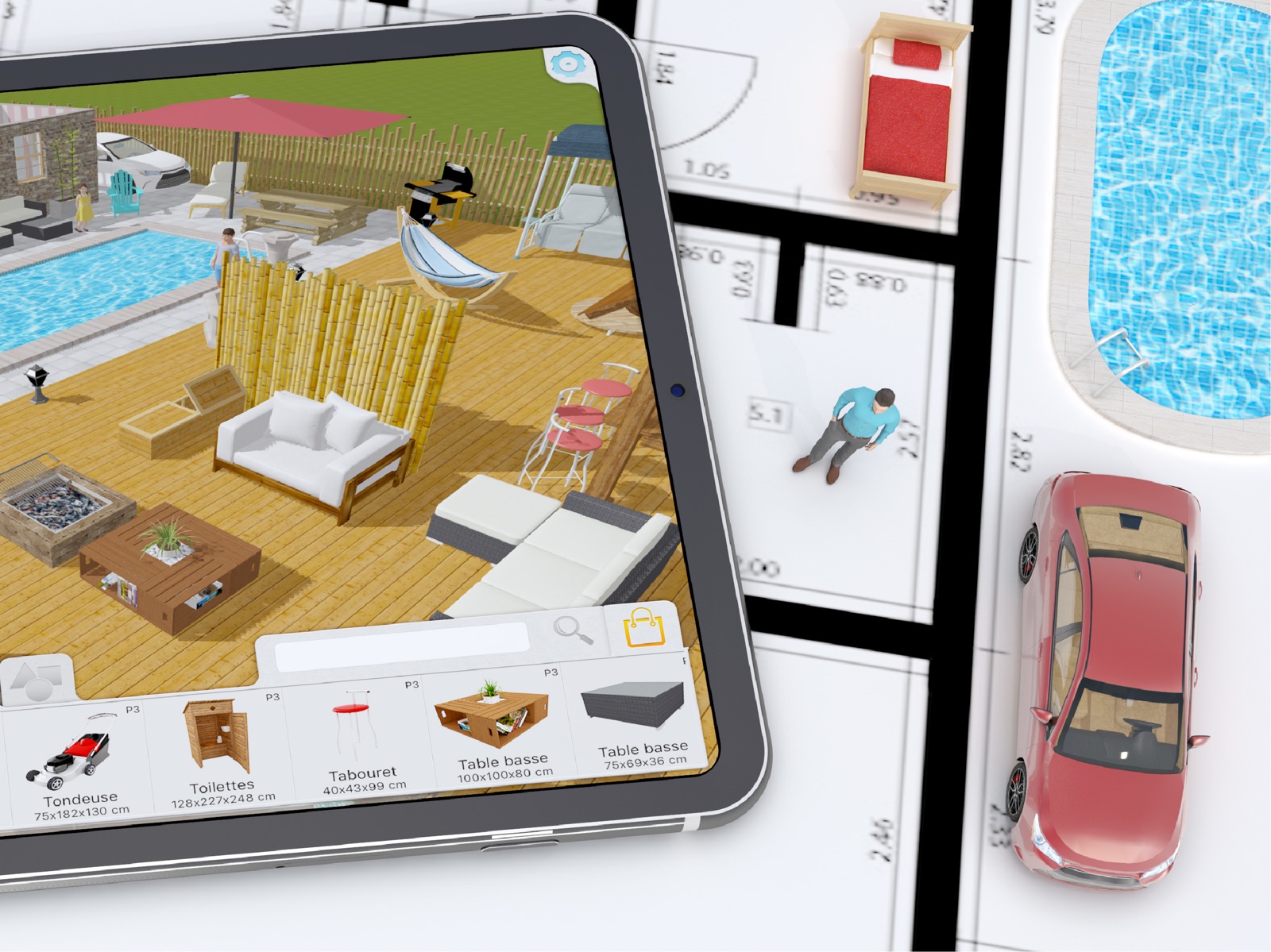
15 store screenshots



Pricing & paywalls
App Store
- Asia pack — $2.99
- Children pack — $2.99
- Countryside pack — $2.99
- Kitchen — $1.99
- Music Pack — $2.99
- Nature Pack — $2.99
- Outside — $1.99
- People Pack — $3.99
- Standard version — $5.99
- Starter Pack — $23.90
Ratings & reviews
App Store
-
5/5Very helpful to visualize your dream home plan
I purchased this app (full version) hoping this would help me on house remodeling project. Binge watching Property Brothers gave me so many ideas... I needed something to visualize plans before talking to contractors. And yes, this app has been exactly what I wanted! I love that you can duplicate a plan and make different versions easily. It has limited number of furnitures and what I see is not always a good match, but ability to change “part” of object colors separately has been unexpectedly useful. (It’s not for very detailed modification, but you can change color of cabinet counter top, handles, and the rest to different colors, for example.) Plus, you can change size of furnitures freely. You can be creative and substitute by modifying existing items if they don’t have the exact item you need. (Ex. I’ve created a “deck” by making a coffee table very big, flat & short) One tip - if you are using an iPad like I am and frustrated that text color for notes your wrote is white font color on light gray background, change your iPad display setting from dark view to light view... I emailed customer service about it and they responded in couple days. (Thanks! :) One item on a wishlist - if we can “group” multiple objects together so that they can move around as one piece (such as table+chairs, object you created etc), that’d be awesome!
yuzu marmalade · 6 Oct 2026
-
4/5A few technical issues and missing features
I really enjoy this app but there are some truly annoying things wrong with it. If these things were to be fixed, it’d be pretty much be perfect for my uses. First one being in the top down view, and in the 3d view, moving objects is like pixel hunting. It’s impossible to actually move items and often times you’ll accidentally move them up and down, or accidentally rotate it. Very annoying. Move the arrow for adjusting height a little higher or something. The “move” arrows for items is WAY too small. In 2D/top down view, I’ll just not even be able to move items and just keep accidentally moving the camera over and over. You can’t zoom in enough to avoid this. Another thing, some objects you can adjust the height like distance from the ground, but others you can’t? Like placing a plant on a counter. You can’t do that. Makes zero sense. And my BIGGEST issue is not being able to select multiple objects to move. I make custom items often with the blank objects and if I want to move that cluster of items, I have to move it one by one and knowing how garbage the moving icon is, I end up wanting to toss my phone in a river. Grouping items together to move would be amazing. I also think the search feature is way too specific. For example searching “box” doesn’t show me the item titled CUBE…. Have multiple keywords for items please. Also please add the ability to rotate the textures. Other then these things, I like everything else.
Druidessonifunny · 6 Oct 2026
-
5/5So worth it!
I love this app and I use it a lot on my iPad. I only wish that there were a few features added like the little eye dropper looking tool you use in paint or photoshop where you can replicate a color or one you’ve used previously. This would make it easier because there are many colors and patterns that are similar so it takes a minute to find the right one you used before. Another thing I wish it had is actually being able to create a second story, but on top of the first. It allows for a better visual for support and such for the upper stories. I remember in the original Sims PC games it allowed you to create multiple stories but it had algorithms in place that were somewhat following real life building codes to make sure it’s safe. You can also see where and how stairs will actually look in relation to the next floor. I know the current layout is optimal for builders but I am not one so it’s hard for me to conceptualize it when the floors are side by side. There could also be an additional button that controls what floor you see/work on, like the design and build button function. You just use it to switch between the two.
SarahHSH · 6 Oct 2026
-
2/5Disappointed
I have been using this app for months now and have loved it! I payed for the full version and even bought all the packs so I could plan things accurately. I do interior design and building plans and this helps to visualize everything easily. The only issues I had with it was some of the colors and textures were messed up with the newer packs. All the wood, fabric and wall paper textures from the newer packs had shown up in the tile section. It made it a pain to navigate through them but wasn’t a big deal. But recently I downloaded the app onto my phone so I could have easy access to it on the go (before it was only on my iPad at home) and all my plans showed up, but there were objects missing and it said I hadn’t bought the packs. So I just figured you must only have access to everything on one device. Which is annoying but whatever. But then I went to get on it on my iPad and it said the same thing! Now I don’t spend money on apps. Ever. So this is extremely frustrating to me and I really hope someone gets back with me to figure it out! I’ve emailed with no reply. I wish it had the option for an upstairs and roof and more plants and landscaping options. An easier way to navigate through the furniture would be nice too. Category’s inside category’s. (in the living room category have a couch category and a light category, etc. ) the search option is nice but I think this would be good too. Also triangle walls for stairs. But these things I can work around.
heater226 · 6 Oct 2026
-
4/5Good App. Great Customer Service.
I wanted a simple app to work out the best locations for placing free standing shelving racks in my garage before I started moving them around. I was able to figure this app out quickly enough on my own, to do that in the lite version. Only able to save one floor plan in the lite version, I saved screen shots to my photos to try different configurations. I’m not a designer-user but after this relatively easy success, I saw that it could be handy just to figure out room furnishing placement and in other applications, so I got the full version for $5.99. Upon upgrading, I couldn’t tell if the transaction went through as the app icon was still the lite version’s. I could not find a ‘contact us’ link in the app, but did find it at their full website. I received full responses to my questions the next day. Having follow up questions and a few suggestions I replied that day, and received a second response the same day! One of the responses was that an update was coming out in the next day or so, which would replace the app icon and sure enough it came out today. That update also happened to (coincidentally) include fixes for a couple of my suggestions, which clearly others had to have raised already and to which the company implemented. In summary, I don’t know how this app compares to others that target the professional design community, but it perfectly fits my current and future needs for optimizing a room’s space. I’m sure with some practice I could design a small house. The customer service bumps a four-star rating for the app itself to five stars.
iJOS58 · 6 Oct 2026
Privacy & accessibility
App Store
Privacy
- Data Linked to You — App Functionality — Diagnostics — Crash Data Developer declared
- Data Linked to You — Diagnostics Developer declared
Accessibility
No accessibility labels collected yet.
Versions
App Store
-
1.4.2
- Windows and doors are now realistically placed on the chosen side of the wall. - Measure in 3D can be seen through the building structure when selected to improve readability. - The furnishing dimensions are not correctly displayed in 3D. - Improved measures display. The measures will always be displayed the right side now. They could be upside down. - Improved readability in 2D to distinguish door and window. Door are now colored with the ground color. - Optimized windows and doors placement with better memory management and smooth movement. - Rectangular room will display width and depth under their name for better readability. - Removed redundant measures for more readability. - Fixed a bug when measures on each side of an opening could disappear. - Improved undo redo with keyboard input. Undo will return back to the first edition and not on each number typing. - Improve loading time of Keyplan and size of KPL files. - Fixed a bug, where some part of the wall could disappear in some rare circumstances. - Windows cotations are now displayed on both side of the wall. - Moving a window or a door close the wall border do not destroy the wall internal faces. - When a window is slightly larger than a wall, there will be an auto-resize to let the window be placed correctly. - Renaming a room is now done in a popup window to make this step easier.
-
1.5
This is the most ambitious update until now with a complete engine and interface redesign. The result is : - A full display compatibility with the new iPhones and iPads and the upcoming ones. - We've added universal sharing so that you can share with any app your creation. - File loading is now 10x faster than the previous version. - App size is reduced by 35% - Memory footprint is reduced by 30% - PDF display has been improved for better readability - Wrong login and password in the shop is now correctly managed - Room renaming bug is now fixed - Measurements layout optimized on the pdf file export
-
1.5.3
New improvements and better robustness - Preview 2D and 3D can be auto repaired now - iCloud update - Various performance optimizations - Ceiling are now available
-
1.5.7
iCloud Drive support Added ! The app is now more robust than ever. Opening extrusion is now fixed. Import image from option menu renamed for clarity. New iCloud management for safe recording. Improved performance. Invalid state document are now corrected Aborted loading now closes the project if opened Double tap on iPhone project menu is now fixed Sharing screenshot from plan with missing pack plan is now correctly managed File loading optimization Loadingwheel no more hidden in some rare cases Long press on app icon allow import recent file Kpl file from Files app can now be imported correctly Managing slow device when plan is edited Cloud request are now correctly stopped when app is resigned Busy file don’t cause app to crash Plan import is now working with local mode
-
1.6.1
Various bug fixes and improvements Direct sharing using Airdrop is now supported while app is running Fixed a file format difference between iPad and iPhone, sharing is now automatic. iCloud is now supporting every last features of iOS. Scroll on creation is now working properly. Image previews are now automatically generated. Fixed touchpad not visible on start. Disabled or invalid documents fixed.
-
1.6.5
We keep improving our app regularly, with one of the best bug free rate ever achieved. Various bug fixes and improvements Purchase while internet is disabled fixed Resized for better realism tree objects Preparing our 3D engine for future technologies
-
1.6.6
We keep improving Keyplan 3D with our regular updates. - Dark mode is now correctly displayed - Renamed "favorite" to "duplicate" button for custom furniture - In-App purchase updated - Various bug fixes and improvements
-
1.6.9
- Improved referral method to access free pack - Fixed rare crash with complex room geometry - Fixed restoring purchase when nothing was purchased first - 2D grid is now rescaling according to Imperial or Metric system used - Improved sharing user interface design - Fixed missing template preview on rare occasions - Fixed Wall edition constraints while moving a complete wall - Wall motion algorithm improved - Added new translations for information messages - Improved room consistency evaluation algorithm
-
1.7.1
We improved packs purchase experience and the overall app performances. - More robust wall construction - New iCloud visibility from project menu - Notification message when a new pack is created - Downloading pack can now be cancelled - Improved performances - Allow restore after purchase to update pack - Better pack naming - "Height from ground" label fixed
-
1.7.3
Various bug fixes and performance improvements Rare crash on startup is now fixed with missing pack purchased New wall creation optimisation Bug fix related to precision calculation Improved file loader Fix bug when walls have 0 width
-
1.7.5
New exciting features are now available with this new version ! - You can now create folders and reorganize your plans according to your need. The folders can be dragged and dropped to create complex folder hierarchy Copy / Paste any folder group to copy an entire set of plans. It is now possible to reorder your plans according to alphabetical or creation date order. The creation date information is now displayed under the plan name. - New wall edition algorithm. Much more flexible and robust, you will feel much more freedom when editing your walls. - iPhone and iPad project menu interfaces are now identical and much more ergonomic. Since Keyplan 3D is a universal App available on both iPhone and iPad, we merged both menu interfaces into a single and simple one.
-
1.7.6
Welcome to our users from China. Keyplan 3D is now fully translated in Chinese. - Fix when new user don't get a new plan to edit freely with the Lite version. - Deeper zoom allowed for better precision - Magnet is now adapting with better precision - More robust with complex room shape - Empty project menu is no more causing trouble - Code cleaning
-
1.7.7
Various code improvements Updated 3D object loader. Compatibility with iOS 17. Reverse cotations in rare occasions fixed. Updated geometry algorithms. New architecture for upcoming features.
-
1.8.5
New asset file model with improved loading and reduced size Fixed various In App objects with improved texture and geometry Small translation corrections In App packs are now available with lightning fast download 3d engine improved Fix last opened plan selection when a different folder is opened Fix cotation kwall displayed on top of room's cotations iCloud connection improved Added new mouse interactions for ipadOs and MacOS Kpl file sharing improved
-
1.8.6
Quick bug fix for plan image importation. Several bugs and performance improvements.
-
1.8.8
What's new A complete new color tool, adding many features to paint your dream Home. - You can now create your own color using a color wheel including millions of colors - It is now possible to paint a single object or every wall of a selected room - Create a custom palette and record your favorite colors - Check your painting history to quickly find a previous color - A new page collect every textures and colors applied in your project to be reused if needed. - An eyedropper allow you to collect precisely any colors in your plan. - The interface is now wider, more colorful and easy to read. Bug fixes We fixed and improved the In App loading system. Your purchases are now correclty displayed in real-time. Some readability improvements. Already purchase message is now fixed
-
1.8.9
- New nature pack - Missing packs check for favorited items. - Updated for iOS 18 - The shop now displays images in HD - Various fixes and improvements
-
1.9.0
This month discover the new nature pack, its trees, its stone decorations and many other things. - The purchases update is now faster and more robust - Sharing plans on Mac is now possible in KPL format
-
1.9.1
This month discover the new nature pack, its trees, its stone decorations and many other things. HotFix : unedited plan from previous version could be locked if edited in subsequent versions.
-
1.9.2
Fixed unlocking geometric shape pack
-
1.9.3
Code cleaning with latest iOS version update Unicode is now fully supported for room name and cotation display Crash fix on returning to main referral page Removed pop up with object templates are not correctly initialized Added Chinese missing translations Crash fixed for pdf generation with broken room shape Magnifier is now back in the object browser to search for a specific object using names.
-
1.9.4
Improved speed and overall stability Code updated with latest ios version Fixed inverted furniture dimensions in 2D view Objects fix and optimisation Fixed few translations
-
1.9.5
- Countryside Pack — Now Even Better! Our Countryside Pack just got a free update for all existing owners! If you haven’t grabbed it yet, the price stays the same, so now’s the perfect time. Discover four brand-new items — two silos, a wind turbine, and a cart — to bring even more life, charm, and creative options to your farm. Don’t forget to explore our updated In-App Shop for the latest additions! - iCloud or Local? You Choose. By popular demand, we’ve added a new button right inside the app that lets you easily switch between iCloud and local storage. Your feedback drives our updates, and we’re thrilled to bring you this much-requested feature! - A Fresh, Modern Look Keyplan 3D now shines with a modernized interface, inspired by Apple’s elegant Liquid Glass design. Smoother, sleeker, and more delightful than ever. - Faster. Stronger. Better. We’ve fine-tuned performance across the board — enjoy a faster, more stable experience every time you create.
-
1.9.6
- New Music Pack Create your own recording studio! Instruments, turntables, concert gear… and more! - Improved visibility of new content - Minor bug fixes
-
1.9.7
· 28 May 2026
We’ve doubled the number of walls and furniture items you can add to your plans, allowing you to build much larger projects with thousands of objects. We’ve also improved file handling: Keyplan 3D can now open previously corrupted projects and will attempt to repair any issues within the file. We’ve upgraded our bug reporting system with a new automated tool. This helps us better identify issues and provide a smoother experience whenever problems occur in the app. We’re constantly working to improve Keyplan 3D in every possible way.
-
1.9.9
· 10 Aug 2026
A new update to make designing even more enjoyable! A new discounted multi-pack offer is now available: discover the all-new Starter Pack. New language: Keyplan 3D is now fully translated into Korean. Completely redesigned plan synchronization engine: much more stable and faster, even when you have several hundred projects. The Reward Pack should no longer need to be renewed when starting the app in rare cases. Purchases are now automatically checked and updated. Fixed plan naming when creating a new plan in Japanese. Improved wall intersection precision.
Alternatives
- Home Design 3D: Draw & Plan — Same category + similar ratings
- DrawPlan — Same category + similar ratings
- Roomle: 3D Room Planner & AR — Same category + similar ratings
- magicplan — Same category + similar ratings
- Home Design 3D Outdoor&Garden — Same category + similar ratings
Availability by market
- US
Data quality & evidence
- Page completeness
- Live store listing
- Last verified
- 6 Oct 2026
- Sources
- App Store
- Apoku editorial summary has not been published yet.