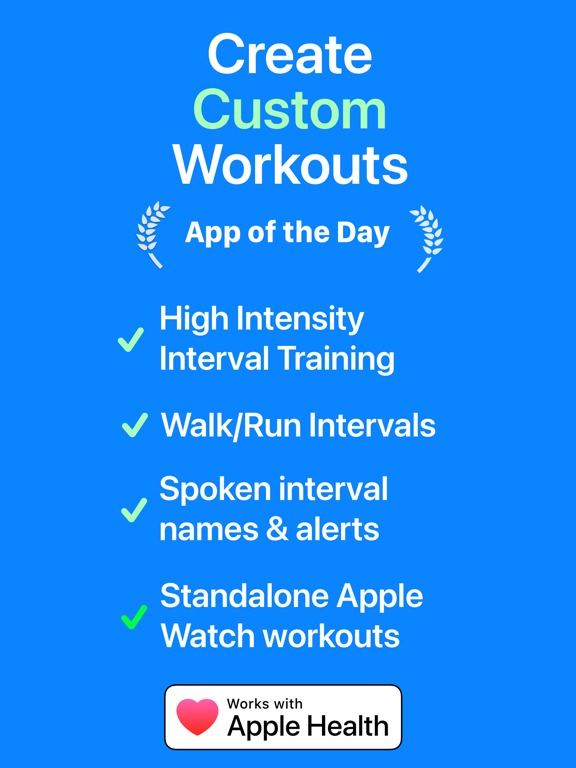
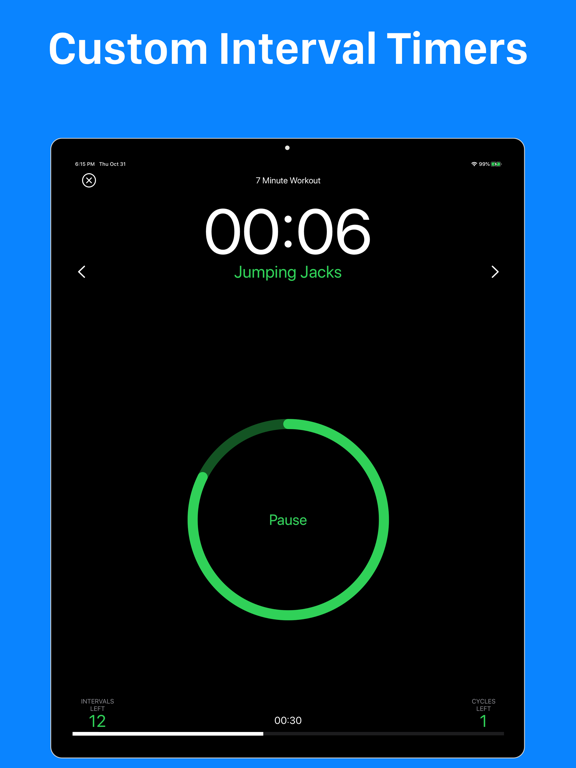
AppCorpus MCP gives your agent current app data, prices, screens, features and sources.
View JSON
GET /api/v3/apps/957586938
{
  "app_id": 957586938,
  "canonical_url": "https://appcorpus.com/apps/intervals-pro-hiit-timer-957586938",
  "identity": {
    "name": "Intervals Pro: HIIT Timer",
    "slug": "intervals-pro-hiit-timer",
    "developer": {
      "name": "Intervals, LLC",
      "url": "https://appcorpus.com/developers/intervals-llc-developer_31528136cee2b2fb886b7f59b5aa0165"
    },
    "icon_url": "https://is1-ssl.mzstatic.com/image/thumb/Purple211/v4/47/86/07/47860787-8b08-e2b9-9e4a-db73ebef225a/AppIcon-0-0-1x_U007emarketing-0-0-0-11-0-0-85-220.png/512x512bb.jpg",
    "stores": [
      "apple"
    ],
    "platforms": [
      "iphone",
      "ipad"
    ],
    "status": {
      "state": "active",
      "label": "Active",
      "last_checked": "2026-09-05",
      "last_checked_label": "5 Sep 2026",
      "banner": null,
      "region_note": null
    }
  },
  "listings": [
    {
      "store": "apple",
      "status": "ACTIVE",
      "url": "https://apps.apple.com/us/app/intervals-pro-hiit-timer/id957586938?uo=4",
      "rating": 4.8,
      "rating_count": 13581,
      "formatted_price": "Free",
      "is_free": true,
      "has_iap": true,
      "has_subscription": false,
      "version": "2026.7",
      "updated": "2026-07-21",
      "currency": "USD"
    }
  ],
  "summary": {
    "one_liner": null,
    "summary": null,
    "best_for": [],
    "not_for": [],
    "status": "fallback",
    "at_a_glance": [
      "From $2.99/mo",
      "Free to download",
      "In-app purchases"
    ]
  },
  "categories": {
    "official": [
      "Health & Fitness",
      "Utilities"
    ],
    "appcorpus": [
      {
        "category_id": "health-fitness",
        "label": "Health & fitness",
        "url": "https://appcorpus.com/categories/health-fitness"
      },
      {
        "category_id": "utilities",
        "label": "Utilities",
        "url": "https://appcorpus.com/categories/utilities"
      }
    ]
  },
  "use_cases": [],
  "features": [
    {
      "capability_id": "family_sharing",
      "label": "Family Sharing",
      "availability": "yes",
      "access_level": "unknown",
      "scope": "App Store",
      "evidence": "Store published"
    },
    {
      "capability_id": "free_app",
      "label": "Free app",
      "availability": "yes",
      "access_level": "free",
      "scope": null,
      "evidence": "Store published"
    },
    {
      "capability_id": "in_app_purchases",
      "label": "In-app purchases",
      "availability": "yes",
      "access_level": "free_limited",
      "scope": null,
      "evidence": "Store published"
    }
  ],
  "pricing": [
    {
      "store": "apple",
      "formatted_price": "Free",
      "is_free": true,
      "has_iap": true,
      "has_subscription": false,
      "currency": "USD",
      "market": "us",
      "last_verified": "2026-09-05",
      "rows": [
        "Monthly Membership — $2.99/month",
        "Monthly Membership — $19.99/year ($1.66/mo)",
        "Amazing Tip — $9.99",
        "Awesome Tip — $1.99",
        "Generous Tip — $0.99",
        "Intervals Pro (Legacy) — $69.99",
        "Lifetime Access — $69.99",
        "Massive Tip — $4.99"
      ]
    }
  ],
  "screens": [
    {
      "url": "https://is1-ssl.mzstatic.com/image/thumb/Purple116/v4/2d/f0/5c/2df05c9d-009a-fe20-4e31-254be32e206f/ad1a6f53-5eb7-4aa5-80f1-ca0a43eda7fd_iPad_Hero_Image_1.png/1600x1600bb.jpg",
      "store": "apple",
      "platform": "ipad",
      "alt": "Intervals Pro: HIIT Timer ipad screenshot 1"
    },
    {
      "url": "https://is1-ssl.mzstatic.com/image/thumb/Purple126/v4/70/9c/f7/709cf772-e2d9-a75a-b60a-0571e629343b/b552089b-2a09-4a18-bf0f-644bf1280e47_iPad_Hero_Image_1.png/576x768bb.png",
      "store": "apple",
      "platform": "ipad",
      "alt": "Intervals Pro: HIIT Timer ipad screenshot 2"
    },
    {
      "url": "https://is1-ssl.mzstatic.com/image/thumb/Purple116/v4/56/f0/b2/56f0b2dc-93aa-53d4-c080-0357623ff780/17adbc8c-129d-430c-a308-d23821f0d2e8_iPad_Hero_Image_2.png/1600x1600bb.jpg",
      "store": "apple",
      "platform": "ipad",
      "alt": "Intervals Pro: HIIT Timer ipad screenshot 3"
    },
    {
      "url": "https://is1-ssl.mzstatic.com/image/thumb/Purple126/v4/48/b1/95/48b195e9-3e7a-e80f-a3c9-d12b62deddf4/e894191e-2db5-4e5c-8e81-09e25703325e_iPad_Hero_Image_2.png/576x768bb.png",
      "store": "apple",
      "platform": "ipad",
      "alt": "Intervals Pro: HIIT Timer ipad screenshot 4"
    },
    {
      "url": "https://is1-ssl.mzstatic.com/image/thumb/Purple126/v4/90/25/69/902569b1-7bcf-e150-a2e6-2ebf5125ac2b/a97828a5-140e-4d01-8afe-f0837e9f7be2_iPad_Timer_List.png/1600x1600bb.jpg",
      "store": "apple",
      "platform": "ipad",
      "alt": "Intervals Pro: HIIT Timer ipad screenshot 5"
    },
    {
      "url": "https://is1-ssl.mzstatic.com/image/thumb/Purple116/v4/2c/35/8a/2c358a62-0c53-83a7-f200-2a532bd3df4e/29aa2f3e-150b-4a31-9d87-1b367a491a95_iPad_Timer_List.png/576x768bb.png",
      "store": "apple",
      "platform": "ipad",
      "alt": "Intervals Pro: HIIT Timer ipad screenshot 6"
    },
    {
      "url": "https://is1-ssl.mzstatic.com/image/thumb/Purple126/v4/3a/47/18/3a4718c5-349c-4063-ff0a-a07ced612743/e7a95be1-a8ad-4cab-b9e2-6f89a9f5e13c_iPad_Customize.png/1600x1600bb.jpg",
      "store": "apple",
      "platform": "ipad",
      "alt": "Intervals Pro: HIIT Timer ipad screenshot 7"
    },
    {
      "url": "https://is1-ssl.mzstatic.com/image/thumb/Purple116/v4/4b/f8/bd/4bf8bd61-a240-ad4d-9a78-69eee405dfc5/f6a0d212-ef58-4957-9d97-1baaa45e0b60_iPad_Customize.png/576x768bb.png",
      "store": "apple",
      "platform": "ipad",
      "alt": "Intervals Pro: HIIT Timer ipad screenshot 8"
    },
    {
      "url": "https://is1-ssl.mzstatic.com/image/thumb/Purple126/v4/2c/ea/81/2cea8172-427d-d25c-bda6-de7318b96b76/b6319fa3-ec35-4afb-97c1-1512fa3fd58b_iPad_Timer_Types.png/1600x1600bb.jpg",
      "store": "apple",
      "platform": "ipad",
      "alt": "Intervals Pro: HIIT Timer ipad screenshot 9"
    },
    {
      "url": "https://is1-ssl.mzstatic.com/image/thumb/Purple126/v4/5b/eb/45/5beb457b-fd36-a380-fd6d-5e2b384016ea/5db032f5-f392-4c0b-b4d7-d820b8706f21_iPad_Timer_Types.png/576x768bb.png",
      "store": "apple",
      "platform": "ipad",
      "alt": "Intervals Pro: HIIT Timer ipad screenshot 10"
    },
    {
      "url": "https://is1-ssl.mzstatic.com/image/thumb/Purple116/v4/c2/ba/ca/c2bacaf5-557a-b8ae-24f3-031960032308/4078dcc9-874e-4ca8-b5fe-ef582ab5a787_iPad_Edit_Interval.png/1600x1600bb.jpg",
      "store": "apple",
      "platform": "ipad",
      "alt": "Intervals Pro: HIIT Timer ipad screenshot 11"
    },
    {
      "url": "https://is1-ssl.mzstatic.com/image/thumb/Purple116/v4/4d/1e/be/4d1ebe99-fb1e-1440-cc23-64b5b3af667b/dfb5b64d-164c-4212-8596-1a9d2dde964a_iPad_Edit_Interval.png/576x768bb.png",
      "store": "apple",
      "platform": "ipad",
      "alt": "Intervals Pro: HIIT Timer ipad screenshot 12"
    },
    {
      "url": "https://is1-ssl.mzstatic.com/image/thumb/Purple126/v4/1f/46/8e/1f468e9e-ed2c-3fea-3975-16a8d268692e/69c4027f-d510-4db3-897f-d761bc5dfe4d_iPhone_X_Screen_1.png/1242x1600bb.jpg",
      "store": "apple",
      "platform": "iphone",
      "alt": "Intervals Pro: HIIT Timer iphone screenshot 13"
    },
    {
      "url": "https://is1-ssl.mzstatic.com/image/thumb/Purple116/v4/8c/43/f9/8c43f90a-9406-c0e7-bd69-e4b4b2ced9e6/d2972fb9-e680-48c8-b6db-3392bceae7fc_iPhone_X_Screen_2.png/1242x1600bb.jpg",
      "store": "apple",
      "platform": "iphone",
      "alt": "Intervals Pro: HIIT Timer iphone screenshot 14"
    },
    {
      "url": "https://is1-ssl.mzstatic.com/image/thumb/Purple116/v4/76/6a/f0/766af0bb-cd83-944c-c3f5-c5747060c91b/b1849062-469d-4007-8f23-cdb424a1f4d9_iPhone_X_Share.png/1242x1600bb.jpg",
      "store": "apple",
      "platform": "iphone",
      "alt": "Intervals Pro: HIIT Timer iphone screenshot 15"
    },
    {
      "url": "https://is1-ssl.mzstatic.com/image/thumb/Purple116/v4/0a/1c/75/0a1c7584-ae4e-c44d-04e2-6a7de457b80e/76e5a6b7-b41f-488a-8746-878dfe7c7234_iPhone_X_Screen_3.png/1242x1600bb.jpg",
      "store": "apple",
      "platform": "iphone",
      "alt": "Intervals Pro: HIIT Timer iphone screenshot 16"
    },
    {
      "url": "https://is1-ssl.mzstatic.com/image/thumb/Purple126/v4/9d/6b/42/9d6b42cf-fd3e-9cce-3803-143f36e7a24d/8a17e9df-bdf6-42a1-83a5-13f46aefaeed_iPhone_X_Screen_4.png/1242x1600bb.jpg",
      "store": "apple",
      "platform": "iphone",
      "alt": "Intervals Pro: HIIT Timer iphone screenshot 17"
    },
    {
      "url": "https://is1-ssl.mzstatic.com/image/thumb/Purple126/v4/c5/44/3e/c5443e33-2942-914a-7efb-319b875aa1c0/7c7d0e17-0bd6-4715-a5b5-d26a9c337109_iPhone_X_Customize.png/1242x1600bb.jpg",
      "store": "apple",
      "platform": "iphone",
      "alt": "Intervals Pro: HIIT Timer iphone screenshot 18"
    },
    {
      "url": "https://is1-ssl.mzstatic.com/image/thumb/Purple116/v4/55/91/a0/5591a002-42c6-f821-792a-ddbbab1ac3fe/1daa3b85-9f7d-4f27-b9e5-16e14f92ff8e_iPhone_X_Close_Activity_Rings.png/1242x1600bb.jpg",
      "store": "apple",
      "platform": "iphone",
      "alt": "Intervals Pro: HIIT Timer iphone screenshot 19"
    },
    {
      "url": "https://is1-ssl.mzstatic.com/image/thumb/Purple126/v4/27/82/4a/27824a4a-e376-c599-e331-bd5798e22095/7d7dab4c-95cd-4168-a3e1-a39f6c8bd7f5_Analyze_Intervals.png/1242x1600bb.jpg",
      "store": "apple",
      "platform": "iphone",
      "alt": "Intervals Pro: HIIT Timer iphone screenshot 20"
    },
    {
      "url": "https://is1-ssl.mzstatic.com/image/thumb/Purple116/v4/f4/4a/79/f44a79da-cafb-2fca-4244-4239bb5e5f22/8e319bd2-86c2-4fbe-a4ec-913817b202ab_iPhone_X_5K_Training_Program.png/1242x1600bb.jpg",
      "store": "apple",
      "platform": "iphone",
      "alt": "Intervals Pro: HIIT Timer iphone screenshot 21"
    },
    {
      "url": "https://is1-ssl.mzstatic.com/image/thumb/Purple116/v4/f1/f3/90/f1f39034-0032-c81c-05d1-85268a2eaf4a/add3a369-111d-4de4-bdbd-b6eff15e0730_iPhone_X_Remote_Watch_View.png/1242x1600bb.jpg",
      "store": "apple",
      "platform": "iphone",
      "alt": "Intervals Pro: HIIT Timer iphone screenshot 22"
    },
    {
      "url": "https://is1-ssl.mzstatic.com/image/thumb/PurpleSource116/v4/a5/8e/aa/a58eaa18-d919-f0ce-9af6-737ec9c65933/e475d588-972c-48a5-ab05-bf5fa98aed11_incoming-1001CEAC-C05A-4F8E-A5BA-7B7FFDDBC9E4.PNG/410x502bb.jpg",
      "store": "apple",
      "platform": "watch",
      "alt": "Intervals Pro: HIIT Timer watch screenshot 23"
    },
    {
      "url": "https://is1-ssl.mzstatic.com/image/thumb/PurpleSource126/v4/3e/d6/99/3ed69990-0271-d294-3613-05ae2651f2cc/a9c441dd-a468-4bad-803b-c4fef1b35c36_Simulator_Screen_Shot_-_Apple_Watch_Ultra__U002849mm_U0029_-_2023-02-05_at_10.40.26.jpg/410x502bb.jpg",
      "store": "apple",
      "platform": "watch",
      "alt": "Intervals Pro: HIIT Timer watch screenshot 24"
    },
    {
      "url": "https://is1-ssl.mzstatic.com/image/thumb/PurpleSource116/v4/43/e3/f9/43e3f9ed-08d4-7580-ad5d-143e748bdd4e/3a065ef5-e960-4f59-af1e-eb2cc34c0c68_Simulator_Screen_Shot_-_Apple_Watch_Ultra__U002849mm_U0029_-_2023-02-05_at_10.40.46.jpg/410x502bb.jpg",
      "store": "apple",
      "platform": "watch",
      "alt": "Intervals Pro: HIIT Timer watch screenshot 25"
    },
    {
      "url": "https://is1-ssl.mzstatic.com/image/thumb/PurpleSource126/v4/32/89/78/328978dd-2fa9-5830-0c2e-2121bb2d2274/292388cb-3d69-4b6b-9935-737061646c85_incoming-9953535C-D82A-4143-9E3A-6E72CE83E41F.PNG/410x502bb.jpg",
      "store": "apple",
      "platform": "watch",
      "alt": "Intervals Pro: HIIT Timer watch screenshot 26"
    },
    {
      "url": "https://is1-ssl.mzstatic.com/image/thumb/PurpleSource126/v4/a3/46/17/a3461725-bfbc-0976-f30c-4d4b0fbbea72/5255d86d-24f5-4646-bd4a-42791c8f83fb_incoming-7722275D-FFCE-411D-A41A-E444CB4A02C2.PNG/410x502bb.jpg",
      "store": "apple",
      "platform": "watch",
      "alt": "Intervals Pro: HIIT Timer watch screenshot 27"
    },
    {
      "url": "https://is1-ssl.mzstatic.com/image/thumb/PurpleSource126/v4/ef/e4/d1/efe4d144-0c3a-f215-ee97-3d39b874dfeb/b9b980e5-bfc9-497d-94b1-a93f45732323_Simulator_Screen_Shot_-_Apple_Watch_Ultra__U002849mm_U0029_-_2023-02-05_at_15.41.10.jpg/410x502bb.jpg",
      "store": "apple",
      "platform": "watch",
      "alt": "Intervals Pro: HIIT Timer watch screenshot 28"
    },
    {
      "url": "https://is1-ssl.mzstatic.com/image/thumb/PurpleSource126/v4/28/a4/05/28a4050e-0e54-90e1-dccf-ad69f364e7f9/8987d609-7c68-485c-bb97-bfbe1953408e_incoming-E70025D7-88B9-4A9D-8CD7-BB9E6882A619.PNG/410x502bb.jpg",
      "store": "apple",
      "platform": "watch",
      "alt": "Intervals Pro: HIIT Timer watch screenshot 29"
    },
    {
      "url": "https://is1-ssl.mzstatic.com/image/thumb/PurpleSource126/v4/a8/45/f0/a845f09d-c380-8425-9316-b53a501a8acb/77c094db-2287-4566-a672-8ffb31ca8b3b_incoming-7897BBE4-26B1-4D60-9ACB-FF88E53E9F11.PNG/410x502bb.jpg",
      "store": "apple",
      "platform": "watch",
      "alt": "Intervals Pro: HIIT Timer watch screenshot 30"
    }
  ],
  "ratings": [
    {
      "store": "apple",
      "average": 4.8,
      "count": 13581,
      "market": "us",
      "observed_at": "2026-09-05",
      "reviews": [
        {
          "rating": 5,
          "title": "Outstanding Intervals App",
          "body": "I don’t normally write reviews for apps or anything in general but I just had to talk about how good this app is. This is a fantastic intervals app for running, but Im sure would do great in cycling, or other workouts. My experience with this app has been superb and the Pro version of this app is incredibly affordable and a no brainer if you take exercising seriously. The customization of each workout and its intervals is fantastic. It is super specific regarding the settings you can customize and really easy to use. The apple watch integration to this app is outstanding, and syncs the runs automatically to the intervals app on your phone without having to wait or do anything tedious like other apps. You can connect strava really easily and send your workouts to strava with a click of a button. The heart rate integration is also great, allowing you to set minimum and maximum heart rates for your runs and it will alert you each time you go above or below certain heart rates or paces. I highly recommend this app as opposed to the stock apple workout app because this is so much easier to use and you can modify all your runs on your phone instead of on the watch which takes so much time. You can also easily organize runs and order them in folders with different colors, etc. I have switched to using this app primarily for all my easy runs and interval runs because it is that good. Highly recommend :)",
          "author": "GioTapia2o9",
          "date": "5 Sep 2026"
        },
        {
          "rating": 5,
          "title": "Don’t judge it by the free version… worth every penny",
          "body": "Edited now that I paid for the app: This is a fantastic app. Don’t judge the full version by the free version; the complaint I wrote below was an annoyance but I haven’t thought about it in years. I paid for this app and it does EVERYTHING I want and does it smoothly. I have created my own sequences with my own timing and my own spoken prompts, and if I want, I can share them with my friends. It integrates with Apple health and tracks the different things I use it for. I highly recommend it for what it is. It’s well designed and smooth and convenient, it does what I want without making me think about the app itself. Yes, I had to put some effort into creating my custom sequences, but it gave me the power and flexibility to make them exactly what I wanted. I'm sure this is a fine app once you've paid, but if you download the free version, you can't even enter your own timing sequence to see how it works. You can only use the preconfigured sequence, which is hopelessly pointless. Even worse, if you try to enter your own sequence, you can spend a long time putting in times and labels and setting alarms... and then at the end of all that work it tells you that you can't save it without paying! An app developer that wastes your time to trick you into paying is pretty dishonest. From what I can tell, it probably works very well after paying, but wasting my time on purpose is totally unacceptable.",
          "author": "Omgoleus",
          "date": "5 Sep 2026"
        },
        {
          "rating": 3,
          "title": "Last update is buggy",
          "body": "I see now the app is either a subscription service or it costs more. Even at the one time $40 it is worth the price overall if you do run/walk intervals. Unfortunately, the update yesterday made the app unusable for now. After using it, it won’t close. It leaves the fluctuating icon at the top of the Apple Watch as if it’s open and running. When you try to close the app in the background, it simply reopens itself. The complication also disappeared from every watch face and I had to uninstall and reinstall on the watch to be able to put the complication back. The exact same thing happened after an update last February. I emailed the developer and I’m waiting to see if he has any suggestions. Last year, he sent me a suggestion which worked. It’s no longer working! I’ll change my rating once this is fixed. I have used this app for many years and think it’s an excellent app for people who want to use intervals. I have written many positive and glowing reviews about this app and the app developer. The developer has always responded to issues and suggestions over the years and always responded almost immediately. It was unexpected and amazing. I have recommended this app over and over again. It doesn’t require a subscription like so many others, just the one time charge. It is well worth the price.",
          "author": "Runner1983",
          "date": "5 Sep 2026"
        },
        {
          "rating": 5,
          "title": "Love, must have",
          "body": "I absolutely love this app. Finding an interval app that is so customizable is hard, and I've tried most out there. This app supersedes all other apps out there, it is super affordable, and the summaries are great. It shows total time, active cal, distance, avg. pace and heart rate. It integrates smoothly with health an the activity rings on the watch if you use that. Also, fully functional on the watch only. I don't carry my phone so finding an app that worked independently was imperative and this one does. On another note, I had an initial issue when I first upgraded to the paid version where my distance, calories, and avg. pace were not showing in my summary and the developers/support staff not only responded to my email within hours, but walked me through different solutions. I realized that it may have been that I tried using it rather quickly after the upgrade and it possibly took maybe 12-24 hours for the app to fully get to its potential and upgraded features, so I count that as user error, but nonetheless the quick and great support set this above the bar for my standards, so much so that I decided to write my first and only app review and I've been an avid iPhone owner since the first release. Big thanks to Jeff Bailey, you're an awesome person for this brand, either as a rep, support staff, coder, or creator you've got me hooked and hope to see more from you guys at \"Intervals\".",
          "author": "JonalynnA",
          "date": "5 Sep 2026"
        },
        {
          "rating": 5,
          "title": "Love this app - five stars plus!",
          "body": "I never review apps, but I tried this app for the first time tonight - oh my God it's awesome. I wanted an app that would time walking/running intervals for me, but also alert me via haptics to when I needed to switch back & forth (2 min walking, one minute running). This does that - and it alerts you when halfway through each cycle as well as giving you a five second countdown before switching. It's totally awesome and tracks into everything I already have seamlessly as well - I wanted an app that would work with my Apple watch , Apple heath & Oura. This does that. I had been doing periodic interval running on a treadmill, where you can see and control the intervals - but this makes outside interval running easy. Kinda. You still have to run, and without the treadmill to pace me, well - it's different. But really another fun alternative to just running two miles a day as fast as I can. Free to download, but to customize the way I did you need to buy the upgrade. $8.95 + tax well spent :)",
          "author": "daveonbass11",
          "date": "5 Sep 2026"
        }
      ]
    }
  ],
  "privacy": [
    {
      "store": "apple",
      "declarations": [
        {
          "title": "Data Not Linked to You",
          "detail": "Analytics — Usage Data — Product Interaction",
          "source": "Developer declared"
        },
        {
          "title": "Data Not Linked to You",
          "detail": "Usage Data",
          "source": "Developer declared"
        }
      ],
      "accessibility": []
    }
  ],
  "changes": [
    {
      "store": "apple",
      "version": "2024.1.2",
      "released_at": null,
      "notes": "Additional fixes to squash a few rare bugs."
    },
    {
      "store": "apple",
      "version": "2024.3",
      "released_at": null,
      "notes": "• Workout Charts: New workout charts for heart rate, pace, cadence, and elevation are now available in the Logbook! • Bug Fixes: Includes a fix that occasionaly prevents being able to see the details for all your intervals in the Logbook."
    },
    {
      "store": "apple",
      "version": "2024.4.1",
      "released_at": null,
      "notes": "Includes improvements for syncing timers to the watch."
    },
    {
      "store": "apple",
      "version": "2024.5",
      "released_at": null,
      "notes": "• Workout Notes: Add notes to your completed Apple Health Workouts. • Improvements & Bug fixes: Includes a fix to ensure preference changes are persisted after restarting the app."
    },
    {
      "store": "apple",
      "version": "2024.5.1",
      "released_at": null,
      "notes": "Fixes an issue with selecting a new timer in a folder on the watch."
    },
    {
      "store": "apple",
      "version": "2024.6",
      "released_at": null,
      "notes": "Apple Watch Improvements: • When you tap the End button on your watch, you’ll be prompted to confirm ending the timer, restarting it, or skipping the cool-down interval. • We’ve re-enabled automatic scrolling to the currently selected timer on the watch. The Auto Scroll switch at the top of the main folder list controls this behavior."
    },
    {
      "store": "apple",
      "version": "2025.1",
      "released_at": null,
      "notes": "Apple Watch Improvement: You can now end a watch timer without first pausing the workout."
    },
    {
      "store": "apple",
      "version": "2025.2",
      "released_at": null,
      "notes": "Improved Heart Rate Monitor Support: It's now easier and more reliable to connect your Bluetooth Heart Rate Monitors."
    },
    {
      "store": "apple",
      "version": "2025.3",
      "released_at": null,
      "notes": "New workout template for Japanese Intervals Walking. This fitness trend, developed by Japanese researchers, alternates between normal and brisk walking intervals to improve cardiovascular fitness and overall health."
    },
    {
      "store": "apple",
      "version": "2025.4",
      "released_at": null,
      "notes": "iOS 26 Support & More: Updates to support the new OS versions on all platforms, bug fixes, and under-the-hood improvements."
    },
    {
      "store": "apple",
      "version": "2025.4.1",
      "released_at": null,
      "notes": "• Fix for “Next Interval” button not showing for long interval names • iOS 26 Support & More: Updates to support the new OS versions on all platforms, bug fixes, and under-the-hood improvements."
    },
    {
      "store": "apple",
      "version": "2025.5",
      "released_at": null,
      "notes": "Additional updates to support the new OS versions on all platforms. Also, other fixes and improvements, including a new Lifetime purchase option."
    },
    {
      "store": "apple",
      "version": "2025.6",
      "released_at": null,
      "notes": "Now you can configure your Apple Watch screens to show both the upcoming interval’s name and its duration, so you’re always prepared for what’s next. Also includes other fixes and under-the-hood improvements."
    },
    {
      "store": "apple",
      "version": "2025.6.1",
      "released_at": null,
      "notes": "• Timer Editing: Intervals with a zero duration will now display as 'Disabled' for clarity. • Apple Watch: If any Alert Sound is set to 'Silence', the Apple Watch haptic will now always still tap your wrist. • Fixes and improvements: Includes improved display of long interval names."
    },
    {
      "store": "apple",
      "version": "2025.6.2",
      "released_at": null,
      "notes": "Added back support for users running iOS 16. Other updates include: • Timer Editing: Intervals with a zero duration will now display as 'Disabled' for clarity. • Apple Watch: If any Alert Sound is set to 'Silence', the Apple Watch haptic will now always still tap your wrist. • Fixes and improvements: Includes improved display of long interval names."
    },
    {
      "store": "apple",
      "version": "2026.2",
      "released_at": null,
      "notes": "• Quickly Mute Alert Sounds: You can now quickly mute alert sounds during your workout from both iPhone and Apple Watch. • Apple Watch Settings: Many timer settings are now available directly on Apple Watch."
    },
    {
      "store": "apple",
      "version": "2026.3",
      "released_at": null,
      "notes": "• iPhone Workout Tracking: iPhone workouts now use iOS 26 Apple Health workout tracking capabilities to improve tracking of metrics like active calories and distance. • Heart Rate on iPhone: Track heart rate with AirPods Pro 3, Powerbeats Pro 3, or Bluetooth heart rate monitors that support the standard GATT heart rate profile (iOS 26 required). • Workout Summary: After saving a workout to Apple Health, Intervals now opens the Logbook summary automatically so you can review your results right away. • Shortcuts Support: Use Shortcuts to start timers, pause or resume workouts, and end running timers. • Workout Countdown: There's a new 3-second countdown before the timer starts to give you time to get ready and allow Apple Health workout tracking time to warm up."
    },
    {
      "store": "apple",
      "version": "2026.3.1",
      "released_at": null,
      "notes": "Fix for starting the workout when the Apple Health Session Type is set to None."
    },
    {
      "store": "apple",
      "version": "2026.3.2",
      "released_at": null,
      "notes": "Bug fixes and changes to improve workout tracking."
    },
    {
      "store": "apple",
      "version": "2026.3.3",
      "released_at": null,
      "notes": "Fix to ensure Apple Health permissions are not required when Fitness Tracking is disabled."
    }
  ],
  "alternatives": [
    {
      "app_id": 475816966,
      "name": "Seconds Interval Timer",
      "url": "https://appcorpus.com/apps/seconds-interval-timer-475816966",
      "reason": "Same category + similar ratings"
    },
    {
      "app_id": 1352270752,
      "name": "RUN interval - Running Timer",
      "url": "https://appcorpus.com/apps/run-interval-running-timer-1352270752",
      "reason": "Same category + similar ratings"
    },
    {
      "app_id": 1124297113,
      "name": "Interval Timer □ HIIT Timer",
      "url": "https://appcorpus.com/apps/interval-timer-hiit-timer-1124297113",
      "reason": "Same category + similar ratings"
    },
    {
      "app_id": 1610398390,
      "name": "Interval Timer",
      "url": "https://appcorpus.com/apps/interval-timer-1610398390",
      "reason": "Same category + similar ratings"
    },
    {
      "app_id": 406473568,
      "name": "Interval Timer - Tabata Timer",
      "url": "https://appcorpus.com/apps/interval-timer-tabata-timer-406473568",
      "reason": "Same category + similar ratings"
    },
    {
      "app_id": 664563975,
      "name": "Tabata Timer and HIIT Timer",
      "url": "https://appcorpus.com/apps/tabata-timer-and-hiit-timer-664563975",
      "reason": "Same category + similar ratings"
    }
  ],
  "evidence_summary": {
    "index_state": "S1",
    "evidence_level": 1,
    "level_label": "Live store listing",
    "indexable": true,
    "last_verified_at": "2026-09-05",
    "unknown_fields": [
      "Independent summary has not been published yet."
    ],
    "sources": [
      "App Store"
    ]
  },
  "availability_markets": {
    "live": [
      "us"
    ],
    "selected": "us",
    "note": null
  },
  "feature_events": {
    "events": []
  },
  "features_slice": {
    "plans": [
      {
        "code": "membership",
        "label": "Monthly Membership",
        "kind": "subscription",
        "status": "store_listed",
        "prices": [
          {
            "storefront": "us",
            "formatted": "$2.99",
            "billing_period": "monthly"
          },
          {
            "storefront": "us",
            "formatted": "$19.99",
            "billing_period": "yearly"
          }
        ],
        "trial": null
      },
      {
        "code": "amazing-tip",
        "label": "Amazing Tip",
        "kind": "unknown",
        "status": "store_listed",
        "prices": [
          {
            "storefront": "us",
            "formatted": "$9.99",
            "billing_period": null
          }
        ],
        "trial": null
      },
      {
        "code": "awesome-tip",
        "label": "Awesome Tip",
        "kind": "unknown",
        "status": "store_listed",
        "prices": [
          {
            "storefront": "us",
            "formatted": "$1.99",
            "billing_period": null
          }
        ],
        "trial": null
      },
      {
        "code": "generous-tip",
        "label": "Generous Tip",
        "kind": "unknown",
        "status": "store_listed",
        "prices": [
          {
            "storefront": "us",
            "formatted": "$0.99",
            "billing_period": null
          }
        ],
        "trial": null
      },
      {
        "code": "legacy",
        "label": "Intervals Pro (Legacy)",
        "kind": "unknown",
        "status": "store_listed",
        "prices": [
          {
            "storefront": "us",
            "formatted": "$69.99",
            "billing_period": null
          }
        ],
        "trial": null
      },
      {
        "code": "lifetime-access",
        "label": "Lifetime Access",
        "kind": "unknown",
        "status": "store_listed",
        "prices": [
          {
            "storefront": "us",
            "formatted": "$69.99",
            "billing_period": "one_time"
          }
        ],
        "trial": null
      },
      {
        "code": "massive-tip",
        "label": "Massive Tip",
        "kind": "unknown",
        "status": "store_listed",
        "prices": [
          {
            "storefront": "us",
            "formatted": "$4.99",
            "billing_period": null
          }
        ],
        "trial": null
      }
    ],
    "features": [],
    "unknown_features": [
      "family_sharing"
    ],
    "data_cutoff": "5 Sep 2026"
  }
}