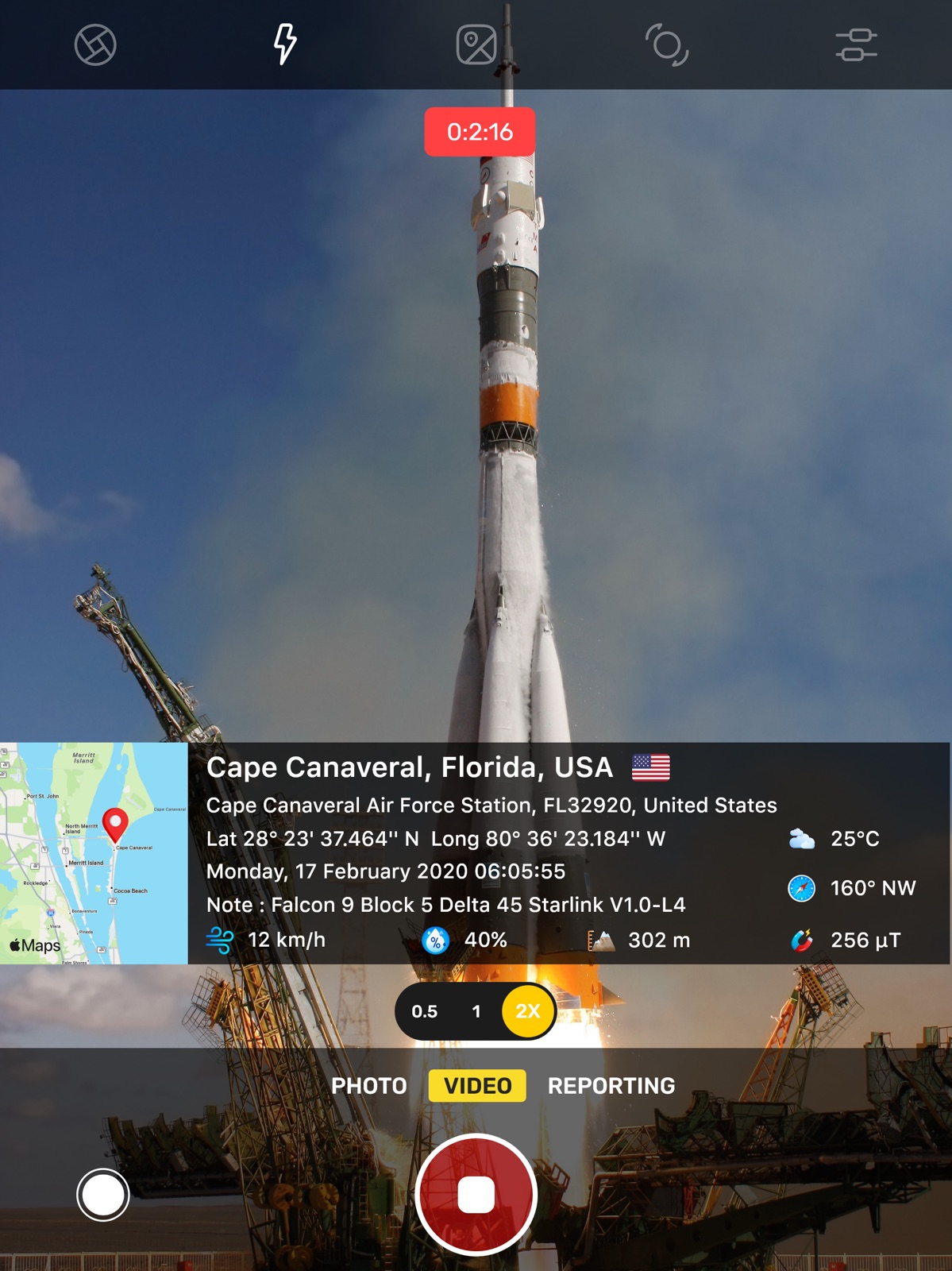
AppCorpus MCP gives your agent current app data, prices, screens, features and sources.
View JSON
GET /api/v3/apps/1503116917
{
  "app_id": 1503116917,
  "canonical_url": "https://appcorpus.com/apps/gps-map-camera-geo-photos-1503116917",
  "identity": {
    "name": "GPS Map Camera: Geo Photos",
    "slug": "gps-map-camera-geo-photos",
    "developer": {
      "name": "SUSAMP INFOTECH",
      "url": "https://appcorpus.com/developers/susamp-infotech-developer_967c5a5e9efc8b7f4dd21c1c5b6feb98"
    },
    "icon_url": "https://is1-ssl.mzstatic.com/image/thumb/Purple211/v4/98/e4/df/98e4df5c-7ed1-d2bc-95bf-e4350ecec404/AppIcon-0-1x_U007epad-0-1-0-85-220-0.png/512x512bb.jpg",
    "stores": [
      "apple"
    ],
    "platforms": [
      "iphone",
      "ipad"
    ],
    "status": {
      "state": "active",
      "label": "Active",
      "last_checked": "2026-07-31",
      "last_checked_label": "31 Jul 2026",
      "banner": null,
      "region_note": null
    }
  },
  "listings": [
    {
      "store": "apple",
      "status": "ACTIVE",
      "url": "https://apps.apple.com/us/app/gps-map-camera-geo-photos/id1503116917?uo=4",
      "rating": 4.6,
      "rating_count": 7239,
      "formatted_price": "Free",
      "is_free": true,
      "has_iap": true,
      "has_subscription": false,
      "version": "1.8.8",
      "updated": "2026-06-24",
      "currency": "USD"
    }
  ],
  "summary": {
    "one_liner": null,
    "summary": null,
    "best_for": [],
    "not_for": [],
    "status": "fallback",
    "at_a_glance": [
      "Free to download",
      "In-app purchases"
    ]
  },
  "categories": {
    "official": [
      "Photo & Video",
      "Navigation"
    ],
    "appcorpus": [
      {
        "category_id": "photo-video",
        "label": "Photo & video",
        "url": "https://appcorpus.com/categories/photo-video"
      },
      {
        "category_id": "navigation",
        "label": "Navigation",
        "url": "https://appcorpus.com/categories/navigation"
      }
    ]
  },
  "use_cases": [],
  "features": [
    {
      "capability_id": "free_app",
      "label": "Free app",
      "availability": "yes",
      "access_level": "free",
      "scope": null,
      "evidence": "Store published"
    },
    {
      "capability_id": "in_app_purchases",
      "label": "In-app purchases",
      "availability": "yes",
      "access_level": "free_limited",
      "scope": null,
      "evidence": "Store published"
    }
  ],
  "pricing": [
    {
      "store": "apple",
      "formatted_price": "Free",
      "is_free": true,
      "has_iap": true,
      "has_subscription": false,
      "currency": "USD",
      "market": "us",
      "last_verified": "2026-07-31",
      "rows": [
        "Free to download",
        "In-app purchases"
      ]
    }
  ],
  "screens": [
    {
      "url": "https://is1-ssl.mzstatic.com/image/thumb/PurpleSource221/v4/b2/02/6f/b2026f53-4175-7270-dcdb-42ed0b883e9c/GPS_Map_Camera_iPad_01.png/1600x1600bb.jpg",
      "store": "apple",
      "platform": "ipad",
      "alt": "GPS Map Camera: Geo Photos ipad screenshot 1"
    },
    {
      "url": "https://is1-ssl.mzstatic.com/image/thumb/PurpleSource221/v4/db/75/bb/db75bb5f-c7f5-d746-1190-9d92316d1b4e/GPS_Map_Camera_iPad_02.png/1600x1600bb.jpg",
      "store": "apple",
      "platform": "ipad",
      "alt": "GPS Map Camera: Geo Photos ipad screenshot 2"
    },
    {
      "url": "https://is1-ssl.mzstatic.com/image/thumb/PurpleSource221/v4/cc/1d/18/cc1d184d-c9b3-1bab-b36d-4c0b40b4a845/GPS_Map_Camera_iPad_03.png/1600x1600bb.jpg",
      "store": "apple",
      "platform": "ipad",
      "alt": "GPS Map Camera: Geo Photos ipad screenshot 3"
    },
    {
      "url": "https://is1-ssl.mzstatic.com/image/thumb/PurpleSource221/v4/16/ca/5d/16ca5d12-920a-bea6-f1db-bd492ea7df1a/GPS_Map_Camera_iPad_04.png/1600x1600bb.jpg",
      "store": "apple",
      "platform": "ipad",
      "alt": "GPS Map Camera: Geo Photos ipad screenshot 4"
    },
    {
      "url": "https://is1-ssl.mzstatic.com/image/thumb/PurpleSource211/v4/1a/c4/0e/1ac40ea2-191c-d8f6-0e75-52365e3a241a/GPS_Map_Camera_iPad_05.png/1600x1600bb.jpg",
      "store": "apple",
      "platform": "ipad",
      "alt": "GPS Map Camera: Geo Photos ipad screenshot 5"
    },
    {
      "url": "https://is1-ssl.mzstatic.com/image/thumb/PurpleSource221/v4/cf/9a/5c/cf9a5c16-9fb8-04cd-f75e-23529c48315b/GPS_Map_Camera_iPad_06.png/1600x1600bb.jpg",
      "store": "apple",
      "platform": "ipad",
      "alt": "GPS Map Camera: Geo Photos ipad screenshot 6"
    },
    {
      "url": "https://is1-ssl.mzstatic.com/image/thumb/PurpleSource211/v4/db/a1/8a/dba18a27-fa7b-d470-f21e-a118c7b6fb99/GPS_Map_Camera_iPad_07.png/1600x1600bb.jpg",
      "store": "apple",
      "platform": "ipad",
      "alt": "GPS Map Camera: Geo Photos ipad screenshot 7"
    },
    {
      "url": "https://is1-ssl.mzstatic.com/image/thumb/PurpleSource211/v4/32/f6/b9/32f6b964-0acc-6cb8-7ca3-fcc0bfcb81ee/GPS_Map_Camera_iPad_08.png/1600x1600bb.jpg",
      "store": "apple",
      "platform": "ipad",
      "alt": "GPS Map Camera: Geo Photos ipad screenshot 8"
    },
    {
      "url": "https://is1-ssl.mzstatic.com/image/thumb/PurpleSource211/v4/ea/bc/a4/eabca441-7cde-ce9b-795e-7e27aaf39100/GPS_Map_Camera_iPad_09.png/1600x1600bb.jpg",
      "store": "apple",
      "platform": "ipad",
      "alt": "GPS Map Camera: Geo Photos ipad screenshot 9"
    },
    {
      "url": "https://is1-ssl.mzstatic.com/image/thumb/PurpleSource211/v4/7d/99/c2/7d99c2e8-6059-045d-34a6-16a123274bc0/GPS_Map_Camera_iPad_10.png/1600x1600bb.jpg",
      "store": "apple",
      "platform": "ipad",
      "alt": "GPS Map Camera: Geo Photos ipad screenshot 10"
    },
    {
      "url": "https://is1-ssl.mzstatic.com/image/thumb/PurpleSource211/v4/16/0f/5a/160f5a05-cd57-9bac-00e0-14caa0cda937/GPS_Map_Camera_iPhone_01.png/1320x1600bb.jpg",
      "store": "apple",
      "platform": "iphone",
      "alt": "GPS Map Camera: Geo Photos iphone screenshot 11"
    },
    {
      "url": "https://is1-ssl.mzstatic.com/image/thumb/PurpleSource211/v4/2a/e5/85/2ae58519-196e-cc20-6985-9a72da6b84e9/GPS_Map_Camera_iPhone_02.png/1320x1600bb.jpg",
      "store": "apple",
      "platform": "iphone",
      "alt": "GPS Map Camera: Geo Photos iphone screenshot 12"
    },
    {
      "url": "https://is1-ssl.mzstatic.com/image/thumb/PurpleSource211/v4/21/6a/b8/216ab834-cf63-0eba-cc9f-cc8ddf6a6ea7/GPS_Map_Camera_iPhone_03.png/1320x1600bb.jpg",
      "store": "apple",
      "platform": "iphone",
      "alt": "GPS Map Camera: Geo Photos iphone screenshot 13"
    },
    {
      "url": "https://is1-ssl.mzstatic.com/image/thumb/PurpleSource211/v4/63/3a/f4/633af425-9291-c209-4d21-38c676b1f37e/GPS_Map_Camera_iPhone_04.png/1320x1600bb.jpg",
      "store": "apple",
      "platform": "iphone",
      "alt": "GPS Map Camera: Geo Photos iphone screenshot 14"
    },
    {
      "url": "https://is1-ssl.mzstatic.com/image/thumb/PurpleSource221/v4/6d/5a/22/6d5a22c3-ff9b-ac6c-2cc6-9f2b92671d87/GPS_Map_Camera_iPhone_05.png/1320x1600bb.jpg",
      "store": "apple",
      "platform": "iphone",
      "alt": "GPS Map Camera: Geo Photos iphone screenshot 15"
    },
    {
      "url": "https://is1-ssl.mzstatic.com/image/thumb/PurpleSource211/v4/ef/e5/40/efe54023-b2c2-a865-f471-9e87947edf97/GPS_Map_Camera_iPhone_09.png/1320x1600bb.jpg",
      "store": "apple",
      "platform": "iphone",
      "alt": "GPS Map Camera: Geo Photos iphone screenshot 16"
    },
    {
      "url": "https://is1-ssl.mzstatic.com/image/thumb/PurpleSource221/v4/0d/64/c2/0d64c2fa-552e-ea4c-5ffb-fdffc2ebd4ae/GPS_Map_Camera_iPhone_06.png/1320x1600bb.jpg",
      "store": "apple",
      "platform": "iphone",
      "alt": "GPS Map Camera: Geo Photos iphone screenshot 17"
    },
    {
      "url": "https://is1-ssl.mzstatic.com/image/thumb/PurpleSource211/v4/0f/50/2c/0f502cbf-ad78-76b2-06d4-2539d3971e96/GPS_Map_Camera_iPhone_07.png/1320x1600bb.jpg",
      "store": "apple",
      "platform": "iphone",
      "alt": "GPS Map Camera: Geo Photos iphone screenshot 18"
    },
    {
      "url": "https://is1-ssl.mzstatic.com/image/thumb/PurpleSource221/v4/c7/b7/f8/c7b7f8e9-41d1-30ee-a296-3b46e710dbe2/GPS_Map_Camera_iPhone_08.png/1320x1600bb.jpg",
      "store": "apple",
      "platform": "iphone",
      "alt": "GPS Map Camera: Geo Photos iphone screenshot 19"
    },
    {
      "url": "https://is1-ssl.mzstatic.com/image/thumb/PurpleSource221/v4/54/90/02/5490020a-f1ac-ab10-18c5-cba6dced8ea2/GPS_Map_Camera_iPhone_10.png/1320x1600bb.jpg",
      "store": "apple",
      "platform": "iphone",
      "alt": "GPS Map Camera: Geo Photos iphone screenshot 20"
    }
  ],
  "ratings": [
    {
      "store": "apple",
      "average": 4.6,
      "count": 7239,
      "market": "us",
      "observed_at": "2026-07-31",
      "reviews": [
        {
          "rating": 5,
          "title": "Works well, but 3 annoying features keep it at 3 stars",
          "body": "Update…The developer fixed the Music turning off issue in UNDER 24 HOURS! That’s some exceptional customer service! And it’s so nice not having my music interrupted. Thank you! Gps map camera serve’s it’s purpose. It stamps the time & location and allows you to add customizable lines such as a SM handle, website, etc. If this were all it did, Gps map would be a five star app. However it has three annoying features: 1. Most Annoying - it needs Mic access for video & that’s fine, except I don’t use video. Because of this, it turns my music, podcast, book or iheart off every time I take a picture. I take about 100 pictures a day, so it’s constantly turning off. I don’t mind giving it mic access. I don’t mind my music being turned off for videos, but it seems unnecessary to turn off audio to take pictures. You have to give it mic access or it won’t work. There’s nothing in the app’s settings that allow you to set music to stay on if you’re just snapping pics. 2. Very Annoying - it snaps a pic as soon as you load the app, giving you little or no time to point your camera. You can retake of course, but it would be nice if you could just take the first photo on your own. Smartphones have been around for what, 15 years? I think I have a pretty good i understanding of how to point and shoot & am competent enough to do w/o the app snapping pic automatically. 1. Annoying - You can’t zoom out very far. If it would even allow me to zoom out a hair more, my life would be so much easier, but I find myself usually taking one photo with the app to stamp the pic, but then I use my regular camera because I’d have to take multiple pics with GPS map camera vs being able to zoom out further with my normal camera. I like this app & would give it five stars if it wasn’t for those three annoyances.",
          "author": "SD Guy 92101",
          "date": "31 Jul 2026"
        },
        {
          "rating": 5,
          "title": "BEST all around GPS photo app.👍🏽",
          "body": "I originally sought an app that could be used as backup “proof” for my grocery delivery job. You can do everything right & still have customers file fraudulent claims that they’re orders were never delivered, just to get a full refund for groceries that they ordered “and received “. With this app, I can complete the delivery & sit there until the customer opens their door and starts grabbing their groceries and then I snap “photo proof”, complete with GPS location, time/date stamp, and residential address(if available). Delivery drivers can lose their jobs because of customer fraud. This app helps level the playing field.😉☯️😷",
          "author": "TokinSpokane",
          "date": "31 Jul 2026"
        },
        {
          "rating": 5,
          "title": "There could be improvements.",
          "body": "The app is stellar, beyond my expectations. I need this app for working as an OSP field surveyor and it does exactly what I need. However, the only thing I can say that bothers me, is that the orientation lock holds no value on the app. I tend to walk from one utility pole to another, with my phone attached via lanyard, and I take photos of the utility poles per my contract. The photos will end up being upside down or sideways. This is my only peeve about the software, everything else works as I personally need it to. Thank y’all for hearing me and for providing this tool",
          "author": "DracoDev",
          "date": "31 Jul 2026"
        },
        {
          "rating": 5,
          "title": "Works pretty good",
          "body": "Like this app. It works pretty good. There are a couple things I’d like to see changed though. First I think the stamp(overlay) should be closer to the bottom of the image. Possibly be able to specify the position. Second I’d like a little bit more flexibility in the notes and make up of the overlay. Something like you get x lines so if you only have say the date/time and the position like I use, you could allow for extra line of notes/description. Other than that I think it works great.",
          "author": "brainy_smurf0316",
          "date": "31 Jul 2026"
        },
        {
          "rating": 5,
          "title": "Mario W",
          "body": "Hi. This app has truly been a huge help for me. Being able to snap pictures with the coordinates along with the location is proof I am where I am. GPS map camera has covered me from all misfits. The commercials and the glishes that comes with wanting you to purchase are annoying— places me in situations while having to hurry up and snap a picture. The commercials come at the wrong times and slowdown my flow—causing impatient customers to find fault with my services. Thanks",
          "author": "\"thefavoredone\" Mario W",
          "date": "31 Jul 2026"
        }
      ]
    }
  ],
  "privacy": [
    {
      "store": "apple",
      "declarations": [
        {
          "title": "Data Not Linked to You",
          "detail": "Analytics — Other Data — Other Data Types",
          "source": "Developer declared"
        },
        {
          "title": "Data Not Linked to You",
          "detail": "Third-Party Advertising — Other Data — Other Data Types",
          "source": "Developer declared"
        },
        {
          "title": "Data Not Linked to You",
          "detail": "Other Data",
          "source": "Developer declared"
        },
        {
          "title": "Data Used to Track You",
          "detail": "Other Data — Other Data Types",
          "source": "Developer declared"
        },
        {
          "title": "Data Used to Track You",
          "detail": "Other Data",
          "source": "Developer declared"
        }
      ],
      "accessibility": []
    }
  ],
  "changes": [
    {
      "store": "apple",
      "version": "1.6.10",
      "released_at": null,
      "notes": "- Now you can add text to photos as a sticker. - Newly added contact number stamp"
    },
    {
      "store": "apple",
      "version": "1.6.11",
      "released_at": null,
      "notes": "- Now you can add text to photos as a sticker. - Newly added contact number stamp - Adde Video Tutorial"
    },
    {
      "store": "apple",
      "version": "1.6.12",
      "released_at": null,
      "notes": "- Adde Video Tutorial"
    },
    {
      "store": "apple",
      "version": "1.6.13",
      "released_at": null,
      "notes": "- Added Video Tutorial"
    },
    {
      "store": "apple",
      "version": "1.6.14",
      "released_at": null,
      "notes": "- Bug fixes and performance improvements"
    },
    {
      "store": "apple",
      "version": "1.6.15",
      "released_at": null,
      "notes": "* Added **Dark Mode** for a better viewing experience. * Now you can **generate PDF reports** for your work easily."
    },
    {
      "store": "apple",
      "version": "1.6.16",
      "released_at": null,
      "notes": "* Added Dark Mode for a better viewing experience. * Now you can generate PDF reports for your work easily."
    },
    {
      "store": "apple",
      "version": "1.6.17",
      "released_at": null,
      "notes": "- Added option to show Country Flag on Image"
    },
    {
      "store": "apple",
      "version": "1.6.4",
      "released_at": null,
      "notes": "- Added HD quality image"
    },
    {
      "store": "apple",
      "version": "1.6.5",
      "released_at": null,
      "notes": "- Added Video stamp - Added Camera Tracking stamp - Capture and share an image with a location link"
    },
    {
      "store": "apple",
      "version": "1.6.6",
      "released_at": null,
      "notes": "- Added Video stamp - Added Camera Tracking stamp - 0.5x Camera Zoom - Capture and share an image with a location link"
    },
    {
      "store": "apple",
      "version": "1.6.7",
      "released_at": null,
      "notes": "- Map Data is now locations - 0.5x zoom issue resolved"
    },
    {
      "store": "apple",
      "version": "1.6.8",
      "released_at": null,
      "notes": "- Map Data is now locations - Newly Added Contact number stamp"
    },
    {
      "store": "apple",
      "version": "1.6.9",
      "released_at": null,
      "notes": "- Now you can add text to photos as a sticker. - Newly added contact number stamp"
    },
    {
      "store": "apple",
      "version": "1.7",
      "released_at": null,
      "notes": "Added a new template for the Navigational Compass."
    },
    {
      "store": "apple",
      "version": "1.7.1",
      "released_at": null,
      "notes": "Added a new template for the Navigational Compass."
    },
    {
      "store": "apple",
      "version": "1.8",
      "released_at": null,
      "notes": "- Added a New DateTime Template."
    },
    {
      "store": "apple",
      "version": "1.8.1",
      "released_at": null,
      "notes": "- Added German language support - New option for video resolution for better quality - Performance improvements and bug fixes"
    },
    {
      "store": "apple",
      "version": "1.8.2",
      "released_at": null,
      "notes": "- Performance improvements and bug fixes"
    },
    {
      "store": "apple",
      "version": "1.8.3",
      "released_at": null,
      "notes": "- Performance improvements and bug fixes"
    }
  ],
  "alternatives": [
    {
      "app_id": 840110184,
      "name": "Timestamp Camera Basic",
      "url": "https://appcorpus.com/apps/timestamp-camera-basic-840110184",
      "reason": "Same category + similar ratings"
    }
  ],
  "evidence_summary": {
    "index_state": "S1",
    "evidence_level": 1,
    "level_label": "Live store listing",
    "indexable": true,
    "last_verified_at": "2026-07-31",
    "unknown_fields": [
      "Independent summary has not been published yet."
    ],
    "sources": [
      "App Store"
    ]
  },
  "availability_markets": {
    "live": [
      "us"
    ],
    "selected": "us",
    "note": null
  },
  "feature_events": {
    "events": []
  },
  "features_slice": {
    "plans": [],
    "features": [],
    "unknown_features": [],
    "data_cutoff": "31 Jul 2026"
  }
}