
Quick verdict
- What it is
- Store information collected; independent summary not yet available.
- At a glance
-
- Free to download
Categories and search queries
Official categories
- Music
- Music & Audio
- Utilities
AppCorpus categories
Key functions
| Function | Availability | Access | Scope | Evidence |
|---|---|---|---|---|
| Free app | Yes | Free | — | Store published |
Screens
7 store screenshots
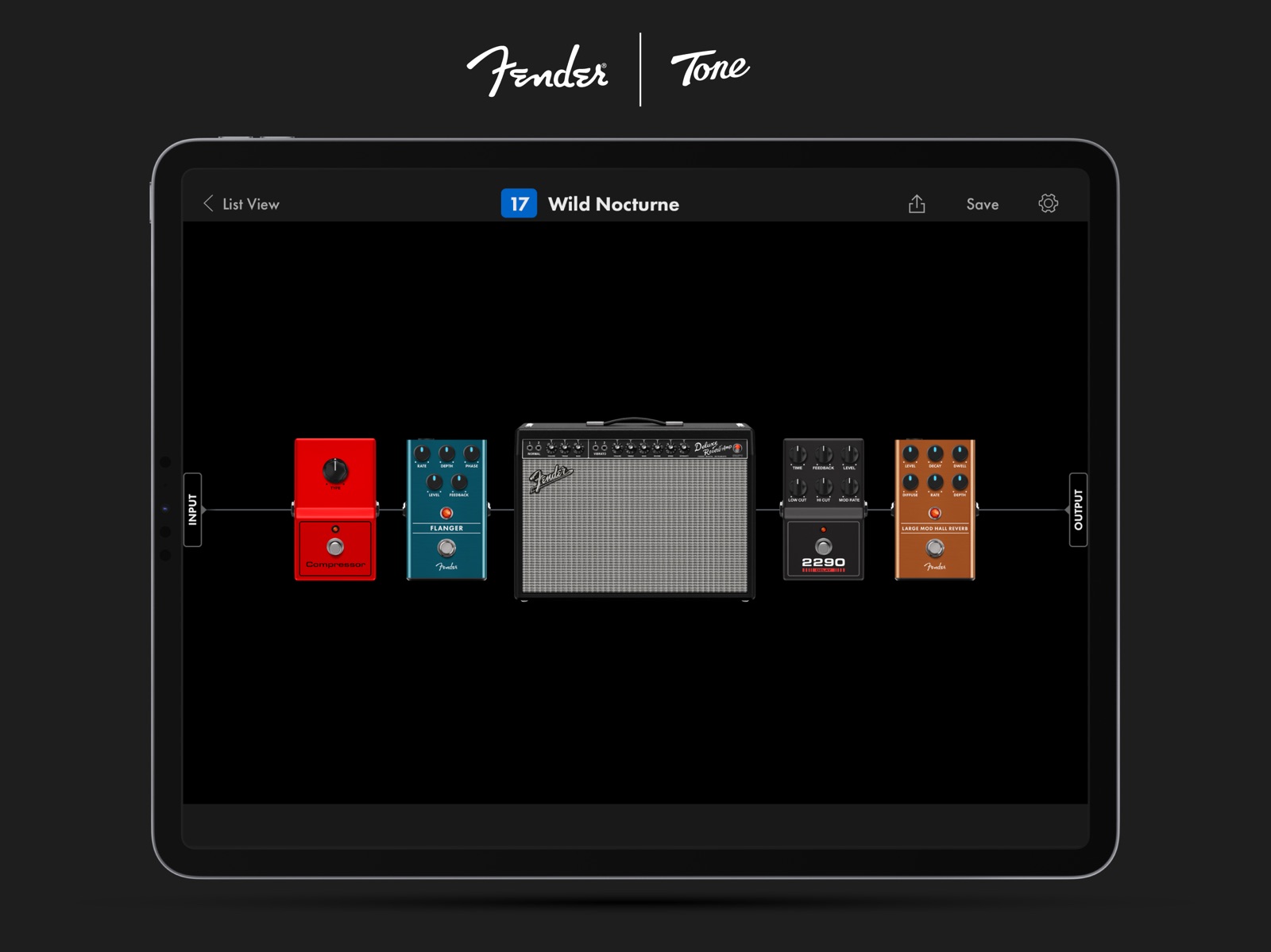
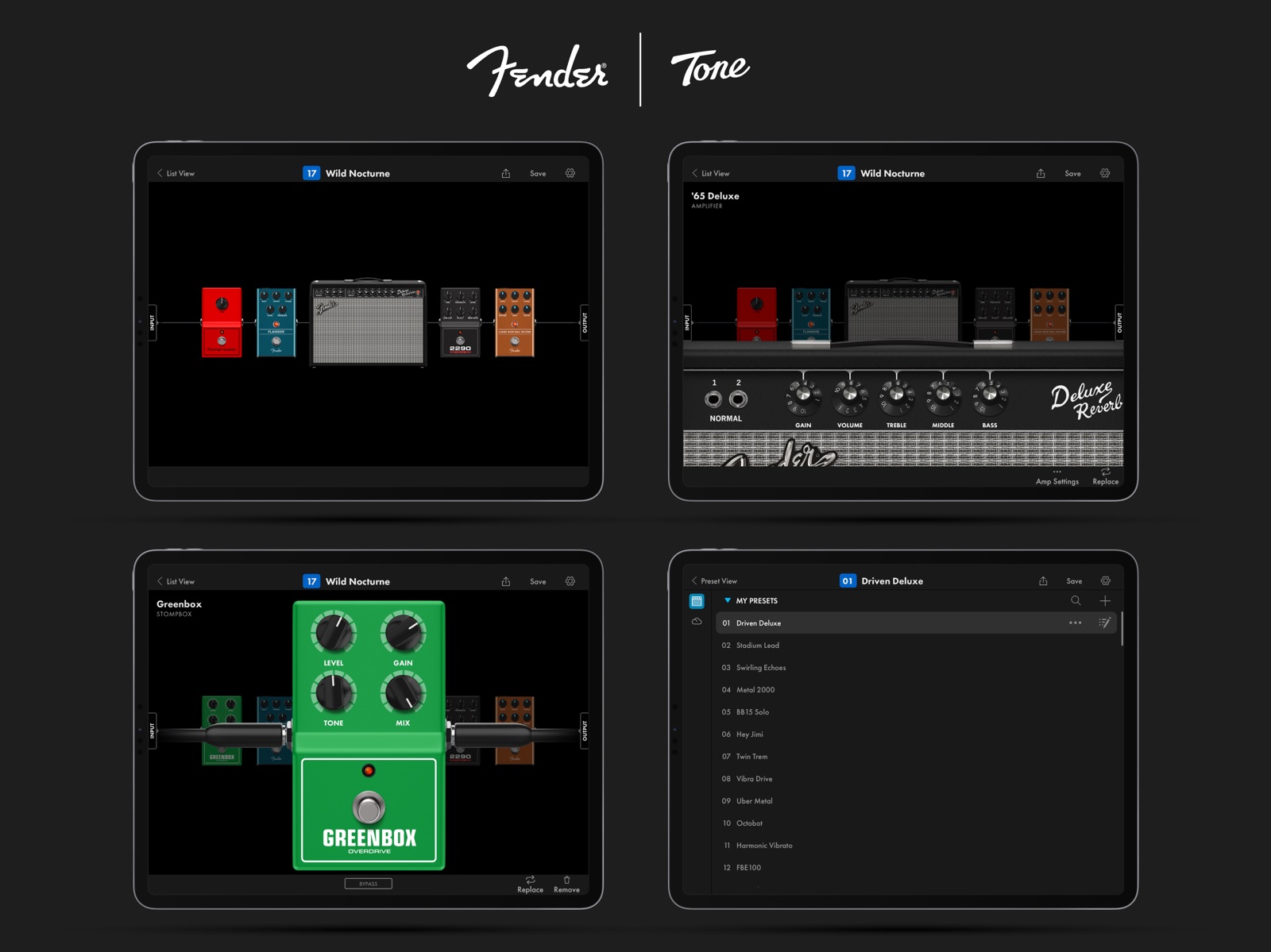


7 store screenshots


Pricing & paywalls
- Free
- Free to download
Ratings & reviews
-
5/5….Only a few days in ….
So first things first . If you’re like me , someone who had to suffer with the line 6 amplifi 150 (idk if all amplifi models had same issue) through trying to connect , stay connected and not have connections freeze up while using their apps blutooth “connection”.?.? You’re in luck ! Fender seems to have done Bluetooth right, along with the WiFi , connection is a breeze and solid … it doesn’t suddenly disconnect… and usually connects automatically with Bluetooth, if not it’s two taps and in an instant you connect with no hassle… I know to those who never suffered through the amplifi debacle they called connectivity this may seem like a silly thing to give such high praise … maybe so , but imagine wanting to use something and having to spend up to an hr at times trying to make the thing usable , and then not always able to succeed…Then maybe you’d understand. So as far as controls and editing saved amps , adding and or subtracting any pedal in any order (pre or post also) the app is completely intuitive . Seriously I had nothing in instruction before using the amp/app before the first time I used em both… I mean I just did what seemed obvious as far as connecting WiFi and the instruction I got and needed was after WiFi is connected on how to update firmware on the amp. From then on it’s all common sense almost like you’re making a signal chain out of guitar /amp and physical pedals etc .. except you create it all with a finger tip , it’s super simple …so far there’s been no learning curve beyond finding everything there is to discover within the app, and that’s just a matter of time . If you have an amp this app is meant for you definitely are gonna want this app . It makes life so much easier and gives you just that much more time to play / not get distracted .
Vic42670 · 31 Jul 2026
-
2/5Cannot Connect WIFI with App
The instructions say to connect to amo with the app. And the once it’s connect to wifi “through the app” to update drivers. But it never tells you HOW to connect to wifi through the app. And the app does not have any settings to connect the amp to wifi. The only way is to do it manually, but the instructions on how that works are too vague; it doesn’t tell you how to enter the password, it just says to enter it. It was frustrating trying to find some app setting and fiddling with the buttons and knobs until I figured it out (got to press the “encoder” knob and then turn it clockwise to scroll through lowercase letters, then uppercase, and then everything else. Press the encoder knobs button again to set that one character. Be careful not to enter a blank space at the end like this idiot or you’ll have to do it all over again. God forbid you have an actually strong wifi password with special characters and a mix of upper and lowercase and numbers!). Like, who wrote these instructions? A software engineer?! Those undiagnosed ND mfz write like a tween thats failing english. So anyways, add the ability to ACTUALLY setup wifi through the app and hire a professional technical writer that has hands on experience with the amp and the app to write the documentation, and doesn’t need google translate to write it in the language of choice dog gamnit!
Pytry1337 · 31 Jul 2026
-
5/5Something every guitarist needs
I am first and foremost a couch guitarist. For my purposes and the purposes of most guitarists practice needs this is one of the best guitar products I’ve ever used. I got the fender micro mustang which is worth every penny it pairs seamlessly with the app without any delay that wireless guitar stuff sometimes has. When you’ve got a baby at home, this is like the only viable way to practice electric. Analog stuff will always sound better, but this sounds pretty freaking good considering your paying about the price of a cheap practice amp to get a huge preset library you can play through your head phones, worth every penny and a huge testament to fenders R and D success that they can put out a product like the micro mustang plus for like $120 and this app for free. Only thing that would take this to the next level is if they had a loop station built in. It’s a bit finicky to run this and another recording software at the same time at least on iOS.
jstoelt · 31 Jul 2026
-
2/5Good idea, poor execution
Let me start out by saying this. I am majoring in computer information technology at Purdue university, so before you assume I’m some old man who doesn’t know how to use technology, I can assure you this is not the case. On paper this app is great. It’s a revolutionary way to play your guitar with a great tone without all the hours of fine tweaking to get a better tone. However, whoever designed the Bluetooth/WiFi functionality of this app needs to be fired YESTERDAY. The app refuses to connect to your amp if you haven’t updated it which is fine, just update your amp stupid. But upon updating your amp there’s still a VERY solid chance the tone app will refuse to connect to your amp EVEN IF ITS ALREADY CONNECTED TO YOUR PHONE. This review would be totally different if this was a once in a while thing, but I’m consistently dedicating 30+ minutes every time I want to find a new tone to troubleshooting just because this app, which is literally designed for the amp I’m using(Mustang GT 100 btw), is about as reliable as dog s***. I’m not one to write reviews so the bottom line is this: I want to love this app, it’s a fantastic idea for FREE. But it’s poor network design is infuriating beyond belief. I guess you get what you pay for 🤷🏽♂️
mavr dnayehrabdvrhesbsbajatsbd · 31 Jul 2026
-
1/5Bluetooth connectivity makes app unusable
Received my GTX50 last week. Connected to WiFi and updated firmware first thing. Then tried to connect via Bluetooth using fender tone app. Nothing, it cannot find my amp. So after spending 45 minutes doing various troubleshooting steps (turn Bluetooth on/off on the phone and amp, restart amp, restart fender tone app, force another firmware update) suddenly the app can see the amp and I can connect. Great! I thought problem was resolved. Later that night, and now every night since then, every time I want to practice I spend between 3 and 30 minutes doing a random combination of the above steps until I get lucky and suddenly the iPhone app can see the amp. Usually after at least 4-5 amp reboots. This just screams like a poor software problem. I cannot tell if it is with the app or the amp’s firmware. My device is iPhone 12 Pro. I am considering returning the amp. I have reached out to customer support. All I can say is that I would highly advise against purchasing this amp if your decision is based in part on using the Fender Tone app as a way to control it. Nothing special about my iPhone setup so I cannot believe I am the only person experiencing this.
seattle mike 2021 · 31 Jul 2026
No store reviews collected for Google Play · US
Privacy & accessibility
Privacy
- Data Linked to You — App Functionality — Contact Info — Email Address Developer declared
- Data Linked to You — App Functionality — Identifiers — User ID Developer declared
- Data Linked to You — App Functionality — User Content — Other User Content Developer declared
- Data Linked to You — Contact Info Developer declared
- Data Linked to You — Identifiers Developer declared
- Data Linked to You — User Content Developer declared
Accessibility
No accessibility labels collected yet.
Privacy
- Security practices — Your data isn’t transferred over a secure connection — Data isn’t encrypted Developer declared
- Security practices — The developer provides a way for you to request that your data be deleted — You can request that data be deleted Developer declared
Accessibility
No accessibility labels collected yet.
Versions
-
3.2.10
Welcome to Fender Tone® Version 3.2.10! Features: Improved application stability. Bugfixing: Fixed bugs that caused crashes. Thanks for using Fender Tone®!
-
3.2.11
Welcome to Fender Tone® Version 3.2.11! Features: Improved application stability. Bugfixing: Fixed bug related to Display Zoom effect. Fixed bugs that caused crashes. Thanks for using Fender Tone®!
-
3.2.12
Welcome to Fender Tone® Version 3.2.12! Features: Improved application stability. Bugfixing: Fixed minor bugs. Fixed bugs that caused crashes. Thanks for using Fender Tone®!
-
3.2.3
Welcome to Fender Tone® Version 3.2.3! Features: Improved accessibility features in the app. Improved performance optimization. Improved application stability. Bugfixing: Fixed minor UI issues. Thanks for using Fender Tone®!
-
3.2.4
Welcome to Fender Tone® Version 3.2.4! Features: Improved accessibility features in the app. Improved application stability. Bugfixing: Fixed minor UI issues. Thanks for using Fender Tone®!
-
3.2.5
Welcome to Fender Tone® Version 3.2.5! Features: Improved application stability. Bugfixing: Fixed bugs that caused crashes. Fixed minor UI issues. Thanks for using Fender Tone®!
-
3.2.6
Welcome to Fender Tone® Version 3.2.6! Features: Improved application stability. Bugfixing: Fixed bugs that caused crashes. Fixed minor UI issues. Thanks for using Fender Tone®!
-
3.2.7
Welcome to Fender Tone® Version 3.2.7! Features: Improved application stability. Bugfixing: Fixed bugs that caused crashes. Fixed minor UI issues. Thanks for using Fender Tone®!
-
3.2.8
Welcome to Fender Tone® Version 3.2.8! Features: Improved application stability. Bugfixing: Fixed bugs that caused crashes. Fixed minor UI issues. Thanks for using Fender Tone®!
-
3.2.9
Welcome to Fender Tone® Version 3.2.9! Bugfixing: Fixed a crash after syncing presets. Thanks for using Fender Tone®!
-
4.0.0
• All new user interface • Added support for Mustang Micro Plus
-
4.0.1
Stability improvements.
-
4.0.2
Stability improvements.
-
4.0.3
Stability improvements.
-
4.0.4
• Changed - [GT, GTX, Rumble] When adding presets to a setlist, you can now select multiple presets at once • Fixed - Switching the preset when in the save menu changed the wrong preset • Fixed - [GT, GTX, Rumble] Backups failed when the current preset was modified • Fixed - [GT, GTX, Rumble] When adding a new effect, it wasn’t possible to audition it • Fixed - Improved reliability when scanning for amps • Fixed - Cloud preset search • Fixed - Missing cabinet models were added • Fixed - Cloud preset lists did not show the “more” button at the bottom on some devices • Fixed - Audition was not available for amp cabinets • Various UI and stability fixes
-
4.0.5
4.0.5 • Bluetooth connectivity improvements • Added - My Uploads tab for the Cloud Preset browser • Added - Support for Screen Readers • Fixed - [MM+] Fuzz: "Filter" Parameter resets after change • Fixed - [MM+] Tone quits when opening empty effect block • Fixed - [MM+] Mod Delay Hi Cut knob moves back to 0 after adjusting other parameters • Fixed - [GTX, Rumble] Presets disappear from the setlist after preset mismatch • Fixed -[MM+] Preset list does not update names after restoring Backup.
-
4.0.6
4.0.6 · Added – [GT, GTX] Controls for 5-band EQ to IIC+ amps · Fixed – [GT, GTX, Rumble] Missing value popup boxes for IIC amp and EQ-7 slider
-
4.0.7
· Added - Improvements to account sign-in methods · Changed - Effect modifications are retained when replacing or auditioning other effects · Fixed – [GT, GTX, Rumble] Blocks can be added while in FX block edit view · Fixed – [Rumble] App uses wrong Global EQ list · Fixed – [Rumble] Compressor control missing on some amps
-
5.0.0
Version 5.0.0 Added - Rotate device for portrait and landscape modes Added - Mustang LTX amplifier support Fixed - [GT] Moving presets hides the current set list Fixed - [Rumble] Missing midrange control for Rockin' Peg amp model Fixed - [MM+] Returning to preset after manually saving auditioned preset reverts preset name
-
5.0.1
Version 5.0.1 • Added - Backup and restore improvements • Fixed - [LTX] Footswitch sync when changing preset mode with Tone app • Fixed - [GTX] Pitch Knob/Slider on Chromatic Pitch Shifter effect
-
5.0.2
5.0.2 Fixed - [GTX] Large Mod Hall Reverb - high cut control Fixed - [GTX] Small Mod Hall Reverb - high cut control Fixed - [GTX] 2290 Delay - pan and delay mode controls
-
5.1.0
5.1 Added – [MM+] Bass amp model support Added – [MM+] Drag and drop to reorder presets in List View Added – [MM+] Input pad control in Global Settings Fixed – [GT, GTX] IIC+ Amps: "Master" is missing in Amp Settings
-
5.1.1
5.1.1 Fixed – [MM+] Presets with Bass Amps missing in Cloud Preset Browser
-
5.1.2
5.1.2 Fixed - [LTX] Touch and hold to drag and reorder presets in list view
-
5.1.3
· 17 Jun 2026
5.1.3 Fixed - Fender Play deeplink not working properly Fixed - Previously connected device does not always disconnect when switching devices Stability improvements
- 5.1.3.112680 · 12 Jun 2026
Alternatives
- Guitar Center: Shop Music Gear — Same category + similar ratings
Availability by market
- US
Data quality & evidence
- Page completeness
- Live store listing
- Last verified
- 7 Aug 2026
- Sources
- App Store, Google Play
- Independent summary has not been published yet.