
Quick verdict
- What it is
- Store information collected; an Apoku editorial summary is not yet published.
- At a glance
-
- $14.99
Categories and search queries
Official categories
- Graphics & Design
- Productivity
Apoku categories
Key functions
| Function | Availability | Access | Scope | Evidence |
|---|---|---|---|---|
| Family Sharing | Unknown | Unknown | Scope unknown | Store published |
Screens
App Store
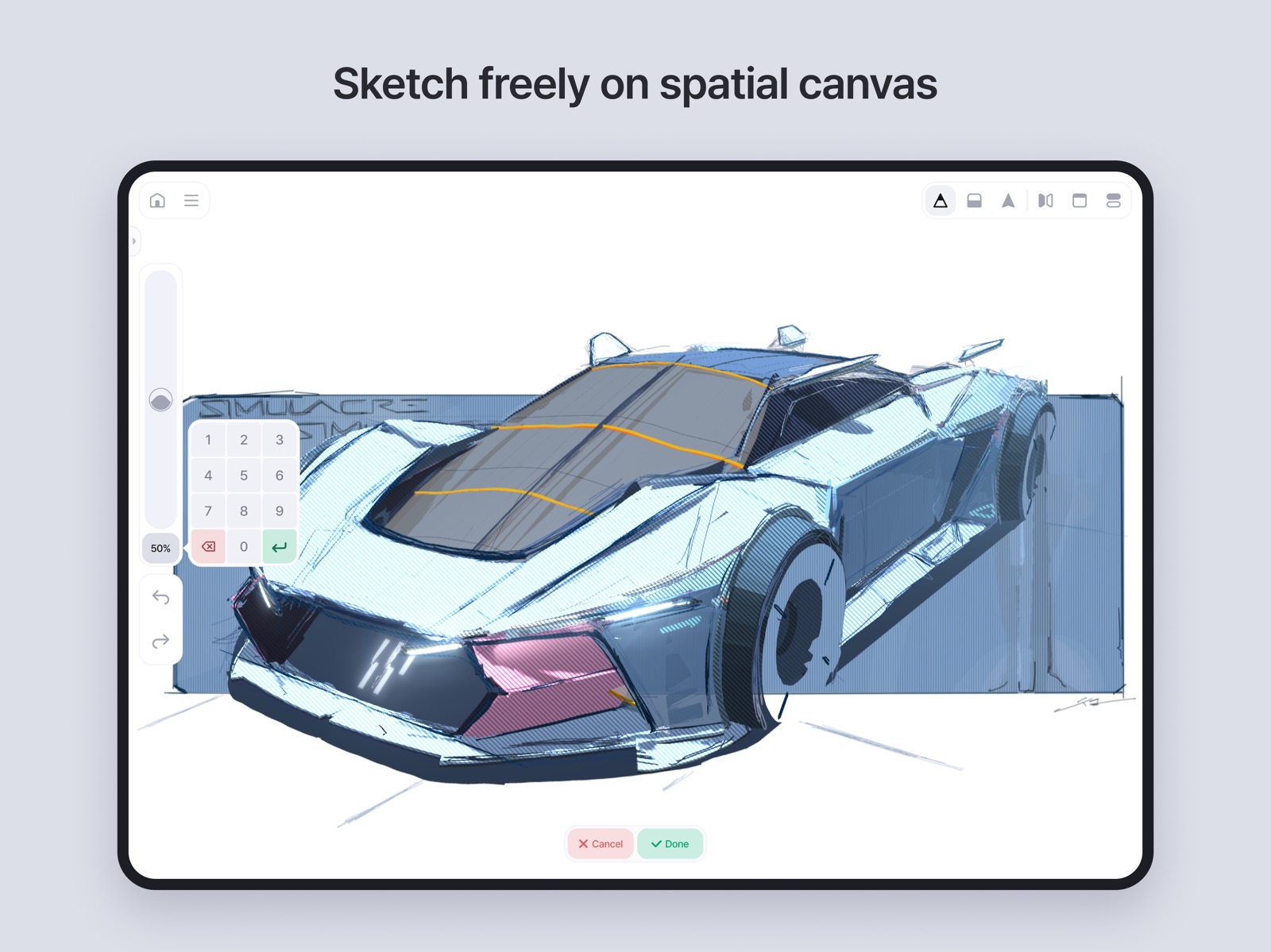
10 store screenshots



Pricing & paywalls
App Store
- Price: $14.99
Ratings & reviews
App Store
-
4/5Solid 4, not 5
Feather is a very cool app, and people should give it a try but… Seriously, did anybody at Apple actually use it before giving it the design award, or did they jut get wowed by a demo? Feather has a lot of rough edges when you actually try to use it; it really feels like a beta. For starters, there’s no way to flip the interface for left-handers and that really seems like a gimme. For all you right-handers out there… There’s no 2 finger tap to undo (or indeed any way to undo except tapping the arrow). The interface is obscure; the iconography isn’t great and there’s NO TOOLTIPS. I thought Apple cared about good, clear interfaces? They give enough talks about it. The lack of tooltips is my biggest gripe with Valence 3d. Even worse, some of the modes work well only in demos, like the mechanism for drawing straight lines, which is only ever activated at the same time as curve-prettification. So you draw a line and pause, waiting for the line to become straight, and then you can move the end—pint where you want it? Nope! The system decides to keep the lovely curves and allow you merely to slightly adjust the curvature… but no way are you going to move that endpoint. This is annoying while drawing a line, but it’s a disaster when using the fat highlighting pen, because the endpoints become hideous pie-with-a-slice-out things. Feather picks curve-prettification 95% of the time when I want straight lines, and there’s hardly any way to change that. Worse, they said they’d have to revamp the whole engine to change that… so while they hope sometime soon to have left-hander mode and tap-to-undo, straight lines are a pipe dream. None of which is to say Feather is a bad app. It’s very cool. But it feels like a beta. It’s kind of scary to find myself wondering if Apple is handing out awards based on presentations and demos, rather than people inside the company actually using the app in any real way.
Ronbo13 · 31 Jul 2026
-
5/5I feel like I’m breaking all the rules of 3D art design… but it all makes sense!
I still feel wrong for using this app like I would my normal 2D art programs - Filling in shapes and sketching lines with thin strokes feels almost counterintuitive to every thing I’ve learned about 3D rendering, but you know what? Somehow, this actually all clicks for me! If you’re frustrated with Blender and software like that, but you know how to do so much as a simple sketch, then all you really need is about an hour to learn the basics of using the Apple Pencil (or a trackpad, mouse, or finger!) with this app, and then you can quickly be off to the races. My only complaint is that I wish there was a more intuitive way to learn about how to properly use 3D guides and brushes - the documentation and tutorials help, but for newcomers, myself included, it can take a bit of fiddling before you get a grasp on how you’re supposed to make things. Otherwise, Great app, 10/10, and it’s a one-time flat fee, to boot!
Heck of a Writer · 31 Jul 2026
-
4/5Close but doesn’t hit
Tl;dr great concept, didn’t land for me. Feels more like a toy than a robust solution for 3d art. It’s cheap and no sub so if you have the cash it’s worth checking out for yourself. I had hoped for something like grease pencil, but with a more intuitive interface. I like the ideas presented here but the execution falls short. The clearest example of course being fill. WHICH they’re working on to be clear. Right now, surfaces must be filled with a series of strokes, which at least appear to me like separate 3d objects. I have some difficulty wrapping my head around the “draw a guide and sketch” workflow, which I grant is user error (there are a plethora of tutorials on their official channel). But it leaves me frustrated and wishing for something closer to box modeling to create draw surfaces. More than anything, it seems useful for annotations and sketches. Load a model in and then create floating notations nearby for example. And there are plenty of architectural doodles I’ve seen with the software. If you want more than that, you’ll be frustrated I think. Short wishlist of features, in no particular order, and understanding the huge lift some or all of these might be: fill finite surfaces, rigging and animation, simplified box modeling for surface creation, custom shaders, optional shrink wrapping the planar brushes to the draw surfaces, textured planar brushes (not going back and applying a shader to a stroke you’ve already laid)
Possum Scribbles · 31 Jul 2026
-
4/5Cool, but needs some work
This app is a great idea, but a lot of basic features need some upgrades. Coloring something in is way more frustrating than the tutorials make it look. Colors glitch through each other, and it seems like it’s impossible to layer paint? The eraser tool is also extremely difficult to use. If I can be more picky, it also seems like there’s little options for stylistic variation outside the blocky shading style that’s used in a lot of the examples. It would be nice to have brushes with different textures and maybe even have a blend/smudge tool, but I’m not sure how difficult that would be to implement. I think what Feather is trying to do is really awesome! I can see myself using it for small personal projects. But it seems pretty bare for now.
Blank_09 · 31 Jul 2026
-
3/5I think the learning curve(?) is a bit much
Like, don’t get me wrong. Beautiful app with lots of potential, relatively intuitive to understand. And ohmygod its a one time purchase not a subscription, you guys need an award for that. HOWEVER… I just wish there were more time saving tricks like a fill tool or some meshes, like a default plane would be nice 🥲 and a ruler too, as much as the auto correct tool is nice, what if i just wanted some perfect shapes? It’s just been really time consuming for me, and maybe that’s just because i’m bad 😭 because i’ve seem the stuff people do om this app and it’s jaw dropping beautiful and inspirational but my wobbly hand just can’t come close to recreating it the way they do. Plus, filling with the paintbrush has been really wonky. Lots of potential here, and i have fully belief in the capabilities and vision for the developer, and thank you so much for creating this app. Just… maybe add a few features to help beginners out? 😝🥹
acornmenace · 31 Jul 2026
Privacy & accessibility
App Store
Privacy
- Data Not Linked to You — Analytics — Diagnostics — Performance Data Developer declared
- Data Not Linked to You — Analytics — Location — Coarse Location Developer declared
- Data Not Linked to You — Analytics — Search History Developer declared
- Data Not Linked to You — Analytics — Usage Data — Other Usage Data Developer declared
- Data Not Linked to You — Analytics — Usage Data — Product Interaction Developer declared
- Data Not Linked to You — App Functionality — Contact Info — Email Address Developer declared
- Data Not Linked to You — App Functionality — Contact Info — Name Developer declared
- Data Not Linked to You — App Functionality — Contact Info — Other User Contact Info Developer declared
- Data Not Linked to You — App Functionality — Diagnostics — Crash Data Developer declared
- Data Not Linked to You — App Functionality — Identifiers — Device ID Developer declared
- Data Not Linked to You — App Functionality — Identifiers — User ID Developer declared
- Data Not Linked to You — App Functionality — Search History Developer declared
- Data Not Linked to You — App Functionality — User Content — Customer Support Developer declared
- Data Not Linked to You — App Functionality — User Content — Other User Content Developer declared
- Data Not Linked to You — App Functionality — User Content — Photos or Videos Developer declared
- Data Not Linked to You — Developer’s Advertising or Marketing — Contact Info — Email Address Developer declared
- Data Not Linked to You — Developer’s Advertising or Marketing — Contact Info — Name Developer declared
- Data Not Linked to You — Developer’s Advertising or Marketing — Contact Info — Other User Contact Info Developer declared
- Data Not Linked to You — Developer’s Advertising or Marketing — Location — Coarse Location Developer declared
- Data Not Linked to You — Developer’s Advertising or Marketing — Usage Data — Other Usage Data Developer declared
- Data Not Linked to You — Developer’s Advertising or Marketing — Usage Data — Product Interaction Developer declared
- Data Not Linked to You — Contact Info Developer declared
- Data Not Linked to You — Diagnostics Developer declared
- Data Not Linked to You — Identifiers Developer declared
- Data Not Linked to You — Location Developer declared
- Data Not Linked to You — Search History Developer declared
- Data Not Linked to You — Usage Data Developer declared
- Data Not Linked to You — User Content Developer declared
Accessibility
No accessibility labels collected yet.
Versions
App Store
- 1.0.0
-
1.0.1
Stability and usability improvements • Fixed a crash when reporting bugs without a configured email account by replacing the email function with a built-in form submission system. • Enhanced webview stability, redirecting users to the home screen if a white screen appears. • Updated English localization metadata to display correctly on the App Store page.
-
1.0.2
Optimization and usability improvements • Added loading indicator and option to report app malfunctions. • Added app icons for dark mode and tinted mode. • Reduced asset sizes to save on app storage usage. • Bug fixes: resolved issues with brushes, groups, and primitives.
-
1.0.3
This update lays the groundwork for upcoming features. We have focused on improving user experience by addressing key pain points and enhancing app stability. You can now also back up your data safely or share it with others using the new file export feature. • Data backup and file export You can now export and import Feather data as files. This feature is useful for backing up your data safely or when reinstalling the app. You can export files directly from the home screen or export all files at once via "Settings > Data management". To re-import files, go to "Settings > Data management". • Auto-save and manual save improvements Auto-save now works even when switching between apps. Issues where manual save occasionally failed have been resolved, and preview images are now updated along with your data. • Clipboard improvements We have fixed bugs related to the clipboard panel and image manipulation, providing a smoother experience. You can now move images with just one finger. • Enhanced overall user experience A loading screen has been added when launching the app. We've also made careful adjustments to the size and position of the interface. Users can now manually refresh resources via in-app notifications or Settings to ensure they always have the latest app content. More bug fixes • 3D guides now display correctly when deselected. • Loft surfaces are now confirmed instead of being canceled when switching to another tool. • Transformations of 3D primitives are now properly reflected in the history. • Previously applied patterns can now be replaced with other patterns. Our official documentation has also been updated! Visit support.feather.art to learn more.
-
1.0.4
Dark mode is now applied to all pages of Feather, including Home. New example notes have also been added, along with various bug fixes. • You can change the color mode in the note's Control tab and the Home Settings. • Interaction when dragging and dropping notes on Home has been improved. • New example notes have been added. After updating, tap "Restore Example Notes" in Home Settings to download them. Various new features are planned for the next major update. But before that, say hello to our new mascots, "Lighty" and "Ezelia"! Visit youtube.com/@feather_3d to check out the video.
-
1.1.0
Harness the most advanced tools from every angle. • This update delivers an enhanced creative experience with Apple Pencil Pro. Quickly access tools through the Squeeze Menu, effortlessly locate groups using Find Group, and enjoy haptic feedback that makes your sketches feel more tactile than ever. Improved Hover & Cursor Support • On compatible iPads, hovering your Apple Pencil over a 3D guide lets you preview brush size and color in advance. Each tool now responds dynamically to hover actions, and when sampling colors, the Magnifier appears for greater precision. Squeeze • Just like squeezing paint onto a palette, gently squeeze your Apple Pencil to magically reveal the most relevant tools for your workflow. Start drawing or erasing while holding it down to instantly switch tools. Customize squeeze actions in System Menu > Control > Apple Pencil to match your workflow. Use Stamps with Barrel Roll • Copy, rotate, and paste objects with ease. These complex actions are now seamlessly integrated, streamlining your workflow. Simply tap "Stamp" in the Squeeze Menu, then twist your Apple Pencil Pro left or right to use this feature. Find Groups Instantly • Tap "Find Group" in the Squeeze Menu, then hover or place your Apple Pencil over the screen to quickly identify and activate the group you want to work with. Haptic Feedback • Experience haptic feedback while erasing lines, making selections, or sampling colors and brush properties. This exclusive Apple Pencil Pro feature adds a tactile dimension to your workflow, making interactions feel more intuitive and immersive. By enhancing precision and reducing errors, it keeps you fully engaged in your creative flow. UI Enhancements & Smoother Transitions • Feather's refreshed layout and design are now more seamlessly integrated with iPad than ever before. Smooth transition effects between screens and elements create a fluid, effortless experience across all aspect ratios. This update also includes various bug fixes and usability improvements. For detailed release notes, visit the Feather Support page: https://support.feather.art/docs/whatsnew
-
1.1.1
The app’s stability has been improved, and several bugs affecting usability have been resolved. • Transitions between Home and Note have been refined for a smoother experience. • Applying effects to notes with background images no longer causes slowdowns. • Floor shadows now render correctly without missing elements. • The transparency option now works even when exporting images at 2x resolution. • The clipboard now appears correctly after device rotation, and its last position is always saved. • A unified UI theme is now applied to both Home and Note. • Groups can now be moved using a stylus as well as with fingers. • UI clipping issues have been resolved, and overall performance has been improved for a lighter experience. • The app icon on the About page now appears in higher resolution. The Gallery feature that many of you have been waiting for is also coming along nicely. We’re excited to see the amazing creations you’ll share!
-
1.1.2
Imagine more. Create longer. With this update, you can now import and export files across notes and optimize even your heaviest creations. We've also made major improvements to app stability and fixed a wide range of bugs. • Import .feather Files Bring in your own notes—or someone else's—and keep creating. Just tap Import in the Resources tab and select a .feather file. It’s perfect for reusing favorite assets, like furniture to decorate rooms or trees to place outside buildings. Export once, and reuse them anytime, anywhere. • Note Optimization Big ideas can lead to heavy notes. Now, you can lighten them up without losing detail. From the Home screen, select a note and tap 'Lighten'. The file size will be much smaller, with minimal visual changes. Choose individual groups to optimize, or let the app automatically create a lightweight copy. Use it with confidence. Other Fixes and Improvements • Fixed an issue where performance would drop significantly after working on a single note for a long time. • Resolved a bug that caused parts of the color wheel UI to be cut off. • Fixed brush preview issues after using the Injector tool. • Improved responsiveness across several parts of the interface. • Undo now correctly restores curves and 3D guides. • Stamp tools now deactivate if the group in use is deleted. • Floor shadows and edges now render more naturally. Keep your desk tidy—our improved AR Viewer is on the way! Visit youtube.com/@feather_3d for an early look at what’s coming next.
-
1.2.0
Step into early summer with the new AR Viewer—where ideas lift off your desk. Place your sketches in real space, or let 3D lines bloom across your room. Available via System Menu → View → AR. This update also fixes several usability bugs, including one where drawings could vanish during group merges. Pro tip: Press and hold with Apple Pencil Pro as you start to draw or erase—your tool switches automatically. Once you get the feel for it, you'll wonder how you ever sketched without it.
-
1.3.0
Ready to share your masterpiece with the world? Now's the perfect time to showcase your creativity. Publish your note to Feather Gallery and let your work speak for itself. • Publish to Gallery Feather Gallery is a website where you can explore Feather artworks in interactive 3D—anytime, anywhere. Choose a note, add a description and a few tags, and upload it. Your big moment might be just one upload away. • Inspire and be inspired Leave comments and likes on your favorite pieces, and connect with creators from around the world. You can enjoy other people’s work, and download it in the .feather format as well. We’ve also added new languages and fixed some bugs: • Fixed an issue where images imported via the Resources tab weren’t being deleted properly. • Added support for Simplified and Traditional Chinese. We can't wait to see what you’ll share! Visit the gallery now: https://gallery.feather.art/
-
1.3.1
In step with the new OS, we’ve adjusted the interface, brought in new features, and addressed several usability bugs. • Working across multiple windows Feather's interface is now more responsive during multitasking. You can easily drag and drop images or .feather files into the app while keeping the Photos app, web browser, or Files app open side by side. • Always-on render mode Ever felt awkward showing off a cool 3D sketch to a friend, only to realize the render mode was off? Now, you can set the default render mode to “always on” under Home Screen → Settings → Preferences. Bug fixes and improvements include: • Fixed an issue where 3D guides wouldn’t display correctly when adjusting scale. • Resolved a bug where the screen rendered in low resolution when idle. • Improved the precision of default values in the liquify tool, and fixed an issue where it didn’t apply to some curves. • Adjusted the sensitivity when changing stroke stabilization strength in the squeeze menu. • Modified the sequence playback to hide all interface elements automatically. • Fixed an issue where the sequence interface didn’t appear when posting notes to the gallery. • Resolved a bug where the gallery’s browser navigation menu didn’t respond to Apple Pencil input. • Fixed an issue where the orbit point overlapped with certain interface elements. • Fixed an issue where applying Loft to a short curve generated a low-resolution 3D guide. Feather 2.0 is on track for a year-end release! Check out what new features are coming on our roadmap: https://www.feather.art/articles/feather-2-0-roadmap
-
1.3.2
We’ve fixed several bugs that affected app stability and usability. - Fixed an issue where brush presets did not work properly when using Finger-pen. - The Finger-pen interface position is now always saved. - Fixed an issue where the interface was not displayed after using the Injector or Eyedropper. - The magnifier interface is now shown when using the Injector or Eyedropper in the clipboard. - Fixed an issue where some interfaces were not displayed correctly while using the joystick. - Fixed an issue where notes could not be saved to folders containing certain special characters. - Fixed an issue where the interface was cut off in portrait mode on some iPad models. Additional usability improvements are also included. For more detailed update information, please visit the Feather Support page: https://support.feather.art/docs
-
1.3.3
Fixed minor bugs and improved overall stability. For more information, please visit the Feather Support page: https://support.feather.art/docs
-
1.3.4
· 3 Feb 2026
We fixed several bugs that affected app stability and usability. - Fixed an issue where pen pressure was not applied after using the Liquify tool. - Resolved an issue where some fonts were not displayed correctly. - Addressed an issue where the color panel did not work properly when using the clipboard. - Updated the layout of some interface elements. - Fixed an issue where straight lines were not drawn correctly near the edges of the 3D guide. The Restore Previous Data service, available since November 2024, will be discontinued. This service was provided for users of the discontinued Feather web version to transfer their data. If you would like to download data created in Feather before November 2024, please contact [email protected].
Alternatives
- ZBrush - Made for 3D Creators — Same category + similar ratings
- Pixquare - Pixel Art Studio — Same category + similar ratings
Availability by market
- US
Data quality & evidence
- Page completeness
- Live store listing
- Last verified
- 31 Jul 2026
- Sources
- App Store
- Apoku editorial summary has not been published yet.