
Quick verdict
- What it is
- Store information collected; an Apoku editorial summary is not yet published.
- At a glance
-
- Free to download
- In-app purchases
Categories and search queries
Official categories
- Graphics & Design
- Productivity
Apoku categories
Key functions
| Function | Availability | Access | Scope | Evidence |
|---|---|---|---|---|
| Free app | Yes | Free | Context-specific | Store published |
| In-app purchases | Yes | Limited free | Context-specific | Store published |
| Family Sharing | Unknown | Unknown | Scope unknown | Store published |
Screens
App Store
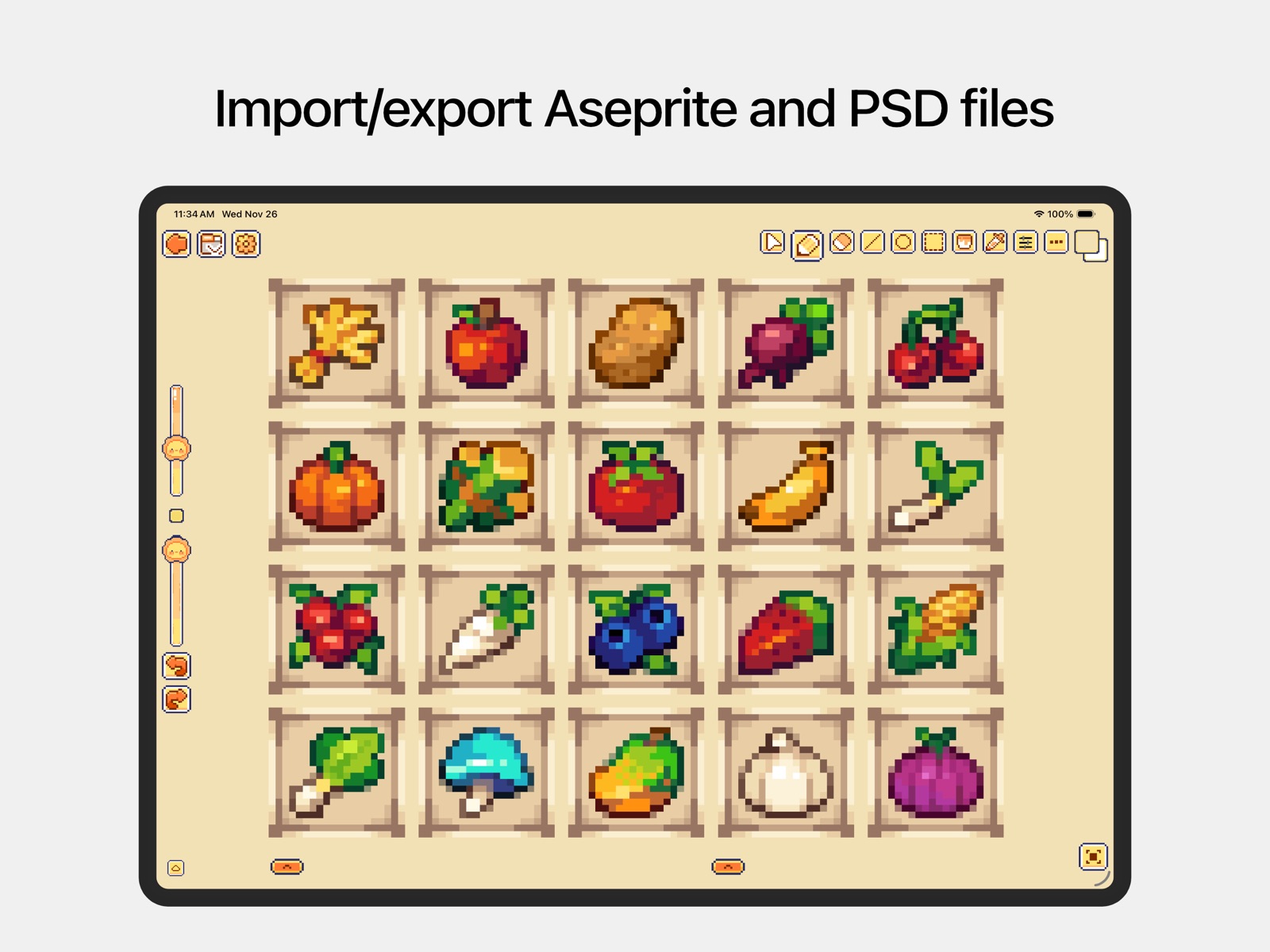
20 store screenshots


Pricing & paywalls
App Store
- Free to download
- In-app purchases
Ratings & reviews
App Store
-
5/5Best pixel art app for iPad
I was gonna wait a while before reviewing, but I just discovered that you can get to the palette using the pencil pro squeeze. So awesome! Anyway, this app is great, get it. The only thing missing (I think) that I’d like is - when hovering with the pencil pro, I’d like to see the unadded pixel in the preview, so I can look before I add it. Maybe I just haven’t found how to turn that on. Update for dev: Thanks so much for responding! Yeah, I can see the hover highlight on the canvas, but I don’t see the unadded pixel in the PREVIEW window. So the pattern is hover, add pixel, look at preview, undo — over and over — instead of hover, look at preview, then only add a pixel when I like how it looks in the preview. Still love the app - this is really the only feature I feel is missing. Big time saver! Update again: you fixed it! Thanks so much! I’d give 10 stars if I could. If you’re looking for more to do, I noticed that the fill/bucket tool doesn’t work with the “transparent” color. Also there is no hover color for transparent - might be neat to have the outline back for that. That’s all I’ve got - still love the app! I can’t believe how fast you fixed the other thing.
Reviews4daapps · 31 Jul 2026
-
5/5A joy to use
Some months ago I decided to stop spending time playing video games at night, and start making them—which has been a life-long dream. After building a few tutorials, I decided I wanted to make my own pixel-art game. I heard that pixaki was the most popular pixel-art app for iPad so I got it and spent about a month creating a bunch of characters, backgrounds and items. I didn’t like how cramped the UI was, since I had a smaller iPad—and I also didn’t like the paint brush tool: it feels more like you’re placing pixels than drawing an image. So I kept looking and saw a review for Pixquare. Since trying Pixquare, I’ve only gone back to pixaki to export my original drawings. Pixquare has a lot of really nice drawing tools, working with layers and animation is much more intuitive, and the UI stays out of your way. They also have a fun daily challenges where they give you something to draw but you have to use a limited palette they provide. It’s a fun challenge, a good way to keep practicing, and it’s really helped me learn some of the basic concepts. If you’re comparing different pixel drawing apps, just get this one and move on with your life.
Josh Vanderbilt · 31 Jul 2026
-
5/5Don’t look at any other app, your perfect pixel art software is handed out right here!
I don’t know why this is so perfect, I just wish I picked up this app WAY sooner. Ok first of all I wanna mention all the things I didn’t have room to mention in the title, so, anyway, here it is. Personally, I’ve been teaching myself video game development, and I’ve always been interested in making video games with clean pixel art graphics, so, I started to search for some pixel art and animation software, I found so many, Pixel Studio, Resprite, and a lot I didn’t try, as for me? Pixel Studio was okay, Resprite was neat but eh, and my head hurt ( 😂 ) so I’ve looked at Pixquare before, but I wasn’t that interested, but after trying out those other apps, I NEEDED a pixel art software and I needed it fast, so, I downloaded Pixquare, it greeted me with a professional looking and feeling interface that was clean and modular, and in literal minutes I learned the app and I was having a great time with it. The conclusion? It’s professional, beginner friendly, and powerful, I’d say, GET IT, to all the pixel artists out there you won’t waste time with this miracle of a pixel art app.
Argoses · 31 Jul 2026
-
5/5PIXELS :D
I love this app so much. I can make things that are quirky and cute without having to draw in detail, since everything is pixels. It would be cool to see if it’s possible to design characters for video games and stuff. The only thing that is hard is that you need to pay to have any more than two art pieces. It’s actually a really really good price so I have considered paying for it anyways, so it’s really not a big downside. It would be nicer though if it allowed you to have more near five or something art pieces at a time, but then pay to have extra actions you can do while painting… or maybe pay for a tutorial like 1 or 2 hours long to teach you how to create characters for pixel games and stuff or just generally how to paint better. But I still love this app, I just take screenshots of my art and delete it and start anew in order to make any new ones. Anyways… definitely get this app! It is very worth it. You’ll have loads of fun, trust me! I do! :)
_Mousse_ · 31 Jul 2026
-
4/5The best.
In short. Get this now! It’s worth the full price. Full review: Hello, I’ve been using this a lot. The customization, fun features, such as Dino (I love him 💙), and ease of use is amazing! I recently got the “Hey you. Yeah, you” thing, and I thought it was really cute! :D Of course though, all good things do have some flaws… You see, I use Libresprite on my PC, and it allows you to have infinite pixels. (I understand 4,500,000 Is a lot but I am a very serious sprite artist XD). I also find it hard to make sprite sheets, But I think it’s just a device problem and not a issue with the app itself! There’s also no Rotation features that I’ve found, but I could be wrong…Also, it won’t let me change the sprite size while in sprite. (E.g making a 100x100 apple sprite into a 20x20 apple sprite, but I could just be blind and not seeing it…) If you could fix these issues this would be 5 stars. This feels not even like an app that was made to make money it feels like a passion project! Those are almost the best apps ever for anything! Anyways, sorry for the long review but this is amazing and deserves the long review. Anyways, Tysm for making this PixSquare Dev Team!!! :D
Lucky-Leaf · 31 Jul 2026
Privacy & accessibility
App Store
Privacy
- Data Not Linked to You — Analytics — Diagnostics — Crash Data Developer declared
- Data Not Linked to You — Analytics — Usage Data — Product Interaction Developer declared
- Data Not Linked to You — Diagnostics Developer declared
- Data Not Linked to You — Usage Data Developer declared
Accessibility
No accessibility labels collected yet.
Versions
App Store
-
2.62.1
Fixed color replace cannot be used twice
-
2.62.2
• Enabled reference layer rasterization for indexed mode • Added an option to adjust UI animation speed • Long-press on the symmetry button to enable/disable all lines • Fixed a new padding color is added to the palette every time an .aseprite file is saved • Fixed a crash for PSD file conversion
-
2.62.3
• Snap to guide lines and grid option • Adjustable cursor size
-
2.62.4
Fixed a crash when using color remap
-
2.62.5
- Can import reference images directly from the clipboard - Timeline navigation added to the gesture pad and the joystick - Enabled PSD export for indexed files - Minor UI enhancements - Fixed an issue with indexed tilemaps - Fixed app hang when UI animation speed is 0%
-
2.62.6
- Enabled the gradient tool's Save button in indexed mode - Added a palette button in the gradient tool's color list - Added a simplified palette view to the main color picker - Some other enhancements
-
2.63.0
Features: - Multi-file operations on the Gallery screen - File drag-n-drop to move files quickly Fixes: - Fixed actions become undoable in cursor mode if the holding finger is lifted first - Fixed batch export not working - Fixed Aseprite tilemaps inside groups not being imported properly
-
2.64.0
Features: - Referral program - Significant performance boost for tileset/tilemap - Three-finger slide Enhancements: - An option to disable layer flash when selected - Added cursor mode toggling to the joystick - Guide lines will use the last color for external files (.aseprite) - Stats can display pixel count for each color - Color count data is exportable - Reference image max zoom level is dynamic based on the image size - Minor UI enhancements Fixes: - Sheet import having incorrect max width/height - Shortcuts with arrow keys not being saved - The color bucket with 'Visible' mode not working properly in indexed mode
-
2.64.1
Features: - Referral program - Significant performance boost for tileset/tilemap - Three-finger slide Enhancements: - An option to disable layer flash when selected - Added cursor mode toggling to the joystick - Guide lines will use the last color for external files (.aseprite) - Stats can display pixel count for each color - Color count data is exportable - Reference image max zoom level is dynamic based on the image size - Minor UI enhancements Fixes: - Sheet import having incorrect max width/height - Shortcuts with arrow keys not being saved - The color bucket with 'Visible' mode not working properly in indexed mode
-
2.64.2
Fixed a crash when using the Move tool or pasting on tilemaps
-
2.64.3
Enhancements: - Black-and-white canvas action also has the effect on the preview - Allow the eyedropper to work when a reference layer is selected Fixes: - Eyedropper doesn't work on some reference layers
-
2.64.4
Some text changes during the onboarding flow to avoid confusion
-
2.65.0
Features: - Tileset/tilemap auto new tiles - Duplicate file button - Swap mode for tileset reordering Enhancements: - Resizable dithering presets - Tools presets added to the toolbox squeeze action - Added line/shape mode switching to the gesture pad and the joystick - Holding the tileset button to temporarily hide the grid - Other minor UI enhancements Fixes: - Move tool's rare undo/redo glitch - Tilemap grid color not being saved - Other minor issues
-
2.66.0
Features: - New fun mode: Dino companion - JPEG export Enhancements: - Custom brush panel can be dragged out - Snap to guide lines can work with isometric guide lines - Shading can be activated from the gesture pad, joystick, and keyboard shortcuts - Option to skip big timelapse frames to avoid failure due to big canvases - Top-left buttons no longer overlap with the windowed mode buttons Fixes: - Direct indexed .aseprite saving error - Some UI inconsistencies
-
2.66.1
- Added 5 new keyboard shortcuts - Added an option to remove empty tiles
-
2.66.2
Fixed a bug with tileset reordering
-
2.66.3
Option to customize holdable action delay
-
2.67.0
Features: - Modifier system, starting with 'Animation speed multiplier' modifier - Added 'Learn' panel Enhancements: - Customizable contiguous corners - Adjustable marching ants opacity - Palette match for the eyedropper and the main color picker - Indexed PNG export for indexed file - Can eyedrop colors on reference layers outside of the canvas - New custom objects can be added from multiple selected layers - Distantly linked cels now have a clear indicator - Customizable eyedropper preview position - Bottom info bar flips its arrangement when left-hand mode is enabled - Other UI and functional enhancements Fixes: - Cannot reorder tiles to the last index in 'move' mode - Minor issue with 'Selected layer' option when exporting
-
2.67.1
Some UI changes
-
2.67.2
Enhancements: - Indexed PNGs will be imported as indexed files - Updated some new specs for .aseprite files - Added a cancel option for palette import - Some UI enhancements Fixes: - Folder drag-n-drop has '-Copy' suffix after being moved - Image import for files with 16-bit component format. - Color bucket not working for tiled canvas
-
2.67.3
Enhancements: - Can copy combined content from multiple selected layers - PNG and JPEG export to have 300 DPI - Some UI enhancements Fixes: - Undesirable Esc key press to go back to the Gallery - Color sampling issues with uncommon color spaces - Crash when importing Aseprite files with flipped tiles
-
2.67.4
Enhancements: - Improved the smoothness of the stabilizer for the brush and eraser. - Snap to grid now snaps the edge of the brush instead of the center. - Corrected some Spanish texts.
-
2.68.0
Features: - Free arrangement for tiles within tilesets. - JSON option for spritesheet export. - Quick onion skin range adjustment. Enhancements: - The magic wand can work with multiple selected layers. - Preview can be turned off. - Tags can be disabled. - Added selection modes to keyboard shortcuts. - Eyedropper can pick colors from tiled canvases. - Some minor performance enhancements. Fixes: - The gesture pad cannot switch to the selection tool from the shape tool. - Presets sometimes save the incorrect tools. - Minor visual color correction for the saturation value of the color picker.
-
2.68.1
- Fixed Dailies prompt doesn't load - Some other minor UI enhancements/fixes
-
2.69.0
· 5 Jul 2026
Features: - Liquify tools: push, expand, and shrink - Added Recently deleted folder - New artwork from clipboard content Enhancements: - Added an option to remove duplicate tiles - Tiled mode toggle-all action to gesture pad/joystick - Added the little Dino to the theme system - New frames are added together after the last selected frame instead of after each individual selected frame. - Added an option to pin the layer property panel - AA threshold for the text tool - Some minor UI enhancements Fixes: - Fixed color adjustment/level adjustment not working on multiple layers with the same tileset - Minor UI bugs
Alternatives
- ZBrush - Made for 3D Creators — Same category + similar ratings
- VRoid Studio — Same category + similar ratings
Availability by market
- US
Data quality & evidence
- Page completeness
- Live store listing
- Last verified
- 31 Jul 2026
- Sources
- App Store
- Apoku editorial summary has not been published yet.