
Quick verdict
- What it is
- Store information collected; an Apoku editorial summary is not yet published.
- At a glance
-
- From $4.16/mo
- Free to download
- In-app purchases
Categories and search queries
Official categories
- Productivity
- Business
Apoku categories
Key functions
| Function | Availability | Access | Scope | Evidence |
|---|---|---|---|---|
| Free app | Yes | Free | Context-specific | Store published |
| In-app purchases | Yes | Limited free | Context-specific | Store published |
Screens
App Store
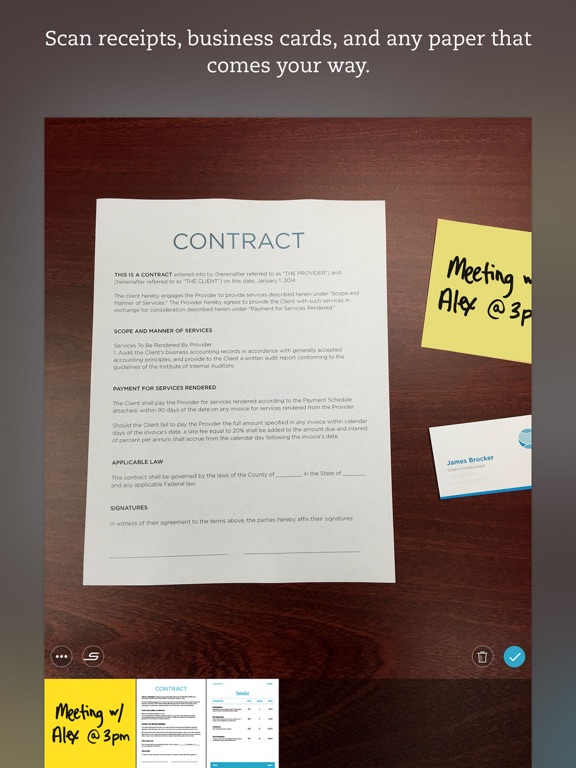
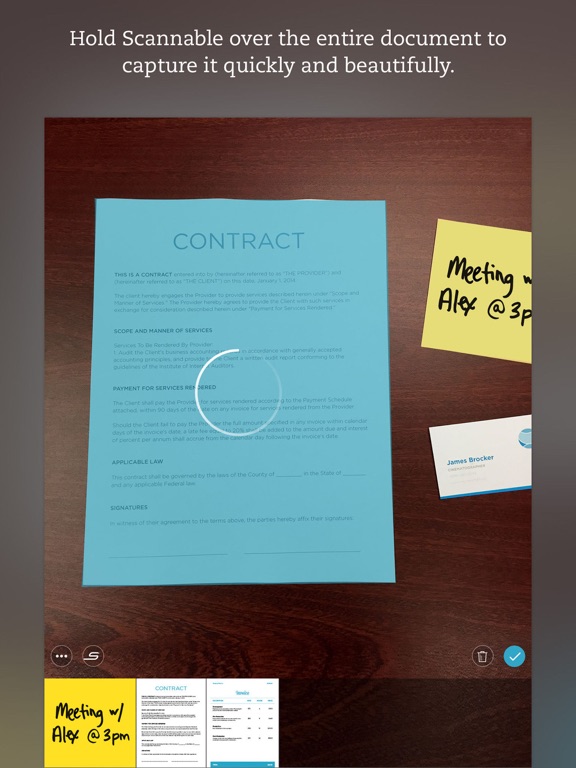
11 store screenshots


Pricing & paywalls
App Store
- Yearly Subscription — $49.99/year ($4.16/mo)
- Yearly with Free Trial — $49.99/year ($4.16/mo)
- Weekly Plan — $2.99/week
- Weekly Plan with Free Trial — $2.99/week
Ratings & reviews
App Store
-
5/5Goodbye scanners and fax machines
Love this app. Use it a few times a week to "scan" my documents, receipts, book excerpts - whatever I want to keep as a digital file. Then I "share" to my Google Drive to store in the cloud, "share" to iBooks or GoodReader to have on my phone, "share" to CudaSign if I need to sign it first, and/or "send" as an email attachment, and I love that I can do all of the above. It would be nice to be able to select all the options you want to do from one screen, rather than go back and select a new option each time. It does sometimes (rarely) crash, but I have never lost any images. I like that it keeps copies of prior scans in case I need to go back. The cropping is pretty good, especially if you put a dark background behind what you are scanning. I like the "enhance" feature to optimize the printed text, and the ability to toggle easily between the enhanced version and the original. The quick toggle between PDF and image is also great. One minor annoyance is that, for some reason, the app will occasionally show the tutorial even when I haven't updated it and have been using it for months. All in all, a must-have app for me. I used to carry around docs, waiting for a time I was near a scanner or fax. Now, combined with cloud storage, a signing app like CudaSign, and email, it has allowed me to recycle paperwork immediately and free myself from clutter, scanners, and fax machines. Why do companies even use fax machines anymore?
Forest White · 29 Sep 2026
-
5/5A true time saver for scanning things on the go!
This app has truly been a blessing, as I own and operate an IT managed services/consulting business, and am often visiting clients or managing projects onsite. Unlike the plethora of other PDF-generating scan apps out there, this one creates the cleanest and clearest images, especially if the document or photo has folds or other imperfections. I also find the ability to easily switch output format between PDF and Image file type to be extremely convenient. Last but certainly not least, once I have all my scans ready to go, I usually need to email or text them to someone quickly. This app seamlessly flows into the Apple’s native Mail app, invokes a new message, and automatically attaches the file(s). I work with many different applications and software, especially mobile versions, so if you are a “road warrior” like myself, I strongly recommend this app. Time is money, and Scannable has saved me quite a lot of both! Thank you to the developers, and please keep up the great work!
Wtpconsult3610 · 29 Sep 2026
-
2/5Used to be great
I’ve been using this app for years and loved it! My job requires mini PDFs to be sent via email on a daily basis. I always got compliments about how my PDFs were always clear and easy for people to download without issues. A couple months ago the app all of a sudden started telling me that I had to have professional, as if there was no longer a free version. Since I use the app all the time I went ahead and bought the yearly subscription that’s when everything went south. Prior to adding the subscription. It was so easy to use, every time I opened my app. It was ready to scan, and I could easily email those documents and once I closed my app they would automatically be saved in recents. Now that I upgraded it wants me to get an Evernote account, the app has all of my scans still showing when I open the app so I can’t just easily scan and send because it will send all the past docs unles I save them to Evernote. It’s a big pain and such a waste because o loved it prior. I’m usually in my car having to scan something quickly and send. I don’t have time to go through and make folders and save documents to outside sources every time. I hate everything about this so called paid version and wish I could just go back to the free one that was so much more efficient for my needs.
Kristilex · 29 Sep 2026
-
4/5Great product, but still some problems
I honestly like this scanning app a lot; the scans are super fast, the auto detected borders are fairly accurate, and the end product is a great balance between quality and file size. That said, there are some problems I’d like to see fixed. I use this app predominantly for scanning books for research, but the app gets overwhelmed and is liable to crash the larger the file size gets. I’ve lost so many scanned books this way. It also stops being able to detect borders as the scanning continues. A simple fix could be to automatically save after a certain number of pages and start a new file. Also, having an adjustable colored border option would remove the need to auto detect borders every time a page is turned; the user would just need to fit the text within the confines of border (as a bonus, it would cut out any background - including fingers - that would fall within that frame). I’d like to see more options for adjusting size and quality as well. All that aside, Scannable is still one of the best scanning apps I’ve found so far, and having these few added improvements (even as a paid add-on) would make it ideal.
pleaseallownicknamegenerator · 29 Sep 2026
-
1/5User for years but I’m done. This is insane.
I’ve used Scannable for a decade and recommended it to tons of people. I went to scan a document tonight that LITERALLY IS THE ONLY PIECE LEFT TO RESTORE MY HUSBAND’S MEDICALLY-SUSPENDED LICENSE … and there’s a paywall. Ridiculous, but free if you sign up for Evernote. Ridiculous to hold people hostage and force them into your main-offering app like that, but whatever. I don’t like Evernote but figured I’d sign up for a free account and unsubscribe from the emails. NOPE. I spent 10 minutes scanning these pages because the scanner kept glitching and went to save them … nope, I keep getting an error message. I signed out and tried again. Error. I redownloaded Evernote as prompted. Error. Tried to save as images. Error. My only option is to now sign up for a weekly subscription for $2.99. Bye, Scannable. You saw me through high school, college, starting my own business, a messy divorce, helping manage my husband’s multiple cancer diagnoses, and many other document-heavy milestones. But I’m done with you. You’ve changed and not for the better. It’s not me, it’s you. *other angry breakup lines* Okay and side note - as a marketer, what an insanely poor move to create a frustrating user experience with ZERO value given before asking for action. Get a better UI and UX team.
princesscaspian04 · 29 Sep 2026
Privacy & accessibility
App Store
Privacy
- Data Linked to You — Analytics — Contact Info — Email Address Developer declared
- Data Linked to You — Analytics — Identifiers — Device ID Developer declared
- Data Linked to You — Analytics — Identifiers — User ID Developer declared
- Data Linked to You — Analytics — Location — Precise Location Developer declared
- Data Linked to You — Analytics — Usage Data — Product Interaction Developer declared
- Data Linked to You — App Functionality — Contact Info — Email Address Developer declared
- Data Linked to You — App Functionality — Identifiers — Device ID Developer declared
- Data Linked to You — App Functionality — Identifiers — User ID Developer declared
- Data Linked to You — App Functionality — Location — Precise Location Developer declared
- Data Linked to You — Developer’s Advertising or Marketing — Contact Info — Email Address Developer declared
- Data Linked to You — Contact Info Developer declared
- Data Linked to You — Identifiers Developer declared
- Data Linked to You — Location Developer declared
- Data Linked to You — Usage Data Developer declared
- Data Not Linked to You — Analytics — Diagnostics — Crash Data Developer declared
- Data Not Linked to You — Analytics — Diagnostics — Performance Data Developer declared
- Data Not Linked to You — App Functionality — Diagnostics — Crash Data Developer declared
- Data Not Linked to You — Diagnostics Developer declared
- Data Used to Track You — Usage Data — Product Interaction Developer declared
- Data Used to Track You — Usage Data Developer declared
Accessibility
No accessibility labels collected yet.
Versions
App Store
-
1.1
IMPROVED AUTO CAPTURE EXPERIENCE - Faster and easier auto-detection of documents - Improved flash use for better scans in low-light situations HIGHER QUALITY DOCUMENTS - New image processing for better-looking color documents - Scannable now produces PNGs instead of JPGs in cases where this improves image quality and file size - Time stamps are now added to PDF filenames EASIER BUSINESS CARD SCANNING - Add notes to captured business cards before you save to contacts - You can now connect with someone on LinkedIn directly from Scannable - Editing business card information now zooms in on the correct region of the captured card
-
1.1.1
Bug fixes New in 1.1: IMPROVED AUTO CAPTURE EXPERIENCE - Faster and easier auto-detection of documents - Improved flash use for better scans in low-light situations HIGHER QUALITY DOCUMENTS - New image processing for better-looking color documents - Scannable now produces PNGs instead of JPGs in cases where this improves image quality and file size - Time stamps are now added to PDF filenames EASIER BUSINESS CARD SCANNING - Add notes to captured business cards before you save to contacts - You can now connect with someone on LinkedIn directly from Scannable - Editing business card information now zooms in on the correct region of the captured card
-
1.2
Many improvements including: Image Processing -Restore original color of washed out or over-processed scans Saving to Evernote - Quickly open the saved scan in Evernote - Improved reliability of saving when connection quality is poor - Add GPS location information to saved scans Business Card Scanning - Easily follow up with new contacts by emailing your information - Automatically save scanned business cards to your contacts
-
1.2.1
Numerous bug fixes and improvements
-
2.0
Whiteboard Scanning - Just point your phone at a whiteboard and Scannable will capture it automatically - Whiteboard scans will have brighter whites, smooth strokes and rich colors Moving Paper Forward - Sharing and saving is simpler and more clear - Improved “Always Save to Evernote” experience, especially when emailing scans Performance and Quality - Lower memory use for improved stability — especially on iPhone 6+ - Faster saving to the camera roll
-
2.0.1
Numerous bug fixes and improvements for iOS 9
-
2.1
New! - Recent scans are now automatically saved to your device for 30 days (you can disable this in the “Advanced” settings) - Change the document type to PDF or image files with a single tap - Drag and drop to reorder the pages of your scan Improved! - We fixed an issue where the document type was incorrect when saving single page PDFs to some locations - Cropping images is now faster and easier - Lots of general stability and performance improvements
-
2.1.1
• If a scan is classified incorrectly as a business card, you can now reclassify it without signing in to Evernote • Users can sign into LinkedIn again • Whiteboard captures that include both portrait and landscape orientation are now saved properly as PDFs • General stability and performance improvements
-
2.2
Bug fixes and miscellaneous improvements
-
2.3
Bug fixes and miscellaneous improvements
-
2.3.1
- Bug fixes
-
2.3.2
- Bug fixes
-
2.3.3
- Bug fixes
-
2.4
You can now sign in to Scannable using your Evernote Business credentials. Your scans will then be synced with your Evernote account.
-
2.5
Miscellaneous bug fixes
-
2.6
Fixes: - Performance improvements and miscellaneous bug fixes
-
2.7
Bug fixes and performance improvements.
-
2.8
Bug fixes and performance improvements.
-
3.0
Bug fixes and performance improvements.
-
3.1
Bug fixes and performance improvements.
-
3.2
Bug fixes and performance improvements.
-
3.2.1
Bug fixes and performance improvements.
-
3.2.2
Bug fixes and performance improvements.
-
3.2.3
Bug fixes and performance improvements
-
3.2.4
· 19 Dec 2024
Bug fixes and performance improvements
Alternatives
- Wepa Print — Same category + similar ratings
- Box: The power of Content + AI — Same category + similar ratings
- PDF Converter - Word to PDF — Same category + similar ratings
- Mobile Scanner App - Scan PDF — Same category + similar ratings
- Bear - Markdown Notes — Same category + similar ratings
Availability by market
- US
Data quality & evidence
- Page completeness
- Live store listing
- Last verified
- 29 Sep 2026
- Sources
- App Store
- Apoku editorial summary has not been published yet.