
Quick verdict
- What it is
- Store information collected; independent summary not yet available.
- At a glance
-
- Free to download
- In-app purchases
Categories and search queries
Official categories
- Music
- Utilities
AppCorpus categories
Key functions
| Function | Availability | Access | Scope | Evidence |
|---|---|---|---|---|
| Family Sharing | Yes | Unknown | App Store | Store published |
| Free app | Yes | Free | — | Store published |
| In-app purchases | Yes | Limited free | — | Store published |
| Siri Shortcuts | Yes | Unknown | App Store | Store published |
Screens
App Store
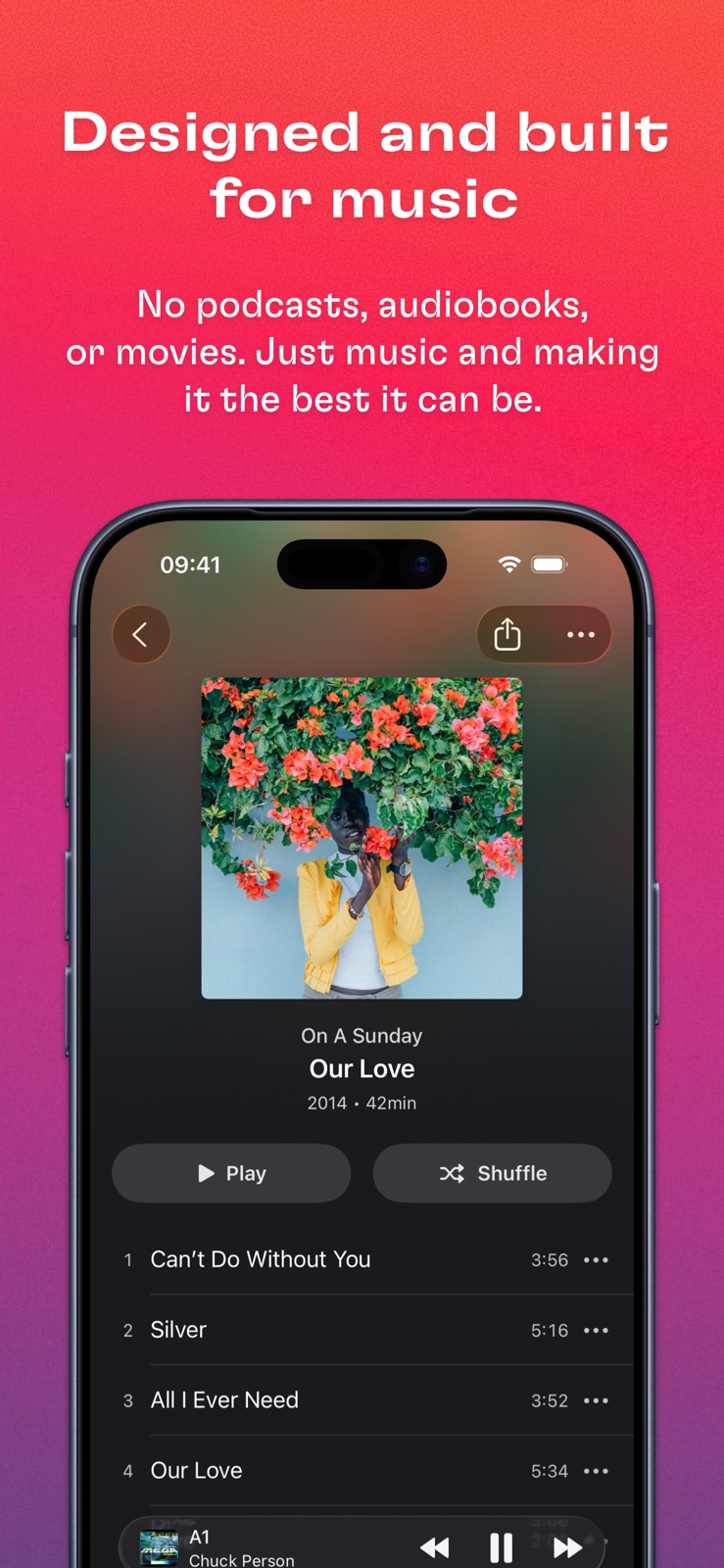
8 store screenshots



Pricing & paywalls
App Store
- Free to download
- In-app purchases
Ratings & reviews
App Store
-
5/5Actually Pretty Good
I can understand that the fee after the trial might be a turn off for some considering that an application of this quality would be free within any other ecosystem, like as a desktop app, but regardless, this is still leagues better than every other music player app on the App Store, in my opinion. If you want another no nonsense music player app that actually doesn’t charge you, then go install foosbar2000. That one does the job and might be good enough for some, but the features and interface aren’t nearly as nice on there as they are with this app. This app looks beautiful and feels smooth to use and lets you organize and transfer over your existing playlist collection from another device with ease. I genuinely do see enough value to warrant the purchase, personally, and I recommend everyone give it a shot. It is free to see if you like it or not before the trial period is over. Just a great “just works” app with no ads, bare minimum data collection, nothing that makes it obnoxious or annoying, and good interface. Plenty to love with this one.
Ben.Rally · 31 Jul 2026
-
4/5Great music player, seems unsupported though
This app was very thoughtfully designed, it’s a great music player interface (and not just a generic media player like VLC). It’s very easy to add all your music and then you’re good to go (I have like 30GB so I just plugged into my laptop’s usb and copied it all over, but you can also use WiFi or share files over from other apps on your phone). One tip is that the app’s music library is included in iCloud backups, so if you want this then great, but if you’re like me and don’t want all that copied over the Internet and maxing out your iCloud limit, go into your iCloud settings, into Backup, and you can toggle off backing up of Doppler (like any app). The app is free to try for a week, personally I really like the one-time purchase vs having subscription fees. The bad news: I submitted both a feature request and bug report (“Import from Cloud Services” black screens for me, so doesn’t work at all) and got no response, so this app may be abandoned, which would be too bad. It’s still worth $9 to me but does lack some features (lyrics, album info, visualizations). And after mass-updating my song library’s metadata offline, the easiest way I could figure out to refresh it in Doppler was to delete the app, reinstall and start fresh.
Picasticks · 31 Jul 2026
-
5/5Exactly what I’ve been looking for!
I’ve been looking for so long for an iOS app that just provides a simple, understandable, and aesthetically pleasing user interface to listen to local music files. Doppler has pretty much everything I wanted. It doesn’t require me to transfer files from my computer in a clunky fashion, it doesn’t make me link a streaming service, all I had to do was copy my music files to the app’s folder in my file manager and I was set. I also really appreciate that I can edit track and album information in the app itself; it saves me a lot of headache when my songs aren’t organized correctly for one reason or another. To top it all off, it’s just a one time, reasonably priced purchase at the end of a generous ad-free, fully featured one week free trial. I’ll be using Doppler to listen to my music from now on!
Little Gubble · 31 Jul 2026
-
4/5Great app but not for me
The app itself seems to be fairly well polished but there are a few things I’m not huge on. One, you have to share music to Doppler, and then it seems to store it separately, therefore using double the iPhone storage? I might be wrong on that one, but in any case I’d like to have it pull files from my iCloud. Also not a huge fan of the pricing strategy with a one-time purchase that doesn’t include future features. I get that this is version three of the app but I’d like to know when I’d need to pay again. Finally, I really wish this app would have an Apple Music-like audio scrubber (I.e. you drag anywhere on the scrubber bar and it moves relative to your finger). But I admit that’s personal preference. Would be nice if maybe it was a toggle. Having said that, this is an excellent app for offline music listeners and one of the best I’ve tried. It’s a shame there’s no free version with limited features but that’s understandable.
IntrovertusMaximus · 31 Jul 2026
-
4/5Fantastic for music lovers.
I've had Doppler for my phone for about a week now, I paid for it with two days left in my trial. It's amazing how much you will fall in love with your music again when you see how fast you can put music on your phone, without having to back up or skip a backup every time. The CarPlay mode is solid, and it's nice to browse through your music without seeing what's in your "cloud" in the way. I've been working on re-ripping my entire CD collection, which is substantial, as lossless files. Doppler fits the bill for enjoying them in the car and on the go. Since using Doppler, I've found I want to put more music on my phone again for the first time in many years. I do wish it had an iPad mode, and that's the only thing keeping this from being five stars. It's well worth trying out if you're annoyed over how long it takes to sync something you own to your phone.
LeWriterBoy · 31 Jul 2026
Privacy & accessibility
App Store
Privacy
- Data Not Linked to You — App Functionality — Diagnostics — Crash Data Developer declared
- Data Not Linked to You — App Functionality — Diagnostics — Other Diagnostic Data Developer declared
- Data Not Linked to You — App Functionality — Purchases — Purchase History Developer declared
- Data Not Linked to You — Diagnostics Developer declared
- Data Not Linked to You — Purchases Developer declared
Accessibility
- Dark Interface — SUPPORTED Store published
- Differentiate Without Color Alone — SUPPORTED Store published
- Larger Text — SUPPORTED Store published
- Reduced Motion — SUPPORTED Store published
- Sufficient Contrast — SUPPORTED Store published
- Voice Control — SUPPORTED Store published
- VoiceOver — SUPPORTED Store published
Versions
App Store
-
2.4.22
- Fixed an issue where editing album info would sometimes reset song artwork --- If you've liked these recent updates, please leave a review on the App Store. Reviews help Doppler reach more people and it means a lot! If you think Doppler is worthy, would you mind taking a moment to leave a rating or write a review? Thanks!
-
2.4.23
- Added 2022 listening report - Fixed artwork issues for songs, albums and playlists - Fixed some crashes - Fixed some issues with controlling Doppler from Siri - Fixed an issue where playing music might stop working until restarting the app - Fixed various UI issues - Performance improvements --- If you've liked these recent updates, please leave a review on the App Store. Reviews help Doppler reach more people and it means a lot! If you think Doppler is worthy, would you mind taking a moment to leave a rating or write a review? Thanks!
-
2.4.24
- Fixed an issue where "Recently Added" doesn't appear - Fixed "Add to Playlist" button adding the whole album to the playlist instead of a single song - Fixed artwork not updating after pressing "Update Library" --- If you've liked these recent updates, please leave a review on the App Store. Reviews help Doppler reach more people and it means a lot! If you think Doppler is worthy, would you mind taking a moment to leave a rating or write a review? Thanks!
-
2.4.25
- Added support for scrubbing forwards/backwards with headphones/car controls - Fixed a crash when updating your library - Fixed an issue where "Recently Added" doesn't appear - Fixed "Add to Playlist" button adding the whole album to the playlist instead of a single song - Fixed artwork not updating after pressing "Update Library" --- If you've liked these recent updates, please leave a review on the App Store. Reviews help Doppler reach more people and it means a lot! If you think Doppler is worthy, would you mind taking a moment to leave a rating or write a review? Thanks!
-
2.4.26
- Fixed a crash when updating your library and in some other situations - General bug fixes and improvements --- If you've liked these recent updates, please leave a review on the App Store. Reviews help Doppler reach more people and it means a lot! If you think Doppler is worthy, would you mind taking a moment to leave a rating or write a review? Thanks!
-
2.4.27
- Fixed an issue with gapless playback - Fixed some albums not showing a "Delete" option --- If you've liked these recent updates, please leave a review on the App Store. Reviews help Doppler reach more people and it means a lot! If you think Doppler is worthy, would you mind taking a moment to leave a rating or write a review? Thanks!
-
2.4.28
- Updated library screen - Updated artist/album/song sorting - Fixed "Empty Playlist" message not appearing in some situations - Fixed some issues adding songs to playlists - Improvements to VoiceOver - General stability improvements --- If you've liked these recent updates, please leave a review on the App Store. Reviews help Doppler reach more people and it means a lot. Thanks!
-
2.4.29
- Fixed a crash when opening the app on iOS 15 - Misc. bug fixes --- If you've liked these recent updates, please leave a review on the App Store. Reviews help Doppler reach more people and it means a lot. Thanks!
-
2.4.30
- Fixed a crash that some people were having when opening the app - Fixed some issues with album artwork sometimes not updating --- If you've liked these recent updates, please leave a review on the App Store. Reviews help Doppler reach more people and it means a lot. Thanks!
-
2.4.31
- Fixed an issue when restoring previous purchases --- If you've liked these recent updates, please leave a review on the App Store. Reviews help Doppler reach more people and it means a lot. Thanks!
-
2.4.32
- Fixed Doppler sometimes crashing when opening the app - Fixed songs sometimes importing multiple times --- If you've liked these recent updates, please leave a review on the App Store. Reviews help Doppler reach more people and it means a lot. Thanks!
-
2.4.33
- Fixed some issues with restoring purchases - General improvements --- If you've liked these recent updates, please leave a review on the App Store. Reviews help Doppler reach more people and it means a lot. Thanks!
-
2.4.34
- Fixed some issues when editing song/album information - General fixes and improvements --- If you've liked these recent updates, please leave a review on the App Store. Reviews help Doppler reach more people and it means a lot. Thanks!
-
3.0
Doppler 3 is an upgrade to Doppler and includes new features and lots of improvements throughout the app. Doppler 3 is the first paid upgrade since January 2020. The upgrade is optional for people that have previously paid for Doppler — you can continue using the existing features that you have been using for free. --- ** New in Doppler 3 ** Album Collections --- Group albums together into custom lists with Album Collections. Create a Collection for your favourite albums this year, keep a list of albums in your library you want to tell someone about, or organise albums together by mood or season. Collections are customisable and flexible, so use them however you want. You can also pin a Collection to the top of your library for easy access when you open the app or when using CarPlay. Customise library screen --- Doppler 3 adds new ways to customise your main library screen. Select between Artists, Albums and Songs for your library list. Change the pinned collection at the top of the screen to one of the presets or a custom album collection that you've made. Edit and re-arrange the options for viewing different parts of your library. New queue grouping option --- The playback queue gets two different modes in Doppler 3. You can use the classic "No Grouping" mode where songs are added to the queue individually, or the new "Group by Album/Playlist" mode, which will group songs by their album or playlist. Using the Group by Album/Playlist" mode, you can shuffle your library by album, and re-arrange your queue by whole albums at a time — instead of song-by-song. The new grouped mode is perfect for people who listen to albums start to finish. Design improvements --- There are lots of design improvements throughout Doppler 3, including a simplified tab bar with new icons, design improvements for albums with multiple discs and Search/Filter inputs across the main library screens. You will notice improvements and refinements to smaller details across the app too, like a new button in the library screen for quickly playing your entire library, easier access to sorting options and more. Support for compilation albums --- When editing album information, you can now mark the album as a compilation. Albums marked as a compilation will show up in the "Compilations" collection, and track artist names will always be shown in the artist list. ** Fixes ** - Fixed an issue when reading some MP3 files - Fixed some issues when updating your library --- If you've liked these recent updates, please leave a review on the App Store. Reviews help Doppler reach more people and it means a lot. Thanks!
-
3.0.1
Doppler 3 is an upgrade to Doppler and includes new features and lots of improvements throughout the app. Doppler 3 is the first paid upgrade since January 2020. The upgrade is optional for people that have previously paid for Doppler — you can continue using the existing features that you have been using for free. --- ** New in Doppler 3 ** Album Collections --- Group albums together into custom lists with Album Collections. Create a Collection for your favourite albums this year, keep a list of albums in your library you want to tell someone about, or organise albums together by mood or season. Collections are customisable and flexible, so use them however you want. You can also pin a Collection to the top of your library for easy access when you open the app or when using CarPlay. Customise library screen --- Doppler 3 adds new ways to customise your main library screen. Select between Artists, Albums and Songs for your library list. Change the pinned collection at the top of the screen to one of the presets or a custom album collection that you've made. Edit and re-arrange the options for viewing different parts of your library. New queue grouping option --- The playback queue gets two different modes in Doppler 3. You can use the classic "No Grouping" mode where songs are added to the queue individually, or the new "Group by Album/Playlist" mode, which will group songs by their album or playlist. Using the Group by Album/Playlist" mode, you can shuffle your library by album, and re-arrange your queue by whole albums at a time — instead of song-by-song. The new grouped mode is perfect for people who listen to albums start to finish. Design improvements --- There are lots of design improvements throughout Doppler 3, including a simplified tab bar with new icons, design improvements for albums with multiple discs and Search/Filter inputs across the main library screens. You will notice improvements and refinements to smaller details across the app too, like a new button in the library screen for quickly playing your entire library, easier access to sorting options and more. Support for compilation albums --- When editing album information, you can now mark the album as a compilation. Albums marked as a compilation will show up in the "Compilations" collection, and track artist names will always be shown in the artist list. ** Fixes ** - Fixed an issue when reading some MP3 files - Fixed some issues when updating your library - Fixed prompt sometimes not disappearing after purchasing the app - Fixed an issue where Wi-Fi Transfer push notifications would sometimes not appear - Fixed an issue where the artist screen would sometimes not update after deleting an album - Fixed a crash when opening a listening report --- If you've liked these recent updates, please leave a review on the App Store. Reviews help Doppler reach more people and it means a lot. Thanks!
-
3.0.2
- Fixed album collections sometimes not being deleted - Fixed a crash that could happen after deleting an album - Fixed artist name sometimes not being shown in search results - Small UI fixes --- If you've liked these recent updates, please leave a review on the App Store. Reviews help Doppler reach more people and it means a lot. Thanks!
-
3.0.3
- Fixed an issue where some trials would not be reset - Small UI fixes --- If you've liked these recent updates, please leave a review on the App Store. Reviews help Doppler reach more people and it means a lot. Thanks!
-
3.0.4
- Added support for tapping the artist name in an album to show the artist - Added support for importing "loved" information from songs in the Music app - Fixed unsupported songs from the Music app sometimes incorrectly appearing in Doppler - Fixed an issue where some FLAC files may skip the first few seconds - Fixed playlist artwork not updating after transferring from Doppler for Mac - Fixed some songs not appearing in playlists synced from Doppler for Mac - Fixed an issue where albums sometimes won't display artwork - Fixed various visual issues --- If you've liked these recent updates, please leave a review on the App Store. Reviews help Doppler reach more people and it means a lot. Thanks!
-
3.1
# Interactive Home Screen Widgets Doppler 3.1 adds support for Now Playing widgets. Add Now Playing widgets to your Home Screen to see the current song. When using iOS 17, Doppler's Now Playing widgets are also interactive — play and pause your music from your Home Screen. Note: Widgets require Doppler 3, Interactive Widgets require Doppler 3 and iOS 17. # Dynamic Type Library screen lists and the album screen have been updated to support Dynamic Type. Doppler will now use the system Text Size throughout these parts of the app. Accessibility sizes are also supported. When using an Accessibility Text Size, Doppler will also adjust the app layout. --- Release Notes: - Added Now Playing homescreen widgets (requires Doppler 3, interactive widgets require Doppler 3 and iOS 17) - Added support for dynamic type in library screen lists - Added support for dynamic type in album screen - Fixed some small visual issues - Fixed progress scrubber sometimes not dragging - Fixed an issue where Wi-Fi transfer notifications would not work - Fixed various crashes and misc. issues - Improved reading information for some flac files - Improved name matching when merging albums with the same name --- If you've liked these recent updates, please leave a review on the App Store. Reviews help Doppler reach more people and it means a lot. Thanks!
-
3.1.1
Doppler 3.1.1 fixes a crash that could happen when setting up your library. --- New in Doppler 3.1: # Interactive Home Screen Widgets Doppler 3.1 adds support for Now Playing widgets. Add Now Playing widgets to your Home Screen to see the current song. When using iOS 17, Doppler's Now Playing widgets are also interactive — play and pause your music from your Home Screen. Note: Widgets require Doppler 3, Interactive Widgets require Doppler 3 and iOS 17. # Dynamic Type Library screen lists and the album screen have been updated to support Dynamic Type. Doppler will now use the system Text Size throughout these parts of the app. Accessibility sizes are also supported. When using an Accessibility Text Size, Doppler will also adjust the app layout. --- Release Notes: - Added Now Playing homescreen widgets (requires Doppler 3, interactive widgets require Doppler 3 and iOS 17) - Added support for dynamic type in library screen lists - Added support for dynamic type in album screen - Fixed some small visual issues - Fixed progress scrubber sometimes not dragging - Fixed an issue where Wi-Fi transfer notifications would not work - Fixed various crashes and misc. issues - Improved reading information for some flac files - Improved name matching when merging albums with the same name --- If you've liked these recent updates, please leave a review on the App Store. Reviews help Doppler reach more people and it means a lot. Thanks!
-
3.1.2
- Added Simplified Chinese localisation (thank you Bell) - Added support for importing folders from other apps - Added "Search in App" support in Spotlight - Added "Read Only" information to playlists imported from the Music app - Fixed an issue where saving album artwork would not work - Fixed an issue where only one file would be imported when importing multiple files at the same time - Fixed importing files from AirDrop in iOS 17 - Fixed some third party apps appearing greyed out when selecting files while setting up your library - Fixed a crash when skipping forward with Repeat All turned on - Fixed the Liked Songs playlist not playing from Lock Screen - Fixed search results not ignoring whitespace - Fixed "Try Doppler 3" button not working in What's New screen - Fixed QR code scanner not rotating on iPad - Fixed various visual issues - Misc. bug fixes and performance improvements --- If you’ve liked Doppler’s recent updates, please leave a review on the App Store. Reviews help Doppler reach more people and it means a lot. Thanks!
-
3.1.3
- Fixed a crash that could happen when importing files - Fixed an issue where the "Disconnect" button may not work when importing from Mac - Fixed an issue where transfers may not appear when importing from Mac --- If you’ve liked Doppler’s recent updates, please leave a review on the App Store. Reviews help Doppler reach more people and it means a lot. Thanks!
-
3.1.4
- Fixed pasting images when updating album artwork - Fixed an issue preventing Doppler opening in some situations --- If you’ve liked Doppler’s recent updates, please leave a review on the App Store. Reviews help Doppler reach more people and it means a lot. Thanks!
-
3.1.5
- Fixed an issue in the German translation - Misc. fixes and improvements --- If you’ve liked Doppler’s recent updates, please leave a review on the App Store. Reviews help Doppler reach more people and it means a lot. Thanks!
-
3.2
· 3 Oct 2025
- Added support for iOS 26 and Liquid Glass - Added support for dark mode and clear app icons - Fixed playback issues in CarPlay - Fixed yearly listening reports not appearing for some years - Fixed various playback issues - Fixed various issues importing some files - Fixed various UI issues --- If you’ve liked Doppler’s recent updates, please leave a review on the App Store. Reviews help Doppler reach more people and it means a lot. Thanks!
Alternatives
- VOX – MP3 & FLAC Music Player — Same category + similar ratings
- GoPlayer: cloud music player — Same category + similar ratings
Availability by market
- US
Data quality & evidence
- Page completeness
- Live store listing
- Last verified
- 31 Jul 2026
- Sources
- App Store
- Independent summary has not been published yet.