
Quick verdict
- What it is
- Store information collected; independent summary not yet available.
- At a glance
-
- Free to download
- In-app purchases
Categories and search queries
Official categories
- Photo & Video
- Graphics & Design
AppCorpus categories
Key functions
| Function | Availability | Access | Scope | Evidence |
|---|---|---|---|---|
| Free app | Yes | Free | — | Store published |
| In-app purchases | Yes | Limited free | — | Store published |
Screens
App Store
14 store screenshots

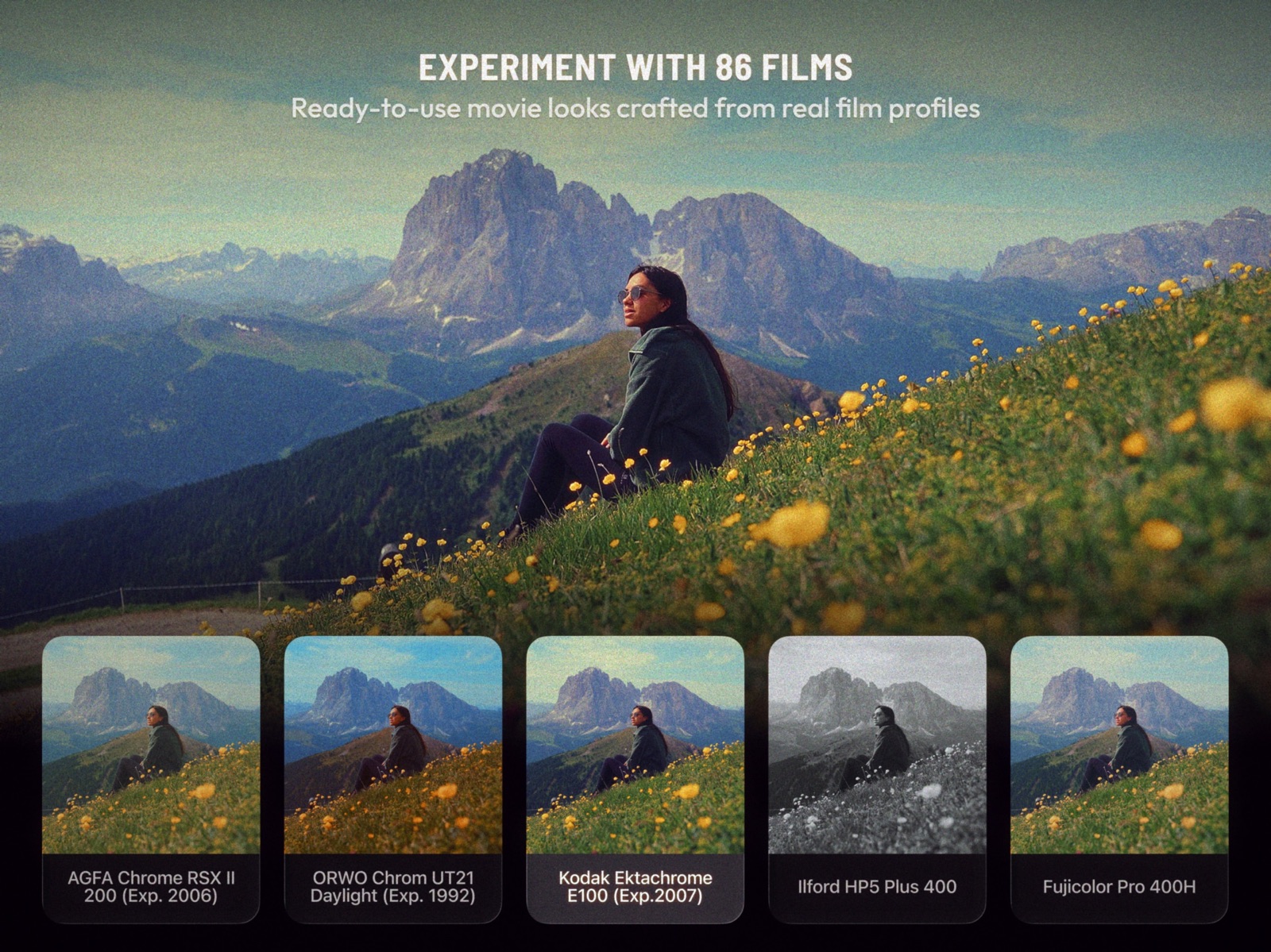
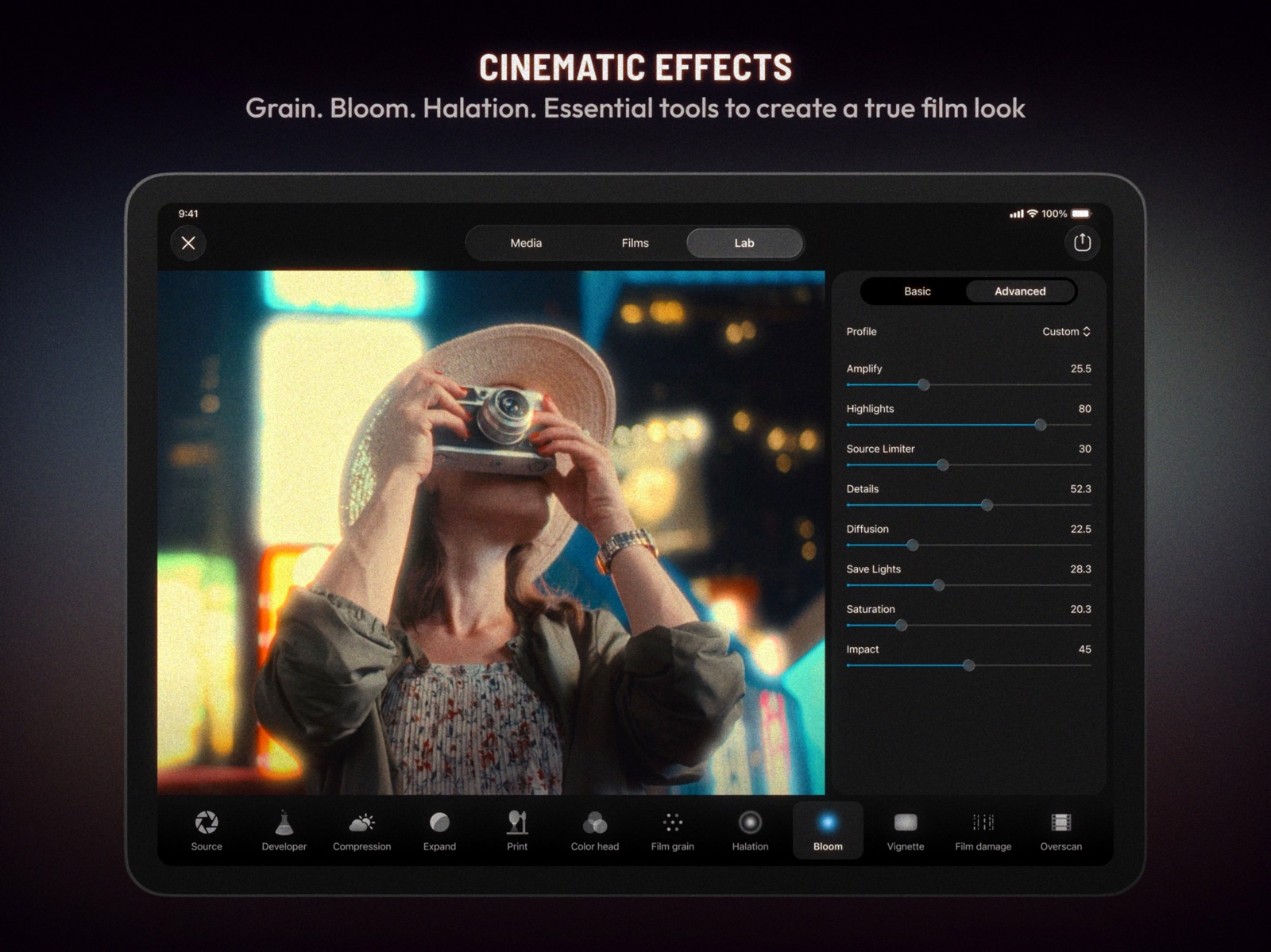
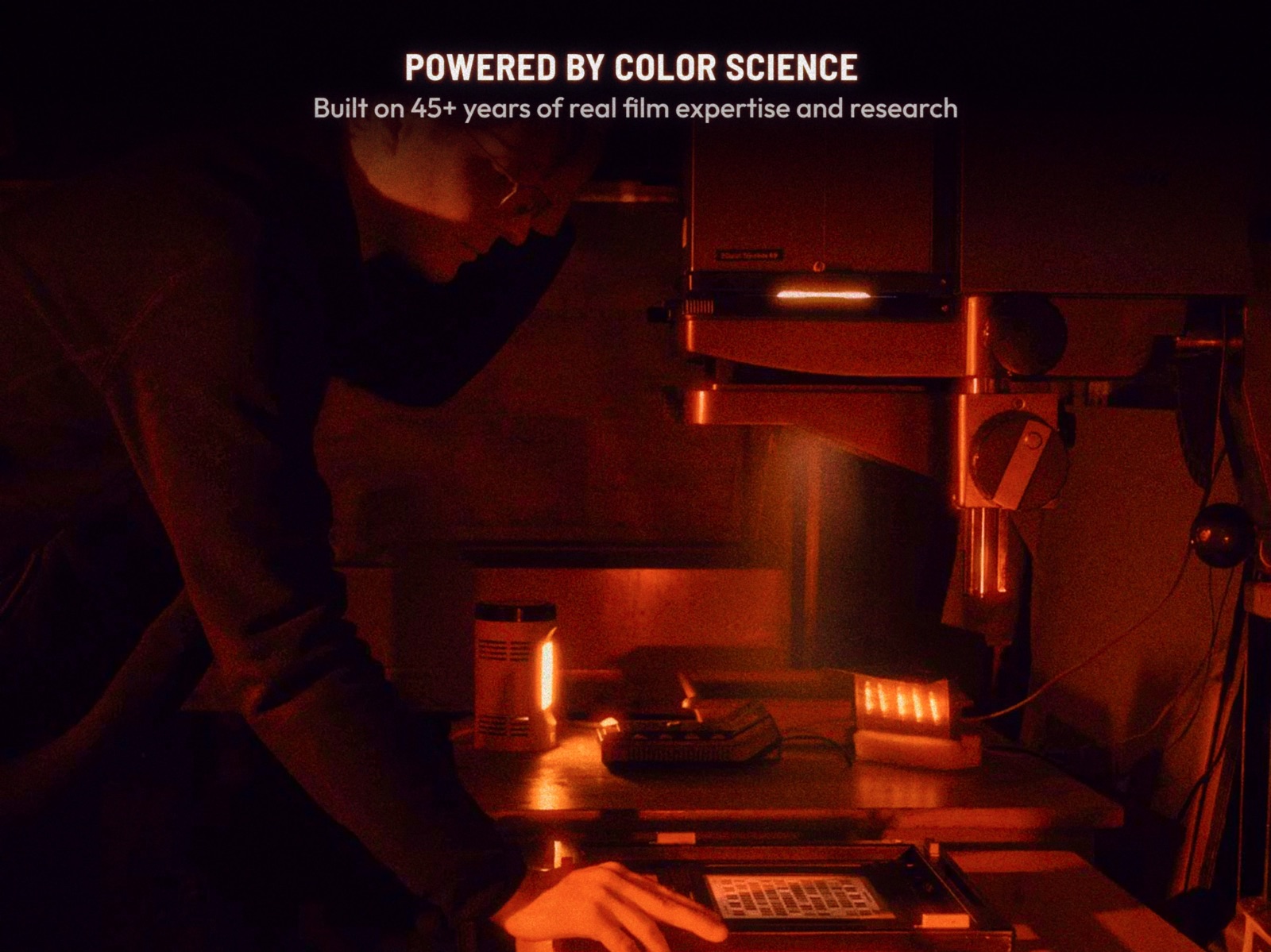
Pricing & paywalls
App Store
- Free to download
- In-app purchases
Ratings & reviews
App Store
-
4/5Good app, a little finicky but probably the best film emulation app around
Edited review: leaving my original review for reference, but I just found a workaround that solved my issue. Exporting the original clip at 60fps from the app I used to edit it fixed the issue (even though the original footage was shot at 30fps) No idea if the problem is on Dehancer’s end or the other editing app, but yeah, seems to be resolved. Original review: I just spent half an hour trying to export a simple 10 second clip; a 1080p, 30fps video that I recorded on my Sony a7iv and cut together in a different video editing app. No matter what I do, it will not play back at the correct frame rate and worse, it will not export at the correct frame rate either. I tried simply importing the clip into Dehancer and exporting it without applying any adjustments and it rendered it at 20fps. Applying a simple filter causes the rendered frame rate to drop to 15fps. What’s more frustrating is that it’ll play and export any other 4k video without issues, but a 1080p one appears to be too much if its not straight out of camera
reviewunit · 31 Jul 2026
-
5/5A must-have for getting that much closer to film
I don’t know if I’ve ever gone out of my way to write a positive review about an application in my 10+ of using the App Store, but I must here. Most people are using this to get closer to a “film” look in digital process, and your toolset is not complete without using Dehancer. The bloom, halation, and the remainder of the editing tools are the cornerstones of my final touches when I export from LR as a TIFF into Dehancer. There have been many improvements made to the app since I purchased in January, so I forgive any intermittent oddities, because at least I know they’re being worked on. One feature that I do wish was present, however, was the ability to add halation from Cinestill, which is something I currently need to do in another application. I would also like to be able to edit a DNG or other RAW file straight within Dehancer, and maybe you can, I just don’t know how. I appreciate that the tools are unique to this application and not just another take on the same old photo editing tool. Even if the ends are the same at times, I think there’s value at looking at your workflow in a different way because sometimes you’ll come to a different result; a result you like better than had you been doing your typical process elsewhere. Worth the subscription fee. Hands down.
ggill1313 · 31 Jul 2026
-
4/5True film emulation for iOS
I have tried many of the film emulation apps. And photo apps. Some of them are very good. Dehancer though is on top for the amount of tools and film emulation available. I am really enjoying edits on the go . There are two things that need to be addressed which is why this is not a 5 star review. The iOS version is missing the ability to batch edit this would be huge help when editing on the go for travel . And last is the biggest gripe is the lack of lifetime pay option for iOS. They have lifetime for everything else other than iOS. This feels more like a cash grab when your flagship plug ins have the option, but the mobile version is locked into a monthly or annual pay. I almost gave this. 3 star just because of the pay situation. Overall the app performs amazingly well.
charandmeg · 31 Jul 2026
-
5/5A Must Have For That Traditional Film Look
This app I feel is a necessity for all photographers to have and use for their photography workflow. This app is identical to its desktop counterpart in many ways and take’s mobile photography for iPhone back to the film years. You can add halation to your pictures, vignetting, add film bloom, use from many choices of film emulators that give you the look of old film brands including Kodak and Fuji-film and will give you that natural film grain look that makes photography so beautiful as if you were using a 35mm film medium. This tool is beautiful, yet powerful. There are so many possibilities when editing your images on this app and will help you understand photography from the basics if you are a photographer from only the digital era. Download the PDF online for directions on what each tool is and how it works to better understand the processing and the true science behind Dehancer. It is a must have!
Kris’sWorld · 31 Jul 2026
-
1/5New update is terrible
A few honest frustrations after the latest Dehancer update: • No undo button anymore, which makes experimenting feel stressful instead of creative.• Before, you could choose film stocks like Fuji Natura as a base profile, not only as a preset. That flexibility was huge. Sometimes you want the color science without loading an entire emulation stack and overwriting your workflow.• You used to be able to resize the editing preview, which made mobile editing much easier and more precise.• There are now way too many tabs and menus for simple adjustments that used to be quick and intuitive.• The separation between “Basic” and “Advanced” slows things down. Either simplify it or allow Advanced mode to stay enabled by default.• Overall the workflow feels far more complicated and less fluid than before. The old version felt fast, creative, and inspiring. The new version feels overly technical for everyday editing. I love Dehancer and use it constantly, which is why this update feels disappointing. Hoping future updates bring back some of the simplicity and flexibility that made the app so special in the first place.
Whoshmand · 31 Jul 2026
Privacy & accessibility
App Store
Privacy
- Data Linked to You — App Functionality — Contact Info — Email Address Developer declared
- Data Linked to You — Contact Info Developer declared
- Data Not Linked to You — Analytics — Diagnostics — Crash Data Developer declared
- Data Not Linked to You — Analytics — Diagnostics — Other Diagnostic Data Developer declared
- Data Not Linked to You — Analytics — Diagnostics — Performance Data Developer declared
- Data Not Linked to You — Analytics — Purchases — Purchase History Developer declared
- Data Not Linked to You — Analytics — Usage Data — Other Usage Data Developer declared
- Data Not Linked to You — Analytics — Usage Data — Product Interaction Developer declared
- Data Not Linked to You — App Functionality — Diagnostics — Crash Data Developer declared
- Data Not Linked to You — App Functionality — Diagnostics — Other Diagnostic Data Developer declared
- Data Not Linked to You — App Functionality — Diagnostics — Performance Data Developer declared
- Data Not Linked to You — App Functionality — Identifiers — User ID Developer declared
- Data Not Linked to You — App Functionality — Usage Data — Other Usage Data Developer declared
- Data Not Linked to You — App Functionality — Usage Data — Product Interaction Developer declared
- Data Not Linked to You — App Functionality — User Content — Photos or Videos Developer declared
- Data Not Linked to You — Diagnostics Developer declared
- Data Not Linked to You — Identifiers Developer declared
- Data Not Linked to You — Purchases Developer declared
- Data Not Linked to You — Usage Data Developer declared
- Data Not Linked to You — User Content Developer declared
Accessibility
No accessibility labels collected yet.
Versions
App Store
-
4.10
What’s new in 4.10: * iPhone 16 crash fixed * UI/UX improvements * Preset Import fixed * Minor bugfixes * Apple ProRes Spatial Audio support
-
4.11
What’s new in 4.11: * Image sampling improved (better Overscan) * Camera selection enabled for Apple ProRes * New app settings to keep original date and location on export * Sharing fixed for iOS 18
-
4.12
What's new in 4.12: * Just a minor technical fix, nothing remarkable
-
4.13
What's new in 4.13: * Just a minor technical fix, nothing remarkable
-
4.14
What's new in 4.14: * Halation fixes
-
4.15
What's new in 4.15: * Minor bugfixes
-
4.16
What's new in 4.16: * Now you can open photos from Files * Added authentication for studio subscription owners
-
4.17
What's new in 4.17: * Now you can open photos from Files * Added authentication for studio subscription owners
-
4.18
4.18 What’s new: - Fixed color theme for system screens - Optimised profile updates
-
4.7
What's new: * 5 new Presets * Performance improvements * Multiple fixes * Subscriptions page updated
-
4.8
What's new: *Bugfixes & optimisations
-
4.9
What’s new in 4.9: * iPhone 16 crash fixed * UI/UX improvements * Preset Import fixed * Minor bugfixes * Apple ProRes Spatial Audio support
-
5.0
What’s new: - iOS 26 support - New onboarding sequence - UI/UX fixes and optimizations
-
5.1
What’s new: - iOS 26 support - New onboarding sequence - UI/UX fixes and optimizations
-
5.2
What's new in 5.2: - 7 new film presets including Kodak Color Plus, Fujicolor Superia, Fujichrome Provia and Fujifilm Instax - Improved preview performance and stability - UI/UX fixes and optimizations - Other bugfixes and improvements - Minimum supported iOS 17.2
-
5.3
What's new in 5.3: - New preset: Kodak Ektachrome E100 - Multiple bugfixes
-
5.4
What’s new in 5.4: - 6 new presets, including Kodak Portra, Kodak Pro Image and Kodak Ektar - Bugfixes and optimizations
-
5.5
What’s new in 5.5: - 86 new film presets, revised and refined
-
6.0
A New App. Not an Update: - Projects — organise your work and come back to any edit, anytime. - Batch editing & export — apply one look across all your media at once. - Redesigned interface — built on Apple's Liquid Glass.
-
6.1
- iOS photo sharing now works with Dehancer - Multiple selection in film categories - Crop on the Media screen - Copy and paste Crop settings - Improved video export - Improved paywall and subscription management - Other fixes and optimizations
-
6.2
- New: Undo button - New: Video bitrate setting - New: Copy media to another project - Improved preview behavior and gestures - Improved profiles update - Multiple fixes and optimizations - UI/UX improvements
-
6.3
- Pin any project on top to make it easily accessible - Move any media to another project - Quick start video tutorial - Bugfixes and performance improvements
-
6.4
• Photo/Video selector in Projects • Video import via iOS sharing • Camera Log profiles grouped by brand • Russian and Chinese languages • Bugfixes & optimizations
-
6.5
• Photo/Video selector in Projects • Video import via iOS sharing • Camera Log profiles grouped by brand • Russian and Chinese languages • Bugfixes & optimizations
-
6.6
· 22 Jul 2026
- Fixes and improvements
Alternatives
- No Fusion-Powerful Pro Cam — Same category + similar ratings
- Monitor+ — Same category + similar ratings
Availability by market
- US
Data quality & evidence
- Page completeness
- Live store listing
- Last verified
- 31 Jul 2026
- Sources
- App Store
- Independent summary has not been published yet.