
Quick verdict
- What it is
- Store information collected; independent summary not yet available.
- At a glance
-
- $9.99
Categories and search queries
Official categories
- Photo & Video
- Utilities
AppCorpus categories
Key functions
| Function | Availability | Access | Scope | Evidence |
|---|---|---|---|---|
| Family Sharing | Yes | Unknown | App Store | Store published |
Screens
App Store
5 store screenshots
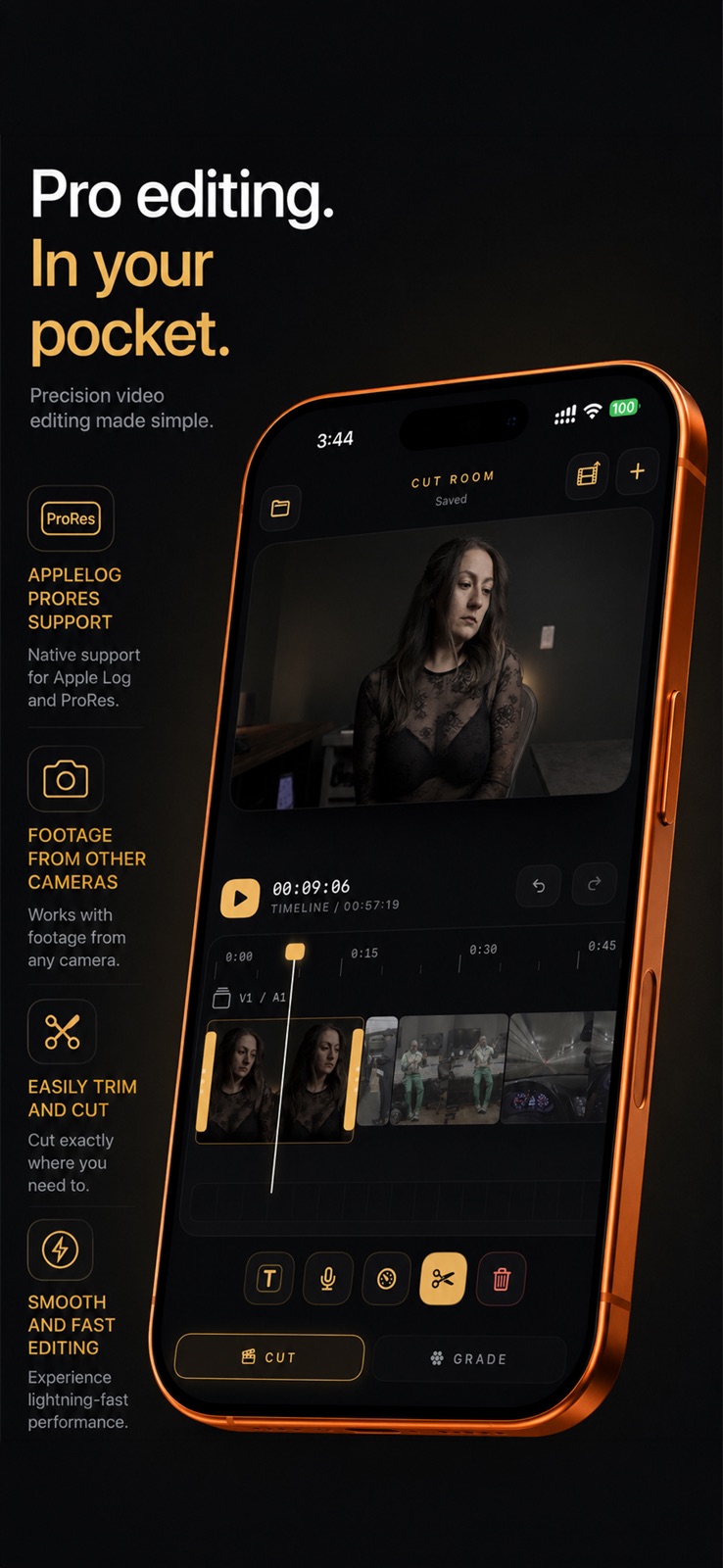

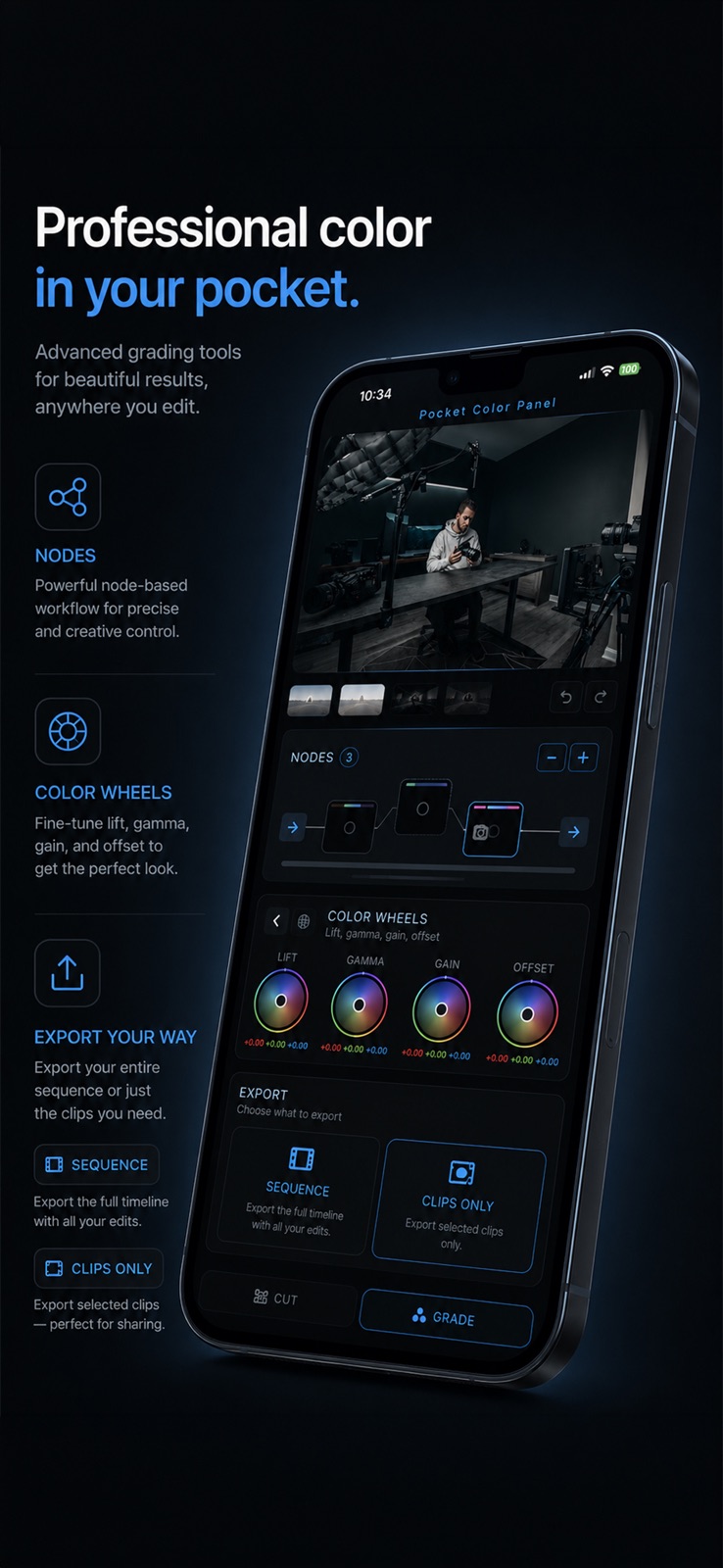
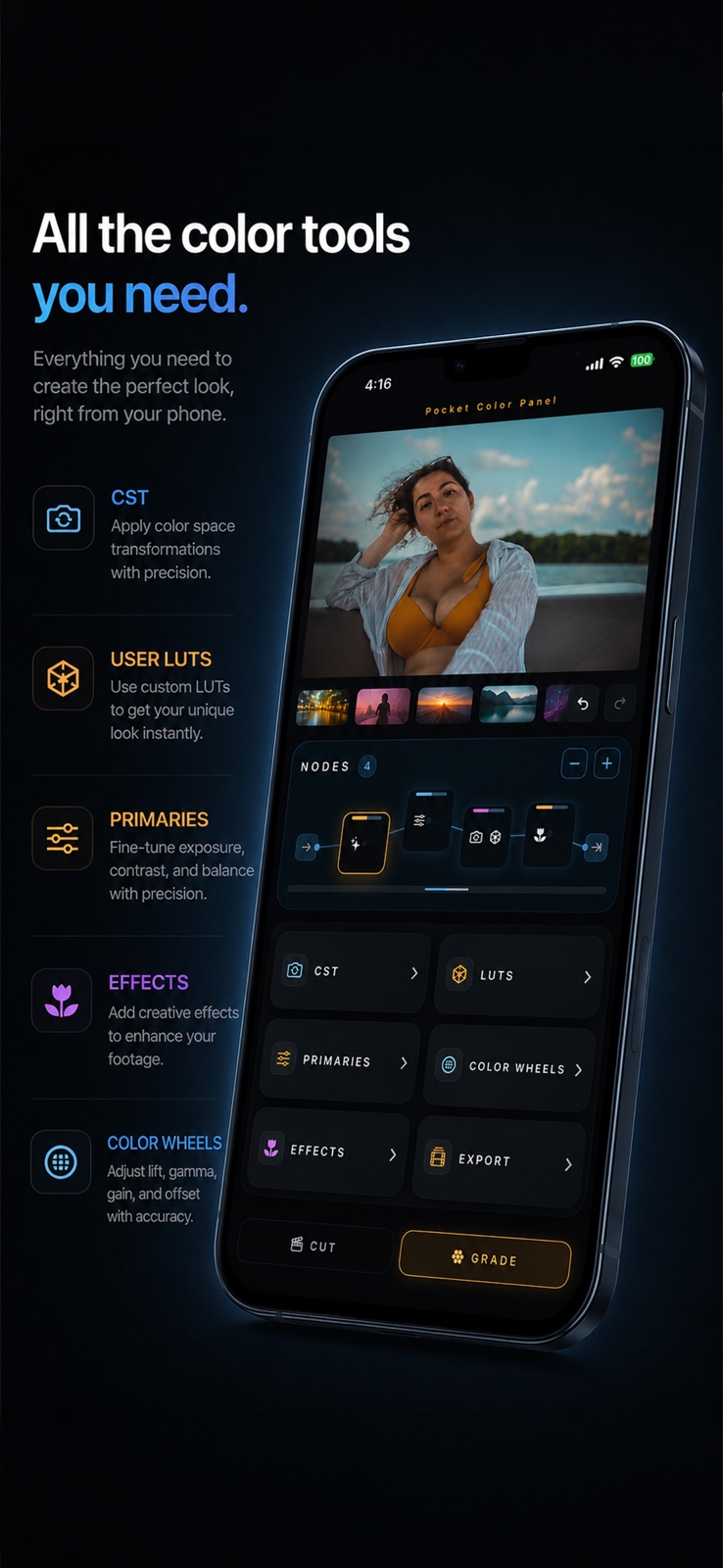
Pricing & paywalls
App Store
- Price: $9.99
Ratings & reviews
App Store
-
5/5Must have app for iPhone film makers
When I saw the release of this app I purchased almost immediately as there is no other tool that does what it does for iPhone (outside of Davinci Resolve which is only for iPad). Node based color workflow that actually works to get good results out of your footage, plus added bonus features like a simple edit timeline, export options, CST, and LUT support. User interface is intuitive and the tools are powerful! Really excited for the development of this app as there are a few minor bugs as expected on first release but it is already excellent! Thanks for bringing this app to the iPhone!
Jeriah Dunk · 31 Jul 2026
-
3/5Great App but needs optimization
Just what i was looking for to edit apple log 2 clips and color grade them. My only cons with it is that it needs more performance optimization and exporting a single 15 second clip takes almost 5mins. I’m on Iphone 15 and recording apple log with LogCam App, CreatorGrade Pro app just overheats my iphone with just enabling CST and adding my luts to the footage. The app sometimes just freezes and crashes.
Absolute Rip'd Records · 31 Jul 2026
-
4/5Excellent
I love what you’re doing. Keep it up. There is a bug that I need you to address as soon as you can though. After I import 10 videos to the timeline, I then try to import more which I can do successfully. However, when I check the timeline, the second batch of videos are blacked out even though I hear the audio and see the preview when I scrub through them. Please fix. Thanks. Also, the title template is blacked out in the final export. Also, I’d love to be able to add background music to my project. Once again, great work. I love it and I look forward to the updates with the bug fixes.
joelpstudio · 31 Jul 2026
-
5/5Update solved my issues
Before the latest update I couldn't use Apple log 2, but now it works!!! App is amazing!
Jerm@ine · 31 Jul 2026
-
2/5Great potential but so many questionable decisions
The app itself had great potential: Good UI design, versatile and understandable context menus and options. And that’s it. The executions, stability and limitations left me confused on if the app creator really designed the app for themselves or for the customers to test and waste time with. Initially the app limits to 10 clips, ok that’s weird but maybe for some reason I may get later… no, the reason is for stability. The app gets HOT, quick. Somehow handling 4K 60 FPS log footage from a DJI Pocket 3 seems to be too much, with my phone reaching hot potato level of warmth. Next are some settings: You can’t crop footage, you can either fill screen or move footage position in X & Y axis (why???); you cannot set custom project sizes, you are stuck with 16:9 & either landscape or portrait; export settings locks you to whatever project size you initially set up to, and all the footage exported to only 19.98 FPS (???). The app needs more time to cook, and for the price asked for the app, I do not recommend to any professional that is short on time. You will either lost a lot of time figuring this app out, or join in and become beta tester at this time.
Ornithobiography · 31 Jul 2026
Privacy & accessibility
App Store
Privacy
- Data Not Collected Developer declared
Accessibility
No accessibility labels collected yet.
Versions
App Store
- 1.0
-
1.1
LAUNCH IS HERE! - added graded preview on cut page - no more jitters and stutters on the timeline while trimming or moving around the playhead - added recent LUTs so you dont have to import them over and over. - added walkthrough guide - many more bug fixes, and enhancements
-
1.5
BIG UPDATE: I have basically spent the past 48 hours straight fixing, enhancing and adding a ton of new features to CreatorGrade all thanks to you all. Its so amazing getting this app in all of your hands! EU People I have not forgotten about you! I am trying to get Apple to approve the app over there asap! ADDED: - New Transform tool for adjusting clip framing inside the project canvas - Fit All option to quickly scale clips to fill the selected project format - X/Y clip position controls for fine-tuning composition inside the frame - Fixed project format presets for Horizontal, Vertical, UHD 4K, DCI 4K, CinemaScope, and Vertical 4K projects - New project creation flow where users choose the canvas format before importing media - New Color Mix / HSL controls for selective color adjustments - New LUT Browser and LUT preview workflow - Support for importing and grading more iPhone-readable .mov and .mp4 camera footage - Manual LUT workflow for non-Apple camera log footage - Title card tool for creating standalone title clips - Clip retime/speed tool with exact percentage entry - Per-clip audio volume controls with live dB feedback - Timeline clip rearranging with long-press drag - Pull Still feature for saving graded frames to Photos FIXED: - Rebuilt export around a cleaner MOV export engine for much more reliable exports - Fixed vertical project exports, including 1080x1920 and 2160x3840 - Fixed Apple Log vertical export issues - Fixed exported video orientation and flipping issues - Fixed export audio so exported MOV files include sound - Fixed Cut page and Grade page export behavior separation - Fixed importing screen recordings at low resolution - Fixed Photos import permission issue that could freeze import - Fixed saved project media relinking behavior - Fixed preview/scrub transition flashing between clips - Improved timeline scrubbing smoothness - Fixed playback order after clip rearranging - Improved timeline playback across reordered clips, titles, retimed clips, and mixed aspect ratios - Fixed Grade preview crop/framing issues with non-Apple and vertical clips - Fixed vertical playback and project canvas behavior - Fixed LUT persistence so imported LUTs stay saved in the app - Fixed LUT Apply behavior so previews update immediately - Fixed Color Mix/Primaries preview flashing back to raw LOG during slider changes - Improved older-device safety during import and timeline work - Improved import progress feedback for larger batches - Increased multi-clip import limit to 10 clips
-
1.5.1
This update focuses on stability, playback smoothness, and export performance. - Improved reliability when importing videos from third-party camera apps. - Fixed cases where valid imported clips could appear black. - Improved handling for HEVC, ProRes, Log, HDR, and variable-frame-rate clips. - Improved playback start reliability after switching clips, scrubbing, or opening large files. - Smoother play/pause preview behavior with fewer brightness jumps. - Improved Log footage handling so clips stay flat by default until you apply CST, LUTs, or grades. - Improved preview proxy behavior for Apple Log and Apple Log 2 footage. - Reduced unnecessary preview rendering while paused to improve battery life and reduce heat. - Reduced CPU/GPU spikes when grading paused frames. - Optimized default export settings for better speed and smaller file sizes. - Fixed title clips exporting without visible text. - Improved playback handoff from title clips to video clips. - Added stability fixes for preview, autosave, and playback edge cases. - General crash, memory, and reliability improvements.
-
2.0
· 27 Jul 2026
New in this release: ProRes RAW editing and grading support Second video layer for overlays, titles, and stacked edits Two audio tracks for dialogue, voiceover, music, and imported audio Voiceover recording directly in the Cut page Support for still images, including JPEG, PNG, HEIC, TIFF, DNG, and ProRAW photos Music and audio file import, including MP3, WAV, M4A, and AAC Transparent title support over video Basic transitions, including fades and cross dissolves Before/after slider on the Grade page New Projects page with folders, favorites, search, and generated thumbnails Referenced media support for Photos and Files to help reduce app storage usage Improved export timing for mixed frame-rate projects Better vertical project layout on the Cut page Missing media relink support Performance, playback, and timeline stability improvements CreatorGrade 2.0 is the biggest update yet, bringing deeper editing tools, improved media support, and a more complete mobile post-production workflow to iPhone.
Alternatives
- No Fusion-Powerful Pro Cam — Same category + similar ratings
Availability by market
- US
Data quality & evidence
- Page completeness
- Live store listing
- Last verified
- 31 Jul 2026
- Sources
- App Store
- Independent summary has not been published yet.