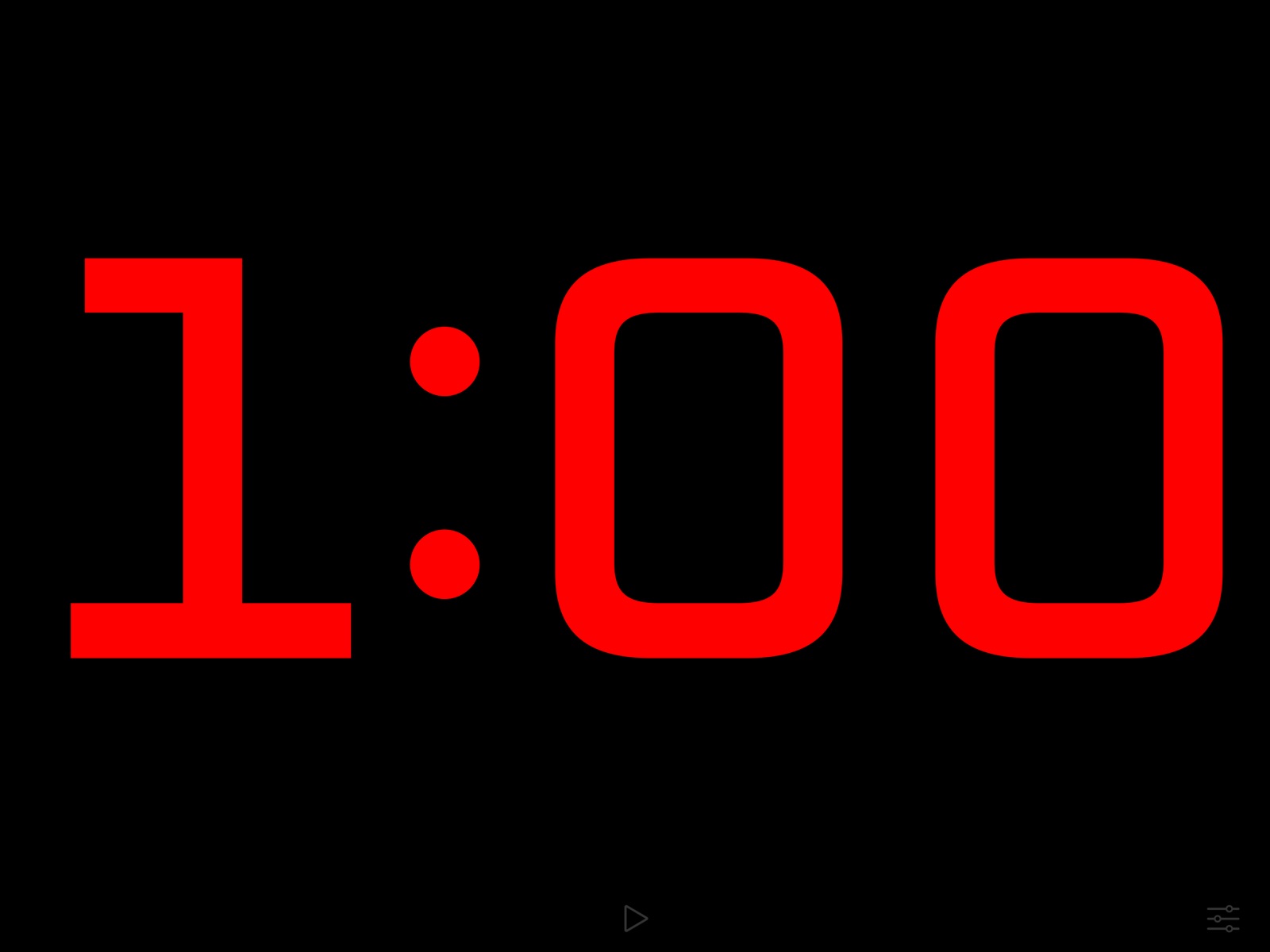
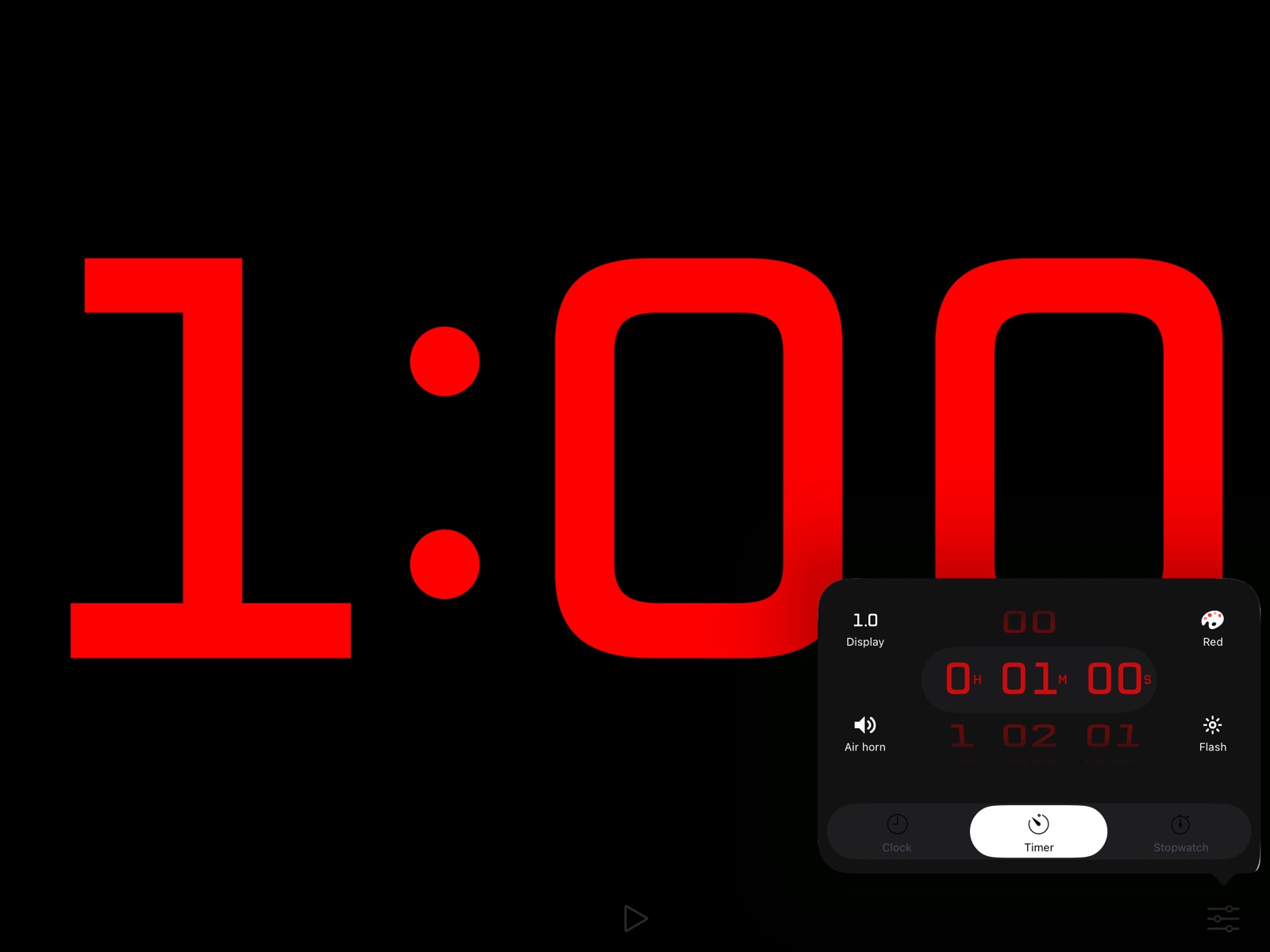
Apoku MCP provides app discovery, detailed cards, evidence, sources and screenshots where available. Unknown or conflicting prices stay explicit.
View JSON
GET /api/v3/apps/582556043
{
  "app_id": 582556043,
  "canonical_url": "https://appcorpus.com/apps/countdown-big-timer-clock-582556043",
  "identity": {
    "name": "Countdown: Big Timer & Clock",
    "slug": "countdown-big-timer-clock",
    "developer": {
      "name": "BitBit Apps",
      "url": "https://appcorpus.com/developers/bitbit-apps-developer_dd1b5a209f0b10b1b4b607a69603fedd"
    },
    "icon_url": "https://is1-ssl.mzstatic.com/image/thumb/Purple221/v4/ad/9e/05/ad9e05bb-fc97-c2a2-7a8c-de58650f824d/AppIcon-0-0-1x_U007emarketing-0-11-0-85-220.png/512x512bb.jpg",
    "stores": [
      "apple"
    ],
    "platforms": [
      "iphone",
      "ipad"
    ],
    "status": {
      "state": "active",
      "label": "Active",
      "last_checked": "2026-08-06",
      "last_checked_label": "6 Aug 2026",
      "banner": null,
      "region_note": null,
      "data_state": "stale",
      "data_state_label": "Some store data may be out of date"
    }
  },
  "listings": [
    {
      "store": "apple",
      "status": "ACTIVE",
      "url": "https://apps.apple.com/us/app/countdown-big-timer-clock/id582556043?uo=4",
      "rating": 4.1,
      "rating_count": 41,
      "formatted_price": "$1.99",
      "is_free": false,
      "has_iap": false,
      "has_subscription": null,
      "version": "3.0",
      "updated": "2026-08-06",
      "currency": "USD"
    }
  ],
  "summary": {
    "one_liner": null,
    "summary": null,
    "best_for": [],
    "not_for": [],
    "status": "fallback",
    "at_a_glance": [
      "$1.99"
    ]
  },
  "categories": {
    "official": [
      "Utilities"
    ],
    "appcorpus": [
      {
        "category_id": "utilities",
        "label": "Utilities",
        "url": "https://appcorpus.com/categories/utilities"
      }
    ]
  },
  "use_cases": [],
  "features": [
    {
      "capability_id": "family_sharing",
      "label": "Family Sharing",
      "availability": "unknown",
      "access_level": "unknown",
      "scope": null,
      "evidence": "Store published"
    }
  ],
  "pricing": [
    {
      "store": "apple",
      "formatted_price": "$1.99",
      "is_free": false,
      "has_iap": false,
      "has_subscription": null,
      "currency": "USD",
      "market": "es",
      "last_verified": "2026-08-06",
      "rows": [
        "Price: $1.99"
      ],
      "state": "current"
    }
  ],
  "screens": [
    {
      "url": "https://is1-ssl.mzstatic.com/image/thumb/PurpleSource221/v4/cf/82/39/cf82391d-83cd-1e4c-bd18-f4ee8bafa66f/ipad-13@2x-en_US-1-timer-stopped.png/1600x1600bb.jpg",
      "store": "apple",
      "platform": "ipad",
      "alt": "Countdown: Big Timer & Clock ipad screenshot 1"
    },
    {
      "url": "https://is1-ssl.mzstatic.com/image/thumb/PurpleSource221/v4/cf/82/39/cf82391d-83cd-1e4c-bd18-f4ee8bafa66f/ipad-13@2x-en_US-1-timer-stopped.png/360x480bb.jpg",
      "store": "apple",
      "platform": "ipad",
      "alt": "Countdown: Big Timer & Clock ipad screenshot 2"
    },
    {
      "url": "https://is1-ssl.mzstatic.com/image/thumb/PurpleSource211/v4/d6/f9/17/d6f91741-7ad3-388a-226d-5b9b7a6c71c5/ipad-13@2x-en_US-2-settings-timer.png/1600x1600bb.jpg",
      "store": "apple",
      "platform": "ipad",
      "alt": "Countdown: Big Timer & Clock ipad screenshot 3"
    },
    {
      "url": "https://is1-ssl.mzstatic.com/image/thumb/PurpleSource211/v4/d6/f9/17/d6f91741-7ad3-388a-226d-5b9b7a6c71c5/ipad-13@2x-en_US-2-settings-timer.png/360x480bb.jpg",
      "store": "apple",
      "platform": "ipad",
      "alt": "Countdown: Big Timer & Clock ipad screenshot 4"
    },
    {
      "url": "https://is1-ssl.mzstatic.com/image/thumb/PurpleSource221/v4/c3/ad/ae/c3adae35-b9f3-37f6-be65-39d8d8b70ca0/ipad-13@2x-en_US-3-timer-running.png/1600x1600bb.jpg",
      "store": "apple",
      "platform": "ipad",
      "alt": "Countdown: Big Timer & Clock ipad screenshot 5"
    },
    {
      "url": "https://is1-ssl.mzstatic.com/image/thumb/PurpleSource221/v4/c3/ad/ae/c3adae35-b9f3-37f6-be65-39d8d8b70ca0/ipad-13@2x-en_US-3-timer-running.png/360x480bb.jpg",
      "store": "apple",
      "platform": "ipad",
      "alt": "Countdown: Big Timer & Clock ipad screenshot 6"
    },
    {
      "url": "https://is1-ssl.mzstatic.com/image/thumb/PurpleSource211/v4/84/f5/8a/84f58a1b-b1a1-8718-da0f-443787795207/ipad-13@2x-en_US-5-clock.png/1600x1600bb.jpg",
      "store": "apple",
      "platform": "ipad",
      "alt": "Countdown: Big Timer & Clock ipad screenshot 7"
    },
    {
      "url": "https://is1-ssl.mzstatic.com/image/thumb/PurpleSource211/v4/84/f5/8a/84f58a1b-b1a1-8718-da0f-443787795207/ipad-13@2x-en_US-5-clock.png/360x480bb.jpg",
      "store": "apple",
      "platform": "ipad",
      "alt": "Countdown: Big Timer & Clock ipad screenshot 8"
    },
    {
      "url": "https://is1-ssl.mzstatic.com/image/thumb/PurpleSource221/v4/50/93/db/5093dbae-982b-8028-3cca-451bde78b4bc/ipad-13@2x-en_US-7-stopwatch.png/1600x1600bb.jpg",
      "store": "apple",
      "platform": "ipad",
      "alt": "Countdown: Big Timer & Clock ipad screenshot 9"
    },
    {
      "url": "https://is1-ssl.mzstatic.com/image/thumb/PurpleSource221/v4/50/93/db/5093dbae-982b-8028-3cca-451bde78b4bc/ipad-13@2x-en_US-7-stopwatch.png/360x480bb.jpg",
      "store": "apple",
      "platform": "ipad",
      "alt": "Countdown: Big Timer & Clock ipad screenshot 10"
    },
    {
      "url": "https://is1-ssl.mzstatic.com/image/thumb/PurpleSource211/v4/08/41/b5/0841b5d8-4f69-b082-a4ba-6d3bcac3f8ce/iphone-6.5@3x-en_US-1-timer-stopped.png/1600x1242bb.jpg",
      "store": "apple",
      "platform": "iphone",
      "alt": "Countdown: Big Timer & Clock iphone screenshot 11"
    },
    {
      "url": "https://is1-ssl.mzstatic.com/image/thumb/PurpleSource211/v4/77/00/61/770061b8-bed6-6fd3-65ce-3d2d21ef2f09/iphone-6.5@3x-en_US-2-settings-timer.png/1600x1242bb.jpg",
      "store": "apple",
      "platform": "iphone",
      "alt": "Countdown: Big Timer & Clock iphone screenshot 12"
    },
    {
      "url": "https://is1-ssl.mzstatic.com/image/thumb/PurpleSource211/v4/25/63/16/25631621-bef3-7d97-58b1-b945d1b56be3/iphone-6.5@3x-en_US-3-timer-running.png/1600x1242bb.jpg",
      "store": "apple",
      "platform": "iphone",
      "alt": "Countdown: Big Timer & Clock iphone screenshot 13"
    },
    {
      "url": "https://is1-ssl.mzstatic.com/image/thumb/PurpleSource211/v4/06/a8/24/06a824ab-ffb5-85f4-2edd-24f3b058a95f/iphone-6.5@3x-en_US-5-clock.png/1600x1242bb.jpg",
      "store": "apple",
      "platform": "iphone",
      "alt": "Countdown: Big Timer & Clock iphone screenshot 14"
    },
    {
      "url": "https://is1-ssl.mzstatic.com/image/thumb/PurpleSource221/v4/75/0f/1e/750f1e5a-9acc-ef09-8352-a9b4bb95b772/iphone-6.5@3x-en_US-7-stopwatch.png/1600x1242bb.jpg",
      "store": "apple",
      "platform": "iphone",
      "alt": "Countdown: Big Timer & Clock iphone screenshot 15"
    }
  ],
  "data_states": {
    "screens": "current"
  },
  "ratings": [
    {
      "store": "apple",
      "average": 4.1,
      "count": 41,
      "market": "es",
      "observed_at": "2026-08-06",
      "state": "current",
      "reviews": [
        {
          "rating": 4,
          "title": "Good basic timer",
          "body": "Good timer with simple setup. Kind of expensive being it's simple timer to start with. Would have liked more variation of sounds. My main request would be an option for the alarm to keep repeating itself instead of going off just once (in case you miss it the 1st time). Hope I see future updates improving on this.",
          "author": "Neil_22",
          "date": "6 Aug 2026"
        },
        {
          "rating": 5,
          "title": "Perfect and Easy!",
          "body": "I searched a very long time for a timer that had a large display and very clean appearance. No clutter at all. I just needed something I could set for any time and have it count down to zero. This answered the call! Easy to reset to the starting time again with one tap. Adjustable color and option to stay silent at zero are great! Thanks for making this timer (that is also a great clock and stopwatch) that is large, simple, and easy to use! The $2 is worth it to finally end the search for the perfect solution. All the other developers made their apps look fancy. This one just focused on being very functional. Yay!",
          "author": "Kjradio",
          "date": "6 Aug 2026"
        },
        {
          "rating": 5,
          "title": "Just what I wanted!",
          "body": "Totally worth the $2! Perfect for what I wanted. Easy to use, just enough choices to be really useful. Fills the whole screen with the countdown, you can choose from 5 colors, you can have the screen flash for the last 5 seconds or not, final sound can be an air horn or a perfectly non-obnoxious chime, or no sound. Resets with one button. Absolutely perfect to replace those silly games and timers that always get stuck and are easy to miss when they've run out. I think it can also count up it be a clock too but that's not what I use it for so I didn't look into those features.",
          "author": "AnnieGFR",
          "date": "6 Aug 2026"
        },
        {
          "rating": 5,
          "title": "SIMPLY PERFECT!!!",
          "body": "If you want a perfectly simple countdown timer that fills your sideways phone’s screen, is extremely easy to read, has a very clear font, great color selection, a perfectly audible non-obnoxious sound (I LOVE the Chime!!!), Has a very easy to use smart and simplistic interface, is perfectly easy to restart (without even leaving the timer screen)… THEN THIS IS FOR YOU! This could not have served my need any better! I am very glad that I bought it!",
          "author": "MBazzell",
          "date": "6 Aug 2026"
        },
        {
          "rating": 3,
          "title": "Full screen with countdown, stopwatch & Clock",
          "body": "Love that it is full screen and works perfect on both iPhone and iPad up to 12”. Can customize colors, sounds and counter display. The air horn ending sound needs to be of higher quality. The chime option is also pretty low. Wish there was a beep chime for the last 3 seconds. Wish the flash didn’t flash white but flash the color that you have set for your clock. Screen stays on when in use but if U have a 30 second timer and it ends, U change or setup your next exercise, the screen then shuts off where U have to unlock phone again. I would like option to have app prevent screen from shutting off when app open for quicker access to start. This app has a solid foundation, I do see that there is room for some small improvements. Keep up with the updates !!",
          "author": "iToNeG",
          "date": "6 Aug 2026"
        }
      ]
    }
  ],
  "privacy": [
    {
      "store": "apple",
      "declarations": [
        {
          "title": "Data Not Collected",
          "detail": "",
          "source": "Developer declared"
        }
      ],
      "accessibility": []
    }
  ],
  "changes": [
    {
      "store": "apple",
      "version": "1.0",
      "released_at": null,
      "notes": ""
    },
    {
      "store": "apple",
      "version": "1.1",
      "released_at": null,
      "notes": "Features: ✓ Flash at 1 minute when the timer is set for at least 2 minutes ✓ Flash at 2 minutes when the timer is set for at least 4 minutes Bug fixes: ✓ Set time correctly when closing setup while pickers are scrolling ✓ Fix slight air horn delay which occurs first time it plays"
    },
    {
      "store": "apple",
      "version": "1.2",
      "released_at": null,
      "notes": "New features: ✓ Set the timer to 0 to count up ✓ Tap directly on the time to start or stop the countdown ✓ The countdown is now even bigger on iPad screens Bug fixes"
    },
    {
      "store": "apple",
      "version": "2.0",
      "released_at": null,
      "notes": "✓ Clock mode ✓ Redesigned setup"
    },
    {
      "store": "apple",
      "version": "2.1",
      "released_at": null,
      "notes": "+ Color options: red, orange, yellow, green, blue, or purple + Sound options: air horn or chime + Display options: show or hide tenths of a second + Added background notifications + Bug fixes"
    },
    {
      "store": "apple",
      "version": "2.1.1",
      "released_at": null,
      "notes": "+ Bug fixes New in 2.1: + Color options: Red, orange, yellow, green, blue, or purple + Sound options: Air horn or chime + Display options: show or hide tenths of a second + Added background notifications + Bug fixes"
    },
    {
      "store": "apple",
      "version": "2.2",
      "released_at": null,
      "notes": "Updates for iOS 7 and iPhone 5s"
    },
    {
      "store": "apple",
      "version": "2.3",
      "released_at": null,
      "notes": "This update makes it easier than ever to use Countdown with a crowd: - Control the timer remotely using a Bluetooth keyboard! The space bar starts/stops, escape resets, and you can change the countdown time by typing a number followed by enter. - Display the timer on an Apple TV using AirPlay mirroring, while keeping the controls visible only on your device! If you enjoy using Countdown, and have a minute to spare (time pun), a review would be greatly appreciated. Thanks!"
    },
    {
      "store": "apple",
      "version": "2.4",
      "released_at": null,
      "notes": "If you enjoy using Countdown, a review would be greatly appreciated. Thanks! New in 2.4: Double-tap the settings screen to switch between 1, 5, and 15-second increments"
    },
    {
      "store": "apple",
      "version": "2.4.1",
      "released_at": null,
      "notes": "AirPlay orientation fixes"
    },
    {
      "store": "apple",
      "version": "2.4.2",
      "released_at": null,
      "notes": "Bug fixes"
    },
    {
      "store": "apple",
      "version": "2.5.0",
      "released_at": null,
      "notes": "Added an option to choose whether the timer stops or shows elapsed time after reaching 0:00 Double-tap or long-press the Timer icon on the settings screen to access this setting"
    },
    {
      "store": "apple",
      "version": "2.5.1",
      "released_at": null,
      "notes": "2.5.0 changes: Added an option to choose whether the timer stops or shows elapsed time after reaching 0:00 Double-tap or long-press the Timer icon on the settings screen to access this setting 2.5.1 changes: Ensure the keyboard shortcut toolbar is not shown"
    },
    {
      "store": "apple",
      "version": "2.6.0",
      "released_at": null,
      "notes": "Updates for iOS 13"
    },
    {
      "store": "apple",
      "version": "2.7.0",
      "released_at": null,
      "notes": "Updates and bug fixes"
    },
    {
      "store": "apple",
      "version": "2.7.1",
      "released_at": null,
      "notes": "Improved iPad split-view and slide-over support Streamlined timer and stopwatch controls"
    },
    {
      "store": "apple",
      "version": "2.7.2",
      "released_at": null,
      "notes": "Fixed bug changing \"show elapsed time\" setting on iPad Fixed bug showing elapsed time after countdown expired"
    },
    {
      "store": "apple",
      "version": "2.8.0",
      "released_at": null,
      "notes": "Updated for iOS and iPadOS 26"
    },
    {
      "store": "apple",
      "version": "2.9.0",
      "released_at": null,
      "notes": "Honor 24-hour clock display preference"
    },
    {
      "store": "apple",
      "version": "3.0",
      "released_at": "2026-01-31",
      "notes": "Added an option to display seconds in clock mode Added support for controlling the timer, stopwatch, and clock via the iOS Shortcuts app Made the flash effect more subtle when the system \"Accessibility > Motion > Dim Flashing Lights\" option is enabled"
    }
  ],
  "alternatives": [
    {
      "app_id": 726213320,
      "name": "Timer for Rehearsal: Fin",
      "url": "https://appcorpus.com/apps/timer-for-rehearsal-fin-726213320",
      "reason": "Same category + similar ratings"
    },
    {
      "app_id": 6450411439,
      "name": "Timer®",
      "url": "https://appcorpus.com/apps/timer-6450411439",
      "reason": "Same category + similar ratings"
    },
    {
      "app_id": 986510052,
      "name": "Disco Timer: Visual Countdown",
      "url": "https://appcorpus.com/apps/disco-timer-visual-countdown-986510052",
      "reason": "Same category + similar ratings"
    },
    {
      "app_id": 1569326633,
      "name": "Stopwatch & Countdown",
      "url": "https://appcorpus.com/apps/stopwatch-countdown-1569326633",
      "reason": "Same category + similar ratings"
    },
    {
      "app_id": 951433895,
      "name": "LiveTime Viewer",
      "url": "https://appcorpus.com/apps/livetime-viewer-951433895",
      "reason": "Same category + similar ratings"
    },
    {
      "app_id": 1446774844,
      "name": "Multi Timer: Countdown",
      "url": "https://appcorpus.com/apps/multi-timer-countdown-1446774844",
      "reason": "Same category + similar ratings"
    }
  ],
  "evidence_summary": {
    "index_state": "S1",
    "evidence_level": 1,
    "level_label": "Live store listing",
    "indexable": true,
    "last_verified_at": "2026-08-06",
    "unknown_fields": [
      "Apoku editorial summary has not been published yet."
    ],
    "sources": [
      "App Store"
    ]
  },
  "availability_markets": {
    "live": [
      "us"
    ],
    "selected": "es",
    "note": "No LIVE observation for ES yet."
  },
  "feature_events": {
    "events": []
  },
  "features_slice": {
    "plans": [],
    "features": [],
    "unknown_features": [],
    "data_cutoff": "6 Aug 2026"
  }
}