
Quick verdict
- What it is
- Store information collected; independent summary not yet available.
- At a glance
-
- Free to download
Categories and search queries
Official categories
- Business
- Productivity
AppCorpus categories
Key functions
| Function | Availability | Access | Scope | Evidence |
|---|---|---|---|---|
| Free app | Yes | Free | — | Store published |
Screens
App Store
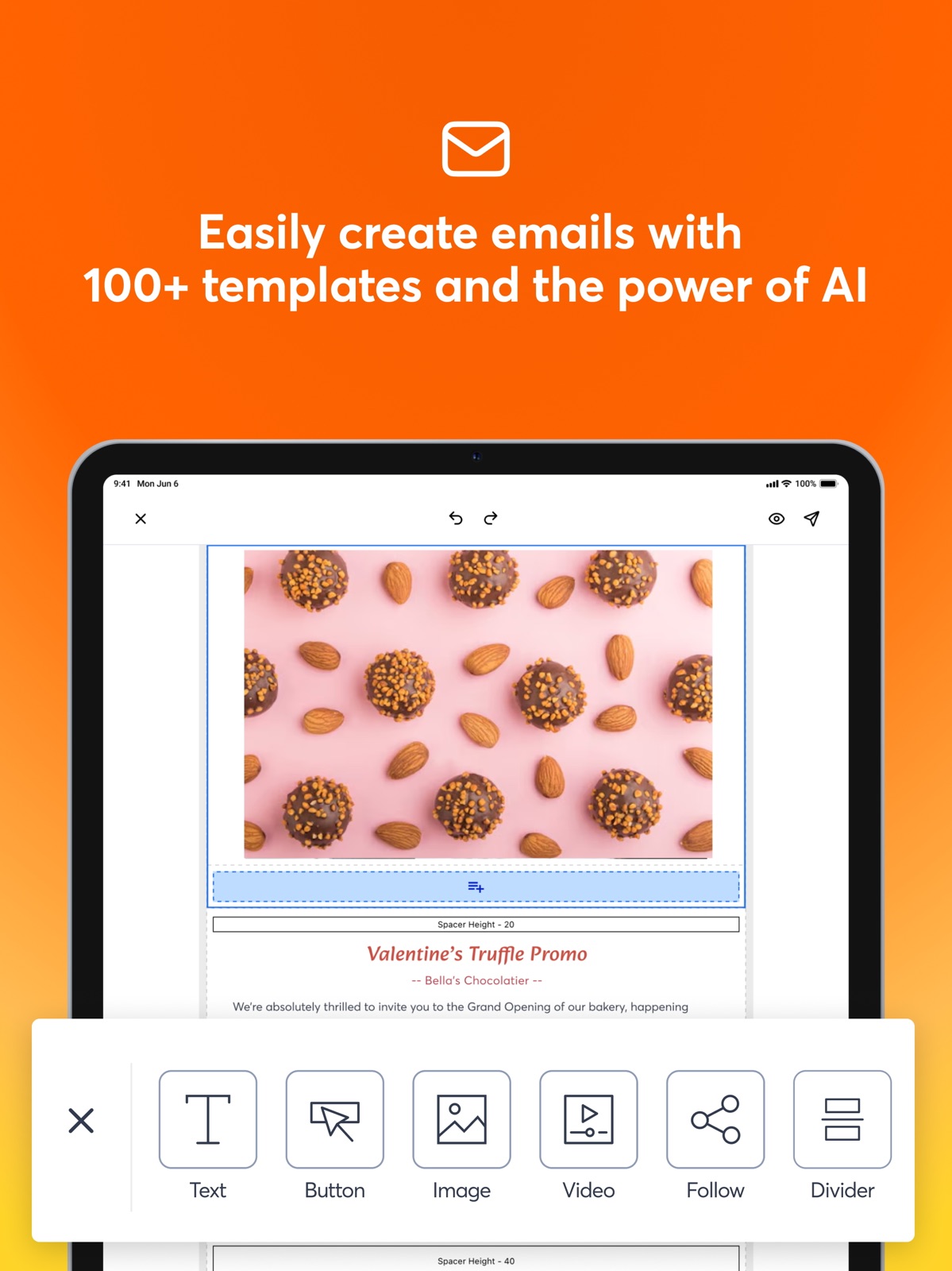
15 store screenshots


Pricing & paywalls
App Store
- Free
Ratings & reviews
App Store
-
1/5Glitch made me lose my work
I’ve been using CC for a few years now via the website. I’ve been alternating between using my laptop and iPad. Recently, on my iPad, I couldn’t access the button to upload graphics (it was always below the bottom of the screen), so today, I downloaded the app. I was creating a simple email notification that included details about an event. I had copied the when/where details but when I tried to paste into the app, the app shut down, without saving any of the other information I’d already entered. I tried twice, using different methods for the paste function. This is unacceptable. I’m paying a substantial monthly subscription, so I expect something as basic as copy/paste to work. Now I learn that I can’t edit a draft created from the website version of Constant Contact in the app. From the customer knowledge base: “ Note: Only campaigns that were originally created in the mobile app or campaigns that were created using the Cross Device Editor on a desktop can be edited.” Since the “Cross Device Editor” wasn’t rolled out until today (that I’m aware of) and I created the draft yesterday, I have to go back to the website (which doesn’t necessarily mean “created on a desktop”—tech writers, don’t make assumptions). This is very bad design.
DiscerningUser17 · 30 Aug 2026
-
1/5App not saving edits to campaigns.
I have not been able to successfully create an email through the app since September of 2022. I’m using an iPhone 13 and have the latest version of the app on my phone. I am the only user of constant contact in my business. When I talk to customer support I am treated with kindness. However, it is mid January of 2023 and there is still no resolution but, “use your laptop or desk top.” The resolution came from development through the forum. That final suggestion is simply making me angry with the company. I NEED the app to work. I do not LIVE at my desktop. If I had time to sit at my desktop I would not be using an app. When I try to create a new e-mail campaign or edit an older one then select save, I get a “refresh” message stating that an “earlier version of the email is saved”. I select “refresh” as instructed and the blank template or unedited email appears. I cannot begin to explain what I have tried. Another issue I have is the library is set up so that you can sort your photo content. I’ve spent a fair amount of time organizing the photos for my retail store in the app. Then, when I go to the category to select a photo, only a few are available. I let CC know about this issue and the response simply was, “ it’s a known problem.”
hi FYI of fcc D C JM mcc · 30 Aug 2026
-
1/5Not as Advertised
I succumbed to the commercial first put out by this company indicating email sign up and traffic would flow in like crazy (and all I had to do was watch it come in). In fact, the sales team was far better at selling than the product team had product and staff to offer. What I thought I’d get for $50 a month was more sign ups and traffic. What I got was a novice ‘expert’ with less knowledge than I already had who would ‘talk’ to me weekly. Waste of money! But oh...for $300 a month I could get what the commercial (and name) offers. I highly doubt it. No proven results as is so typical in this marketing aspect of the internet. Any company can make promises, and make it sound great..but like the rest, they don’t have any results to prove it for their clients and the cost is too high. The entire commercial was false advertising. Save your money. You’ll still be doing the work yourself. And they won’t be producing anything more than empty promises. No wonder the commercial was pulled off the air fast.
You’re bad service · 30 Aug 2026
-
1/5Seemed good at first, now seems like a scam
I signed up for Constant Contact two months ago with the promise that they would not start billing me until I’ve been onboarded and everything was working and functional. They tried to onboard me and could not figure out why it was not letting me login and escalated it to their IT people. Days turned into weeks, and weeks turned into months. Meanwhile, they billed me once and I called them to complain and nothing happened. Now they’ve billed me AGAIN and my contact person has not answered the phone. I think their plan is to just continue to take my money and provide me with zero service, and zero support. I should’ve gone with mailchimp, and you should too. I will dispute this on my credit card, have my card canceled and re-issued, so they cannot continue to bill me. Don’t put yourself through this misery.
misccrl · 30 Aug 2026
-
1/5Utterly Useless
This apps only functionalities are seeing the stats for campaigns sent on a desktop and adding contacts. When I talked to the sales rep, I was assured that I could create my campaign on the mobile app. While that is technically true, here are a few things she failed to mention: 1. Campaigns created on a desktop cannot be edited on the app 2. When you create a campaign on the app, you are limited on how many “fields” you can put on the campaign. 3. You do not have half of the features available to customize a template on the app as you do on a desktop. 4. You cannot schedule existing campaigns on the app unless you created them on the app. 5. You cannot hyperlink text on the app. You can only add individual links. 6. You cannot link the “button” feature to an email address like you can in the desktop version. 7. You cannot attach a link to an image like you can in the desktop version. 8. You cannot edit anything about what the email says. The funny thing is that this company’s free competition allows you to do all of this and even more on the app AND desktop. Literally the only benefit received with their outrageous monthly fees are more emails reaching the inbox instead of the junk box. Seriously considering ending my subscription and going back to MailChimp.
Fdsthvsghouhbdsxvhghjhfvvf · 30 Aug 2026
Privacy & accessibility
App Store
Privacy
- Data Linked to You — App Functionality — Contact Info — Email Address Developer declared
- Data Linked to You — App Functionality — Contact Info — Name Developer declared
- Data Linked to You — App Functionality — Contact Info — Phone Number Developer declared
- Data Linked to You — App Functionality — Contact Info — Physical Address Developer declared
- Data Linked to You — App Functionality — Contacts Developer declared
- Data Linked to You — App Functionality — Identifiers — User ID Developer declared
- Data Linked to You — App Functionality — User Content — Photos or Videos Developer declared
- Data Linked to You — Contact Info Developer declared
- Data Linked to You — Contacts Developer declared
- Data Linked to You — Identifiers Developer declared
- Data Linked to You — User Content Developer declared
- Data Not Linked to You — Analytics — Diagnostics — Performance Data Developer declared
- Data Not Linked to You — Analytics — Usage Data — Product Interaction Developer declared
- Data Not Linked to You — App Functionality — Usage Data — Product Interaction Developer declared
- Data Not Linked to You — Other Purposes — Diagnostics — Crash Data Developer declared
- Data Not Linked to You — Diagnostics Developer declared
- Data Not Linked to You — Usage Data Developer declared
Accessibility
No accessibility labels collected yet.
Versions
App Store
-
20.3.0
Fixes: - Bug fixes and standard maintenance.
-
20.4.0
Bug fixes and performance improvements
-
21.0.0
Boost Your Social Workflow! - Draft Campaigns: Plan your posts and save them for the perfect moment. - Easy Copying: Quickly share content across multiple social platforms. - Improved Usability: Enjoy a more intuitive social feature set.
-
21.1.0
Bugs fixes and performance improvements
-
21.1.1
Bugs fixes and performance improvements
-
21.2.0
• Direct Instagram Posting: Connect your Instagram Business accounts directly – no Meta account required! Enjoy a more streamlined way to share your content. • Snappier Social Profiles: We've fine-tuned performance so users with extensive social connections will experience much faster loading times for their accounts and profiles.
-
21.3.0
• Share Videos to Social: Elevate your social presence by posting videos directly from the app to your social channels. • Enhanced Email Buttons: Fine-tune your email campaigns with new padding and margin controls for buttons in your templates, ensuring your calls to action look exactly right on every device.
-
21.3.1
Bugs fixes and performance improvements
-
21.4.0
- Enhanced Email Text Blocks: Gain more control over your email layouts with new padding and margin controls for text blocks in your templates. Now you can fine-tune your messaging to look perfect on every device.
-
21.4.1
Bug fixes and performance improvements
-
21.5.0
- Redesigned account settings: We’ve updated the UI making it easier than ever to manage your profile and settings. - Enhanced Email Image Blocks: Fine-tune your email campaigns with new padding and margin controls for image blocks in your templates, ensuring your visual content looks exactly right on every device. - Combo post performance improvements: We’ve made changes to how social accounts are managed when creating a combo post, making it smoother to manage joined social and email campaigns. - Optimized for iOS 26: We've updated the app to ensure full compatibility and a smooth experience with the latest iOS operating system.
-
21.5.1
Bug fixes and performance improvements
-
22.0.0
Email Template Industry Filter: Easily find the perfect design with a new industry filter for email templates. Updated Holiday Template Sorting: We've updated the default sorting for holiday email templates to make finding timely designs quicker. Improved Email Editor UX: Enjoy a smoother design experience with improved toolbar buttons, icons, and user experience in the email editor. Editor Footer Display Fix: The email editor now correctly shows compliance and address footers for a cleaner, accurate design preview. 16 New Editor Fonts: Get more creative with 16 brand new fonts now available in the email editor.
-
22.0.1
Bug fixes and performance improvements
-
22.1.0
- Redesigned Plans & Features Screen: A fresh new layout makes it easier to compare plans, understand features, and choose the option that fits your needs—quicker, clearer, and more intuitive. - Enhanced Email Editor Social Blocks: Social icons get a cleaner look, and blocks now fully reflect background colors and padding, so what you see while editing matches exactly what your subscribers will receive. - Bug fixes and performance improvements
-
22.2.0
Streamlined Navigation: We’ve moved the Create menu from the tab bar to the dashboard to make your most frequent tasks faster than ever. This optimizes our layout to make room for powerful new features coming soon. Enhanced Editor Rendering: We’ve upgraded the email editor to better render non-editable blocks, ensuring your campaign previews are more accurate and consistent while you work. Bug fixes and performance improvements
-
22.2.1
Verified from the Start: We now include instant email and physical address verification during signup to ensure high deliverability and compliance right away. Hit the Ground Running: You no longer have to wait until you’re "in" the app to start building. Create your first audience list directly within the onboarding flow.
-
22.3.0
Native Navigation: We’ve replaced our custom navigation with a native iOS tab bar. This makes switching between tabs faster, smoother, and more responsive to your touch Bug fixes and performance improvements
-
22.4.0
• Under-the-Hood Improvements: We’ve transitioned to a new authentication system. While your login screen looks the same, these updates provide enhanced security and faster authentication behind the scenes • Bug fixes and performance improvements
-
22.4.1
Bug fixes and performance improvements
-
22.4.2
Bug fixes and performance improvements
-
23.0.0
Account-Level Reporting: Stop guessing and start growing. You can now visualize your performance with account-wide graphs that track your clicks and engagement trends over time. Bug fixes and performance improvements.
-
23.1.0
Bug fixes and performance improvements
-
23.2.0
Bug fixes and performance improvements
-
23.3.0
· 13 Jul 2026
Introducing Kiosk Mode: Turn your iPad or iPhone into a dedicated sign-up station to effortlessly grow your contact lists in person at events and conferences. Bug fixes and performance improvements.
-
23.4.0
Brand Customization: Personalize your kiosk signup screens by uploading custom logos, header images, and text descriptions directly from your mobile device. Bug fixes and performance improvements.
-
23.5.0
· 26 Aug 2026
Bug fixes and performance improvements.
Alternatives
- MLS-Touch — Same category + similar ratings
Availability by market
- US
Data quality & evidence
- Page completeness
- Live store listing
- Last verified
- 30 Aug 2026
- Sources
- App Store
- Independent summary has not been published yet.