Quick verdict
- What it is
- Store information collected; an Apoku editorial summary is not yet published.
- At a glance
-
- From $2.49/mo
- Free to download
- In-app purchases
Categories and search queries
Official categories
- Photo & Video
- Lifestyle
Apoku categories
Key functions
| Function | Availability | Access | Scope | Evidence |
|---|---|---|---|---|
| Free app | Yes | Free | Context-specific | Store published |
| In-app purchases | Yes | Limited free | Context-specific | Store published |
Screens
App Store
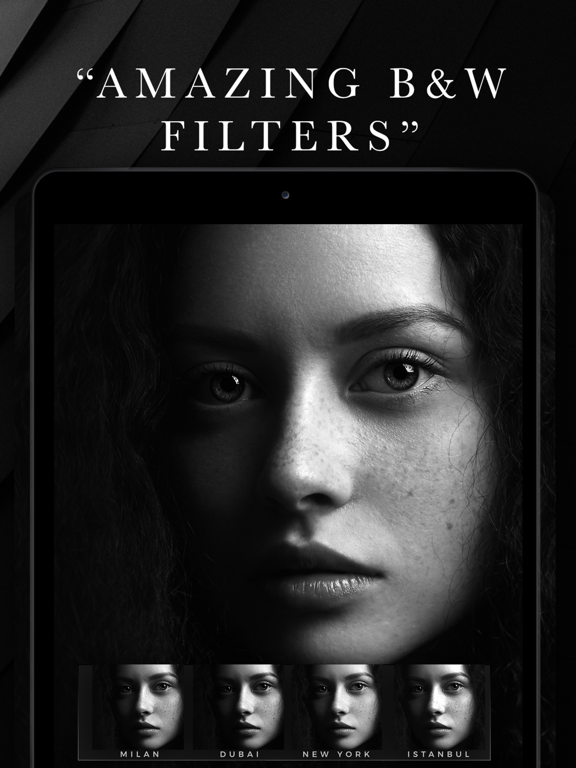
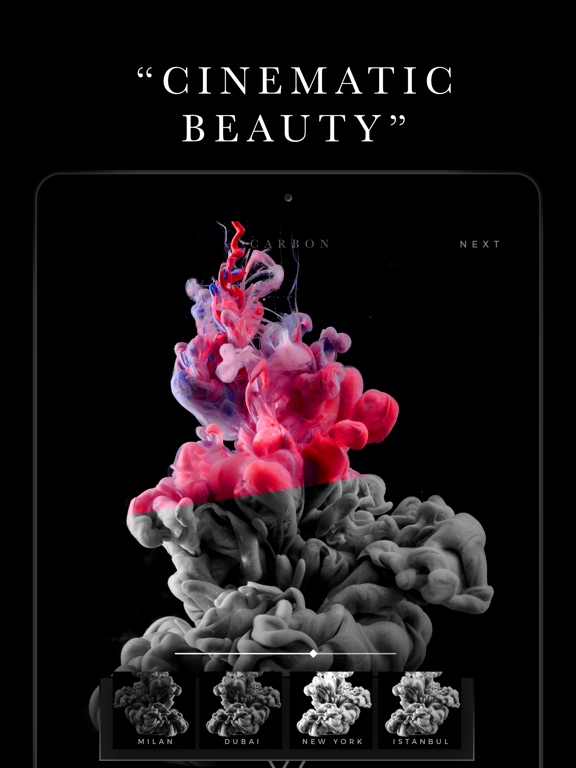
18 store screenshots


Pricing & paywalls
App Store
- Carbon Membership (Monthly) — $4.99/month
- Carbon Membership (Monthly) — $29.99/year ($2.49/mo)
- 10 Magical Bokeh Effects — $3.99
- 22 Grunge Texture Variations — $3.99
- B&W Photography Filters — $3.99
- Carbon Full Access — $9.99
- Carbon Full Access — $19.99
- Duotone Madness — $3.99
- Grain and Dust Textures — $3.99
- Old Photo Collection — $3.99
Ratings & reviews
App Store
-
5/5Great but still room for improvement
B&W filters are awesome and worth the $ investment. Overall the app is really good but I want to share what I would like to see on future upgrades: 1) edit aspect ratio and crop options within other image editing options, for now you need to do it before you can edit the photo, 2) zoom in on the photo while editing, even with the iPhone plus size screen it can be hard to review the smaller details on the photo, 3) marks or numbers on the edition bar, there are no marks when you increase or lower brightness, contrast, etc. therefore harder to remember what was your previous mark, 4) save your filter edition so you can apply it on other photos for a faster workflow, 5) option to change the square canvas color as it is applied a grayish color border, wish it was white, 6) new 25mp output is a really nice addition but it still compresses the images, maybe in future we can see a lossless export option to keep the same image quality - current output is optimal for for online content though. Keep up the good work. Thanks.
eriatarka.pt · 5 Oct 2026
-
5/5Beautiful design
Love the sleek black and white filters, really makes my photos look professional. Looking forward to the next update ! Update: been using this app for a while and I'd say it's become a standard part of my workflow. It's missing some stuff but overall I'm happy with it. No other apps have the diversity of black and white filters that carbon has and this is the key reason I keep coming back. Suggestions for the developers is to add in percentages for the sliders, increase output resolution options, allow us to save editing sequences and also to bulk edit photos. Good stuff so far. Looking forward to the updates! Update 2: I have another suggestion for you guys. One thing that I noticed was that sometimes, the hashtag feature won't let me post all the tags, the post will just be cancelled, and so I have to manually delete a couple before it will work. If we could set a number on the tags we wanted to copy, that would be great! I use the tag feature a lot so that would be amazing!
Jam7382 · 5 Oct 2026
-
5/5ABSOLUTELY AMAZING! GET IT NOW! YOU WON’T REGRET
I’ve tried countless black and white photo apps over the years, and this one is in a league of its own. The filters don’t just strip away color, they add depth, mood, and timeless character to every image. The contrast is beautifully balanced, the grain looks natural instead of artificial, and every preset feels thoughtfully crafted rather than overprocessed. What impressed me most is how effortlessly it transforms an ordinary photo into something that looks gallery worthy. Whether you’re after a classic film aesthetic, dramatic high contrast, or soft vintage tones, this app delivers consistently stunning results. The interface is intuitive, fast, and refreshingly free of unnecessary clutter, making the editing experience enjoyable from start to finish. If you’re serious about black and white photography or simply want your photos to have a more artistic, cinematic feel, this app is absolutely worth downloading. Easily one of the best photo editing apps I’ve used.
Reese Pelajeaux · 5 Oct 2026
-
5/5Love the way you can achieve a multidimensional true B/W
I’ve used many black and white effects and it was obvious to me that the red, blue and green in using a basic black and white could highlight or lowlight. I know what makes a good black and white I.e. contrast, shadows etc. What I learned on CARBON was depth. What I mean by this is you have a landscape image that has water trees sky etc. in dimensions and defining the different layers from the back to the front or vice versa in the original image. CARBON creates an image that is so multidimensional with my preselected undertones on the APP making this image for me a true black and white and every shade of gray in between and not by turning off RGB and going to grayscale on other editing pages. I want a real absence of color in my WHITE looking through the leaves, a branch, the reflection, light, contrast, and shadows that if a tiny bird was on a branch in the distance you can see it in various grays and then the final mixture of all colors that make BLACK. CARBON does this for me.
pDOYLEolson · 5 Oct 2026
-
5/5Versatile, Easy to use App for Creative B&W photos
I’ve recently started shootings more black and white photos and have been looking for an app to allow for more creativity in editing. While I have a DSLR and use Lightroom, I’ve been using my phone more and wanted an app to use for b&w editing. Before talking about the app, let me say that I actually had issues with the app not allowing me access to the packages I had purchased. I sent an email and promptly received a reply and the issue was sorted very quickly. The developer is very easy to communicate with, I feel that this alone is a unique characteristic of the app. About the app: I’m shooting on an iphone 8plus and this really adds dimension to my b&w photos, as well as color photos that I’m trying give a rustic or grainy feeling too. The filters are versatile and there are tons of them with a wide range of contrast levels. I use the textures to add grains to my images and thoroughly enjoy the lightning and color fog to certain select photos. You’re able to adjust the intensity on all of the filters which really allows versatility in editing. I used the free version and decided that I wanted to explore other filters so I quickly upgraded. This was a rather low investment compared to what I’ve spent on my gear and monthly on Lightroom and I really enjoy the final edits. Personally I don’t understand why some people feel that apps need to have tons of free content. There’s obviously a lot of time and thought put into this one’s development. I will say the free version did offer a good look at its potential, so I highly recommend downloading and giving it a worthy chance.
TCK1808 · 5 Oct 2026
Privacy & accessibility
App Store
Privacy
- Data Linked to You — Analytics — Diagnostics — Other Diagnostic Data Developer declared
- Data Linked to You — Analytics — Diagnostics — Performance Data Developer declared
- Data Linked to You — Analytics — Identifiers — Device ID Developer declared
- Data Linked to You — Analytics — Purchases — Purchase History Developer declared
- Data Linked to You — Analytics — Usage Data — Product Interaction Developer declared
- Data Linked to You — App Functionality — Diagnostics — Crash Data Developer declared
- Data Linked to You — App Functionality — Identifiers — Device ID Developer declared
- Data Linked to You — App Functionality — Purchases — Purchase History Developer declared
- Data Linked to You — App Functionality — Usage Data — Product Interaction Developer declared
- Data Linked to You — App Functionality — User Content — Customer Support Developer declared
- Data Linked to You — Developer’s Advertising or Marketing — Identifiers — Device ID Developer declared
- Data Linked to You — Developer’s Advertising or Marketing — Purchases — Purchase History Developer declared
- Data Linked to You — Developer’s Advertising or Marketing — Usage Data — Product Interaction Developer declared
- Data Linked to You — Product Personalization — Identifiers — Device ID Developer declared
- Data Linked to You — Product Personalization — Purchases — Purchase History Developer declared
- Data Linked to You — Product Personalization — Usage Data — Product Interaction Developer declared
- Data Linked to You — Diagnostics Developer declared
- Data Linked to You — Identifiers Developer declared
- Data Linked to You — Purchases Developer declared
- Data Linked to You — Usage Data Developer declared
- Data Linked to You — User Content Developer declared
- Data Used to Track You — Identifiers — Device ID Developer declared
- Data Used to Track You — Identifiers Developer declared
- Data Used to Track You — Purchases — Purchase History Developer declared
- Data Used to Track You — Purchases Developer declared
- Data Used to Track You — Usage Data — Product Interaction Developer declared
- Data Used to Track You — Usage Data Developer declared
Accessibility
No accessibility labels collected yet.
Versions
App Store
-
11.01
- Minor bug fixes Previous update: - Movable Textures - now you can use your fingers to position, resize & rotate textures! - Custom Canvas Tool to frame your photos (currently in beta & available to pro users)
-
11.02
- Minor bug fixes and performance improvements
-
11.03
- Minor bug fixes and performance improvements
-
11.05
- MAJOR BUG FIX: fixing an issue which caused the app to freeze/crash for some users
-
11.07
v11.07 - Minor Bug Fixes Previous Update (v11.05) : We fixed a major bug which caused the app to freeze/crash for some users
-
11.09
- Minor bug fixes & performance updates!
-
11.11
- Fixed Instagram posting bug for iOS13 users - Hide demo portrait option for older users - Bringing back our old app icon. Which one do you prefer? Shake the phone to let us know!
-
12.0
- Canvas Feature - out of beta mode and now available to all users! - Fixed multiple bugs and performance issues - Fixed issue with support form - Updates for the latest iOS version
-
12.1
- Fixed issue with the support form
-
12.2
- Minor bug fixes and performance improvements
-
13.0
Welcome to the new Carbon! We have completely redesigned Carbon to take it to the next level! It's now easier to use, faster and even more good looking! If you have any issues restoring your subscriptions or purchases, please go to the settings page and click on "Restore Purchases". Please let us know what you think of the new update!
-
13.1
Welcome to the new Carbon! We have completely redesigned Carbon to take it to the next level! It's now easier to use, faster and even more good looking! If you have any issues restoring your subscriptions or purchases, please go to the settings page and click on "Restore Purchases". Please let us know what you think of the new update!
-
13.2
Welcome to the new Carbon! We have completely redesigned Carbon to take it to the next level! It's now easier to use, faster and even more good looking! If you have any issues restoring your subscriptions or purchases, please go to the settings page and click on "Restore Purchases". Please let us know what you think of the new update!
-
13.3
Welcome to the new Carbon! We have completely redesigned Carbon to take it to the next level! It's now easier to use, faster and even more good looking! If you have any issues restoring your subscriptions or purchases, please go to the settings page and click on "Restore Purchases". Please let us know what you think of the new update!
-
13.4
Introducing Copy Presets – a time-saving feature that allows you to effortlessly apply the settings of one project to multiple photos. Streamline your editing process by easily editing multiple photos with identical settings. Access this convenient feature by clicking on the New Project button located on the Export Page! We value your feedback and thoughts. Feel free to reach out to us through the Settings menu, and we'll promptly respond to any inquiries or suggestions you may have!
-
13.5
Multilanguage Support - Carbon now speaks your language! You can now use Carbon in your native tongue, making photo editing more accessible. Choose your language in the Settings page. Performance Updates - Experience a significant boost in app speed and responsiveness. The quicker canvas feature and smoother editing ensure your creative process is now lightning-fast.
-
13.6
Landscape Mode for iPad is here! Now you can edit your awesome photos in landscape mode on your iPad! Flip your iPad, get comfy, and enjoy a broader view of your creative canvas.
-
13.7
Crop Improvements! - Enjoy the best cropping experience that will make it easier than ever to precisely crop, position, and control your photo sizes! You have the freedom to create custom sizes or choose from our wide selection of aspect ratios to create the perfect social media content! Download the latest version of the app now!
-
13.8
• BULK/BATCH PROCESSING Carbon now supports bulk photo processing! You can add the same edits to multiple photos at the same time. Click on the new icon next to undo/redo, to start the bulk processing flow! If you have questions or suggestions, we would love to hear from you.
-
13.9
- Minor bug fixes and performance improvements
-
14.0
New AI Tool - Colorization! Introducing the new Colorization feature that transforms black and white photos into vibrant color images using AI! Bring new life to old memories with just a few clicks!
-
14.1
- New AI Tool - Object Removal Easily remove unwanted elements from your photos. Enjoy cleaner, professional-looking images with seamless background filling. - New AI Tool - Super Resolution Enhance your images with AI upscaling for stunning clarity and detail. Perfect for high quality prints and enlarging photos.
-
14.2
- New AI Tool - Denoise Tool Effortlessly remove noise and grain from your images for crisp, clear results. - New AI Tool - Low Light Enhancement Brighten and enhance your photos taken in low light for improved visibility and detail.
-
14.3
- Minor bug fixes and performance enhancements
-
14.4
· 6 Mar 2025
- Minor bug fixes and performance enhancements
Alternatives
- Color Pop : AI Photo Editor — Same category + similar ratings
- Photo Splash photo editor app — Same category + similar ratings
- Photo Editor Effects + Filters — Same category + similar ratings
- Glitch Art Studio: Cam Effects — Same category + similar ratings
Availability by market
- US
Data quality & evidence
- Page completeness
- Live store listing
- Last verified
- 5 Oct 2026
- Sources
- App Store
- Apoku editorial summary has not been published yet.