
Quick verdict
- What it is
- Store information collected; independent summary not yet available.
- At a glance
-
- Free to download
Categories and search queries
Official categories
- Photo & Video
- Utilities
AppCorpus categories
Key functions
| Function | Availability | Access | Scope | Evidence |
|---|---|---|---|---|
| Free app | Yes | Free | — | Store published |
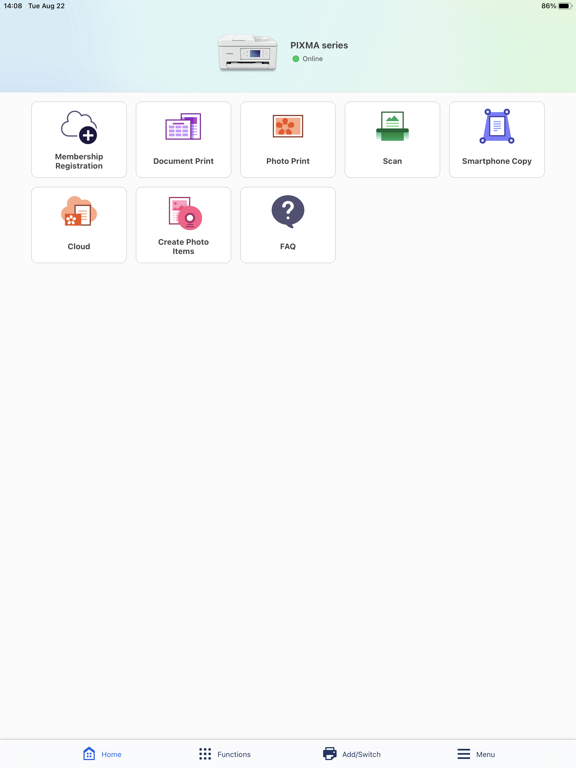
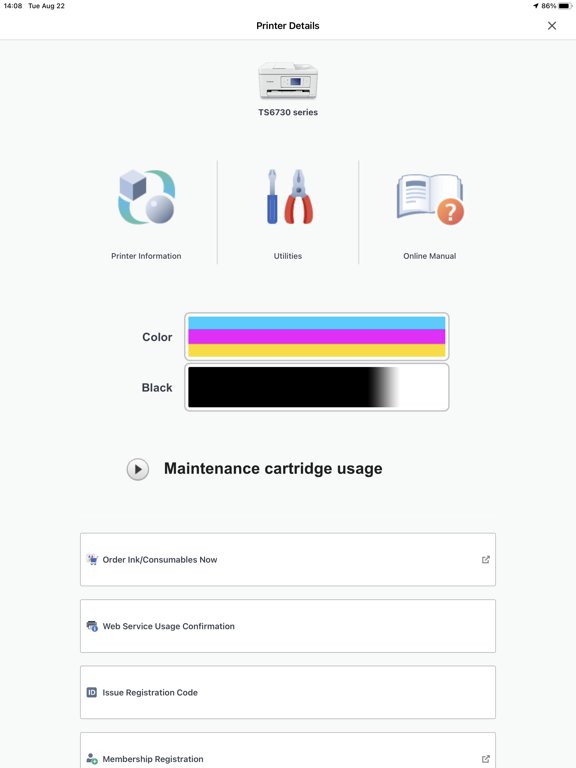
Screens
App Store
12 store screenshots


Pricing & paywalls
App Store
Shown for US
- Free
Ratings & reviews
App Store
Shown for US
-
5/5Finally, an App that WORKS - 6 out of 5!!
I just moved to Europe, and I needed a printer that would work but I did not want to break the bank. So I purchased the cheapest canon printer I could. well much to my surprise, these days even the cheapest Canon printer works really well. Once I set it up to the Wi-Fi, and set it up to my phone I found this app. This app works incredible. And this is coming from someone that professionally finds flaws with applications and mechanical items. I have influenced multiple companies to spend thousands of dollars on particular tools due to the applications associated with the tools and how they work. This application works amazing, and if you have an issue with it, it’s most likely user error, or some form of weird bug or strange fluke with the device you’re using. I am using an iPhone 12 Pro MAX, and I understand that that is a flagship phone, but it works perfectly on this device and therefore on other iOS devices it should work just the same as long as your iOS is updated to the latest version. Typically I do not give reviews on random utility apps but this one works extremely well. As I stated before, I am now an expert living in Europe, so it’s crucial that I print and scan documents so that the local government, can have all the documents that they demand… (that aren’t even necessary smh…). 6 out of 5 stars!!
Andrej Fox · 30 Aug 2026
-
4/5Overall excellent, but
I bought this printer a few months ago and it was pretty easy to set up and use. I was pretty happy. Then I decided to print a photo from the rear tray instead of the front cassette tray. The print was fine for my purposes (granddaughter photo), except that I couldn't get the right size photo and it cropped off her feet in a way that I didn't want. No big deal, I figured that I just need to learn more. Today I spent half an hour trying to get it to print from the front tray again. It refused to acknowledge that there was paper in the tray. It was set on automatic for the tray. I turned the printer off and on, I read the manuals, I tried canceling and printing again. I studied the manuals and the internet for half an hour without success. I finally went to a different place to try the print command on my IPad, and it finally printed, but not double sided, even though I wanted double sided. Now it will probably print fine again. But it was a lot of irritation and nothing in the manuals told me how to switch trays, or that only certain print commands will work. I would buy this printer again as you can buy large bottles of ink and refill the ink yourself which saves a lot of money and aggravation. Overall, I have really liked this printer, despite these two problems, compared to every other printer I have owned, this one is superior, works well 98% of the time, the quality is good enough for my home business and general needs.
Peeper and nufta · 30 Aug 2026
-
5/5Used this 11 years without trouble!
I use this app weekly. For texting or emailing JPG or PDF it works fine. PLEASE, update this app with the ability to FAX! I need to be able to FAX important documents in PDF format. This app is hard to beat so I don’t want to have to use a separate app. Otherwise, I recommend this if you have a Canon scanner. I also do A LOT of photo printing on my Canon MX922. I’ve had the printer for 11 years and it still works great! I’m using version 3.0.0 and haven’t updated yet. I’m nervous that the update will ruin something. This app works good for most photo prints; however, sometimes the native iPhone print app works best. It all depends on what orientation and margins you want on the photo. Typical of the Canon MX900-series, the printer ALWAYS says the ink is low. It’s a marketing ploy to sell ink carts. Just ignore the warnings and print your job. When the printer is actually out of ink, it will stop printing and tell you it’s out of ink. Always have spare ink carts on hand. Make sure the printer itself has been updated with the latest firmware. It’s an awkward process, but there are instructions online. Update the firmware and you should not have connectivity issues.
totallyfrozen · 30 Aug 2026
-
1/5Not dependable
Cannon Print app is glitchy with my TS5320 printer. I’m using it to print and sign documents for my job, and I cannot depend if it will print or not any given day. It changes format when I print from my iphone to when I print from my iPad – wasted lot of ink reprinting same pages while figuring out where it’s tripping over. It gives bogus errors and does not print when my timeline is crucial. Errors are random, for example it will say it’s low on ink when I just put brand new cartridge, but it will still print. Other times it tells me there is no paper when tray is full of paper; by the time I pull my hair out and try everything under the sky including resetting stupid thing, all of a sudden it will print from my iphone (but not from my iPad). Today, I got “Failed to communicate with the printer. Check printer connection. If there is no problem with the connection, open your smartphone’s settings and check that this app has been granted local network access under [Privay]>[Local Network].” This is bogus because there is Local Network is On and never been turned off on my iPad. Same settings are on my iphone, however I was able to print this time from my iphone…. Today is my lucky day. Update as of 2024: canon print app demands to collect information. App prompts me to agree to share data. It says “optional” but if I don’t check the box “agree”, it won’t let me use printer. Wow! They really want to see what I print. Is this North Korea now? To the garbage it goes.
First-_Last · 30 Aug 2026
-
1/5Worked Great Before
I had this app for a very long time (years) and I never had any issues with the scanning function, until your recent updates. The Canon app use to allow me to scan a document from my Canon MX912 printer, save it as a PDF and email it, all in one scan using my mobile device. Since the updates, I no longer have the option of saving my documents as PDFs , I have to save them as jpeg, otherwise the app immediately shuts down when I attempt to select PDF as the save option. It appears the updates have also eliminated the option of scanning multiple pages at a time. When I finish scanning the first page of my document the very next option that pops up is select "type" to save as, no longer does the "scan" button re-appear to allow you to scan multiple pages, as it use to. This use to be an awesome app to use but now it's less convenient and user friendly. I didn't make much of it at first because I thought the bugs would be fixed; little did I know they would be ongoing. It's aweful. If I could pin point a time frame when I noticed these issues, I would guess it was many months back, sometime after the open with "Selphy" option started to pop up when I opened the app. I would never elect to use it, but I believe the app opens directly to Canon/ Selphy now. I would love to continue using this app if the issues I address could be resolved.
hopemill89 · 30 Aug 2026
Privacy & accessibility
App Store
Privacy
- Data Linked to You — Analytics — Identifiers — Device ID Developer declared
- Data Linked to You — Analytics — Usage Data — Other Usage Data Developer declared
- Data Linked to You — Analytics — Usage Data — Product Interaction Developer declared
- Data Linked to You — Developer’s Advertising or Marketing — Identifiers — Device ID Developer declared
- Data Linked to You — Developer’s Advertising or Marketing — Usage Data — Other Usage Data Developer declared
- Data Linked to You — Developer’s Advertising or Marketing — Usage Data — Product Interaction Developer declared
- Data Linked to You — Identifiers Developer declared
- Data Linked to You — Usage Data Developer declared
- Data Used to Track You — Identifiers — Device ID Developer declared
- Data Used to Track You — Identifiers Developer declared
- Data Used to Track You — Usage Data — Other Usage Data Developer declared
- Data Used to Track You — Usage Data — Product Interaction Developer declared
- Data Used to Track You — Usage Data Developer declared
Accessibility
No accessibility labels collected yet.
Versions
App Store
-
2.10.0
Add new printers. Some functions have been improved.
-
2.12.0
Add new printers. Some functions have been improved.
-
2.7.12
Some functions have been improved.
-
2.7.13
Some functions have been improved.
-
2.7.20
Some functions have been improved.
-
2.8.0
Some functions have been improved.
-
2.8.1
Some functions have been improved.
-
2.8.11
Some functions have been improved.
-
2.8.14
Minor bugs fixed.
-
2.8.30
Add new printers. Some functions have been improved.
-
2.8.40
Some functions have been improved.
-
2.9.0
Add new printers. Some functions have been improved.
-
3.0.0
App name changed. Previously: Canon PRINT Inkjet/SELPHY. Design has been updated. Add new printers. Some functions have been improved.
-
3.0.1
Some functions have been improved.
-
3.0.2
Some functions have been improved.
-
3.1.0
Add new printers. Some functions have been improved.
-
3.1.1
Some functions have been improved.
-
3.2.0
Add new printers. Some functions have been improved.
-
3.3.0
Add new printers. Some functions have been improved.
-
3.3.1
Add new printers. Some functions have been improved.
-
3.4.0
Add new printers. Some functions have been improved.
-
3.5.0
Add new printers. Some functions have been improved.
-
3.6.0
Add new printers. Some functions have been improved.
-
3.6.1
Some functions have been improved.
-
3.7.0
· 26 Feb 2026
Some functions have been improved.
Alternatives
- Canon Mini Print — Same category + similar ratings
- Epson iPrint — Same category + similar ratings
- Epson Smart Panel — Same category + similar ratings
- HP Sprocket — Same category + similar ratings
- instax mini Link — Same category + similar ratings
- Epson Creative Print — Same category + similar ratings
Availability by market
- US
Data quality & evidence
- Page completeness
- Live store listing
- Last verified
- 30 Aug 2026
- Sources
- App Store
- Independent summary has not been published yet.