
Quick verdict
- What it is
- Store information collected; an Apoku editorial summary is not yet published.
- At a glance
-
- Free to download
Categories and search queries
Official categories
- Photo & Video
- Business
Apoku categories
Key functions
| Function | Availability | Access | Scope | Evidence |
|---|---|---|---|---|
| Free app | Yes | Free | Context-specific | Store published |
Screens
App Store
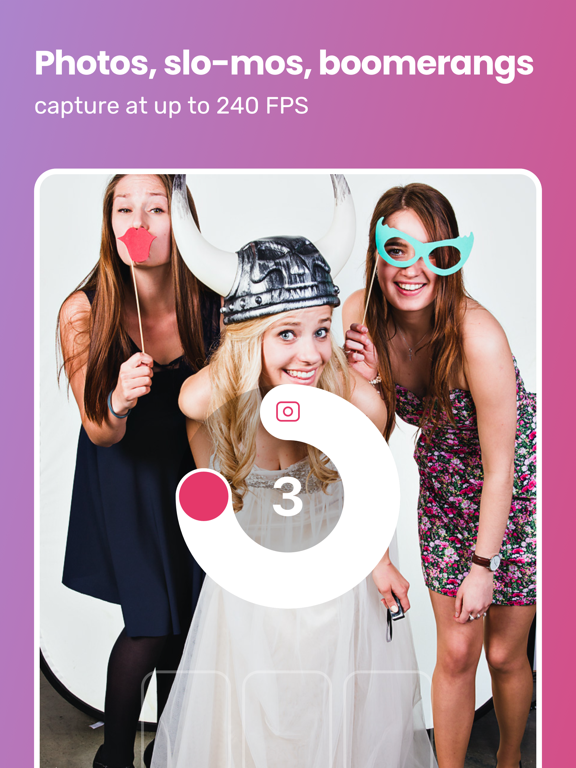
15 store screenshots


Pricing & paywalls
App Store
- Free to download
Ratings & reviews
App Store
-
5/5Fantastic app, polished experience
I am a hobbyist photographer at best. I used this app to build a professional grade photo booth for my own wedding reception. This app was highly intuitive, polished and easy to learn. The ability to connect to DSLR cameras sets it heads and shoulders above other apps. Guests easily figured out how to use the app to text or email their shots to themselves (don’t underestimate this in an older crowd). Building my own template was a cinch and got professional looking results immediately. The experience was highly customizable and working between the web and mobile app to fine tune the experience was impressive and smooth. When I had a question, I asked through the website and had an answer within minutes. This app scored on every single account, if I could give it more than 5 stars I would, you made this a total success at my wedding!
MarkHuber · 6 Aug 2026
-
5/5Phenomenal app and support
Tim is such a great guy! The support and improvements he provides are bar none. I did tons of research to find an app that worked with my Sony Alpha A7 IV and this is THE BEST ONE. I absolutely love all the features that come with this app. It is incredibly easy to use and every time I host an event everyone is very impressed with the quality of the pictures and user interface. I highly recommend this app for anyone who wants to make a photo booth with their iPad or a mirrorless camera. Making templates are so easy. I typically start with Canva and then just import backgrounds directly into app and then set the photo and done. I don’t think it could be any easier. The only thing I’m disappointed in is that I didn’t write a five star review earlier to show support.
Whisperingmonk · 6 Aug 2026
-
5/5Great App, Even Better Customer Support
This software is super robust and very intuitive. We have loved how easy it was to get up and running with custom templates and branding, being able to try out all of the features before committing money was also a huge plus. Our experience with the developers were just the icing on the cake. We had an issue with our air printer getting set up, and they really went the extra mile to get our bugs worked out. You can tell they really care about their product. If you’ve been spending a lot of time looking for the perfect photo booth app service.. your search is finally over!
amanda0714 · 6 Aug 2026
-
5/55 stars
I was looking for an app to use for a classroom party that didn’t break the bank. I was able to use this trial for a 3rd grade class party and the kids absolutely LOVED it. It was simple to use, and worked flawlessly. I am not a photographer or using this to make money so I don’t need an app I pay monthly for. I would not hesitate to use again or recommend! I’m not sure if it’s going to be in the budget to use for every holiday class, but if I can pull off, I will definitely use. The customer service was just as good as the app. 5 stars all around.
Ohhhh! · 6 Aug 2026
-
5/5Excellent and reliable
We used this app for a wedding photo booth with a Canon Selphy 1300 and ring light. It was pretty much a totally seamless experience, even when we were unpleasantly surprised to not have Wi-Fi on-site at the venue. The app cheerfully archived all the photos and sent out the texts later. It was easy to test the setup beforehand. Some adjustments are required to print offsets, but the presets in the app made that easy. We opted to pay $49 to not have any limits on our event or gallery. Overall, the high quality app made this a reasonable price.
Zach Volpe V · 6 Aug 2026
Privacy & accessibility
App Store
Privacy
- Data Linked to You — Analytics — Identifiers — Device ID Developer declared
- Data Linked to You — Analytics — Identifiers — User ID Developer declared
- Data Linked to You — App Functionality — Contact Info — Email Address Developer declared
- Data Linked to You — App Functionality — Diagnostics — Crash Data Developer declared
- Data Linked to You — App Functionality — Identifiers — Device ID Developer declared
- Data Linked to You — App Functionality — Identifiers — User ID Developer declared
- Data Linked to You — App Functionality — User Content — Customer Support Developer declared
- Data Linked to You — Product Personalization — Identifiers — User ID Developer declared
- Data Linked to You — Contact Info Developer declared
- Data Linked to You — Diagnostics Developer declared
- Data Linked to You — Identifiers Developer declared
- Data Linked to You — User Content Developer declared
- Data Not Linked to You — Analytics — Diagnostics — Performance Data Developer declared
- Data Not Linked to You — Analytics — Usage Data — Product Interaction Developer declared
- Data Not Linked to You — App Functionality — Diagnostics — Performance Data Developer declared
- Data Not Linked to You — App Functionality — Usage Data — Product Interaction Developer declared
- Data Not Linked to You — App Functionality — User Content — Emails or Text Messages Developer declared
- Data Not Linked to You — App Functionality — User Content — Photos or Videos Developer declared
- Data Not Linked to You — Developer’s Advertising or Marketing — Usage Data — Product Interaction Developer declared
- Data Not Linked to You — Product Personalization — Usage Data — Product Interaction Developer declared
- Data Not Linked to You — Diagnostics Developer declared
- Data Not Linked to You — Usage Data Developer declared
- Data Not Linked to You — User Content Developer declared
Accessibility
No accessibility labels collected yet.
Versions
App Store
-
1.46.4
- CHANGED: you can't launch an event with a capture type (like "slow-mos") enabled if there are no templates that work with that capture type (for example, because you disabled that capture type in the only template's advanced settings) - FIXED: an issue that could cause the app to only show a spinner and not continue when pressing a capture mode like "Photo" - FIXED: the Send button was missing on an iPad Mini in landscape orientation when trying to enter a phone number - FIXED: the app could show an error message when trying to start a video, boomerang, or slowmo if the connected camera was older or slower - FIXED: the '+' button on the iPhone looked... gnarly - FIXED: the app did not allow email addresses with upper-case letters - FIXED: bad things would happen if you pressed two action buttons (like email + text) at the exact same time
-
1.47.0
- NEW: we've added 2 more aggressive stabilization modes for slow-mos, and a setting to control stabilization. You'll find it in the middle page of event settings. - FIXED: the guest would be able to choose a color filter even though the template editor would show no color filters are selected - FIXED: if you set a very short guest idle timeout, it could get hit while a video was processing (ie. selecting a scene) - FIXED: AirDrop was not shown correctly on macOS - FIXED: if you turned on cropping of originals, auto-generated GIFs were broken. We've added a warning next to this setting: if you're cropping the originals, GIFs will only be auto-generated if your photo areas in your template are exactly the same size. - FIXED: if your first test capture in the camera settings failed, you would have to restart the app - FIXED: an issue that could cause a photo to fail to download
-
1.48.0
- FIXED: attract screen would not show on macOS - FIXED: auto-generated GIFs became unstable in the last update - FIXED: salsa 1 LEDs would not connect if your device had been renamed away from its default. You may still need to contact support if your device has an unusual name. - FIXED: a crash in camera settings - FIXED: stickers weren't sorted - FIXED: if a guest walked away when the email/sms entry screen was showing, the idle timer would not fire - FIXED: in Capture Station mode the gallery could not be opened from the in-event menu
-
1.48.1
- FIXED: the app could get stuck when making an AI photo if the generation process failed - IMPROVED: when choosing a template in the app, you can see which templates have AI prompts on them
-
1.48.2
- FIXED: a crash on app startup if your event had a lot of new things to download - FIXED: an issue that stopped the "Disable looks good screen" setting from functioning correctly - CHANGED: JPG DPI metadata changed from 144->300, to fix some print servers
-
1.49.0
- IMPROVED: adding & managing printers is easier than ever - NEW: printer job management for AirPrint printers - NEW: when selecting an AirPrint printer that offers multiple paper sizes/trays or margins, you can choose the specific option - NEW: see media count remaining for specific DNP printers connected with Print.Events - NEW: printer troubleshooter helps you figure out what's wrong when your printer doesn't appear in the list - NEW: hide printers you never want to add, so they don't bother you later - NEW: easily open your print server's page in a browser from the app (AircastPro, DNP WCM Plus, etc) - NEW: a setting to allow printing even when printer is in an error state (prints will queue in the app), which is on by default - NEW: when AirDrop is selected, the guest will see instructions on how to set their iPhone to "Everyone for 10 minutes" - CHANGED: the passcode is required to open the in-event menu, instead of only being required to exit the event. This prevents guests from messing with printer/camera settings if they discover the in-event menu. - CHANGED: the "brighten live view" camera setting now prompts you to help you understand you should be doing this on your camera, if your camera is capable. We also fixed an issue with this feature on slightly slower cameras like the M50. - FIXED: if an idle timeout fired in a certain configuration, the background would not show the liveview anymore - FIXED: an issue that could cause the camera to disconnect after the first photo of a series was taken - FIXED: an issue that could cause changing the camera settings to not work - FIXED: data collection after capture was not working for AI Prompts - FIXED: videos did not have sound in the in-app Gallery - FIXED: an issue that could cause the app to freeze if you had a lot of scenes available and guests chose many of them over time - FIXED: a crash if you had a background attract screen with a video, usually on devices with less RAM
-
1.49.1
- IMPROVED: the app will warn you if you haven't granted it local network access when you try to add a printer - IMPROVED: if you set a print limit on the event and the limit is reached, the print button will show a warning icon - IMPROVED: you no longer need to configure your ethernet settings if your iPad is connected to Print.Events over ethernet - IMPROVED: when taking multiple photos, the previews that show near the bottom look nicer - FIXED: an issue that could cause the app to take longer to start up - FIXED: if you closed the printer troubleshooter while it was pinging the app could crash - FIXED: on slower iPads the app could hang if you quickly exited the event after finishing a guest session - FIXED: a crash if printing with the foreground printing method - FIXED: several rare crashes from the device camera - FIXED: if you used a custom attract screen as the background of the homescreen you might briefly see a white flash when the user picks the capture type
-
1.49.2
- FIXED: could not open in-event menu when Kiosk Mode was on - FIXED: a rare crash in the camera settings - FIXED: several crashes related to printing
-
1.49.3
- NEW: an LED setting for when the gallery is open - NEW: a setting to move the cards in the guest flow from the bottom of the screen to the top - NEW: guests can enter their info while they are waiting for AI Prompt images to load - NEW: support for Nano Banana Pro - FIXED: now you can print to Print.Events when your iPad has its hotspot turned on - FIXED: now you can add printers that require IPPS, like the Epson XP-7100 - FIXED: the app would erroneously say that local network access was missing if Personal Hotspot was turned on - FIXED: a rare crash when adding a printer - FIXED: the guest idle timer wasn't working for AI Prompt or AI Portrait flows - FIXED: when data collection was turned on after capture, there was no way to cancel all the way out of the flow - FIXED: when using Capture Station mode, data collection wasn't working for AI Prompts - FIXED: when using Capture Station mode and opening the Gallery from the in-event menu, tapping a photo wouldn't do anything - IMPROVED: if you have a lot of events on your account the app will load faster - IMPROVED: you can enable AI Portraits without needing to turn on email or text share actions
-
1.49.4
- NEW: shutter button has been replaced by full-screen tappable text that you can customize - NEW: added a setting to have the app pause between photos when taking multiple photos (tap to continue) - IMPROVED: when a Print.Events printer gets connected after being disconnected, the app notices the change faster than before - FIXED: we reverted a change in the last update that caused your customized Gallery button to be a wrong size
-
1.50.0
- NEW: you can open/close the booth in the in-event menu, and also from your web Dashboard -> Devices page. The screen shown when the device is closed can be customized on your web Dashboard -> Devices page. - NEW: you can schedule multiple events for each device. A countdown screen will show before an event is ready, and a closed screen will show after the event is finished. You can customize both screens on your web Dashboard -> Devices page - IMPROVED: printing to Print.Events is faster for guests because the app no longer makes them wait for the PC to respond - IMPROVED: if the reason the Print button is hidden is because you've turned off printing for all templates, we'll show the print button, let you tap it, and tell you how to fix it - FIXED: when printing to Print.Events the printer button could show an error when there was no problem, if you hit the print button many times quickly - FIXED: adding the QR code to prints was not working well when you had a slow internet connection - FIXED: if you had an eSIM from an international carrier, the phone number keypad could show the wrong flag - FIXED: several rare crashes - FIXED: you could get an alert warning about local network access when the permission was already granted - FIXED: if you started a capture session and then went back, the app could end up starting a new capture session when it should not
-
1.50.1
- NEW: support for direct printing over USB on macOS. You need to read the help article to learn how to enable it. - IMPROVED: when the booth is closed and you try to access the in-event menu, the app will always ask for your passcode even if you entered it very recently - IMPROVED: on macOS a settings/gear icon appears on the home-screen, so that it is possible to open the in-event menu on touch-screens that don't support long-press - FIXED: for certain devices including macOS you no longer need to go into camera settings every time for the USB camera to be detected - FIXED: when adding a printer, the "Choose paper" option was not working correctly - FIXED: the help window could pop open on devices you aren't using, when you are having a conversation with our support team - FIXED: if a schedule change happened at the exact time a guest was in a capture session, the iPad could get stuck - FIXED: a rare problem that could cause no event to be openable on app launch - you'd get a "Gallery not found" error that would not go away
-
1.50.2
- IMPROVED: The guest now chooses the AI filter before the photo is taken. If more than one template has the AI filter that the guest chooses, then the guest now chooses the AI filter first, template second - IMPROVED: in the rare case that AI generation fails, now there's a "Try Again" button so the guest doesn't have to take their photo again - IMPROVED: live sync for Attract Screens, including Share Station - IMPROVED: on the LED page you can change the chip type and color order; SP107E connections no longer depend on the name of the controller; connections are always automatic if the device has connected before; "Turn On" and "Turn Off" buttons have been added to quickly adjust the LEDs - IMPROVED: when printing to a CUPS-based server the paper sizes are now correctly shown, and additional information helps you distinguish between options with cuts / no cuts - FIXED: able to print 2x6 strips on PBSCO "Chips" - FIXED: when taking AI Photo / AI Portrait, the liveview area did not match the photo taken - FIXED: for some templates the liveview would not use the full width/height of the screen when a camera was connected - FIXED: events scheduled to end more than 24 hours ago now result in the booth staying closed - FIXED: the screen could turn off if your booth was closed and you hadn't set Settings App -> lock -> never - FIXED: when a scheduled event started, the popover with the event information was not automatically dismissed - FIXED: Share Station was showing originals when that setting was turned off - FIXED: a crash if you rapidly opened and closed the add printers dialog
-
1.50.3
- 1.5.9.3 FIXED: LED controllers would connect in the wrong profiles - 1.5.9.3 FIXED: AI portrait face overlay could be displayed incorrectly - IMPROVED: The guest now chooses the AI filter before the photo is taken. If more than one template has the AI filter that the guest chooses, then the guest now chooses the AI filter first, template second - IMPROVED: in the rare case that AI generation fails, now there's a "Try Again" button so the guest doesn't have to take their photo again - IMPROVED: live sync for Attract Screens, including Share Station - IMPROVED: on the LED page you can change the chip type and color order; SP107E connections no longer depend on the name of the controller; connections are always automatic if the device has connected before; "Turn On" and "Turn Off" buttons have been added to quickly adjust the LEDs - IMPROVED: when printing to a CUPS-based server the paper sizes are now correctly shown, and additional information helps you distinguish between options with cuts / no cuts - FIXED: able to print 2x6 strips on PBSCO "Chips" - FIXED: when taking AI Photo / AI Portrait, the liveview area did not match the photo taken - FIXED: for some templates the liveview would not use the full width/height of the screen when a camera was connected - FIXED: events scheduled to end more than 24 hours ago now result in the booth staying closed - FIXED: the screen could turn off if your booth was closed and you hadn't set Settings App -> lock -> never - FIXED: when a scheduled event started, the popover with the event information was not automatically dismissed - FIXED: Share Station was showing originals when that setting was turned off - FIXED: a crash if you rapidly opened and closed the add printers dialog
-
1.51.0
- NEW: on-screen keyboard shows on macOS, allowing guests to use touchscreen-equipped Macs to enter info such as their email address - NEW: added support for Sony α1, α1 II, α9 III, α7R V, α7 IV, α7S III, α7C II, αC R, α6700, ILX-LR1, FX3, FX3A, FX30, FX2, and ZV-E1 cameras. Your camera must have the newest firmware installed. This is not a complete list: other Sony cameras may also function correctly. - NEW: added video support for Sony cameras. If your Sony only worked with photos before this update, it may now support slow-mo and video capture types as well. - NEW: added support for GoPro HERO Black cameras, series 9 and newer. Both wired and wireless connections are supported. Your GoPro must have the newest firmware installed. - NEW: support for custom white-balance settings when the camera switches between photo/slow-mo/video modes. The camera must support this: newer cameras like the Canon R100 and Sony α7 support this. - NEW: a setting to add the location to the photos/videos the app uploads - CHANGED: there's now a button on the event screen to make it easier to open the in-event menu. Don't like it? See the first page of event settings to turn it off. - IMPROVED: SceneSelect quality when background is much darker or brighter than subject - IMPROVED: you can now start & continue support cases directly in the app, by hitting the '?' at the top-right of the start screen - IMPROVED: the phone number-pad is easier to use for your guests - IMPROVED: instead of only being able to turn liveview off/on, you can now choose to have it on only during capture (template selection + countdown). This setting is automatically chosen the first time you ever connect a GoPro camera, to reduce battery usage & heat generation - FIXED: a rare issue that could cause the "Done" button to do nothing on the Gallery screen - FIXED: a rare issue that could cause the app to hang - FIXED: several cases where the "Liveview too dark?" feature would not work correctly if you canceled a capture in progress - FIXED: if you turned off idle timeout the setting would not save correctly
-
1.51.1
- NEW: when seeing a generated AI photo there's now a back arrow for guests who want to abandon the photo - IMPROVED: our often-imitated never-duplicated Glam filter is better than ever. In this update we've improved the way the glam filter blends in at the neckline. - IMPROVED: a small indicator is shown at the bottom-left of the screen when a camera is in the process of connecting, so that when you plug in a camera you can see the app reacting sooner - IMPROVED: on macOS you can now use the on-screen keyboard to login to your account or exit an event that needs a passcode - IMPROVED: events with expired galleries are no longer listed in the iPad app, and tapping a row is now less likely to give you the "Gallery not found" error - FIXED: if a guest uses all available re-rolls for generating an AI photo and then hits the "cancel" button, this no longer cancels the entire session - FIXED: if your multi-photo template had differing aspect ratios, the liveview during capture might not correctly take up the entire width/height of the screen - FIXED: when taking multiple photos the preview boxes near the bottom during capture now show the photo in the same aspect ratio and crop as they appear in the final output - FIXED: when liveview was set to During Countdown or Off, the liveview would not show in the camera settings page - FIXED: the launch segment was defaulting to "Customize" when it should not - FIXED: if you turned on tap to continue between photos, the volume-up bluetooth trigger would not work - FIXED: an issue on iOS 17 with the status bar showing when it should not
-
1.52.0
- NEW: 360 Slow-mos 2.0! Set up your custom timings on the Template on the web dashboard - NEW: auto-start your 360 Slow-mo when your spinner booth starts spinning (motion detection), and now you can cancel a slow-mo mid-capture - NEW: set the boomerang recording duration - IMPROVED: slow-mo quality and video output quality, especially for 240 FPS slow-mos - IMPROVED: Our AI Glam Filter just keeps getting better - now it'll work when your guests have struck really unusual poses, and the teeth whitening is more realistic - FIXED: when the crop originals setting was on, the original photos shown on the screen for AI Photos and AI Portraits were cropped when they shouldn't be. This setting has been fixed to no longer apply to AI Photos and AI Portraits. - FIXED: when guests scrolled the buttons in the white area, the buttons would sometimes instead register the scroll as a touch - FIXED: hitting the "Done" button could be broken if you started the capture from your camera - FIXED: the guest idle timeout could fail in a few specific scenarios involving data collection - FIXED: you could see "0 more!" text when you like... totally should not ever see that - FIXED: after going back from an AI photo/portrait or Data Collection, the screen could be blank - FIXED: a rare crash on opening camera settings
-
1.53.0
- NEW: Remote-In, which lets you view & control the app from anywhere in the world with only a web-browser - NEW: Data Collection has been renamed to Surveys, and now you can have surveys before AND after capture - CHANGED: the setting for where data collection happens (before vs after capture) has been removed, as this is now done on the web - IMPROVED: using Glam Filter and taking photos with connected cameras both use less memory, which means older devices are more stable & all devices are faster - FIXED: canceling out of data collection that's after capture would still upload the photo(s) to the gallery - FIXED: printed colors were wrong when printing to a CUPS-based system with a DNP printer - FIXED: when you have only AI Prompt capture type enabled and the user cancels during image generation, the buttons were all missing - FIXED: when you set the card to appear at the top of the screen instead of the bottom, there were some minor visual glitches - FIXED: on macOS the reshoot screen was too small - FIXED: if you shot a photo directly on your camera and had no template with 1 photo area, the photo would not be downloaded - FIXED: the Glam Filter was not working correctly on macOS - FIXED: if you went to exit the event and canceled entering your passcode, the photo shot directly on your camera that was just downloaded was abandoned
-
1.53.1
- NEW: for AI Photo and AI Portrait captures the template is now shown on screen during capture, and the templated version of the photo without AI is added to the gallery. Don't like it? Turn off the new "AI: add templated original, show template during capture" setting. - IMPROVED: the settings/gear icon at the top-right is always shown when someone is remotely connected, so you can still open the in-event menu if you prefer to have this icon not showing to your guests - IMPROVED: the app shows a small "Remote connected" when a remote viewer is connected - IMPROVED: the app reports its battery level to your Devices page on web dashboard - FIXED: if you signed out of your account and then signed back in, remote-in wouldn't work until you restarted the app - FIXED: some global backend-only settings were overwritten incorrectly by the app
-
1.53.2
- NEW: the app will show a warning at the top of the screen if your connected camera's shutter speed is Bulb, because it should never be Bulb. - IMPROVED: when you've added a printer from Print.Events, you'll see the Print.Events app version and uptime. Requires newest version of Print.Events. - FIXED: attract screen was showing the settings/gear button on top of it - FIXED: when your passcode was only numbers and your iPad was landscape orientation, you couldn't enter it - FIXED: the settings/gear button shows on the Share Station too, so you can open a Share Station's in-event menu with Remote-In - FIXED: worked around an iOS 26 issue that could cause the Glam Filter to stop working - FIXED: if you used the app offline and made changes to settings, the app could later overwrite other changes that were made on the web while the device was offline - FIXED: when a camera disconnected the app could store bad settings values, for example 1" or Bulb shutter speed values. The app now only saves camera settings changes that were made in the app: if you change the settings directly on the camera the app will notice & show the value the camera is using, but it won't save or apply this on the next app restart - FIXED: if you used Remote-In while the app had a help window open, you couldn't see or close the help window, and things would get into a bad state - FIXED: if you typed your passcode in the browser while using Remote-In, a guest who was standing at the device could see your passcode
-
1.53.3
- NEW: Orcavue 360 BLE integration. Make sure bluetooth is turned on: check the in-event menu when an Orcavue 360 booth is within range - NEW: tap to see a photos full screen - CHANGED: by default the ICC color profile is no longer applied for CUPS printing, as this was producing the wrong colors on WCM Plus. If you are printing to macOS printer sharing, or other CUPS integrations without color management like PBSCO Chips, please turn the new color profile setting on - it's on the event settings last page, in the printer settings area - FIXED: status bar was appearing when it should not - FIXED: a rare issue with camera settings
-
1.54.0
- NEW: in camera settings, all capture types have a separate option to mirror the output, for both device camera and connected (USB) camera - NEW: in camera settings, the liveview mirroring setting now has an extra option: you can mirror both the camera feed and the template preview (for single-shot templates) - FIXED: SP-107E LED controller was not working reliably - FIXED: Boomerangs on connected cameras in portrait orientations were not working - FIXED: Slow-mos on high-FPS connected cameras like the Canon R6 II, which shoot HFR video, were not working - FIXED: white-balance setting on Canon M50 was not working, potentially causing other issues when switching from one capture type to another
-
1.55.0
- NEW: AircastPro3 users will now see media remaining and hardware info on their printers - NEW: manual ISO control for iPhone/iPad cameras - NEW: support for dynamic elements in templates - IMPROVED: you can now pinch-to-zoom the test photos you make on the camera settings page - FIXED: Nikon cameras with a freshly formatted card would not load photos until there was at least one photo on the card first when the camera first connected - FIXED: if you hit the back arrow from AI Portraits, in some cases the buttons on the home screen would be missing - FIXED: using the Exposure slider with iPhone/iPad camera was not working after making specific changes like changing which camera was in use - FIXED: if you had a numeric passcode, the numpad would display twice when accessing the in-event menu - FIXED: the gallery view and Share Station views could have grey squares that got stuck - FIXED: when scrolling the gallery view or Share Station view very quickly, it could take a long time for the images to load - FIXED: the attract screen could show when it should not on a Mac - FIXED: when turning off the setting to add templated copy of image to the AI photo session, the template preview shown on the screen was cropped incorrectly
-
1.55.1
- NEW: new event capture types auto-configure from templates - the first time you open an event's settings, its enabled capture types are automatically set to match what the assigned templates actually support, so the launch checklist passes without manual setup. - NEW: manual print alongside auto-print - new "allow manual print with auto print" option keeps the manual print button available even when auto-print is turned on. - NEW: pending-uploads reminder - a stronger notification, plus an app-icon badge, when media is still waiting to upload; it now re-fires when you bring the app to the foreground. - IMPROVED: dynamic text fields now render in ALL CAPS. - IMPROVED: event template chooser polish - feature options moved to their own row, Dynamic Elements meta data added, minor design updates. - IMPROVED: reshoot & back button placement - repositioned across Mac and the scenes, filters, and stickers flows, with a centered "Reshoot" pill in the AI gender-selection card. - FIXED: photo-capture-failed modal - fix to avoid getting stuck with no capture buttons showing.
-
1.56.0
· 28 Jul 2026
- NEW: support for guest signature dynamic element type in templates - NEW: connected cameras can have a different White-Balance for liveview versus capture - IMPROVED: "Take More" can now be set to a number/limit instead of just on/off - IMPROVED: uploaded photos now have the capture date/time encoded in EXIF data - FIXED: when using the device's camera, ISO and Shutter Speed are now independent settings, giving you far more control over your device camera - FIXED: an issue that could cause printing to fail if the Print.Events PC and the iPad had a complex networking setup - FIXED: an issue that could cause prints to timeout and fail over hotspot or direct-ethernet connections - FIXED: the printing troubleshooter could show an empty state if location access was denied - FIXED: several cases where you could launch an out-of-app process from a Remote-In session, which would lock you out of Remote-In until someone was physically at the iPad - FIXED: a brightness flicker when using the device's camera in very bright situations (like sunlight) - FIXED: an issue with the exposure slider stalling in mid-adjustment - FIXED: the camera settings screen could show a choppy liveview (low framerate) when using the device camera - FIXED: auto-generated GIFs from taking multiple photos were uploaded to the gallery but did not show on the iPad (ie. while entering share information) - FIXED: if your passcode is a number the keypad could cover the alert buttons - FIXED: long button labels could get truncated on smaller iPads
Alternatives
- Simple Booth HALO — Same category + similar ratings
- Mini Photobooth — Same category + similar ratings
- LumaBooth Event Photo Booth — Same category + similar ratings
- Touchpix · Photo & Video Booth — Same category + similar ratings
- Pocketbooth Photo Booth — Same category + similar ratings
- BoothLab: Video & Photo Booth — Same category + similar ratings
Availability by market
- US
Data quality & evidence
- Page completeness
- Live store listing
- Last verified
- 6 Aug 2026
- Sources
- App Store
- Apoku editorial summary has not been published yet.