
Quick verdict
- What it is
- Store information collected; independent summary not yet available.
- At a glance
-
- Free to download
Categories and search queries
Official categories
- Lifestyle
AppCorpus categories
Key functions
| Function | Availability | Access | Scope | Evidence |
|---|---|---|---|---|
| Free app | Yes | Free | — | Store published |
Screens
App Store
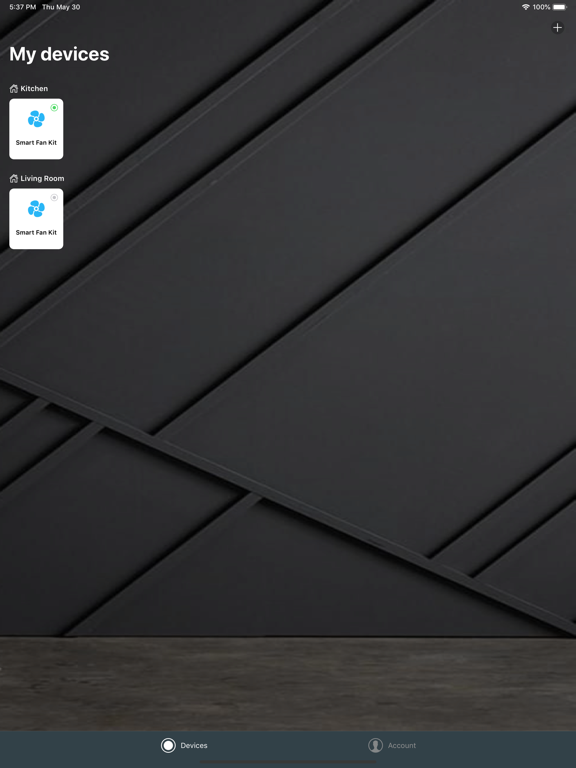
15 store screenshots



Pricing & paywalls
App Store
- Free
Ratings & reviews
App Store
-
5/5Love it but could be more
I replaced my Somfy URTSII with the Bond Pro hub. The range is much better and it is much more reliable working with groups of Somfy RTS motors. After upgrading to Bond, I rarely find a window where one of the grouped motors did not respond to the open or close command from Bond. Also, Bonds ability to track the state of the RTS motor is amazing. I I use their 5 button controls for the large rooms with many shades. I have two rooms with one window each. There I use Lutron Caseta Pico switches integrated with a HomeSeer hub to relay open and close commands with the Bond Pro Hub. This keeps the state of all windows in perfect sync with the Bond Pro Hub. I use the Bond app to watch my home when I am not there. The one thing that would make the app better is to add the state of the motor, open or closed, on the Home Screen. I have twenty shades in the house and checking each window is a pain. I also use Alexa as a speech engine. It would be really cool if Groups of shades configured in Bond could be orchestrated through the speech engine. Thank you, It just works.
REdwar85263 · 6 Aug 2026
-
5/5Bond Bridge
I’ve had my back patio roller shades for about a year. I bought a Bond Bridge when they were installed but didn’t hook it up; I just used the shades remote. This month I took the time to set up the bridge and it’s so nice. I can control the shades from anywhere when traveling and protect my patio from storms. I can also use voice control through Alexa to control the bridge from inside the house. I can closed all shades at once or individually. I can also open any or all of the shades to a percent open or closed by phone app or Alexa. The best feature is being able to set a schedule to have the shades close partially or fully daily to keep the western facing sun exposure off of the patio to keep the house cool inside. Support was excellent via chat to help me with the set up process and troubleshooting. Very pleased so far. Time will tell.
Kile44 · 6 Aug 2026
-
2/5Does not work
No manual was provided with the bridge except to download this app. Setup the account and tried adding the blinds as new devices and it does not work. Our SelectBlinds did not have any QR codes to scan so the app lets you choose the device from a list and the Select Blinds option leads to a program loop where it says to connect via SelectConnect Bridge which is what I am already in. When clicked, it opens a screen with "My Bridge" and a toggle switch. That's it. No option to add the blinds we just installed. Setup is not intuitive and there are no videos I could find that explains what I am seeing in the process. I later tried to add "other" rather than my type of blind and had to go through a tedius 2 hour process of using the remote which came with each of our 6 roller shades and had to use the remote with the bridge for it to learn the remote and it took several attempts for each roller shade and since they were already installed I had to run back and forth from the room to the bridge over and over. The bridge could not be left in our laundry room at the front of the house where our Wifi router is, it had to be central in the house to work with both floors. Tedius and frustrating to setup, but eventually got it working. I would rather my wife not have bought the bridge device to start with because our blinds worked fine via bluetooth and smart connect app, we just couldn't control the upstairs blinds unless our phones were in bluetooth range. For a $200 bridge, I don't recommend it.
AcidFloyd · 6 Aug 2026
-
5/5This thing is awesome!
While the setup wasn’t quite as quick as it said it would be - it was still pretty darn slick - and anybody with any experience setting up wireless devices will get through it in no time. The only obstacles I faced were the initial connection and the firmware upgrade. Both resulted in the device not responding - and both were solved by unplugging it and plugging it back in again. Aside from that it was slicker than snot on a doorknob. I’m now controlling my ceiling fan, fan light, and fireplace - all with simple voice commands through Google Home and Alexa. I have the Bond plugged in upstairs in my bedroom and it has no problem controlling the fans and light in the same room as well as the fireplace in the basement. Everything works as advertised and for Day 1 I couldn’t be more pleased! I especially like the dimming feature that allows me to reduce the ambient light produced from the Bond device itself such that it allows me to completely eliminate any ambient light being output from the device itself. I’m very sensitive to any foreign light and even my router is disruptive to my sleep - but the app allows me to completely dim the Bond light such that it only produces light when it’s actively responding to my commands through Google or Alexa. Highly recommend for anything that’s not already WiFi capable and has a remote.
HarleyThunder · 6 Aug 2026
-
2/5Does not work correctly
Used to use previous app Bond bridge. It worked Great. This new app, not so much. When integrating bond with SmartThings and Alexa there are issues. Such as when Alexa searches for new devices, it pulls from both ST and Bond creating two copies of a device. Creating a conflict where Alexa and ST cannot control any bond device. So you have to delete the ST version of bond device from Alexa (which does not have full functionality such as controlling fan speed) in order to be able to use Alexa to control bond devices. Another problem is when I tell Alexa to turn on my bedroom fan light it may work but most of the time it does not. And if it does work you cannot shut off the light via Alexa. You have to use manual remote or bond app. I use ST routines such as “good night” to shut off all my light (including bedroom fan light) and set bedroom fan speed to low. Used to work on old bond app but now the light won’t change states but the fan speed will change. I hope I can go back to old app until this one is fixed.
JCAndreatta · 6 Aug 2026
Privacy & accessibility
App Store
Privacy
- Data Linked to You — Analytics — Usage Data — Product Interaction Developer declared
- Data Linked to You — App Functionality — Contact Info — Email Address Developer declared
- Data Linked to You — App Functionality — Contact Info — Name Developer declared
- Data Linked to You — App Functionality — Identifiers — User ID Developer declared
- Data Linked to You — App Functionality — User Content — Customer Support Developer declared
- Data Linked to You — Contact Info Developer declared
- Data Linked to You — Identifiers Developer declared
- Data Linked to You — Usage Data Developer declared
- Data Linked to You — User Content Developer declared
- Data Not Linked to You — App Functionality — Diagnostics — Crash Data Developer declared
- Data Not Linked to You — App Functionality — Diagnostics — Other Diagnostic Data Developer declared
- Data Not Linked to You — App Functionality — Diagnostics — Performance Data Developer declared
- Data Not Linked to You — App Functionality — Location — Coarse Location Developer declared
- Data Not Linked to You — Diagnostics Developer declared
- Data Not Linked to You — Location Developer declared
Accessibility
No accessibility labels collected yet.
Versions
App Store
-
v2.50.0
- Add Scenes feature - Fixes and improvements
-
v2.51.0
- Fixes and improvements
-
v2.52.0
- Fixes and improvements
-
v2.53.0
- Fixes and improvements - Added support for Vertilux bi-directional and uni-directional motors
-
v2.54.0
- Fixes and improvements
-
v2.54.1
- Fixes and improvements
-
v2.54.2
- Fixes and improvements
-
v2.55.0
- Fixes and improvements
-
v2.56.0
- Add new Widgets - Add support for Long Press option in Sidekick for Scenes - Fixes and improvements
-
v2.56.1
- Fixes and improvements
-
v2.57.0
- Fixes and improvements
-
v2.57.1
- Fixes and improvements
-
v2.58.0
- Fixes and improvements - We've added Setup Hints to guide you, helping optimize bridge range and improve shade pairing for a better overall experience.
-
v2.59.0
Introducing Mate Pro: Our new 15-channel, water-resistant smart remote for shades, awnings, louvers, and more. * Easy setup via Bluetooth * Control devices individually or in groups * Customize channel names Smart by Bond Motors: We’re launching our own line of native smart motors with a lot of great features. * Simple, app-guided setup * Smarter, more responsive controls * New features, including low-battery notifications This release also includes our usual bug fixes and performance improvements.
-
v2.60.0
We've redesigned the Mate details screen! Enjoy a cleaner look and a more intuitive experience when updating names, setting channels, and managing your Mate
-
v2.60.1
Fixes and improvements
-
v2.61.0
- Fixes and improvements
-
v2.61.1
- Fixes and improvements
-
v2.61.2
- Fixes and improvements
-
v2.62.0
- Fixes and improvements
-
v2.63.0
- Mate new feature — Identify My Mate: easily locate which physical Mate device is linked to your app - Improved device setup experience with better pairing instructions and setup hints - Fixes and improvements
-
v2.64.0
Added support for Traditional Chinese, German, and Italian, plus UI improvements in the technology screens, including a new search bar, and bug fixes.
-
v2.64.1
- Added translation for 25 new languages - Mate: Displayed channel in sync with App - Refactored the Control screen for a better experience - Other Fixes and improvements
-
v2.64.2
- Add per-device "Disable Smart Controls" settings to revert recent Control screen changes - Add support for new Firefly devices - Other fixes and improvements
-
v2.64.3
· 9 Jul 2026
- Fixes and Improvements
Alternatives
- Lutron App — Same category + similar ratings
- Pentair Pool — Same category + similar ratings
Availability by market
- US
Data quality & evidence
- Page completeness
- Live store listing
- Last verified
- 6 Aug 2026
- Sources
- App Store
- Independent summary has not been published yet.