
Quick verdict
- What it is
- Store information collected; independent summary not yet available.
- At a glance
-
- Free to download
- In-app purchases
Categories and search queries
Official categories
- Productivity
- Utilities
AppCorpus categories
Key functions
| Function | Availability | Access | Scope | Evidence |
|---|---|---|---|---|
| Free app | Yes | Free | — | Store published |
| In-app purchases | Yes | Limited free | — | Store published |
Screens
App Store
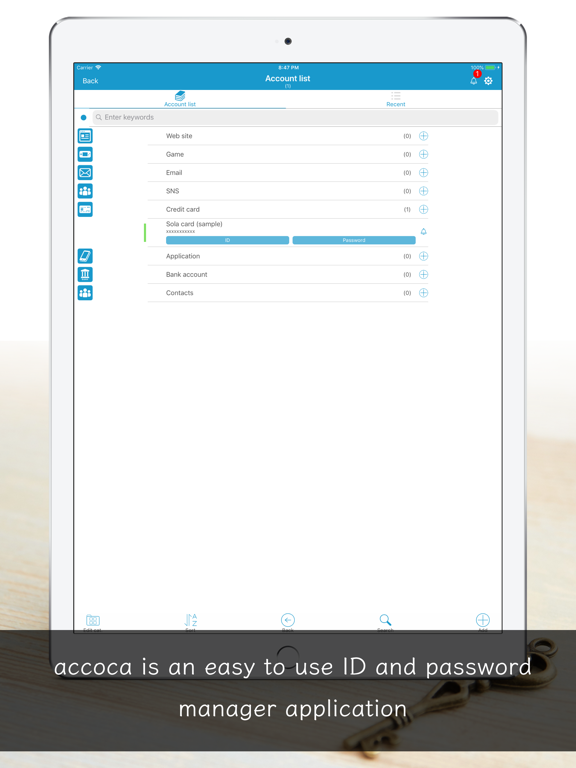
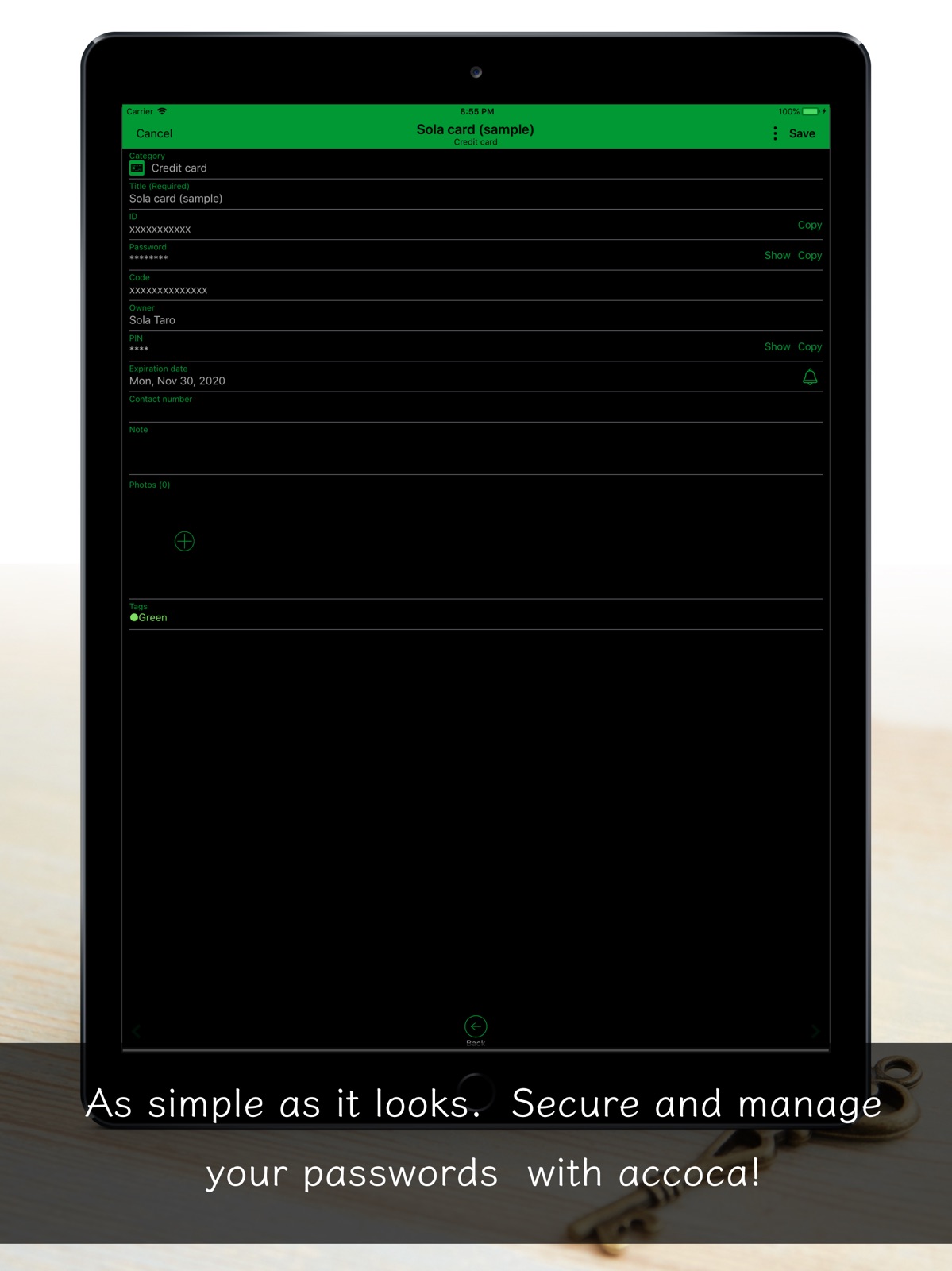
11 store screenshots


Pricing & paywalls
App Store
- Full Version (Permanent) — $7.99
Ratings & reviews
App Store
No store reviews collected for App Store · US
Privacy & accessibility
App Store
Privacy
- Data Not Collected Developer declared
Accessibility
No accessibility labels collected yet.
Versions
App Store
-
13.0
We’ve tuned how you find items in the list, how fast and smooth password autofill feels, and how the screens respond—so you can keep using your passwords and logins on your everyday devices without second-guessing. Search prioritizes titles that match what you typed sooner (prefix matches come first). Sort has been reworked so ascending and descending order are easy to pick without confusion. Tab icons can be customized to match the shortcuts you use most. Password generation makes symbol choices clearer and easier to understand. Credit card and similar entries can also be found by the last four digits of the card number when searching. Other minor fixes for layout glitches and interaction polish. This version requires iOS 26 or later. For device and OS compatibility, refer to Apple’s public documentation.
-
14.0
In addition to password management, you can now save passkeys for websites in accoca. Passkeys - When creating a passkey in Safari and other apps, you can choose accoca as the save location - Passkeys sync across your other iPhones and iPads - To turn on passkeys, go to Settings → Passkeys in accoca (Google Drive connection required) Migration - Added CSV Account Import to bring in CSV files exported from other password managers - From Settings → CSV Account Import, choose a CSV file to migrate your account information in one step Settings redesign - Settings has been refreshed so you can see your current status at a glance—screen lock, backup, passkeys, and more Other improvements - Improved sharing in sub-device mode - Improved creating new accounts when using password autofill (Safari, etc.) - Fixed various display-related issues
-
14.1
· 25 Jul 2026
This update fixes issues reported in 14.0 and improves everyday usability. Bug fixes - Fixed the password generator always showing "Length (0)", which made the length control appear unusable - Password AutoFill now checks whether it was actually turned on, and guides you when other apps are already selected - Improved screen restoration after the app has been in the background for a long time - Fixed linked files being downloaded again after they had already been opened Improvements - The sound effect setting is now a volume slider from off to maximum - Added help guidance when a Google Drive backup fails - Made display and editing restrictions clearer in sub-device mode - CSV Account Import now brings in more fields - Improved the reliability of passkey sync
-
5.2
Fixed expiration date
-
5.3
- Add Darkmode support - Fix font problems - Fix icon positions
-
5.4
Fixed a bug in the full version purchase process.
-
5.5
[For iOS14] -Fixed a bug where the theme color couldn't be changed. -Fixed a bug where the text did not disappear when pressing "x" while editing. -Fixed a copy and paste bug. -Changed the date selection to wheel type.
-
5.6
Added automatic password generation for numbers only. Fixed a bug while editing notes.
-
5.7
Fixed the alarm function. You can now select an album from "Use multi-selection". Fixed a bug that the keyboard in the search field was not displayed when accoca was started when entering the password on the website.
-
5.8
Two-step verification (TOTP) is now supported. Fixed the price display of the full version. Fixed a bug in the first tutorial. Fixed a bug that the monoca icon was displayed in the notification in the app. Fixed a bug that input numbers would not display correctly in the "PIN" field if the code was not obscured. Fixed a bug that if you change the color tag and another item of existing data and try to save it at the same time, one of them will return to the data before the change.
-
5.9
Changed the notation of "Two-factor auth. (TOTP)" to "One Time Password (TOTP)". Fixed some bugs in the "One Time Password (TOTP)". The "One Time Password (TOTP)" can now be displayed on the account list screen. Added settings for notification of app information.
-
6.0
・Character size can now be set smaller than standard. ・Added URL Paste function. When editing a title, you can tap [URL Paste] to automatically fetch the title and icon. ・Added Smart view function. Only the property that have been entered will be displayed, and tapping the edit button will take you to the normal editing screen, which is recommended for users who do not edit frequently. You can turn it on or off in the Settings. ・You can now set TOTP from the QR code image on the clipboard Fixed a minor bug.
-
6.1
■ You can now set the group background color. ・ The range of customization has expanded, and you can change the specifications of the app to your own taste! ・It can be set in [Settings]> [Design]> [CategoryBackground]. ■ Added theme color and group icon. ・Added cute pastel theme colors! ・Added a convenient and easy-to-use icon! ■ Added tabs. ・Added [Photo list] to the tab. ■ Compatible with iOS 15. ・Corrected the screen design. ■ It is easier to edit [Note]. ・Added a menu at the top of the keyboard. ・Tap ▶ to display the microphone and [Text detection]. ・You can now edit from the tapped position on the display screen. ■ Fixed minor bugs.
-
6.2
Fixed minor bugs.
-
6.3
-Fixed minor bugs.
-
6.4
■ You can now display the search history! It's easier to search again when you ask, "What was the word you searched for before?" Please use by setting Settings> Advanced settings> Show search history to ON. ■ You can now customize the date to notify the deadline! ■ Limited the display of account name labels to search results and history tabs! ■ Fixed a bug that search and sort results may not be maintained. ■ Fixed minor bugs
-
6.5
Fixed a minor bug.
-
6.6
■Fixed a bug that prevented the device from notifying the contents set in the [Due Date] item. There was a bug that prevented accoca from being displayed in the notification settings of the terminal on some terminals. We apologize for the inconvenience. If a notification dialog box appears, you can turn it on to display the notification. You can turn on/off the notification by going to "Settings > Notification > Notification Style" in the device. Please set your card expiration date, password renewal time, etc. to make use of this function. ■Added a new theme color! Added light pink color! If you set the group background color to OFF + the background color to white, the theme color will be displayed beautifully. ■The +/- buttons above the memo field are now easier to see. The +/- buttons are now easier to see so you can edit notes more efficiently. ■It is now easier to close a photo after tapping to enlarge it. You can now close the zoomed-in view by tapping anywhere other than the photo, instead of tapping the "Close" button.
-
6.7
Modified the tag list
-
6.8
Added a function to inform backup on a regular basis. We recommend using the backup function in case of device failure or loss!
-
6.9
We've made updates in response to your feedback! Set the background color for the tag list. Improved the layout for parts overlapping with the home bar. Now returns to the TOP screen if not used for a certain period. Copying now provides haptic feedback for confirmation. Added support for account duplication. Thank you very much for all your requests. Please continue to support accoca.
-
7.0
We have added a Sub Device Mode. You can now view and share data between your own and your family’s devices. To use the Sub Device Mode, you need to create a backup on Google Drive from the main device in advance.
-
7.1
We have added a new feature called FileLinks. With FileLinks feature, you can safely store any file by linking it with Google Drive. For more details, please refer to [Settings] -> [Google Drive Connect] -> [FileLinks] within the app.
-
7.2
Introduction of New Features [Sub Device Mode] You can share data with sub devices or family members' devices. [File Links] You can securely store files such as PDFs in addition to images. Both Sub Device Mode and File Link can be used by integrating with Google Drive. For more details, please refer to [Settings] -> [Google Drive Connect] in the app. Fixed an issue where tag editing was not possible.
-
7.3
We have updated the app icon to more clearly reflect our concept of protecting family lifestyle information. You can switch back to the previous icon from the app settings if you prefer.
Alternatives
- Password Manager - Easy Pass2 — Same category + similar ratings
- Nested Folder Notes: CrumbNote — Same category + similar ratings
- Notes and Folders — Same category + similar ratings
Availability by market
- US
Data quality & evidence
- Page completeness
- Live store listing
- Last verified
- 6 Aug 2026
- Sources
- App Store
- Independent summary has not been published yet.