
Quick verdict
- What it is
- Store information collected; an Apoku editorial summary is not yet published.
- At a glance
-
- From $1.66/mo
- Free to download
- In-app purchases
Categories and search queries
Official categories
- Finance
- Productivity
Apoku categories
Key functions
| Function | Availability | Access | Scope | Evidence |
|---|---|---|---|---|
| Free app | Yes | Free | Context-specific | Store published |
| In-app purchases | Yes | Limited free | Context-specific | Store published |
Screens
App Store
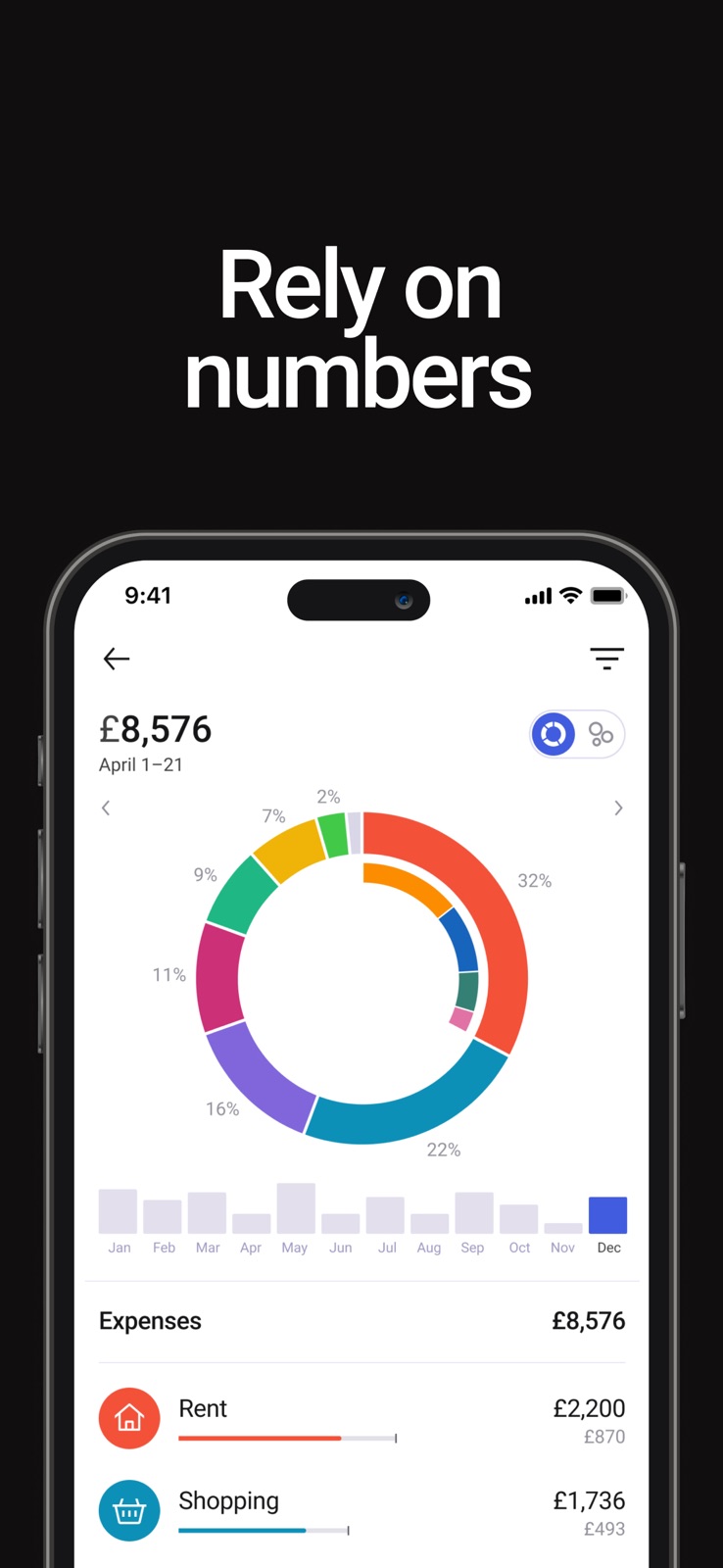
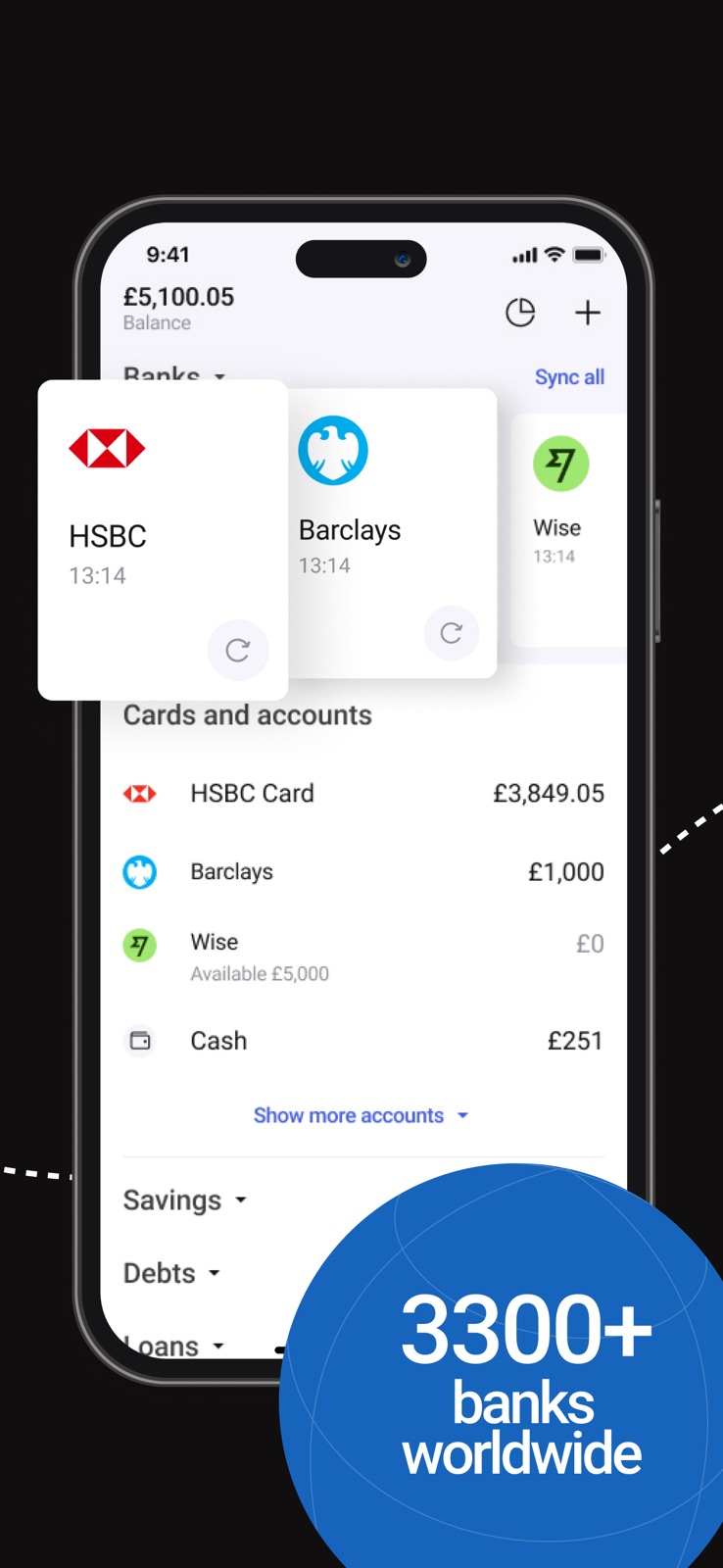
8 store screenshots


Pricing & paywalls
App Store
- Annual subscription with trial — $19.99/year ($1.66/mo)
- Monthly subscription — $3.49/month
- Monthly subscription — $19.99/year ($1.66/mo)
- Zenmoney Premium — $1.99
- Zenmoney Premium — $5.99
- Zenmoney Premium — $8.99
- Zenmoney Premium — $9.99
- Zenmoney Premium — $19.99
- Zenmoney Premium — $39.99
Ratings & reviews
App Store
-
5/5Great money tracker
I was worried about functionality after I had started using the app with my spouse as tracking money with more than one person assumes a lot of cases when stable synchronization is important. However, it has worked fine since then, no issues with functionality, maybe one I remember vividly with creating sub-categories while adding new transaction, but it happens very seldom and is minor from my point of view. So, what I want to say is thanks to creators for their high-quality product. 💪
Krasatun4ik · 6 Aug 2026
-
5/5Great!
ZenMoney is my go-to app for finally understanding where my money goes. I linked my bank accounts in minutes, and now it automatically tracks everything. I love the simple budgets and the alerts for upcoming bills - no more surprises! It feels like having a friendly financial assistant in my pocket. For the first time, I'm actually in control of my spending instead of wondering where it all went. Totally worth it
alaskabeat · 6 Aug 2026
-
5/5Good, but please, add the ability to attach files
The application is very convenient and clear. But I would like to have the ability to attach files with payment documents.
I don’t want to use nickname · 6 Aug 2026
-
3/5Great for integrations
The app is very good when it comes to integrations with post-soviet space banks and financial institutions. However, it lacks some very basic analytics that are common to such apps. For example, there is no cumulative balance chart, no cash flow chart, no money aging diagram. Once these are added, would definitely change the review to 5*. The UI is rather simplistic and clean, maybe even TOO CLEAN. I would suggest improving it to meet modern standards.
bolein95 · 6 Aug 2026
-
5/5The Best
This is best app for me! 5 stars. I have been using this app for 5 years now. Its simplicity and convenience have made keeping track of my finances a habit. Thank you to the developers for their hard work!
Andrey Zhizhin · 6 Aug 2026
Privacy & accessibility
App Store
Privacy
- Data Linked to You — Analytics — Identifiers — User ID Developer declared
- Data Linked to You — Analytics — Usage Data — Product Interaction Developer declared
- Data Linked to You — App Functionality — Contact Info — Email Address Developer declared
- Data Linked to You — App Functionality — Financial Info — Other Financial Info Developer declared
- Data Linked to You — App Functionality — Identifiers — User ID Developer declared
- Data Linked to You — App Functionality — Purchases — Purchase History Developer declared
- Data Linked to You — App Functionality — User Content — Customer Support Developer declared
- Data Linked to You — App Functionality — User Content — Other User Content Developer declared
- Data Linked to You — Contact Info Developer declared
- Data Linked to You — Financial Info Developer declared
- Data Linked to You — Identifiers Developer declared
- Data Linked to You — Purchases Developer declared
- Data Linked to You — Usage Data Developer declared
- Data Linked to You — User Content Developer declared
- Data Not Linked to You — App Functionality — Diagnostics — Crash Data Developer declared
- Data Not Linked to You — App Functionality — Diagnostics — Other Diagnostic Data Developer declared
- Data Not Linked to You — Diagnostics Developer declared
Accessibility
No accessibility labels collected yet.
Versions
App Store
-
26.1
This is mainly a technical update. We also improved SMS/push recognition and updated details in the “Spending by category” report, for example we brought back category colours. For ideas and questions, join our chat: https://t.me/zenmoneychat_en
-
26.2.1
— Brands. Transactions are getting easier to read. You’ll see real company names and icons more often instead of unclear bank descriptions. This makes purchases easier to recognise and helps make your analytics more accurate and useful. For now, you’ll need to confirm replacements manually, but we’re planning to make brand detection automatic later. — New filter in Transactions. Now available without a subscription. For ideas and questions, join our chat: https://t.me/zenmoneychat_en
-
26.3
New section: “Best card to pay with” Choose the card with the highest cashback before you pay. Upload this month’s cashback offers for your cards using a screenshot from your bank, find the brand you need, and Zenmoney will suggest which card is the best one to use. For ideas and questions, join our chat: https://t.me/zenmoneychat_en
-
26.4
Brands now have their own details with a “People share” section, where you can leave and find tips on how to pay smarter. Find brands in “Best way to pay” by tapping the card icon in Transactions. We’ve also added refunds in Budgets. For ideas and questions, join our chat: https://t.me/zenmoneychat_en
-
26.5
· 20 Jul 2026
Improved the add-transaction form: the transaction type is now visible right away, without an extra tap, and the keyboard now has an “=” button. We’ve also added an Inbox task for replacing merchants with brands. No need to search for these transactions manually anymore. For ideas and questions, join our chat: https://t.me/zenmoneychat_en
-
5.6.0
New Report in Analytics — Balance trends With this report, you can: — Select groups of accounts and individual accounts — View balance trends over long periods, get long-term insight into future plans, — And even see how the balance changes in one of the main world currencies. For ideas and questions, join our chat: https://t.me/zenmoneychat_en
-
5.6.1
The new and improved report in Analytics — Balance trends With this report, you can: — Select groups of accounts and individual accounts — View balance trends over long periods, get long-term insight into future plans, — And even see how the balance changes in one of the main world currencies. For ideas and questions, join our chat: https://t.me/zenmoneychat_en
-
5.7.0
New report — Comparison of expenses This new report will help you track your expenses for the current month compared to the previous month. You can see what's increasing, what's decreasing, and what's staying the same. You can also compare other periods, such as how your expenses have changed this month compared to last year. For ideas and questions, join our chat: https://t.me/zenmoneychat_en
-
5.8.0
New widgets in Analytics Dashboard: — Period Comparison — now you can see the difference from the previous month in the dashboard graph. — Savings — a widget with the trend of your savings over several months, status: growing or decreasing, how long they will last. For ideas and questions, join our chat: https://t.me/zenmoneychat_en
-
5.9.0
— Category spending widget: we've given our category spending widget a fresh look, making it easy to see your top spending categories at a glance. — Profile: we've added a new profile section under "More" that allows you to change your login, password, and email, as well as connect or disconnect your social logins. — Bug fixes: we've squashed a few bugs that were causing issues with transaction cards. For ideas and questions, join our chat: https://t.me/zenmoneychat_en
-
6.0.0
Income vs Expenses — new report and widget in Analytics. For ideas and questions, join our chat: https://t.me/zenmoneychat_en
-
6.1.0
New Report: Spending Trends Has total spending been increasing for several months in a row? It’s easier to understand the reason when you can immediately see which categories are influencing it. In the new report, we highlight categories with a clear upward trend. For ideas and questions, join our chat: https://t.me/zenmoneychat_en
-
6.2.0
— You can now tap on a category in the Period Comparison to quickly see which transactions caused your expenses to go up. — In the Income vs Expenses report, we’ve replaced the unclear numbers above the chart with a simple text status that clearly shows if the trend is rising or falling. For ideas and questions, join our chat: https://t.me/zenmoneychat_en
-
6.2.1
— You can now tap on a category in the Period Comparison to quickly see which transactions caused your expenses to go up. — In the Income vs Expenses report, we’ve replaced the unclear numbers above the chart with a simple text status that clearly shows if the trend is rising or falling. For ideas and questions, join our chat: https://t.me/zenmoneychat_en
-
8.3.0
— We have launched a financial assistant available to all paid users. You can ask any questions about your finances, build analytics, and visualize data. The assistant also provides guidance on how to use the app. You can find it in the Analytics section. — We added a category filter to reports: Income vs Expenses, Period Comparison, and Expense Trends. — We improved the category selection UI in the transaction card and added a search feature. — In the Period Comparison section, we added a comparison between 2024 and 2023. For ideas and questions, join our chat: https://t.me/zenmoneychat_en
-
8.4.0
— We have launched a financial assistant available to all paid users. You can ask any questions about your finances, build analytics, and visualize data. The assistant also provides guidance on how to use the app. You can find it in the Analytics section. — We added a category filter to reports: Income vs Expenses, Period Comparison, and Expense Trends. — We improved the category selection UI in the transaction card and added a search feature. — In the Period Comparison section, we added a comparison between 2024 and 2023. For ideas and questions, join our chat: https://t.me/zenmoneychat_en
-
8.5.1
Global Analytics filter – choose which accounts and categories to show (hide business, renovation, or any others). Set it up under Analytics → gear icon → Accounts & Categories. For ideas and questions, join our chat: https://t.me/zenmoneychat_en
-
8.6.1
— New transactions feed: planned transactions are now in a separate tab, with a daily total and a new multi-edit showing the sum of the selected transactions, and more — Refunds: mark the incoming transaction with the original spending category (e.g. “Eating out”) to reduce the total for that category in analytics — Category form redesign: you can now archive categories you don’t use — Filter saving in reports For ideas and questions, join our chat: https://t.me/zenmoneychat_en
-
8.6.2
— New transactions feed: planned transactions are now in a separate tab, with a daily total and a new multi-edit showing the sum of the selected transactions, and more — Refunds: mark the incoming transaction with the original spending category (e.g. “Eating out”) to reduce the total for that category in analytics — Category form redesign: you can now archive categories you don’t use — Filter saving in reports For ideas and questions, join our chat: https://t.me/zenmoneychat_en
-
8.7.0
— Switch between current and previous periods in Analytics. Handy when a month has just ended — switch all widgets to last month in one go. — New “Plans” widget, so all your analytics sit on one screen. For ideas and questions, join our chat: https://t.me/zenmoneychat_en
-
8.7.1
— Switch between current and previous periods in Analytics. Handy when a month has just ended — switch all widgets to last month in one go. — New “Plans” widget, so all your analytics sit on one screen. For ideas and questions, join our chat: https://t.me/zenmoneychat_en
-
8.8.0
New filters in the “Spending by category” report: you can now filter transactions by secondary categories (tags) and by places. This helps you analyse your spending more precisely, for example by specific scenarios (“Vacation”, “Renovation”) or by your favourite shops and cafes. For ideas and questions, join our chat: https://t.me/zenmoneychat_en
-
8.8.1
We’ve fixed several issues: brought back category icons when adding a transaction, resolved a crash on app launch, and tidied up a couple of other small things.
-
8.9.0
Updated the “Spending by category” report: a new design, more chart options, average comparisons and other improvements. For ideas and questions, join our chat: https://t.me/zenmoneychat_en
-
8.9.1
Bug fixes and stability improvements for bank sync. For ideas and questions, join our chat: https://t.me/zenmoneychat_en
Alternatives
- Moneon – Budget & Expenses — Same category + similar ratings
Availability by market
- US
Data quality & evidence
- Page completeness
- Live store listing
- Last verified
- 6 Aug 2026
- Sources
- App Store
- Apoku editorial summary has not been published yet.