
Quick verdict
- What it is
- Store information collected; independent summary not yet available.
- At a glance
-
- Free to download
Categories and search queries
Official categories
- Utilities
- Productivity
AppCorpus categories
Key functions
| Function | Availability | Access | Scope | Evidence |
|---|---|---|---|---|
| Free app | Yes | Free | — | Store published |
Screens
App Store
15 store screenshots

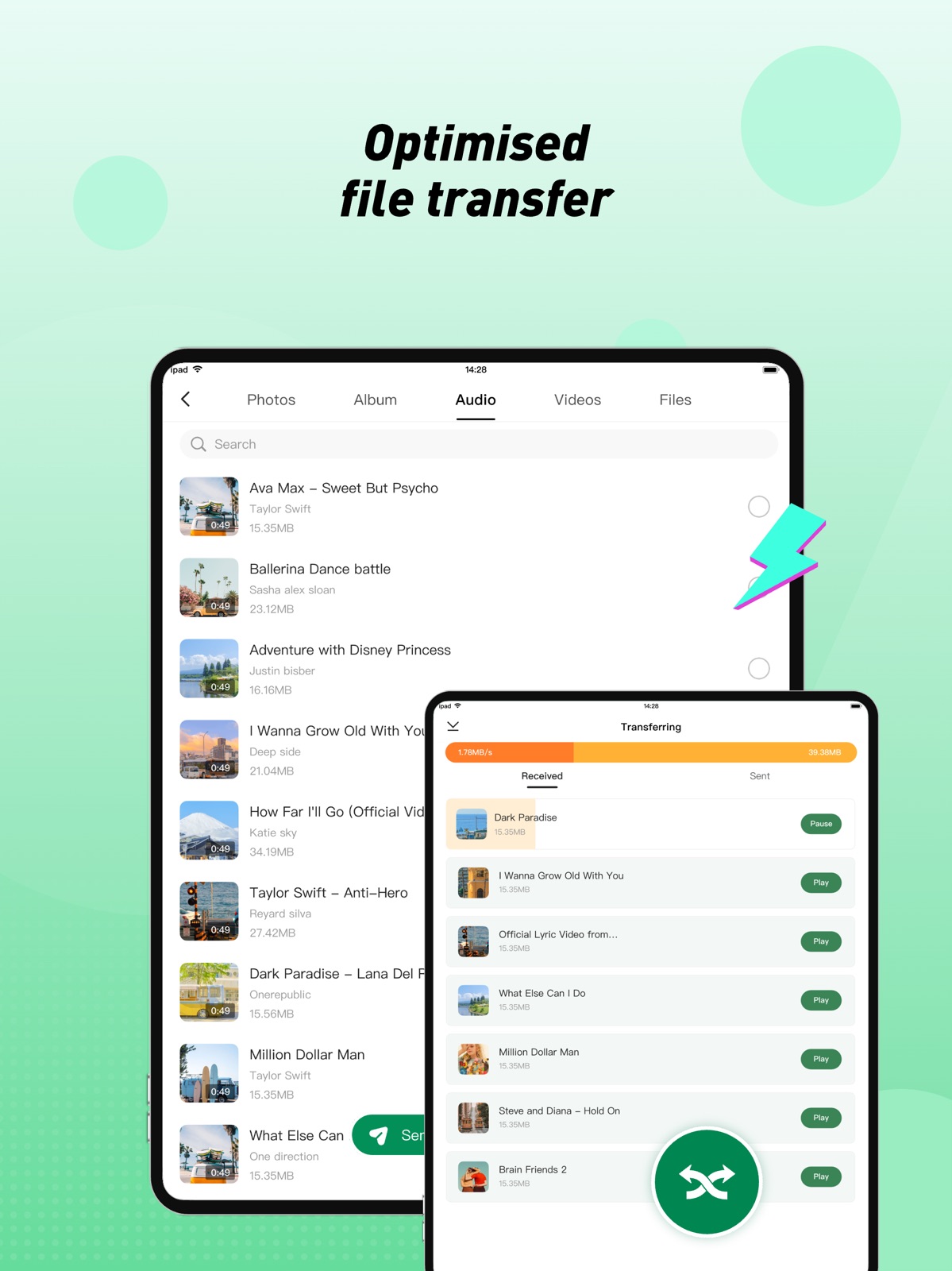


Pricing & paywalls
App Store
- Free
Ratings & reviews
App Store
-
4/5Issue with Long File Extensions When Transferring Videos via "Connect to web"
Dear Xender Development Team, First, I’d like to express my appreciation for your Xender app. It has greatly simplified transferring videos and photos from mobile to PC, and the overall user experience has been impressive. However, I’ve encountered an issue that occurs consistently across multiple computers. When I use the “Connect to web” method to download videos from my phone, the resulting files on the computer end up with excessively long file extensions. As a result, I must manually rename each file to restore the original name, which is quite inconvenient. I have tried the following steps without success: Tested on different computers and the issue persists. Uninstalled and reinstalled the Xender mobile app, but the problem remains. Could you please advise if there is a setting or workaround to keep the computer-side filename identical to the phone’s filename (including the extension) during transfer? If there’s a configuration I’m missing or a patch/update planned to address this, I would greatly appreciate your guidance. Any steps, files, or logs you need from me to diagnose the issue would be gladly provided. Thank you for your time and assistance. I look forward to your response.
VekingY · 30 Aug 2026
-
4/5Loving the latest update
The option to convert and play videos to audios is great. Would be better is i could be able to select more than one at a time. Cuz as it is now I’ll have to select one for it to play, then go and select another and that’s a lotta work. Also, I should be such that under the converted video to mp3 section, it should be such that when you click on one track, all other tracks in the list should be added to the playlist automatically rather than having to select one after the other to add to the playlist. But overall, I’m definitely loving it.
NBLX Collections · 30 Aug 2026
-
5/5If it works??
I just seen the app on the app list and I read about it and it says a lot, but I’m going to try it out for myself. I will test it out for a while and then I’ll get back to rewrite my review as to exactly what I think about the app. It seems and sounds pretty cool and all but I’m going to try it and see for myself. I’m hoping that it will work as specified in the description. Not using date and crossing platforms is what sold my on the app, so I can only hope. Thanks for all that you do and keep up the good work and the updates…lol.
LeeIsalso337 · 30 Aug 2026
-
5/5Please upgrade your app for Log in option
Please update your app for a “log in option” so one will be able to log in and out just incase one wants to change a device, because it allot of work moving all my files on Xender wen I change my phone, so putting the log in option will make it easier by logging in my Xender account on my new bought device, thanks in advance as you do this 🙏🏻
shahwhwhwh · 30 Aug 2026
-
2/5Disappointment
I greet the entire team of the Xender application. Nevertheless, I thank you for all your efforts to make the application functional. But, I'm really disappointed by this current update because it has far too many bugs! When you play the music and zap to bring the next music, the application crashes and no longer works. In addition, the music is no longer well ordered as before. It has created far too many disorders that I will not be able to explain here. Please review this. I know I'm using an iPhone 8 Plus, but it shouldn't undergo such a change. Thank you very much for your understanding.
Thug Boy😎 · 30 Aug 2026
Privacy & accessibility
App Store
Privacy
- Data Not Linked to You — Analytics — Usage Data — Product Interaction Developer declared
- Data Not Linked to You — App Functionality — Diagnostics — Crash Data Developer declared
- Data Not Linked to You — Third-Party Advertising — Identifiers — Device ID Developer declared
- Data Not Linked to You — Diagnostics Developer declared
- Data Not Linked to You — Identifiers Developer declared
- Data Not Linked to You — Usage Data Developer declared
- Data Used to Track You — Identifiers — Device ID Developer declared
- Data Used to Track You — Identifiers Developer declared
Accessibility
No accessibility labels collected yet.
Versions
App Store
-
10.0.0
1.Added support for more languages. 2.Stabilized file transfer. 3.Bug fixes.
-
10.0.1
1.Added support for more languages. 2.Stabilized file transfer. 3.Bug fixes.
-
11.0.0
1. Improved AI-powered photo management; 2. Enhanced file transfer; 3. Optimised performance; 4. Bug fixes.
-
12.0.0
1. Dark Mode support; 2. More language options; 3. Improved Photos (AI) features; 4. Polished music player UI; 5. Performance optimisations and bug fixes.
-
12.0.1
1. Dark Mode support; 2. More language options; 3. Improved Photos (AI) features; 4. Polished music player UI; 5. Performance optimisations and bug fixes.
-
13.0.0
Brand new video player Improved music player Faster PC connection Performance optimisations and bug fixes
-
14.0.0
The video player now supports subtitles and multiple audio tracks. Strengthened connection stability. Performance optimisations and bug fixes.
-
14.0.1
1. The video player now supports subtitles and multiple audio tracks. 2. Strengthened connection stability. 3. Performance optimisations and bug fixes.
-
14.5.0
1. The video player now supports mute and lock interface. 2. Improved connection experience. 3. Performance optimisations and bug fixes.
-
14.5.1
1. The video player now supports mute and lock interface. 2. Improved connection experience. 3. Performance optimisations and bug fixes.
-
14.6.1
Performance optimisations and bug fixes.
-
15.0.0
1. The new Favorites playlist is easy to add songs to. 2. The video player now supports continuous playback. 3. Polished music & video player UI. 4. Upgraded media framework. 5. Performance optimisations and bug fixes.
-
15.0.1
1. The new Favorites playlist is easy to add songs to. 2. The video player now supports continuous playback. 3. Polished music & video player UI. 4. Upgraded media framework. 5. Performance optimisations and bug fixes.
-
15.0.2
· 8 Jun 2026
1. The new Favorites playlist is easy to add songs to. 2. The video player now supports continuous playback. 3. Polished music & video player UI. 4. Upgraded media framework. 5. Performance optimisations and bug fixes.
-
16.0.0
· 20 Aug 2026
• Phone-to-PC transfer is now available. • Contacts migration is now supported. • Music Player: Added playback speed. • Video Player: Added playback speed control and a refined orientation lock. • Performance optimisations and bug fixes.
-
7.2.2
1、Added new media edit info feature. 2、Enhanced connection transmission stability. 3、Fixed bugs.
-
7.2.3
1、Added new media edit info feature. 2、Enhanced connection transmission stability. 3、Fixed bugs.
-
8.0.0
1. Completely new audio player UI design. 2. Optimize the audio player for more stable and smooth music playback. 3. Improve file transfer speed. 4. Bug fixes.
-
8.0.1
1. Completely new audio player UI design. 2. Optimize the audio player for more stable and smooth music playback. 3. Improve file transfer speed. 4. Bug fixes.
-
9.0.0
1. New Connect to PC feature, transfer files with your PC. 2. Improved stability and compatibility. 3. Bug fixes.
-
9.0.1
1. New Connect to PC feature, transfer files with your PC. 2. Improved stability and compatibility. 3. Bug fixes.
-
9.0.2
1. New Connect to PC feature, transfer files with your PC. 2. Improved stability and compatibility. 3. Bug fixes.
-
9.1.0
1. Improve the connection and transfer experience. 2. Update player kit. 3. Fix bugs.
-
9.1.1
1. Improve the connection and transfer experience. 2. Update player kit. 3. Fix bugs.
-
9.5.0
1. New AI-powered photo management; 2. Upgraded interface, clearer and easier; 3. Stabilised file transfer for a smoother experience.
-
9.5.1
1. New AI-powered photo management; 2. Upgraded interface, clearer and easier; 3. Stabilised file transfer for a smoother experience.
Alternatives
- Octohide VPN: Private & Secure — Same category + similar ratings
- Phoenix Browser + Proxy VPN — Same category + similar ratings
Availability by market
- US
Data quality & evidence
- Page completeness
- Live store listing
- Last verified
- 30 Aug 2026
- Sources
- App Store
- Independent summary has not been published yet.