
Quick verdict
- What it is
- Store information collected; independent summary not yet available.
- At a glance
-
- $7.99
Categories and search queries
Official categories
- Productivity
- Utilities
AppCorpus categories
Key functions
| Function | Availability | Access | Scope | Evidence |
|---|---|---|---|---|
| Family Sharing | Yes | Unknown | App Store | Store published |
Screens
App Store
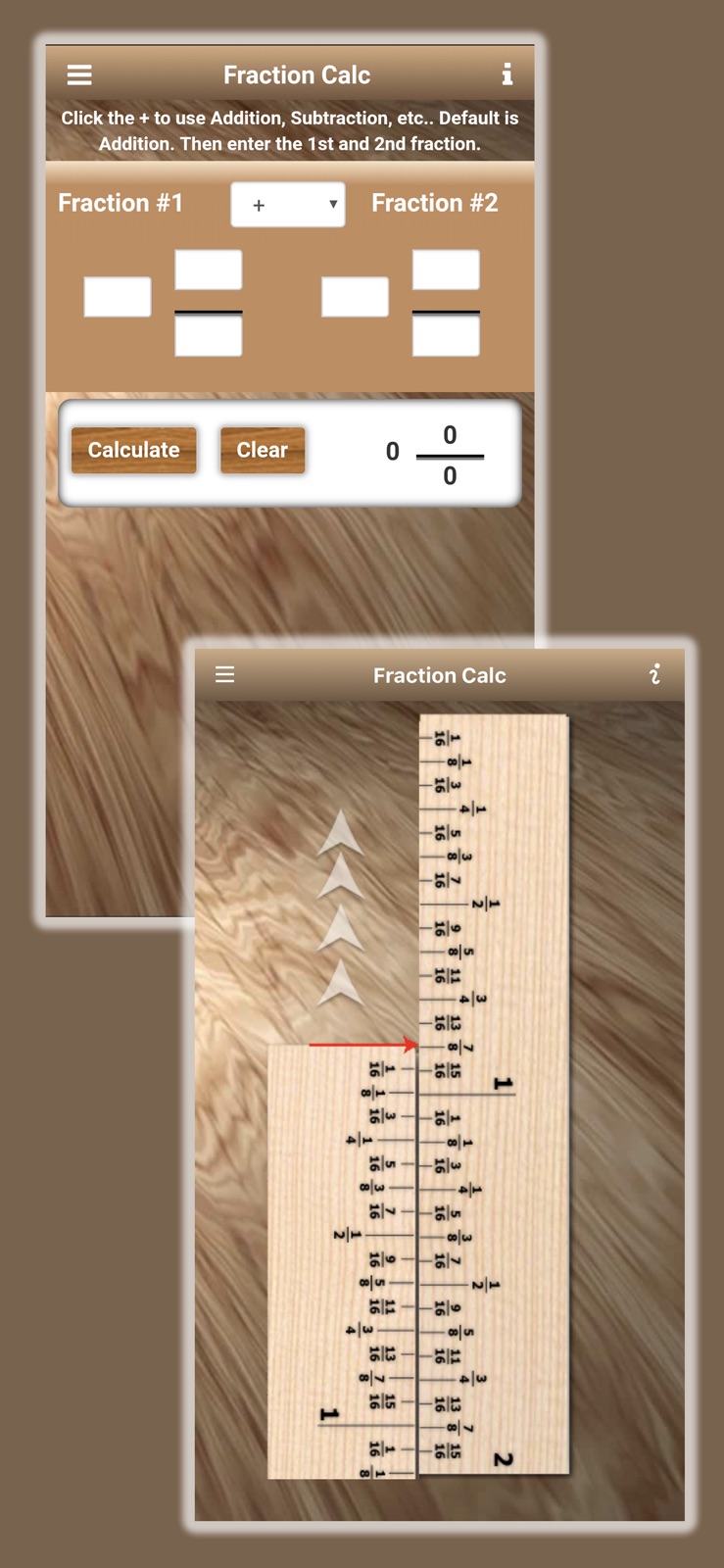
10 store screenshots



Pricing & paywalls
App Store
- Price: $7.99
Ratings & reviews
App Store
-
1/5Not worth the money
Little things make this app unusable. It is the default keyboard for entering numbers so I'm constantly having to hit the numbers key to do so. Fraction calculator works but there are apps that do it better for free. Most of the functions are kind of neat but I don't really need them in an app. All in all, I wish I could get my money back.
NickyinTexas · 31 Jul 2026
-
5/5App Great. Support even better!
You might make mention that the price looks steep, but if you look around your own shop, each tool is an investment. For quality work and craftsmanship, sometimes it is worth paying the couple bucks up front to save hours and money in the long run. With this app, you won't be disappointed. Also, having a problem or question will be responded to very promptly. I had a small question and within minutes a response was in my inbox. Kudos on the App and even better to know there is a team of people who care about their customers. Thanks.
Jayreynolds · 31 Jul 2026
-
2/5Lousy
I'm very disappointed in this app. My overall impression when glancing through the details was that you could use this app to actually plan projects, and then send them to yourself to print off. Don't be fooled, the project planner is nothing more than a form that is not interactive and can be printed to be then manually filled out, which it does state, hover buried it is... Bottom line, don't waste your money!
Roadkill611 · 31 Jul 2026
-
1/5Worthless
Many features just simply do not work and the information pages are very basic knowledge. Nothing of value is provided in this app.
hmbarger · 31 Jul 2026
-
3/5Useful but pricey
I particularly like two features: Nominal-vs-Actual lumber size conversion, and the screw size table. I would like to see the screw size table include a through hole column.
trex-2 · 31 Jul 2026
Privacy & accessibility
App Store
Privacy
- Data Not Collected Developer declared
Accessibility
No accessibility labels collected yet.
Versions
App Store
-
1.30
- Now iOS 7 Compatible
-
1.31
- Some cosmetic updates - Minor bug fix
-
1.6
Updated for iOS 11 Now includes a Shelf-Spacing Calculator! Board Ft Calc has new features. Responsive design supporting all iOS devices. Bug fixes.
-
1.60.3
Fixed bug on the Sliderule Help window.
-
1.61
Minor bug fix
-
1.62
Bug fixes Performance tweaks
-
1.7
New Decking Calculator for getting the number of deck boards required for a given deck section. Up to 3 deck sections supported. Based on standard 5.5 inch deck boards. Performance enhancements.
-
1.72
Updated to support the latest iOS devices. Performance enhancements.
-
1.80
Added New Wall Panels/Sheets Calculator. Can be used to estimate plywood or paneling sheets needed to cover walls. Could be used for drywall sheet estimates but not specifically designed for it. Assumes standard 4ft x 8ft sheet sizes.
-
1.80.2
Minor bug fixes and cosmetic updates.
-
1.81.3
A few bug fixes. Performance enhancements. Updated for iOS 15.
-
1.81.4
Minor bug fixes
-
1.82.0
Updated for iOS 17. Performance enhancements. Project Planner file links now includes a fillable Word Document as well as a PDF. Minor bug fixes.
-
1.82.1
Minor bug fix for larger iPhone screens.
-
1.82.3
Minor bug fixes and performance enhancements.
-
1.82.4
Updated for the latest iOS. Enhanced performance across the entire app.
-
1.83.3
New! Now includes a Cutlist Calculator/Cutting Layout Calculator. Plan your plywood projects with confidence. The Cutting Layout Calculator lets you input piece dimensions, adjust for kerf, and instantly see the most efficient way to cut a 4’ x 8’ sheet. Visual layouts reduce waste, save time and save wood.
-
1.83.4
Minor bug fix and a couple of cosmetic updates.
-
1.84.4
Added a Wainscot Calculator. A compact utility to calculate and display Wainscot (picture/frame) layout along a wall.
-
1.84.5
Minor bug fix. Tweaked a couple of the new tools.
-
1.84.6
Stability improvements and performance optimizations.
-
1.85.0
Added a Fraction to Decimal Reference Chart so you can now instantly see the equivalent values for measurement entries. On related tools, you can call up the Reference Chart by tapping a Conversion (double-arrows) button at the top menu bar.
-
1.85.1
Performance enhancements. Minor tweaks to the User Interface.
-
1.85.2
This update from Apple will improve the functionality of this app. No new features are included. Updated to support the latest iOS versions. Minor tweaks.
-
1.85.3
· 21 May 2026
Updated to support the latest iOS. Minor stability updates.
Availability by market
- US
Data quality & evidence
- Page completeness
- Live store listing
- Last verified
- 31 Jul 2026
- Sources
- App Store
- Independent summary has not been published yet.