
Quick verdict
- What it is
- Store information collected; independent summary not yet available.
- At a glance
-
- Free to download
- In-app purchases
Categories and search queries
Official categories
- Utilities
- Productivity
AppCorpus categories
Key functions
| Function | Availability | Access | Scope | Evidence |
|---|---|---|---|---|
| Family Sharing | Yes | Unknown | App Store | Store published |
| Free app | Yes | Free | — | Store published |
| In-app purchases | Yes | Limited free | — | Store published |
Screens
App Store
23 store screenshots


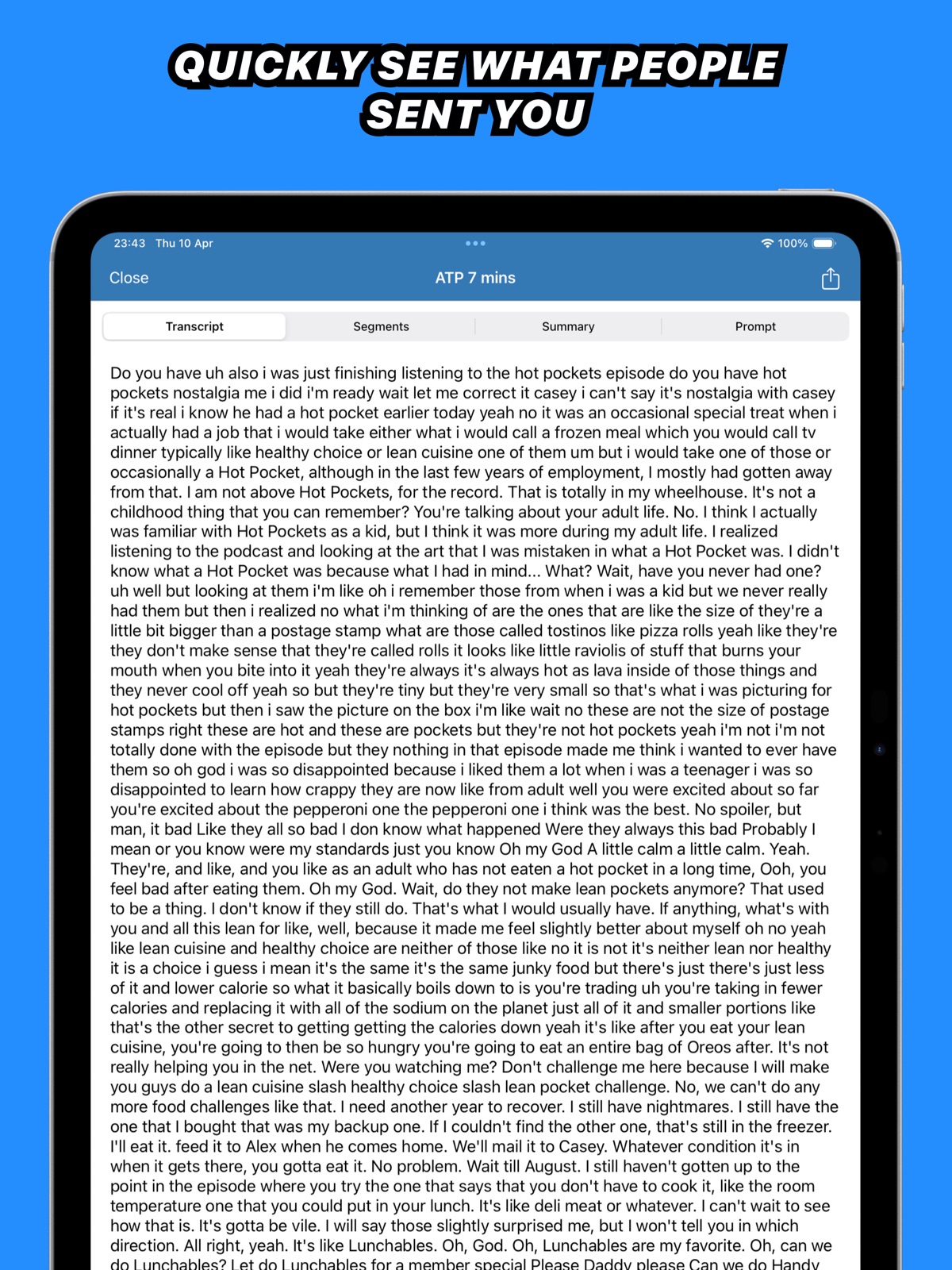
Pricing & paywalls
App Store
- Free to download
- In-app purchases
Ratings & reviews
App Store
-
4/5Great App & Dev
The only reason I'm giving it 4 stars is to indicate it's not a fake review. As many or all of the 5 star reviews may be real, it's hard to tell these days. All 5 star reviews is sketchy. The app works great, even allowing .caf files (iMessages voice messages), unlike some other clones of this app. The only confusing thing about the app is the pricing. There is a subscription and one time purchase. But the subscription is only available in the Mac App Store version. You can get it from the dev's website as well (do that). It's not clear how the app pays for API calls to Whisper, and will be able to stay afloat into the future. Dev, please show these terms somewhere. And one odd omission is the option to show "sentences" in the top button bar... you have to go into Settings to enable sentences.
SkyMakai · 31 Jul 2026
-
5/5The Best
I needed an app that was using the new AI language models to provide actually good Russian Transcriptions. This app allows you to download different size language models depending on what you need. Instead of good i got GREAT transcriptions immediately available in subtitle (SRT or VTT) format. I have been using this app for 5 months now and after 2 months i did the premium one time payment which was totally inexpensive and totally worth it for me. You guys did great with this app. Easy to use, fast, easy to understand and most importantly, accurate transcriptions. Also, i checked their website and they seem to be working on new apps that offer real time speech to text or live captions for streaming video. That would be cool. Highly recommended app and there isn't any better in the app store at the moment.
Bluedlove · 31 Jul 2026
-
5/5Voice is the new peripheral
Mouse and keyboard are out - voice is in. The current version of Whisper Transcription is half voice transcriber, half LLM. That opens up many unique workflow capabilities such as: 1) record yourself babbling into a voice recorder, upload the audio file into W.T. and use the ChatGPT API to extract the key points and action items from your monologue (this is the BEST way to get organized at the start of your busy day); 2) record your Zoom/Teams/etc. meeting with permission and upload the video or audio file(s) into W.T., then use the ChatGPT API to create recap meeting notes and action items (gone are the times of missing key points because you dissociated for 15 mins) [note: being able to do this all on-device and securely would be the ultimate selling point]; 3) paste a video link and get the full transcription without having to sit through the video, then use the ChatGPT API to extract key points or a summary and decide if the video is worth watching through fully. Great work - huge fan - absolutely recommend. This is how we will all interact with computers from here on out.
negnom · 31 Jul 2026
-
4/5Good app with room for improvement
Good local option. It’s kind of like a feature-limited version of Descript. I purchased the Pro license for larger models. Even with M4 Max, it’s not as fast as cloud services, but overall works well and is more functional than the open source project. Recommended. I liked the option to combine segments by sentence, but found speaker identification needs a lot of improvement (it frequently associates one word in a sentence to another/wrong speaker or the last/first word of a sentence from the previous/next speaker). I was also a bit disappointed there is no CLI/wrapper to use it from the terminal. I was able to figure out how to filter out filler words from the transcript, but it would be nice if there was a one-click way to enable doing so. Please keep improving.
my_whatchamacallit · 31 Jul 2026
-
5/5Grateful for app, hoping for improvements
I'm grateful for this app that allows offline, on-device transcription, which is both better for security and better for the environment than cloud-based apps. I do find transcription quite accurate on the word level, though not identifying speakers--frequently identifies many more speakers than there are and missatributes speach. At the same time, I spend a lot of time cleaning transcriptions up--mostly re-identifying speakers and combining or breaking segments up for coherence. This is necessary for someone who needs transcriptions to be readable for others. Other than improving speaker identification, there are several small improvements that could GREATLY speed up this process-- - have keyboard shortcuts to go rewind playback 15ish seconds - link audio to words rather than segments, so that when you break a segment into two, the second part does not still have the start time of the first. This is pretty tedious to correct. - in segment view, where you can edit, it is sometimes hard to play from a selected section, taking multiple clicks to get out of editing or renaming speaker mode - a comprehensive guide to editing transcriptions. I couldn't figure out how to split or combine segements until I wrote to the developer I am hopeful that this app will be improved to the point that it will replace my need to use others when I'm short on time. If it can, I will recommend this app widely--including to friends, students, and colleagues with similar needs. I will say that when I contacted the developer, I received a quick personal response, which was much appreciated. I have paid for a year of pro-- at the end of the year, I will reassess.
seabright8 · 31 Jul 2026
Privacy & accessibility
App Store
Privacy
- Data Not Linked to You — Analytics — Usage Data — Product Interaction Developer declared
- Data Not Linked to You — Usage Data Developer declared
Accessibility
No accessibility labels collected yet.
Versions
App Store
-
1.10
■ Improvements • Improved the navigation flow of the app while transcribing files from other apps ■ Bugfixes • Due to technical changes the file size limit for cloud transcription is 50MB right now. We’re looking into more ways to increase this.
-
1.11
■ Improvements • Improved the German, Dutch & French localisation • More accurately show the origin app of the file you share to the app
-
1.5
■ Improvements • Added a yearly subscription option, thanks for the feedback!
-
1.6
■ New • You can now add your own API keys for OpenAI and ElevenLabs. Use them to transcribe and chat with your transcripts. Thanks for all the feedback, more fixes and improvements are coming soon!
-
1.7
■ New • Added homescreen and control center widgets to quickly start a new recording • You can now export recordings before you start transcribing them ■ Improvements • Increased line spacing on the transcript view for a more calm look and feel • Recordings start immediately on the record screen now • Fixed dark mode colors in onboarding
-
1.8
Fixed an issue where you could not record the microphone
-
1.9
■ New • Added control center, lock screen and homescreen widgets to start a recording ■ Improvements • Increased the file size limit for cloud transcription to 1GB to support larger files • Added support for iPad Air M1 for local models
-
2.0
■ New • Your transcriptions and recordings are now saved in the new history view. Quickly revisit previous transcriptions without having to transcribe them again ■ Improvements • Improved design stuff all around the app, making it more clean and simple • If you’re playing music it will no longer be paused when you get to the transcription view • Added a “Are you sure you want to quit alert” to prevent data loss • Clearer error alerts with simpler descriptions ■ Bugfixes • Voice Memos audio files no longer show the WhatsApp icon • Fixed an issue where the summary could be presented out of order
-
2.1
■ New • Added support for videos • Improved performance for local models ■ Improvements • Improved support for files that were stored in iCloud when shared with the app • Audio playback improvements
-
2.1.1
■ Fixed • It was possible for transcription segments to sometimes be displayed in the wrong order when transcribed on-device.
-
2.2
Fixed an issue where the summary could be shown in the incorrect order
-
3.0
■ New • This update introduces a new dictation keyboard you can use in any app on your iOS device! Simply select it from the Globe icon after setting it up and you can talk much faster than you can type all across the system. Let us know how it works for you. We’ll be improving it a lot over the next few weeks based on your feedback!
-
3.1
■ Improvements • Added a check for minimum available storage space before you can download a local model. This could lead to crashes when downloading without having enough space. • Cleaned up the dictation history detail view • Improved dictation support for Microsoft Teams, Outlook, Claude, Drafts 5 and more. ■ Fixed • Disabled swiping in the keyboard setup view
-
3.2
■ Improvements • Added support for more apps for the keyboard feature ■ Fixed • Fixed a crash that could happen when running the app from a locked phone state
-
3.2.1
■ Fixed • Fixed an issue where the local model could not be downloaded
-
4.0
■ New • Implemented a new Liquid Glass design • You can now browse your old transcriptions and dictations • Added support for Apple Foundation Models to be used for AI features • Added support for the new on device transcription engine • A short summary is now autogenerated if you have an AI service setup • You can adjust the prompt that is used for the long summary • Added initial support for Shortcuts. We’ll add more soon. • Recordings are automatically saved, even if they fail for some reason. ■ Improved • The app is now much faster to use • Added support for more apps for the dictation keyboard ■ Fixed • Fixed an issue where a recording would not be saved
-
4.0.1
■ Improved • Small tweaks and design improvements on iPadOS
-
4.0.2
■ Improved • You can toggle off the summary view on the homescreen • When adding an API key, it’s automatically enabled ■ Bugfixes • Fixed an issue where if you didn’t have an AI service setup, you could get an error alert when creating a summary
-
4.0.3
- Fixes an error alert that could occur when downloading the local model
-
4.1
Due to system changes the dictation feature can no longer start automatically. You will have to move back to the previous app manually by swiping on the bottom of your screen. Sorry about that! ■ Improvements • Dictating with local models is more reliable ■ Bugfixes • Fixed an issue where dictation could not be activated. • Fixed an issue where using your own API could require a pro subscription in some scenarios
-
4.1.1
■ Improvements • Improved stability when using local models
-
4.2.0
■ New • Local transcription models now run on latest iPad models ■ Improved • Assistant can now handle files twice as long
-
4.3.0
■ Improvements • A cleaner, more consistent look across the app, including a redesigned on-device model download screen. • Transcribe audio-only MP4 files. • Smoother search on the home screen. • Sharing a video now shows "Share Video" with a video icon, audio files show audio. • More room on iPad: the home screen shows more of your history with longer, multi-line previews that fill the screen. • Quick paste buttons on the OpenAI and ElevenLabs API key fields. • VoiceOver and accessibility improvements throughout - progress indicators and the playback scrubber now announce what's happening (for example "1:23 of 4:56"). ■ Bugfixes • Fixed short audio clips sometimes producing an empty transcription. • Fixed the Share Sheet prompt on the home screen dismissing when you didn't mean it to.
-
4.4
■ New • Added export previews, with support for VTT and Markdown subtitles and DOTE files • Added Anthropic API key support and model selection for summaries, titles, and transcript chat • Added an OpenAI model picker, including support for custom models • Transcripts can now be renamed manually ■ Improvements • Redesigned transcript chat with clearer loading and empty states, a better input bar, and easier response copying • Improved the transcript detail layout on iPad, including a wider playback bar and a collapsible inspector • Improved search result reliability and transcription retry actions • Improved the confirmation shown when deleting all dictations • Updated translations throughout the iPhone and iPad apps ■ Bugfixes • Fixed the selected AI service sometimes changing when it was temporarily unavailable • Fixed opening Custom API Keys unexpectedly switching the selected AI service to OpenAI • Fixed unclear errors when an on-device model download became corrupted • Fixed sharing a transcript chat response sometimes sharing the prompt instead of the generated answer
-
4.5
· 29 Jul 2026
■ New • Import from URL: paste a link to an audio or video file, and transcribe it straight from the home screen • Added Claude Opus 5 to the Anthropic model picker for summaries, titles, and transcript chat ■ Improvements • Redesigned Settings with new icons • Assistant transcription now runs on Mistral's Voxtral model; larger files are still handled by ElevenLabs Scribe • Clearer errors when an on-device model download fails because the connection is blocked or unstable • Updated German, Dutch, and French translations ■ Bugfixes • Fixed the detected language not showing on transcripts made with the Assistant • Fixed some audio files being rejected by the Assistant because the upload did not include the original filename • Fixed the "file too large" message from the Assistant not being translated
Alternatives
- Screens 5: VNC Remote Desktop — Same category + similar ratings
Availability by market
- US
Data quality & evidence
- Page completeness
- Live store listing
- Last verified
- 31 Jul 2026
- Sources
- App Store
- Independent summary has not been published yet.