AppCorpus MCP gives your agent current app data, prices, screens, features and sources.
View JSON
GET /api/v3/apps/1577078380
{
  "app_id": 1577078380,
  "canonical_url": "https://appcorpus.com/apps/wavebox-audio-editor-1577078380",
  "identity": {
    "name": "Wavebox Audio Editor",
    "slug": "wavebox-audio-editor",
    "developer": {
      "name": "Luis Rivas",
      "url": "https://appcorpus.com/developers/luis-rivas-developer_4ab31e0422a8c21e40eff6c9e1cd03bf"
    },
    "icon_url": "https://is1-ssl.mzstatic.com/image/thumb/Purple221/v4/76/cc/09/76cc09d3-fcd7-3b77-78f6-a6f7e71bb7db/AppIcon-0-0-1x_U007epad-0-1-85-220.png/512x512bb.jpg",
    "stores": [
      "apple"
    ],
    "platforms": [
      "iphone",
      "ipad"
    ],
    "status": {
      "state": "active",
      "label": "Active",
      "last_checked": "2026-07-31",
      "last_checked_label": "31 Jul 2026",
      "banner": null,
      "region_note": null
    }
  },
  "listings": [
    {
      "store": "apple",
      "status": "ACTIVE",
      "url": "https://apps.apple.com/us/app/wavebox-audio-editor/id1577078380?uo=4",
      "rating": 4.4,
      "rating_count": 69,
      "formatted_price": "$7.99",
      "is_free": false,
      "has_iap": false,
      "has_subscription": false,
      "version": "1.6.7",
      "updated": "2026-03-11",
      "currency": "USD"
    }
  ],
  "summary": {
    "one_liner": null,
    "summary": null,
    "best_for": [],
    "not_for": [],
    "status": "fallback",
    "at_a_glance": [
      "$7.99"
    ]
  },
  "categories": {
    "official": [
      "Photo & Video",
      "Entertainment"
    ],
    "appcorpus": [
      {
        "category_id": "photo-video",
        "label": "Photo & video",
        "url": "https://appcorpus.com/categories/photo-video"
      },
      {
        "category_id": "entertainment",
        "label": "Entertainment",
        "url": "https://appcorpus.com/categories/entertainment"
      }
    ]
  },
  "use_cases": [],
  "features": [
    {
      "capability_id": "family_sharing",
      "label": "Family Sharing",
      "availability": "yes",
      "access_level": "unknown",
      "scope": "App Store",
      "evidence": "Store published"
    }
  ],
  "pricing": [
    {
      "store": "apple",
      "formatted_price": "$7.99",
      "is_free": false,
      "has_iap": false,
      "has_subscription": false,
      "currency": "USD",
      "market": "us",
      "last_verified": "2026-07-31",
      "rows": [
        "Price: $7.99"
      ]
    }
  ],
  "screens": [
    {
      "url": "https://is1-ssl.mzstatic.com/image/thumb/PurpleSource211/v4/90/2d/19/902d1918-024a-6962-9c5b-29084e242159/IMG_0378.PNG/1600x1600bb.jpg",
      "store": "apple",
      "platform": "ipad",
      "alt": "Wavebox Audio Editor ipad screenshot 1"
    },
    {
      "url": "https://is1-ssl.mzstatic.com/image/thumb/PurpleSource221/v4/c6/f1/b4/c6f1b436-848f-0656-f165-b6eebae93d2f/IMG_0380.PNG/1600x1600bb.jpg",
      "store": "apple",
      "platform": "ipad",
      "alt": "Wavebox Audio Editor ipad screenshot 2"
    },
    {
      "url": "https://is1-ssl.mzstatic.com/image/thumb/PurpleSource211/v4/fe/21/98/fe21981f-75a0-9f71-af96-e99638048c47/IMG_0384.PNG/1600x1600bb.jpg",
      "store": "apple",
      "platform": "ipad",
      "alt": "Wavebox Audio Editor ipad screenshot 3"
    },
    {
      "url": "https://is1-ssl.mzstatic.com/image/thumb/PurpleSource211/v4/68/9b/c9/689bc956-42e6-e92e-6fda-f49c10a4d7c4/IMG_0381.PNG/1600x1600bb.jpg",
      "store": "apple",
      "platform": "ipad",
      "alt": "Wavebox Audio Editor ipad screenshot 4"
    },
    {
      "url": "https://is1-ssl.mzstatic.com/image/thumb/PurpleSource211/v4/ad/f8/28/adf82840-7ab6-efb7-4710-b4868b95af14/IMG_0382.PNG/1600x1600bb.jpg",
      "store": "apple",
      "platform": "ipad",
      "alt": "Wavebox Audio Editor ipad screenshot 5"
    },
    {
      "url": "https://is1-ssl.mzstatic.com/image/thumb/PurpleSource221/v4/46/bb/cb/46bbcbe8-7741-07b6-f7dd-82aad6619bbb/IMG_0373.PNG/1600x1600bb.jpg",
      "store": "apple",
      "platform": "ipad",
      "alt": "Wavebox Audio Editor ipad screenshot 6"
    },
    {
      "url": "https://is1-ssl.mzstatic.com/image/thumb/PurpleSource211/v4/b0/07/5d/b0075d11-66ac-1c3a-3fbb-0f07f0f3cebe/IMG_0379.PNG/1600x1600bb.jpg",
      "store": "apple",
      "platform": "ipad",
      "alt": "Wavebox Audio Editor ipad screenshot 7"
    },
    {
      "url": "https://is1-ssl.mzstatic.com/image/thumb/PurpleSource211/v4/1f/46/c9/1f46c91d-1531-4c98-32f5-8bd335d56dcf/IMG_1070.PNG/1179x1600bb.jpg",
      "store": "apple",
      "platform": "iphone",
      "alt": "Wavebox Audio Editor iphone screenshot 8"
    },
    {
      "url": "https://is1-ssl.mzstatic.com/image/thumb/PurpleSource221/v4/e9/0e/47/e90e479c-53e2-0939-26f8-d41caa03bc6f/IMG_1068.PNG/1179x1600bb.jpg",
      "store": "apple",
      "platform": "iphone",
      "alt": "Wavebox Audio Editor iphone screenshot 9"
    },
    {
      "url": "https://is1-ssl.mzstatic.com/image/thumb/PurpleSource221/v4/38/fa/97/38fa97aa-84d7-6539-328f-05ccb8c302a4/IMG_1066.PNG/1179x1600bb.jpg",
      "store": "apple",
      "platform": "iphone",
      "alt": "Wavebox Audio Editor iphone screenshot 10"
    },
    {
      "url": "https://is1-ssl.mzstatic.com/image/thumb/PurpleSource211/v4/34/09/80/340980da-1511-3a10-32f9-478cbc293cbb/IMG_1063.PNG/1179x1600bb.jpg",
      "store": "apple",
      "platform": "iphone",
      "alt": "Wavebox Audio Editor iphone screenshot 11"
    },
    {
      "url": "https://is1-ssl.mzstatic.com/image/thumb/PurpleSource211/v4/ab/69/21/ab692121-6995-2ea8-4398-7d0d18975cac/IMG_1067.PNG/1179x1600bb.jpg",
      "store": "apple",
      "platform": "iphone",
      "alt": "Wavebox Audio Editor iphone screenshot 12"
    },
    {
      "url": "https://is1-ssl.mzstatic.com/image/thumb/PurpleSource221/v4/cc/90/5f/cc905fa8-189c-ea51-fa75-9e76ea1c456a/IMG_1064.PNG/1179x1600bb.jpg",
      "store": "apple",
      "platform": "iphone",
      "alt": "Wavebox Audio Editor iphone screenshot 13"
    },
    {
      "url": "https://is1-ssl.mzstatic.com/image/thumb/PurpleSource221/v4/86/a6/d2/86a6d2aa-7a32-a88d-fb4a-67c697361909/IMG_1065.PNG/1179x1600bb.jpg",
      "store": "apple",
      "platform": "iphone",
      "alt": "Wavebox Audio Editor iphone screenshot 14"
    },
    {
      "url": "https://is1-ssl.mzstatic.com/image/thumb/PurpleSource211/v4/64/f7/2c/64f72c7b-c974-9456-de8e-811d5fbc7f08/Screenshot_2026-02-25_at_19.32.32.png/1600x1600bb.jpg",
      "store": "apple",
      "platform": "mac",
      "alt": "Wavebox Audio Editor mac screenshot 15"
    },
    {
      "url": "https://is1-ssl.mzstatic.com/image/thumb/PurpleSource211/v4/9f/19/e3/9f19e3e2-2566-ffc4-b7ca-f748a88f5c28/Screenshot_2026-02-25_at_19.32.24.png/1600x1600bb.jpg",
      "store": "apple",
      "platform": "mac",
      "alt": "Wavebox Audio Editor mac screenshot 16"
    },
    {
      "url": "https://is1-ssl.mzstatic.com/image/thumb/PurpleSource211/v4/5f/ca/a4/5fcaa472-d424-2bc4-ba06-24c92194eb36/Screenshot_2026-02-25_at_19.33.02.png/1600x1600bb.jpg",
      "store": "apple",
      "platform": "mac",
      "alt": "Wavebox Audio Editor mac screenshot 17"
    },
    {
      "url": "https://is1-ssl.mzstatic.com/image/thumb/PurpleSource211/v4/35/68/b7/3568b706-a8c7-82f5-26f1-df4b7674da55/Screenshot_2026-02-25_at_19.32.15.png/1600x1600bb.jpg",
      "store": "apple",
      "platform": "mac",
      "alt": "Wavebox Audio Editor mac screenshot 18"
    },
    {
      "url": "https://is1-ssl.mzstatic.com/image/thumb/PurpleSource221/v4/ef/97/0b/ef970b93-3ee3-ca26-c695-8c40045713f7/Screenshot_2026-02-25_at_19.32.50.png/1600x1600bb.jpg",
      "store": "apple",
      "platform": "mac",
      "alt": "Wavebox Audio Editor mac screenshot 19"
    },
    {
      "url": "https://is1-ssl.mzstatic.com/image/thumb/PurpleSource221/v4/ee/b5/fb/eeb5fb02-d28f-e6c6-fc7f-a5b097fe27ef/Screenshot_2026-02-25_at_19.32.06.png/1600x1600bb.jpg",
      "store": "apple",
      "platform": "mac",
      "alt": "Wavebox Audio Editor mac screenshot 20"
    }
  ],
  "ratings": [
    {
      "store": "apple",
      "average": 4.4,
      "count": 69,
      "market": "us",
      "observed_at": "2026-07-31",
      "reviews": [
        {
          "rating": 5,
          "title": "Perfect",
          "body": "This app is perfect, I have camera around my house. I have an autistic non verbal 6 year old. He spoke two words clearly but we didn't witness it, my sister did. He was in the bathroom where two cameras caught the audio but it was very blurry and muffled. I opened the file and isolated the sound and was able to clearly hear him say his first real words \"Happy Shower\". I used it on the ipad mini and it was very easy. Can't beleive this app was free.",
          "author": "DAN13L83",
          "date": "31 Jul 2026"
        },
        {
          "rating": 5,
          "title": "Favorite overall audio editing app…",
          "body": "I own pretty much all of the audio editing apps on iOS like auditor, twisted wave, koala, and various daws, etc. And this is my favorite to use overall. The best part is the ability to enter markers in real time, and then split this into smaller files that you can edit further and see all at once. Don’t sleep on this app! Especially useful in chopping up long files that have multiple loops all in one file.",
          "author": "Kkdien",
          "date": "31 Jul 2026"
        },
        {
          "rating": 5,
          "title": "Goldilocks editor",
          "body": "I own Ableton, and Logic, and know how to go crazy on a track when I need to. And I know Audacity is free, powerful, etc... but I've always felt it clunky, like it was designed by linux hackers in 2005. Wavebox, OTOH, does just enough for simple editing tasks, without getting bogged down in trying to do everything. Its interface is very Mac, and \"just works\". It's going to be my new go-to for quick audio editing, and it well worth the very reasonable purchase price.",
          "author": "Doug Boutwell",
          "date": "31 Jul 2026"
        },
        {
          "rating": 5,
          "title": "Amazing editor!",
          "body": "Luis thought of everything on this app that is needed to edit a sample or longer piece of audio. From the built in effects, auv3 effects hosting, live recording, trimming, fading, marking… the list goes on and on. If you want to sample and edit audio… this is the app to get! An amazing value at the current price and worth so much more! 5/5 on this! No complaints!",
          "author": "reasOne Won",
          "date": "31 Jul 2026"
        },
        {
          "rating": 5,
          "title": "Great App-A Few Suggestions",
          "body": "I use this app as part of my daily workflow & consider it to be essential. Its design is very clever and efficient. I do however, have a few very important suggestions. The latest update removed the “Zero Crossing” option from the main screen and buried it at the bottom of a menu. Please consider putting it back where it was. I regularly switch it on and off and its new location slows me down quite a bit. Also, the “Fade in” and “Fade out” buttons are combined. I understand that this saves space, but I always use Fade out and only sometimes use Fade in. I use the Zero Crossing function for sample start points and Fade out for the end points. If I want to alter the start point, I turn off Zero Crossing, set the location, and apply a Fade in. The way things are laid out presently, adds lots of button presses to that task. If there was an option to store desired buttons in the taskbar, everyone could customize the GUI to suit their needs. Finally, and this one is minor, when you select an action or effect, the item opens up and covers the play button. This requires us to always need to slide it out of the way in order to audition the change. As I mentioned, this app is essential to me and I think you’ve done an excellent job with it. I also appreciate the fact that you continue to update it. I’ve written multiple emails to the support address, but never received a response, so I’m attempting to contact you here. I don’t know if Apple allows us to roll back to older versions of apps. If so, I definitely would if only to regain easy access to the Zero Crossing button. Thank you for creating this great app and I would love to hear your thoughts.",
          "author": "Tonebeats",
          "date": "31 Jul 2026"
        }
      ]
    }
  ],
  "privacy": [
    {
      "store": "apple",
      "declarations": [
        {
          "title": "Data Not Collected",
          "detail": "",
          "source": "Developer declared"
        }
      ],
      "accessibility": []
    }
  ],
  "changes": [
    {
      "store": "apple",
      "version": "1.2.1",
      "released_at": null,
      "notes": "Added 'Insert Silence' Added 'Smart Filters Pack' Bugs fixed."
    },
    {
      "store": "apple",
      "version": "1.2.2",
      "released_at": null,
      "notes": "Bugs Fixed."
    },
    {
      "store": "apple",
      "version": "1.2.3",
      "released_at": null,
      "notes": "New Effect added to 'Smart Filters Pack': ISOLATOR Bugs fixed."
    },
    {
      "store": "apple",
      "version": "1.2.4",
      "released_at": null,
      "notes": "Save Session: save all waves, marks and adjusts in a single file. Bugs Fixed."
    },
    {
      "store": "apple",
      "version": "1.2.5",
      "released_at": null,
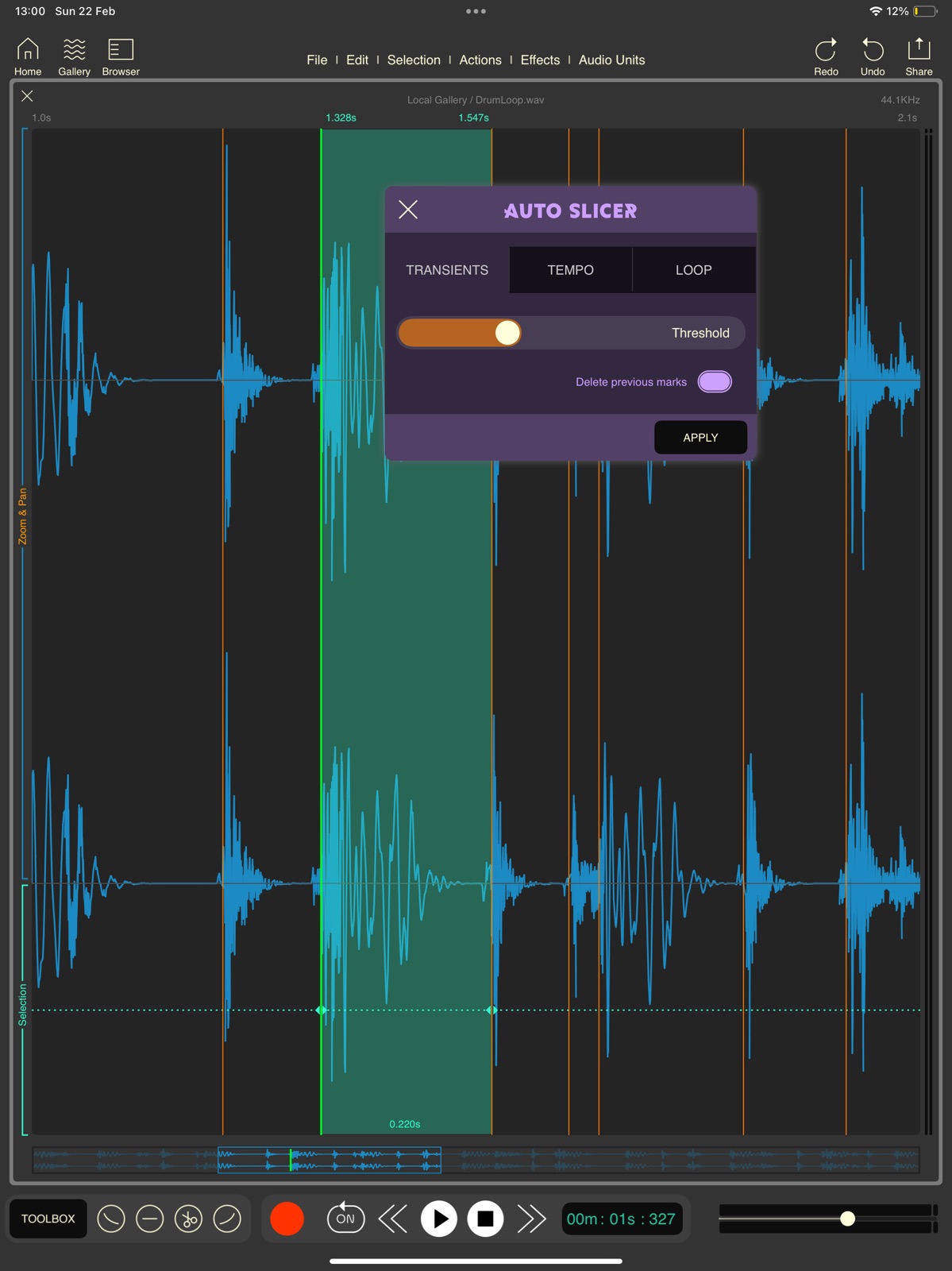
      "notes": "Auto Slicer Send files to Dawnbeat. Enhanced UI Enhanced Time Stretch. Movie Composer."
    },
    {
      "store": "apple",
      "version": "1.2.6",
      "released_at": null,
      "notes": "Pause / Resume recording with custom fade time. Bugs fixed."
    },
    {
      "store": "apple",
      "version": "1.2.7",
      "released_at": null,
      "notes": "Bugs fixed."
    },
    {
      "store": "apple",
      "version": "1.3.0",
      "released_at": null,
      "notes": "- Auto Slicer enhanced - Zero cross option. - Drop audio samples from 'Files' - Bugs fixed."
    },
    {
      "store": "apple",
      "version": "1.3.1",
      "released_at": null,
      "notes": "Bugs fixed."
    },
    {
      "store": "apple",
      "version": "1.3.2",
      "released_at": null,
      "notes": "Select recording interface on iPad, channels and sample rate. Record MONO from stereo input. Bugs fixed."
    },
    {
      "store": "apple",
      "version": "1.3.3",
      "released_at": null,
      "notes": "Bugs fixed."
    },
    {
      "store": "apple",
      "version": "1.3.4",
      "released_at": null,
      "notes": "Bugs fixed."
    },
    {
      "store": "apple",
      "version": "1.3.5",
      "released_at": null,
      "notes": "Bugs fixed."
    },
    {
      "store": "apple",
      "version": "1.5.0",
      "released_at": null,
      "notes": "New Audio Gallery Up to 3 sample browser in iPad."
    },
    {
      "store": "apple",
      "version": "1.5.1",
      "released_at": null,
      "notes": "Shortcut to save to user folders. Trash folder, deleted files will be stored 15 days. Append one audio file by drag and drop over another audio file. Bugs fixed."
    },
    {
      "store": "apple",
      "version": "1.5.2",
      "released_at": null,
      "notes": "Loop in browser is back on iPad. Bugs fixed."
    },
    {
      "store": "apple",
      "version": "1.5.3",
      "released_at": null,
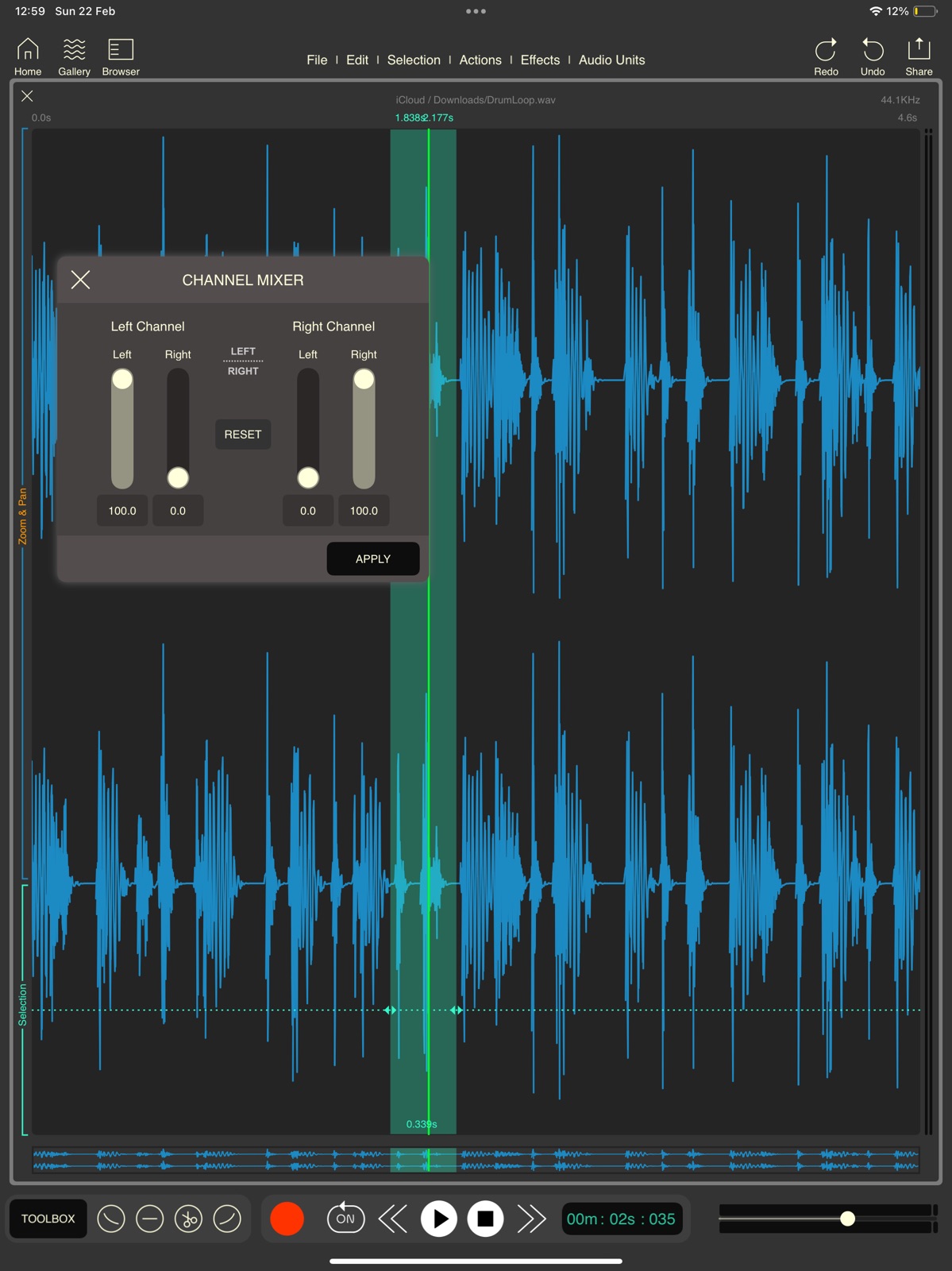
      "notes": "Play and Loop on Browser and Gallery. Configurable Stereo to Mono tool."
    },
    {
      "store": "apple",
      "version": "1.5.4",
      "released_at": null,
      "notes": "Support for Amiga formats, RAW and IFF Time Stretch , stretch by final length Bugs fixed"
    },
    {
      "store": "apple",
      "version": "1.6",
      "released_at": null,
      "notes": "Large files support, now you can open and edit large audio files! Auto Slice new modes. - slice bars by tempo. - slice bars using loop lenght. Listen audio files from browser with effects, prelisten samples with fx before importing the files."
    },
    {
      "store": "apple",
      "version": "1.6.1",
      "released_at": null,
      "notes": "Bugs fixed. Minimum size for DISK files can be selected by the user, in 'settings' panel."
    }
  ],
  "alternatives": [
    {
      "app_id": 1131483373,
      "name": "TAPCA",
      "url": "https://appcorpus.com/apps/tapca-1131483373",
      "reason": "Same category + similar ratings"
    },
    {
      "app_id": 1497120981,
      "name": "LUCH: Photo Effects & Filters",
      "url": "https://appcorpus.com/apps/luch-photo-effects-filters-1497120981",
      "reason": "Same category + similar ratings"
    }
  ],
  "evidence_summary": {
    "index_state": "S1",
    "evidence_level": 1,
    "level_label": "Live store listing",
    "indexable": true,
    "last_verified_at": "2026-07-31",
    "unknown_fields": [
      "Independent summary has not been published yet."
    ],
    "sources": [
      "App Store"
    ]
  },
  "availability_markets": {
    "live": [
      "us"
    ],
    "selected": "us",
    "note": null
  },
  "feature_events": {
    "events": []
  },
  "features_slice": {
    "plans": [],
    "features": [],
    "unknown_features": [
      "family_sharing"
    ],
    "data_cutoff": "31 Jul 2026"
  }
}