
Quick verdict
- What it is
- Store information collected; an Apoku editorial summary is not yet published.
- At a glance
-
- Free to download
Categories and search queries
Official categories
- Entertainment
Apoku categories
Key functions
| Function | Availability | Access | Scope | Evidence |
|---|---|---|---|---|
| Free app | Yes | Free | Context-specific | Store published |
Screens
App Store
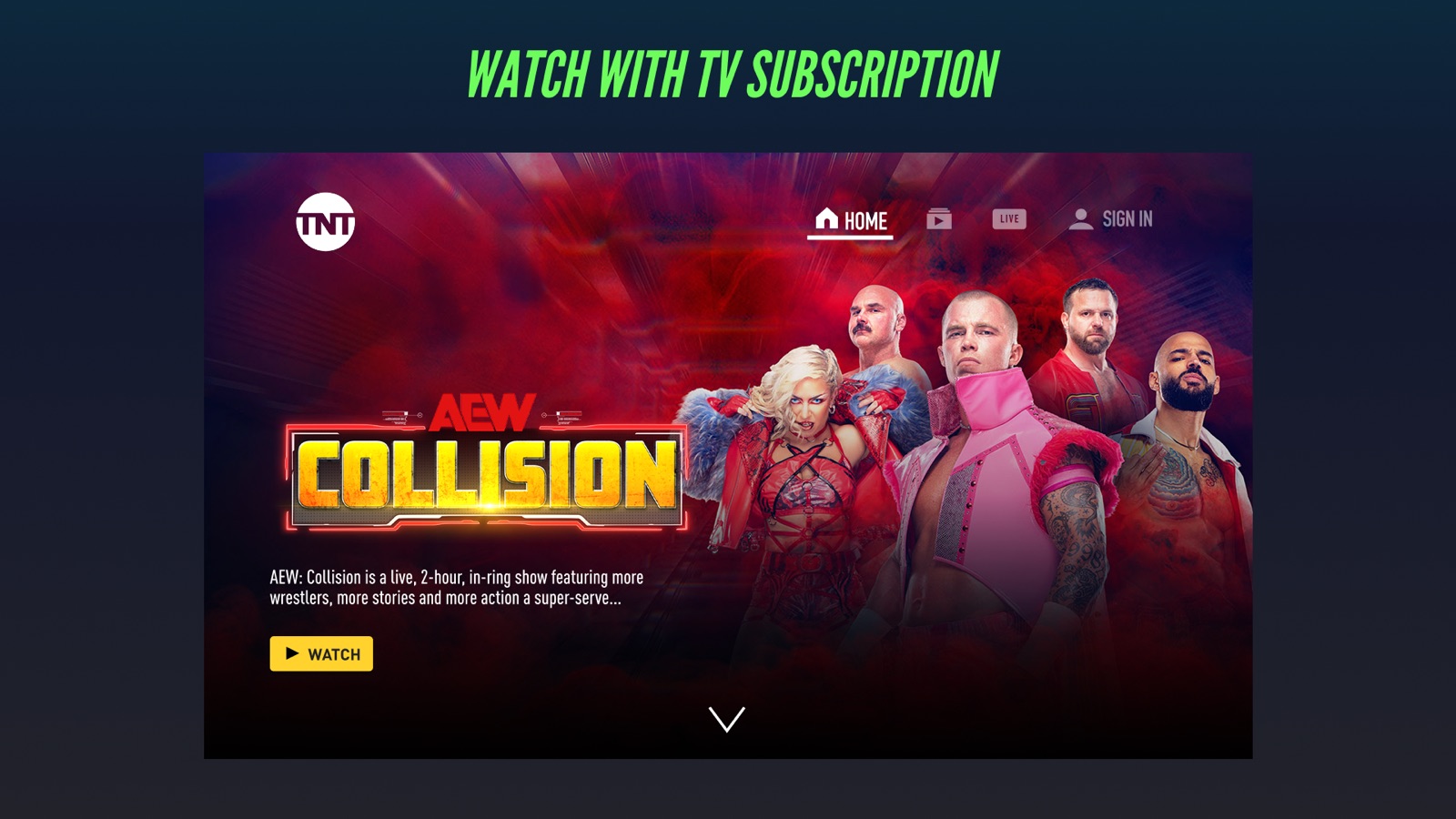
20 store screenshots


Pricing & paywalls
App Store
- Free to download
Ratings & reviews
App Store
-
4/5So far so good
App works nicely on my phone. The shows have streamed seamlessly without any hiccups or crashes. I also haven’t had any issues with the sign-in that other users have complained about so perhaps they’ve fixed those bugs already. One thing on the app I haven’t tried yet is the stream to tv feature with my Roku device, so I’ll update my review once I do. The only thing that is holding me back from giving it 4 stars though is that I wish it allowed us to download their shows ahead of time (even with commercials pre-downloaded is ok with me since they’re short on the app). I would hate to waste too much precious data on this since I don’t yet have my own plan and have to share data with my family, so I hope they implement this capability in the future. In fact if they do, it could potentially increase app engagement by a significant amount and help differentiate them from their competitors since not many tv network apps have this capability that I know of, other than STARZ.
Kgmac819 · 30 Sep 2026
-
1/5Awful App, Exits Video Randomly and does not Allow You to Resume Among Other Issues.
Firstly, I don’t understand why the smart TV TNT app would exist just to require you to download the phone app to cast onto the TV. Secondly, this app is awful. Trying to watch a show while casting will randomly switch to a different live video without even pressing anything. It allows you to do other things on your phone while you use the app but then will also randomly switch to live video. You are unable to see what you have recently watched or resume the video it randomly exited out of so you have to scroll through the video and try and find where it left off. I would like to delete and no longer use this app as soon as possible but unfortunately I can’t watch the show I want to on any other service without paying for another extra subscription. This needs to change. I don’t understand why this has such good reviews. EDIT: Have checked all the suggestions after the developer response and am having the same issues. I even tried using the app on a different phone and the issues still occur. If you exit the app, the video you’re watching will stop and switch to a different video. Since for some reason there isn’t a feature which saves your place on the video that you have been watching, we have to restart it and scroll through to try and find where we left off. Still do not understand why it has 4/5 stars when so many people in the recent comments are also having issues with the app.
mtairos · 30 Sep 2026
-
1/5Literally unusable
I never write reviews but this is just so frustrating. I just want to watch the NBA playoffs, but this app is so broken and poorly coded that I can’t even do the most basic thing and sign in with my provider. And it’s not even a problem with my provider, no matter what provider I select to try to login with, all this app can give me is a blank white screen. I honestly can’t understand how this app is even in the store, it is literally unusable, no one who downloads it ha any hope of watching a TNT show for more that 5 mins (which is what you are given as a “preview” before the app forces you to login with your provider… which it is unable to do). And this poorly designed system doesn’t have any other way to login like through a website or anything, so I’m really not sure how anyone is even viewing TNT shows unless they actually still own a cable box. Worst app ever. The developers should be ashamed. Not that I think there are any developers since if anyone actually coded this app, they would have immediately seen that it is unusable and not publish it. Edit: I had to come back to add to this review because I am genuinely disgusted. I just all the other most recent reviews, and half of them are bots giving 5 stars saying random letters. The other half are all people with the same issue. Devs respond with an automated response saying to contact them, yet none of the issues have been resolved. One review is edited with a “solution” but I tried what was suggested and it changed nothing. Still the worst app ever.
Sean McSwain · 30 Sep 2026
-
1/5Spontaneously rewinds during live broadcasts
TBS and TNT, both during live sports broadcasts all of the sudden rewind back several minutes. Most infuriating is it typically happens during the 4th quarter in basketball or the 3rd period in hockey. There may be 3 minutes to go in game and then all of the sudden there’s 8 minutes to go. The quickest way to get back to live is usually to quickly tap screen to go to west coast stream and tap again to back to east coast stream. Then you have to sit through commercial again due to their screw-up (likely the reason they never fix this problem as I see there’s other complaints for same issue or for when it just freezes in general, also a typical problem). I have literally missed the end of games as it has happened near the end and as you try to get back to live feed it’s over. Could try to sit through the rewind and hope it doesn’t happen again but shouldn’t have to. I’m not sure developers want to fix this problem but if you don’t know how, maybe you should contact the developers of literally ANY other live stream app and ask them how to avoid problem since this only seems to happen with your apps. Have left same review on TBS
Carter the zombi · 30 Sep 2026
-
1/5Can’t just be me
EDIT: I wrote the scathing review below last year. I got an email from the developer apologizing for my user experience, promising improvements. But this year the app is somehow worse!!! Now not only does it freeze constantly and play a 30 second commercial upon reboot (making you miss game action) but it just randomly rewinds by minutes. Seriously, this is THE WORST app I use. With all the resources TNT has, why the eff is their app this pathetically awful? I see the tnt app has a good rating. What?!?!?!?! I’ve found it to be the most buggy, least reliable, most frequently crashing app I use. As if the CONSTANT crashes weren’t bad enough, they play a 30 second commercial every time you have to reopen it. Which is doubly obnoxious when you’re watching the nba. I thought the problem might be my older iPad and Apple TV. Of course, I didn’t have this crashing problem with any other app. It was time so I upgraded. And STILL this is the buggiest, crashiest, most annoying app I use. Also, no Apple TV app makes me sign in more often. And the iPad version doesn’t have a volume control. It can’t just be me who has this app crash constantly. But they have a good score. I don’t get it. Hate. This. App.
Ben88888 · 30 Sep 2026
Privacy & accessibility
App Store
Privacy
- Data Linked to You — App Functionality — Location — Precise Location Developer declared
- Data Linked to You — Location Developer declared
- Data Not Linked to You — Analytics — Identifiers — Device ID Developer declared
- Data Not Linked to You — Analytics — Identifiers — User ID Developer declared
- Data Not Linked to You — Analytics — Usage Data — Product Interaction Developer declared
- Data Not Linked to You — Analytics — User Content — Customer Support Developer declared
- Data Not Linked to You — App Functionality — Diagnostics — Crash Data Developer declared
- Data Not Linked to You — App Functionality — Diagnostics — Performance Data Developer declared
- Data Not Linked to You — App Functionality — Usage Data — Product Interaction Developer declared
- Data Not Linked to You — App Functionality — User Content — Customer Support Developer declared
- Data Not Linked to You — Developer’s Advertising or Marketing — Identifiers — Device ID Developer declared
- Data Not Linked to You — Developer’s Advertising or Marketing — Identifiers — User ID Developer declared
- Data Not Linked to You — Developer’s Advertising or Marketing — Usage Data — Advertising Data Developer declared
- Data Not Linked to You — Developer’s Advertising or Marketing — Usage Data — Product Interaction Developer declared
- Data Not Linked to You — Third-Party Advertising — Identifiers — Device ID Developer declared
- Data Not Linked to You — Third-Party Advertising — Location — Coarse Location Developer declared
- Data Not Linked to You — Third-Party Advertising — Usage Data — Advertising Data Developer declared
- Data Not Linked to You — Diagnostics Developer declared
- Data Not Linked to You — Identifiers Developer declared
- Data Not Linked to You — Location Developer declared
- Data Not Linked to You — Usage Data Developer declared
- Data Not Linked to You — User Content Developer declared
- Data Used to Track You — Identifiers — Device ID Developer declared
- Data Used to Track You — Identifiers Developer declared
Accessibility
No accessibility labels collected yet.
Versions
App Store
-
7.11.0
Performance improvements
-
7.12.0
Performance Improvements
-
7.7
* Support for App Tracking Transparency * Other bug fixes and improvements
-
7.8
* New location permissions for Live TV * Bug fixes and performance improvements
-
7.8.1
We've made some improvements to the casting experience, with more fixes on the way!
-
7.9
* Fixed several bugs that prevented some users from casting video * Fixed several bugs related to TV Provider activation
-
7.9.1
* Fixed an issue that prevented some users from fully loading the app. * Other performance improvements
-
7.9.2
* Performance improvements
-
8.1
Performance improvements and bug fixes.
-
8.10.0
• Various performance improvements. • Implement Smartplay, invoked for all video plays on the app. • Accessibility. • Bugfixes to improve user experience.
-
8.11.0
• Various performance improvements. • Implement Smartplay, invoked for all video plays on the app. • Accessibility. • Bugfixes to improve user experience.
-
8.1.2
Performance improvements and bug fixes.
-
8.12.0
• Various performance improvements. • Implement Smartplay, invoked for all video plays on the app. • Accessibility. • Bugfixes to improve user experience.
-
8.12.1
• Various performance improvements. • Bugfixes to improve user experience.
-
8.12.2
• Various performance improvements. • Bugfixes to improve user experience.
-
8.13.0
· 22 Jun 2026
• Improved app stability and overall performance. • Enhanced compatibility across supported iOS devices. • Resolved issues to improve reliability and user experience.
-
8.2
Performance improvements and bug fixes
-
8.3
Fixed a bug that caused video to switch between landscape and portrait mode Fixed a sign-in bug for YouTube TV subscribers Improved user interface to meet accessibility standards
-
8.4
Performance improvements and bug fixes.
-
8.5
- Fixed bugs related to Apple TV App tracking. - Various improvements to the look-and-feel. - Improved FF and REW in the video player.
-
8.6
Visual improvements Better support for larger text Bug fixes to improve stability
-
8.7
• Picture-in-picture mode is now available! • Visual improvements for video preview experience • New icon indicates which videos require sign-in • Better display for large text sizes • Various performance improvements
-
8.7.3
• Picture-in-picture mode is now available! • Visual improvements for video preview experience • New icon indicates which videos require sign-in • Better display for large text sizes • Various performance improvements
-
8.7.4
• Picture-in-picture mode is now available! • Visual improvements for video preview experience • New icon indicates which videos require sign-in • Better display for large text sizes • Various performance improvements • Bugfixes to improve sign-in and casting functionality
-
8.9.0
• Visual improvements for video preview experience. • New icon indicates which videos require sign-in. • Better display for large text sizes. • GO Live Feature is now available. • Various performance improvements. • Bugfixes to improve sign-in and casting functionality.
Alternatives
- USA Network — Same category + similar ratings
- A&E: TV Shows That Matter — Same category + similar ratings
Availability by market
- US
Data quality & evidence
- Page completeness
- Live store listing
- Last verified
- 30 Sep 2026
- Sources
- App Store
- Apoku editorial summary has not been published yet.