
Quick verdict
- What it is
- Store information collected; independent summary not yet available.
- At a glance
-
- Free to download
- In-app purchases
Categories and search queries
Official categories
- Graphics & Design
- Developer Tools
AppCorpus categories
Key functions
| Function | Availability | Access | Scope | Evidence |
|---|---|---|---|---|
| Free app | Yes | Free | — | Store published |
| In-app purchases | Yes | Limited free | — | Store published |
Screens
App Store
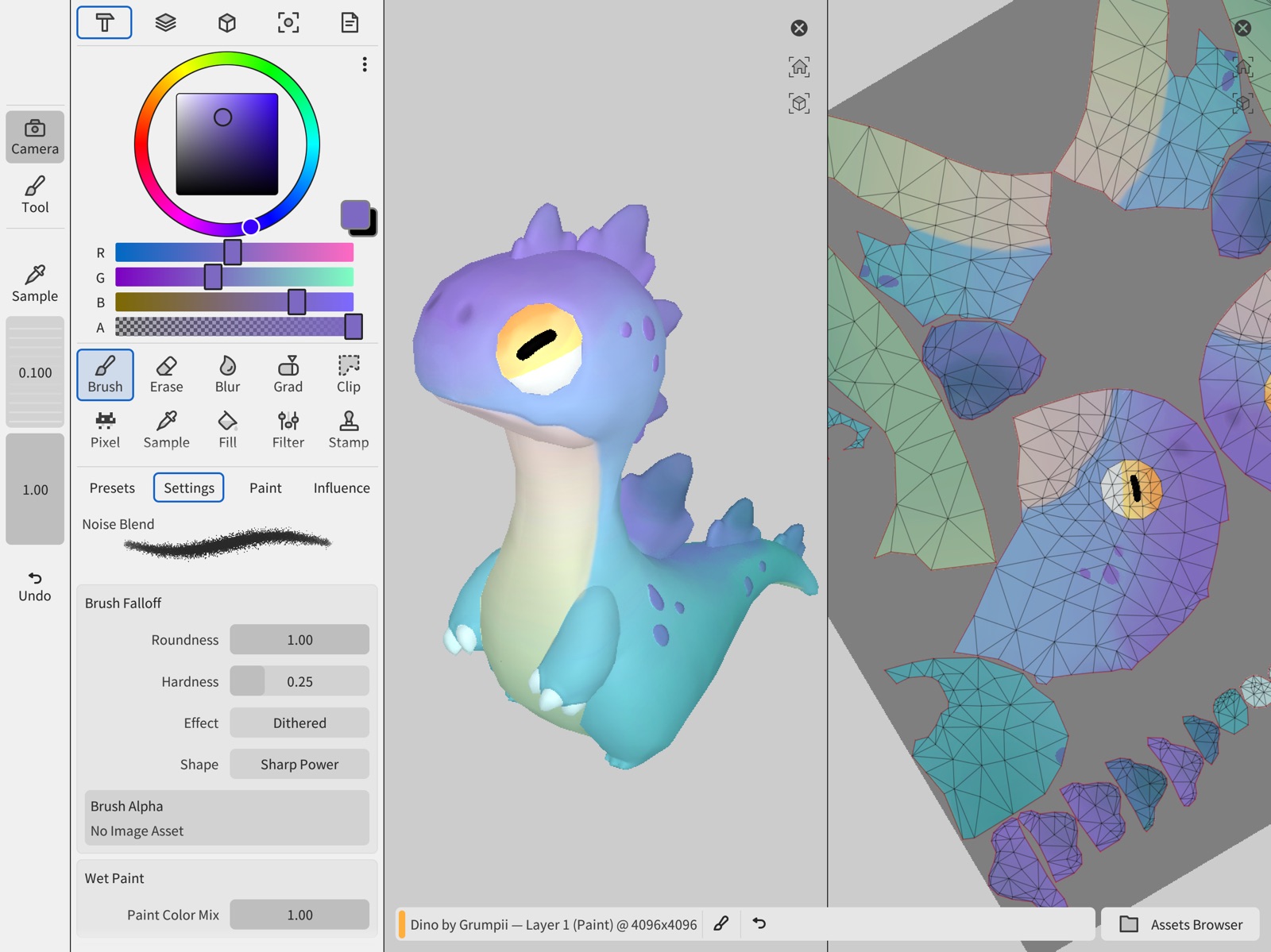
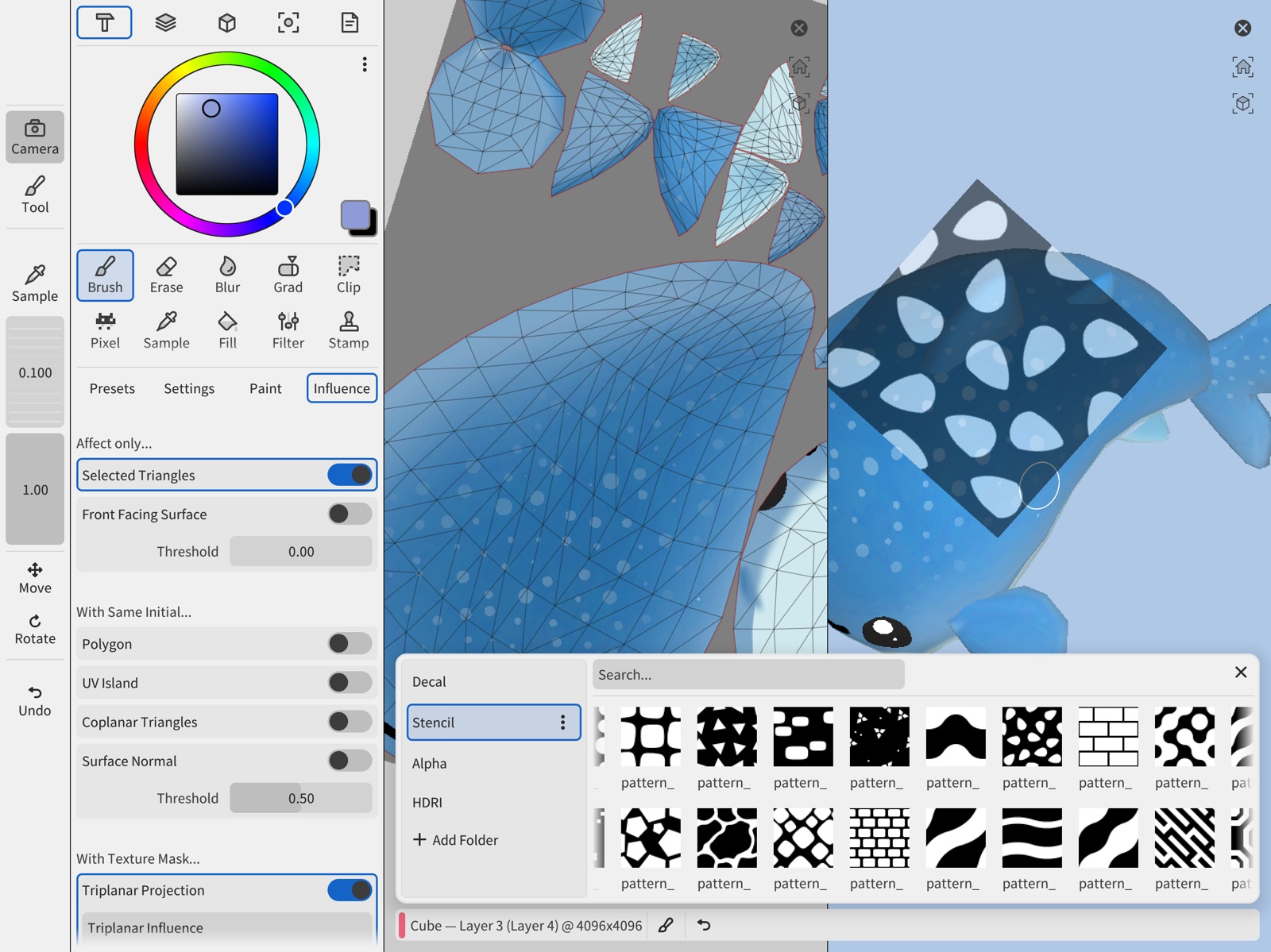
6 store screenshots


Pricing & paywalls
App Store
- Free to download
- In-app purchases
Ratings & reviews
App Store
-
4/5Future Workflow Winner
Considering most apps tend to go the subscription route, I’m glad to see more developers creating standalone 3d solutions for ipad that have an up-front purchase instead. I think this will make for a great way to texture paint in future, but at present, it’s a little difficult to navigate with no way to separate apple pencil and touch gestures. For other 3d apps like Nomad Sculpt, one of the built-in options is being able to isolate touch gestures for navigation only (zoom, rotate, etc.) and only use apple pencil for actual sculpting. In this app currently, it is startlingly difficult to avoid making random paint marks on your 3d object while trying to zoom out or rotate it, because the use of touchscreen and apple pencil completely overlap. I’m not sure how this issue could be solved or minimized for purely touchscreen users, but to be honest, I think most professionals working with 3d on ipad will be using some sort of stylus—official or no—if/when working this app into their 3d pipeline. Regardless, I think it’s a great app and will be well worth the money with a little more polish.
SureOkay64 · 31 Jul 2026
-
4/5Very good, not quite there
Intuitive texture painting on iPad. Works very well for cartoon styles that don’t need a lot of precision. Definitely the most promising app in the App Store for this purpose, so I am excited to see how it develops. For my workflow, it is missing a few key features and has one or two bugs that prevent me from using it effectively. - The fill tool does not have an option for bleed. The color comes right up to the edge of the UV islands and no further, so you get visible seams especially if you scale the texture down or use mipmaps. - by default, the navigation is set to track ball, which is disorienting. Fortunately it has a setting for turntable style navigation like you would see in blender, but it is broken right now. It locks at 0° and -180° on the X axis instead of +90 and -90. I also really need to draw straight lines or circles, but I understand if this is not a feature that everybody needs. That said, it’s a very well-made app and is the most promising for texture painting on iOS so far.
grenappels2 · 31 Jul 2026
-
4/5Good App, Some Backseat Suggestions
Recent update fixed the import crashing issues on 9th gen ipad. Some things that would make it perfect: - Color: Using reference images for color isn’t a convenient workflow, and that method uses up the window which should be used for something else. GPL format import/export support. A floatable palette dock with a collapsible/resizable window and color icons would be ideal. An addable palette panel under the Tool and Layer Inspector so colors can be quickly accessed when Layer is a fixed window. Ability to add currently selected colors quickly to active palette. Maybe even extract colors from model/object/uv map and add them to a palette. - Custom Brush and Erase Tools: Clone/save all attributes of a modified brush/eraser (Settings, Paint, Alpha, Stencil, Influence) in a Wafer format, give them names, custom icons (or draw a stroke to define a icon), and save them directly into the asset browser/or a dedicated sub folder. Maybe the ability to add Presets to the Toolbar so they can be accessed quickly when the Tool Inspector is collapsed? Tap the icon in the vertical toolbar and a collapsible submenu could pop up featuring selected presets of that tool type? Easy way to keep workspace minimal on smaller screens and have access to different brushstrokes between projects, without having to manually edit brushes each session. - Tool Library: Panel to the left of the Preset brush panel in Tool Overview. Links/references the brushes saved or manually imported into the asset browser. Each individual brush/eraser preset can be referenced by multiple libraries, letting users build custom preset groups for their own workflows. Selecting a library changes the available brushes/presets in the Presets panel. Let us set a default library (or it can default to the current preset brush settings) - Toolbar Edits: The ability to rearrange and resize the toolbar items to fit more on small screens. I use the select tool a lot and being able to move it towards the top of the vertical toolbar would be ideal. * Window Resizing/Cropping: Currently can’t resize windows which makes things like reference images awkward and take too much screen space on smaller devices. Using references as a background image layer.
Micheal Kostura · 31 Jul 2026
-
3/5how do you PAINT ON THE MODEL?
try to make a stroke, nothing, i mess with stuff and make a stroke, nothing
Marioweehee · 31 Jul 2026
-
2/5Crashes
I really wanted this to work but nothing I do makes it load. I have a 2020 ish I pad pro and it crashes anytime I import any model, even if it’s 200 tris
Manda.panda.2003 · 31 Jul 2026
Privacy & accessibility
App Store
Privacy
- Data Not Collected Developer declared
Accessibility
No accessibility labels collected yet.
Versions
App Store
- 1.0.0
-
1.1.0
New features: - Support for transparent objects with filtered textures. - Brush jitter settings for radius, angle, and color properties. - Smudge tool. - Camera control panel with orthographic/perspective toggle and axis aligned views. - Supports importing .fbx and .vrm files. - System language detection and initial localization for English, Japanese, and Chinese. - Double tap gesture to switch between meshes. - Add color picker to color properties. - Support non-square aspect ratio textures on UV painting. - Option to set all objects as transparent during setup. - Mesh selection and switching takes paint alpha into account. Fixes: - Fix crash when connecting an external display or mirroring the display. - Fix importing meshes with non manifold geometry. - Fix export setup not creating textures for all texture sets. - Fix UV editor not switching textures when switching meshes. - Fix default color for float color canvas layers. - Fix error message when opening documents with damaged or incorrect formats. - Fix sampler on empty layers - Fix scroll layout on mesh inspector.
-
1.1.1
- Fix crash when smudge samples off-screen pixels.
-
1.1.2
- Fix topology being lost on import. - Fix crash when using fill on the 2D view.
-
1.1.3
- Fix wrong property limits in painting triplanar size and scale
-
1.1.4
- Fix and optimize undo operations that affect the layer stack.
-
1.2.0
- Add two inspector column layout - Enable customizable shortcuts - Faster stroke responsiveness - Clarity some UI elements - Add shortcut to select all triangles - Add alpha preview in color sampler - Add support for different brush radius in 3D and UV views - Rework symmetry tool. Add independent controls to 3D and UV views - Split general settings into system and theme - Use vertical layout for settings tabs - New modal tweak previews for radius and flow - Add cmd / shift shortcuts to deselect and add to selection. - Add [ and ] shortcuts for increase and decrease brush radius - Multiple viewport and UI fixes
-
1.2.1
- Fix geometry influence in blur and smudge - Fix importing some non-manifold meshes - Fix tool usage with Apple Pencil USB-C
-
1.2.5
- Fix importing meshes exported from some desktop DCCs - Improve brush placement performance - Fix keep alpha blending mode - Fix purchases not being detected in some installs
-
1.3.2
* Replace painting Keep Alpha option for a Alpha Lock property per layer that affects all tools. * Alpha lock now affects smooth and smudge tools. * Hide enable touch to paint shortcut by default, can be enabled again with an UI option. * Add Nearest and Linear texture sampling options to transparent texture sets. * Fix HSV tweaks with filter in semitransparent pixels. * Add HEX color inputs to color pickers and main color domain selector * Transparency rendering overhaul for correct transparency rendering. * Asset browser: faster thumbnail loading and UI improvements. * Stencil tool fixes. * Smooth and smudge brush influence fixes. * KeepAlpha fix in paint kernel. * C4D file import fixes.
-
1.3.4
- Fix crash when importing meshes with some material configurations - Improve precision of tweak radius with large model sizes
-
1.3.6
- Fix crash when switching texture sets in UV view with some scene setups. - Fix stencil viewport preview on paint operations.
-
1.3.7
· 26 Jun 2026
* Fix value filter using saturation. * Fix domain fill color picker bug with black and zero alpha.
Alternatives
- Sculptura 2 — Same category + similar ratings
- ZBrush - Made for 3D Creators — Same category + similar ratings
Availability by market
- US
Data quality & evidence
- Page completeness
- Live store listing
- Last verified
- 31 Jul 2026
- Sources
- App Store
- Independent summary has not been published yet.