
Quick verdict
- What it is
- Store information collected; independent summary not yet available.
- At a glance
-
- Free to download
- In-app purchases
Categories and search queries
Official categories
- Lifestyle
- Utilities
AppCorpus categories
Key functions
| Function | Availability | Access | Scope | Evidence |
|---|---|---|---|---|
| Free app | Yes | Free | — | Store published |
| In-app purchases | Yes | Limited free | — | Store published |
Screens
App Store
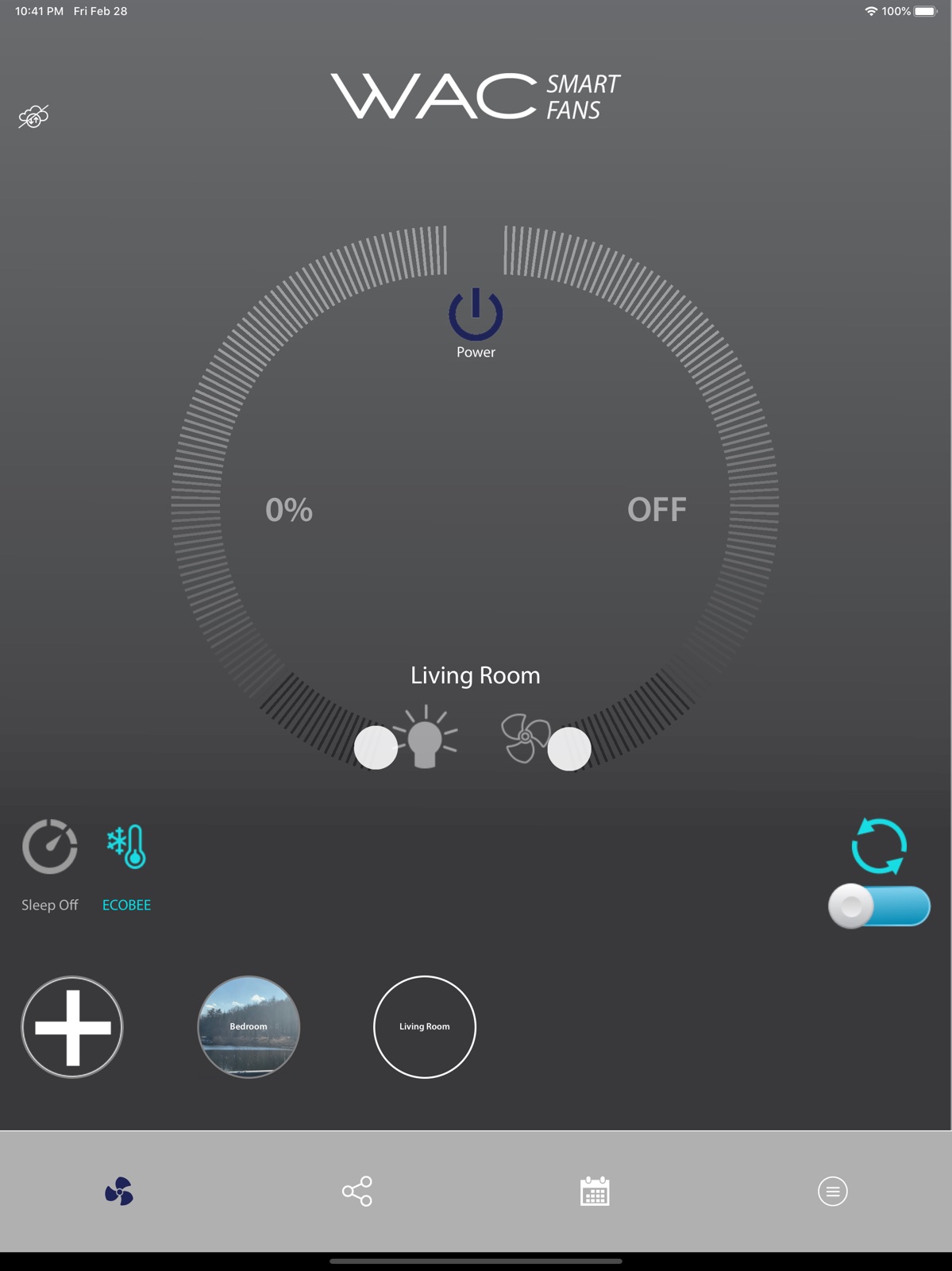
6 store screenshots


Pricing & paywalls
App Store
- WAC Smart Fan — $9.99
Ratings & reviews
App Store
-
3/5App ok, but not all features working as expected
I was able to add and control 2 new fans. Had difficulty updating the firmware for one but after several tries it upgraded succesfully. Hovewer I have not been able to upgrade the controls or the wall outlet, not sure if these devices need to be upgraded as well. Controls show up in the account but then the upgrade screen is empty, scanning for the devices does not return any. Most important, the app does not seem to sync the actual status of the fan. Turning the fan on/off from the control or wall outlet does not change the status shown in the app. Switching from one fan to the other in the app does not show the actual or the last select state either. Unable to monitor the status as is.
henryg76 · 7 Aug 2026
-
4/5Firmware finally fixed!
I own two of WAC’s smart fans. I specifically purchased these for their smart capabilities as I read they work well with Home Assistant. After installing them, I encountered an issue where the fan connects and everything works fine for about a week, and then stops responding and appears offline. The fan is still connected to my WiFi (I can see it on my router) but it won’t respond to pings or commands to operate the fan. I have to shut off the power to the fan for a few seconds and turn it back on to force it to reboot, and then the fan will come back online and will work perfectly fine for about another week. Both of my fans did this same thing at random times, so I know it’s a firmware issue and not something with my network. Working with support was tedious. It took 8 months and 73 emails but finally the issue has been resolved by way of them releasing a firmware update. The fans have now been stable and I am pleased with them again. I wish they would support Apple Home Kit (they do support local control if you use the third party integration in Home Assistant) but there are also a few missing API commands like activating the “breeze” mode. So overall I am happy again with my purchase but do fear that if something breaks again, it will take forever to get it fixed.
Scott👨💻 · 7 Aug 2026
-
3/5Getting Better
Happy to see development of the app. Much better than 1 year ago. Still needs some work. App shows 2 different remotes for my Fan/Light. Scanning either fails. Cannot update or get info. Still hoping for HomeKit integration. I would 5 star the product to have HomeKit support. I like Logitech giving HomeKit full support and not requiring an app. When you have a house full of HomeKit friendly devices, it's less optimal to have to go and find an app to match your device then control it though an unusual interface.
BlgN8 · 7 Aug 2026
-
2/5WAC please focus on quality
I love my fans, the app should be equally as good. The software is buggy. You cannot create groups in the latest release. You get a popup that just says Tip and an OK button. The app is slow to find devices. It’s faster to go grab the remote than to use your phone. And there are buttons in the app for features that aren’t yet implemented (as confirmed by Support) like updating firmware on remotes. If a feature is not implemented, please remove the button from the app. For customers who buy your fans and other products for their quality, design, and attention to detail, they expect the same from your software products. The app is not yet up to par.
Dsnidey · 7 Aug 2026
-
2/5Everything is slow
The fans are pretty — love the style! And they are quiet. But to flip the switch and the wait for the fan to come to life, slowly, is annoying. A minor aesthetic issue is plastic diffuser looks a little cheap on a fan that otherwise looks sharp. Now about the app… it’s quite functional if you really need infinite adjustment of fan speed and light intensity. But use requires a login. For security purposes, it makes sense, but if the fans are at a vacation home, it can be another annoyance in using the fan. Plus, at a vacation home it hinders convenient control of the fan by guests. Of course, the old 1-2-3-4 is a password, but maybe the fans/app need a little work.
daveK:Scientist · 7 Aug 2026
Privacy & accessibility
App Store
Privacy
- Data Not Collected Developer declared
Accessibility
No accessibility labels collected yet.
Versions
App Store
-
1.0.10
1. Handle cases that users using Sign In with Apple may choose to hide their emails 2. Fixed a bug with drag-and-drop device orders.
-
1.0.12
1. Fixed some permission issues with iOS 14 that prevent the app from finding the fans locally 2. Fixed a bug in the fan commissioning process that may prevent the app from getting the Wi-Fi network scan results
-
1.0.14
1. Updated to the latest Firebase Crashlyics SDK. 2. Fixed an app crash when some groups contain fans already deleted. 3. Support firmware update through local network. If some of your fans are found in local network but not in the cloud, this new version allows you to update your fans to the latest firmware, which fixes some critical issues with cloud connectivity. 4. If you have Alexa or Google Home integration issues, you are highly recommended to upgrade to this app version, provision your phone to the same Wi-Fi network of your fans, and upgrade your fans to the latest firmware.
-
1.0.15
Disabled in-app purchase. Users can use the app with their fans for free.
-
1.0.2
Fixed an issue with the cloud connectivity indicator.
-
1.0.3
Fix a bug that the app may be unable to detect device access point during commissioning.
-
1.0.5
Added In-App Purchase
-
1.0.6
Fixed an issue that sleep timer does not work for Gen3 fans.
-
1.0.7
Fixed a bug that the In-App Purchase may be unable to pop up upon the first time when user pairs a fan to their home router.
-
1.0.8
1. Sign-in with Face ID / Touch ID 2. AutoFill Password and Show/Hide password 3. Optimized local communication for concurrent multi-app controls 4. Fixed potential timeout issues with Google and Facebook sign-ins 5. Other UI improvements and bug fixes
-
1.0.9
1. Added Sign-In With Apple 2. Refactored app to cloud communication to make things more reliable 2. Fixed a bug that some new user may be able to remotely control their fans
-
1.1.0
1. Added support for UVC fans. 2. The Wi-Fi commissioning flow no longer requires location permission. 3. Revamped Remote/Wall Control Edit interface. 4. Added basic control to the Utilities page to help user identify the fan they are configuring. 5. Revamped the log to cloud function. User can upload communication logs occurred before they click the Upload button.
-
1.1.10
1. Allow user to copy the Wi-Fi password of the device AP. This helps to minimize mistyped Wi-Fi password during commissioning. 2. Added Local Devices browser under Settings -> Advanced, which helps to debug issues when a device cannot be found in local network. 3. Fixed a bug that no error message is shown upon failed log-ins.
-
1.1.12
Include app version number when uploading logs to cloud.
-
1.1.13
1. Fixed a bug that the app sets incorrect timezone on devices for users in Arizona. 2. Right after the app is connected to a device, the app sets its timezone. This allows the app to actively fix the bug mentioned above.
-
1.1.14
1. Allow users to manually refresh the lastest firmware from the cloud. 2. Allow users to select a desired timezone, rather than following the phone timezone setting. 3. Fixed a bug that the app may cache outdated firmware from the cloud. 4. Fixed a bug that a wrong timezone is sent for Denver users.
-
1.1.15
· 12 Aug 2025
Various bug fixes and stability improvements.
-
1.1.2
1. Added Wi-Fi signal strength indicators when scanning for nearby Wi-Fi routers. 2. Showed warning messages when user selects Wi-Fi routers with weak signals.
-
1.1.3
1. Implemented a fully re-designed and more user-friendly weekly schedule user interface 2. Minor bug fixes
-
1.1.4
1. Fixed a bug that factory reset through remotes/wall panels does not remove the fan from the app 2. Fixed a bug that if a fan is not found locally, the app fails to trigger cloud factory reset automatically.
-
1.1.5
1. Fixed a schedule display issue that AM may be shown as PM.
-
1.1.6
1. Release log to cloud function to all users, rather than just test users. Anyone can use this function to upload local logs for further debugging with our support engineers. 2. Added an option to display the most recent device reset reasons. This can help to debug issues like unexpected periodic resets, etc.
-
1.1.7
1. Fixed some issues with the log-in process that the app may hang or crash. 2. Improved the EcoBee integration interface and reminded users of unsaved changes 3. Added an option in Settings to send timezone to a fan
-
1.1.8
1. Fixed a bug that the Away mode may be incorrectly hidden. 2. Fixed a bug that user may be unable to control a fan (e.g., change fan speed and light brightness).
-
1.1.9
1. Fixed a bug that user cannot select "Do Nothing" when creating or editing a schedule event.
Alternatives
- LED Light: Controller Remote — Same category + similar ratings
- Thermic Smart Thermostat Setup — Same category + similar ratings
- Meet5: Meet new people — Same category + similar ratings
- Inspoy: Outfit Maker, Planner — Same category + similar ratings
- Self-Care Pet: Momo — Same category + similar ratings
- Human Design - My Birth Chart — Same category + similar ratings
Availability by market
- US
Data quality & evidence
- Page completeness
- Live store listing
- Last verified
- 7 Aug 2026
- Sources
- App Store
- Independent summary has not been published yet.