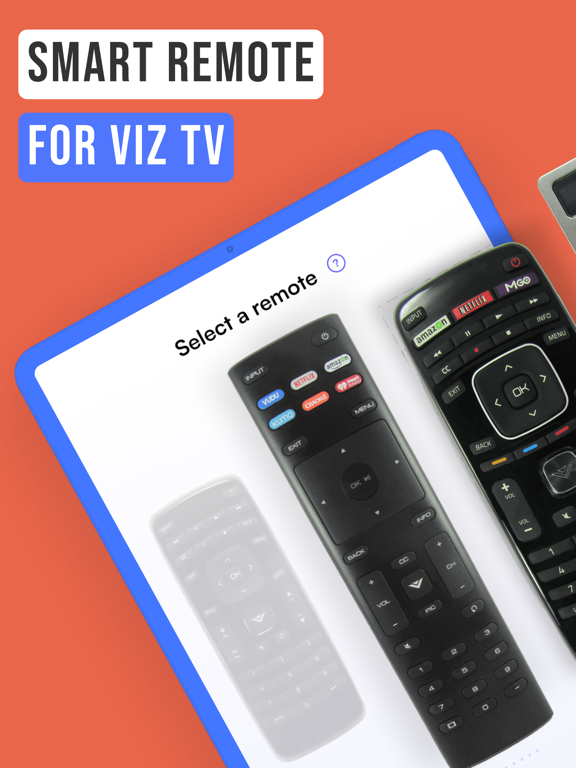
Apoku MCP provides app discovery, detailed cards, evidence, sources and screenshots where available. Unknown or conflicting prices stay explicit.
View JSON
GET /api/v3/apps/1454708664
{
  "app_id": 1454708664,
  "canonical_url": "https://appcorpus.com/apps/viz-smart-tv-remote-control-1454708664",
  "identity": {
    "name": "Viz - Smart TV remote control",
    "slug": "viz-smart-tv-remote-control",
    "developer": {
      "name": "Oz Shabbatth",
      "url": "https://appcorpus.com/developers/oz-shabbatth-developer_0b2c64b2b8528c54fe3756aef50bbd41"
    },
    "icon_url": "https://is1-ssl.mzstatic.com/image/thumb/Purple221/v4/1c/c0/0c/1cc00c89-a1d3-998e-7a17-e1a227ccde59/AppIcon-0-0-1x_U007emarketing-0-8-0-sRGB-85-220.png/512x512bb.jpg",
    "stores": [
      "apple"
    ],
    "platforms": [
      "iphone",
      "ipad"
    ],
    "status": {
      "state": "active",
      "label": "Active",
      "last_checked": "2026-10-05",
      "last_checked_label": "5 Oct 2026",
      "banner": null,
      "region_note": null,
      "data_state": "partial",
      "data_state_label": "Some information is not yet confirmed"
    }
  },
  "listings": [
    {
      "store": "apple",
      "status": "ACTIVE",
      "url": "https://apps.apple.com/us/app/viz-smart-tv-remote-control/id1454708664?uo=4",
      "rating": 4.6,
      "rating_count": 44715,
      "formatted_price": "Free",
      "is_free": true,
      "has_iap": true,
      "has_subscription": null,
      "version": "17.7",
      "updated": "2026-10-05",
      "currency": "USD"
    }
  ],
  "summary": {
    "one_liner": null,
    "summary": null,
    "best_for": [],
    "not_for": [],
    "status": "fallback",
    "at_a_glance": [
      "Free to download",
      "In-app purchases"
    ]
  },
  "categories": {
    "official": [
      "Utilities"
    ],
    "appcorpus": [
      {
        "category_id": "utilities",
        "label": "Utilities",
        "url": "https://appcorpus.com/categories/utilities"
      }
    ]
  },
  "use_cases": [],
  "features": [
    {
      "capability_id": "free_app",
      "label": "Free app",
      "availability": "yes",
      "access_level": "free",
      "scope": null,
      "evidence": "Store published"
    },
    {
      "capability_id": "in_app_purchases",
      "label": "In-app purchases",
      "availability": "yes",
      "access_level": "free_limited",
      "scope": null,
      "evidence": "Store published"
    }
  ],
  "pricing": [
    {
      "store": "apple",
      "formatted_price": "Free",
      "is_free": true,
      "has_iap": true,
      "has_subscription": null,
      "currency": "USD",
      "market": "us",
      "last_verified": "2026-10-05",
      "rows": [
        "No Ads — $3.99"
      ],
      "state": "current"
    }
  ],
  "screens": [
    {
      "url": "https://is1-ssl.mzstatic.com/image/thumb/PurpleSource116/v4/6b/cc/c4/6bccc490-62a3-1a02-1fa6-40ef029481bb/cdb0c931-55c1-43b4-823e-c966841210e6_Vizio_iPad01.png/1600x1600bb.jpg",
      "store": "apple",
      "platform": "ipad",
      "alt": "Viz - Smart TV remote control ipad screenshot 1"
    },
    {
      "url": "https://is1-ssl.mzstatic.com/image/thumb/PurpleSource116/v4/c3/8c/72/c38c72f6-90b7-3618-ba36-75b80a5f9ecf/7eef0f32-498e-4062-9055-26481003402e_Vizio_iPad01.png/576x768bb.png",
      "store": "apple",
      "platform": "ipad",
      "alt": "Viz - Smart TV remote control ipad screenshot 2"
    },
    {
      "url": "https://is1-ssl.mzstatic.com/image/thumb/PurpleSource116/v4/88/99/68/8899680a-2a69-8f7f-3459-88a3f650b7ce/1ac6d036-3310-4a8f-988f-e7173c967c8a_Vizio_iPad02.png/1600x1600bb.jpg",
      "store": "apple",
      "platform": "ipad",
      "alt": "Viz - Smart TV remote control ipad screenshot 3"
    },
    {
      "url": "https://is1-ssl.mzstatic.com/image/thumb/PurpleSource126/v4/d4/53/1d/d4531dbb-2684-40eb-f171-b882264955a3/499840f8-bd8f-480b-a8f0-40a38f67f4f5_Vizio_iPad02.png/576x768bb.png",
      "store": "apple",
      "platform": "ipad",
      "alt": "Viz - Smart TV remote control ipad screenshot 4"
    },
    {
      "url": "https://is1-ssl.mzstatic.com/image/thumb/PurpleSource116/v4/5f/d2/dc/5fd2dc59-3167-1b40-b7d7-8d03fedb035e/84b2b03f-a2eb-46fc-adc4-788ca4719ac6_Vizio_iPad03.png/1600x1600bb.jpg",
      "store": "apple",
      "platform": "ipad",
      "alt": "Viz - Smart TV remote control ipad screenshot 5"
    },
    {
      "url": "https://is1-ssl.mzstatic.com/image/thumb/PurpleSource116/v4/d5/c6/81/d5c68109-0c36-2e3c-be76-4a50d92f0817/6f05856f-eba5-4c76-8ac3-e91180ae0ea6_Vizio_iPad03.png/576x768bb.png",
      "store": "apple",
      "platform": "ipad",
      "alt": "Viz - Smart TV remote control ipad screenshot 6"
    },
    {
      "url": "https://is1-ssl.mzstatic.com/image/thumb/PurpleSource116/v4/a3/02/f7/a302f73a-ef41-c800-fdbb-90cf24475e23/a7ad1731-6ed7-4270-828e-360fb9a1e3f5_Vizio_iPad04.png/1600x1600bb.jpg",
      "store": "apple",
      "platform": "ipad",
      "alt": "Viz - Smart TV remote control ipad screenshot 7"
    },
    {
      "url": "https://is1-ssl.mzstatic.com/image/thumb/PurpleSource116/v4/2d/37/fd/2d37fd07-710e-f9e7-e1aa-60a4c8ae131f/ab2096b5-08d6-428d-b7bf-50f155ddc10b_Vizio_iPad04.png/576x768bb.png",
      "store": "apple",
      "platform": "ipad",
      "alt": "Viz - Smart TV remote control ipad screenshot 8"
    },
    {
      "url": "https://is1-ssl.mzstatic.com/image/thumb/PurpleSource126/v4/4b/9a/a5/4b9aa5cb-a7b6-0f40-8312-04fbe886d7af/9aca71a7-fcea-4fdd-afc0-77951a7955f3_Vizio_iPad05.png/1600x1600bb.jpg",
      "store": "apple",
      "platform": "ipad",
      "alt": "Viz - Smart TV remote control ipad screenshot 9"
    },
    {
      "url": "https://is1-ssl.mzstatic.com/image/thumb/PurpleSource126/v4/75/e6/18/75e61859-65f5-3e07-a953-86f72603690e/fd09fb49-88ed-470b-a3ac-2d39a3c85e9b_Vizio_iPad05.png/576x768bb.png",
      "store": "apple",
      "platform": "ipad",
      "alt": "Viz - Smart TV remote control ipad screenshot 10"
    },
    {
      "url": "https://is1-ssl.mzstatic.com/image/thumb/PurpleSource116/v4/0c/bc/90/0cbc904a-8d5c-c741-3982-de40125905ea/88a18303-c848-49dd-8ef7-9e9040819f1a_Vizio_iPad08.png/1600x1600bb.jpg",
      "store": "apple",
      "platform": "ipad",
      "alt": "Viz - Smart TV remote control ipad screenshot 11"
    },
    {
      "url": "https://is1-ssl.mzstatic.com/image/thumb/PurpleSource126/v4/cd/ad/43/cdad43fe-5fd7-32bc-6dc8-7d1293005fd7/eb6f4aa1-e2dd-4ff6-a295-33f2f7d15ba3_Vizio_iPad08.png/576x768bb.png",
      "store": "apple",
      "platform": "ipad",
      "alt": "Viz - Smart TV remote control ipad screenshot 12"
    },
    {
      "url": "https://is1-ssl.mzstatic.com/image/thumb/PurpleSource116/v4/ac/20/40/ac20403a-ca3a-66b4-0b52-bef5976b7534/b5654c26-f38f-40e7-a152-f4a7856b3441_Vizio_iPad06.png/1600x1600bb.jpg",
      "store": "apple",
      "platform": "ipad",
      "alt": "Viz - Smart TV remote control ipad screenshot 13"
    },
    {
      "url": "https://is1-ssl.mzstatic.com/image/thumb/PurpleSource116/v4/59/e8/30/59e83071-137a-da2a-df64-691afd7be1de/8c2133f9-32e7-4e3d-8a0f-ff05c883ef65_Vizio_iPad07.png/576x768bb.png",
      "store": "apple",
      "platform": "ipad",
      "alt": "Viz - Smart TV remote control ipad screenshot 14"
    },
    {
      "url": "https://is1-ssl.mzstatic.com/image/thumb/PurpleSource116/v4/34/72/f1/3472f132-f9f3-3b46-c733-d8d79fc7e9e1/36e7be88-c85f-497d-8c46-e4770ac617d5_Vizio_iPad07.png/1600x1600bb.jpg",
      "store": "apple",
      "platform": "ipad",
      "alt": "Viz - Smart TV remote control ipad screenshot 15"
    },
    {
      "url": "https://is1-ssl.mzstatic.com/image/thumb/PurpleSource116/v4/30/67/10/306710aa-a62c-d2f4-1024-e6ad4739e3de/c58a063b-1640-49eb-8226-f07213311f4f_Vizio_iPad06.png/576x768bb.png",
      "store": "apple",
      "platform": "ipad",
      "alt": "Viz - Smart TV remote control ipad screenshot 16"
    },
    {
      "url": "https://is1-ssl.mzstatic.com/image/thumb/PurpleSource126/v4/4c/c5/49/4cc549a9-1dc5-bf05-bf99-68d803a3381f/e9d81182-1b67-431f-999e-6aca7a10ac24_Vizio_iPad09.png/1600x1600bb.jpg",
      "store": "apple",
      "platform": "ipad",
      "alt": "Viz - Smart TV remote control ipad screenshot 17"
    },
    {
      "url": "https://is1-ssl.mzstatic.com/image/thumb/PurpleSource116/v4/2d/80/f4/2d80f405-802c-83bf-75e8-44571f111455/9b61864e-10bc-46c0-9e8e-67cd632e383f_Vizio_iPad09.png/576x768bb.png",
      "store": "apple",
      "platform": "ipad",
      "alt": "Viz - Smart TV remote control ipad screenshot 18"
    },
    {
      "url": "https://is1-ssl.mzstatic.com/image/thumb/PurpleSource126/v4/62/9b/05/629b05c9-edd2-c902-d830-87424041733f/860b7221-fe41-452b-b46f-2447469783d6_Vizio_iPad10.png/1600x1600bb.jpg",
      "store": "apple",
      "platform": "ipad",
      "alt": "Viz - Smart TV remote control ipad screenshot 19"
    },
    {
      "url": "https://is1-ssl.mzstatic.com/image/thumb/PurpleSource126/v4/c3/ab/26/c3ab26c3-3c66-ef21-1906-db9ca542e73f/9ea8bbd0-d031-4fff-ad42-730bfb4b3aed_Vizio_iPad10.png/576x768bb.png",
      "store": "apple",
      "platform": "ipad",
      "alt": "Viz - Smart TV remote control ipad screenshot 20"
    },
    {
      "url": "https://is1-ssl.mzstatic.com/image/thumb/PurpleSource116/v4/66/a4/55/66a45580-813e-6a5b-a4fa-e8f32d292085/73da6ebb-276e-4f90-bef2-358ba275a317_Vizio_6.jpg/1284x1600bb.jpg",
      "store": "apple",
      "platform": "iphone",
      "alt": "Viz - Smart TV remote control iphone screenshot 21"
    },
    {
      "url": "https://is1-ssl.mzstatic.com/image/thumb/PurpleSource116/v4/36/a2/42/36a2424d-893b-f09f-1f46-f7ad6bbd9c62/8d5078d7-c70a-415f-869c-28225037ad90_Vizio_6-1.jpg/1284x1600bb.jpg",
      "store": "apple",
      "platform": "iphone",
      "alt": "Viz - Smart TV remote control iphone screenshot 22"
    },
    {
      "url": "https://is1-ssl.mzstatic.com/image/thumb/PurpleSource126/v4/2e/80/ae/2e80ae5d-d8a0-2b96-e29a-91b522f856d4/d2e8b60e-4eef-43f5-9774-51dea44c18a0_Vizio_6-2.jpg/1284x1600bb.jpg",
      "store": "apple",
      "platform": "iphone",
      "alt": "Viz - Smart TV remote control iphone screenshot 23"
    },
    {
      "url": "https://is1-ssl.mzstatic.com/image/thumb/PurpleSource116/v4/31/42/30/31423004-73e6-8f7e-ca1c-b3e9eae372e3/e840292e-79f6-4d01-954d-1308069d8bee_Vizio_6-3.jpg/1284x1600bb.jpg",
      "store": "apple",
      "platform": "iphone",
      "alt": "Viz - Smart TV remote control iphone screenshot 24"
    },
    {
      "url": "https://is1-ssl.mzstatic.com/image/thumb/PurpleSource126/v4/08/b7/a2/08b7a263-f0d2-e09f-5c96-51dc6699d546/0d53d158-7d19-40d8-9c61-e55a5133c1c8_Vizio_6-4.jpg/1284x1600bb.jpg",
      "store": "apple",
      "platform": "iphone",
      "alt": "Viz - Smart TV remote control iphone screenshot 25"
    },
    {
      "url": "https://is1-ssl.mzstatic.com/image/thumb/PurpleSource116/v4/0e/82/eb/0e82eb54-afe7-ff01-814a-6a1e160d8b65/3d9e8038-8beb-46e5-a42b-524f30010c74_Vizio_6-5.jpg/1284x1600bb.jpg",
      "store": "apple",
      "platform": "iphone",
      "alt": "Viz - Smart TV remote control iphone screenshot 26"
    },
    {
      "url": "https://is1-ssl.mzstatic.com/image/thumb/PurpleSource116/v4/24/92/b3/2492b3eb-d288-7c31-f9df-28ba6e9e423c/52952246-ef95-4ad7-8912-d24451cf374a_Vizio_6-7.jpg/1284x1600bb.jpg",
      "store": "apple",
      "platform": "iphone",
      "alt": "Viz - Smart TV remote control iphone screenshot 27"
    },
    {
      "url": "https://is1-ssl.mzstatic.com/image/thumb/PurpleSource126/v4/a1/6f/fe/a16ffedb-1ff7-e8fa-d085-91e96bbabb85/63b73a42-fbdc-4847-bb71-b45b57f0350f_Vizio_6-6.jpg/1284x1600bb.jpg",
      "store": "apple",
      "platform": "iphone",
      "alt": "Viz - Smart TV remote control iphone screenshot 28"
    },
    {
      "url": "https://is1-ssl.mzstatic.com/image/thumb/PurpleSource126/v4/ee/3f/13/ee3f1325-a5d5-35c2-e129-659b87c0c786/e1c13283-a771-427d-8a32-136266a408d4_Vizio_6-8.jpg/1284x1600bb.jpg",
      "store": "apple",
      "platform": "iphone",
      "alt": "Viz - Smart TV remote control iphone screenshot 29"
    },
    {
      "url": "https://is1-ssl.mzstatic.com/image/thumb/PurpleSource116/v4/e2/65/0b/e2650bf4-cb56-da80-6152-1f2227b9eb97/9ad8fbbf-b3bc-4674-bab2-c5b0c0d73872_Vizio_6-9.jpg/1284x1600bb.jpg",
      "store": "apple",
      "platform": "iphone",
      "alt": "Viz - Smart TV remote control iphone screenshot 30"
    }
  ],
  "data_states": {
    "screens": "current"
  },
  "ratings": [
    {
      "store": "apple",
      "average": 4.6,
      "count": 44715,
      "market": "us",
      "observed_at": "2026-10-05",
      "state": "current",
      "reviews": [
        {
          "rating": 5,
          "title": "Still has ads after paying the $3",
          "body": "The app works great. I love using my phone instead of searching for the remote. My tv has wifi connection and quick startup so I can turn in the tv with the app which is why I wanted it. I am always losing the remote but know where my phone is all the time. Cons The shortcuts don’t really work and when you have to keep hitting the input button until it goes to the input you want unlike the remote which gives the option to scroll to your desired input. Also, after you purchase the ad free version, close and reopen the app otherwise the ads might still appear.",
          "author": "Jesseondrums",
          "date": "5 Oct 2026"
        },
        {
          "rating": 4,
          "title": "Amazing",
          "body": "This is overall amazing but the only problem is I get tired of having to go like scroll up and down to just get a button that I want.I would recommend trying this this is so amazing because sometimes I like lose by remote and I don’t know where it is, so I could just go to the app on my phone to like use it and it’s amazing so thank you to the person whoever made this you are truly awesome and amazing. I can’t believe this actually works because I always shut it like screen mirroring but I used to do this but it does not work anymore I do not know why but this is better because I don’t like to like type stuff in and it takes forever and then when I almost finished it type it in and I just forget what I have to type in. So I would recommend trying is 100% but sometimes she will get tired of scrolling up the up-and-down but you really don’t have to scrub down because I think she might want it’s like I don’t know how to say it right there in front of you don’t have to scroll but if you’re looking for numbers yeah you have too.",
          "author": "daressette",
          "date": "5 Oct 2026"
        },
        {
          "rating": 4,
          "title": "Excellent, but this one ad",
          "body": "I love everything about this app but the ads the keep popping up by just hitting your arrow buttons a few times and an ad pops up of random crap and it makes me just mad about the abs by you can just skip them without watching anything , but I love this app because I accidentally threw out my TV remote while cleaning my room and I lost hope till I got this app cus you know useless TV till you have the remote so you can use it so I got this app and I was finally happy again because I threw it out 2-3 months ago but you can also change the remote to the older kinds to newer types and maybe your original Tv remote might be on there if your lucky but all I did was choose the one that was closest to my old one but all I hate is the one ad that pops up once in awhile but 4/5 Stars is pretty good so I recommend downloading this app if you lost you’re too!",
          "author": "idk ❤️💜🧡🖤💛🤍💚🤎💙💗",
          "date": "5 Oct 2026"
        },
        {
          "rating": 1,
          "title": "I don’t trust this app anymore",
          "body": "I downloaded this ages ago, found it perfect to use as a remote with the TV. However, today when I opened the app, Apple notified me that the “Remote from Vizio” app pasted what I copied from a different app. Basically, I copied a link from safari to send to someone, and this app read that link even though I never gave it permission to do so (I never pasted it in the vizio remote app). This link wasn’t a big deal, but what if someone copied some important private information? Would the vizio remote app read that information too? If this was done on purpose, why does this app want that information anyway? Apple has given iPhones a lot more great privacy features recently, and I’m glad they did, because I deleted this app right away, and told my family and friends about it who deleted it as well. I hope it was just a mistake in the coding script or something, but if it wasn’t, I am deeply disappointed in the developers of this app. Also there have been a lot more issues with reconnecting recently.",
          "author": "timcat123",
          "date": "5 Oct 2026"
        },
        {
          "rating": 5,
          "title": "Honest review!!",
          "body": "Pros Setting up is so easy! To begin with you have 10+ options of controls you get to choose from. You also get the option to remove ads for $3.99. After choosing a control you search for you tv by typing the 4 digits that appear on you tv. After that it’s not necessary to reconnect every time. You can use the control even if you’re not in the same room. Cons Ads appear every 10 clicks or so. Some of the shortcut buttons of the controls don’t work. It disconnects every now and then. You have to turn on your tv manually to connect.",
          "author": "Liz-19",
          "date": "5 Oct 2026"
        }
      ]
    }
  ],
  "privacy": [
    {
      "store": "apple",
      "declarations": [
        {
          "title": "Data Not Linked to You",
          "detail": "Analytics — Diagnostics — Performance Data",
          "source": "Developer declared"
        },
        {
          "title": "Data Not Linked to You",
          "detail": "Analytics — Usage Data — Other Usage Data",
          "source": "Developer declared"
        },
        {
          "title": "Data Not Linked to You",
          "detail": "App Functionality — Diagnostics — Crash Data",
          "source": "Developer declared"
        },
        {
          "title": "Data Not Linked to You",
          "detail": "Third-Party Advertising — Identifiers — Device ID",
          "source": "Developer declared"
        },
        {
          "title": "Data Not Linked to You",
          "detail": "Diagnostics",
          "source": "Developer declared"
        },
        {
          "title": "Data Not Linked to You",
          "detail": "Identifiers",
          "source": "Developer declared"
        },
        {
          "title": "Data Not Linked to You",
          "detail": "Usage Data",
          "source": "Developer declared"
        },
        {
          "title": "Data Used to Track You",
          "detail": "Identifiers — Device ID",
          "source": "Developer declared"
        },
        {
          "title": "Data Used to Track You",
          "detail": "Identifiers",
          "source": "Developer declared"
        }
      ],
      "accessibility": []
    }
  ],
  "changes": [
    {
      "store": "apple",
      "version": "11.2",
      "released_at": null,
      "notes": "- Fixed a few bugs"
    },
    {
      "store": "apple",
      "version": "12.1",
      "released_at": null,
      "notes": "- Fixed a few issues with new VIZIO TVs and more"
    },
    {
      "store": "apple",
      "version": "12.3",
      "released_at": null,
      "notes": "- Fixed an issue when initializing a connection"
    },
    {
      "store": "apple",
      "version": "12.7",
      "released_at": null,
      "notes": "- Connection stabilized and more"
    },
    {
      "store": "apple",
      "version": "13.6",
      "released_at": null,
      "notes": "Fixes: - Refined the algorithm to block advertisements more effectively for premium users. - Addressed connection issues affecting multiple Vizio TV models. - Eliminated duplicate entries in the list of available Vizio TVs. - Fixed issues related to renaming Vizio TVs. - Addressed several minor bugs and issues to enhance overall stability. - Resolved a crash related to the initiation of voice recognition on Vizio TVs. - Fixed an issue preventing Wired Vizio TVs from being turned on. Enhancements: - Expanded support across various Vizio TV models. - Optimized the manual connection process for Vizio TVs. - Introduced a feature to display properties of the currently connected Vizio TV. - Enhanced network discovery capabilities for Vizio TVs, adapting to IP address changes. - Minor bug fixes addressed. More updates coming soon!"
    },
    {
      "store": "apple",
      "version": "15.1",
      "released_at": null,
      "notes": "Software Fixes: - Resolved an issue affecting multiple Vizio TV models - Fixed a bug that blocked access to specific features - Updated discovery UI and added support for older TV models"
    },
    {
      "store": "apple",
      "version": "15.2",
      "released_at": null,
      "notes": "Software Fixes: - Fixed an issue when trying to disconnect from Air Mouse and Touch Pad - Some TVs appeared twice for some users - App got more efficient by releasing a few memory instances - Minor bug fixes"
    },
    {
      "store": "apple",
      "version": "15.4",
      "released_at": null,
      "notes": "- Fixed discovery issues"
    },
    {
      "store": "apple",
      "version": "16.9",
      "released_at": null,
      "notes": "- Connection speeds have been boosted - Error management routines are now more robust - The app’s memory usage has been reduced - Issues causing the app to freeze on certain devices have been resolved"
    },
    {
      "store": "apple",
      "version": "17.1",
      "released_at": null,
      "notes": "- Fixed a connection issue that prevented some TV from turning on - Prevented the display of multiple TVs with the same name"
    },
    {
      "store": "apple",
      "version": "17.4",
      "released_at": null,
      "notes": "- Fixed a bug in connection for some devices"
    },
    {
      "store": "apple",
      "version": "17.5",
      "released_at": null,
      "notes": "- Added support for P-Series Quantum (PQ) - Added support for M-Series (M-Series) - Mid-Range LED"
    },
    {
      "store": "apple",
      "version": "17.7",
      "released_at": "2025-04-30",
      "notes": "- Connection process to saved devices optimized - Connection process speed optimized - Minor bug fix"
    },
    {
      "store": "apple",
      "version": "5.5",
      "released_at": null,
      "notes": "- New UI - Fixed search glitches - Connection issues resolved - and a lot more..."
    },
    {
      "store": "apple",
      "version": "6.2",
      "released_at": null,
      "notes": "- UI Changes - Bug fixes"
    },
    {
      "store": "apple",
      "version": "6.5",
      "released_at": null,
      "notes": "- Added sleep timer"
    },
    {
      "store": "apple",
      "version": "7.9",
      "released_at": null,
      "notes": "- Discovery optimized - Added a new feature"
    },
    {
      "store": "apple",
      "version": "8.2",
      "released_at": null,
      "notes": "- Added a new feature - Fixed a few bugs"
    },
    {
      "store": "apple",
      "version": "8.5",
      "released_at": null,
      "notes": "- Fixed a few bugs - A reconnection issue resolved"
    },
    {
      "store": "apple",
      "version": "8.7",
      "released_at": null,
      "notes": "- Fixed a few bugs - Storage service upgraded and changed"
    }
  ],
  "alternatives": [
    {
      "app_id": 6550911475,
      "name": "Vizo - Remote for Vizio TV",
      "url": "https://appcorpus.com/apps/vizo-remote-for-vizio-tv-6550911475",
      "reason": "Same category + similar ratings"
    },
    {
      "app_id": 6443877058,
      "name": "Universal TV Remote Control・",
      "url": "https://appcorpus.com/apps/universal-tv-remote-control-6443877058",
      "reason": "Same category + similar ratings"
    },
    {
      "app_id": 6471237220,
      "name": "Vizi : tv remote for Vizio",
      "url": "https://appcorpus.com/apps/vizi-tv-remote-for-vizio-6471237220",
      "reason": "Same category + similar ratings"
    },
    {
      "app_id": 1373781810,
      "name": "Universal remote for Roku tv",
      "url": "https://appcorpus.com/apps/universal-remote-for-roku-tv-1373781810",
      "reason": "Same category + similar ratings"
    },
    {
      "app_id": 1492122256,
      "name": "Universal TV Remote Control",
      "url": "https://appcorpus.com/apps/universal-tv-remote-control-1492122256",
      "reason": "Same category + similar ratings"
    },
    {
      "app_id": 1447773150,
      "name": "TV Remote Universal",
      "url": "https://appcorpus.com/apps/tv-remote-universal-1447773150",
      "reason": "Same category + similar ratings"
    }
  ],
  "evidence_summary": {
    "index_state": "S1",
    "evidence_level": 1,
    "level_label": "Live store listing",
    "indexable": true,
    "last_verified_at": "2026-10-05",
    "unknown_fields": [
      "Apoku editorial summary has not been published yet."
    ],
    "sources": [
      "App Store"
    ]
  },
  "availability_markets": {
    "live": [
      "us"
    ],
    "selected": "us",
    "note": null
  },
  "feature_events": {
    "events": []
  },
  "features_slice": {
    "plans": [
      {
        "code": "no-ads",
        "label": "No Ads",
        "kind": "unknown",
        "status": "store_listed",
        "prices": [
          {
            "storefront": "us",
            "formatted": "$3.99",
            "billing_period": null,
            "scope_status": "scoped",
            "market_mismatch": false,
            "source_market": "us",
            "observed_at": "2026-09-05 19:02:53.220696+00:00"
          }
        ],
        "trial": null
      }
    ],
    "features": [],
    "unknown_features": [],
    "data_cutoff": "5 Oct 2026"
  }
}