
Quick verdict
- What it is
- Store information collected; independent summary not yet available.
- At a glance
-
- From $1.99/mo
- Free to download
- In-app purchases
Categories and search queries
Official categories
- Photo & Video
- Utilities
AppCorpus categories
Key functions
| Function | Availability | Access | Scope | Evidence |
|---|---|---|---|---|
| Free app | Yes | Free | — | Store published |
| In-app purchases | Yes | Limited free | — | Store published |
Screens
App Store
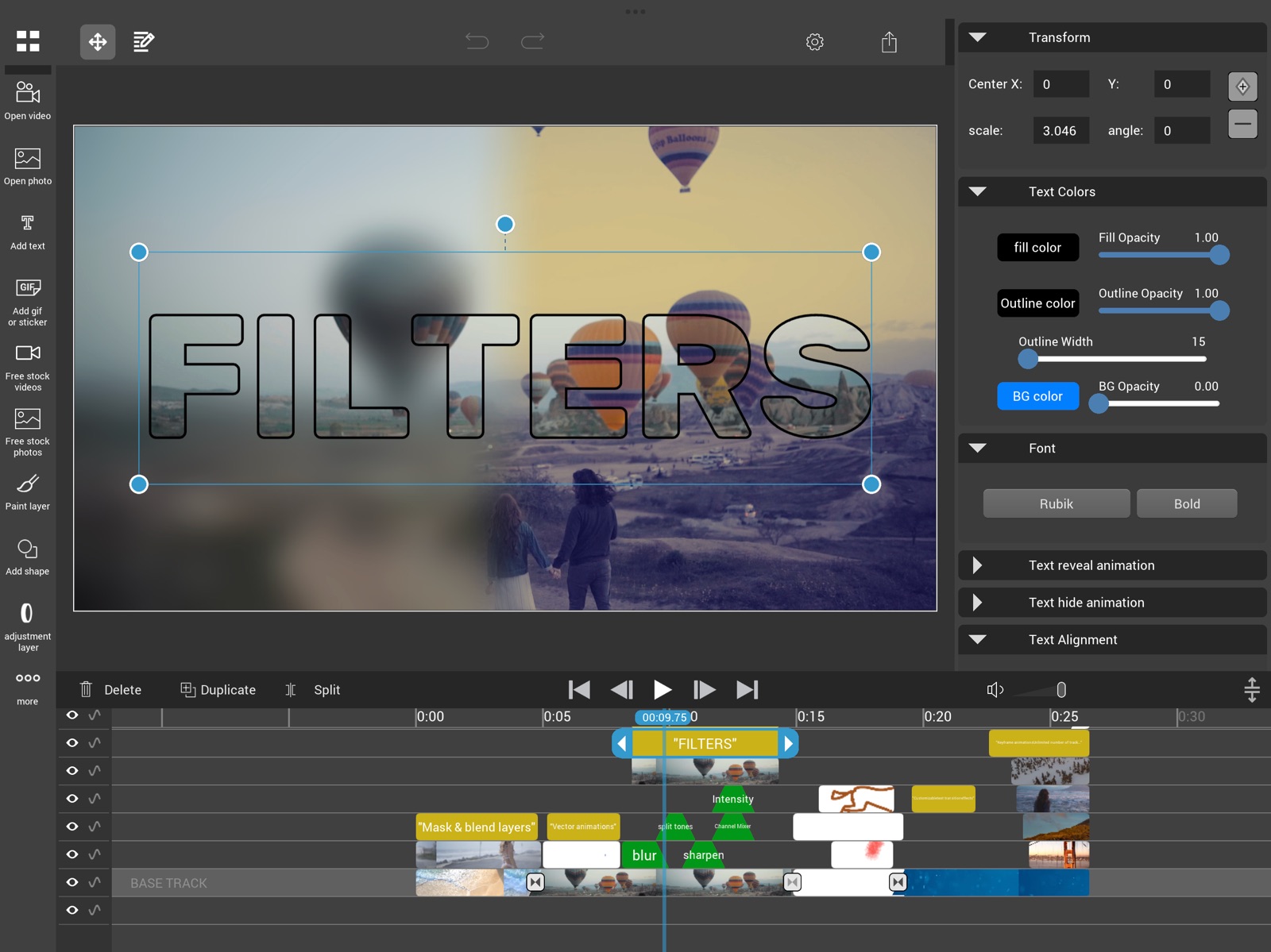
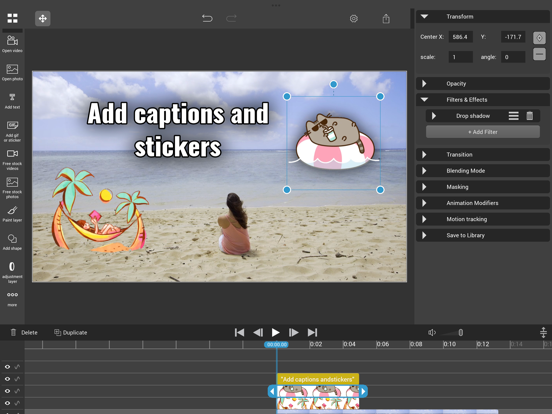
12 store screenshots


Pricing & paywalls
App Store
- Monthly subscription — $1.99/month
- Monthly subscription — $9.99/year ($0.83/mo)
- Lifetime premium — $29.99
Ratings & reviews
App Store
-
4/5Please Improve!
I really love this app since it has a lot of useful features, however there are some problems with it. When you add text it doesn’t support multiple languages so you have to upload a font for a language, plus only one text box can support one font at a time, so you have to add multiple text boxes for multiple languages which can get really tedious. When you adjust something, for example the opacity or duration, the slider has slight inertia, so the value suddenly changes when you let go, so you constantly have to adjust the value to get it just right.
Lu, Richard · 7 Aug 2026
-
4/5Nice, but one thing needed
Can you add an option to make it so you can add videos and audio from ‘files’ app into the project? But anyway regardless of that, still I enjoy using this app
IAmJustTryingToHelpYou · 7 Aug 2026
-
3/5i have mixed feelings
so this app is really good in terms of features, this is probably the only video editing program that actually includes hand drawn/cel animation in it, and thats a plus in my book, second thing, i noticed that i can’t select all layers, segments of a layer at once, and wish that would become an actual feature at some point, thats probably something to look forward to adding but thats not the reason why i gave this 3 stars, the features are awesome, the real downside, is that it “always” crashes, i hadn’t have this same problem with the other video editors i use, like alight motion, capcut, blurrr, even cute cut really but i dont use that app often, the way the app can crash is that if i put alot of layers and it doesn’t even crash once. this app does the exact opposite, every time i put alot of animated drawings, videos and photos in 6-8 layers, there is a high chance that the app can crash, which is kind of insane to me considering the fact that this app has so much potential in features that we’ve never seen in other apps, but not in terms of performance, that really bugs me, i really want to try this app, but the constant crashes are leaving me hopeless. You guys are also making bugfixes to the app and im honestly proud this app’s still active, and still getting updates, if you guys would implement a video quality preview feature just like the blurrr app, then i would give this app a star higher, other than that, this app has soooo much potential, even with the crashes and whatnot, this app is pretty cool and again has alot of potential. cant wait to see what this app can bring to the table soon!
By the Stickboi himself · 7 Aug 2026
-
4/5Please do this
Can you add audio shifter(change the audio pitch without speeding it), reflection mirror, gradient map and more distortion effects please
Joshua lee ashton · 7 Aug 2026
-
2/5Can’t export?
The app’s editing features are amazing but I can’t even export my video which is only 7 seconds and doesn’t even have many effects to it.. It’s stuck at 2.04 seconds.
Liyah0129 · 7 Aug 2026
Privacy & accessibility
App Store
Privacy
- Data Not Linked to You — Analytics — Diagnostics — Other Diagnostic Data Developer declared
- Data Not Linked to You — Analytics — Diagnostics — Performance Data Developer declared
- Data Not Linked to You — Analytics — Usage Data — Product Interaction Developer declared
- Data Not Linked to You — App Functionality — Diagnostics — Crash Data Developer declared
- Data Not Linked to You — App Functionality — Diagnostics — Other Diagnostic Data Developer declared
- Data Not Linked to You — App Functionality — Diagnostics — Performance Data Developer declared
- Data Not Linked to You — App Functionality — Usage Data — Product Interaction Developer declared
- Data Not Linked to You — Diagnostics Developer declared
- Data Not Linked to You — Usage Data Developer declared
Accessibility
No accessibility labels collected yet.
Versions
App Store
-
2.0
- completely redesigned iPad UI. (if you prefer the old layout you can switch back in the settings) - layers positioning is now down with control widgets - lots of bugfixes - a couple smaller improvements
-
2.0.1
2.0: - completely redesigned iPad UI. (if you prefer the old layout you can switch back in the settings) - layers positioning is now done with control widgets - lots of bugfixes - a couple smaller improvements 2.0.1: - bugfixes
-
2.0.2
2.0: - completely redesigned iPad UI. (if you prefer the old layout you can switch back in the settings) - layers positioning is now done with control widgets - lots of bugfixes - a couple smaller improvements 2.0.2: - bugfix for undo/redo occasionally messing up the app
-
2.0.3
2.0: - completely redesigned iPad UI. (if you prefer the old layout you can switch back in the settings) - layers positioning is now done with control widgets - lots of bugfixes - a couple smaller improvements 2.0.2: - bugfix for missing text alignment option - some other minor bugfixes
-
2.0.4
- HEVC files with transparency are now handled correctly - bugfixes
-
2.1
- lots of bugfixes and minor improvements - better support for HDR videos
-
2.1.1
bugfixes
-
2.1.2
bugfixes
-
2.1.3
minor bugfixes
-
2.1.4
bugfixes
-
2.1.5
bugfixes
-
2.2
- new filters - animation modifiers can now be found among the effects
-
2.2.1
bugfixes
-
2.3
- video speed can now be keyframed (a.k.a. speed ramp) - crystallize filter - bugfixes
-
2.3.1
bugfixes
-
2.3.2
- bugfixes - swirl filter
-
2.3.3
bugfixes
-
2.3.4
- support for exporting with transparent background - a couple new filters - bugfixes
-
2.3.5
bugfixes and minor improvements
-
2.3.7
- 3D rotation layer modifier - bugfixes
-
2.3.8
bugfixes
-
2.4
- better keyframing: bezier paths, new interpolation modes - many new effects: color grading, glitch filters, pattern overlays, etc. - small UI improvements and bugfixes
-
2.4.1
2.4: - better keyframing: bezier paths, new interpolation modes - many new effects: color grading, glitch filters, pattern overlays, etc. - small UI improvements and bugfixes 2.4.1: - bugfixes
-
2.4.2
· 2 Jul 2026
2.4: - better keyframing: bezier paths, new interpolation modes - many new effects: color grading, glitch filters, pattern overlays, etc. - small UI improvements and bugfixes 2.4.2: - bugfixes
-
2.4.4
2.4: - better keyframing: bezier paths, new interpolation modes - many new effects: color grading, glitch filters, pattern overlays, etc. - small UI improvements and bugfixes 2.4.4: - bugfixes
Alternatives
- VideoPad Masters — Same category + similar ratings
- Video Editor : Video Maker,Cut — Same category + similar ratings
- Photo Curves - Color Grading — Same category + similar ratings
- VideoPad - Video Editor — Same category + similar ratings
- Filmmo - Video Editor & Maker — Same category + similar ratings
- OviCut Video Editor — Same category + similar ratings
Availability by market
- US
Data quality & evidence
- Page completeness
- Live store listing
- Last verified
- 7 Aug 2026
- Sources
- App Store
- Independent summary has not been published yet.