
Quick verdict
- What it is
- Store information collected; an Apoku editorial summary is not yet published.
- At a glance
-
- From $2.91/mo
- Free to download
- In-app purchases
Categories and search queries
Official categories
- Photo & Video
- Entertainment
Apoku categories
Key functions
| Function | Availability | Access | Scope | Evidence |
|---|---|---|---|---|
| Free app | Yes | Free | Context-specific | Store published |
| In-app purchases | Yes | Limited free | Context-specific | Store published |
Screens
App Store
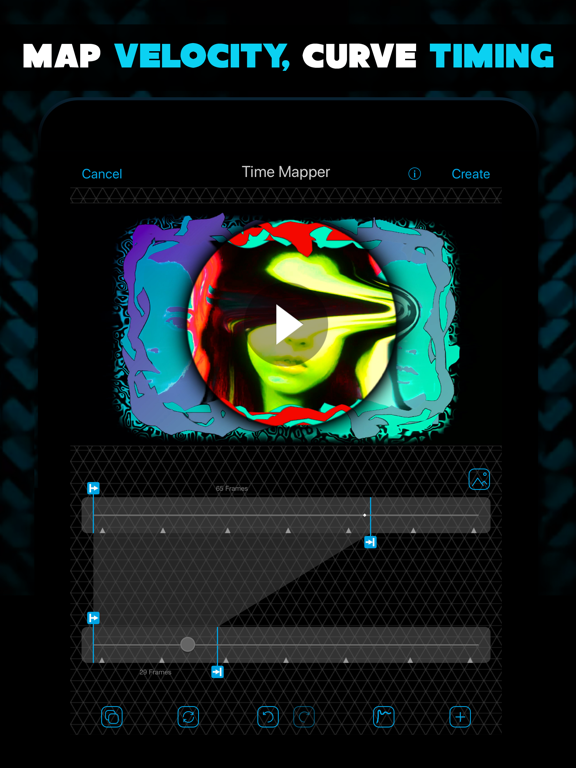
9 store screenshots



Pricing & paywalls
App Store
- 3 Month Pro — $5.99/month
- 3 Month Pro — $17.99/quarter
- 3 Month Pro — $34.99/year ($2.91/mo)
- Advanced Auto Stop — $3.99
- Cinema Pro Pack — $7.99
- Crazy Party Effects — $2.99
- Motion Madness Effects — $5.99
- Multi-Layer — $9.99
- Video Import Kit — $0.00
Ratings & reviews
App Store
-
4/5MY REVIEW
I’ve been using VideoStar for almost a year now, or I believe that it has been a year. The app is great!!! If you use all the effects you are given you could make such a wonderful edit. However, on the topic of effects, the new update with the text effects isn’t the best. The text effects are choppy even with decent graphs. I’m not sure if putting it on a longer clip would do it justice but so far I don’t find it worth spending your money on. You could’ve added text explosion or something that you see in edits regularly. It would save editors a LOT of time. You should also consider getting some decent turbulences. Not the old turbulences, I’m talking about GOOD ones that look somewhat like AE. No matter how hard you try with the turbulences provided it still is not the best. Other than the lack of effects that people are asking for, the app is overall great. I would highly recommend it for ANY editors. Whether you’re beginner, intermediate, or experienced, this is right for you!!! If you are a beginner I would start on apps such as Funimate or apps that teach you the basics. Before you get on VS you have to learn at least what keyframes are and how to properly use them, or wing it. We don’t care.
seraee! · 29 Sep 2026
-
5/5it’s good but to pricey and kinda set up oddly.
i love how i see edits from this app and they are amazing but it’s all from buying passes. I wanted to edit and i was learning how to use this app for hours just to find out i have to pay for a lot of the items to actually make a good edit. i wish editing apps could have free things so people can enjoy making good edits without paying. using apps that u don’t have to pay for leave a watermark or have bad items let’s say like capcut it’s free but no options to make edits. maybe more people would use video star if more things or all things were free :)) i know it’s how you make money but better if u let people do good free edits just a suggestion or maybe lower the prices i know you have many options and that’s great! it just seems when i try to do the trending edits all of the edits use your app so i decided to try it! i learned a lot from your tutorials but when i can’t afford stuff during my normal day i don’t have the time to spend money on an editing app. yes there are many free options but a lot of editing options are open for buying which makes me sad because it’s kinda pricey and i just wanna have fun editing. Other then that while trying to find things it’s kinda confusing i’ve seen tutorials so it makes it easy but if someone just wants to mess around and make a okay edit without watching tutorials on how to use a hard app then they will most likely delete it. just a suggestion to make things a little more clear so people don’t find it hard and then delete your app! other then those two things the app is great and has many options to do edits :) but ya kinda pricey and hard to find items
Mine+craft=Minecraft🤪 · 29 Sep 2026
-
5/5Bug
Ok so I’ve had video star since 2018 I think. The app is amazing and I absolutely love it! I love the updates and everything, but today I’ve been having some issues with it. So today, I was just making some transitions for my edit. I put on tracking blur as always but the blur wasn’t working? Like it was pixelated and no sort of blur was there. So since my clip was on the first layer, the tracking blur became pixelated and u can see the background color. I was very confused and thought that maybe it was a glitch so I adjusted the tracking blur and my whole app crashed. So then I was just like “oh I’ll use a different blur then.” So I used VSMB. It had the same issue. Then I tried all of the other blurs to see if they all had the same issue, and they did! So then I decided that I’ll just put my clips together instead. Well, I put my clips all together and then it was time to slow them down. While I was slowing my third clip down, my entire screen just froze. I couldn’t swipe out of the app or turn off my phone. I was beyond scared that I broke my phone. Then the screen started flickering and saying “creating preview” and then it would go away and repeat. Then those glitch lines were on my phone. I got really scared but then my entire phone just reset and when I turned it on, it was back to normal. So I figured that it would go away if I reinstalled the app. Fast forward to right now. I reinstalled the app and tried tracking blur again. It was still the same! It was pixelated with no blur! So Im assuming that this is just a bug, but please fix this as soon as possible! I cant even click tracking blur for a second before it pixelates and my entire app crashes! Please fix it as I would like to have no more scares that I broke my phone 😅😅
deliciouscrackers · 29 Sep 2026
-
2/5overall pretty bad...
the interface is really confusing and messy to use when you’re editing on your phone like i do. you have to keep scrolling though so many transitions and effects just to find the ones that are actually free. and that’s another thing, i would much rather have access to more transitions and watch more ads than pay. i understand that you guys have to make money but that can be done through ads and i think people would much rather prefer watching ads than having to pay. also, there should be an undo button, because it gets really annoying when i screw up a transition and have to start all over again. pls also just combine your FXapp to make things easier for people. also when you insert a video to use as an audio, uploading pictures will just ruin the audio. you should make a separate area for audio based on video, then another section for the actual images than a viewer might see. it would also help to clean up the interface more... at first it seems minimalist with only a couple buttons but really it just makes everything more cluttered. i’m going to be honest, i extremely dislike this app and i’m so frustrated with it but it’s the only option i have as it gives relatively unique transitions. however, if you want more people to be interested in downloading this app, you most likely have to change your design and the way you market yourself.
randomoji · 29 Sep 2026
-
3/5Great and smooth editor, but bad move to subscription model
I’ve been video editing in video star since 2018. I always thought having ALL of the packs was not as necessary, as some effects I will never use, and so the option to buy a pack on its own was great. I just put aside some money to buy a new few packs for my editing, as it had an effect I would like to use often (motion blur pack and adding custom fonts, as I type in other languages a lot and many of the fonts do not adapt to other scripts as well), and rather than give me the option to buy just the font pack, prompts me to buying a month or year long subscription. While I suppose it is more worth the money to buy all of the 1000 effects at one via subscription per year, for someone who just wants a few packs or just a single pack, it is not worth that model. I would like the individual pack purchases to still remain an option alongside the subscription service, not use the subscription in place of the individual pack purchases. Besides that recently made decision, each update to the app has been great and provided a few additional free effects to use!! I would appreciate it if the developers considered returning the individual pack purchases, because you *will* get my money that way.😅
tsu.nanami · 29 Sep 2026
Privacy & accessibility
App Store
Privacy
- Data Not Linked to You — Analytics — Diagnostics — Crash Data Developer declared
- Data Not Linked to You — Analytics — Diagnostics — Performance Data Developer declared
- Data Not Linked to You — Analytics — Identifiers — User ID Developer declared
- Data Not Linked to You — Analytics — Purchases — Purchase History Developer declared
- Data Not Linked to You — Analytics — Usage Data — Product Interaction Developer declared
- Data Not Linked to You — App Functionality — Diagnostics — Crash Data Developer declared
- Data Not Linked to You — App Functionality — Identifiers — User ID Developer declared
- Data Not Linked to You — App Functionality — Purchases — Purchase History Developer declared
- Data Not Linked to You — App Functionality — User Content — Customer Support Developer declared
- Data Not Linked to You — Product Personalization — Purchases — Purchase History Developer declared
- Data Not Linked to You — Diagnostics Developer declared
- Data Not Linked to You — Identifiers Developer declared
- Data Not Linked to You — Purchases Developer declared
- Data Not Linked to You — Usage Data Developer declared
- Data Not Linked to You — User Content Developer declared
Accessibility
No accessibility labels collected yet.
Versions
App Store
-
14.3.3
Bug fixes and other improvements
-
14.3.4
Bug fixes and other improvements
-
14.3.5
Bug fixes and other improvements
-
14.4.0
• Spooky styles added to "Frames" in Overlays • Multi-Layer Mask controls now support rotation, horizontal and vertical stretching, and edge feathering • Import photos and videos from collections and smart albums • The Video Star standard icon now supports Dark, Clear, and Tinted Mode, available only on iOS 26 • Bug fixes and other improvements
-
14.4.1
Bug fixes and other improvements
-
14.4.2
Bug fixes and other improvements
-
14.4.3
Bug fixes and other improvements
-
14.4.4
Bug fixes and other improvements
-
14.4.5
Bug fixes and other improvements
-
14.4.6
Bug fixes and other improvements
-
15.0.0
• Free Color Effect: Muted • Free Color Effect: Y2K • Free Re-Effect and Multi-Layer Text Effect: Spiral Twist • New Multi-Layer Text Effect: Scrapbook, part of the Random Text Pack • Free 3D Objects: Soda can, Clock, Digital Camera, Retro Gaming Device, Modern Gaming Device, Paintbrush, Easel, Wireframe: Torus, Pyramid, Dewdrop, Cylinder, Star, and Car • New 3D Beads Pack • New Multi-Layer Layout Effect: Strip Flip V, Strip Flip H, part of the Transcendent Tile Pack • New Sticker Overlays: Y2K • New Frame Overlays: Y2K • 10 more Multi-Layer Layers • Bug fixes and other improvements
-
15.0.1
Bug fixes and other improvements
-
15.0.2
Bug fixes and other improvements
-
15.0.3
Bug fixes and other improvements
-
15.0.4
• Free 3D Objects: VS Hearts, and Rose • Bug fixes and other improvements
-
15.0.5
Bug fixes and other improvements
-
15.1.0
• Free Color Effect: 2016 • Free 3D Compound Objects: Easter Eggs • Free Audio Sound Effects: Typewriter Tap, Typewriter Typing, Keyboard Tap, and Keyboard Typing • Free Overlay: Galaxy • New Overlay Light Leak: 2016 • New Overlay Sticker: Spring and 2016 • New Overlay Frame: Spring • New Layout Effects: Strip Flip [Square], Strip Flip [Diamond], Strip Flip [Hexagon], Strip Flip [Star], Multi-Flip V, Multi-Flip H, Multi-Flip [Square], Multi-Flip [Diamond], Multi-Flip [Hexagon], and Multi-Flip [Star] • New Random Text Pack Effects: Computer, Typewriter • Bug fixes and other improvements
-
15.1.1
Bug fixes and other improvements
-
15.1.2
Bug fixes and other improvements
-
15.1.3
Bug fixes and other improvements
-
15.1.4
Bug fixes and other improvements
-
15.2.0
• New Shadow for Animated Text • New Looping Custom Graphs • Free 3D Compound Objects: Butterflies • Free Backgrounds Overlay: Paper • New Overlay Stickers: Typewriter Elements • New Overlay Frames: Music • New Overlay Light Leak: Smoke and Fire • New Layout Effects: Grid Flip Square, Grid Flip Diamond, Grid Flip Hexagon, Grid Flip Triangle, Multi-Grid Square, Multi-Grid Diamond, Multi-Grid Hexagon, and Multi-Grid Triangle • New Icons by: @ravspx_, @sspiro, @xxangzta73z, @cybertiaa, @Tspr • Bug fixes and other improvements
-
15.2.1
Bug fixes and other improvements
-
15.2.2
Bug fixes and other improvements
-
15.2.3
· 14 Jul 2026
• New Flat Shadow Option for Animated Text • Bug fixes and other improvements
-
15.2.4
Bug fixes and other improvements
-
15.2.5
· 10 Aug 2026
Bug fixes and other improvements
-
15.2.6
Bug fixes and other improvements
-
15.2.7
· 21 Sep 2026
Bug fixes and other improvements
Alternatives
- Alight Motion — Same category + similar ratings
- Node Video — Same category + similar ratings
Availability by market
- US
Data quality & evidence
- Page completeness
- Live store listing
- Last verified
- 29 Sep 2026
- Sources
- App Store
- Apoku editorial summary has not been published yet.