
Quick verdict
- What it is
- Store information collected; an Apoku editorial summary is not yet published.
- At a glance
-
- Free to download
Categories and search queries
Official categories
- Navigation
- Lifestyle
Apoku categories
Key functions
| Function | Availability | Access | Scope | Evidence |
|---|---|---|---|---|
| Free app | Yes | Free | Context-specific | Store published |
Screens
App Store
6 store screenshots
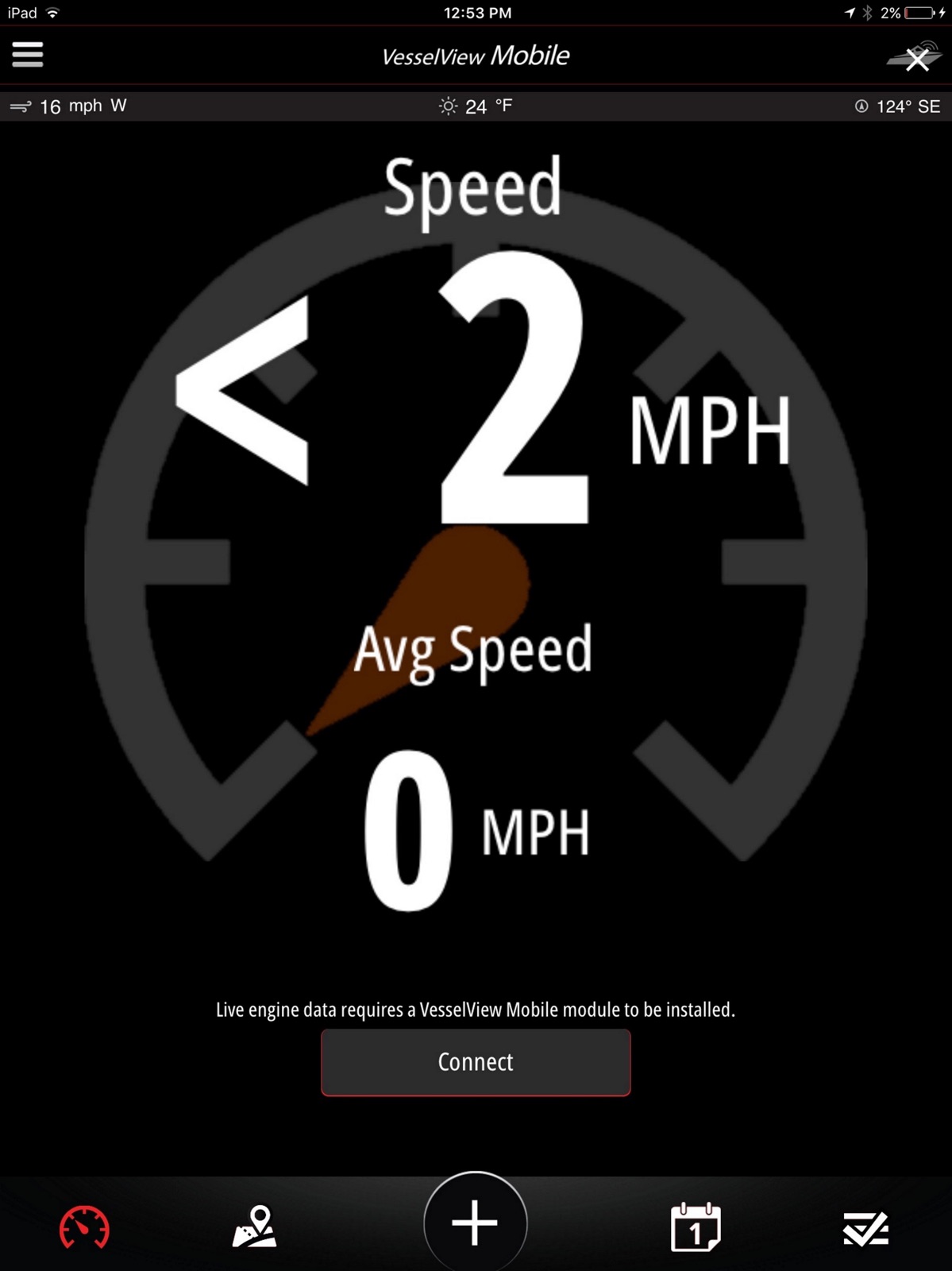

Pricing & paywalls
App Store
- Free to download
Ratings & reviews
App Store
-
4/5Add in more features Smart Craft has. Especially wake/surf/toe related
Would like to see a complete set of features available in Vessel View for the App. Cruise control would actually work on this. Especially tow features. Accelerate curves, top speed limits (especially in tenths mph for surfing), Cruise. Hey, why not full auto pilot? And troll control. With larger iPhone, or a iPad these would work great and made to be safe. In the future, Remote Boat control! Launch control Drive it right off the trailer, park. And vice verse. For a single person launching (or recovering) boat this would be valuable (especially with other people who can tie or hold a boat, but not drive either boat or tow vehicle. In the meantime, please add all the other Smart Craft and Vessel View features.
Dr.How · 31 Jul 2026
-
4/5Would be five stars if...
Works ok. As others have said, landscape is a must. It’s hard to believe that over 2 years into this and you haven’t got that figured out. Also the remaining fuel on board needs to be broken down it tenths. When I (and I’m sure others) add fuel, it’s not always exactly whole gallons. If I go to add fuel to the remaining total, I can only add whole gallons. This seems to be an easy fix and I can’t believe someone hasn’t brought this up yet.
Lostone65 · 31 Jul 2026
-
5/5Still some stuff I would like to see, but ver 1.9 is great!
I would still like to see any data parameter selectable for the main screen. Some of the parameters such as mpg are a couple of layers deep. Now to some compliments. Version 1.9 was a big update. To heck with using this on my iPhone, this is now really cool on an iPad. I use an iPad mini. You can use the built in iOS map app on one side and Vessel View on the other using split screen. Both apps have to support split screen for this to work. Other apps such as Navionics Boating do not support split screen, but you can use iOS slide over to put show Vessel View on about a third of the screen over such an app as Boating. You can do a search to find out the difference between slide over and split screen and how to use them. If you try this on an iPad, consider the following: The cellular iPads have GPS already built in and are ideal. However, you can get a Bluetooth GPS such as the Garmin GLO or Bad Elf to give a non-cellular iPad GPS capability.
Johnsterman · 31 Jul 2026
-
5/5Why won’t my iPhone XR connect after the last update???
Generally has been a good product. But the latest update won’t connect to my iPhone XR. My other blue tooth devices work fine. It will connect to my daughters iPhone 8. Added 14 July: followed the developers advice, and received this back “Sometimes during application updates iPhones can corrupt the information stored in them for the device they are trying to connect to. I have found luck in downloading a free app called LightBlue. It is in the app store. Once you download this app, turn the key on so the module powers up. Go into LightBlue and locate the module in there, and connect to it. Once LightBlue has established a connection close out of this app. Now try it with VVM. I have found that by interrogating the device with an outside Bluetooth scanner app like LightBlue it fixes the information between the two.” I followed these directions and it worked like a champ. Completely solved my problem. Thanks!
Junk_stuff · 31 Jul 2026
-
5/5Everything at a Glance.
After three years and two different boats with mine, i still love it. Would love to see more updates for water pressure and few other things, as well easier for setting the records etc. but all in all it’s an awesome app to keep running in while boating. Would like to see water pressure, as well possibly a way to read the individual hours, rather than only total hours, but hours at each rpm range would be a great addition, for being able to keep closer attention to service intervals etc.
Peat-Me-Off · 31 Jul 2026
Privacy & accessibility
App Store
Privacy
- Data Linked to You — Analytics — Location — Precise Location Developer declared
- Data Linked to You — App Functionality — Contact Info — Email Address Developer declared
- Data Linked to You — App Functionality — Contact Info — Name Developer declared
- Data Linked to You — App Functionality — Identifiers — Device ID Developer declared
- Data Linked to You — App Functionality — Identifiers — User ID Developer declared
- Data Linked to You — App Functionality — Location — Precise Location Developer declared
- Data Linked to You — Developer’s Advertising or Marketing — Contact Info — Email Address Developer declared
- Data Linked to You — Developer’s Advertising or Marketing — Identifiers — Device ID Developer declared
- Data Linked to You — Product Personalization — Contact Info — Name Developer declared
- Data Linked to You — Contact Info Developer declared
- Data Linked to You — Identifiers Developer declared
- Data Linked to You — Location Developer declared
- Data Not Linked to You — Analytics — Usage Data — Product Interaction Developer declared
- Data Not Linked to You — App Functionality — Diagnostics — Crash Data Developer declared
- Data Not Linked to You — App Functionality — Diagnostics — Other Diagnostic Data Developer declared
- Data Not Linked to You — App Functionality — Diagnostics — Performance Data Developer declared
- Data Not Linked to You — App Functionality — Usage Data — Product Interaction Developer declared
- Data Not Linked to You — Diagnostics Developer declared
- Data Not Linked to You — Usage Data Developer declared
Accessibility
No accessibility labels collected yet.
Versions
App Store
-
1.10.0
• Added a performance chart for tracking Avg. Fuel Flow, Speed and Fuel Economy. • Create and save a performance report. • Added an option for 30mph Holeshot. • Minor bug fixes and enhancements.
-
1.10.1
• Minor bug fixes and enhancements.
-
1.10.2
• Minor bug fixes and enhancements.
-
1.10.3
• The Boat Profile now displays additional engine details and warranty information based on your engine serial number, if available. • Minor bug fixes and enhancements.
-
1.10.4
• The Boat Profile now displays additional engine details and warranty information based on your engine serial number, if available. • Minor bug fixes and enhancements.
-
1.10.6
Fix compatibility with older generation devices
-
1.11.0
• Added separate Units of Measure selections for Distance, Fuel Economy and Volume units. • Minor bug fixes and enhancements.
-
1.11.1
• Added separate Units of Measure selections for Distance, Fuel Economy and Volume units. • Minor bug fixes and enhancements.
-
1.11.3
• Minor bug fixes and enhancements.
-
1.11.5
• Minor bug fixes and enhancements.
-
1.12.0
• Added Maintenance Specifications to the Maintenance screen where you can find part numbers and more for your engine. • Export your maintenance history logs. • Many bug fixes and enhancements.
-
1.13.0
• Many bug fixes and enhancements.
-
1.13.2
• Bug fixes and enhancements.
-
1.13.3
• Bug fixes and enhancements.
-
1.13.4
• Bug fixes and enhancements.
-
1.13.5
• Bug fixes and enhancements.
-
1.13.6
· 21 Apr 2025
• Bug fixes and enhancements.
-
1.7.1
• VesselView Mobile will attempt to automatically reconnect if the connection is interrupted. • Minor bug fixes and enhancements.
-
1.7.2
• Minor bug fixes and enhancements.
-
1.7.3
• Minor bug fixes and enhancements.
-
1.8.0
• See your fuel total and calculations while disconnected • Set your fuel tank capacity for easy fill-ups • Check out the history page for a log of added fuel • Minor bug fixes and enhancements.
-
1.8.1
• Crash fixes.
-
1.9.0
VesselView Mobile can now be used in landscape orientation and in Split View with another application. The experience has been optimized for tablets. We also made many minor improvements and bug fixes.
-
1.9.1
Minor improvements and bug fixes.
-
1.9.2
iOS 13 support, as well as minor improvements and bug fixes.
Alternatives
- Savvy Navvy: Boat Navigation — Same category + similar ratings
- iNavX: Marine Navigation — Same category + similar ratings
Availability by market
- US
Data quality & evidence
- Page completeness
- Live store listing
- Last verified
- 31 Jul 2026
- Sources
- App Store
- Apoku editorial summary has not been published yet.