
Quick verdict
- What it is
- Store information collected; independent summary not yet available.
- At a glance
-
- $11.99
Categories and search queries
Official categories
- Utilities
- Navigation
AppCorpus categories
Key functions
| Function | Availability | Access | Scope | Evidence |
|---|---|---|---|---|
| Family Sharing | Yes | Unknown | App Store | Store published |
Screens
App Store
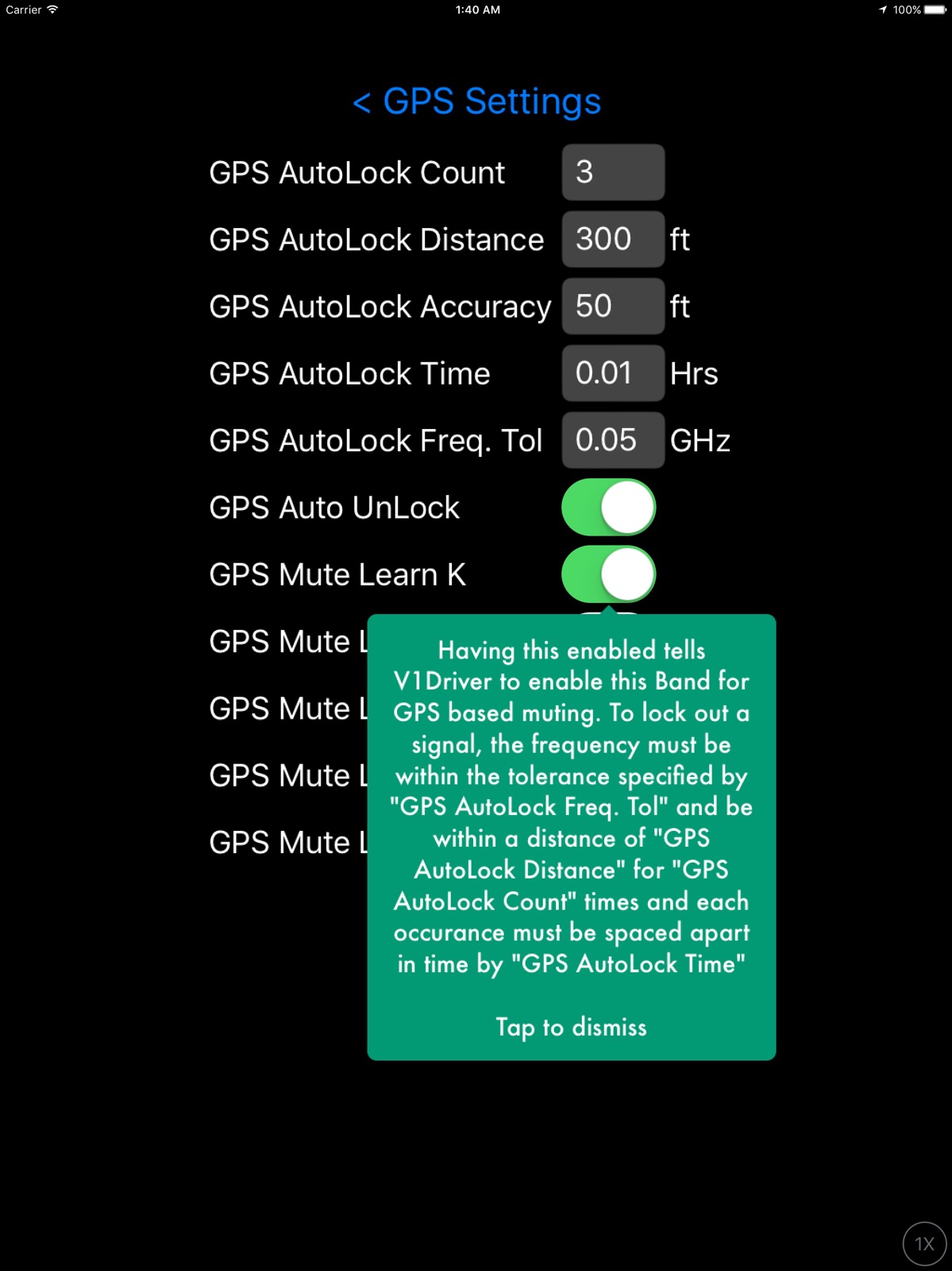
13 store screenshots


Pricing & paywalls
App Store
- Price: $11.99
Ratings & reviews
App Store
-
1/5Castrated my V1, blocks real radar
This is an old app with an undeserving reputation. There is no instructional support, just some random poorly recorded videos that really don’t explain anything. There are pop up explainers for each setting, but they are poorly written and ambiguous. There are a ton of settings that leave you with a ridiculous learning curve and too many variables to manage. The default settings are so aggressive that they mute everything, INCLUDING REAL RADAR! Even after killing all the automute settings it still identifies real radar as a false, which can be verified by the location pins it stores. This totally undermines the reasons of having a detector. Those who praise its silence are missing the point of the full situational awareness of the V1 and are likely also missing real threats. Total waste of money.
StealthD16 · 31 Jul 2026
-
5/5A Must For Valentine 1 Owners
Finally a brain for my V-1 detector. With all of the K band radar noise out there these days this app is a must for V1 owners. I wanted my V1 to mute itself after one initial beep. I have found that one beep is all I need to alert me to a new bogey. This app goes way beyond that by not only muting bogeys but also logging physical location and frequency of a bogey. Eventually the app recognizes the same signal at the same physical location and mutes it permanently. My ride to work has become much more quiet. I also like the Bluetooth feature which ties into my car stereo and gives me verbal alerts if I want them. Also the speed sensing is a nice feature. I was also able to program a one beep alert in the free program "v1 connect" by using the mute out of box feature. Once mute out of box was selected for all bands I configured the box in each band so small no signal could get in the box. This produced a nice one beep alert for any new bogey. Even though I got my desired one beep alert with v1 connect I would still recommend buying this app.
Funky VooDoo · 31 Jul 2026
-
2/5Very Confusing- Something V1 is not.
I purchased This app with the hope of adding some additional useful features to aid me while driving many, many highway miles. I've had my first V1 since 2009 and have upgraded since to the ESP version with BluetoothLE as well. Although V1 has an app that is quite Simple to use and is very useful to drivers, I thought there was more to gain from this app. I won't be ignorant and say it doesn't work because I am sure it does. It just lacks fluidity and user friendly function. I don't know what I am changing or what features are available thru this app - it is just poorly executed from a user standpoint. I am all for beefing up V1 as much as possible, however this app needs redeveloped from the ground up. Face it Sir - you can do a lot better. Quite honestly, this is a joke. I feel like I am making a MySpace profile again. That's the best way I can describe this app's approach to being user friendly and just needs reworked. Maybe even CarPlay integration? You can do better - what would MikeV. do?
CJAdomiak · 31 Jul 2026
-
5/5CREATOR, Please Read This!
First of all, what a fabulous app you have created to pair with the legendary V1. However, there is something HUGE that needs to be addressed! As you know, Michael Valentine didn’t see a need to include MRCD into the V1 G2—which is beyond me—and because of this, us V1 owners don’t know of such traps until we are in kill zone proximity (several feet from MRCD source). Moreover, if this is indeed true, that is, MRCD is detectable with the newer V1 albeit very short range, would it in any way be possible for you to save recorded instances into a global database to warn all V1 drivers of a potential MRCD location? (And do you know if MRCD technology implementation can be added by Mr. Valentine without needing new hardware and just a firmware update?) I look forward to your response. Thank you for your time and awesome app that has turned my V1 into an even better detector.
Mlyon83 · 31 Jul 2026
-
4/5Completing the V1 experience!
I have had a V1 for 20+ years now, and swear by it! I just recently picked up a Gen2, and found out about this app. This is incredible and completes the entire Valentine package. It offers the functionality that you want in a very intelligent way. I tried to figure out the app on my own, and it was a little bit cumbersome… But after watching a couple videos and reading a couple of well written blog posts, it is actually pretty well laid out. My hat is off to the developer. I don’t know if it is possible, as I am not a developer… But I think it would be an absolute game changer if it was at all possible to somehow pull in police location information from Waze, and somehow have the V1 react to it on a GPS based notification service. Maybe allowing Waze to run in the background, to feed information to V1driver… Which in turn would alert on the V1 device. I’m sure it’s not possible, but would be incredible!!
Billiards4Me · 31 Jul 2026
Privacy & accessibility
App Store
Privacy
- Data Not Collected Developer declared
Accessibility
No accessibility labels collected yet.
Versions
App Store
-
2.0.53
Change - New option under GPS Settings to control repeated demoting of pins. I have noticed a higher number of gpsMuteDem pins than expected. These are cases where V1Driver creates a gpsMute pin then sees it absent numerous days, demotes it and later it returns and gets muted again. V1Driver keeps track of this. This flip flop has to happen numerous times as well for V1Driver to declare it as gpsMuteDem (which means stop letting it flip and mute it, for good). This was meant for things like door openers that might shut off at night. The new option lets the user decide what to do with this case. Keep Flip Flopping (safer but could go through lots of relearning), Mute it For Good (what it has been doing and may not be so safe if there are to many) this creates gpsMuteDem pins, or Never Mute it (safer but might be a bit more chatty) changes to a new pin type called stayDemoted. You can switch modes and it will update your database accordingly. The Default is to let it Flip back and forth rather than stay muted. Bug - New iOS 13 color themes were not coloring "Segmented" buttons correctly.
-
2.0.54
Compatibility - Support for V1-Gen2 Feature - Savvy Cooldown. When you lose GPS, for example when entering a parking garage at low speed V1Driver will remember your last speed for a limited time to use for Savvy Muting. This feature is Off (0 seconds) by default. This is useful if you park regular in a K False Garage or similar. Bug - Fixed case where V1Driver could not send the mute to the V1.
-
2.0.55
Bug - Random crashing fixed for folks using Savvy Hardware. Bug - Mute button can now be used on the V1 again. Feature - Auto Dark to darken the V1 Display when V1Driver locks out an Alert by GPS or Speed Debug - Embedded Valentine API library source code for more accurate crash reports. This was a big change, so couple bugs might pop up.
-
2.0.56
Feature - Full suite of Apple Watch Complications Feature - HTML Help on all settings pages (see info icon in the upper right corner). More is coming.
-
2.0.57
Change - Defaulted Speak Delay under Voice Settings to 1.0 second (currently required for iOS14 changes) Change - The old Night and Day theme and Sunset option is no longer supported on iOS version that support Dark Theme (iOS 13 and up) and relies on the OS for that. Change - iOS 12 is now the oldest version supported for new updates. Enhanced - Now checks for new Precise location option that is new to iOS14. Precise must be Enabled and you'll get a reminder if it's Disabled. Bug - iCloud back up fixed with better status messages. A change in iCloud occurred sometime during the year that it will not sync folders but just files. Bug - Notifications not working correctly on iOS14. This affected the Watch and the Phone. Change - Fixed Pickers on Map to work with iOS14 changes, should work better on older versions and smaller devices too. Change - More conservative GPS learning. If while driving you pass through a "Learning" Pin and is found to be absent of that Radar Frequency, it will rewind to New state. Change - Default Wrist mute on Watch to be Disabled (buggy).
-
2.0.58
Bug - Fixed the Help Text on the info button on the Presentation Settings. Bug - Editing any field with distance or speed units on a Pin could not be edited. Undo - By popular demand V1Driver can run Dark or Light theme independent of the Global Theme set in your phone.
-
2.0.59
Bug - Fixed Colors for Pickers on Map the Map page on iOS 12.*. Bug - Fixed Audio randomly stopping on iOS 14.* Bug - Don't pop Notifications when App is in foreground Bug - AutoSnooze not working correctly (muting before or immediately after V1 audibly alerted) with V1G2 (Next Gen V1) Bug - Notification issues fixed (namely) the Watch will work more consistent now.
-
2.0.60
Enhanced - Added -cp to the v1 connection status when CarPlay is detected. Maintenance - Built on new compiler and iOS 14.5 libraries Enhancement - Changed Text to Speech Voice to a Picker Control. Long overdue. It will list all the valid voices you have downloaded. Previously you had to look at the Tool Tip and type it. Experimental - Ignore the new Widget, it's not functional and work in progress.
-
2.0.61
Bug - When V1 Display Mode was set to Auto (under hardware settings) the V1 Display was not correctly being controlled and turn off in situations it shouldn't have.
-
2.0.63
Maintenance - Added Analytics. It does not upload any person info. Just crashes, disconnects etc. It is on by default and can be turned off under Debug Settings. Bug - Window now scrolls box into view when Keyboard pops up.
-
2.0.64
Enhanced - Fine tuned GPS update handling when stationary Feature - You can now select any Band for AutoSnoozing (was restricted to K and Laser band). Bug - Fixed crash related to CarPlay
-
2.0.65
Bug - Fixed crash discovered in analytics.
-
2.0.66
Feature - Added Sound Check button in the Sound Settings Page Feature - Added Option to Include Band Name in Text to Speech Alerts Known Issue - iOS 16.x has problems with Text to Speech causing V1Driver to crash. It appears to only be the Voice Samantha & Samantha (Enhanced) Work Around - Don't use Samantha Voice in V1Driver To change the Voice in V1Driver: Goto Settings -> Voice Settings -> Text to Speech Voice -> Change to something Not Samantha You can also download alternative voices (e.g. Alex): Goto Phone Settings -> Accessibility -> Spoken Content -> Voices -> English -> Alex -> Click Download Icon If you do download a new Voice you need to restart V1Driver to see it. I have tested Alex but you likely need to download it.
-
2.0.67
Enhancement - Turns out iOS 16 added "Eloquence" Voices for the blind. This caused some confusion in the code. And if you chose one it did some weird stuff (sometimes). So for now I mask them out. Bug - Noticed that you could not choose "Samantha" (un-enhanced) it would always choose "Samatha (Enhance)". I believe "Samatha (Enhanced)" is causing the crashes. So I fixed this and reset the default to "Samantha" un-enhanced. Tweak - The Picker for voice would close as soon as you stopped on a selection (even if you didn't want it. The picker now stays open until you click on something else. Not great but I think it's better. Enhance - Added another "sound check" button on the Voice Settings page
-
3.0.0
Major Feature - Now supports Uniden R4, R8, R9 (future), Radenso DS1 Bug Fix - Hopefully fixed Voice getting stuck in a loop You Must enable Uniden in Bluetooth Settings in V1Driver Here is video to help Pair the Uniden or Radenso Radar Detectors https://youtu.be/hVL6hN0QH2M
-
3.0.1
Bug Fix - V1 was not always reconnecting in background since making changes to support R4,R8,DS1 Radar Detector
-
3.0.10
· 3 Aug 2025
Bug - Fix crash happening in Audio Hook - added hook to completely ignore Apple Watch even when present by using 0x4 debug mask
-
3.0.2
Bug fix - Distance was always reporting at 0.0 miles Bug fix - Anything that used Heading was stuck using compass instead of switching to GPS Heading once you were moving (recent change caused this) Enhanced - Reconnecting in background on Uniden R4, R8 and Radenso DS1 should be easier and smoother now Enhanced - Voice Speed is not linear and didn't have enough precision to manage it (between 5 and 6 was to large a jump in speed) So I changed it from 0 - 10 to 0 - 100 and so now you can adjust 51, 52, 53..., 60 for more control. Note: Voice Speed is reset to Default (50)
-
3.0.3
Enhanced - Now shows which RD it is trying to connect to (helps when juggling multiple RD) Enhanced - Slightly better control over connecting to multiple RD Enhanced - Easter Egg Known issue of Voice Stuttering - Working on it
-
3.0.4
Reworked - Text to Speech and Notifications stop repeating the same alert, sorry this took so long to fix Enhanced - Pairing and Reconnecting Uniden R4, R8, Radenso DS1 is now little more informative of what's going on, it will tell you which radar detector it's trying to connect to. This mostly effects folks with multiple radar detectors Enhanced - Updated the built in Recorder to support all recent changes, this is critical for when reporting bugs and I have found new bugs since updating it
-
3.0.5
Change - Changed the way V1 Auto Dark works it will stay dark until a real threat is active Feature - Now has support of Red Light Cameras goto iCloud Backup & Reset Settings to import (still sorting out how updates get distributed) Bug - Fixed repeated audio alerts. Sorry about that glitch Bug - More bugs on Audio Notifications Bug - Reminder Distance had a unit conversion error so you'd get whacko values Debug - Added a hook to allow debugging some users having issues with background reconnect on V1 Bug - V1Driver would not unmute a 2nd K band if it already muted another K band on a different Frequency on Uniden R8 (R4 and DS1 likely as well) Bug - If you had an active muteInBox hit get muted and another hit of the same band and different frequency and not in the muteInBox the RD was not unmuted Bug - Fixed Mute/AutoMute/Snooze on Radar Alerts getting unmuted while Non Radar alerts were present
-
3.0.6
Bugfix - Finally found the issue with Audio getting stuck. Bugfix - Fixed up background connection on V1 Radar Detectors Enhanced - Updated to V1 latest library as well as every library V1Driver uses Enhanced - Support poi-factory red-light cameras (Import on iCloud & Reset Settings Page)
-
3.0.7
Bugfix - The Signal Strength meter colors were getting smeared Bugfix - The priority order of signals was incorrect, Radar signals should always be on top Bugfix - Fixed Audio getting stuck on Non Radar alerts
-
3.0.8
Bug - Fixed car play detection so it will work correctly wether you use or don't use it automatically
-
3.0.9
Bug - Fix Network Alerts stopped working Bug - Fix HFP (Hands Free Protocol) inconsistently working
Availability by market
- US
Data quality & evidence
- Page completeness
- Live store listing
- Last verified
- 31 Jul 2026
- Sources
- App Store
- Independent summary has not been published yet.