AppCorpus MCP gives your agent current app data, prices, screens, features and sources.
View JSON
GET /api/v3/apps/354541455
{
  "app_id": 354541455,
  "canonical_url": "https://appcorpus.com/apps/utility-spreadsheet-pro-354541455",
  "identity": {
    "name": "Utility Spreadsheet Pro",
    "slug": "utility-spreadsheet-pro",
    "developer": {
      "name": "Luminant Software, Inc",
      "url": "https://appcorpus.com/developers/luminant-software-inc-developer_50c39f770c878d879418dff4d3989664"
    },
    "icon_url": "https://is1-ssl.mzstatic.com/image/thumb/Purple221/v4/69/4c/dd/694cdd9e-dc83-2c4f-4037-238772c20c0e/AppIcon-0-1x_U007emarketing-0-8-0-85-220-0.png/512x512bb.jpg",
    "stores": [
      "apple"
    ],
    "platforms": [
      "iphone",
      "ipad"
    ],
    "status": {
      "state": "active",
      "label": "Active",
      "last_checked": "2026-07-31",
      "last_checked_label": "31 Jul 2026",
      "banner": null,
      "region_note": null
    }
  },
  "listings": [
    {
      "store": "apple",
      "status": "ACTIVE",
      "url": "https://apps.apple.com/us/app/utility-spreadsheet-pro/id354541455?uo=4",
      "rating": 4.1,
      "rating_count": 78,
      "formatted_price": "$2.99",
      "is_free": false,
      "has_iap": false,
      "has_subscription": false,
      "version": "8.1.4",
      "updated": "2025-03-28",
      "currency": "USD"
    }
  ],
  "summary": {
    "one_liner": null,
    "summary": null,
    "best_for": [],
    "not_for": [],
    "status": "fallback",
    "at_a_glance": [
      "$2.99"
    ]
  },
  "categories": {
    "official": [
      "Business",
      "Productivity"
    ],
    "appcorpus": [
      {
        "category_id": "business",
        "label": "Business",
        "url": "https://appcorpus.com/categories/business"
      },
      {
        "category_id": "productivity",
        "label": "Productivity",
        "url": "https://appcorpus.com/categories/productivity"
      }
    ]
  },
  "use_cases": [],
  "features": [
    {
      "capability_id": "family_sharing",
      "label": "Family Sharing",
      "availability": "yes",
      "access_level": "unknown",
      "scope": "App Store",
      "evidence": "Store published"
    }
  ],
  "pricing": [
    {
      "store": "apple",
      "formatted_price": "$2.99",
      "is_free": false,
      "has_iap": false,
      "has_subscription": false,
      "currency": "USD",
      "market": "es",
      "last_verified": "2026-07-31",
      "rows": [
        "Price: $2.99"
      ]
    }
  ],
  "screens": [
    {
      "url": "https://is1-ssl.mzstatic.com/image/thumb/Purple123/v4/e7/1b/69/e71b69f7-24d4-4877-dfaa-93b342a8ebba/pr_source.jpg/1600x1600bb.jpg",
      "store": "apple",
      "platform": "ipad",
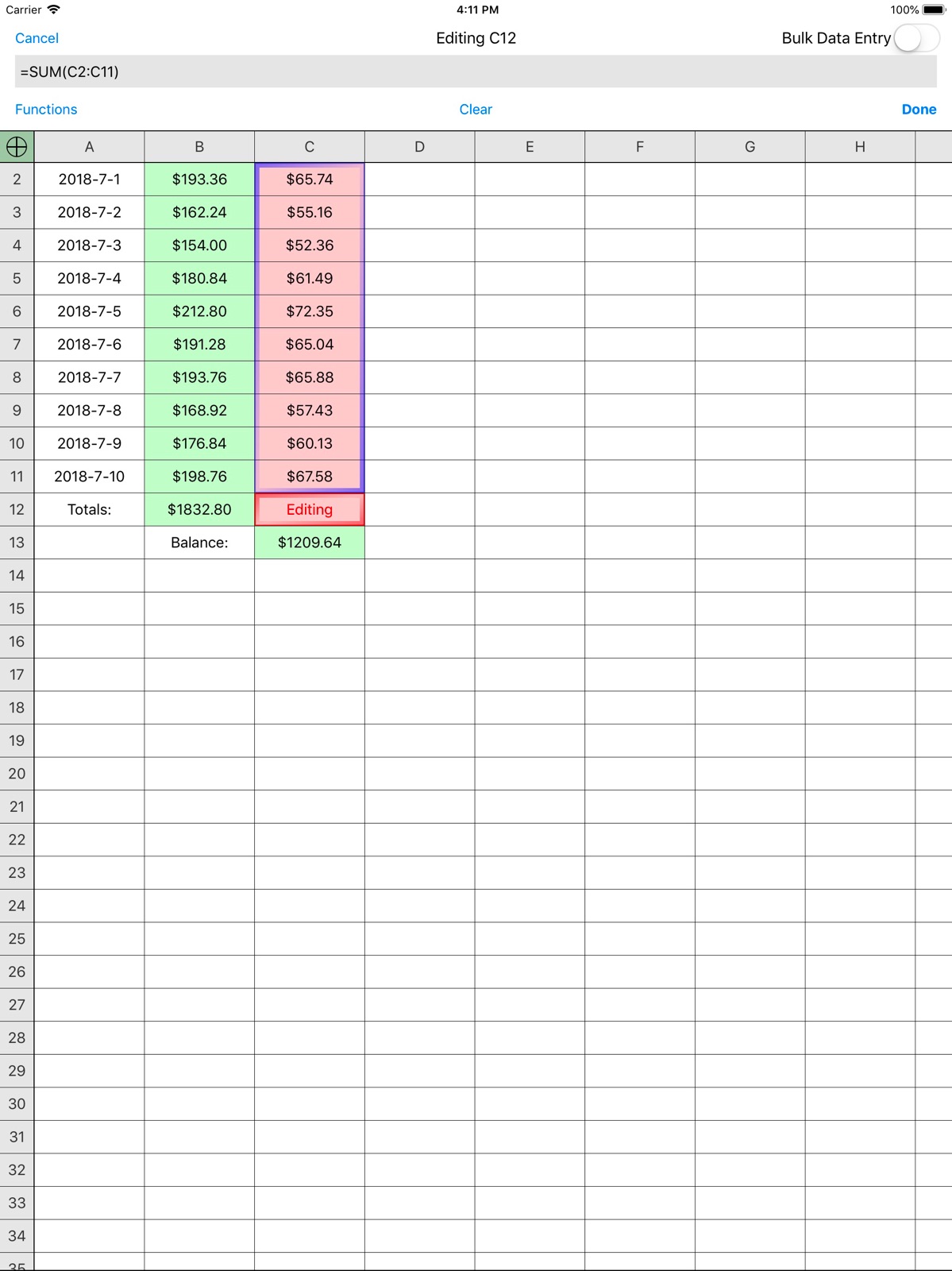
      "alt": "Utility Spreadsheet Pro ipad screenshot 1"
    },
    {
      "url": "https://is1-ssl.mzstatic.com/image/thumb/Purple113/v4/ed/f8/e8/edf8e8cb-0faa-869d-9d40-da6ab4f1a1d9/pr_source.jpg/1600x1600bb.jpg",
      "store": "apple",
      "platform": "ipad",
      "alt": "Utility Spreadsheet Pro ipad screenshot 2"
    },
    {
      "url": "https://is1-ssl.mzstatic.com/image/thumb/Purple123/v4/47/9a/7e/479a7e97-3836-0ba1-c39b-9d74db944b93/pr_source.jpg/1600x1600bb.jpg",
      "store": "apple",
      "platform": "ipad",
      "alt": "Utility Spreadsheet Pro ipad screenshot 3"
    },
    {
      "url": "https://is1-ssl.mzstatic.com/image/thumb/Purple123/v4/66/65/1e/66651e4f-a5b2-4357-95a8-8f5daf904b2a/pr_source.jpg/1600x1600bb.jpg",
      "store": "apple",
      "platform": "ipad",
      "alt": "Utility Spreadsheet Pro ipad screenshot 4"
    },
    {
      "url": "https://is1-ssl.mzstatic.com/image/thumb/Purple123/v4/69/ce/8c/69ce8c94-c8cf-f3c7-6f19-9d14400d1f50/pr_source.jpg/1600x1600bb.jpg",
      "store": "apple",
      "platform": "ipad",
      "alt": "Utility Spreadsheet Pro ipad screenshot 5"
    },
    {
      "url": "https://is1-ssl.mzstatic.com/image/thumb/Purple113/v4/ae/a8/4c/aea84c3a-102d-20c1-4157-3a655c22bca4/mzl.xpfrgepa.png/1125x1600bb.jpg",
      "store": "apple",
      "platform": "iphone",
      "alt": "Utility Spreadsheet Pro iphone screenshot 6"
    },
    {
      "url": "https://is1-ssl.mzstatic.com/image/thumb/Purple123/v4/1c/ca/46/1cca46c0-f956-76b3-6fad-4b2c6f6adb84/mzl.eeavafhb.jpg/1125x1600bb.jpg",
      "store": "apple",
      "platform": "iphone",
      "alt": "Utility Spreadsheet Pro iphone screenshot 7"
    },
    {
      "url": "https://is1-ssl.mzstatic.com/image/thumb/Purple113/v4/1d/22/e3/1d22e33d-4c8d-cbf4-701c-2556b951dd73/mzl.rctrnlxx.png/1125x1600bb.jpg",
      "store": "apple",
      "platform": "iphone",
      "alt": "Utility Spreadsheet Pro iphone screenshot 8"
    },
    {
      "url": "https://is1-ssl.mzstatic.com/image/thumb/Purple123/v4/14/23/45/14234521-9e7a-9290-5128-2a02098e119a/mzl.mpbzaahm.png/1125x1600bb.jpg",
      "store": "apple",
      "platform": "iphone",
      "alt": "Utility Spreadsheet Pro iphone screenshot 9"
    },
    {
      "url": "https://is1-ssl.mzstatic.com/image/thumb/Purple123/v4/78/19/09/78190990-4ff8-9917-61c8-789500e6e9f6/mzl.gewagisk.png/1600x1125bb.jpg",
      "store": "apple",
      "platform": "iphone",
      "alt": "Utility Spreadsheet Pro iphone screenshot 10"
    }
  ],
  "ratings": [
    {
      "store": "apple",
      "average": 4.1,
      "count": 78,
      "market": "es",
      "observed_at": "2026-07-31",
      "reviews": [
        {
          "rating": 4,
          "title": "Like old keyboard better... it was bigger",
          "body": "Could I please get the old (bigger) keyboard back somehow? Otherwise the new design is OK. Although I was quite happy with the old one. UPDATE: Changing to add another star since there is now a larger keyboard option. YAY! And thanks so much for listening.",
          "author": "Peasey Pie",
          "date": "31 Jul 2026"
        },
        {
          "rating": 5,
          "title": "Utility Spreadsheet Pro Ver 8.0.3",
          "body": "I’ve been using this spreadsheet utility for several years to keep up with my banking check writing and account balancing. Program is easy to use, formatting for cash, color formatting for keeping transactions uniform is a breeze. Recommendation as 5 stars for users that may be spreadsheet challenged. Only 1 regret, the latest iteration removed the “save as” function which was handy in keeping dual copies as backup copies of extensive files. My eventual workaround is a bit more labor intensive than with “save as” function. I would like this function restored.",
          "author": "Caseylab",
          "date": "31 Jul 2026"
        },
        {
          "rating": 2,
          "title": "Previous Working View",
          "body": "Latest update has problem of opening at the top of the spreadsheet. In previous versions after saving, I could return at a later time to the last edited cell by highlighting the cell below my last entry in a column, then hitting the “Home” button on my phone or tablet to get out of the app. Now, after opening, I have to scroll down hundreds of cells every time to continue working where I left off. Very poor attention to convenience by the app developer.",
          "author": "RGbr708",
          "date": "31 Jul 2026"
        },
        {
          "rating": 2,
          "title": "Not an easy use at all.",
          "body": "I spent my money and got so frustrated I went back in and bought something else. As with any program, if you use it long enough, you gain usage skills. After using complicated spreadsheets for decades, I got more frustration out of this than anything else. If you have no experience, I guess it works. Very disappointed.",
          "author": "webubbabubba",
          "date": "31 Jul 2026"
        },
        {
          "rating": 4,
          "title": "Like the old design a lot better!!! ( earlier than version 7 )",
          "body": "Is there any way I can get the old version again ( earlier than 7 ). I liked the design of it a lot better. The new layout is more cluttered.",
          "author": "Erik D B",
          "date": "31 Jul 2026"
        }
      ]
    }
  ],
  "privacy": [
    {
      "store": "apple",
      "declarations": [
        {
          "title": "Data Not Linked to You",
          "detail": "Analytics — Diagnostics — Other Diagnostic Data",
          "source": "Developer declared"
        },
        {
          "title": "Data Not Linked to You",
          "detail": "Analytics — Diagnostics — Performance Data",
          "source": "Developer declared"
        },
        {
          "title": "Data Not Linked to You",
          "detail": "Analytics — Usage Data — Product Interaction",
          "source": "Developer declared"
        },
        {
          "title": "Data Not Linked to You",
          "detail": "App Functionality — Diagnostics — Crash Data",
          "source": "Developer declared"
        },
        {
          "title": "Data Not Linked to You",
          "detail": "App Functionality — Diagnostics — Other Diagnostic Data",
          "source": "Developer declared"
        },
        {
          "title": "Data Not Linked to You",
          "detail": "Diagnostics",
          "source": "Developer declared"
        },
        {
          "title": "Data Not Linked to You",
          "detail": "Usage Data",
          "source": "Developer declared"
        }
      ],
      "accessibility": []
    }
  ],
  "changes": [
    {
      "store": "apple",
      "version": "6.4",
      "released_at": null,
      "notes": "Bug fixes and compatibility updates."
    },
    {
      "store": "apple",
      "version": "6.5",
      "released_at": null,
      "notes": "Bug fixes"
    },
    {
      "store": "apple",
      "version": "7.0",
      "released_at": null,
      "notes": "Updated UI design. Bug fixes."
    },
    {
      "store": "apple",
      "version": "7.1",
      "released_at": null,
      "notes": "Updated design"
    },
    {
      "store": "apple",
      "version": "7.2",
      "released_at": null,
      "notes": "Updated UI design. Performance improvements. Bug fixes."
    },
    {
      "store": "apple",
      "version": "7.2.1",
      "released_at": null,
      "notes": "Updated UI design. Settings to hide or increase size of number and symbol keys (in Settings app). Performance improvements. Bug fixes."
    },
    {
      "store": "apple",
      "version": "7.3.0",
      "released_at": null,
      "notes": "Bug fixes."
    },
    {
      "store": "apple",
      "version": "7.3.1",
      "released_at": null,
      "notes": "Bug fixes and performance improvements."
    },
    {
      "store": "apple",
      "version": "7.3.2",
      "released_at": null,
      "notes": "Bug fixes and performance improvements."
    },
    {
      "store": "apple",
      "version": "7.3.3",
      "released_at": null,
      "notes": "Fixes for bugs involving CSV importing, handling of blank cells in TABLE() indexing, and a crash"
    },
    {
      "store": "apple",
      "version": "7.3.4",
      "released_at": null,
      "notes": "Includes a fix for a crash, a fix for failed in-app upgrades, and improved feedback for searches with no results."
    },
    {
      "store": "apple",
      "version": "7.3.5",
      "released_at": null,
      "notes": "iOS 13.2 compatibility"
    },
    {
      "store": "apple",
      "version": "7.3.6",
      "released_at": null,
      "notes": "iOS 13.2 compatibility"
    },
    {
      "store": "apple",
      "version": "7.3.7",
      "released_at": null,
      "notes": "Bug fixes"
    },
    {
      "store": "apple",
      "version": "8.0.0",
      "released_at": null,
      "notes": "Dark mode support, iCloud syncing, and automatic file versioning."
    },
    {
      "store": "apple",
      "version": "8.0.1",
      "released_at": null,
      "notes": "Fixed the setting to omit the starting equals sign on iOS 13."
    },
    {
      "store": "apple",
      "version": "8.0.2",
      "released_at": null,
      "notes": "Bug fixes"
    },
    {
      "store": "apple",
      "version": "8.0.3",
      "released_at": null,
      "notes": "Stability and performance improvements."
    },
    {
      "store": "apple",
      "version": "8.0.4",
      "released_at": null,
      "notes": "Fix for a printing bug on iOS 12."
    },
    {
      "store": "apple",
      "version": "8.0.5",
      "released_at": null,
      "notes": "Recently deleted files can be restored. Go to File->Open and tap the trash can icon to show available files."
    }
  ],
  "alternatives": [
    {
      "app_id": 6453467519,
      "name": "Table Maker, Spreadsheet Notes",
      "url": "https://appcorpus.com/apps/table-maker-spreadsheet-notes-6453467519",
      "reason": "Same category + similar ratings"
    },
    {
      "app_id": 1569901170,
      "name": "Table Notes Spreadsheet maker",
      "url": "https://appcorpus.com/apps/table-notes-spreadsheet-maker-1569901170",
      "reason": "Same category + similar ratings"
    }
  ],
  "evidence_summary": {
    "index_state": "S1",
    "evidence_level": 1,
    "level_label": "Live store listing",
    "indexable": true,
    "last_verified_at": "2026-07-31",
    "unknown_fields": [
      "Independent summary has not been published yet."
    ],
    "sources": [
      "App Store"
    ]
  },
  "availability_markets": {
    "live": [
      "us"
    ],
    "selected": "es",
    "note": "No LIVE observation for ES yet."
  },
  "feature_events": {
    "events": []
  },
  "features_slice": {
    "plans": [],
    "features": [],
    "unknown_features": [
      "family_sharing"
    ],
    "data_cutoff": "31 Jul 2026"
  }
}