
Quick verdict
- What it is
- Store information collected; independent summary not yet available.
- At a glance
-
- From $0.99/mo
- Free to download
- In-app purchases
Categories and search queries
Official categories
- Photo & Video
AppCorpus categories
Key functions
| Function | Availability | Access | Scope | Evidence |
|---|---|---|---|---|
| Free app | Yes | Free | — | Store published |
| In-app purchases | Yes | Limited free | — | Store published |
Screens
App Store
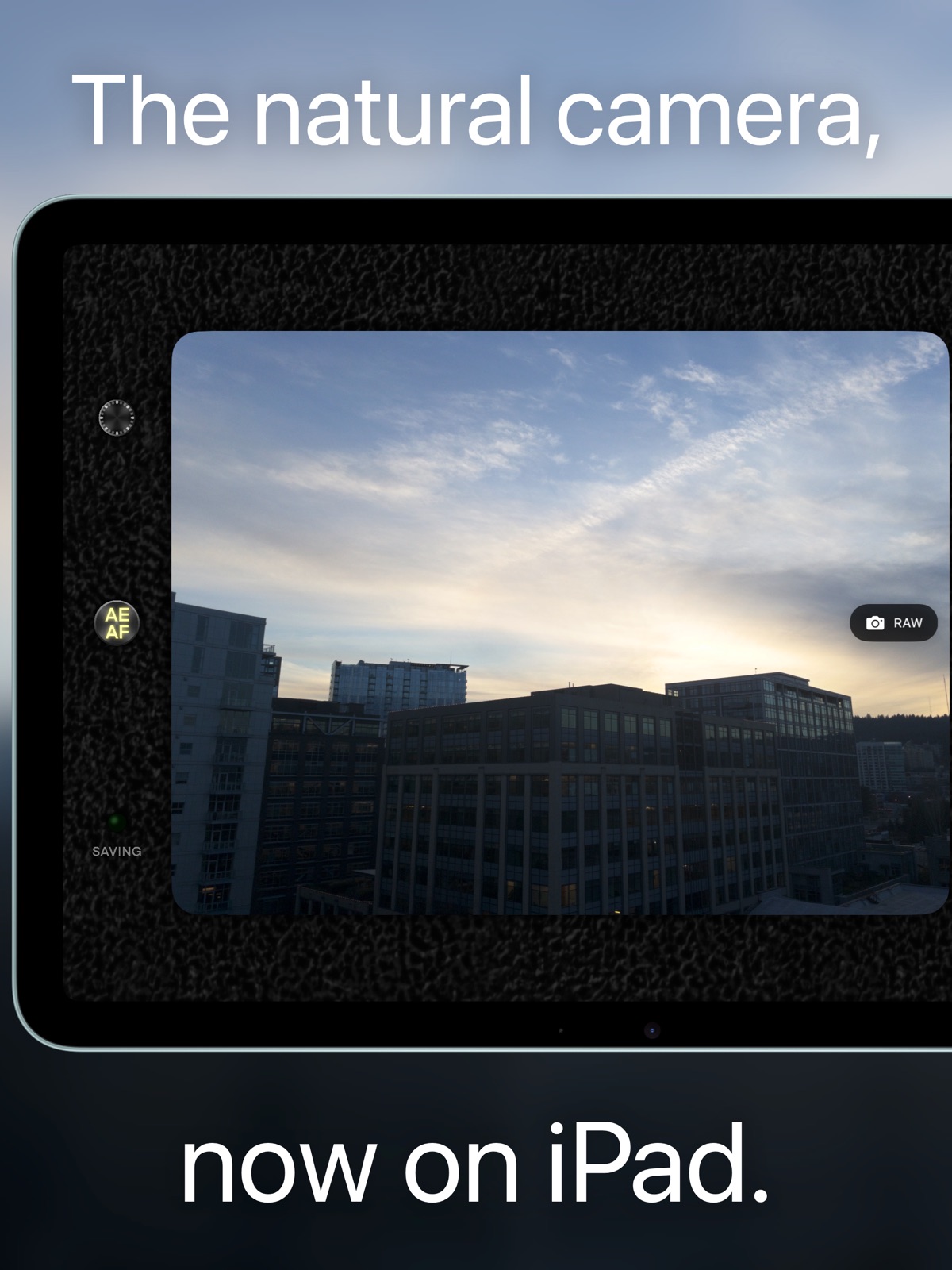
9 store screenshots


Pricing & paywalls
App Store
Shown for US
- Premium Monthly — $0.99/month
- Lifetime Premium — $4.99
Ratings & reviews
App Store
Shown for US
-
4/5Unable to Zoom
I just got a new iPhone expecting a better camera, only to be painfully disappointed by the overprocessing and weird AI texture it adds to every photo. This app removes much of that weird noise, but I was a little shocked to find out that I can’t zoom in! I take a lot of pictures of wildlife from a distance, so being able to zoom in on my subjects is a crucial feature for me. Still, 4 stars for everything else! I really appreciate that it’s affordable and not subscription-based.
Cutester11 · 7 Aug 2026
-
4/5Unpro for iPhone 13 pro
Love the photos this app takes but there are a few improvements I would like to see. The brightness of the flash is inconsistent sometimes and drowns out details. I would also like to see the app match if your holding landscape or portrait so the icons turn and I can swipe out of the app.
davidsoup · 7 Aug 2026
-
5/5Wonderful photos
The photos are wonderful and the $5 price is well worth it. My wife was immediately taken with them. One piece of feedback for the developer: It would be great to have a lock screen widget so I could open directly to the app from the lock screen!
hrhwjrvxijwbfufjekz · 7 Aug 2026
-
4/5Awesome idea, buggy on iPhone 16
Bought the app on principle; getting raw(ish) sensor output without excessive processing, easily. That's awesome! On not zooming: the iPhone does not have physical zoom. It’s better to just take the pictures and crop them later, as the dev recognizes. …But I have a problem. My iPhone 16 Plus (not Pro) will only save JPEGs. Not HEIC, no HDR, no matter if a set it to RAW, HEIC or both. No setting seems to make a difference Maybe I misread the bit on hardware compatibility, but that’s unacceptable. Do I need a Pro phone for saving HEIC outside the stock Camera app?
Downtown-Case · 7 Aug 2026
-
5/5Great App for Capturing Moments!
The apps does a great job at casting moments that feel authentic and RAW! Love the app and have been using my regular camera less. Can’t wait to be able to record next!!
eqrl._ · 7 Aug 2026
Privacy & accessibility
App Store
Privacy
- Data Not Collected Developer declared
Accessibility
No accessibility labels collected yet.
Versions
App Store
-
1.0.11
Unpro now comes with an owner's manual on startup, and counts how many photos you've taken with it (stored locally and never shared!).
-
1.0.4
MEGA UPDATE! I've been hard at work on new features and fixes, including: — Front camera support! — Unpro now supports the front camera! Check out the difference with selfies compared to the built-in camera app — I think you'll be pleased. — New fast 12mp option! — Unpro aims for the highest quality by default, but on recent iPhones supporting 48-megapixel captures, if you don't like the wait, you can choose to take 12-megapixel photos instead. These will be captured and saved faster. — Rearranged UI — The settings button and saving light have been moved to the top to make way for the new front-back-switch button. — Updated Permissions Request Screen — The previous version of Unpro contained inadvertent references to the development name of the app in the initial permissions request screen. These have been updated. — iOS 17 Support — Unpro now runs on iOS 17! Thank you for supporting Unpro Camera!
-
1.0.6
Thanks for supporting Unpro! This update changes the default behavior of tapping to expose/focus, matching the built-in camera app. If you liked the old behavior, where tapping the viewfinder would lock exposure and focus until the AE/AF button was toggled back on, you can re-enable it in settings.
-
1.0.7
This update fixes a crash on devices with sub-12-megapixel cameras, such as the iPhone SE 2020's front camera.
-
1.0.8
Unpro now saves camera and location metadata to photos! You can see which device and camera was used, various camera settings, and (if you grant permission) the location where you took the photo. I also fixed a bug which made parts of the UI unreadable with iOS set to light mode.
-
1.1.0
Mega update! I've overhauled Unpro's UI art, added two photo filters, and fixed some issues related to photo quality and brightness. Unpro is now more stylish and produces better results than ever before!
-
1.1.1
With this new update, Unpro now adjusts exposure based on the current filter. Also, there's now an option for 48-megapixel-capable iPhones to switch to 12-megapixel photos in low light.
-
1.2.0
Unpro now supports HDR output! Enable it under "Experimental Settings." This update also adjusts the auto-adjustments process, ProRAW development (reducing blown-out highlights in 48-megapixel mode), and the detection of low-light conditions.
-
1.2.1
This update fixes an issue with saving metadata for HDR photos. I've also modified the "automatic photo adjustment" processing to provide better handling of skin tones.
-
1.2.2
This update adds a few new useful features: - HDR is now the default photo format. This is Unpro's custom version of the HDR look, with less harsh, more rolled-off highlights than the default camera app. - There is now an option to mirror selfies. - On Pro iPhones 12 and up, an option to save ProRAW alongside the developed JPEG has been added. This gives you the original photo data with extra leeway for editing, but you'll need to perform adjustments to get away from the default iPhone look. - The Low-Con filter now by default saves in an SDR format, which fits the intended look, although you can enable HDR for it if you really want to. - An oversight which could cause the app to take up increasing storage space has been fixed. Thank you for supporting Unpro Camera!
-
1.2.3
This update adds a few new useful features: - HDR is now the default photo format. This is Unpro's custom version of the HDR look, with less harsh, more rolled-off highlights than the default camera app. - There is now an option to mirror selfies. - On Pro iPhones 12 and up, an option to save ProRAW alongside the developed JPEG has been added. This gives you the original photo data with extra leeway for editing, but you'll need to perform adjustments to get away from the default iPhone look. - The Low-Con filter now by default saves in an SDR format, which fits the intended look, although you can enable HDR for it if you really want to. Thank you for supporting Unpro Camera!
-
1.2.5
The SHIFTY filter is cool now. I've also added an option to suppress the shutter sound (on iOS 18+ only, and it won't work in some regions).
-
1.2.7
This update adds tons of new features! - Filters are now previewed live - You can now increase or decrease exposure bias by swiping on the viewfinder - I've added a new filter, Monoport, for high-contrast black-and-white photos - I've revamped the settings menu and added an FAQ section - There's now a timer, enabling 3 or 10-second delays before capture - You can enable a grid overlay to help with composing shots - There's a new, currently-optional experimental setting to delete temporary files on startup - I've slightly boosted the default exposure bias - I've hopefully fixed an issue that could cause the gain map to be incorrectly rotated compared to the base image (thank you to the person who reported this bug!) Thank you for supporting Unpro Camera!
-
1.3.0
Made the app free to try with in-app purchases, overhauled the processing pipeline to enable faster captures, and fixed an issue with the wrong zoom level being shown for the telephoto camera on iPhone 17.
-
1.4.0
Made the app free to try with in-app purchases, overhauled the processing pipeline to enable faster captures, and fixed an issue with the wrong zoom level being shown for the telephoto camera on iPhone 17. A bug in which watermarks were applied for existing owners has been addressed.
-
1.4.2
After months of experimentation and testing, I've added preliminary support for capturing RAW! You can enable it under Experimental Settings.
-
1.4.3
After months of experimentation and testing, I've added preliminary support for capturing RAW! You can enable it under Experimental Settings.
-
1.4.4
This update introduces a new automatic camera setting adjustment feature for RAW capture and removes the "Increase RAW contrast" option, as turning it off produced bad results. If you haven't yet, consider trying out RAW capture, which you can enable in Experimental Settings.
-
1.4.5
This update speeds up RAW processing and fixes a bug with tap-to-focus/tap-to-expose.
-
1.4.6
The capture type selector is now enabled by default, and I've made RAW the default capture type for non-Pro devices.
-
1.4.7
A new capture mode debuts in Experimental Settings! This update also features faster RAW processing with changes to the dynamic range rendered (and an option to increase it), plus Unpro now remembers the last capture format you were using.
-
1.4.8
Unpro now has improved, faster RAW processing with more settings to adjust, plus a wealth of other improvements.
-
1.5.0
Unpro's RAW + capture mode is now available, plus I've added native iPad support, new output options, an experimental new deprocessing pipeline, and a new onboarding flow.
-
1.5.1
This update fixes a bug that sometimes caused slow starts. It also removes the experimental setting to adjust shutter speed and ISO for RAW, because it negatively impacted the capture experience and sometimes resulted in overexposed images.
-
1.6
· 22 Mar 2026
This update introduces Presets, a feature I've been working on for a while. Have fun trying them out!
Alternatives
- Loomi: Photo & Video Editor — Same category + similar ratings
- Blurr: Motion Blur Effect Pro — Same category + similar ratings
Availability by market
- US
Data quality & evidence
- Page completeness
- Live store listing
- Last verified
- 7 Aug 2026
- Sources
- App Store
- Independent summary has not been published yet.