
Quick verdict
- What it is
- Store information collected; independent summary not yet available.
- At a glance
-
- Free to download
- In-app purchases
Categories and search queries
Official categories
- Reference
- Education
AppCorpus categories
Key functions
| Function | Availability | Access | Scope | Evidence |
|---|---|---|---|---|
| Free app | Yes | Free | — | Store published |
| In-app purchases | Yes | Limited free | — | Store published |
Screens
App Store
10 store screenshots

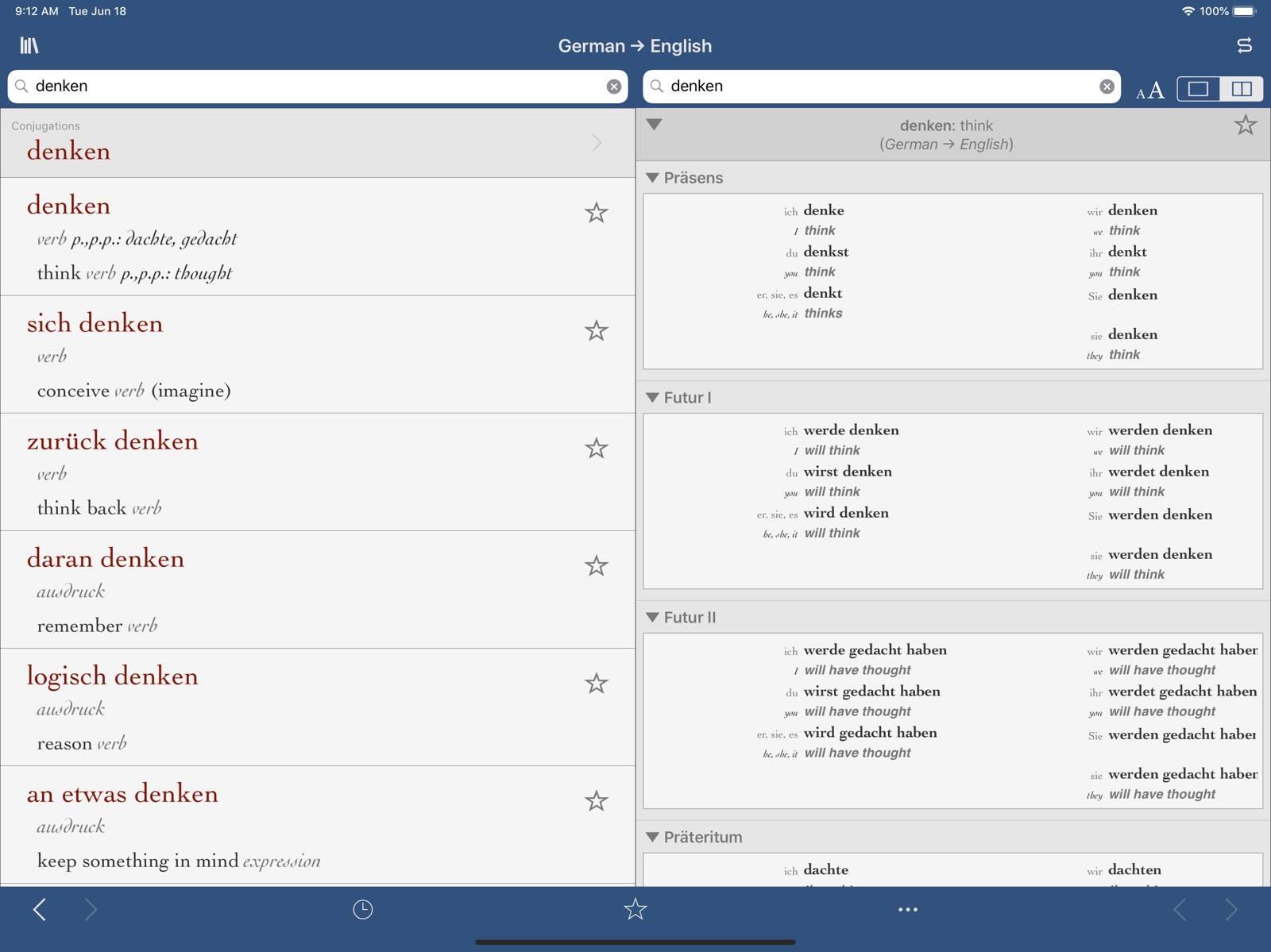


Pricing & paywalls
App Store
- Free to download
- In-app purchases
Ratings & reviews
App Store
-
4/5Good but needs multi-dictionary search
This review is for both the app and two of the dictionaries (Apple won’t let me review the standalone dictionaries Ultralingua sells). The Ultralingua app itself is mostly great, in that you can have just one app for multiple dictionaries. However, unfortunately you can only search one dictionary at a time. If I’m looking for, say, an EN-ES translation of a word, I want to be able to search all my EN-ES dictionaries, not just one. It seems a single-app approach should allow this. As for content, well, I’ve learned that more words in a dictionary isn’t necessarily better. For my EN-ES example, the main one with 75k words isn’t better/worse than the Collins 55k one. The 75k one has more technical words (e.g., isotherm). But when I asked my Mexican wife to throw a test word at me (jamaica), the Collins dictionary had it (hibiscus), whereas the bigger 75k one didn’t. This is exactly why it would be great if you could search words across multiple installed dictionaries, or at least switch easily between different dictionaries for the same search term.
AnonymousReviewer43627 · 31 Jul 2026
-
1/5lacks advertised functionality
there is currently no icloud sync. both the bookshelf and individual collins dictionaries by the same developer advertise syncing favorites and transferring them to other devices but this function is broken which, for an app with this price tag, is unacceptable. the developer responded to an email inquiry letting me know that they are aware and have no timeline as to when a fix can be expected. i have many favorites in an individual dictionary app and after buying another one of their expensive dictionaries i am unable to use them both in the bookshelf app because there is no way of transferring all the favorites. the favorites also don’t sync between the iphone and ipad versions of the dictionary or bookshelf apps. the developer either needs to provide a fix, which honestly is not that serious of a coding job, or update the store description before people spend $18 for each of their dictionaries expecting the advertised features.
Elektrius · 31 Jul 2026
-
4/5Great App!
I’ve used many foreign language dictionaries in the past but none compare to this one. Easy to use and, for the most part, very comprehensive. Only reason I didn’t give it 5 stars: would like to see more in-depth usage examples. Also, I’m often surprised at omissions and occasionally have to go to another source to get the translation I need. Otherwise, highly recommended.
Bluff Boys · 31 Jul 2026
-
5/5Multilingual Acquisition
As I glance over at my books on the traditional bookshelves, I feel nostalgic, revering those dinosaurs on the shelves, trying not to reminisce too much. I look at the dictionaries especially; they are looking back at me, silently sad, each one with its own memorable little history. One, titled Multidico, I purchased it in a bookstore in Tunis, Tunisia; I was attracted to it because it was multilingual and a reminder of my delightful fascination with linguistics and human communication! Alas, though, Multidico takes second place to Ultralingua, which I have used often to improve both my competence and performance in several Germanic and Romance languages! I appreciate both the verb conjugation and pronunciation tools! Thanks Ultralingua! May your business thrive and prosper!
Othello Jr. · 31 Jul 2026
-
5/5Great dictionary, offline use, YAY iPhone X support
The title sums it up. I’ve used Ultralingua for years now, going back to 2010 or earlier. It’s a fantastic dictionary with conjugations, idioms, and slang (though no dictionary could ever contain all slang). I love that it works offline. And, I appreciate that this app can store multiple languages so I don’t have to open a new app. As a language teacher, this was the dictionary I’d recommend to students because it uses no data and is fast (the reference website we all know and love is great but fails in those two areas). Update: 5 stars! The only thing missing was iPhone X support and now it’s full screen!
rbell · 31 Jul 2026
Privacy & accessibility
App Store
Privacy
- Data Not Collected Developer declared
Accessibility
No accessibility labels collected yet.
Versions
App Store
- 2.0
-
2.0.1
New feature: We added "Did you mean" suggestions to the search results. The search field now suggests similar spellings, phoenetic results, and more. Check out blog.ultralingua.com for examples! Improvements: • Fixed issue that caused some fonts and text sizes to not show entire dictionary entries. This was happening in Palatino specifically. • Made words in dictionary entries easier to tap
-
2.0.2
• Added support for iOS 6 and the iPhone 5 – See more dictionary content on the new taller screen! • Added back & forward buttons to make browsing even easier • Minor bug fixes
-
2.1
This is a major update! See before/after images and get more info at blog.ultralingua.com ★ New beginner dictionaries! Essentials Editions ★ Five NEW dictionaries for beginner language learners! Each includes thousands of translations, and verb conjugations in six tenses, all specifically designed to include the most important content for beginner students. If you purchase an Essential dictionary, you're eligible for a discounted upgrade to the full version! ★ Improvements ★ - Update to copy and paste: You could copy individual words before, but now you can copy and paste whole entries as well. - Advances to our "Did you mean?" search results (those suggestions that display for misspelled words). Spelling correction results are improved to handle uppercase properly, and it's generally smarter about what it suggests in many cases. - "Email support" button takes you to our web support form if you don't have e-mail configured on your device - Snazzier icon - Matte style buttons and art to better match iOS 6 visual style - Simplified the store so you can see all the titles for a given language pair ★ Bug fixes ★ - Fixed stemming of plural nouns in Spanish. A handful of Spanish words weren't returning proper results if you searched their plural form, so we fixed them. - Various typo corrections in dictionaries and conjugators - Fixed some display glitches when rotating the device in History or Favorites view - Fixed a (rarely occurring) bug in which you would tap one dictionary but get taken to a different one
-
2.10
- Updated for iOS 16 - Support for Dark Mode - Many data improvements - Miscellaneous small bug fixes
-
2.11
• Updated for iOS 17 • Improved dark mode • Many data improvements • Miscellaneous small bug fixes
-
2.11.1
• Fixed a bug with the "Speak" feature • Miscellaneous small bug fixes
-
2.12
· 21 Jul 2026
• Updated for iOS 26 • Dictionary data improvements • Miscellaneous bug fixes
-
2.2
• Fixed a bug that was making the app slow down over time. • Added a search box for the conjugator so you can conjugate verbs without having to return to the dictionary. • French-English Medical dataset is now available.
-
2.3
• Combine your separate Ultralingua dictionaries via iCloud into the convenient all-in-one Ultralingua Bookshelf • Share favorite words on Twitter and Facebook • Verb conjugations now appear in-line like other dictionary results • You can now mark conjugations as favorites • The conjugator remembers your most recently viewed tense • On iPad, you can slide the dictionary results over to reveal the menu, or back to fill the entire screen. • Miscellaneous bug fixes and performance improvements.
-
2.4
• Redesigned to look great in the new OS • Search in all your dictionaries at once • You can now organize your dictionary list • Use AirDrop to share your Ultralingua Favorites • Quick tap-once-to-search • Dictionary display adapts to the new system-wide text size setting • Miscellaneous bug fixes and performance improvements
-
2.4.1
• Improved the readability of the dictionary display for several titles. • Fixed problems with Russian conjugation. • Many performance improvements and small bug fixes.
-
2.5
• English Dictionary and Thesaurus are now FREE with download. • Updated for iOS 8 • Streamlined dictionary management interface • Many data improvements and bug fixes
-
2.6
• Tap-and-hold any word or phrase and choose "Speak" from the popup menu to hear that word spoken using Apple's built-in text-to-speech feature. • Updated for iOS 8 • Supports iPhone 6 and 6 Plus • Many data improvements and small bug fixes
-
2.7
• Updated for iOS 9 • Updated for iPhone 6s, iPhone 6s Plus, and iPad Pro • Simplified navigation • Optional side-by-side dictionary and conjugations on iPad • Faster loading of Favorites • Export your Favorites via AirDrop or email • Many data improvements and small bug fixes
-
2.8
• Updated for iOS 11 and iPhone X • Data improvements • Small bug fixes
-
2.9
• Updated for iOS 13 and the iPhone 11, 11 Pro, and 11 Pro Max • Improved navigation of verb tenses • We have stopped collecting usage analytics • Data improvements • Small bug fixes
Alternatives
- Portuguese Dictionary + — Same category + similar ratings
- Italian Verb Conjugator Pro — Same category + similar ratings
Availability by market
- US
Data quality & evidence
- Page completeness
- Live store listing
- Last verified
- 31 Jul 2026
- Sources
- App Store
- Independent summary has not been published yet.