
Quick verdict
- What it is
- Store information collected; independent summary not yet available.
- At a glance
-
- Free to download
- In-app purchases
Categories and search queries
Official categories
- Medical
- Health & Fitness
AppCorpus categories
Key functions
| Function | Availability | Access | Scope | Evidence |
|---|---|---|---|---|
| Family Sharing | Yes | Unknown | App Store | Store published |
| Free app | Yes | Free | — | Store published |
| In-app purchases | Yes | Limited free | — | Store published |
Screens
App Store
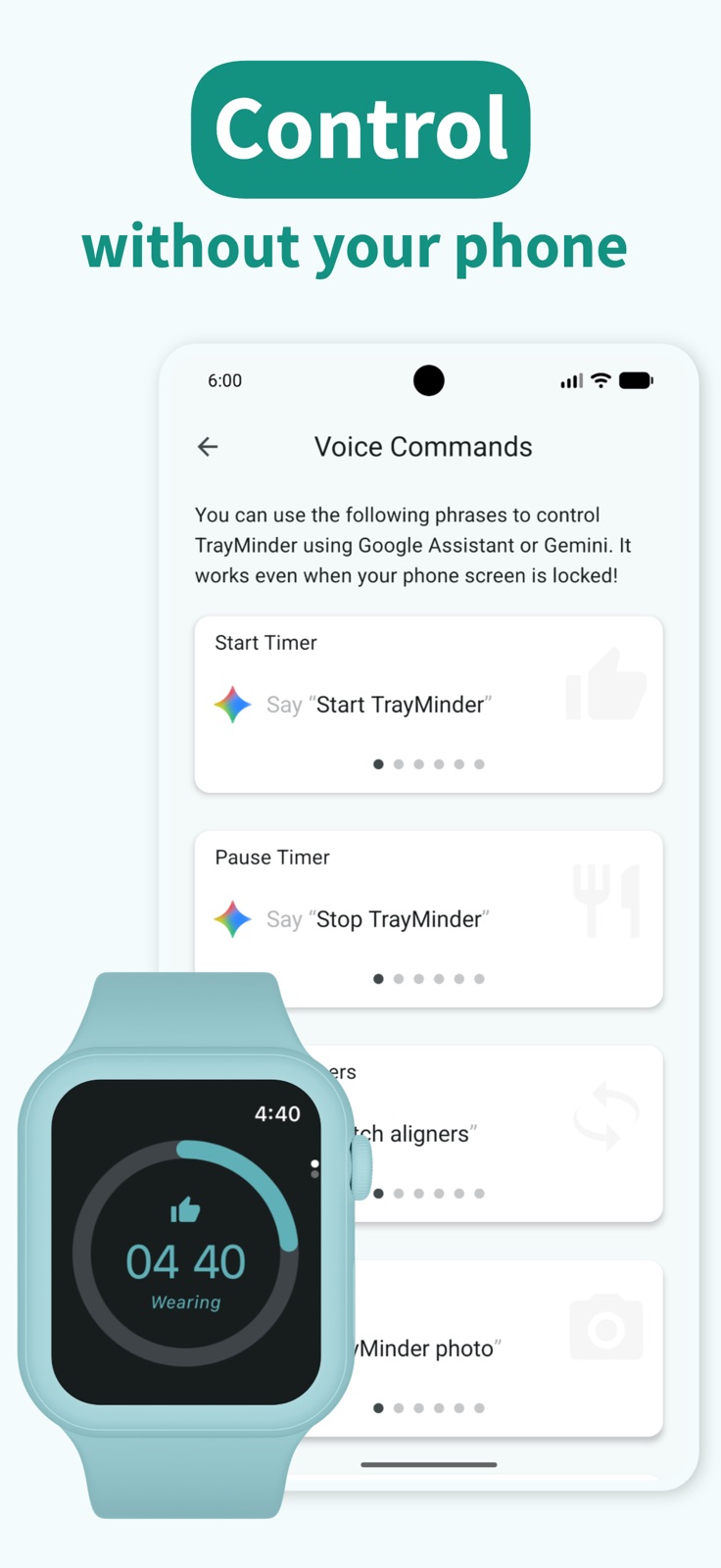
10 store screenshots



Pricing & paywalls
App Store
- Free to download
- In-app purchases
Ratings & reviews
App Store
-
5/5The best
01/20 ETA: I recently finished my treatment & have received my retainers. It would be great to see added functionality and/or notifications to specifically track retainer wear. I plan to continue using this app on my journey to “only needing to wear my retainers at night” & to help retain my new smile 😃 This is the best app if you’re going through Invisalign (or similar) treatment! This has made the entire experience less stressful because I don’t have to worry about manually calculating hours or whatever the equivalent would be. The progress photo feature is great. For me, this has been just as important as chewies in making sure I stay on track with my treatment. My orthodontist is a top 1% provider and the entire office has been so elated with my progress. I’m going to be finishing treatment ahead of schedule & I really couldn’t have done it without this app! I know I must sound like a shill, but I’m just very thankful for this app. I’ll also note that when a bug made the app unusable for me, it was fixed within hours! Thank you so much TrayMinder!! 😊
mdm.chouchou · 31 Jul 2026
-
5/5Well designed and packed with the right features
After much frustration with Invisalign’s native app (lagginess, bugs, terrible user friendliness, and abysmal Apple Watch to iOS syncing of wear times), my partner, who currently is also an Invisalign wearer, stumbled upon TrayMinder. What an app! The interface is so much better and it has a lot of useful features allowing you to take control of tracking wear and off time. And Apple Watch syncing, for a well-worth in app purchase of $2, is spot on. Puts Invisalign’s app completely to shame and shows that sometimes 3rd party developers put much more effort and care into app development. Plus, the app has an Instagram account with helpful videos on managing the Invisalign trays. I will probably take the plunge and pay the $2 to remove ads because this app is just so worth it. The only missing features I can think of is Siri integration with Apple Watch and widgets on the iOS lock/Home Screen. However the existing Siri integration with iOS is already really handy!
zhangman08 · 31 Jul 2026
-
5/5Best Invisalign Tracker
This is better than the official Invisalign tracker. I used both the free and premium versions and they are both great. The premium has a great widget. The free has ads in a way that’s very reasonable. It doesn’t get in your way of tracking and only shows up once a day if you click into another tab. Watch the tutorial as it made everything super easy to understand. Everything you need to know is right there on the first screen. It’s easy to start and stop the timer. Reminders are easy. When to change trays are easy. Your goal for every day can be changed - this would be my only suggestion. I wish I could’ve chose 20.5 and 21 so that it turns yellow under 21 but red under 20.5. I tried 4 apps when first getting my Invisalign and they all had something I didn’t like. I thought I was going to have a hard time wearing my retainers and tracking but I’m right on schedule and I’m certain it’s from getting this app from the start.
Ohhtarryn · 31 Jul 2026
-
5/5Wayyyyy better than MyInvisalign app
I started with the MyInvisalign app as soon as I got my trays. I started looking for other apps within a few days because it just did not feel like it was as functional as an app should be. I decided to give TrayMinder a try. It is not just a little better , it is WAY better. MyInvisalign has the reminders set at specific intervals 15, 30, 45 mins, then I believe half hour intervals after 1 hour. I love that TrayMinder has the quick select options for common choices, but also the scrolling option if you want to ale it some odd time, like 12 minutes. I also appreciate the text reminders with the emoji 😬 if I’ve overshot and haven’t stopped the timer indicating I have put them back in. Nice summary chart of how long I wore my trays too. MyInvisalign doesn’t even come close to the functionality of Tray Minder. Save yourself the trouble and just download this one instead. 😉
dwluvspool · 31 Jul 2026
-
4/5Mostly great, missing multi device sync option
This makes it really easy to track wear time and give stats across time. I appreciate the reminder option for when you take your trays out, as I sometimes don’t realize I’ve had them out for awhile, or just get distracted. One note, and I see it in another review: it took me a long time to figure out how to adjust the goal wear time from the default 20 hours. (It’s in settings under the totally-not-intuitively-named “adjust color codes”) The one feature that would get the app to 5 stars for me is the ability to sync across devices. I usually have my iPad out at home so have been using that as my main device, but when I’m out and about (not that often right now given the pandemic, but in normal times, often) have my iPhone. I’ve tried the “backup device to cloud” and “restore from cloud” options to transfer, but a) it’s super buggy - it did not correctly pull in all my most recent data, and b) even if that worked, that’s a very clunky way to move between devices.
ayne00 · 31 Jul 2026
Privacy & accessibility
App Store
Privacy
- Data Linked to You — Analytics — Diagnostics — Crash Data Developer declared
- Data Linked to You — Analytics — Identifiers — Device ID Developer declared
- Data Linked to You — Analytics — Usage Data — Advertising Data Developer declared
- Data Linked to You — Analytics — Usage Data — Product Interaction Developer declared
- Data Linked to You — Analytics — User Content — Customer Support Developer declared
- Data Linked to You — Analytics — User Content — Other User Content Developer declared
- Data Linked to You — Analytics — User Content — Photos or Videos Developer declared
- Data Linked to You — App Functionality — Identifiers — Device ID Developer declared
- Data Linked to You — App Functionality — Usage Data — Product Interaction Developer declared
- Data Linked to You — App Functionality — User Content — Other User Content Developer declared
- Data Linked to You — App Functionality — User Content — Photos or Videos Developer declared
- Data Linked to You — Developer’s Advertising or Marketing — Identifiers — Device ID Developer declared
- Data Linked to You — Developer’s Advertising or Marketing — Usage Data — Advertising Data Developer declared
- Data Linked to You — Product Personalization — Identifiers — Device ID Developer declared
- Data Linked to You — Product Personalization — Usage Data — Product Interaction Developer declared
- Data Linked to You — Product Personalization — User Content — Other User Content Developer declared
- Data Linked to You — Product Personalization — User Content — Photos or Videos Developer declared
- Data Linked to You — Third-Party Advertising — Identifiers — Device ID Developer declared
- Data Linked to You — Third-Party Advertising — Usage Data — Advertising Data Developer declared
- Data Linked to You — Diagnostics Developer declared
- Data Linked to You — Identifiers Developer declared
- Data Linked to You — Usage Data Developer declared
- Data Linked to You — User Content Developer declared
- Data Not Linked to You — Analytics — Diagnostics — Other Diagnostic Data Developer declared
- Data Not Linked to You — Analytics — Diagnostics — Performance Data Developer declared
- Data Not Linked to You — Analytics — Usage Data — Other Usage Data Developer declared
- Data Not Linked to You — App Functionality — Diagnostics — Performance Data Developer declared
- Data Not Linked to You — Diagnostics Developer declared
- Data Not Linked to You — Usage Data Developer declared
- Data Used to Track You — Identifiers — Device ID Developer declared
- Data Used to Track You — Identifiers Developer declared
Accessibility
No accessibility labels collected yet.
Versions
App Store
-
13.10.10
User experience improvements
-
13.10.11
You can now choose whether Live Activities appear while you’re wearing aligners in Settings.
-
13.10.8
Bug fixes & performance improvements
-
13.10.9
Bug fixes & performance improvements
-
13.11.1
Fix reminders not showing issues
-
13.11.2
Bug fixes & performance improvements
-
13.11.3
Bug fixes & performance improvements
-
13.11.4
Bug fixes & performance improvements
-
14.0.7
Bug fixes & performance improvements
-
14.0.8
Bug fixes & performance improvements
-
14.1.4
Fixed a crashing issue when adding & editing appointments.
-
14.2.1
The Watch App has been completely rebuilt from the ground up, featuring a refreshed design and improved reliability.
-
14.2.5
Bug fixes & performance improvements
-
14.2.6
Bug fixes & performance improvements
-
14.2.7
Bug fixes & performance improvements
-
14.3.2
Bug fixes & performance improvements
-
14.3.3
Bug fixes & performance improvements
-
14.3.4
Bug fixes & performance improvements
-
14.3.5
Bug fixes & performance improvements
-
14.3.7
Bug fixes & performance improvements
-
14.3.8
Bug fixes & performance improvements
-
14.3.9
Bug fixes & performance improvements
-
14.4.5
User experience improvements
-
14.5.5
· 30 Jul 2026
You can now switch the calendar between monthly and weekly views.
-
4.3.10
Bug fixes & performance improvements
Availability by market
- US
Data quality & evidence
- Page completeness
- Live store listing
- Last verified
- 31 Jul 2026
- Sources
- App Store
- Independent summary has not been published yet.