
Travel Altimeter & Elevation
Track and record outdoor adventures with precise altitude data and barometric pressure.
iPhone · iPad
Quick verdict
- What it is
- Travel Altimeter is a navigation app that provides real-time tracking of altitude, latitude, and longitude, as well as barometric pressure monitoring. It allows users to record their adventures offline and sync their trip data when back online.
- Best for
-
- outdoor enthusiasts
- hikers
- climbers
- At a glance
-
- Free to download
- In-app purchases
Categories and search queries
Official categories
- Navigation
- Travel
AppCorpus categories
Key functions
| Function | Availability | Access | Scope | Evidence |
|---|---|---|---|---|
| Family Sharing | Yes | Unknown | App Store | Store published |
| Free app | Yes | Free | — | Store published |
| In-app purchases | Yes | Limited free | — | Store published |
| PDF export | Yes | Unknown | — |
From listing
|
Screens
App Store
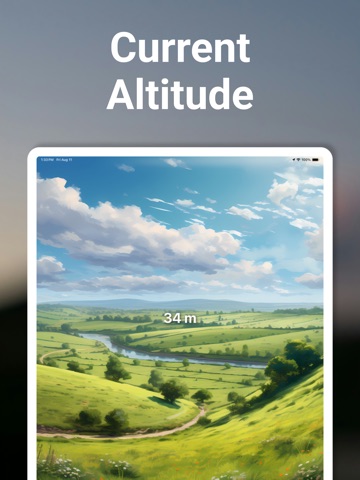
15 store screenshots



Pricing & paywalls
App Store
- Remove advertisements — $0.99
- Travel Altimeter Pro — $1.99
Ratings & reviews
App Store
-
5/5Perfect!
Love the simple design and background pictures. No need to log in, just open the app and there is your altitude, latitude and longitude, and a compass. Large print and works even where cell service is limited, as long as a connection is established before service is lost. Ads are not disruptive to the experience. I’ve been using this app for years without issue and like it much more than the similar app my husband downloaded by mistake. He deleted it and installed this one.
JazzyJane123 · 5 Sep 2026
-
4/5Helpful and useful but not precise
Overall, this app was simple to install and does track your altitude when standing still, walking or driving. If the old saying “Close us close enough” works for you you’ll be quite pleased with it. The only down side is that I can be standing still in a location and the app keeps changing the altitude. It might count up ten or fifteen feet, start counting down from whatever altitude it stops at, then reverse and count up again. Just to make sure that I wasn’t somehow causing the fluctuations I set the phone on a flat surface, but the “indecision” by the app continued. So bottom line, if you’re just curious to see approximately what altitude you’re at (e.g. about 1500 feet above sea level) it’s perfect! But if you need more precise information you’ll need to opt for a more precise meter. But hey! It’s a free app. So for the average person who’s just wanting to know approximate altitude or whether a slight grade is going up or down, I’d highly recommend this app.
Rev Jim D · 5 Sep 2026
-
5/5Some minor issues but main stuff works well
I still see ads despite buying no ads option. I think it triggered when I pressed “more apps” button. Some things seem to work a little slow and wonky but to be fair, I am using an almost 5 year old device. Will update review as I see progress on the app. Keep up the effort. Please fix your app support store link, it goes to a 404.
Igoooooor · 5 Sep 2026
-
4/5Nice, but lacks a key feature
I like how this works with one glaring exception. I wish I could lock the app so it wouldn’t timeout when I’m driving. I connect to CarPlay and like to see my elevation as I drive. Unfortunately the app times out and the screen goes blank. It would be a five star app if that didn’t happen. It has a nice easy interface to work with, clear information. Easy to add features and you can remove ads for cheap. Good app, just want it to continually display while driving.
eganf · 5 Sep 2026
-
5/5Altimeter
This altimeter is totally useless.!! It’s readings swing wildly minute by minute day by day. I live at an elevation of approximately 80 feet near the Pacific Ocean in Los Angeles. This altimeter indicates 80 feet one minute and 53 feet the next minute and 90 the next minute then 103 feet.... Useless Now there are ads covering everything I can’t see the elevation because the stupid ads are covering it up. I can’t get rid of the ads horrible..!’
knucklehead two · 5 Sep 2026
Privacy & accessibility
App Store
Privacy
- Data Not Linked to You — Analytics — Diagnostics — Crash Data Developer declared
- Data Not Linked to You — Third-Party Advertising — Identifiers — Device ID Developer declared
- Data Not Linked to You — Third-Party Advertising — Location — Precise Location Developer declared
- Data Not Linked to You — Third-Party Advertising — Usage Data — Advertising Data Developer declared
- Data Not Linked to You — Diagnostics Developer declared
- Data Not Linked to You — Identifiers Developer declared
- Data Not Linked to You — Location Developer declared
- Data Not Linked to You — Usage Data Developer declared
- Data Used to Track You — Identifiers — Device ID Developer declared
- Data Used to Track You — Identifiers Developer declared
Accessibility
No accessibility labels collected yet.
Versions
App Store
-
5.10
minor update
-
5.6
minor update
-
5.7
minor updates
-
5.9
Now supports Apple Watch
-
6.0
- Updated design to support Dark mode. - Fixed screenshot sharing. - Added guidance when your device is lacking location permissions or experience poor GPS signal. - Updated sharing links to load faster. - Fixed Watch App altitude. - Added a digital readout for the compass.
-
6.1
- Increased the font of the altitude view
-
6.10
- Added an onboarding flow.
-
6.11
- Updated Apple Watch screenshots.
-
6.12
- Updated Apple Watch screenshots.
-
6.13
- Updated Apple Watch screenshots.
-
6.14
- Minor UI updates.
-
6.16
New Feature: Altitude Trend Tracking Stay informed with our new real-time trend indicator. Easily see if you are ascending, descending, or maintaining a steady altitude with a quick glance at the dashboard. Core Accuracy: Smart Fusion We’ve overhauled our elevation engine. By fusing GPS and Barometric data, the app now provides more stable and precise readings, even in areas with challenging satellite reception. Bug Fixes & Refinements Fixed a bug where altitude would intermittently display as zero at startup. Optimized for iPhone 16 and iOS 26 to ensure smooth performance during long travel sessions.
-
6.17
Now you can add Travel Altimeter app to your Home Screen and Lock Screen Widgets for instant access to check altitude.
-
6.18
Travel Altimeter Pro is here! Subscribe to unlock all premium backgrounds and compass styles, a custom photo background, extended 15-minute and 1-hour altitude trends, Offline Trip Mode, and PDF trip reports — plus an ad-free experience. Free users still get core altitude, Smart Fusion, the 5-minute trend chart, and widgets. Offline Trip Mode records your route and elevation in the background with battery-friendly GPS. After a trip, view stats and export a PDF report (Pro). Existing customers: Restore Purchases to keep backgrounds, compasses, or Remove Ads you already own.
-
6.19
minor bug fixes
-
6.2
- Minor updates
-
6.20
minor updates
-
6.21
· 22 Jul 2026
minor update with fixes
-
6.22
Now on Apple Watch. Check your altitude on your wrist, with 5-minute trends and unit sync from iPhone. Travel Altimeter Pro adds Smart Fusion, 15-minute and 1-hour trends, trip controls, and altitude alerts on Watch.
-
6.23
· 30 Aug 2026
Bug fixes and new Trip summary feature on Pro subscription.
-
6.3
- Minor updates.
-
6.4
- Added Polish, Croatian, and Czech languages.
-
6.5
- Added Arabic localization. - Compasses now keep direction header fixed and rotate the underlying compass (except the Pocket Compass).
-
6.6
- Added Arabic localization. - Compasses now keep direction header fixed and rotate the underlying compass (except the Pocket Compass).
-
6.7
- Updated the UI to ensure altitude is always visible. You can now find all of the screens in the Menu button at the top-right.
-
6.8
- Fixed layout issue on iPad.
-
6.9
- Minor updates.
Alternatives
- Altimeter GPS & Barometer — Same category + similar ratings
- My Altitude — Same category + similar ratings
- Elevation - Altimeter Map — Same category + similar ratings
- My Altitude and Elevation GPS — Same category + similar ratings
- Altimeter - Altitude & Compass — Same category + similar ratings
- Realtime Altimeter — Same category + similar ratings
Availability by market
- US
Data quality & evidence
- Page completeness
- Independent summary published
- Last verified
- 5 Sep 2026
- Sources
- App Store