
Quick verdict
- What it is
- Store information collected; independent summary not yet available.
- At a glance
-
- Free to download
- In-app purchases
Categories and search queries
Official categories
- Entertainment
- Utilities
AppCorpus categories
Key functions
| Function | Availability | Access | Scope | Evidence |
|---|---|---|---|---|
| Free app | Yes | Free | — | Store published |
| In-app purchases | Yes | Limited free | — | Store published |
Screens
26 store screenshots
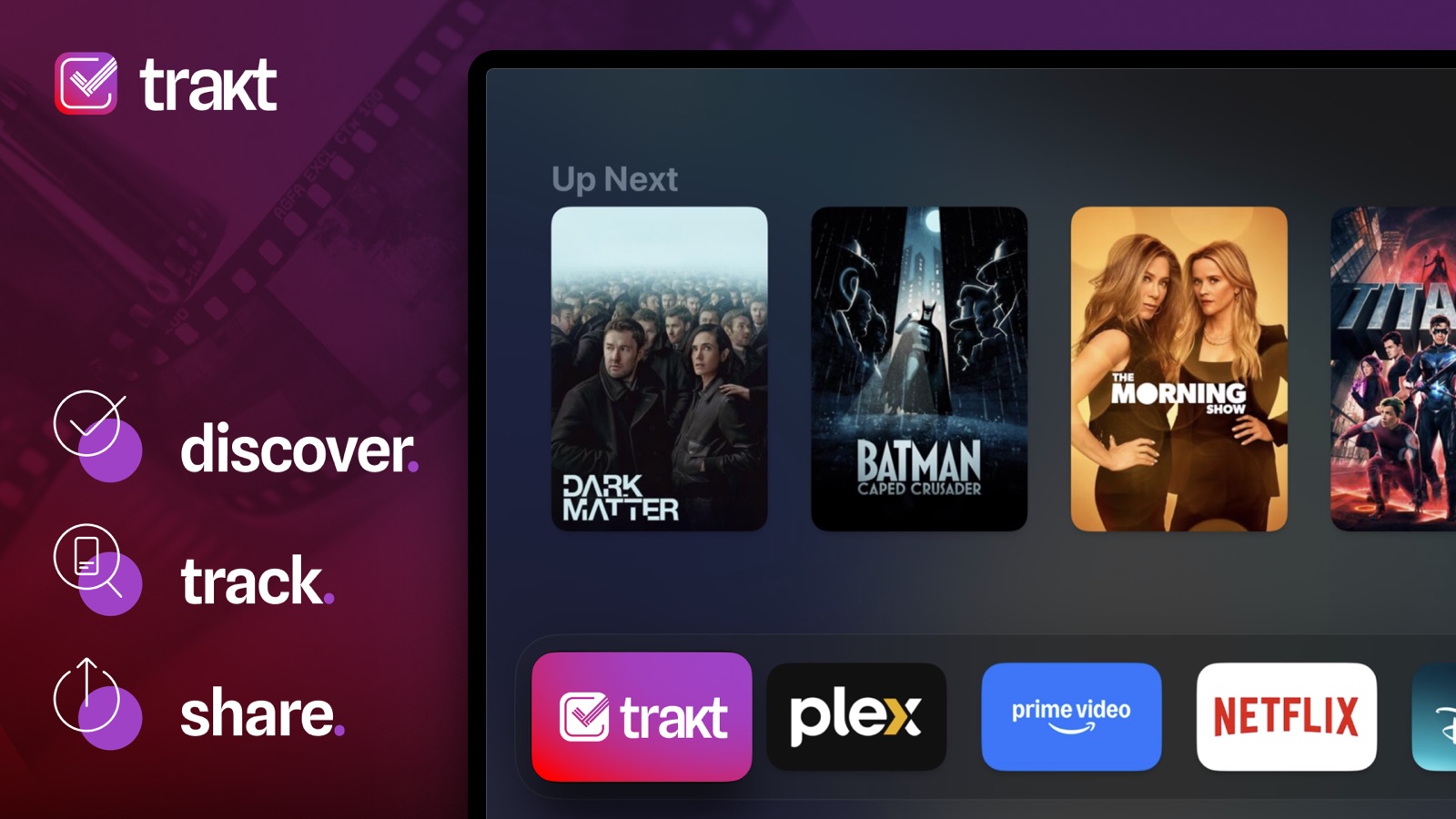


10 store screenshots


Pricing & paywalls
- VIP — $5.99
- VIP — $59.99
- Free to download
- In-app purchases: $5.99 per item
Ratings & reviews
-
3/5New here
I’m new to this app as I have been made a refugee from TV Time. This app definitely has potential but I would like to see it do some of the things that TV Time did better. One would be marking shows that I have completed as complete and not just in progress. Also the main page I would like to see it where there’s the picture format where I have to scroll down, not left and right. And also, I imported all my data from TV Time, which is great, but it didn’t mark it as history, and therefore doesn’t show how much time I wish it would go ahead and put it in history so that way I can get accurate stats otherwise I have to go back in and Mark everything independently. And finally, the the $5.99 monthly fee is pretty wild to me. I would be willing to pay like 25-35 bucks for the year. I know that’s not even close to the monthly totaled up for the year is pretty hefty for what I’m getting from this app. at least provide an option for an annual payment discount.
trekks · 6 Aug 2026
-
1/5Great repository for your viewing interests - if you want your data disappearing
I was a paid VIP member for many years. Then suddenly the price doubled. And some of the paid features had new limitations added. Guess they were stocking money into building this app. Which if you check the forums, keeps putting out changes and “improvements” that nobody wants — all while remaining completely unresponsive to bugs reported in the forums. I really only ever wanted the list functionality, and the new limits made it barely useful. So I let my subscription lapse and migrated most of my lists to IMBb. (Which is free, and has no limits on the number of lists or items within a list.) I left my main, hardest to migrate lists in place for the short term. Now, I see that my remaining lists are empty or otherwise corrupted. TRAKT has been a valuable and widely used resource for many years. Quite a few apps have been developed which use the TRAKT database. I don’t expect them to keep providing that resource for free. But they had such better options. A lower paid tier in addition to a premium tier would be one. But no, they nerfed the paid tier while simultaneously jacking the price. And continued to double down as grumbling in their own forum increased. They expected the paying members to subsidize the free accounts. And to pay for their tone deaf app. Sad thing is, most of us were paying to support the devs, when the free version was sufficient. They’ve engendered so much ill will. It really makes no sense to me. But when their core competency is to maintain a database, and they allow that database to become corrupted, they are in fact providing next to nothing. Which is why I’ve given them a one star rating. Good job, TRAKT.
Catspaw10 · 6 Aug 2026
-
1/5Not Usable
This software used to be awesome and I was happy to support them financially because of it. This new update they forced upon users is worthless. Less functionality, a cluttered and confusing UI, and basically worthless in all aspects. I tried reaching out to support and got ignored. They are censoring their own forum so you should go to google reviews or Reddit to see how their customers really feel, and all you get from the company and devs is silence. Although you will learn a valuable lesson about listening to your customers I hope, here is some free advice from a CEO. Don’t force an update or new software on your paying customers until it has all of the current features included. Don’t ignore your current customers complaints. Don’t censor your forums. Don’t refuse refunds when you make a change that takes away services and functions that your customers paid for. At this point, my best advice would be to scrap the latest update until it is complete. Otherwise your app/software will be something we all talk about that was once great and useful but was ruined by leadership that didn’t care about their paying customers wants, needs , or feedback. Good luck.
Level Headed CEO · 6 Aug 2026
-
2/5Love the site, dislike the new interface
I've used Trakt for a while now and have been VIP for several years, and was super happy when an official mobile app came out for it a while back. When Trakt Lite was in development, I checked it out but quickly reverted to classic Trakt. Now the mobile app has been redesigned and I wish I could stick with the old UI. The new one feels less intuitive to me and is still currently missing things I use all the time: - In history view, things I've watched aren't grouped by date and don't show the total watch time for each day - In history view, I can't group by "all watches" (to see just one entry for a show instead of each of its episodes, for instance) - There's a bunch of things in my personal lists I can no longer sort by (e.g. my personal rating) - I can't see my personal ratings on my lists - Private notes are missing, which is how I keep track of where I watch certain shows when JustWatch doesn't have the platform/data - There's a lot of info missing from my profile (ratings view, comments view, total watch time) - Some of the text (like for show/episode details) is SO TINY I know it's all still a work in progress and they've acknowledged stuff is missing and some things will be added back, so I'm hoping the above will eventually be addressed. But as an end user who uses the mobile app on a daily basis, I wish it had stayed in beta until more of these features were implemented. Edit: The latest update as of my writing this removed the ability to customize tabs too? I don't want the Discover tab, it's wasted space for me. There's still *so much* missing from V3. What are we doing here, guys?
'Ru · 6 Aug 2026
-
1/5New update led to profile deletion. Disappointed.
When I first fell in love with Trakt, I was excited to finally have a place to manage all my media and keep track of what I’m watching. I had used other apps in the past, but nothing quite compared to what Trakt offered. Because I was satisfied with the service I felt happy about supporting the developers and subscribed for a few years. I really wish I had known how awful the update would have been coming. The developer team has had such a strong Message and yet lack of clarity as to what features are coming and has made no progress on the “update“ that was forced on everyone, somehow making it past the beta testing stages. This has made the app and website unusable and unenjoyable and unintuitive to a loyal customer. base. I wish I could’ve gotten a refund since I paid for years, but hopefully I can stop someone else from committing to a product that is incomplete and tried to fix what wasn’t broken. I will now be bringing my business elsewhere.
swiftk1tty · 6 Aug 2026
No store reviews collected for Google Play · US
Privacy & accessibility
Privacy
- Data Linked to You — App Functionality — Contact Info — Email Address Developer declared
- Data Linked to You — App Functionality — Identifiers — User ID Developer declared
- Data Linked to You — App Functionality — User Content — Other User Content Developer declared
- Data Linked to You — Product Personalization — User Content — Other User Content Developer declared
- Data Linked to You — Contact Info Developer declared
- Data Linked to You — Identifiers Developer declared
- Data Linked to You — User Content Developer declared
- Data Not Linked to You — Analytics — Usage Data — Advertising Data Developer declared
- Data Not Linked to You — Usage Data Developer declared
Accessibility
No accessibility labels collected yet.
Privacy
- Data collected — Analytics — App info and performance — Crash logs Developer declared
- Data collected — Analytics — App info and performance — Diagnostics Developer declared
- Data collected — Analytics — Device or other IDs Developer declared
- Data collected — App functionality — Personal info — Other info Developer declared
- Data collected — App functionality, Developer communications, Account management — Personal info — Email address Developer declared
- Data collected — App functionality, Personalization — App activity — In-app search history Developer declared
- Data collected — App functionality, Personalization — App activity — Other actions Developer declared
- Data collected — App functionality, Personalization — App activity — Other user-generated content Developer declared
- Data collected — App functionality, Personalization, Account management — App activity — App interactions Developer declared
- Data collected — Personalization — Personal info — Name Developer declared
- Security practices — Your data is transferred over a secure connection — Data is encrypted in transit Developer declared
- Security practices — The developer provides a way for you to request that your data be deleted — You can request that data be deleted Developer declared
Accessibility
No accessibility labels collected yet.
Versions
-
2.4.1
UPDATES - Month in Review & Year in Review – Now available in your Profile and the burger menu on the main screen’s top bar for easy access. - More Organized Settings – Streamlined actions and sections for easier navigation. - Improved Notifications UI – We’ve reorganized some settings for a smoother user experience. - You’ll now be prompted to enable notifications during login or when next launching the app if you’re already logged in. - VIP Subscription Screen Update – Adjusted actions for better clarity. BUG FIXES - Fixed a rare issue that sometimes prevented user-specific content from loading correctly after refreshing the login session. - Updated the Younify SDK with some bug fixes. - Episode Calendar Notifications will no longer display episode titles if your spoiler settings are set to hide them. - Fixed the Delete Account settings link to reflect its updated website location.
-
2.4.2
BUG FIXES - Fixed an issue where tapping 'Month in Review' in the Profile incorrectly opened 'Year in Review'. --- 2.4.1 (786) UPDATES - Month in Review & Year in Review – Now available in your Profile and the burger menu on the main screen’s top bar for easy access. - More Organized Settings – Streamlined actions and sections for easier navigation. - Improved Notifications UI – We’ve reorganized some settings for a smoother user experience. - You’ll now be prompted to enable notifications during login or when next launching the app if you’re already logged in. - VIP Subscription Screen Update – Adjusted actions for better clarity. BUG FIXES - Fixed a rare issue that sometimes prevented user-specific content from loading correctly after refreshing the login session. - Updated the Younify SDK with some bug fixes. - Episode Calendar Notifications will no longer display episode titles if your spoiler settings are set to hide them. - Fixed the Delete Account settings link to reflect its updated website location.
-
2.4.3
UPDATES - Improved login session handling so that widgets can refresh the session upon expiry, without requiring the app to be launched. BUG FIXES - Fixed issue with Watch Now 'Any Region' showing items in favorites when they shouldn't.
-
2.4.4
UPDATES - Replaced ‘Hide from Show Progress’ with ‘Drop Show’ in Up Next and Progress. - Adjusted Episode and Movie notification offset options for improved customization. BUG FIXES - Fixed an issue where recommendations appeared in the Movies/Shows tab when not logged in.
-
2.5
UPDATES - Added Context Menu interactions to most items throughout the app. - Comment sentiments (e.g., positive, negative) are now displayed in the Comments section where available. - A new filter button has been added to the Shows and Movies tabs, allowing you to filter by watched status and favorite streaming services. These options are also accessible in the Settings screen. - Movie and show trailers now open directly within the app instead of externally. - Added an Account Info screen to the settings for changing things like your profile username, name, etc. rather than having to go through the website. - Added a context menu for actors, with their character names included in the context menu title when there are too many to display normally. - Tapping the Trakt rating for a movie, episode, etc. now opens the stats breakdown page on the Trakt website, as a temporary solution until a native version is added. - Enabled segmented progress bars in the Profile’s Progress section. - Various bug fixes and improvements under the hood. BUG FIXES - Fixed an issue with Watch Now sources not showing the correct set of favourites when viewing the Any Region results. - Movies in Social Activity now correctly display fanart images instead of posters.
-
2.5.1
UPDATES - Adjusted navigation logic for opening profile sections from the Home tab context menu when not currently on it. BUG FIXES - Fixed issues with adding and removing items from collaborative lists.
-
2.5.2
BUG FIXES - Fixed an issue where widgets failed to load as expected in certain cases.
-
2.6
UPDATES - Updated media item card designs and adjusted image handling in various places, as more components are shared with tvOS. - Added support for previewing posters, fanart, and actor headshots from the summary screen. Tapping a poster or headshot opens the corresponding image, while long-pressing a poster opens its associated fanart. - Adjusted date formatting in main screen sections to display more relative values. - Added a setting to choose how YouTube trailers open: in-app, browser, or system. Long-press the trailer button or change the preference in the Settings screen. - Added an option to force the compact layout on personal list screens, available in the Settings screen. This is useful for larger devices like iPad or Mac but does not affect the standard mobile layout, such as on iPhone. - Added filters to the Comments section of the profile to view only replies, or 'all comments and replies' together. - Push notifications for comment replies now correctly open the reply alongside its parent comment for context. - Push notifications for comment likes now open the liked comment, alongside its parent comment if applicable. - Push notifications for list likes now open the related list. - Added support for Checking In via the context menu of items throughout the app, where applicable. - Added support for hiding watched items on the calendar screen. - Added support for a custom Live Activity layout in the Apple Watch Smart Stack. - Optimized some image assets to reduce overall app size. BUG FIXES - Fixed an issue where episode context menus on the calendar screen incorrectly treated episodes as shows when adding to history and performing related actions.
-
2.7
UPDATES - Main tab headers updated, and the bottom tab bar now uses the system component for more consistent system integration (on iPadOS, tabs are now at the top). - Profile and Settings are now found in the Profile button’s context menu (long press). - Search has been added as a default tab. - Watching Now is embedded in the Home tab, pending improvements. - Home, Movies, Shows, and Lists tabs rebuilt under the hood with collapsed state saved across sessions. - “Collection” renamed to “Library,” and “Network” (Profile) renamed to “Social.” - You can now drop a show directly from its page - tap the + on the History button to access the action. BUG FIXES - Fixed some issues with the Date of Birth section of account settings not always showing the accurate date or allowing it to be updated. - Fixed missing context details (e.g. episode counts and runtimes) in several places, such as official list items on Summary screens. - Fixed an issue where the Streaming Services filter wasn’t available to non-VIP users as intended. See the forums for the full breakdown of changes.
-
2.7.1
BUG FIXES - Fixed an issue where, in certain cases, parts of the Home tab couldn’t be tapped or interacted with. - Fixed an issue with the touch area of the section collapse buttons so they behave as expected. - Fixed an issue where required main tabs might be missing in certain cases, preventing access to Home, and consequently to Profile or Settings. - Attempted to fix an issue that could cause errors, presumably after an update, when loading content, with clearer error messages if it still occurs. --- From 2.7: UPDATES - The bottom tab bar now uses the system component for more consistent system integration (eg. on iPadOS, tabs are now at the top on iOS 18). - Home, Movies, Shows, and Lists tabs rebuilt under the hood including collapsed state which is saved across sessions. - Search has been added as a default tab. - Previous header burger menu actions are now found in the Profile button’s context menu (long press). - Watching Now status is currently now embedded in the Home tab. - “Collection” has been renamed to “Library” throughout the app. - “Network” (Profile) has been renamed to “Social”. - You can now Drop a Show directly from its Summary screen - expand the History button to access the action. BUG FIXES - Fixed some issues with the Date of Birth section of account settings not always showing the accurate date or allowing it to be updated. - Fixed missing context details (e.g. episode counts and runtimes) in several places, such as official list items on Summary screens. - Fixed an issue where the Streaming Services filter wasn’t available to non-VIP users as intended. See the forums for the full breakdown of changes.
-
2.8
Trakt is now ready for iOS 26 and the all-new Liquid Glass design! And that’s not all: - Refreshed Search with trending movie and show searches, plus monthly birthday highlights. - New comment reactions: express more than a like! - Updated calendar actions: added “Drop Show” and removed “Hide from Calendar”. - On iOS 26, Watching Now is back at the bottom and stays visible while you browse.
-
2.8.1
- We’ve enhanced login stability by adjusting authentication logic to minimise 400 errors and the need to log out and log back in. - Lock Screen Live Activity text colours are now more visible when your device is locked and in Always-On mode. - Tapping near the search bar container no longer accidentally opens content underneath it.
-
2.8.2
- Resolved an issue where some services were not appearing in the list of Automatic Tracking services.
-
3.0
With this new version of Trakt, we’ve reworked the foundation to make the experience more consistent across platforms and to help us move faster and more confidently going forward. To do that, we’ve rebuilt the majority of the apps interface back up from scratch to create a stronger base, with more to come. Some features may be missing today, but they’re not necessarily gone for good. They’ll come back in new or improved ways as this foundation gives us a better base to build on. This update is less about change for change’s sake and more about setting Trakt up to evolve better, faster, and more reliably over time.
-
3.0.1
Improvements - Main tabs now align with the Version 3 design. - Improved color contrast for the primary Watch button, making watched and unwatched states easier to distinguish. - Items can now be favorited without rating them first (marking as Watched is still required). - Personal ratings are back on History items. - Ratings can now be removed with a third tap: Full Star > Half Star > Remove. - When opening the reaction picker on a review, reaction counts are now visible. - List names and descriptions can now be edited. - People summaries now display height information when available. - For calendar items, actions are now clearer: if you’ve started watching, you can Drop the item; if you haven’t, you can Remove from Watchlist. Misc - Moved the section collapse button to the trailing edge of section headers. - Improved search results by combining exact matches with broader results. - Removed irrelevant Watchlist indicators from Start Watching. - Removed Library indicators. - Continue Watching and Upcoming Schedule on Home now display show images instead of episode screenshots. - Removed precise time information from Social Activities. - Standardized Trakt average ratings to a 5-star scale to match personal ratings. - Updated the Sentiment UI on Summary screens. - Added a VIP upgrade option in Settings.
-
3.1
We’ve made tracking faster, cleaner, and more intuitive. - Home Screen widgets are now available to everyone. - Automatic Tracking for HBO Max is now available to everyone. - The Calendar has been completely redesigned with a smoother, modern layout. - "Mark as Watched" is now "Track". Same action, clearer name. - "Check In" is now "Now Watching" under Track. - Now Watching now displays the post-credits count. - Your Library now displays all movies and episodes, with Custom and Plex filters. - You can now like lists directly from List and Profile screens. - Tap the WATCHED tag in Summary to see your full viewing history. - New Spoilers toggle in Settings. - Improved Automatic Streaming Tracking, performance upgrades, and bug fixes throughout.
-
3.1.1
- Updated the full Where to Watch screen with a cleaner, more modern layout. - Miscellaneous bug fixes and improvements.
-
3.2
Updates - Your Profile now displays Month-to-Date progress, with quick links to your Month in Review and Year-to-Date summaries. - Added initial support for multiple languages, which can now be selected within the Settings menu. - Optimized full-screen lists for larger displays like iPad by switching to a grid layout. - Added a prompt to rate or favorite a movie after you've watched it. - Social Activity now displays ratings from other users where available. - Updated list previews to display the like count and allow you to like or unlike the list directly. - The item list management screen now orders lists that the item is already on at the top for easier access. - Standardized the UI for Lists search results and display Popular lists for the empty search term. - Refreshed the design of the pop-ups for creating and editing lists. - Refreshed the design of the Add Comment and Add Favorite pop-up menus. - Polished the design and layout of various empty states. - Refined touch areas in summary headers to improve accuracy and prevent accidental taps when buttons are close together, such as the "Where to Watch" section with a link to JustWatch. - Implemented pagination for Watchlist and Favorites to enable loading all items as expected. - Implemented pagination for loading all lists to improve performance and ensure all lists load as expected. Bug Fixes - Fixed an issue where some lists were not appearing as expected for users with a large number of lists. - Fixed an issue where the default sort direction was not being applied to lists or the Watchlist. - Resolved ordering issues within the Start Watching section. - Fixed a bug where ratings in lists remained hidden even after an item was watched. - Corrected the total calculation for TV Show details. - Fixed a bug that caused duplicate actors to occasionally appear within summary screens.
-
3.3
Updates - Improved Sentiment Analysis in Summary with updated data and refreshed UI. - Added Trivia to Movie and Show Summaries. - While Summaries prioritize glanceable information, more details are available via the "i" icon in the top metadata section. - Added stats to the summary details panel. - Added network information to the Show and Episode summary details panel. - The Details panel gives you in-depth information including stats, network information for shows and episodes, and external links including social apps and TMDb. - Added support for viewing, creating and deleting Smart Lists within the Lists tab. - Watching until a specific episode is now an explicit action in the episode context menu within show and episode summaries, replacing the previous implicit prompt. - Added support for sorting watchlists and personal lists by title. Bug Fixes - Fixed an issue where the collapsed state of personal lists was not saved as expected. - Fixed a bug where your personal ratings were incorrectly shown when viewing someone else's history. - Fixed an issue where bulk-added episodes (such as when marking previous episodes as watched) would end up out of order in your history.
-
3.4
Updates - VIP members can now set their profile cover photo directly from any Movie, Show, or Episode summary screen. - A new Progress section is available in the Profile tab, featuring your Up to Date, In Progress, and Dropped shows. - Added support for advanced global filters to further refine results throughout the app. - Enabled sidebar navigation on iPadOS, including extra tabs for quicker access to various sections. - The Profile tab now respects and applies your global filter settings. - Updated various screen and pop-up headers to be interactive buttons that open a menu for more options, such as editing and sharing lists or switching view types for Progress and Social sections. - Refined the navigation header for drilled-down screens, with the media type filter now located in the Filters sheet. - Added support for drilling down into a detailed vertical list of episodes and seasons directly from show and episode summaries. - Expanded drill-down support to more areas, including Actors, Extras, and Related items in media summaries, Show and Movie Credits in person summaries, and social activity within the Profile. - Adjusted episode counts within Person Summary credits to display the individual's specific count for that item rather than the show's total aired count. - Added episode counts for actors within show summaries. - Updated the "Add to History" button in summary screens to help distinguish between watched and unwatched content at a glance. - Show summaries now display a "Dropped" tag under the poster when a show has been marked as dropped. - Episodes in the Calendar and Summary views now utilize dedicated history indicator tags rather than button-based status. - Added a context menu option to hide recommendations, accessible by long-pressing an item. - Added an option to clear your entire watchlist via Settings > Account & Support > Data. - Improved the "Clear Cache" feature to remove additional system-cached files and reclaim more storage space.
-
3.5
Updates - Added an Activity section within the Profile tab to view all your reviews. - Added the ability to view, edit, and delete your personal and favorite notes for both movies and shows directly within the Summary view. - Added the option to attach a personal note when marking a show as dropped. - Introduced initial sorting options for the Continue Watching and Start Watching sections. - Expanded localization with support for more languages and added a way to contribute to community translations via the Settings screen. - Streamlined the Social feed by merging consecutive activity items, such as when someone watches multiple episodes of the same show in one day or when multiple people watch the same movie around the same time. - Adjusted the Episodes section to automatically scroll to the latest aired unwatched episode within Show summaries, and directly to the specific episode within Episode summaries. Bug Fixes - Fixed an issue where the watched status for special episodes was not displaying as expected. - Removed an unintended episode count tag from actors within Episode Summaries. - Fixed an issue that prevented Month in Review and Year in Review stats from loading correctly. - Fixed an issue that prevented Person summaries from loading correctly when a specific section had no credits. - Fixed a missing episode count in the top details section of Show summaries.
-
3.6
Updates - Added your viewing streak to the Home tab, along with access to detailed monthly streak stats by tapping the streak card. - Expanded the Activity section within the Profile tab to include your ratings, featuring a quick toggle to switch between your reviews and ratings. - Updated the unwatched icon to an unfilled checkmark to better distinguish it from watched content, aligning with the unfilled bookmark used for unwatchlisted items. - Expanded the Summary screen share action to support sharing media images alongside the existing link option. - The Check-in UI now displays the end time, and you can tap the Live Activity progress bar to toggle between showing the end time and the time remaining. - Added the ability to update your username and email address directly within the Settings menu. Bug Fixes - Fixed an issue where certain dates, such as birthdays, would display incorrectly depending on your time zone.
-
3.7
- Added a Screen Time section to Profile, showing your 7-day watch history, peak hours, and stat cards. - Added a "who's watching this" sheet to Summary screens, showing friends and followers who've watched or added the title, with their ratings and reviews. - Custom lists and your Watchlist now support drag-to-reorder, plus a shortcut to jump items to the top, bottom, or a specific position. - Expanded filtering with an advanced mode (multi-select genre, status, certification, country, year and runtime ranges), applied consistently across Home, Calendar, and Lists. - Added a full ratings breakdown screen. Tap the ratings row on a show or movie to see the community rating breakdown. Plus, for shows, a season-by-season quality chart you can tap to reveal each season's rating.
-
3.8
- New system translation option for comments written in another language. - Added support for Portuguese, Catalan, and Indonesian, with more languages on the way. - New Settings options to disable rating prompts and make your profile private. - Manage incoming follow requests from your profile. - Rate items directly from Home History. - Support for opening Trakt links to movies, shows, and people directly in the app. - New Releases section in Discover, filtered to today onward. - All-time stats added to your profile, alongside monthly stats. - Report movies, shows, episodes, and people from the "more" menu on summary screens. - Recommendations moved from Discover to Home, with a new "Why this?" context option. - Up Next now paginates instead of capping at 100 items.
-
3.9
· 31 Jul 2026
Updates - Added full right-to-left (RTL) language support (e.g., Arabic, Persian), featuring properly mirrored layouts, icons, and text across the app. - Added Info and Reviews tabs to the season sheet, featuring season overviews, cast & crew, and season-scoped comments. - Reduced memory usage for images throughout the app. Bug Fixes - Fixed a critical session issue where the app could become stuck showing scattered errors if your account session expired. You will now be smoothly returned to the login screen so you can sign back in without reinstalling the app. - Fixed translation issues, including incorrect capitalization in Settings and showing the wrong regional variants (e.g., Brazilian Portuguese content for users set to Portugal). - Fixed an issue where a person's page wouldn't display credits if they only had "Self" appearances.
- 3.16.0 · 30 Jul 2026
Alternatives
- Sofa Time: TV Show Tracker — Same category + similar ratings
- Hobi Time: TV Show Tracker — Same category + similar ratings
- Next Episode - Track TV Shows — Same category + similar ratings
- UHF - Love your IPTV — Same category + similar ratings
- Outplayer — Same category + similar ratings
- Television Time — Same category + similar ratings
Availability by market
- US
Data quality & evidence
- Page completeness
- Live store listing
- Last verified
- 7 Aug 2026
- Sources
- App Store, Google Play
- Independent summary has not been published yet.