
Quick verdict
- What it is
- Store information collected; an Apoku editorial summary is not yet published.
- At a glance
-
- Free to download
- In-app purchases
Categories and search queries
Official categories
- Health & Fitness
- Lifestyle
Apoku categories
Key functions
| Function | Availability | Access | Scope | Evidence |
|---|---|---|---|---|
| Free app | Yes | Free | Context-specific | Store published |
| In-app purchases | Yes | Limited free | Context-specific | Store published |
| Family Sharing | Unknown | Unknown | Scope unknown | Store published |
Screens
App Store
12 store screenshots

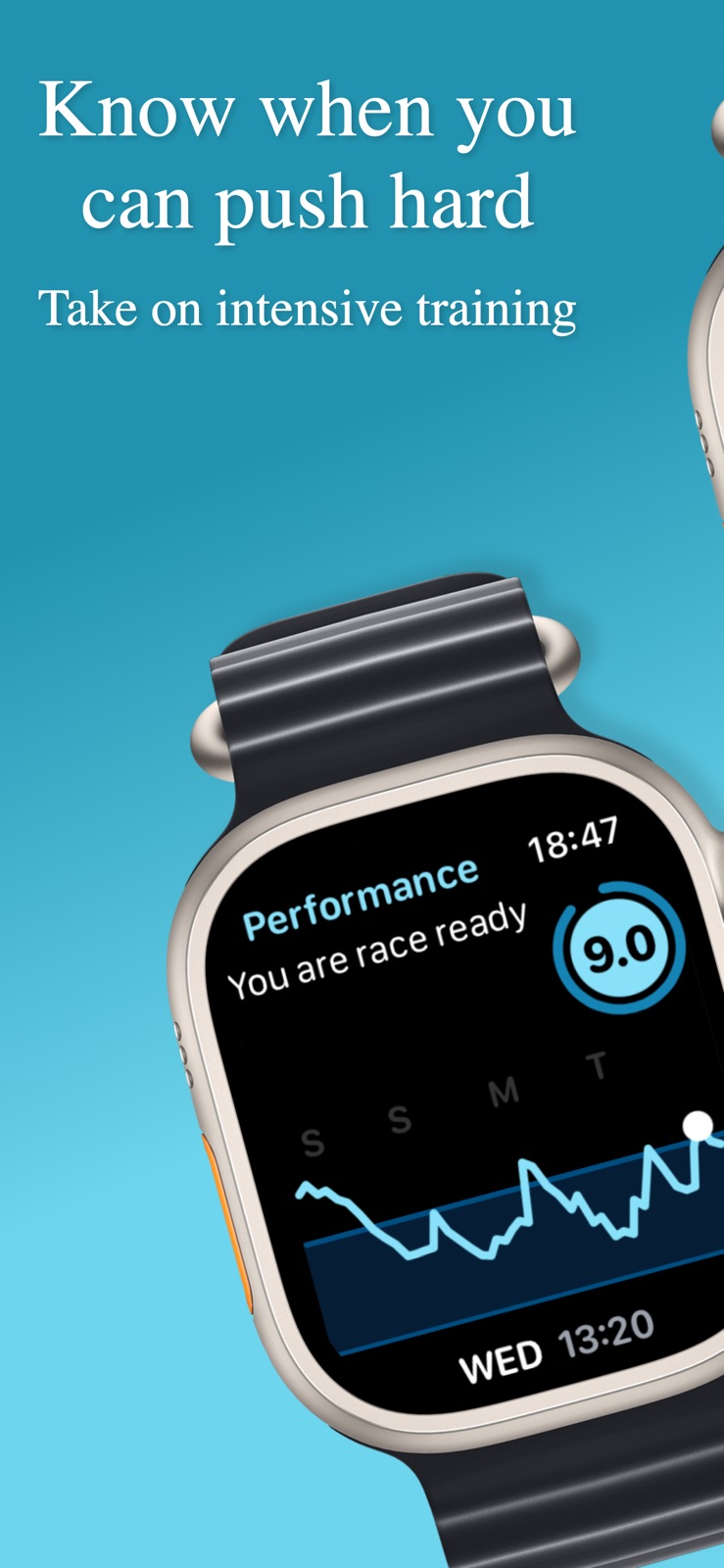

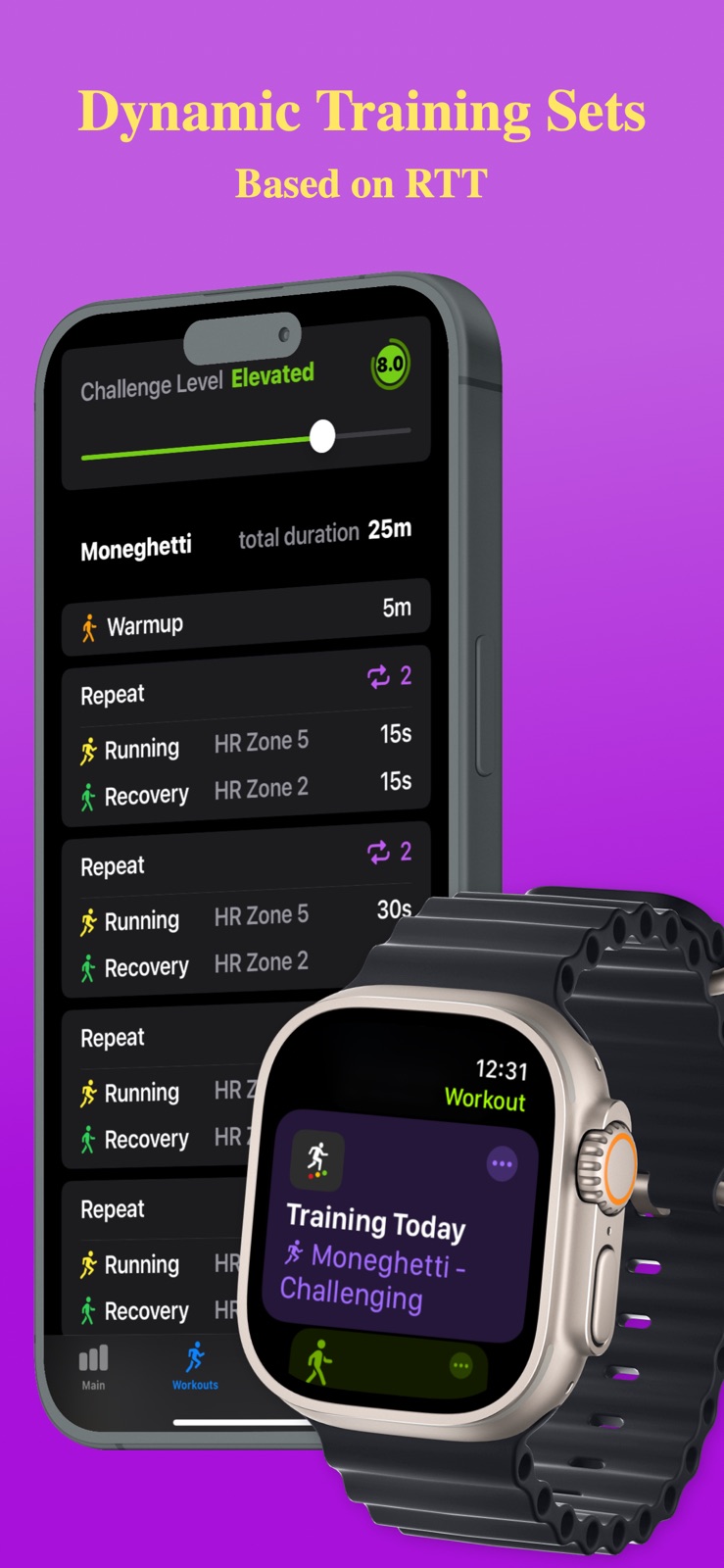
Pricing & paywalls
App Store
- Free to download
- In-app purchases
Ratings & reviews
App Store
-
5/5Great Tool
I’ve started using Training Today in conjunction with the 80/20 zone 2 training methodology for my cycling. The two work very well together. The 80/20 zone 2 methodology means you train 80% of the time at your zone 2 cardio rate, and 20% at your zone 4/5 cardio rate going all out. For example, in a 7 day period, you spend four days in zone 2, and 1 day in zones 4/5. In a week’s time, that allows 2 recovery days. I use the Training Today as a guide to see how hard to train. For example, if it has a medium Heart Rate Variability (HRV) score of 5, I’ll train in zone 2 and bike about 30 miles. If the HRV score is 0, I can take a rest day or just bike 15 miles in zone 1. I’ll also make sure there is a rest day before the zones 4/5 push and the HRV score is high enough. Remember zone 2 means endurance training, if you stay in zone 2 for a few hours, you’ll be very tired and the HRV score will show it afterwards. The main reason I like Training Today is the way they bound your HRV data into a range between 0 to 10, that’s because everyone’s HRV range is different, and that range can change as you train over a long period. I’ve also found the HRV read out is quite in tune with what I did during the training. One important thing to remember is Training Today needs to keep track of your HRV over a period (e.g. 1 month) in order to calibrate the range, that’s because your HRV of 30ms is different from my HRV of the same value. Give the app a try, it’s well worth it.
pegasus1787 · 31 Jul 2026
-
5/5Good... in theory?
Edit 2: changing to 5 stars because Ian on the dev team went above and beyond to help me out with the app. Couldn't figure it out in the long run but appreciate the customer support and will keep the app to see if/how it improves over time. Edit: ended up just deleting. No response from team with an app that's got just over 200 reviews. The app might as well be just pulling arbitrary numbers. I'm fully rested and ready to train, and it's telling me I'm at a 3 and should rest. Better off just seeing how you feel than try and decipher what this app is trying to tell you. Not sure what the 5 star reviews are about. Not sure how to read this. I workout heavy weights for over an hour. Sleep a decent 7 hours. Run 4 miles in 100 degree weather and it still says "10 - peak performance!" How about maybe 5? And this is with intensity adjusted to -10. Like, what? Not to mention it has said "no hrv reading use breathe app" every day even though i have hrv readings via my health app AND have done the breathe app twice each day. So what exactly does your app DO? I know what it's SUPPOSED to do. Luckily it's free and easy to delete. Anyone have suggestions for an app that does what this says it does but actually works? Im willing to pay. Just want something to help gauge my recovery and "readiness" to train.
G-pie · 31 Jul 2026
-
5/5Excellent so far
I’ve been trying to incorporate HRV into my training for a while but so far available apps have insisted on specific hardware and/or been too top-heavy looking for manually inputted correlations with other metrics. Many of the latter exist in other app ecosystems that only partially share data with each other or with apple health. I’d frankly rather be out riding my bike that any more messing around with this, and have been waiting for a solution that just used what’s on hand in apple health already. I get that it’s not as good as standalone hardware, and that ideally HRV would be measured at a fixed time, like every am etc., but it’s still data, and after looking at it for over a year (and using Breathe first thing each am) it does correlate with how I’m feeling and my performance. So, 5 minutes with this new app and using existing apple health data it perfectly predicted in retrospect what my week has been like, including having felt fantastic on the bike this morning, which was correlated with a 10/10 peak performance prediction. Not much in the iOS app itself, but the watch complication/app is perfect. Get it. Oh, and I’d be willing to pay for this BTW.
jrpg8255 · 31 Jul 2026
-
5/5Love the app and can’t wait for more features!
Hello, I just had to comment because this app is exactly what I have been looking for and does a great job at it too. In essence, this app tracks your HRV over a period of time, including during the evening which is the best time to measure when viewing how “recovered” you are and ready to take on more strain. I compare this to the Whoop strap recovery system, and it’s pretty spot on regarding how recovered my body is compared to Whoop. I know Whoop takes HRV, RHR, and sleep into account for their recovery score, and I think this only takes into account HRV. I know the others might be duplicative and I’m not sure if this takes into account RHR. Keep it up though, look forward to more features as you roll them out!
Brett1818 · 31 Jul 2026
-
3/5Gives me know, useful information, sorry
I have no complaints at all about the app, it's design, or functionality. The problem is that like every other app of its type, I cannot discern any kind of useful information from what it tells me. As far as I can see, my heart rate variability goes up and down and bears no resemblance at all to what I perceive my physical condition to be. I understand that there are times could be a disconnect, but really the only way I could use this is to put my blind faith in what is telling me and on what basis should I do that? I can't say that it has ever told me anything that I didn't already know. I see all the wonderful reviews here and maybe it's just me, but I am deleting the app because it's just taking up complication slot on my Apple Watch that serves no. I really wish that there was something for iOS akin to the stress and strain indices on other smart watches, but so far I can't find anything like that. I have tried every iOS app in the Serena that I could find, and the result is always the same, no useful information. Like I said, the app itself is absolutely fine, but what good is it to me?
sgmiller · 31 Jul 2026
Privacy & accessibility
App Store
Privacy
- Data Not Collected Developer declared
Accessibility
No accessibility labels collected yet.
Versions
App Store
-
1.9.5
- Support for French, German and Spanish languages. More coming! - New Widget showing RTT Score and text together - Additional guidance on your RTT Score (tap your score on iPhone and select Show More) - Weekly chart is now collapsible too. - Better support for greyscale complications on Apple Watch.
-
1.9.7
Small update with some bug fixes, and performance improvements. Recommended for everyone.
-
2.0
Sleep data is here! In this first release of version 2 of Training Today, you can see how your sleep affects your RTT score. Make sure you log your sleep using Apple Watch (with either the built-in app or any other app that writes its data to Apple Health), and we will show your sleep data breakdown so you can see how it has affected your RTT score each day. Version 2 expands the context data we show so you can better understand what impacts your RTT score; stay tuned for further updates with additional context data, subjective input, and our exciting event focussed dynamic training plans coming later. Thank you to everyone who has subscribed - we are a small, self-funded team, and your support and patience as we build out what we think is the best training app in the world is invaluable! This release also includes bug fixes and performance improvements (of course!)
-
2.1
This release builds on our goal of providing meaningful context for your RTT score and adds to the sleep data included in the last release with a new metric called Activity Intensity Score (AIS). Our AIS algorithm is largely based on your daily active energy burned (as logged in Apple Health) and shows how intense your day was regarding workout activity. Now, you can better understand how your workouts have impacted your RTT score. or example, after a recent Olympic Distance triathlon event, my AIS for that day was 68.1, with my RTT diving to 0.6, compared to 32.8 for a multi-sport training day or 7.5 for a recovery day, when RTT was more stable. The score is relative, will vary from person to person based on their physiology, and has no maximum value. You would typically expect a relatively high AIS to hurt your RTT score, though that is not always true. Remember, you can tap on your RTT score in the iPhone app for a more detailed explanation of what the score means. In the coming updates, further context data will help you understand your RTT, including menstruation tracking and subjective tagging. We are also working hard on building a dynamic session library that will form our dynamic training plans, enabling you to search for a run, swim, cycling or strength or conditioning session adapted to your current RTT. Thanks again for your continued support - we are a small, self-funded team, and your support and patience while we build the best training app in the world are invaluable!
-
2.2
Thanks for updating Training Today! In this release, we have a bunch of internal fixes that should improve performance and crush a few minor bugs that have appeared. We have also introduced Menstruation tracking in this release. If you use the Cycle Tracking app from Apple or another third-party app that records your periods in Apple Health, then these days will be indicated on the chart on your iPhone with a pink background to the day; again providing more context to why your RTT score may be where it is. With this update, we now show Resting Heart Rate, Sleep data, Periods, and a daily Activity Intensity Score so you can better understand your RTT score. We are also in the process of creating a complete online guide here which you can get from the Docs section of our website https://trainingtodayapp.com/. Please bear with us while we complete this; in the meantime, there are lots of documents on that site, plus blog posts, and don’t forget our podcast! Our coaches are hard at work building a session library for release with watchOS10 that will be available to all subscribers and which we are really excited about, so stay tuned!
-
2.3
Thank you for updating Training Today! This version brings us up-to-date with watchOS10 and adds a few new features. The next release will begin our journey to make the best dynamic training plans available; we have been testing the plans and how they adapt based on your RTT score and have seen great results with our athletes. The first plan will be for 5k runners, but others will follow relatively quickly. Here’s what we have in this release: Optimised for watchOS 10 * Training Today Apple Watch Smart Stack Widget * New AIS iPhone Widget * Italian Language support * New onboarding screen * Updated tutorial * New User Guide (online) * Bug fixes And remember, all current subscribers get all these new features and the dynamic training plans included in their subscription for free! As always, get in touch at [email protected] if you have any questions. The Training Today Team.
-
2.3.1
Thank you for updating Training Today! This version brings us up-to-date with watchOS10 and adds a few new features. The next release will begin our journey to make the best dynamic training plans available; we have been testing the plans and how they adapt based on your RTT score and have seen great results with our athletes. The first plan will be for 5k runners, but others will follow relatively quickly. Here’s what we have in this release: Optimised for watchOS 10 * Training Today Apple Watch Smart Stack Widget * New AIS iPhone Widget * Italian Language support * New onboarding screen * Updated tutorial * New User Guide (online) * Bug fixes And remember, all current subscribers get all these new features and the dynamic training plans included in their subscription for free! As always, get in touch at [email protected] if you have any questions. The Training Today Team.
-
3.0
Dynamic Training is here! We have put a huge amount of work into getting the approach for our dynamic training right, both from a technical and a physiological point of view, and in this release we have added the first part of this - dynamic running sets. You can visit the workout tab and generate a set based on your current RTT score. This will appear in the Apple Workout app on your watch which you can then start as an indoor or outdoor workout and follow along. The workout app will keep you in your target Heart Rate Zones, and data will be logged automatically into Apple Health of course. You can select from a range of workout types and sets - be sure to click on the “How to choose” option if you want more guidance - and you can fine tune your “challenge level” if you want to push a little harder or take it a little easier. Now we are over the hurdle of getting this release out the door, we expect to rapidly add new sets and sports (cycling next) to the app, and to include full plans for events or targets such as a 12 week 5k run plan for example. Let us know what sort of sports and events you would be interested in. We are labelling this as beta because we want your feedback, so please do get in touch via [email protected] with any comments you may have. Of course we have various other bug fixes and improves in this release too :) Training Today Team.
-
3.0.1
Dynamic Training is here! We have put a huge amount of work into getting the approach for our dynamic training right, both from a technical and a physiological point of view, and in this release we have added the first part of this - dynamic running sets. You can visit the workout tab and generate a set based on your current RTT score. This will appear in the Apple Workout app on your watch which you can then start as an indoor or outdoor workout and follow along. The workout app will keep you in your target Heart Rate Zones, and data will be logged automatically into Apple Health of course. You can select from a range of workout types and sets - be sure to click on the “How to choose” option if you want more guidance - and you can fine tune your “challenge level” if you want to push a little harder or take it a little easier. Now we are over the hurdle of getting this release out the door, we expect to rapidly add new sets and sports (cycling next) to the app, and to include full plans for events or targets such as a 12 week 5k run plan for example. Let us know what sort of sports and events you would be interested in. We are labelling this as beta because we want your feedback, so please do get in touch via [email protected] with any comments you may have. Of course we have various other bug fixes and improves in this release too :) Training Today Team.
-
3.1
Dynamic Training is here - now with Dynamic Cycling Sets! We have put a huge amount of work into getting the approach for our dynamic training right, both from a technical and a physiological point of view, and in this release we have added cycling sets to tje existing dynamic running sets. You can visit the workout tab and generate a set based on your current RTT score. This will appear in the Apple Workout app on your watch which you can then start as an indoor or outdoor workout and follow along. With the cycling workouts you can select if you want heart rate zones or power zone targets. The workout app will keep you in your target zones, and data will be logged automatically into Apple Health. You can select from a range of workout types and sets - be sure to click on the “How to choose” option if you want more guidance - and you can fine tune your “challenge level” if you want to push a little harder or take it a little easier. We expect to continue to raoidly add new sets and sports to the app, and to include full plans for events or targets such as a 12 week 5k run plan for example. Let us know what sort of sports and events you would be interested in. We are labelling this as beta because we want your feedback, so please do get in touch via [email protected] with any comments you may have. Of course we have various other bug fixes and improves in this release too :) Training Today Team.
-
3.1.5
Bug fixes and improvements, and additional dynamic workouts.
-
3.5
What's new Training Today 3.5 Dynamic structured swimming sets are here! To celebrate WatchOS11 we have added dynamic structured swimming sets along with our cycling and running sets. We will recommend a challenge level based on your readiness to train (RTT) that will be an ideal set for today. Triathletes: now we have swim, bike and run, Training Today has the tools to help you optimise your training for your tri event. Subscribers will continue to receive these enhancements as we continually improve the app. Look out for Suggested Workouts, Training Load integration, Dynamic Training Plans, and Overall Fitness Charts together with support for more sports coming in future releases. The Training Today Team.
-
3.6
We know it’s been quiet here for a while, but we’ve been hard at work on some fresh swim and run workouts thoroughly tested by our team of hard working triathletes, and available in this release. Coming soon, look out for new cycling workouts, and Adaptive Training Plans for specific events, plus a host of other features we are building on our roadmap. Thanks for your patience—there’s lots more to come!
-
3.7
For phones that support Apple Intelligence we are delighted to introduce CoachAIde - trained on our actual Coach Ade’s commentary on RTT score and with your daily sleep, AIS, and health data as context. It’s in experimental stage as we further adapt it from users data, we think it works pretty well so far, but do let us know what you think! The app has also been updated to fully support liquid glass, and contains the usual bug fixes and performance improvements. Coming quickly after this release will be a new Overall Fitness Index (OFI) metric that will show how you fitness is changing over time. Many thanks for supporting our humble project to make the best training app in the world. We are a small team working on this out of a passion for effective training for everyday people! The Training Today Team.
-
3.7.1
Hot fix for bug in Liquid Glass slider control in settings
-
3.8
We have a batch of small updates and fixes for you. * Apple Watch app will now show you additional details about your score when you tap on the upper description. * Some interface adjustments for Apple Watch Ultra 3 devices (some things were being clipped). * Fixed a bug with Tinted Widgets not being shown correctly in iOS26. * A new RTT/Workout Widget that takes the user directly to the Workout section when tapped. * When the RTT text description widget is tapped, the user is now taken to CoachAIde (if available). * Settings now has a new option that allows the user to hide CoachAIde if they want. * Experimental label added to the CoachAIde view. Stay tuned, the next update will have the new Overall Fitness Index metric! The Training Today Team.
-
4.0
Major New Feature: Overall Fitness Index (OFI) Introducing OFI - a personalised, long-term fitness metric that shows how your current HRV compares with your historical baseline. OFI analyses your data over the past month and year, adjusts for age-related changes, and clearly indicates whether your fitness is trending up, stable, or down. It helps you understand the impact of your training, sleep, stress, and lifestyle on your long-term fitness. * A Cleaner, Simpler Home Screen We’ve streamlined the Home screen to make essential insights easier to see at a glance. Prefer more detail? You can turn the longer charts back on in Settings. * CSV Export for RTT Data You can now export your complete RTT history as a CSV file directly from Settings - ideal for deeper analysis or sharing with coaches and tools. * More Running Workouts We’ve expanded our running collection with more structured and adaptive sessions to support your training variety and progression. --- Coming Next * TrainingPeaks integration * Additional UI refinement and layout improvements
-
4.0.5
Major New Feature: Overall Fitness Index (OFI) Introducing OFI — a personalised, long-term fitness metric that shows how your current HRV compares with your historical baseline. OFI analyses your data over the past month and year, adjusts for age-related changes, and clearly indicates whether your fitness is trending up, stable, or down. It helps you understand the impact of your training, sleep, stress, and lifestyle on your long-term fitness. * A Cleaner, Simpler Home Screen We’ve streamlined the Home screen to make essential insights easier to see at a glance. Prefer more detail? You can turn the longer charts back on in Settings. * CSV Export for RTT Data You can now export your complete RTT history as a CSV file directly from Settings — ideal for deeper analysis or sharing with coaches and tools. * More Running Workouts We’ve expanded our running collection with more structured and adaptive sessions to support your training variety and progression. --- Coming Next * TrainingPeaks integration * Additional UI refinement and layout improvements
-
4.1
raining Peaks integration is here. If you are a Training Peaks user you can now share your RTT, HRV, Sleep and Menstrual Data from the settings screen. This has been a long requested feature for those that want to share data with their coaches via Training Peaks. In addition in this release we have added a new Widget for OFI.
-
4.1.5
Overall Fitness Index (OFI) now has weekly stats! After some fine-tuning, we have now included a weekly OFI chart so you can see how your fitness is changing over the short term as well as monthly and yearly. Bear in mind that this short-term metric will be more obviously affected by sleep, stress, and illness as well as your workouts, but it’s a useful chart nonetheless. The top figure on the OFI screen will now cycle through a rolling 7-day, 14-day, and 30-day average by tapping on it. We have also added additional OFI widgets for you in this release.
-
4.2
Introducing Adapted RTT. This update adds the first in a new series of scenario-based adaptations designed to help your RTT score more accurately reflect your physiology and training condition. We’re starting with functional overreaching — the short-term fatigue that can follow a heavy training block, major effort, or significant event. Adapted RTT helps account for that pattern so your score better reflects the load your body may still be carrying. It’s informed by what we’re learning from the thousands of athletes using Training Today. More adaptations are planned over time, and Adapted RTT can be turned off at any time in Settings.
-
4.2.5
RTT now accounts for periods when you may be unwell. When recent health data shows patterns commonly associated with illness, such as changes in resting heart rate, temperature, or sleep, you may be prompted to select how you’re feeling. Based on the selected severity, RTT is adjusted to better reflect reduced recovery capacity during illness. Health signals are indicative only and not a medical diagnosis.
-
5.0
**Status Tags** Status Tags help you identify factors that may be influencing your RTT score. You can add tags at any time and review them directly on your chart. Over time, these insights become even more valuable, as you can analyse patterns across weeks, months, or even years using the long-term charts. **New UI** In this release, we’ve refreshed the Home screen with a modernised design that brings it in line with the rest of the app. We’ve also replaced the old tutorial screen with a new Discovery panel, which combines help resources with a timeline highlighting the improvements and features we’ve added over the years. We hope you enjoy the cleaner, more polished experience!
-
5.0.1
**Status Tags** Status Tags help you identify factors that may be influencing your RTT score. You can add tags at any time and review them directly on your chart. Over time, these insights become even more valuable, as you can analyse patterns across weeks, months, or even years using the long-term charts. **New UI** In this release, we’ve refreshed the Home screen with a modernised design that brings it in line with the rest of the app. We’ve also replaced the old tutorial screen with a new Discovery panel, which combines help resources with a timeline highlighting the improvements and features we’ve added over the years. We hope you enjoy the cleaner, more polished experience!
-
5.1
· 8 Jul 2026
Your Readiness to Train (RTT) score now adapts to your sleep. Rather than reacting to a single poor night's sleep, Training Today compares your recent sleep with your normal sleep patterns and considers any accumulated sleep debt. This provides a more realistic picture of how well recovered your body is today. Sleep Adaptation works alongside HRV and your other RTT Adaptations to help recommend the right level of training. Tip* Sleep Adaptation can be enabled or disabled at any time in Settings → RTT Adaptations.
Alternatives
- HRV4Training — Same category + similar ratings
Availability by market
- US
Data quality & evidence
- Page completeness
- Live store listing
- Last verified
- 31 Jul 2026
- Sources
- App Store
- Apoku editorial summary has not been published yet.