
Quick verdict
- What it is
- Store information collected; independent summary not yet available.
- At a glance
-
- Free to download
- In-app purchases
Categories and search queries
Official categories
- Graphics & Design
- Productivity
AppCorpus categories
Key functions
| Function | Availability | Access | Scope | Evidence |
|---|---|---|---|---|
| Free app | Yes | Free | — | Store published |
| In-app purchases | Yes | Limited free | — | Store published |
Screens
App Store
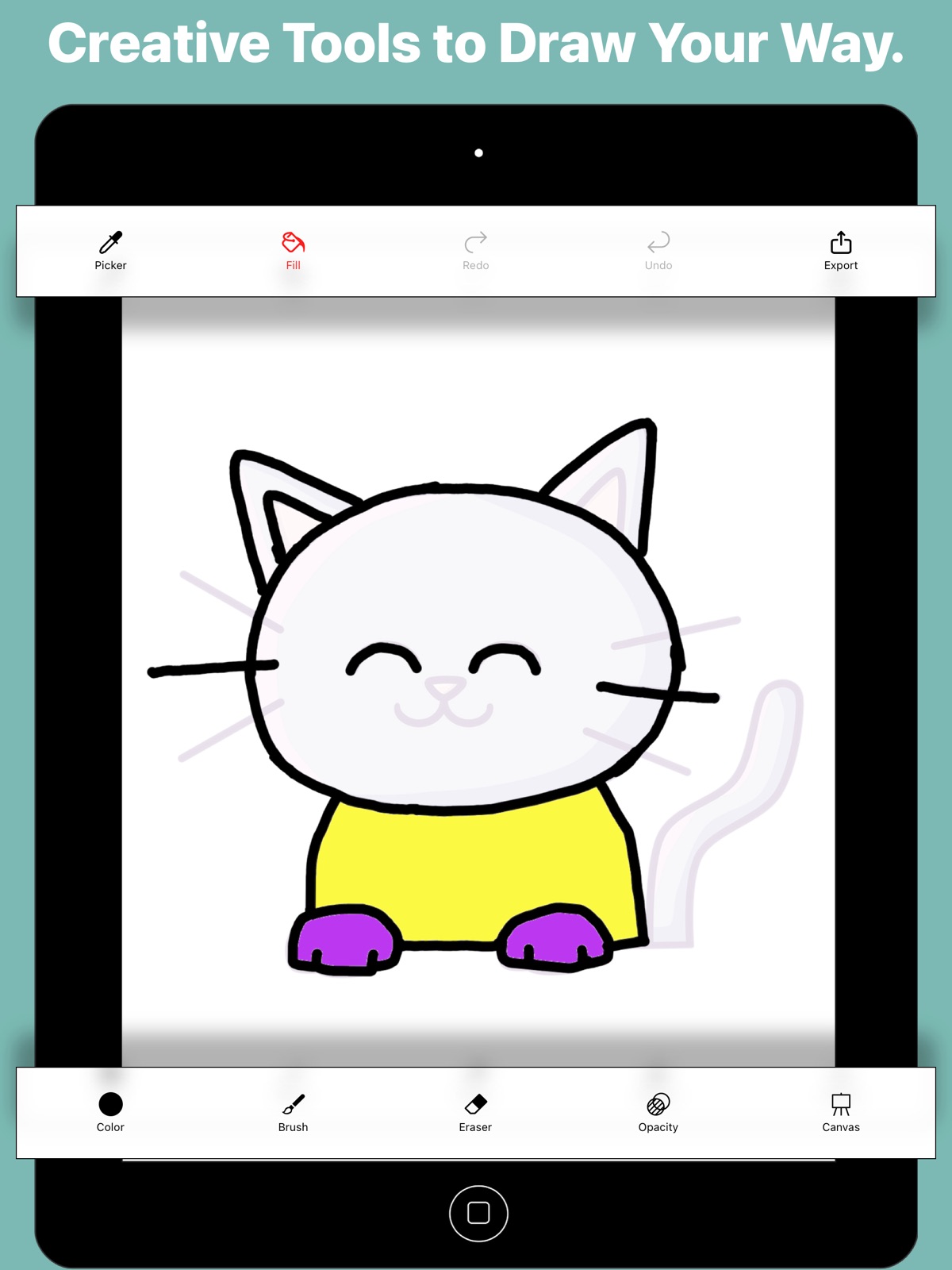
12 store screenshots


Pricing & paywalls
App Store
- Free to download
- In-app purchases
Ratings & reviews
App Store
-
4/5Getting better
Thank you for listening to my feedback, definitely improved my experience, but there’s still a few things I would like to see, first I would like to have a eraser size smaller than 5 for more accurate erasing. The zooming feature is a bit janky as sometimes it doesn’t respond that well or the drawing goes out of focus and I can’t drag it back. I’ve also noticed that when you press the undo button enough times when you mess up it kind of blurs the lines that were already on the drawing. Lastly what happened to the delete button for the saved sketches?
giopl4yer · 31 Jul 2026
-
4/5Cool app, but couple bugs
The tracing functionality is simple to use and works well. There seems to be a strange bug using on my iPad Pro. When selecting brushes only a few display. All are selectable, but most of the selection area is just black and I sort of have to guess at which I’m selecting. A similar issue when trying to delete a tracing, the option to duplicate shows up, but not delete. By tapping the other side of the screen I was able to delete, but had to guess where the button was. Works great other than that and those issues are able to be worked around, just odd.
Biggest Orange · 31 Jul 2026
-
4/5Pretty good
Like the ease of using the pen and being able to enlarge or make smaller. Also ease of opacity helps when you can see what you have done without the image showing through! GreaT! Would like option for a plain background (just white) so you can create your own if desired. And where the drawing is blank the background should not show through unless desired. Perhaps a paint fill pot would help with that. I was sketching a person with jacket on and did not want background to show through. You have a great opportunity with this app. I would pay for the above changes easily it’s worth more! Good luck!
PaintingPetsAndPeople · 31 Jul 2026
-
4/5Great
Love this apps. When a specific color I came up with and used has already been pushed out of the recent list, I find it hard get to that exact color when I want to edit or touch up later. Is there a way around this? Thanks. Great apps
JJBARB · 31 Jul 2026
-
5/5Best app EVER
I was looking for an app to trace pictures online and I came across this app! Every thing is great except the colors it is very hard to make light brown and gray. Over all is a great app for beginners. It did not take that long for me to know how everything works!
gufbjy · 31 Jul 2026
Privacy & accessibility
App Store
Privacy
- Data Linked to You — Analytics — Usage Data — Product Interaction Developer declared
- Data Linked to You — Usage Data Developer declared
- Data Not Linked to You — Third-Party Advertising — Identifiers — Device ID Developer declared
- Data Not Linked to You — Third-Party Advertising — Usage Data — Advertising Data Developer declared
- Data Not Linked to You — Identifiers Developer declared
- Data Not Linked to You — Usage Data Developer declared
- Data Used to Track You — Usage Data — Product Interaction Developer declared
- Data Used to Track You — Usage Data Developer declared
Accessibility
No accessibility labels collected yet.
Versions
App Store
-
2.0
New UI with zoom and draw feature.
-
2.1
Bug Fixes and UI Improvements.
-
2.2
Remove Ads option added. Added Trace&Sketch Instagram page link.
-
2.3
Paint bucket fill feature added. Copy and duplicate sketch option added. Bug fixes.
-
2.4
Sketching in high resolution!!!. Perfomance tuning.
-
3.0
• Fresh new patterns to explore and draw • Smoother and more responsive drawing experience • Cleaner, simpler interface for easier use • New app icon for a refreshed look
-
3.1
Brush & eraser values are now visible while adjusting. Your brush & eraser settings are remembered, so you don’t need to re-adjust them each time.
-
3.2
UI Improvements.
-
3.3
Added a Color Picker - Easily pick colors from your Drawing or Base image. Improved UI for a smoother, more polished experience.
-
3.4
Redesigned Home screen for a smoother experience.
-
3.5
Added new video tutorials to the Help page and for new users Storage optimizations New app icon UI improvements
-
3.6
Improved zoom and drag responsiveness. Added smaller eraser size. Fixed image blur issue after undo. Added delete & duplicate options for sketches.
-
4.0
• Create and export a full time-lapse replay of your drawing • New advanced export options: – Export pure drawing without canvas/background – Export drawing with the original tracing image – Choose from multiple dimension options • Improved image rendering, refined UI, and general bug fixes
-
4.1
Rotate the drawing canvas using a two-finger gesture. Spanish language support added. UI improvements and refinements.
-
4.2
Fixed an issue where a blank screen appeared when selecting images from the photo gallery. UI improvements and refinements.
-
4.3
Fixed a crash related to the Paint Bucket (Flood Fill) tool. Added Portuguese (Brazil) localization support.
-
4.4
Added German language support. Added helpful reminders to improve your experience.
-
4.5
Added a Template Library to help you get started quickly (in addition to gallery and camera options). Other UI improvements and enhancements.
-
4.6
Fixed the Paint Bucket (Flood Fill) animation during time-lapse video import. Added Simplified Chinese localization support.
-
4.7
Improved onboarding experience with skip option and page indicators. Enhanced popup interactions for smoother and more intuitive controls. UI refinements and overall experience improvements.
-
4.8
Fixed a crash related to the Paint Bucket (Flood Fill) tool and improved performance.
-
4.9
Bug fixes and performance improvements.
-
5.0
UI and user experience improvements.
-
5.1
Fixed issues related to brush size adjustments. Bug fixes and performance improvements. UI enhancements.
-
5.2
· 10 Jul 2026
Improved tool settings and popup interactions for a smoother drawing experience. Simplified color picking with a more streamlined and accessible workflow. Enhanced tool layout and guidance to make controls easier to find and use. UI refinements, bug fixes, and performance improvements.
Alternatives
- Learn How to Draw Tutorials — Same category + similar ratings
Availability by market
- US
Data quality & evidence
- Page completeness
- Live store listing
- Last verified
- 31 Jul 2026
- Sources
- App Store
- Independent summary has not been published yet.