
Quick verdict
- What it is
- Store information collected; an Apoku editorial summary is not yet published.
- At a glance
-
- From $4.99/mo
- Free to download
- In-app purchases
Categories and search queries
Official categories
- Productivity
- Business
Apoku categories
Key functions
| Function | Availability | Access | Scope | Evidence |
|---|---|---|---|---|
| Free app | Yes | Free | Context-specific | Store published |
| In-app purchases | Yes | Limited free | Context-specific | Store published |
| Siri Shortcuts | Unknown | Unknown | Scope unknown | Store published |
Screens
26 store screenshots
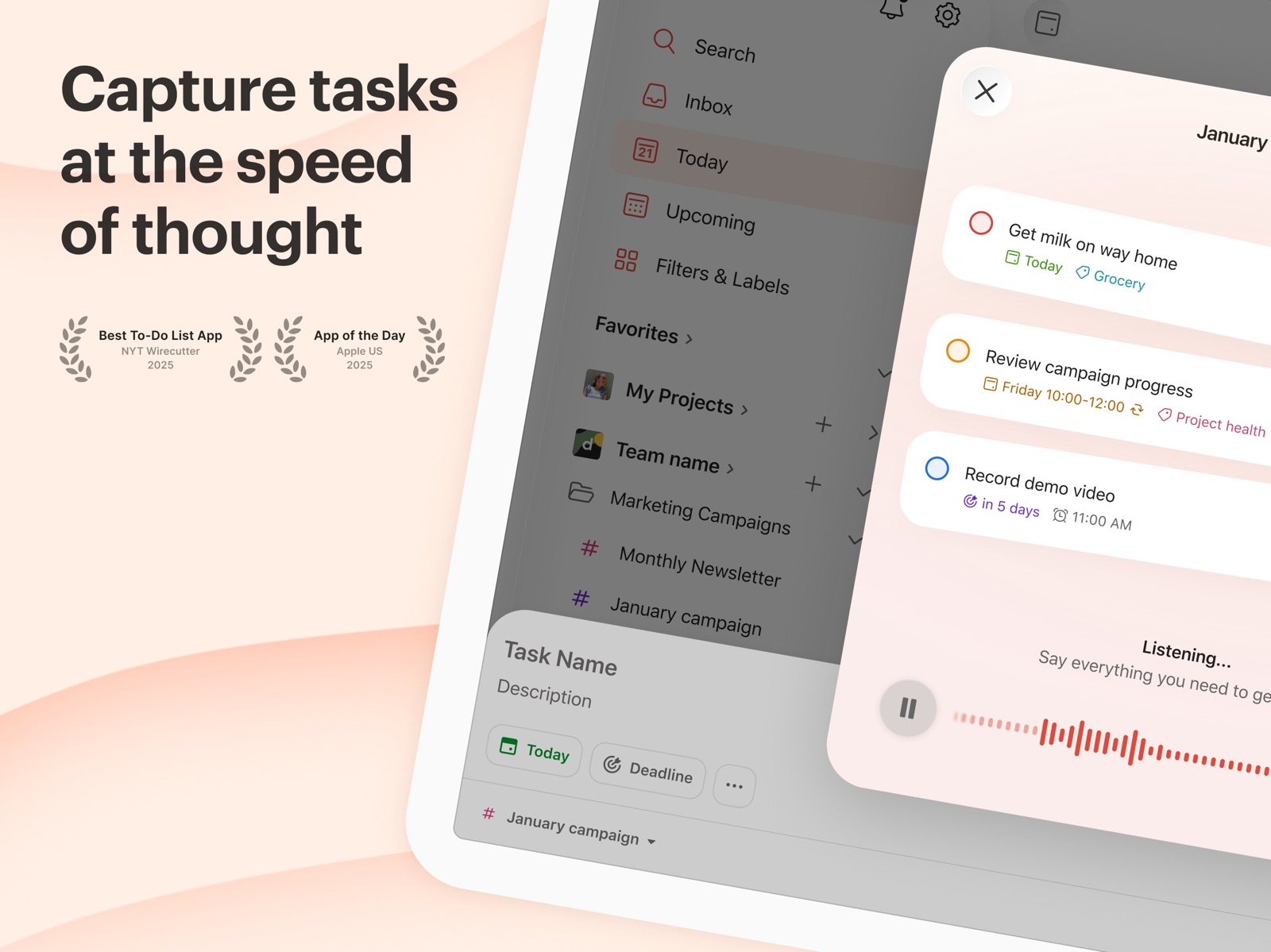


13 store screenshots


Pricing & paywalls
- Todoist Pro - Monthly — $6.99/month
- Todoist Pro - Monthly — $59.99/year ($4.99/mo)
- Todoist Pro Legacy - Monthly — $6.99/month
- Todoist Pro Legacy - Monthly — $59.99/year ($4.99/mo)
- Free to download
- In-app purchases: $0.99 - $149.99 per item
Ratings & reviews
-
5/5Good for list-oriented people, but could be perfect with a few more features
A note to start off with, from the most recent update: I’m having a small bug with trying to reorder a list of tasks with many subtasks, it won’t put it where I release it, only at the bottom of the list. I may have just overstuffed the tasks ;p This is great for someone who just needs to dump everything out of their head and sort it, and has many good features for organizing it. For the free version, since there’s no reminders, it’s easy to forget to check off things, but a more important addition would be to add start dates instead of only end dates. Right now, if I want something to automatically come up, I have to set the due date and have it become overdue, in order to bring up a project for a later date, instead of saying “I want to start this on the 13th and be done by the 20th” or whatever. Being able to block out time automatically, and maybe have a system like Skedpal that has time maps so you don’t overschedule yourself and can set boundaries for you working hours, that would make this perfect. Basically, add in durations/start times for things instead of just due dates, and maybe add time blocking so you can tell yourself when you -can’t- work, and I’d definitely go premium. Todoist is one of the more affordable subscriptions and I’d just love a few more things before I could commit to paying. But otherwise, keep up the nice work, the recent update helps a lot, and finally having the ability to duplicate tasks is fantastic.
CraftyLittleDragonfly · 29 Sep 2026
-
5/5Simply the best so far for professionals with date critical needs
If you’re just looking for an app to help you plan your garage cleaning and family vacation there are better looking and simpler options out there. If you need an app for professional use, where due dates and times are not merely “goals” (yeah I’m looking at you “GTD” method) but are actual real world cannot be missed deadlines, this is the app. If you need an app that allows you to have those dates appear in your calendar (your calendar, not just the app’s upcoming forecast of events) this is your app (the Fantastical 2 way sync is killer). If you prefer not to spend more time trying to figure out how to do things in the app than actually doing them (did anyone say “Omnifocus“) this is the one. Collaboration, ability to easily add notes and attachments on both the project and task level, straightforward interface, relatively easy to learn functions with good web documentation, TEMPLATES (a feature that for some inexplicable reason other apps seem to openly resist adding but is a no-brainer for those who have the same task and deadline structure for multiple projects, like I don’t know pretty much anyone who is in business and/or works with standardized contracts), sub-tasks, multiple reminder options, this one does it right. You will not see the benefit of the forgoing without the premium subscription, but $38 a year is a bargain for the features and functionality you get.
Dvlrbbt · 29 Sep 2026
-
5/5Update: Cost-prohibitive, unfortunately
I really have loved this app, but I need to be able to schedule projects and reminders to try to help as I am permanently disabled and am trying to market my art on a PT basis. Right now, I am one senior citizen living alone, and paying close to $50 a year for these basic functionalities unfortunately makes the app unfeasible for me. If my finances were to significantly improve as a result of using those added features to functionality, I absolutely would be able and willing to pay a yearly subscription fee as well as would likely evangelize them all over the Internet as in the past I have blogged, written articles and done projects with major sites like Fitness Magazine, Coping with Cancer, Lifehack, and more. Now I am disabled and trying to regroup and revisit some of these creative abilities (art and writing, especially), and I really need those functionalities of projects and reminders. I was disappointed when, on my previous review the developer responded, inviting me to contact him to see how he could help, only for there to be no response when I did so and even said I am willing to provide proof of Social Security Disability. This is a great app, but unfortunately some basic functionality is simply too cost-prohibitive for a disabled senior citizen trying to find a way to climb up. Maybe someday.
AppleUserID18 · 29 Sep 2026
-
5/5Best Task Manager I’ve Used to Date
It’s remarkable to me ToDoist isn’t ranked higher on the productivity charts because it easily eclipses anything that I’ve ever used before. It’s gorgeous (I prefer dark mode, but there are more themes) It integrates great with the GTD methodology (my preference) but whatever your system, it’s robust enough that you should be able to integrate it well. I love what they did with Karma, their gamified point system (but I would like to see this expanded). You can tell that the creators stay up-to-date on best practices and they regularly update a pretty informative blog that is enjoyable for a productivity junky like me. I used it for 24 hours and pretty much decided I NEEDED premium which is easily the best $3 I spend every month. It’s important to distinguish between what this is and is not though. It does not teach you how to be productive. It is not a good place to do high level goal setting, visioning, and planning. It is not a calendar. It also doesn’t focus you on the task at hand. The app is a Task Filing System. It is a utility that will enhance your workflow with those other things. It will work great for anyone who needs to make a to-do list, but those who chose to educate themselves on actual task management theory will get the most out of it. I hope it hits the top of the charts!
Link100 · 29 Sep 2026
-
2/5Life is what happens to you when you’re busy making other plans.
Update: after using this app for a month, I have started to realize why I hate it so much. I work more than 80 hours a week. I run a business and a nonprofit. I am always busy, but usually with putting out fires. It is the nature of my work. People call me when they need help right away. I can’t really say, “Let me enter that task into ToDoist and get back to you eventually.” If I dont help people fast, they won’t need my help later. I get stuff done all the time, but my ToDoist list sits there nagging me, saying, You have outstanding tasks. The app gives me no credit for the crises I managed. If I had a life where my work load was predictable even a week in advance, this app would be much more useful. Why doesn’t this app try harder to help someone like me, who’s day always changes with the next phone call or email? I can’t be the only one in this situation. I am having more success with this app than I have had with similar apps. However, when it tries to help out by using natural language to do what you want, it often makes things harder. If I want to have an item on my to do list like prepare for Sunday, it keeps trying to put it on Sunday’s tasks. Also, I still have no idea where things are, and can only find them by random chance. For example, I want to look at the things I have done, and I have no idea where that folder is, even though I’ve been there before. I’m using it, but I can’t say I like it.
Pseudotsuga · 29 Sep 2026
-
5/5
awesome app
Slash Williams · 1 Aug 2026
-
5/5
I was switching between Google tasks and samsung reminders for months while this is the perfect tasks app ever very simple and easy to start and very effective I've been not forgetting my tasks after using its cool widget
Yash Singh · 1 Aug 2026
-
5/5
Very useful and intuitive app that enables seamless task setting and tracking. I love that you can easily set all task details (date, time, frequency, category, label, etc.) simply by typing; the app recognises many different keywords and programs the task accordingly. The widgets are great aswell, and provide quick ways to see and check off tasks for a variety of views (today, tomorrow, all, etc.). Since using this app, I'm finding myself more accountable for setting and completing tasks.
Shaun Harrison · 1 Aug 2026
-
2/5
I've been a paid Todoist user for years and it's so sad how they seem to have lost their way. The price has soared beyond its value, seemingly in the name of AI features I am not interested in. Worse, quality has suffered. The absolute core way I use Todoist is to regularly check the Today page and look at the count of outstanding tasks at the top. That count has been broken for months, getting stuck and failing to update. You couldn't find a much more basic feature and it's broken
Philip Davies · 1 Aug 2026
-
1/5
Spam and Option to delete account misleading. You cannot delete your account unless you make a group, find some sucker to join, then make them admin.
Jason G · 1 Aug 2026
Privacy & accessibility
Privacy
- Data Linked to You — Analytics — Identifiers — Device ID Developer declared
- Data Linked to You — Analytics — Identifiers — User ID Developer declared
- Data Linked to You — Analytics — Usage Data — Product Interaction Developer declared
- Data Linked to You — App Functionality — Contact Info — Email Address Developer declared
- Data Linked to You — App Functionality — Contact Info — Name Developer declared
- Data Linked to You — App Functionality — Diagnostics — Crash Data Developer declared
- Data Linked to You — App Functionality — Identifiers — User ID Developer declared
- Data Linked to You — App Functionality — Usage Data — Product Interaction Developer declared
- Data Linked to You — App Functionality — User Content — Customer Support Developer declared
- Data Linked to You — App Functionality — User Content — Other User Content Developer declared
- Data Linked to You — Developer’s Advertising or Marketing — Contact Info — Email Address Developer declared
- Data Linked to You — Developer’s Advertising or Marketing — Contact Info — Name Developer declared
- Data Linked to You — Contact Info Developer declared
- Data Linked to You — Diagnostics Developer declared
- Data Linked to You — Identifiers Developer declared
- Data Linked to You — Usage Data Developer declared
- Data Linked to You — User Content Developer declared
Accessibility
No accessibility labels collected yet.
Privacy
- Data collected — Account management — Personal info — Name Developer declared
- Data collected — Analytics — App info and performance — Crash logs Developer declared
- Data collected — Analytics — App info and performance — Diagnostics Developer declared
- Data collected — Analytics — App info and performance — Other app performance data Developer declared
- Data collected — App functionality — App activity — Other user-generated content Developer declared
- Data collected — App functionality — Audio — Other audio files Developer declared
- Data collected — App functionality — Audio — Voice or sound recordings Developer declared
- Data collected — App functionality — Files and docs Developer declared
- Data collected — App functionality — Financial info — Purchase history Developer declared
- Data collected — App functionality — Messages — Other in-app messages Developer declared
- Data collected — App functionality — Photos and videos — Photos Developer declared
- Data collected — App functionality — Photos and videos — Videos Developer declared
- Data collected — App functionality, Analytics — App activity — App interactions Developer declared
- Data collected — App functionality, Analytics — App activity — Other actions Developer declared
- Data collected — App functionality, Analytics, Account management — Personal info — User IDs Developer declared
- Data collected — App functionality, Developer communications, Advertising or marketing, Fraud prevention, security, and compliance, Account management — Personal info — Email address Developer declared
- Data collected — App functionality, Fraud prevention, security, and compliance — Device or other IDs Developer declared
- Security practices — Your data is transferred over a secure connection — Data is encrypted in transit Developer declared
- Security practices — The developer provides a way for you to request that your data be deleted — You can request that data be deleted Developer declared
Accessibility
No accessibility labels collected yet.
Versions
App Store
-
26.2.23
Pesky bugs exterminated. Things should be a bit better for you. Select “What’s New” in your settings to view even more polishes and bug squishes.
-
26.2.31
A handful of little bugs were squashed and potential crashes averted. Phew! Select “What’s New” in your settings to view even more polishes and bug squishes.
-
26.3.13
We fixed all the things that needed fixing. (And even a few things that didn’t.) Select “What’s New” in your settings to view even more polishes and bug squishes.
-
26.3.18
We checked a few things off our to-do list so you could more easily check a few things off yours. Select “What’s New” in your settings to view even more polishes and bug squishes.
-
26.3.21
It’s very subtle, but things are running just a tad better than before. Select “What’s New” in your settings to view even more polishes and bug squishes.
-
26.3.29
We’ve tinkered a little to keep things running smoothly. Select “What’s New” in your settings to view even more polishes and bug squishes.
-
26.3.5
Just a bit of under-the-hood maintenance. Select “What’s New” in your settings to view even more polishes and bug squishes.
-
26.4.12
We told all the bugs to bug off. (And they did.) Select “What’s New” in your settings to view even more polishes and bug squishes.
-
26.4.17
What’s new in Todoist? - Thanks to some under-the-hood adjustments, special characters are now allowed in the names of projects, sections, and labels. - New reminders Quick Add shortcut: Save yourself several taps by typing “!” in the task field to add a reminder (or several) to your time-sensitive to-do’s. - And while we were adding the reminder shortcut, we made a few other design updates to make the whole reminder experience clearer, faster, and more intuitive. - Plus, we’ve set out to overhaul and vastly simplify creating a filter. Just describe what you’re looking for using natural language. The new, AI-powered Filter Assist will generate the filter query for you to add directly to your Todoist. Tap “What’s New” in your settings to learn more about all the updates.
-
26.4.23
We’ve been hard at work squashing bugs, tuning machines, amping up performance, and even taking a few dance breaks in between. Select “What’s New” in your settings to view even more polishes and bug squishes.
-
26.4.5
Todoist is all tuned up and ready to rumble. Select “What’s New” in your settings to view even more polishes and bug squishes.
-
26.4.8
Thanks to tuning and polishing, everything is a little better than before. Select “What’s New” in your settings to view even more polishes and bug squishes.
-
26.5.0
Small visual touch-ups to keep Todoist looking polished/sleek/respectable/refined/agreeable. Select “What’s New” in your settings to view even more polishes and bug squishes.
-
26.5.13
Just a bit of under-the-hood maintenance. Select “What’s New” in your settings to view even more polishes and bug squishes.
-
26.5.19
Nothing much to see here. A few fixes and flourishes, that’s all. Select “What’s New” in your settings to view even more polishes and bug squishes.
-
26.5.27
The bugs were getting a little too snug in their rugs, so we shook them out. Select “What’s New” in your settings to view even more polishes and bug squishes.
-
26.5.8
We’ve tinkered a little to keep things running smoothly. Select “What’s New” in your settings to view even more polishes and bug squishes.
-
26.6.11
All of this bug squashing and app polishing is hard work. It’s time for a nap. Select “What’s New” in your settings to view even more polishes and bug squishes.
-
26.6.19
Nothing much to see here. A few fixes and flourishes, that’s all. Select “What’s New” in your settings to view even more polishes and bug squishes.
-
26.6.22
Just a bit of under-the-hood maintenance. Select “What’s New” in your settings to view even more polishes and bug squishes.
-
26.6.24
A few minor improvements and bug fixes to keep everything running smoothly. Select “What’s New” in your settings to view even more polishes and bug squishes.
-
26.6.4
We’ve done a little spring cleaning. (Which means performance is better than ever.) Select “What’s New” in your settings to view even more polishes and bug squishes.
-
26.7.14
· 27 Jul 2026
The usual small bug squashing and app improving to make sure Todoist is in great shape. Select “What’s New” in your settings to view even more polishes and bug squishes.
-
26.7.17
We’ve tinkered a little to keep things running smoothly. Select “What’s New” in your settings to view even more polishes and bug squishes.
-
26.7.3
The bugs were getting a little too snug in their rugs, so we shook them out. Select “What’s New” in your settings to view even more polishes and bug squishes.
-
26.7.9
We’ve made things a bit better around here. Just for you. (Well, you and a few million other users ...) Select “What’s New” in your settings to view even more polishes and bug squishes.
-
26.8.11
We checked a few things off our to-do list so you could more easily check a few things off yours. Select “What’s New” in your settings to view even more polishes and bug squishes.
-
26.8.18
· 24 Aug 2026
Just the general fixes and improvements you come to expect from us. Select “What’s New” in your settings to view even more polishes and bug squishes.
-
26.8.26
We’ve made things a bit better around here. Just for you. (Well, you and a few million other users ...) Select “What’s New” in your settings to view even more polishes and bug squishes.
-
26.8.5
One or two bug fixes and little upgrades to keep everything under control. Select “What’s New” in your settings to view even more polishes and bug squishes.
-
26.9.10
A few minor improvements and bug fixes to keep everything running smoothly. Select “What’s New” in your settings to view even more polishes and bug squishes.
-
26.9.12
Small fixes across the board to make Todoist faster, bug-free, and easy on the eyes. Select “What’s New” in your settings to view even more polishes and bug squishes.
-
26.9.13
Small visual touch-ups to keep Todoist looking polished/sleek/respectable/refined/agreeable. Select “What’s New” in your settings to view even more polishes and bug squishes.
-
26.9.17
Nothing much to see here. A few fixes and flourishes, that’s all. Select “What’s New” in your settings to view even more polishes and bug squishes.
-
26.9.21
· 28 Sep 2026
Pesky bugs exterminated. Things should be a bit better for you. Select “What’s New” in your settings to view even more polishes and bug squishes.
-
26.9.3
It’s very subtle, but things are running just a tad better than before. Select “What’s New” in your settings to view even more polishes and bug squishes.
Alternatives
- Do! - Simple To Do List — Same category + similar ratings
- Any.do: To do list & Planner — Same category + similar ratings
- Todo List & Reminder - Todoery — Same category + similar ratings
- To Do List MinimaList & Widget — Same category + similar ratings
- TickTick:To-Do List & Calendar — Same category + similar ratings
- Microsoft To Do — Same category + similar ratings
Availability by market
- US
Data quality & evidence
- Page completeness
- Live store listing
- Last verified
- 30 Sep 2026
- Sources
- App Store, Google Play
- Apoku editorial summary has not been published yet.