
Quick verdict
- What it is
- Store information collected; independent summary not yet available.
- At a glance
-
- $0.99
Categories and search queries
Official categories
- Photo & Video
- Utilities
AppCorpus categories
Key functions
| Function | Availability | Access | Scope | Evidence |
|---|---|---|---|---|
| Family Sharing | Yes | Unknown | App Store | Store published |
Screens
App Store
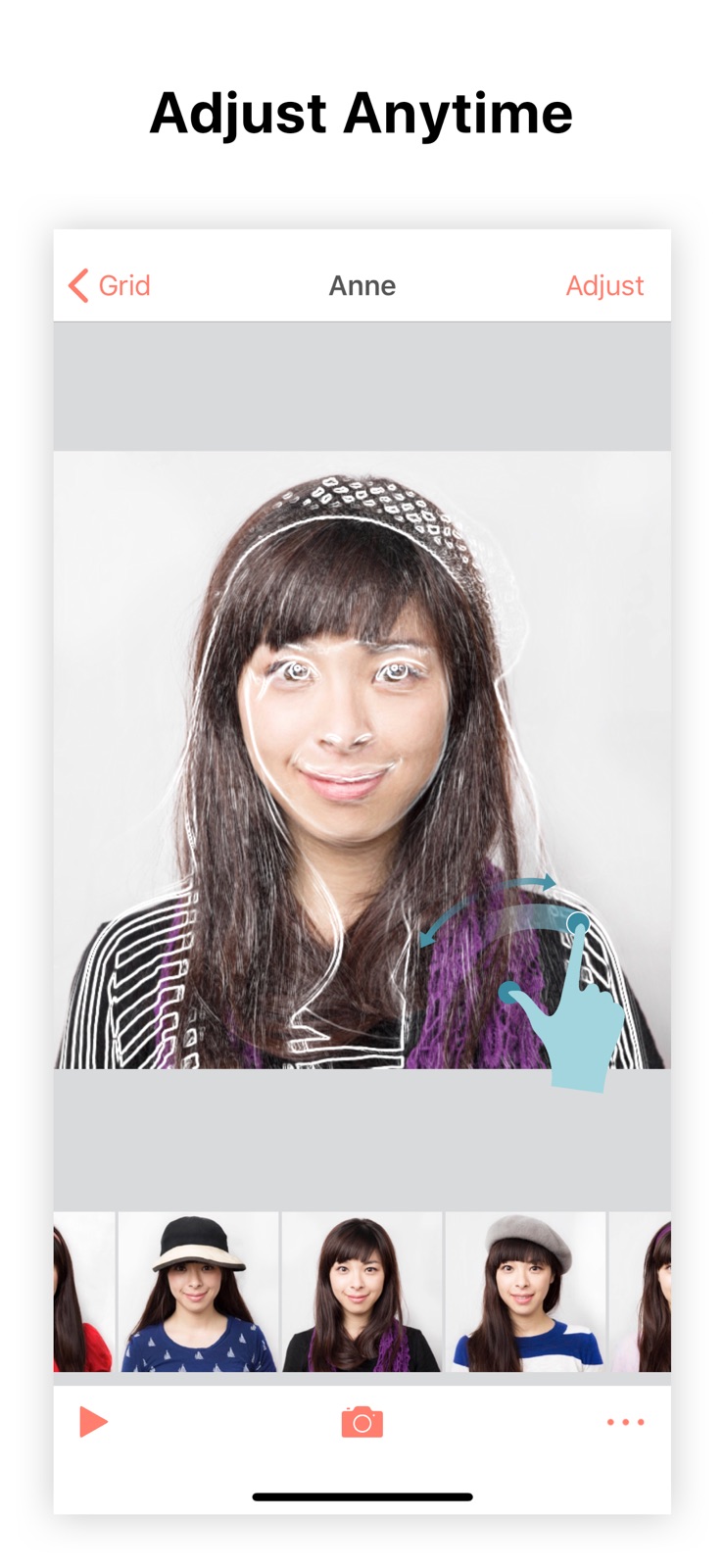
5 store screenshots


Pricing & paywalls
App Store
- Price: $0.99
Ratings & reviews
App Store
-
5/5GREAT APP
I never write reviews but I’m literally writing my first one to show how much I love this app. I’ve been taking selfies to make a time lapse for almost 5 years now, but the app I used before wasn’t very good. I’ve really struggled to find other apps that fit my needs but this one is actually perfect. I love how you can adjust each photo even after you take it to ensure that everything is in line. Before, all my photos were all over the place but I just spent the past couple hours lining all my imported photos (I have A LOT) and now the video is perfect!! I love how you can adjust the lighting before taking a picture, which I could never do before. Also, it’s so much easier to line up pictures with the guide in this app. Lastly, the process to create a video is super fast, I remember having to wait for minutes on the last app I used. I wish I found this app earlier definitely worth it!! I only have one issue and that is when I export my pictures to my camera roll, they are all out of order and have today’s date. I hope this can be fixed!
Excited for the album · 6 Aug 2026
-
1/5Purpose?
Because of the constant and very intrusive reminders to use the app every day, I finally went to the app to look inside once again. I’ve always been able to turn notifications on or off in iPhone settings. But this sucker makes this happen inside the app. I don’t know why it keeps turning them on again. Because it seems like it coukd have a purpose, I let it stay on my iPhone. So today I was able to turn off the nasty reminders to use the app once again. It’s a pushy app and when iphone is locked, the lock screen will show sometimes ten notifications from it. Once past the irritation of the reminders, I make a picture show. Idk what else to call it here. The first of many problems is the speed. It makes no difference whether set for 1fps or 30fps. The pictures just race by with no time to dee them. The idea of this app is nice. Sacly it just does not work. I read reviews saying it does what it's supposed to, etc. but no where do I see anything about what it is supposed to do. I've never had this problem before but there seems to be no point to this app. Why does it exist? I see options with group of pics to create video or gif. The result no matter settings is a messy display of too many pics so fast they are useless. It's nagged me to death for months to add pictures, always when I am doing something legitimate which I hated. Finally opened today, see it doesn't do anything, and turned off pesky reminders. If I don't find a use for it soon it will become an app I used to know.
Excellent714 · 6 Aug 2026
-
5/5Great, free app for timelapse documenting
Any sort of transition or passage of time you want to document quickly and conveniently on your device is a good candidate for TimeShutter. This app has worked flawlessly since I first started it three months ago, and for my purposes-- documenting my HRT transition-- it's a fantastic motivator when progress seems slow. I also love the date-stamps it puts when you scroll through pictures (these are only in edit mode; your rendered videos and GIFs are clean) along with the ability to adjust the rotation, scale and position of each individual frame any time you wish. I would love it if this app were more versatile, like aspect ratio options (currently square format), the ability to adjust color and contrast, and more speeds (I exclusively use Fast mode, around 10 pictures per second, fine for portraits but other things I'd want even faster), but being a completely free app I can't really complain. Most casual users will likely be very happy with TimeShutter!
Eric T. Jones · 6 Aug 2026
-
5/5Great app! Used for a year now.
I just finished a year of daily photos of my daughter since birth and I'm really happy with this app. I don't take photos using this app because my daughter doesn't stay still. I take photos or even my wife will take photos on her phone, send them to me, then I imported into app. Only issue with this was if I didn't save photo on same date it would set the file creation date to the day I saved the file and not when it was taken. You don't have to import day of and I would do a week of photos to catch up and the app would set the days perfectly each time. This app does exactly what it advertises! I started with an iPhone 5 then upgraded to iPhone 6S Plus and did not have any issues when restoring this app to my new phone and continuing the photos. I've recommended this app to many of my friends and would highly recommend to anyone. Photos do come out square which would be cool if it could be more.
MyNameIsSamAndILikeToParty · 6 Aug 2026
-
5/5I LOVE THIS APP!
This little app is amazing and can be used for all kinds of photo manipulation and I wouldn’t mind paying something for it to help the developers out. I personally use it for manually stabilizing frames of video. I do this by splitting a video into frames using a different app. I then import the frames and, after selecting my point of reference that will remain stationary, I align all the frames. I have three suggestions that would make this app the absolute best in its class: 1) Allow the selection and import of multiple photos at the same time. I often have 30-40 frames to align, and selecting each individually from the Photo Roll is difficult when they all look very similar. 2) Allow the import of short video clips and create images that can be aligned. 3) Allow the selection of some object in the reference photo and then locate and align subsequent photos to this selected object. This feature would be very powerful. Imagine if you could select the right eye in a series of selfies and the app could locate and align the right eye in all of the photos. This app is great as it is, and these features would make it even better. I think the first move should be to allow multiple photos import and then charge to cover future development costs.
topspinguy · 6 Aug 2026
Privacy & accessibility
App Store
Privacy
- No Details Provided Developer declared
Accessibility
No accessibility labels collected yet.
Versions
App Store
-
2.0.0
Updated to the latest iOS 11 and adapted for iPhone X screen. Default notification reminders off. (We're listening!) Numerous bug fixes. Stay tuned, more to come!
-
2.0.1
Added indicator for which photo is the template Fixed top crashers.
-
2.1.0
Use the previous photo as template. Great for babies, plants or anything grows over time! (This is what you all asked for! Find it in album settings) Assign any specific photo as the reference template. (Another feature request from you! Long press any photo to re-assign) Show a vertical date label indicator when scrolling photo grid page. Caching photo thumbnails (Faster photo loading and scrolling experience) Minor bug fixes.
-
2.2.0
8 fps or 23 fps? Set any playback speed you want with a slider. AKA, customized export speed. This is what you asked for. (Shoot us an email or leave a message in the review, tell us what you think. We'll prioritize tasks based on your feedback! How frequent are we updating this app? Check out the update history. We're back! Seriously)
-
2.2.2
Version Triple 2! Nothing big actually: a crash in reminder calendar settings; fixed template overlay being flipped in wrong direction. (Shoot us an email or leave a message in the review, tell us what you think. We'll prioritize tasks based on your feedback! How frequent are we updating this app? Check out the update history. We're back! Seriously)
-
2.2.3
Fixed a crash when saving videos and gifs to phone. Prepare for the refreshed storage module. If you love TimeShutter, we'd be thankful if you rated us!
-
2.2.4
FREE for limited time before the next release. Grab it while you can! Fixed a crash at focus change in Camera. (Do you know the more you the app, the more issues are surfaced through crash reporting? As we fix the bugs, the app will be more stable and healthy. If you love TimeShutter, we'd be thankful if you rated us!)
-
3.0.0
This is a huge update that deserves a major version number increment. Why? Read on: 1. Portrait or landscape? You decide! No more square restrictions. Enjoy the original camera aspect ratio! 2. All photos are now taken at max resolution available. No more downsized photos! We know this bothered some folks. 3. Exported videos are upgraded to 720p. And 1080p and 4k options are coming very very soon. 4. Batch export all your perfectly aligned photos at the max resolution to photo library and use however you want! You're not locked in on TimeShutter with your precious moments. Feel free to try out TimeShutter. We're very confident that you won't take the photos to other similar apps. 5. If you enabled "Save to Photos" option, now your external photo copies are synced. All adjustments made in-app are applied to the copy also. The most important change is actually something you cannot see. The underlying internal image storage is much improved and much more efficient now. This is what we've been busy with in the past few weeks. This made the app takes less storage, and made some of the upcoming exciting features possible. If you love TimeShutter, we'd be thankful if you rated us!
-
3.0.1
A minor bug fix on top of .... previously: This is a huge update that deserves a major version number increment. Why? Read on: 1. Portrait or landscape? You decide! No more square restrictions. Enjoy the original camera aspect ratio! 2. All photos are now taken at max resolution available. No more downsized photos! We know this bothered some folks. 3. Exported videos are upgraded to 720p. And 1080p and 4k options are coming very very soon. 4. Batch export all your perfectly aligned photos at the max resolution to photo library and use however you want! You're not locked in on TimeShutter with your precious moments. Feel free to try out TimeShutter. We're very confident that you won't take the photos to other similar apps. 5. If you enabled "Save to Photos" option, now your external photo copies are synced. All adjustments made in-app are applied to the copy also. The most important change is actually something you cannot see. The underlying internal image storage is much improved and much more efficient now. This is what we've been busy with in the past few weeks. This made the app takes less storage, and made some of the upcoming exciting features possible. If you love TimeShutter, we'd be thankful if you rated us!
-
3.0.2
Fixed camera permission crash.... previously: This is a huge update that deserves a major version number increment. Why? Read on: 1. Portrait or landscape? You decide! No more square restrictions. Enjoy the original camera aspect ratio! 2. All photos are now taken at max resolution available. No more downsized photos! We know this bothered some folks. 3. Exported videos are upgraded to 720p. And 1080p and 4k options are coming very very soon. 4. Batch export all your perfectly aligned photos at the max resolution to photo library and use however you want! You're not locked in on TimeShutter with your precious moments. Feel free to try out TimeShutter. We're very confident that you won't take the photos to other similar apps. 5. If you enabled "Save to Photos" option, now your external photo copies are synced. All adjustments made in-app are applied to the copy also. The most important change is actually something you cannot see. The underlying internal image storage is much improved and much more efficient now. This is what we've been busy with in the past few weeks. This made the app takes less storage, and made some of the upcoming exciting features possible. If you love TimeShutter, we'd be thankful if you rated us!
-
3.0.5
Fixed broken notification reminder, with a custom sound. For 3.0.x: This is a huge update that deserves a major version number increment. Why? Read on: 1. Portrait or landscape? You decide! No more square restrictions. Enjoy the original camera aspect ratio! 2. All photos are now taken at max resolution available. No more downsized photos! We know this bothered some folks. 3. Exported videos are upgraded to 720p. And 1080p and 4k options are coming very very soon. 4. Batch export all your perfectly aligned photos at the max resolution to photo library and use however you want! You're not locked in on TimeShutter with your precious moments. Feel free to try out TimeShutter. We're very confident that you won't take the photos to other similar apps. 5. If you enabled "Save to Photos" option, now your external photo copies are synced. All adjustments made in-app are applied to the copy also. The most important change is actually something you cannot see. The underlying internal image storage is much improved and much more efficient now. This is what we've been busy with in the past few weeks. This made the app takes less storage, and made some of the upcoming exciting features possible. If you love TimeShutter, we'd be thankful if you rated us!
-
3.1.0
Show total time span of a project on album cover. (x years y months z days) Show total number of photos on album cover. Correct starting time of a project in week/day display mode. Some cases negative days/weeks would show before. Some UI tweaks, larger image size. Extra album/photo stats analytics. Update outdate libraries. A remote configured feed system. Handle incorrect EXIF/TIFF date format when importing.
-
3.1.2
3.1.2 Fix a crasher during photo import. 3.1.0: Show total time span of a project on album cover. (x years y months z days) Show total number of photos on album cover. Correct starting time of a project in week/day display mode. Some cases negative days/weeks would show before. Some UI tweaks, larger image size. Extra album/photo stats analytics. Update outdate libraries. A remote configured feed system. Handle incorrect EXIF/TIFF date format when importing.
-
3.1.3
Fixed an issue where albums don't show on iOS 9/10 with smaller phone screens (iPhone 4/5/5s).
-
3.1.5
Update framework for localized translations.
-
3.2.0
Add tens & hundreds photos at a time from your camera roll (iPhone photos library) with multiple selections.
-
3.2.1
Add tens & hundreds photos at a time from your camera roll (iPhone photos library) with multiple selections.
-
3.3.0
Camera roll photos are saved to specific albums. Taking photos with hardware buttons.
-
3.4.0
3D force touch on the icon to take a picture directly without launching the app. Fixed a bug in capture photo with volume buttons.
-
3.5.0
Added camera timer. Take photos with count down!
-
3.6.0
Privacy locked album! Unlock your private albums with FaceID or TouchID!
-
3.6.1
Fix a crasher when exporting videos due to incorrect aspect ratio settings.
-
3.6.2
Fix camera capture bugs
-
3.6.3
More bug fixes
-
3.6.4
· 3 Oct 2018
We fixed a tricky memory leak bug.
Alternatives
- Camera Overlay for Business — Same category + similar ratings
- PhotoAlign: Before and After — Same category + similar ratings
- Before and After App — Same category + similar ratings
- PastShot: Then & Now Camera — Same category + similar ratings
- Close-up, daily selfies — Same category + similar ratings
- Onion Cam2 - StopMotion camera — Same category + similar ratings
Availability by market
- US
Data quality & evidence
- Page completeness
- Live store listing
- Last verified
- 6 Aug 2026
- Sources
- App Store
- Independent summary has not been published yet.