
Quick verdict
- What it is
- Store information collected; independent summary not yet available.
- At a glance
-
- Free to download
Categories and search queries
Official categories
- Productivity
- Business
AppCorpus categories
Key functions
| Function | Availability | Access | Scope | Evidence |
|---|---|---|---|---|
| Free app | Yes | Free | — | Store published |
Screens
App Store
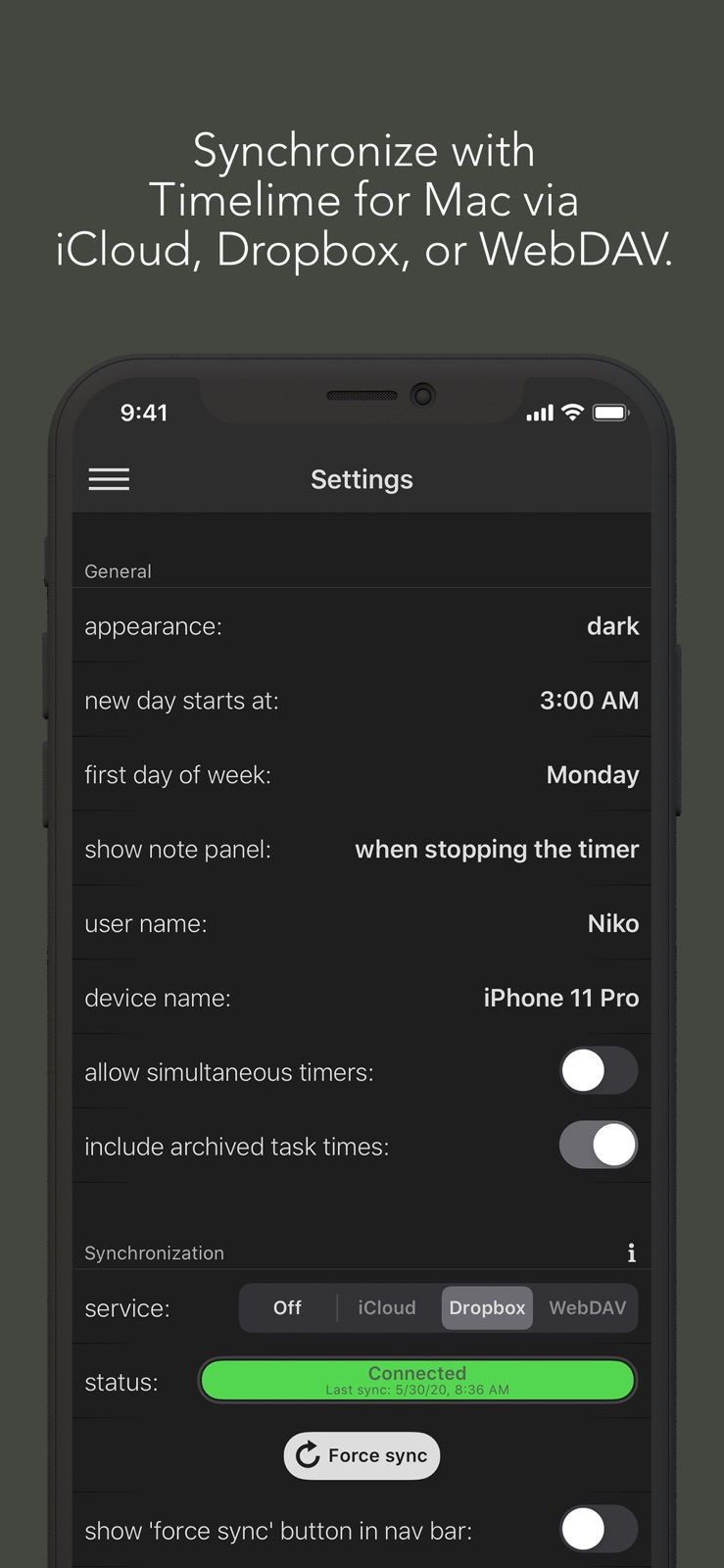
4 store screenshots



Pricing & paywalls
App Store
- Free
Ratings & reviews
App Store
-
5/5Great App! A Business Saver!
I have the desktop version of this app and can attest to this developer truly caring about his product. Every suggestion any user makes is taken seriously, and if it makes sense, the developer will add the feature into a future version. He is also very quick to respond to any bugs found and corrects them immediately. He's a rare combination of quality, passion, and attention to detail. Definitely highly recommended!!!
lutang · 7 Aug 2026
-
5/5Every day: stable, great UI, a KEEPER
I adore Timelime on my Mac. I'm a freelancer and I keep track of my billable hours with it. It sits in my menu bar, so easy to stop and start; it's reliable (backup and sync too); and it exports beautifully for bookkeeping. Thank you for making this wonderful iPhone companion app.
marigoldsandviolets · 7 Aug 2026
-
5/5One of my most used apps, So glad there is an iPhone version now
I have been using this app on my Mac computers for a while. It is in my opinion the best in it's category. The app allows unobtrusive project-based time tracking, it has extensive features, allows sub-tasks, offers great visualization, and has great import-export capabilities. Sync works smoothly for both iCloud and Dropbox (although I stick to Dropbox because I don't trust Aple on this front). But the killer aspect of this app is that it offers continuous, seamless, integrated time-tracking on both your Mac OS and iOS devices. It just works in that regard. And for anyone who needs or wants to track time accurately, this integration is a life-saver because it offers great freedom. There is a lot of effort and care in this little app, and the iOS version shines with polish. Don't hesitate to use it if you need to track time.
Kieran Adonis · 7 Aug 2026
-
5/5the best
the best
messina_air · 7 Aug 2026
-
5/5The Best Time Tracker
I use this to manage my time in my small business at home. This app ticks so many boxes it's not even funny. It looks good, simple clean and elegant. It has many deep features like allowing you to track work past midnight and count it as the same day (many apps don't implement this well), and great flexible options for rounding tracking to your desired grid. The reporting on this app, pie charts, bar and line graphs, very clean and effective. After every day I get my daily breakdown visually clear and in an instant with these. The charts are quick to customize and focus on specific tasks for your tracking pleasure. The sync between phone and desktop works really well and there's no subscription fee! You buy it you own it, and relative to other tracking apps the price is good on this. I have become so much more effecient because I use this app to clock in and out of breaks or whatever tasks I've setup with it. I highly recommend checking this out of you need a fully featured time tracker with devs who pay attention to the finer details which can make or break an app like this!
Reflekshun · 7 Aug 2026
Privacy & accessibility
App Store
Privacy
- Data Not Collected Developer declared
Accessibility
No accessibility labels collected yet.
Versions
App Store
-
1.10.0
Now find 13 Timelime actions in the Shortcuts app. If you are missing something, feel free to request a change or new action. Important: If you are synching Timelime with other Macs or iPhones, ensure to update Timelime to the latest version on all devices.
-
1.10.1
This update fixes a bug that causes the app to crash when using the "Start Timer" Shortcuts action, and a timer is already running.
-
1.10.2
This version includes minor fixes and improvements.
-
1.10.3
This update adds support for the ISO 8601 calendar.
-
1.10.4
This update includes bug fixes and minor improvements.
-
1.11.0
This update includes bug fixes and minor improvements.
-
1.11.1
This update includes bug fixes and minor improvements.
-
1.11.2
This update improves synchronization.
-
1.11.3
This update includes bug fixes and other minor improvements.
-
1.11.4
This update includes bug fixes and minor improvements.
-
1.12.0
This update includes bug fixes and other minor improvements.
-
1.12.1
This update includes bug fixes and other minor improvements.
-
1.12.2
This update includes bug fixes and minor improvements.
-
2.0
This update: • introduces a Live Activity showing running timers • moves the main navigation to the bottom • includes minor bug fixes Important: If you are synching Timelime with other Macs or iPhones, ensure to update Timelime to the latest version on all devices.
-
2.1
The app now also works as a companion for Timeframe (macOS).
-
2.2
This update includes bug fixes.
-
2.3
This update adds support for multiple sets of daily target hours when syncing with Timeframe. If you are syncing across multiple Macs or iPhones, please ensure all devices are updated to the latest version.
-
2.4
This update fixes a bug that causes the Live Activity to get stuck when the app is relaunched.
-
2.5
This update includes minor improvements. If you are syncing across multiple Macs or iPhones, please ensure all devices are updated to the latest version.
-
2.6
This update includes bug fixes.
-
3.0
This update ensures compatibility with the latest versions of Timeframe and Timelime for macOS and addresses known bugs.
-
3.1
- Improved Shortcuts and added App Intents - Live Activity now works when starting a timer via Shortcuts This update ensures compatibility with the latest versions of Timeframe and Timelime for macOS and addresses known issues. Important If you are syncing Timeframe/Timelime across multiple Macs or iPhones, please ensure all devices are updated to the latest version.
-
3.2
This update includes UI improvements.
-
3.3
This update includes UI improvements.
-
3.4
· 6 Jul 2026
This update includes UI bug fixes and improvements. Thanks for using Timeframe!
Alternatives
- 10MB: Time Tracking, Made Easy — Same category + similar ratings
Availability by market
- US
Data quality & evidence
- Page completeness
- Live store listing
- Last verified
- 7 Aug 2026
- Sources
- App Store
- Independent summary has not been published yet.